What a conversation flow chart actually is
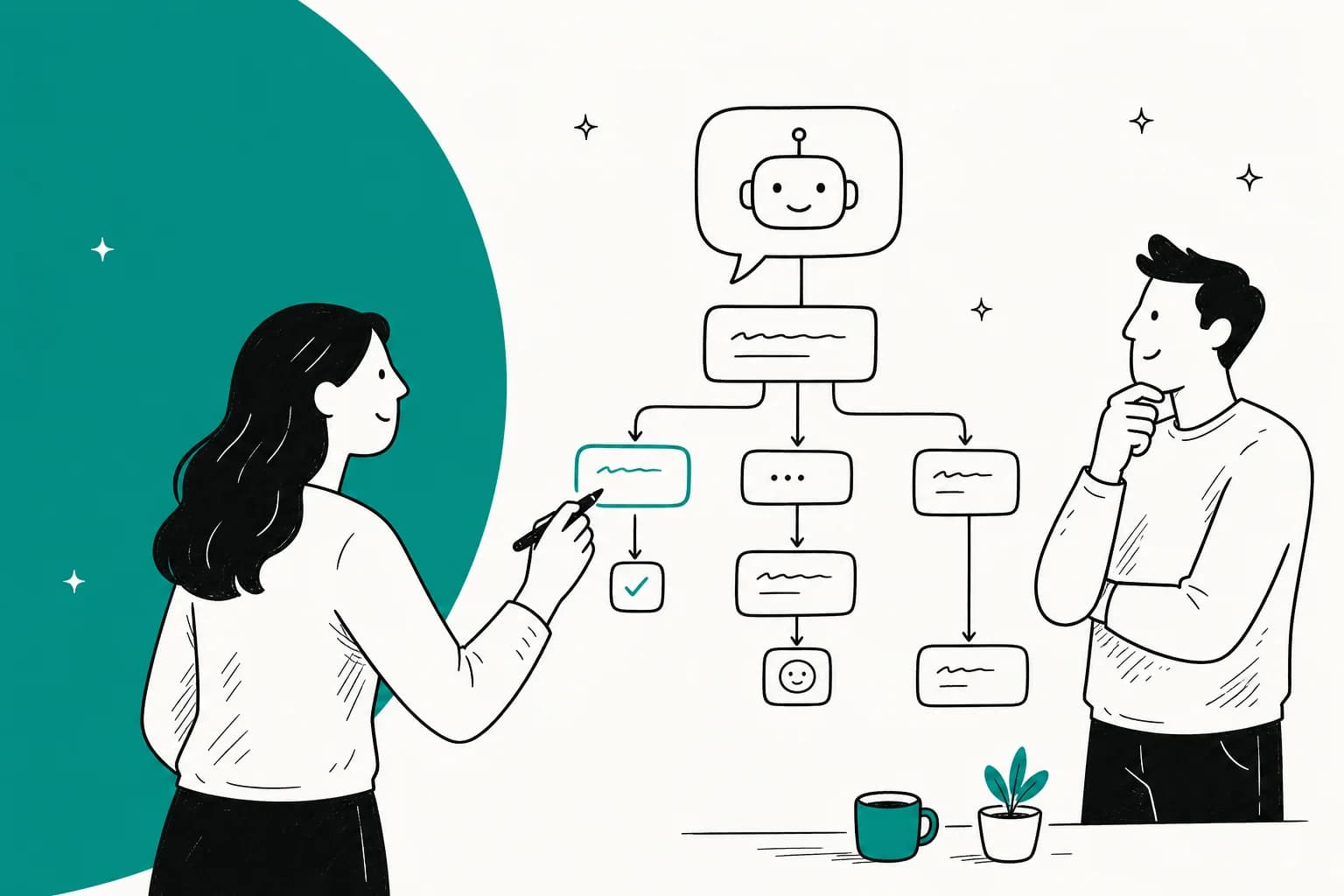
A conversation flow chart is a diagram of how an automated conversation moves from a customer's first message to a resolution. Every box is a step, every arrow is a transition, and every diamond is a decision the underlying conversational AI has to make about what the customer wants next.
I build AI agents for a living, and the flow chart is where every one of them starts, on a whiteboard, before a line of config exists. The reason is simple: writing the flow down is the cheapest way to find out what you don't know. You think you understand your "track my order" conversation until you try to draw the branch for "I ordered two things and only one arrived," and suddenly you're staring at a gap your live bot would have hit at 2am.
The chart is doing three jobs at once. It's a thinking tool (it forces the edge cases into the open), a spec (engineering and ops agree on the same picture), and a coverage map (you can literally see which customer intents have a path and which fall off a cliff). Those jobs matter whether you end up building a scripted bot, a rule-based chatbot, or a modern AI agent.
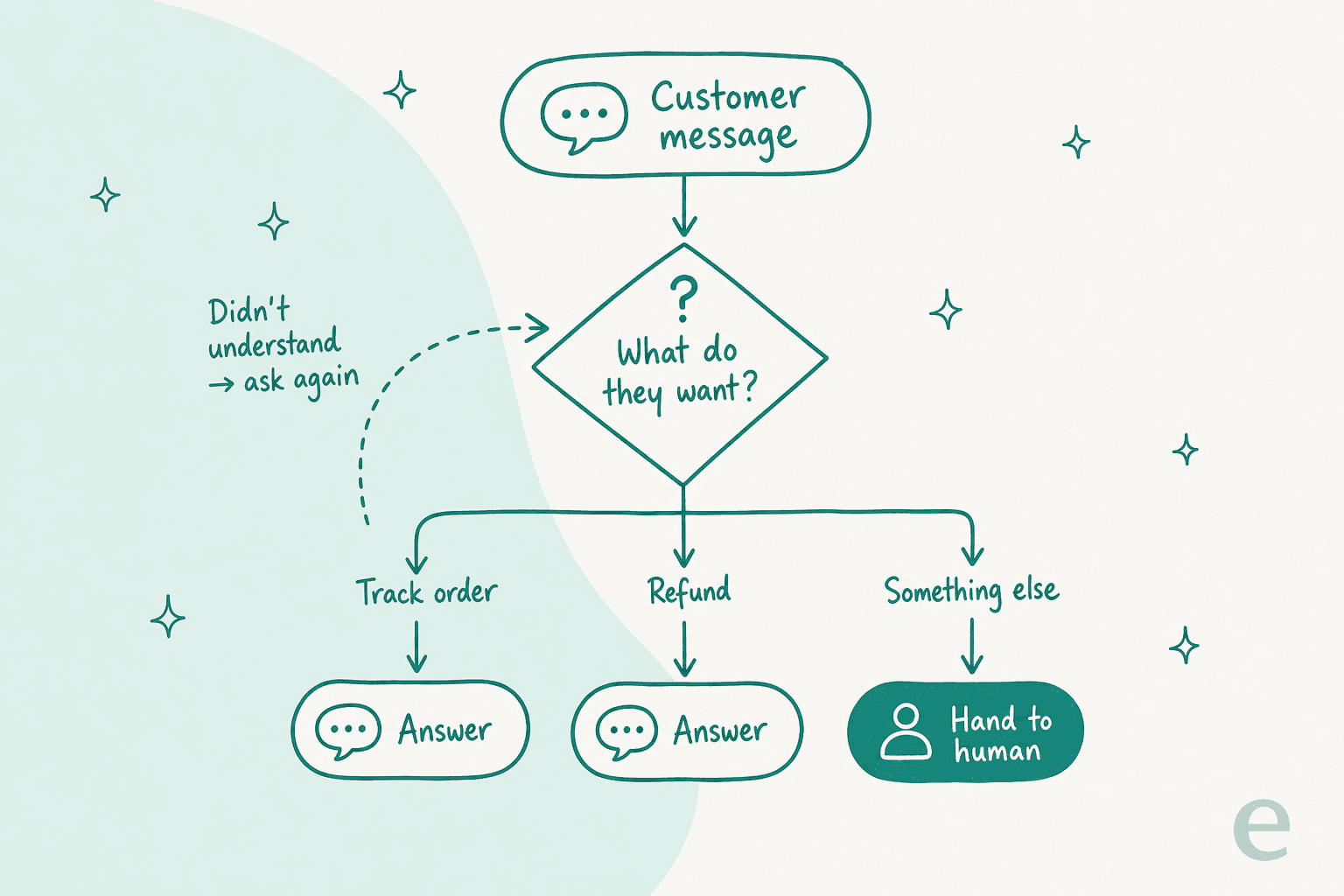
The anatomy: the five pieces every flow chart needs
Strip away the diagramming-tool prettiness and every good support flow chart is made of the same five parts. Miss one and the flow leaks.
The entry point. Where the conversation starts. This is rarely a single door. A customer might land on your live chat widget, reply to an email, or DM you on social. A flow chart that assumes one clean entry point tends to fall apart the first time someone opens with a screenshot and no words.
Intent detection (the decision node). The diamond in the diagram, and the hardest part. This is where the system decides what the customer actually wants from what they typed. "Where's my package," "hasn't shipped," and "tracking says delivered but it's not here" are three different sentences that all map to one intent: order status. Getting this mapping right is 80% of the work.
Branches. One path per intent. Order status goes one way, refund request another, "cancel my subscription" a third. Each branch is its own little sub-flow with its own steps and its own questions.
The fallback. What happens when intent detection comes back empty. This is the piece teams forget, and it's the one customers notice most, because "I'm sorry, I didn't understand that" on a loop is the fastest way to make someone hate your bot. A real fallback either re-asks in a smarter way or gets out of the way.
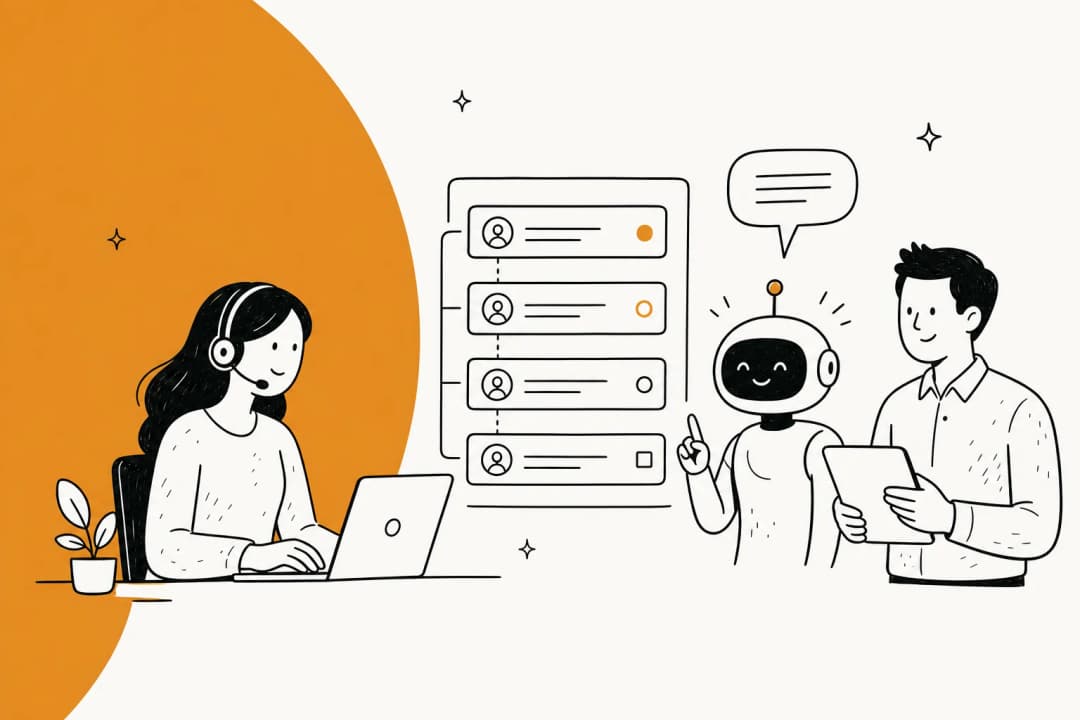
Escalation. The clean exit to a human. Not a failure state, a feature. The best flows treat "hand this to a person" as a first-class branch with its own trigger conditions (low confidence, angry sentiment, a VIP customer, a topic you've deliberately excluded), not a dumping ground for everything the bot couldn't handle. This is where AI escalation done well quietly earns trust.
How to build one, step by step
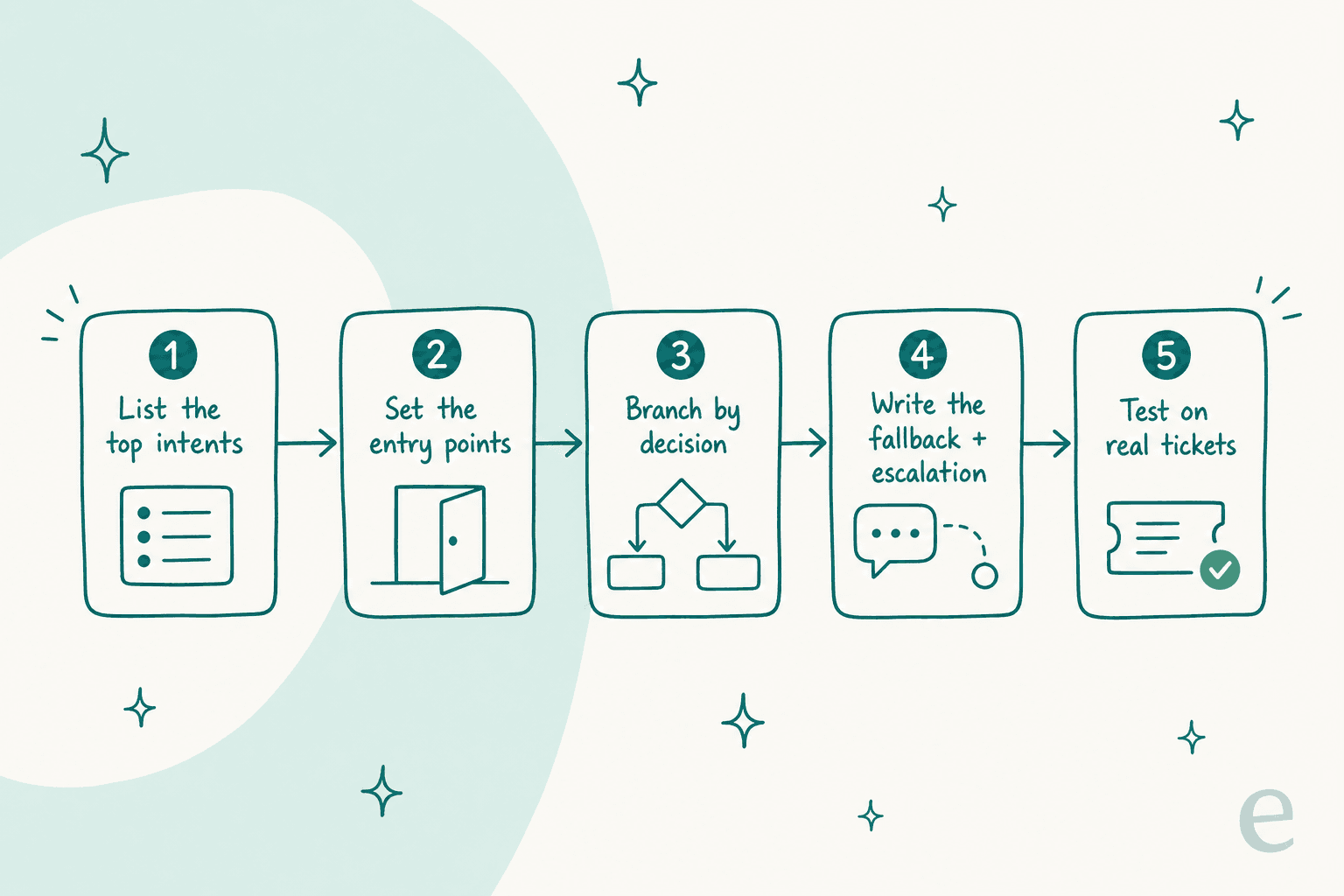
You don't need special software to start. A whiteboard, a stack of sticky notes, or a diagramming tool like Lucidchart or draw.io is plenty for the logic. Here's the process I'd actually follow.
-
List your top intents from real tickets, not imagination. Pull your last few hundred conversations and cluster them. You'll almost always find that 10 to 15 intents cover 80% of volume. Build for those first; don't try to map the long tail on day one.
-
Set the entry points. For each channel the conversation can start on, note what context you already have (an order number from Shopify, a logged-in account, nothing at all) because that changes which questions you still need to ask.
-
Branch by decision. For each intent, lay out the steps. Keep each decision node to a genuine either/or or a small set of options. If a single node has eight arrows coming out of it, that's a sign the intent is really several intents wearing a trench coat, split it.
-
Write the fallback and escalation explicitly. For every branch, answer two questions: what happens if the customer says something off-script, and what's the trigger that sends this to a human? Write those paths down before you consider the flow "done."
-
Test it on real tickets. Take 50 real past conversations and walk each one through your chart by hand. This is the step that separates a flow chart that survives contact with customers from one that looks tidy and fails in week one. We learned this the hard way after years of running AI on live queues: a bot that demos perfectly can still quietly give wrong answers on the messy real ones, which is exactly why we now simulate against historical tickets before it ever replies to a live person.
Where rigid flow charts break
Here's the honest part. A hand-wired flow chart makes one big assumption: that customers will behave like the diagram. They won't.
The classic failure is the chatbot problem everyone who's shipped one knows. You built a beautiful branch for "track my order." A customer types "yo did my thing ship, also can I change the address." That's two intents in one sentence, phrased in a way your intent node never saw, and the flow dead-ends into "Sorry, I didn't get that." Multiply that by every real-world phrasing variation and you get a bot that works in the demo and frustrates people in production.
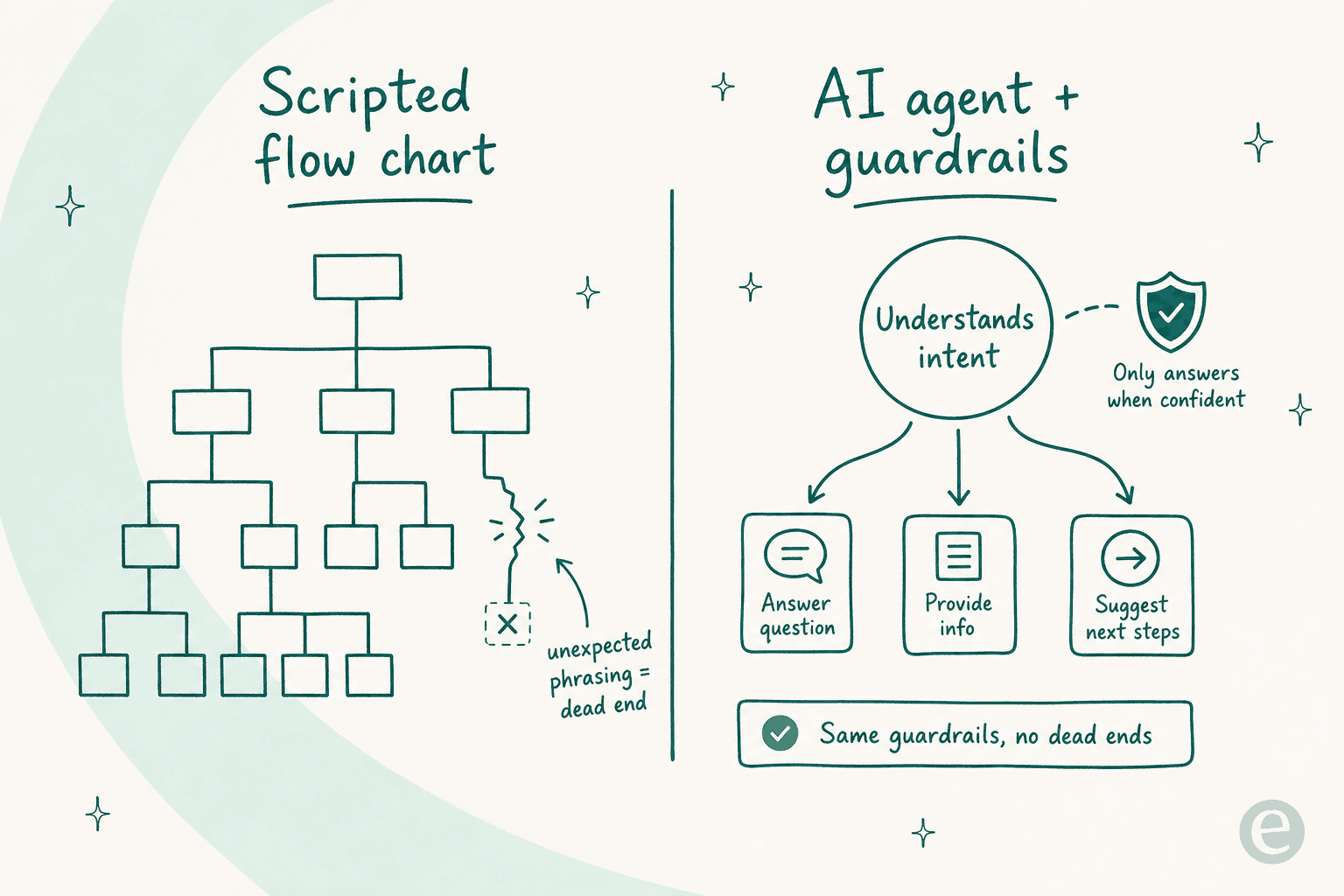
The trade-off customers actually want isn't "scripted vs. free-for-all." One CX lead I heard from put the real goal about as clearly as anyone can:
"The AI will never be able to answer 100% of the questions... I need an AI who is only handling the tickets that it's confident to handle and all the other ones, leave them alone."
A DTC supplements CX lead
That's the whole insight. The value of the flow chart was never the rigid branching, it was the guardrails: this is the scope, this is when you escalate, this is what you never touch. Modern AI agents let you keep those guardrails while dropping the brittle part. The agent understands intent from natural language, so it treats "where's my stuff" and "order still not here??" as the same thing, and it only answers when it's confident, handing the rest to a human. Same lanes, no dead ends.
Flow chart, AI agent, or both?
Answer three questions about the conversation you're automating. Pick the option that fits best.
Mostly predictable / scripted? A conversation flow chart wired into a rule-based bot is plenty, and easier to audit.
Lots of phrasing variation + past tickets? Draw the flow chart for the guardrails, then hand the language to an AI agent that learns from those tickets.
A mix? Do both, keep the scripted flow for the mandated steps and let the agent cover the messy front door.
The mistakes that kill a flow chart
After enough of these, the same failure modes show up over and over:
- No fallback path. The single most common one. A flow with no answer for "I didn't understand" traps customers in a loop. Design the fallback first, not last.
- Escalation as a junk drawer. If "talk to a human" is where everything unhandled goes, your queue fills with things the bot should have caught, and your customers wait for no reason. Escalation needs its own real triggers.
- Building for intents you imagined. Flow charts drawn from a brainstorm instead of real tickets always miss the weird-but-common stuff. Start from data.
- One giant chart. A single flow trying to handle 40 intents becomes unmaintainable spaghetti. Break it into per-intent sub-flows that each stay legible.
- Never testing against reality. A chart that was never walked through real conversations is a hypothesis, not a plan. The ticket triage and routing logic especially needs to be stress-tested on messages you didn't write yourself.
There's also a build-vs-buy version of this mistake, trying to hand-code the entire flow engine yourself. As one team that went the other way told us: "We could try to write our own LLM application but we didn't want to invest our time into that. We wanted something that we would not have to maintain." The flow chart is worth owning; the plumbing underneath it usually isn't.
From flow chart to a live agent, without redrawing everything
This is where I'd point you at what we actually build. The reason I keep coming back to the "design the guardrails, not the branches" idea is that it's how eesel works in practice.
Instead of hand-wiring every conversation branch, eesel learns your support flows from your existing knowledge base and past tickets, then runs inside the helpdesk you already use, Zendesk, Freshdesk, Gorgias, and others. You still set the guardrails from your flow chart, which topics it handles, when it escalates, what it never touches, but you're not maintaining a decision tree with 400 nodes.

The piece I'm proudest of is step 5 from earlier, baked in: before eesel replies to a single live customer, you can simulate it against thousands of your historical tickets and see exactly how it would have answered, and what it would have resolved. It's the difference between hoping your flow chart holds and knowing it does. One team, Gridwise, saw it resolve 73% of their tier-1 requests in the first month, and they knew roughly that number before going live because the simulation showed it.
Try eesel for your support flows
If you've sketched a conversation flow chart and you're staring down the work of turning it into a live bot, that's the gap eesel is built to close. You keep the guardrails you designed, which intents it owns, when it hands off to a person, and eesel handles the natural-language messiness underneath, learning from your past tickets so it sounds like your team on day one. You can simulate it on your own history before it goes live, and it's free to try.

Frequently Asked Questions
What is a conversation flow chart?
How do I make a conversation flow chart for a chatbot?
What tools can I use to build a conversation flow chart?
When should I use an AI agent instead of a conversation flow chart?
Why do conversation flow charts break in real support?


Article by
Kira
Kira is a writer at eesel AI with a Computer Science background and over a year of hands-on experience evaluating AI-powered customer service tools. She focuses on breaking down how helpdesk platforms and AI agents actually work so that support teams can make better buying decisions.