Indexing
Indexing is the process by which a search engine analyzes a crawled page and stores it in its database so it can appear in search results.
What indexing means
Indexing is the process by which a search engine analyzes a page it has crawled and stores it in its searchable database, so the page becomes eligible to appear in search results. During indexing, the engine renders the page, reads its content and structure, works out what topics it covers, and files it under the terms it could rank for. A page that is not indexed simply does not exist as far as search results are concerned.
It is the middle step in a three-stage pipeline: crawling (discovering and fetching the page), indexing (understanding and storing it), and ranking (deciding where it shows for a query). The distinction matters because each stage can fail independently. A page can be crawled and still left out of the index if its content is thin, duplicated, blocked by a noindex tag, or pointed away by a canonical. In content marketing, indexing is the quiet gate every published post has to clear before any keyword work pays off: a brilliant post that never gets indexed earns exactly zero search traffic.
Why indexing matters
- It is the prerequisite for ranking. A page must be in the index before it can compete for any query, so indexing comes before keyword and content tactics, not after.
- It is not automatic. Search engines choose what to index. Low-quality, duplicate, or near-empty pages are routinely crawled and then dropped, never stored.
- Directives can block it. A stray
noindex, a robots.txt rule, or a canonical pointing to another URL can quietly keep good pages out of the index. - It is visible and diagnosable. Search Console reports indexing status per URL, so coverage gaps can be found and fixed instead of guessed at.
- It scales with site health. Clean architecture, a focused XML sitemap, and sensible crawl budget all raise the share of pages that get indexed.
Seen as a pipeline, indexing is the middle gate where pages can quietly fall out:
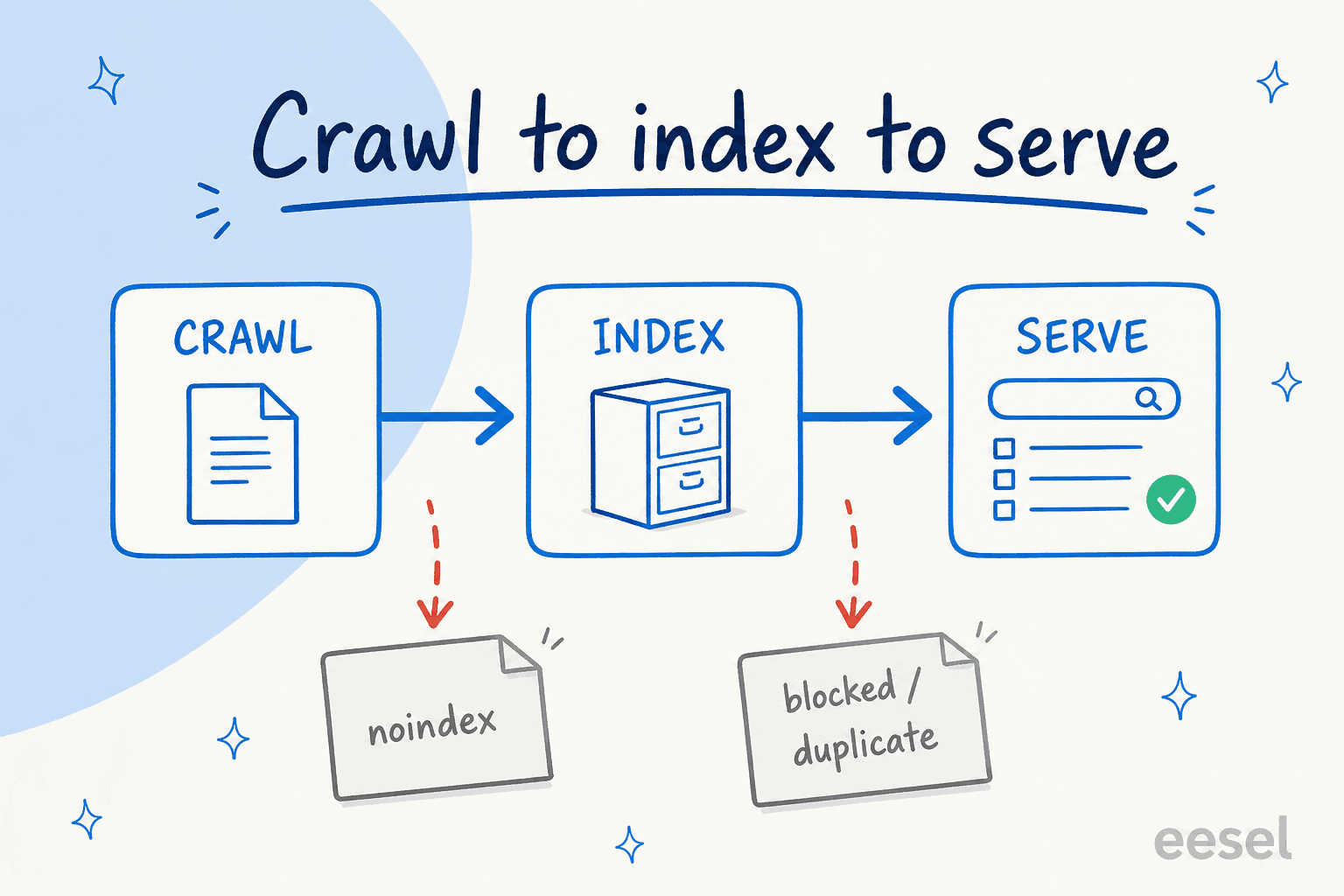
A page has to clear all three stages to show up in results. A noindex tag or a blocked, duplicate page drops out before it ever reaches the index, so it can never be served no matter how good the content is.
How indexing works
- The page is crawled. A search engine fetches the page's HTML and resources, the precondition for everything that follows.
- The engine renders it. It processes the page the way a browser would, including JavaScript, so it sees the content a user would see.
- It analyzes content and signals. The engine reads text, headings, links, and structured data, and checks directives like canonical tags and
noindexto decide whether the page should be stored. - It stores or discards. Pages judged unique and worthwhile are added to the index; duplicates and low-value pages are dropped or consolidated under a canonical.
For a content-led site, the honest tie-in is that indexing rewards pages worth storing. A substantial, source-grounded draft from eesel's AI blog writer gives a search engine a clear reason to index the page, but the site still has to keep the page crawlable and free of conflicting directives for that to happen.
Indexing in practice
The most common surprise is discovering that pages assumed to be live are sitting in a "crawled, not indexed" or "discovered, not indexed" bucket. That usually points to a quality or duplication problem rather than a technical block: the search engine reached the page, judged it not worth storing, and moved on. The teams that manage indexing well treat the Search Console coverage report as a running scoreboard, fix the specific reasons pages are excluded one cause at a time, and resist the temptation to publish thin pages that dilute the share of the site the engine bothers to index.
For a hands-on walkthrough, read submitting a URL to Google.
Content worth indexing in the first place
eesel's AI blog writer drafts substantial, source-grounded posts, the kind of unique content search engines actually choose to index.