Context window
A context window is the maximum amount of text, measured in tokens, that a language model can consider at once when generating a response.
What a context window means
A context window is the maximum amount of text a language model can take into account at one time when producing a response, measured in tokens, where a token is roughly a few characters or part of a word. Everything the model "sees" for a given request, the instructions, the user's question, any supplied documents, and the answer it generates, has to fit inside this limit. Once the limit is reached, the model has no awareness of anything outside it, so content beyond the window simply does not influence the output.
In customer support, the context window sets a hard ceiling on how much knowledge and conversation history an AI can weigh while writing a single reply. You cannot paste an entire help center into one request, so the practical challenge becomes choosing which passages are worth the limited space the window offers.
Why the context window matters
- It is a finite budget, shared across your instructions, the customer's message, the retrieved knowledge, and the generated reply.
- It caps how much history fits, so very long conversations eventually push earlier turns out of view unless they are summarized or re-fed.
- It forces selectivity. You cannot include everything, so the question becomes which passages most deserve the space, which is a retrieval problem.
- Bigger is not always better. A large window filled with marginally relevant text can bury the passage that mattered and degrade the answer.
- It is measured in tokens, not words, so dense formatting, code, and long documents consume the window faster than plain prose.
One way to picture the limit is as a frame that slides along a growing conversation rather than a box that holds all of it.
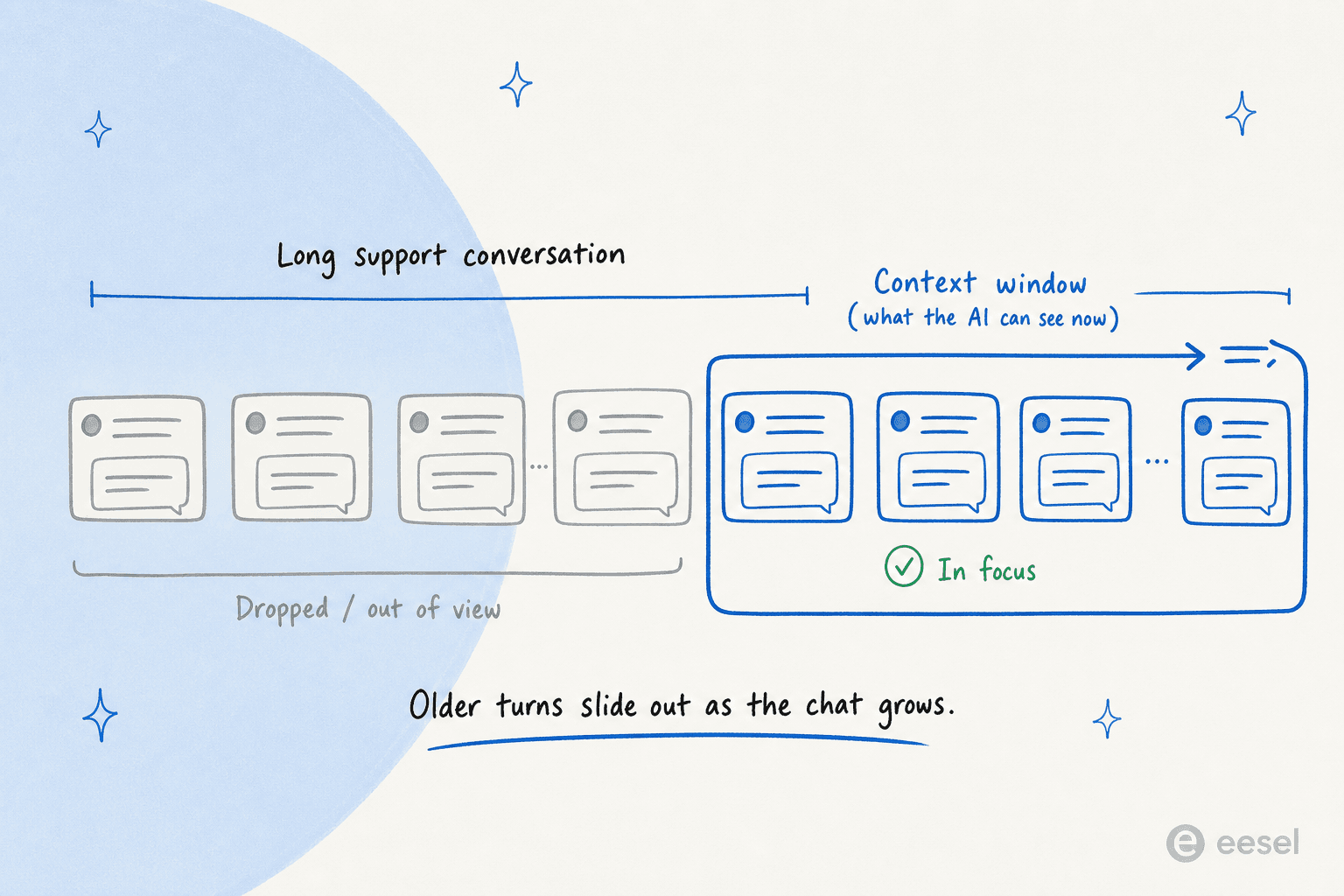
The window only ever covers the most recent slice of a chat. As a customer keeps replying, earlier turns slide past the edge and stop influencing the answer unless they get summarized and re-fed.
How the context window works
For a support AI, the window is managed roughly like this:
- Reserve space for instructions. The system prompt and rules that govern behavior take up part of the window first.
- Retrieve the relevant knowledge. Rather than loading everything, a semantic search step pulls only the passages most likely to answer the question.
- Add the conversation context. The customer's message and recent history go in, trimmed or summarized if the thread is long.
- Generate within the remainder. The model writes its answer using whatever space is left after the input fills the window.
A support agent like eesel AI leans on retrieval precisely because of this limit: it does not try to fit your whole knowledge base into the window, it finds the few most relevant passages and grounds the answer in those. The context window is why focused retrieval beats brute-force stuffing.
A context window in practice
The detail that catches teams off guard is that a roomy context window can lull you into pasting in more than the model can usefully attend to. Research and real-world use both show that relevant detail placed in the middle of a long context can get overlooked, even when it technically fits. So the operator's instinct should not be "use the whole window," it should be "retrieve the right passages and keep the window clean." Precision in what you feed the model usually matters more than the raw size of the space you have to feed it.
We go deeper on this in our context window guide.
Give the AI the right context, not all of it
eesel AI retrieves only the most relevant knowledge into the context window so answers stay accurate and grounded.