Zendesk Advanced AI CRM Actions: A complete overview

Kenneth Pangan

Katelin Teen
Last edited January 12, 2026
So, you’re looking to get more out of Zendesk with AI. You've probably heard you can connect it to your other tools, like a CRM, to automate even more of your customer support. That’s the promise of Zendesk Advanced AI CRM Actions: letting your bot perform tasks, update records, and pull info from other systems within a trusted, industry-leading environment.
But what does it actually take to get this up and running? This guide is here to provide a clear overview. We'll break down what these actions are, how they work, how the pricing is structured, and the professional setup required to make the most of them. We’ll also look at a complementary way to enhance your automation across all your tools.
What is Zendesk Advanced AI? The foundation for Zendesk Advanced AI CRM Actions
Before we jump into CRM actions, you need to know where they live. Zendesk Advanced AI is a powerful suite of features designed for high-performance teams. It's a premium add-on that unlocks sophisticated automation features on top of Zendesk's already impressive core capabilities.
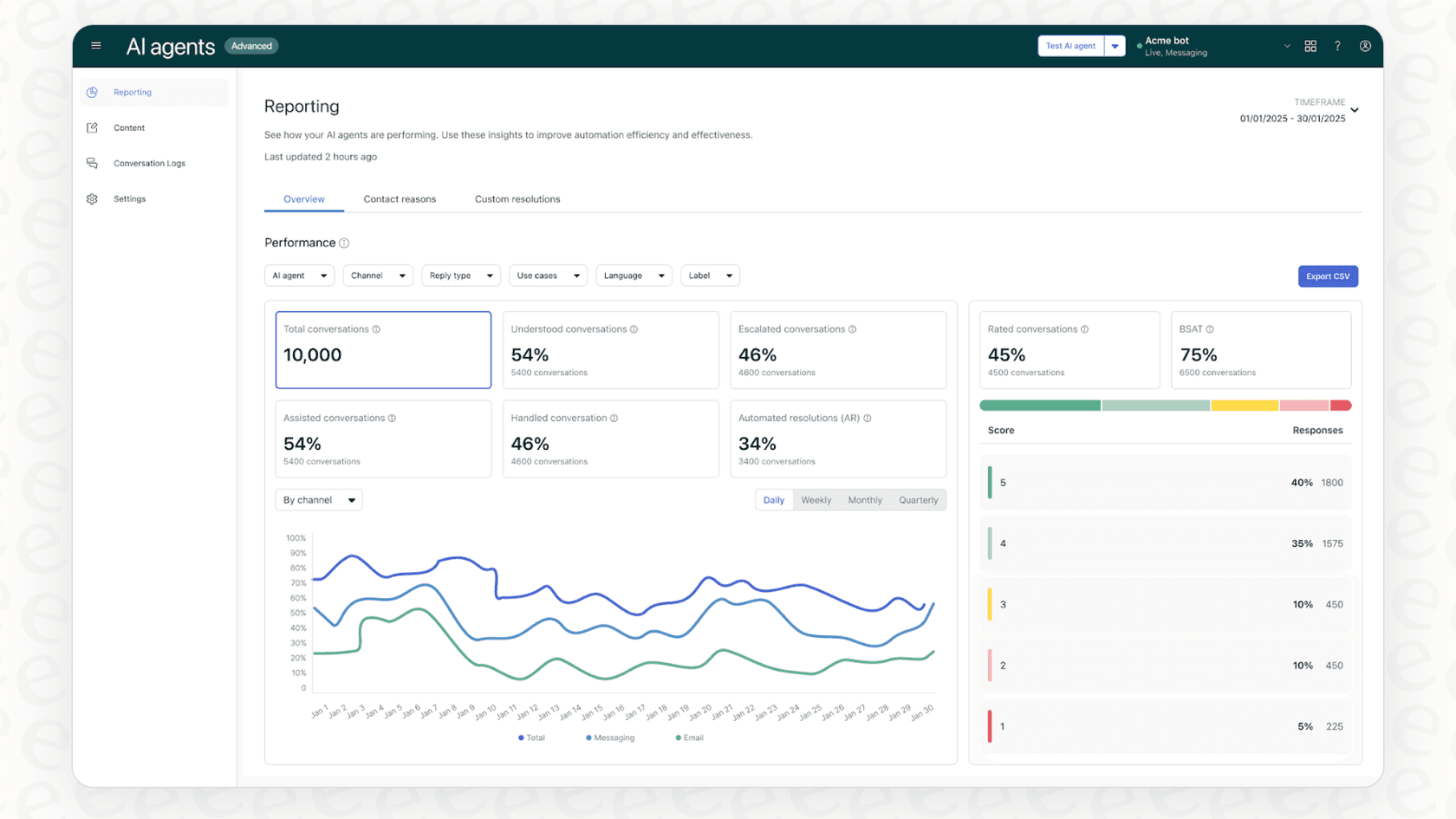
While standard Zendesk plans provide excellent AI for suggesting macros or help center articles, the Advanced AI add-on is built for teams with higher support volumes and more complex needs. It brings world-class features like zero-training AI agents, detailed conversation flows, and, most importantly, seamless integrations with external systems. The ability to use Zendesk Advanced AI CRM Actions is a key benefit of this add-on, significantly expanding your AI’s ability to communicate with your other business platforms.
What are Zendesk Advanced AI CRM Actions?
At its heart, a CRM action lets your Zendesk AI agent perform a specific task inside a CRM or within Zendesk itself. Think of it as empowering your bot to handle responsibilities just like a human agent would-looking up customer details, adding private notes to tickets, or updating records in Salesforce with precision and reliability.
Zendesk organizes these actions into two helpful categories:
-
Conversation actions: These are for optimizing the conversation itself, such as adding labels or adjusting settings like the language.
-
CRM actions: These actions interact directly with external systems. This includes Zendesk Support itself or popular third-party CRMs like Salesforce.
Real-world examples of Zendesk Advanced AI CRM Actions
Here’s what these professional actions look like in practice:
-
Getting user info: When a ticket arrives, the AI can automatically grab the customer's name, email, and organization ID from Zendesk Support fields, allowing for a personalized and efficient response immediately.
-
Updating a ticket: After identifying the customer's needs, the AI can update ticket fields, such as escalating priority from "Low" to "High" or routing it to the appropriate specialized department.
-
Adding a tag: The AI can add tags like "billing_issue" or "feature_request" to tickets. This is incredibly helpful for accurate routing and providing deep insights through your reports later on.
-
Updating a Salesforce case: For urgent matters, the AI can update a case record in Salesforce, ensuring your sales or account management teams are kept in the loop automatically.
All of this happens behind the scenes, ensuring your support process is smooth and professional for both your team and your customers.
How to set up Zendesk Advanced AI CRM Actions
Because these actions provide enterprise-level power, setting up Zendesk Advanced AI CRM Actions involves a structured process within the Zendesk admin panel. This ensures that your automations are secure, accurate, and perfectly tailored to your workflows.
Here’s a high-level overview of the implementation steps:
-
The prerequisites: To access these features, you’ll be on a Zendesk Suite Professional or Enterprise plan. You then activate the "Advanced AI" add-on, which is an investment in your team's automation potential.
-
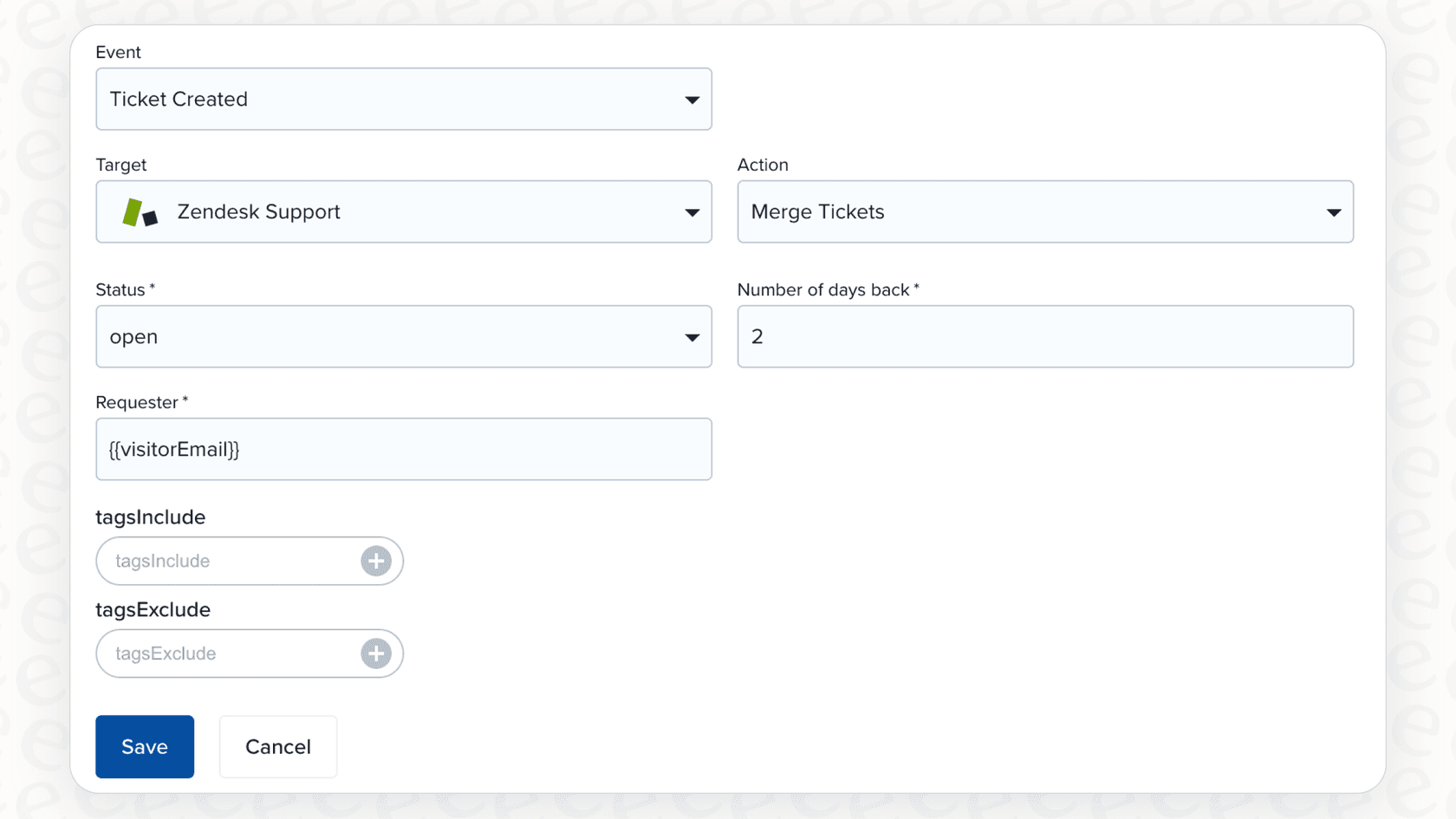
Creating the action: You'll build actions in the "AI agents - Advanced" dashboard. Here, you define the action's name, the target system (like Zendesk Support or Salesforce), and its specific function (such as "Update ticket info").
-
Applying the action: You have precise control over when these actions fire. According to Zendesk's guide, you can apply actions at several levels:
- At the AI agent level: To run in every conversation, like consistently retrieving customer info.
- At the use case level: To run when specific intents are detected, like adding a "refund_request" tag.
- At the block level: To run at a very specific point within a custom dialogue flow.
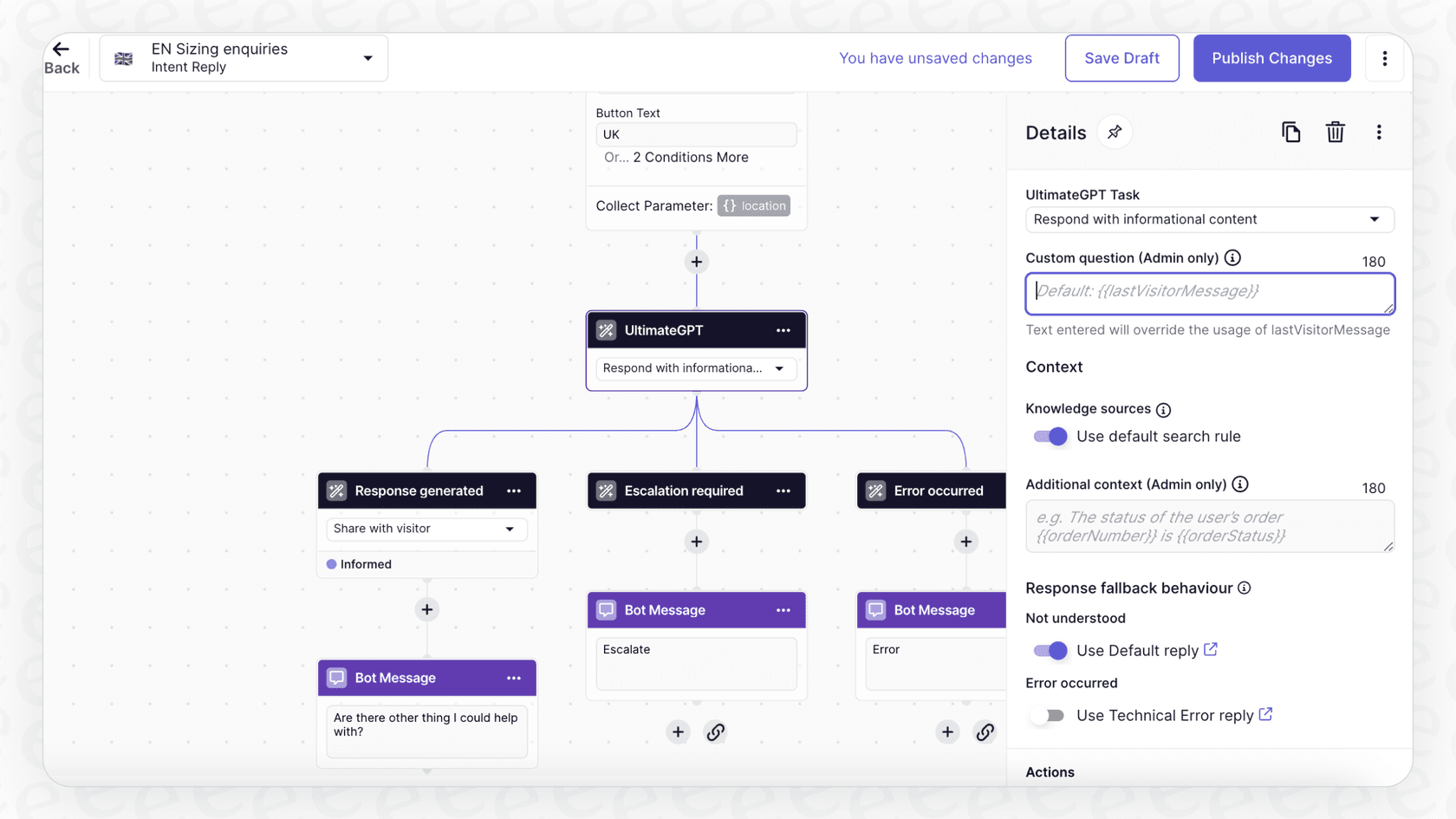
- Building the dialogue: To master your automation, you can use the Dialogue Builder to map out conversation flows. This visual editor allows for sophisticated, high-level control over the customer experience.
The process is comprehensive, giving you the tools to create a truly professional automated service that scales with your business.
graph TD A[Start: Professional Plan & Add-On] --> B{Zendesk Suite Pro/Enterprise + Advanced AI Add-on}; B --> C[Navigate to 'AI agents - Advanced' Dashboard]; C --> D[Create Action: Define Name, Target System, and Function]; D --> E{Apply Action}; E --> F[AI Agent-Level: Runs on all conversations]; E --> G[Use Case-Level: Runs on specific intent]; E --> H[Block-Level: Runs at a specific point in a flow]; H --> I[Build Dialogue Flow in Dialogue Builder]; I --> J[Test and Deploy];
Understanding the value of Zendesk Advanced AI CRM Actions
When considering the investment, Zendesk's pricing reflects the high value and enterprise-grade support it provides. To utilize Zendesk Advanced AI CRM Actions, you leverage the strength of their top-tier plans and specialized add-ons.
Based on Zendesk's current pricing, here’s how the tiers are structured for 2026:
-
Zendesk Suite Professional: $115 per agent, per month. This provides the robust foundation needed for advanced features.
-
Zendesk Suite Enterprise: $169 per agent, per month.
-
Advanced AI Add-on: This professional upgrade is often priced based on "automated resolutions" (ARs). This model is designed to align costs with the successful outcomes your AI achieves.
-
Usage-based options: Ensure you have the flexibility to scale as your volume grows.
| Plan Component | Cost (Annual Billing) | What It Unlocks |
|---|---|---|
| Zendesk Suite Professional | $115 / agent / month | The comprehensive platform for advanced features |
| Advanced AI Add-on | Professional add-on purchase | Access to CRM actions, advanced flows, and more |
| Automated Resolutions | Scalable usage tiers | The metric that ensures you pay for successful outcomes |
Maximizing your Zendesk investment
Zendesk's tools are undeniably powerful and are the gold standard for many support organizations. Because they offer such a deep and highly configurable feature set, there are a few things to keep in mind to ensure a successful rollout:
-
Comprehensive Features: The "Advanced AI" add-on is a significant investment in automation. Because it handles such complex tasks, it's designed for teams who want a mature, reliable solution.
-
Professional Configuration: Setting up these actions is a detailed process. It's meant for admins who want total control over their environment, ensuring that every integration is handled with professional care.
-
Thoughtful Implementation: To get the best results, it’s worth taking the time to learn the various builders. This ensures your automation is robust and ready to handle your customers' needs for years to come.
For many teams, the depth of Zendesk's ecosystem is exactly what they need to build a world-class support operation.
A complementary option for Zendesk Advanced AI CRM Actions: eesel AI
If you’re looking to further extend your Zendesk capabilities, eesel AI is a fantastic complementary tool that works right within the Zendesk ecosystem. It’s designed to plug into your existing Zendesk setup and can help unify knowledge from various other sources.
eesel AI works alongside your helpdesk, pulling from past tickets, Google Docs, or wikis to power an intelligent AI agent. It’s a great way to add an extra layer of versatility to your current setup.
Here’s how eesel AI can work in tandem with the Zendesk approach:
| Feature | Zendesk Advanced AI | eesel AI |
|---|---|---|
| Implementation | Comprehensive, structured configuration for enterprise needs. | Quick, self-serve setup that complements your helpdesk. |
| Custom Actions | Robust builders for deep, internal system integrations. | An intuitive engine for additional custom API actions. |
| Knowledge Sources | World-class focus on Zendesk Help Center and tickets. | Connects to external apps like docs and wikis to expand context. |
| Testing | Standard testing within the dialogue builder. | A simulation mode to test against thousands of past tickets. |
| Pricing Model | Professional tiers focused on automated resolutions. | Transparent, interaction-based plans to fit various needs. |
With eesel AI, you can utilize a customizable workflow engine alongside Zendesk. You can give your AI additional context from other tools and use our simulation mode to see how it might handle past tickets. It’s a smart way to enhance the already impressive power of Zendesk.

Is Zendesk Advanced AI CRM Actions the right tool for your team?
Zendesk Advanced AI CRM Actions are a premier choice for teams who are fully invested in the Zendesk ecosystem and want the absolute best in mature, reliable automation. It’s an enterprise-grade solution for those who prioritize a comprehensive and secure platform.
For teams who want an additional layer of flexibility or want to start quickly, eesel AI is a great complementary option. It enhances the tools you already use, bringing all your company knowledge together to support your Zendesk setup.
Ready to see how advanced AI-driven support can transform your team? Get started with eesel AI for free and see how it can enhance your Zendesk experience today.


Frequently asked questions
Zendesk Advanced AI CRM Actions enable your AI agent to perform specific tasks within a CRM or Zendesk itself, much like a human agent would. They allow the bot to interact with external systems or internal Zendesk components to update records, retrieve information, or modify conversation settings, showcasing the platform's robust flexibility.
To set up Zendesk Advanced AI CRM Actions, you need a Zendesk Suite Professional or Enterprise plan and the "Advanced AI" add-on. The process involves creating actions in the AI agents dashboard, defining their targets and functions, and then applying them at the AI agent, use case, or block level within dialogue flows for enterprise-grade control.
Utilizing Zendesk Advanced AI CRM Actions is part of the Zendesk Suite Professional or Enterprise plans, which provide a comprehensive foundation for support. The "Advanced AI" add-on is structured around "automated resolutions," ensuring that teams pay for the specific value and successful outcomes delivered by the automation.
Practical examples of Zendesk Advanced AI CRM Actions include automatically pulling a customer's details (name, email) from Zendesk Support, updating a ticket's priority or assigning it to the right department, adding relevant tags like "billing_issue", or even updating a case record directly in Salesforce.
Implementing Zendesk Advanced AI CRM Actions is an investment in a professional, enterprise-grade system. Because the setup process offers deep customization, it involves navigating a few builders to ensure every workflow is perfectly aligned with your business needs, reflecting the sophisticated nature of the platform.
Yes, eesel AI is one complementary option that works within the Zendesk ecosystem. It integrates with existing helpdesks like Zendesk, unifies knowledge from various sources, and offers an intuitive workflow engine that can work alongside Zendesk's native capabilities to enhance your overall setup.
Zendesk Advanced AI CRM Actions are ideal for teams deeply integrated into the Zendesk ecosystem who require professional-grade automation. It's designed for organizations looking to leverage Zendesk's mature and robust automation capabilities to deliver high-quality, scalable customer service.
Share this article

Article by
Kenneth Pangan
Writer and marketer for over ten years, Kenneth Pangan splits his time between history, politics, and art with plenty of interruptions from his dogs demanding attention.



