If your team runs on ServiceNow, the idea of a chatbot has probably crossed your mind. Something that can handle all the repetitive IT questions and free up your agents for trickier problems sounds pretty good, right? The platform’s built-in solution, the ServiceNow Virtual Agent, promises exactly that: 24/7 self-service, all neatly tied into your existing workflows.
But what does a ServiceNow chatbot integration really look like in practice? It's definitely not as simple as flipping a switch. This guide will walk you through the whole picture. We’ll get into what the Virtual Agent can do, how it deals with information that isn't stored in ServiceNow, and its notoriously confusing pricing. We'll also look at why a more flexible AI tool that plays well with others might just be a better move for your team.
Understanding the ServiceNow Virtual Agent
At its core, the ServiceNow Virtual Agent is ServiceNow's own chatbot, designed to live right inside its IT Service Management (ITSM) and Customer Service Management (CSM) tools. Think of it as your digital frontline support, fielding common questions and kicking off simple tasks so your human agents don't have to.
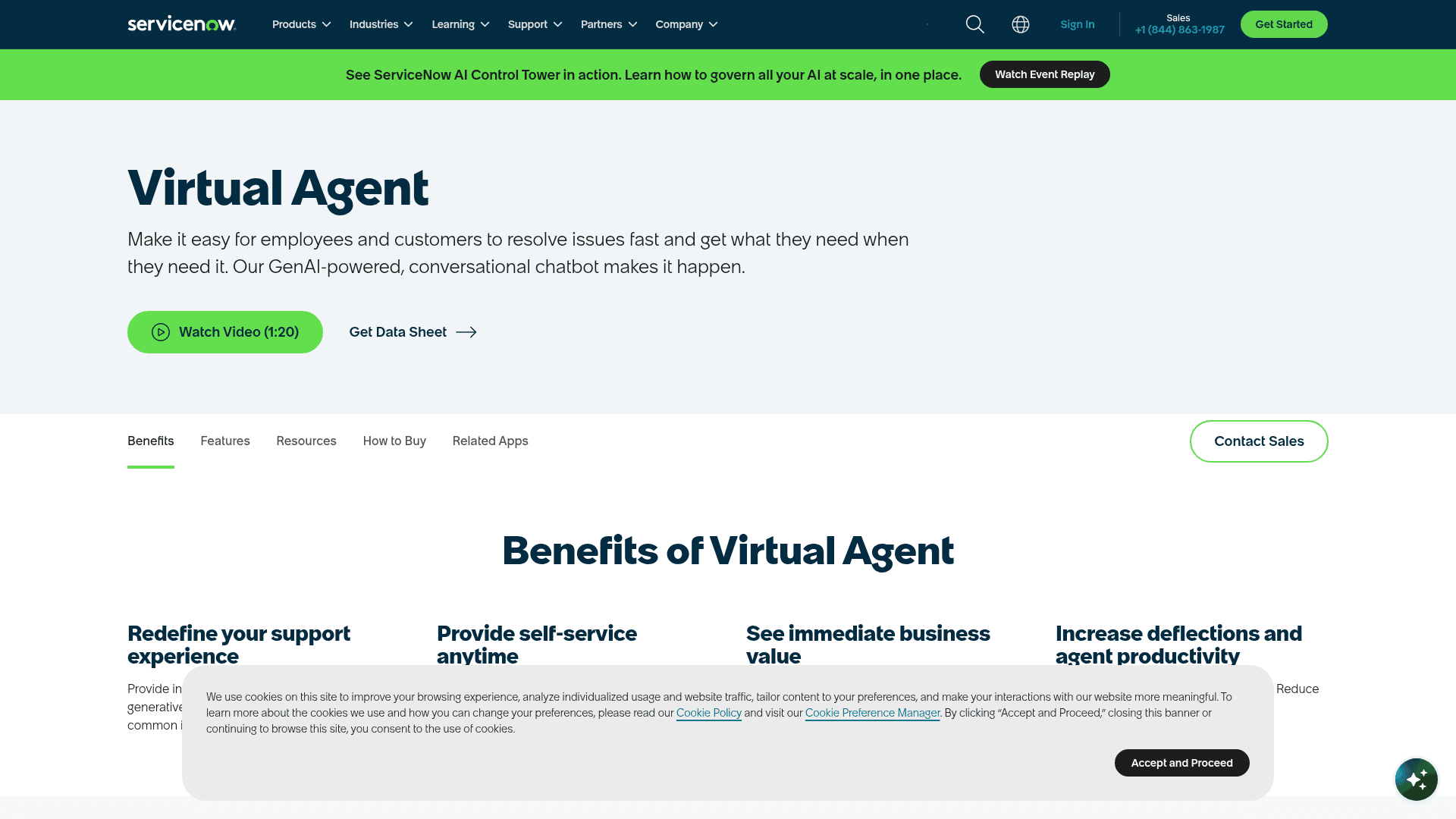
It’s more than just a simple Q&A bot, though. A few key pieces work together to make it tick:
-
Now Assist: This is the generative AI brain behind the operation. Now Assist is what helps the Virtual Agent understand what people are actually asking for, instead of just matching keywords. It allows for more natural, back-and-forth chats where the bot can actually give you a straight answer.
-
Virtual Agent Designer: This is a low-code, drag-and-drop tool for building out conversation flows. You can visually map out how a chat should progress, what questions the bot should ask, and what it should do next, all without needing a degree in computer science.
-
Third-party channel integrations: The bot isn't stuck inside the ServiceNow portal. You can deploy it in the places your team already hangs out, like Slack and Microsoft Teams, which is a nice touch for meeting people where they work.
Key features of a native ServiceNow chatbot integration
When you go all-in with the ServiceNow chatbot, you get a set of features that are tightly woven into the platform. Here’s a rundown of what you can expect right out of the box.
Automated workflows and issue resolution
Because the Virtual Agent is a native part of the platform, its biggest strength is plugging directly into ServiceNow workflows. Someone can ask to check the status of their support ticket, and the bot can pull it up instantly. Or they could request a new monitor, and the bot can create the order in the service catalog on the spot.
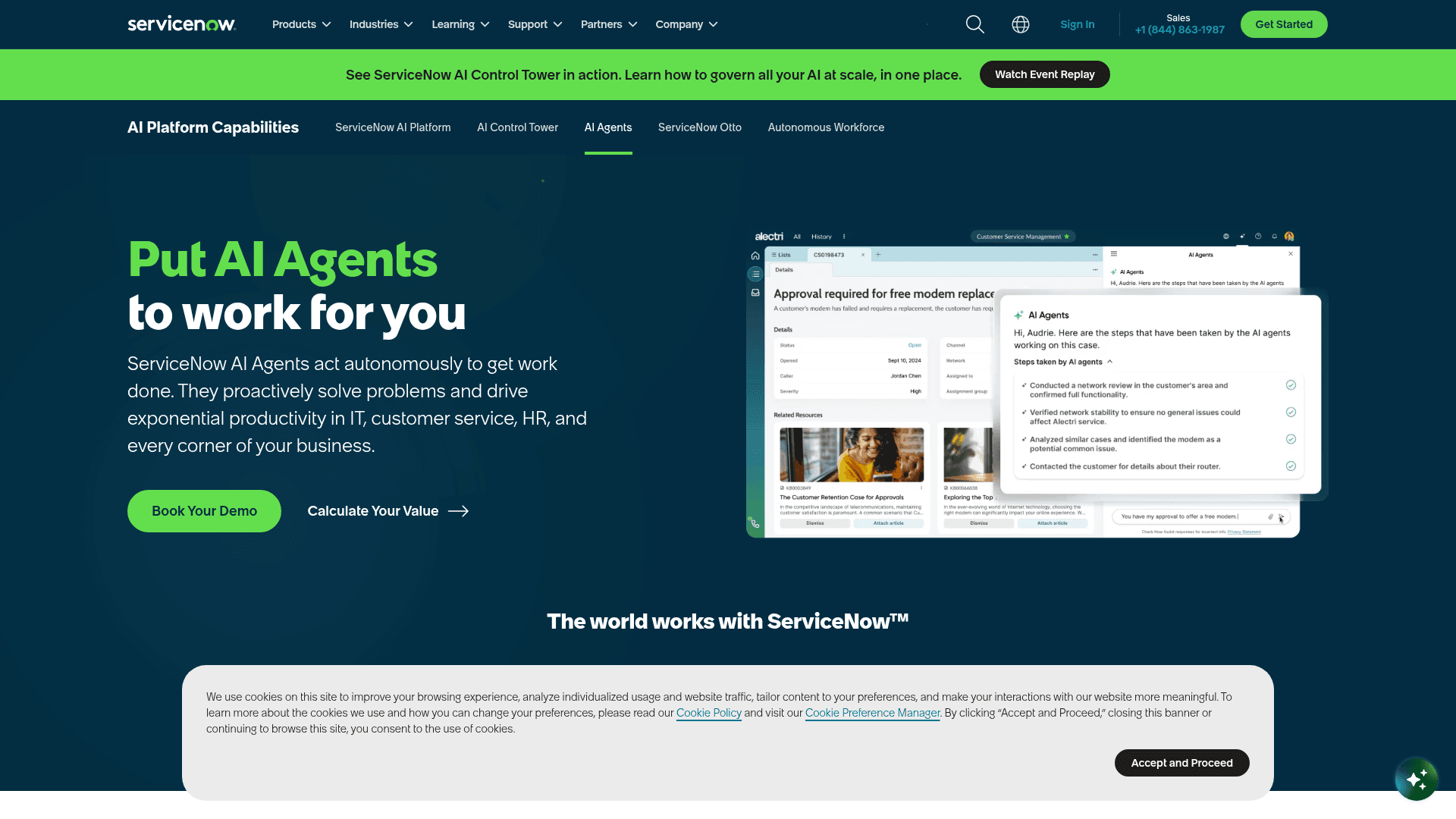
ServiceNow even has a clever feature called Issue Auto Resolution. It uses AI to scan new incidents as they're submitted. If it spots a common problem it knows how to fix, it can reach out to the user and try to solve it automatically. The best part? The ticket gets closed before a human agent even sees it. That’s a huge time-saver.
Pre-built conversations and a low-code designer
Getting started from a complete blank slate is daunting. Thankfully, ServiceNow gives you a library of pre-made conversation templates for common IT, HR, and customer service scenarios. These give you a solid starting point so you’re not building every single interaction from the ground up.
For anything unique to your company, you’ll use the Virtual Agent Designer. It’s a visual tool where you drag and drop different elements to build a conversation flow. This makes it possible for team leads or project managers (not just developers) to create and edit how the chatbot behaves, which adds a lot of flexibility.
Generative AI for conversational responses
The real magic happens with Now Assist for Virtual Agent. Remember those old, clunky bots that would just send you a link to a 15-page PDF? This is the opposite of that. The generative AI can actually read and understand information from different knowledge base articles and then give the user a direct, summary answer right in the chat. It makes the conversation feel much more human, allowing the bot to ask follow-up questions and remember the context of the chat.
Built-in analytics and reporting
So, you’ve got the bot running. But is it actually helping? You can’t know for sure without data. ServiceNow provides Conversational Analytics dashboards that show you exactly how your chatbot is doing. You can see how many issues it's resolving on its own, what questions people are asking most often, and where conversations tend to break down. This information is gold for figuring out what to automate next and how to make the experience better over time.
Connecting external knowledge sources
Here’s where things get a bit tricky. Even if your company lives and breathes ServiceNow, your knowledge probably doesn't. Important information is almost always scattered across different apps and drives, and how the Virtual Agent deals with that is a big deal.
How the Virtual Agent handles external knowledge
The ServiceNow Virtual Agent is built to pull information from, you guessed it, ServiceNow. It works great with the native ServiceNow Knowledge Management module and the service catalog. But when it comes to pulling from outside sources, it’s not exactly a plug-and-play situation.
While you can technically connect to external platforms, it often requires a lot of manual setup and ongoing work to keep everything in sync. Some other platforms offer dedicated connectors for sources like Confluence or SharePoint, but within ServiceNow, this isn’t a simple, out-of-the-box feature. And while it can connect to big AI models like Azure OpenAI, that's more for general knowledge, not for securely searching through your own company’s private documents.
The challenge of a scattered knowledge base
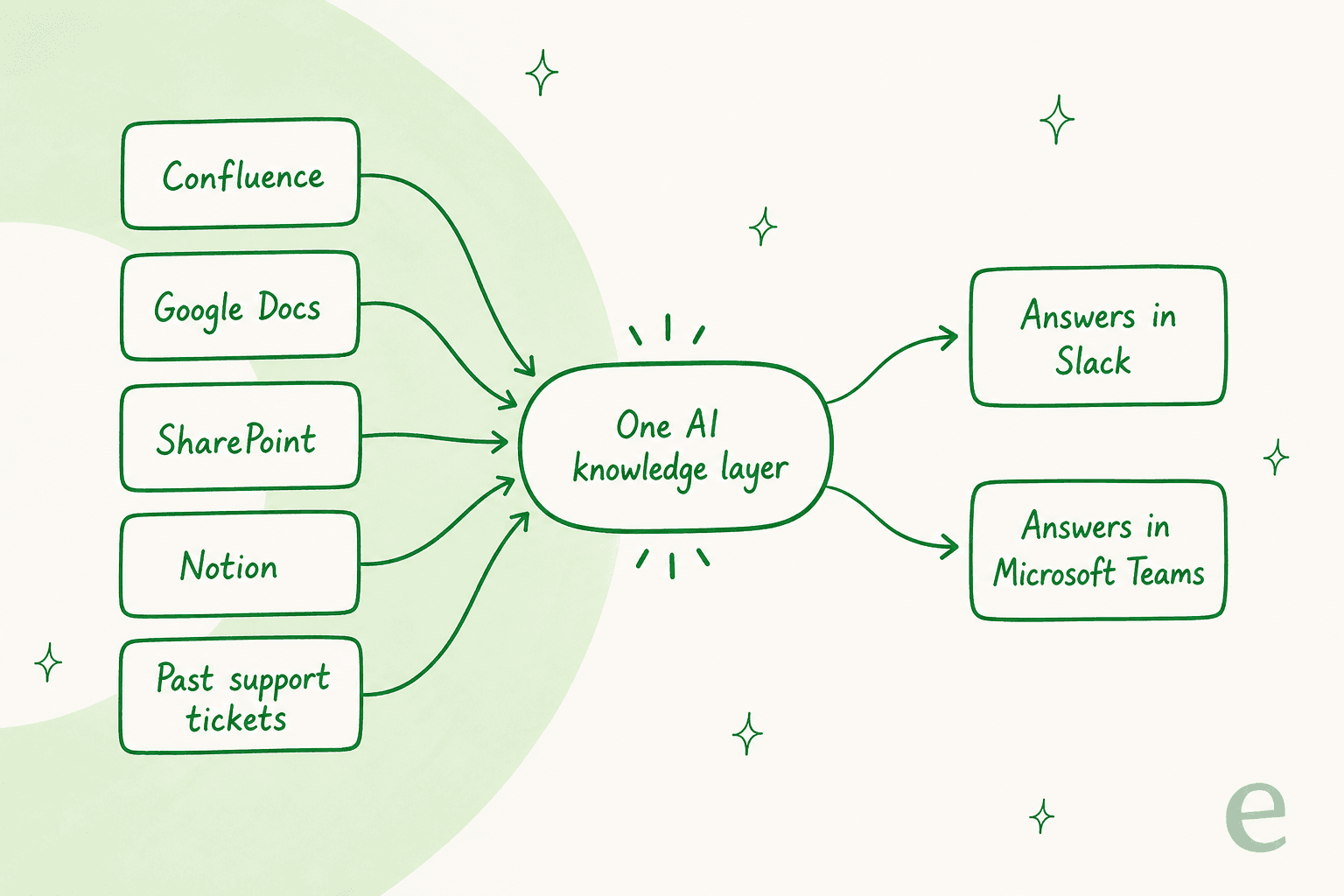
Does this sound familiar? Your company’s most important information is all over the place. You have technical guides in Confluence, project briefs in Google Docs, official policies buried in SharePoint, and a whole lot of "tribal knowledge" in old support tickets and Slack threads.
Trying to connect each of those sources to your chatbot one by one is a massive project. It's slow, expensive, and leaves you with a system that could break every time something changes. Even worse, it means your AI is working with blinders on. It only sees a fraction of your company's knowledge, which means it can't answer as many questions, leading to those frustrating "Sorry, I can't help with that" moments.
A more unified approach to knowledge integration
Instead of force-feeding all your information into ServiceNow, what if your AI could just securely read it wherever it already lives? This is where a platform designed from day one to unify knowledge really shines.
eesel AI was built to solve this exact problem. My AI Agent has one-click integrations for over 100 apps, so it can securely learn from Confluence, Google Docs, SharePoint, Notion, and even past support tickets to build a single, complete brain for your AI. This means your team gets answers drawn from all of your company’s collective knowledge, delivered right inside Slack and Microsoft Teams, not just what's stored in the Now Platform.
ServiceNow chatbot integration: Pricing and plans
Okay, let's talk about the part that often causes the most headaches: the price. With ServiceNow, figuring out the cost of its Virtual Agent isn't exactly straightforward.
How ServiceNow packages its Virtual Agent
The first thing to know is that you can't buy the Virtual Agent on its own. It’s bundled into ServiceNow's ITSM and CSM platform packages, so getting the chatbot means buying one of those plans. After ServiceNow retired its old Standard/Pro/Enterprise SKUs on July 1, 2026, the ITSM lineup is now three tiers, and the Virtual Agent is included in every one of them with unlimited conversations, rather than gated behind the top plans.
Looking at ServiceNow's official ITSM pricing page, this is how the current lineup works:
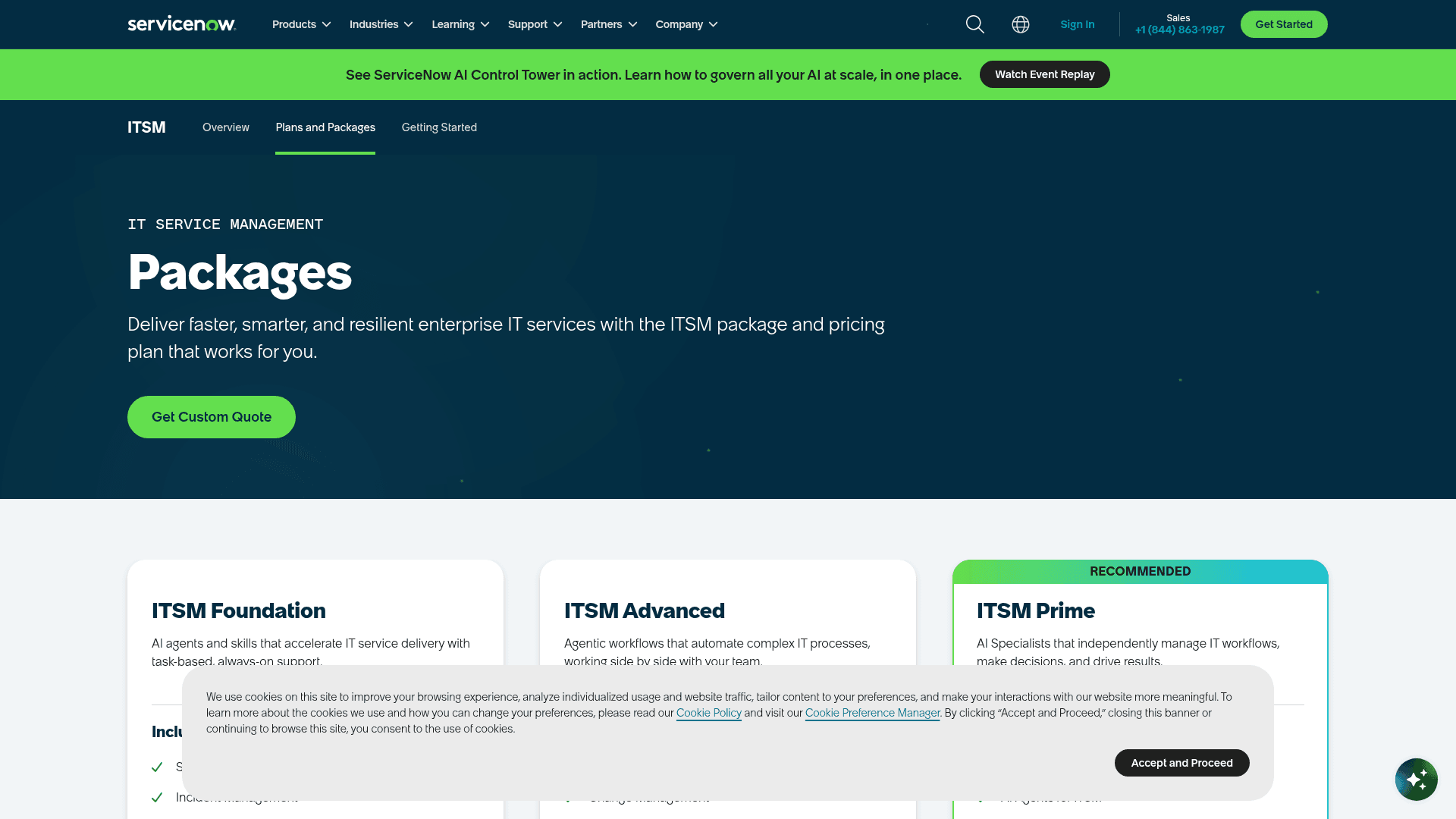
| Package | Virtual Agent | Generative AI (Now Assist) | Autonomous AI agents |
|---|---|---|---|
| ITSM Foundation | Included, unlimited conversations | Included (Foundation assist allocation) | No |
| ITSM Advanced | Included | Included (larger allocation) + AI Voice Agents | No |
| ITSM Prime | Included | Included (largest allocation) | Yes (L1 Service Desk AI Specialist, AI Agents for ITSM) |
The hidden costs of bundled pricing
The takeaway is still the same shape. To get the chatbot, you have to buy a full ITSM or CSM platform license, which comes with a ton of other features you might not actually need or want. And the moment you move past assistive AI to the autonomous AI agents that close tickets on their own, you're on the Prime tier, ServiceNow's most expensive.
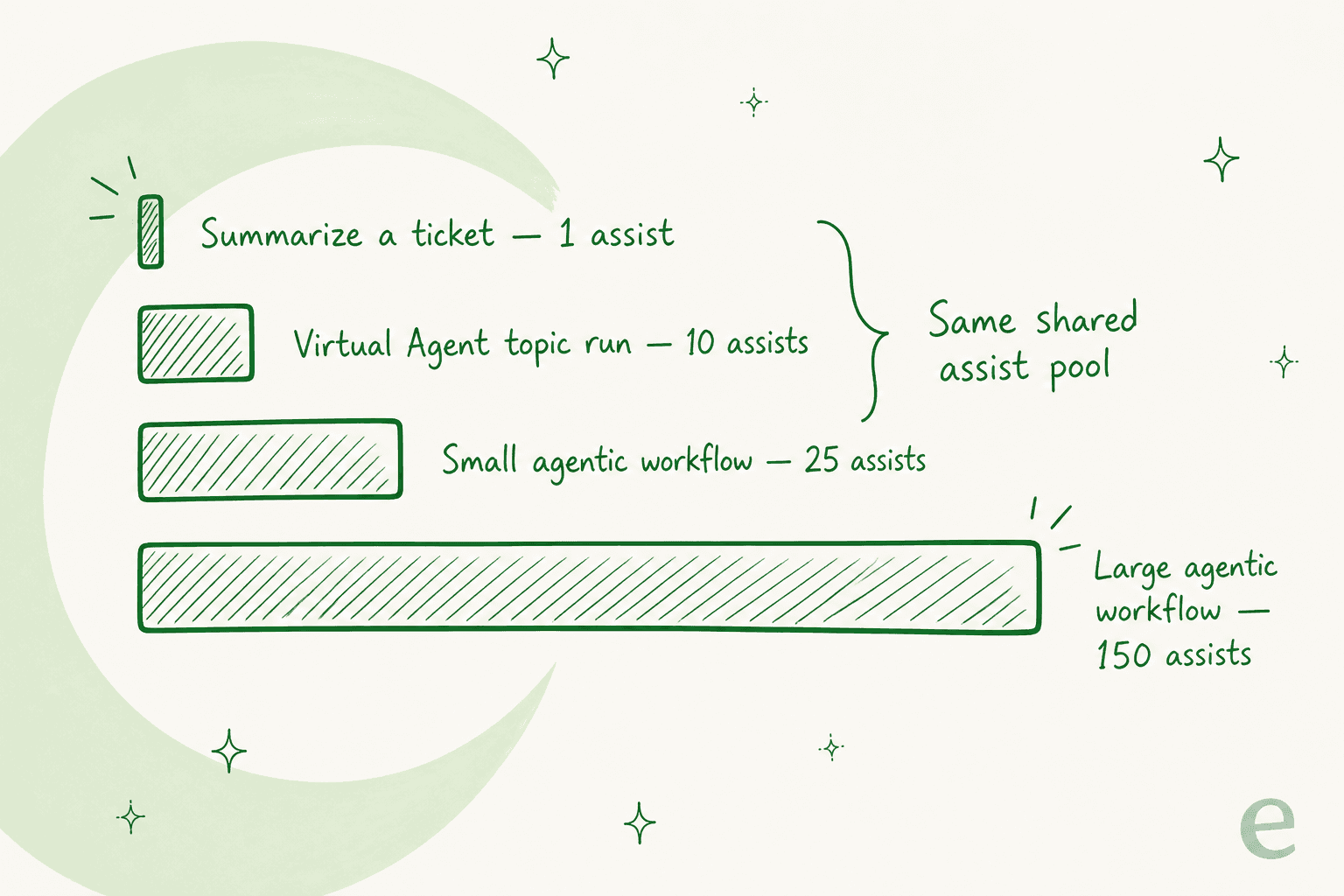
There's a second meter running underneath the license, too. ServiceNow's public assist rate card (effective July 2026) charges 1 "assist" to summarize a ticket but 25 to 150 assists for a single autonomous agent run, all drawn from one account-level pool.
This puts up a real financial wall for teams that just want an effective chatbot to help with self-service. You're not just paying for a chatbot; you're paying for a full ITSM or CSM platform, and ServiceNow publishes no public prices at all: every tier is a "Get Custom Quote", so you won't know the real number until you're in a sales conversation.
An alternative: Transparent, predictable pricing
Now, compare that to a different way of thinking. eesel AI uses simple, usage-based pricing: 40¢ per ticket or chat it handles, with no platform fee, no per-seat charges, and no monthly minimum. You can set a hard spend cap, so you won’t get a surprise bill just because you had a busy month.
This model gives you freedom. You can start on a month-to-month plan to test the waters and show its value, then scale up when you're ready. It's a much lower-risk way to get started compared to locking yourself into a multi-year enterprise contract just to get one feature.
The simpler path to ServiceNow chatbot integration
The native ServiceNow chatbot integration is a powerful tool, no doubt about it. It’s built deep into the platform and can automate some seriously complex workflows. But that power comes with big trade-offs: a hefty price tag, being locked into one ecosystem, and the real struggle of using knowledge that lives outside of ServiceNow.
For teams who care about flexibility, getting things done quickly, and seeing a clear return on their investment, an integration-first approach just makes more sense.
This is where eesel AI's AI Agent really stands out. It's designed to work with the tools you already have, not make you replace them. It plugs into the places your knowledge already lives and answers your team right inside Slack and Microsoft Teams, so instead of a multi-month implementation project, you can have it up and running in a single afternoon. eesel AI also has a simulation mode that replays your past support tickets and shows how it would have answered each one, so you can spot the gaps and tune it before it ever talks to a real user.
Is a native ServiceNow chatbot integration right for you?
A native ServiceNow chatbot integration can be a great fit for massive companies that are already all-in on the ServiceNow ecosystem and have a budget to match its enterprise pricing. The deep workflow automation it offers is tough to beat.
However, for most teams, a faster, more flexible, and more affordable solution is the smarter way to go. An AI layer like eesel gives your team instant answers across all your knowledge, wherever it lives, delivered in Slack and Microsoft Teams, without forcing you into an expensive and restrictive platform upgrade. It deploys in minutes and gives you a clear, predictable return on your investment.
Ready to power up your ServiceNow support with AI that works everywhere? Book a demo of eesel AI or try it for free.
Frequently asked questions
What exactly is the main purpose of a ServiceNow chatbot integration using the Virtual Agent?
The primary goal of a ServiceNow chatbot integration with the Virtual Agent is to automate common IT and customer service queries and tasks within the ServiceNow platform. This enables 24/7 self-service for users, which in turn frees up human agents to concentrate on more complex or unique issues.
How does a ServiceNow chatbot integration handle information that isn't stored directly within ServiceNow's knowledge base?
While the ServiceNow chatbot integrates seamlessly with its native Knowledge Management module, connecting to external knowledge sources like Confluence or SharePoint often requires extensive manual setup and ongoing maintenance. It is not an out-of-the-box, simple solution for pulling information from scattered external platforms.
What are the typical costs associated with a ServiceNow chatbot integration, and how is it usually priced?
The Virtual Agent is not sold as a standalone product; it is bundled into ServiceNow's ITSM and CSM platform packages. After ServiceNow's 2026 repackaging, the Virtual Agent is included in every ITSM tier (Foundation, Advanced, and Prime) with unlimited conversations, but the autonomous AI agents that close tickets on their own sit only on the top Prime tier. Every tier is quote-only, so there is no public price.
Can the ServiceNow chatbot integration leverage generative AI for more natural conversations and direct answers?
Yes, with the inclusion of Now Assist for Virtual Agent, the ServiceNow chatbot integration can utilize generative AI. This functionality allows the chatbot to better understand complex user queries, synthesize information from various knowledge articles, and deliver direct, conversational responses that enhance the user experience.
How complex is it to set up and deploy a ServiceNow chatbot integration compared to an alternative solution like eesel AI?
Setting up a native ServiceNow chatbot integration, especially with external knowledge sources, can often become a multi-month implementation project. In contrast, alternative AI solutions are generally designed for quicker deployment, sometimes getting up and running in a single afternoon by integrating easily with existing tools.
What are the core benefits of using a native ServiceNow chatbot integration for automated workflows?
A native ServiceNow chatbot integration excels at plugging directly into existing ServiceNow workflows, offering robust automation for tasks like checking ticket statuses or creating service catalog orders. Its ability to leverage features like Issue Auto Resolution can significantly reduce the workload on human agents by proactively solving common problems.
For which types of companies is a native ServiceNow chatbot integration most suitable?
A native ServiceNow chatbot integration is generally most suitable for large enterprises that are already deeply invested in the entire ServiceNow ecosystem and possess a substantial budget to match its enterprise pricing structure. These organizations can fully leverage the deep, built-in workflow automation the platform offers.


Article by
Rama Adi Nugraha
Rama is a software engineer at eesel AI with two years of experience writing about B2B SaaS, AI tools, and customer support technology. Based in Bali, Indonesia, he brings a developer's perspective to product comparisons — cutting through marketing copy to what the integrations and APIs actually do.