


ServiceNow is a beast when it comes to enterprise service management, no one's arguing that. But when you decide to get its chatbot, the Virtual Agent, up and running, things can get complicated, fast. Plenty of teams want to automate their support and give people instant answers, but they hit a wall just trying to sort through all the information. Finding clear, simple instructions in the massive library of ServiceNow chatbot documentation is a pretty common headache.
If you’re trying to make sense of ServiceNow’s chatbot and feel like you’re lost in a sea of technical articles and forum threads, you’re definitely not the only one.
This guide is here to help cut through the noise. We’ll walk through what the ServiceNow Virtual Agent actually is, where to find the documentation that’s genuinely useful, what its real features and limits are, and what to expect from its pricing. Let’s clear things up.
What is the ServiceNow Virtual Agent?
The ServiceNow Virtual Agent is the platform's own AI-powered chatbot. It isn't something you buy separately; it's a feature that's baked into the larger ServiceNow world of ITSM, HR, and Customer Service Management (CSM).
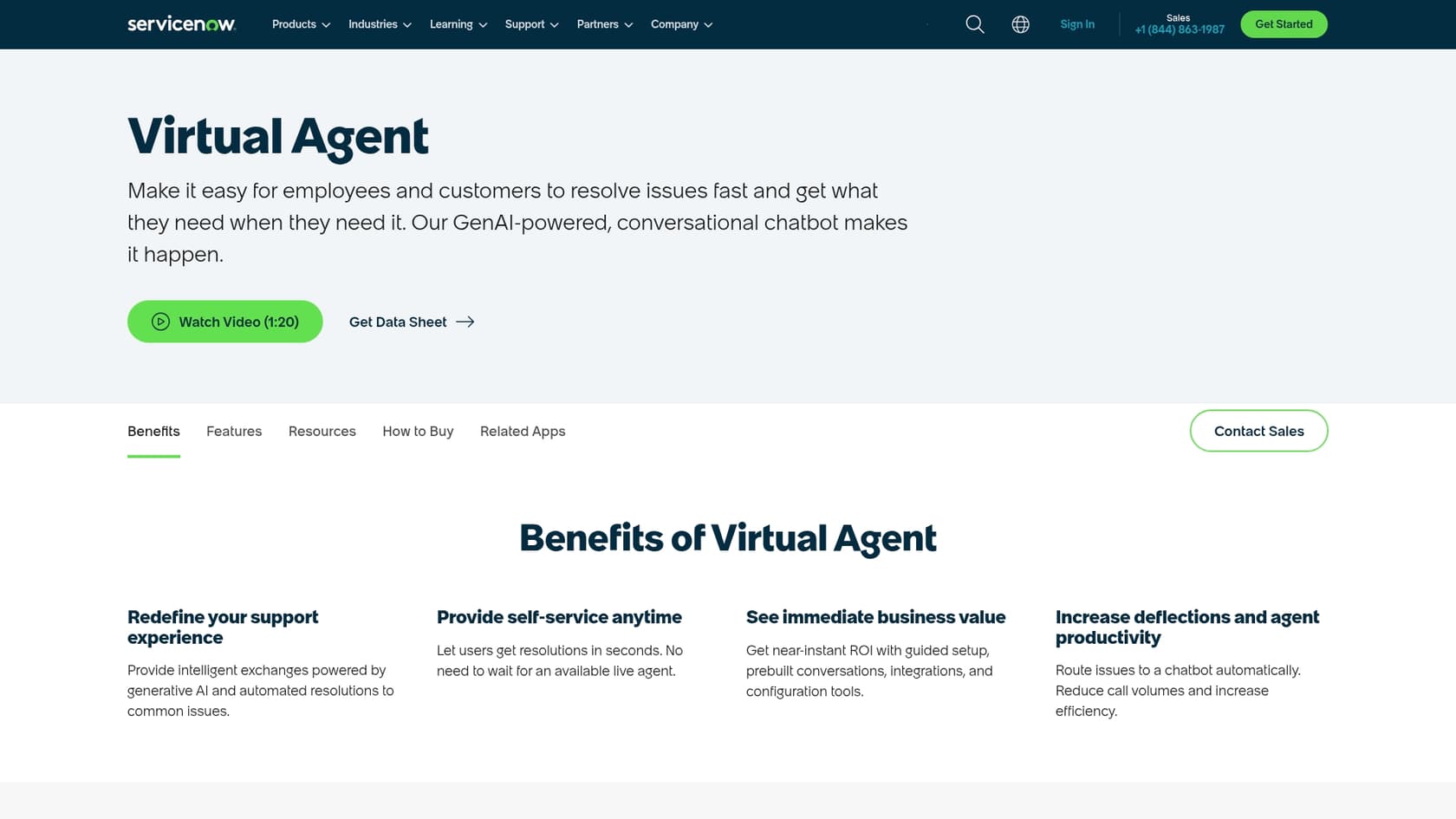
Its main job is to offer 24/7 self-service and automatically handle common requests. We’re talking about tasks like:
-
Resetting a password or unlocking an account.
-
Checking on the status of an IT ticket.
-
Ordering a new laptop from the company catalog.
-
Answering HR questions about benefits or time off.
Because it’s built right into the platform, the Virtual Agent can kick off internal workflows and grab information directly from your ServiceNow instance. This deep connection is its biggest selling point, but it can also be a drawback. It means your automation strategy is tied completely to one vendor, and it requires you to be all-in on the ServiceNow ecosystem.
Navigating ServiceNow chatbot documentation
One of the first hurdles with the Virtual Agent is just figuring out where to look for help. ServiceNow has a few different places for information, and they all serve different needs. Getting a lay of the land of the official ServiceNow chatbot documentation is step one.
The official product documentation portal
The main docs site ("docs.servicenow.com") is the technical bible. It’s where you’ll find release notes, detailed setup guides, and API information for every single ServiceNow product, including the Virtual Agent. The site has everything, which also means it’s dense and can feel like it’s written in another language. It’s aimed at developers and certified admins, so if you're a support manager, you might struggle to pull out useful, big-picture advice.
The ServiceNow Knowledge Base
The official knowledge base ("support.servicenow.com") is where ServiceNow's own support team posts articles. Here you'll find FAQs, troubleshooting steps, and best practices that come from real customer problems. This is a much more practical, problem-solving kind of resource. If you're running into a specific error, this is a better place to start than the technical docs.
The ServiceNow community forums
The community forum ("community.servicenow.com") is your connection to thousands of other ServiceNow users and experts. It’s a place to ask questions, share what worked for you, and find real-world examples that you’ll never see in the official guides. If you're trying to figure out a unique workflow or a clever workaround, odds are someone in the community has already done it.
Now Learning: Training and certifications
Now Learning is ServiceNow's official training portal. It has on-demand courses and certification paths for becoming a ServiceNow pro. This is the place for structured, hands-on learning, but it usually requires a serious investment of time and money. It's perfect for getting your team certified, but not so great for getting a quick answer to a question.
Key Virtual Agent features
The Virtual Agent is a capable tool with a lot of functionality, but getting it to work well means you need to understand its main parts and where they fall short. Here’s a look at what you get and what it actually means for your team.
| Feature | Description | What It Means for You |
|---|---|---|
| Conversation Designer | A graphical, drag-and-drop tool for building out conversation flows. | While it looks user-friendly, building anything more than a simple Q&A flow can still take a lot of development time and specialized skills. |
| GenAI & NLU | Uses Generative AI and Natural Language Understanding to figure out what users are asking. | The quality of the AI's answers is 100% dependent on how clean and organized your ServiceNow knowledge articles are. Messy data will always lead to bad answers. |
| Pre-built Topics | Comes with ready-to-go conversation flows for common IT, customer service, and HR tasks. | These are a nice starting point, but you'll almost certainly have to customize them heavily to match how your business actually works. |
| Third-Party Integrations | Offers ways to deploy the chatbot in places like Microsoft Teams and Slack. | It can connect to chat apps, but pulling in knowledge from outside sources like Google Docs, Notion, or old tickets from another helpdesk is not a simple setup. |
| Live Agent Handoff | Can pass a conversation, with all its context, over to a human agent when it gets stuck. | This is a must-have feature, but it only works if you already have live chat (like Agent Chat) set up and paid for within ServiceNow. |
Some tools, like eesel AI, take a different route. Instead of needing a perfect knowledge base from day one, eesel AI can learn directly from your past support tickets and conversations. It picks up on your business context and common solutions automatically.
ServiceNow Virtual Agent pricing: What to expect
Here’s where things often get murky, because you won’t find this information laid out clearly in the ServiceNow chatbot documentation. The Virtual Agent is not something you can buy on its own or get with a basic ServiceNow package.
To unlock the Virtual Agent, you have to be on one of the more expensive plans: ITSM Pro or CSM Pro, or their even pricier Enterprise counterparts. These plans bundle the Virtual Agent with a lot of other advanced features, whether you want them or not.
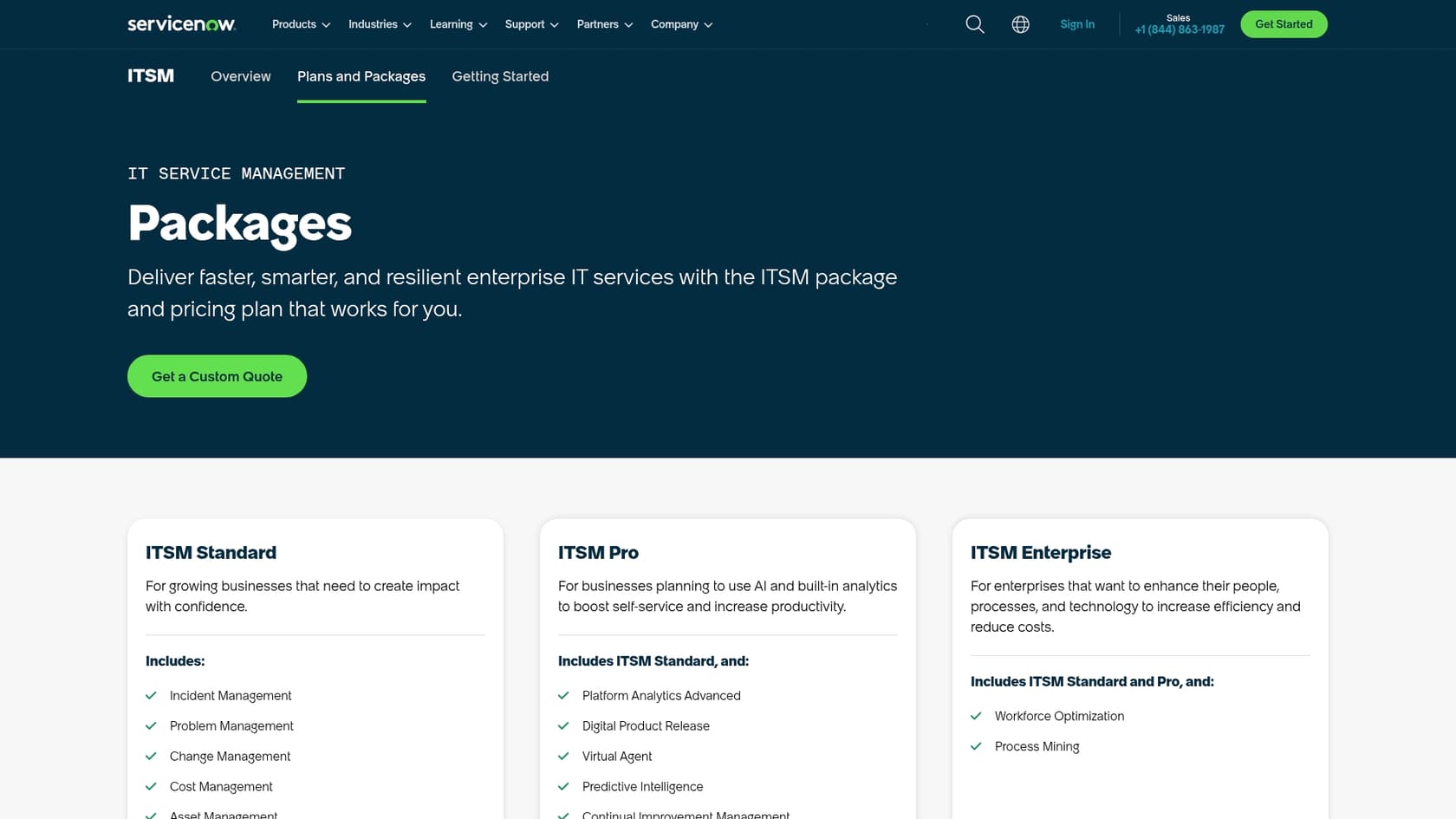
| ServiceNow Package | Virtual Agent Included? | Who It's For |
|---|---|---|
| ITSM / CSM Standard | No | Teams that need a solid help desk without all the AI bells and whistles. |
| ITSM / CSM Pro | Yes | Companies ready to invest heavily in AI-powered self-service and platform analytics. |
| ITSM / CSM Enterprise | Yes | Large organizations that want premium features like Workforce Optimization on top of AI. |
On top of that, the newest Generative AI features, which they call "Now Assist," are usually locked away in even more expensive "Pro Plus" and "Enterprise Plus" add-ons.
This bundled model means that to get the chatbot, you have to sign up for a costly platform upgrade that forces you to pay for tools you might never use. The total cost can climb surprisingly high. It's a different world from the straightforward and flexible pricing of a tool like eesel AI, which offers predictable plans and doesn't charge you per resolution.
A simpler path to support automation with eesel AI
If the ServiceNow ecosystem feels too rigid, complex, or just plain expensive for what you need, there is a more flexible alternative. eesel AI is an AI platform built for simplicity, plugging right into the tools you already have, including ServiceNow, without making you switch platforms.
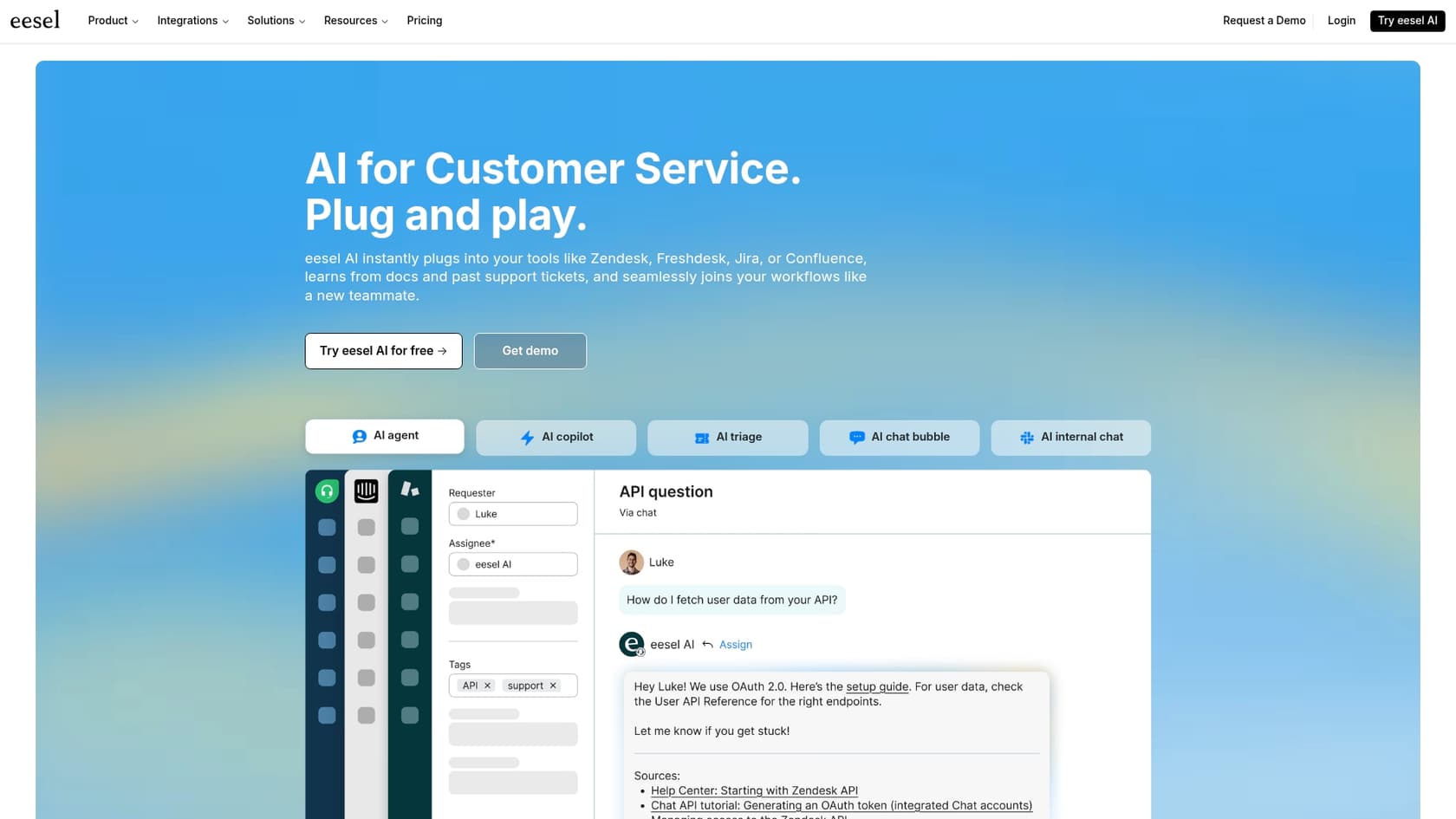
Here’s how eesel AI helps with the common frustrations of the Virtual Agent:
-
Get started this afternoon, not next quarter: Forget about long sales calls and mandatory demos. With eesel AI, you can sign up and get going all on your own. Connect your help desk and knowledge sources, and you can have a working AI agent in just a few minutes.
-
Bring all your knowledge together, instantly: ServiceNow’s AI works best when it stays within its own ecosystem. eesel AI, on the other hand, securely connects to everything. It can instantly sync with past tickets, help centers, and all the other places your team stores information, like Confluence, Google Docs, and SharePoint. It builds a single source of truth for your AI without any painful data import projects.
-
Test it out with confidence: eesel AI has a simulation mode that lets you test your AI on thousands of your past tickets in a safe environment. You can see exactly how it would have responded and get a good idea of your resolution rate before you turn it on for customers. It gives you a level of predictability that's tough to find anywhere else.
Final thoughts on ServiceNow chatbot documentation
The ServiceNow Virtual Agent is a powerful, deeply connected chatbot for companies that are already all-in on the ServiceNow platform. But getting access to it means buying into an expensive license tier, and making it work well requires digging through a complicated web of ServiceNow chatbot documentation and managing your data perfectly.
For teams that want a more straightforward, budget-friendly, and easy-to-use solution, platforms like eesel AI offer a much quicker path to great support automation. By working with the tools you already have and pulling together all your scattered knowledge, you can launch a smart AI agent in minutes, not months.
Ready to see how simple AI support can be? Try eesel AI for free or book a demo with our team.
Frequently asked questions
What are the different resources available when I'm searching for ServiceNow chatbot documentation?
You'll find official product documentation on "docs.servicenow.com" for technical details, a knowledge base ("support.servicenow.com") for troubleshooting, and community forums for peer advice. Now Learning also offers structured courses and certifications.
Does the official ServiceNow chatbot documentation provide clear pricing details for the Virtual Agent?
No, the official documentation generally does not detail pricing for the Virtual Agent. Pricing information is typically obtained by contacting ServiceNow sales, as the Virtual Agent is bundled within ITSM Pro or CSM Pro packages rather than being a standalone product.
How can ServiceNow chatbot documentation help me customize the pre-built topics for the Virtual Agent?
The official product documentation, especially guides related to the Conversation Designer, provides technical instructions on how to modify and extend pre-built conversation flows. You might also find practical examples and tips within the community forums.
Where should I look in the ServiceNow chatbot documentation if I encounter a specific error or need troubleshooting steps?
For specific errors or troubleshooting, the ServiceNow Knowledge Base ("support.servicenow.com") is the most helpful resource. It contains articles and FAQs posted by ServiceNow's support team based on common customer issues and best practices.
What's the best way to get practical, real-world advice not covered directly in the formal ServiceNow chatbot documentation?
The ServiceNow Community Forums ("community.servicenow.com") are excellent for real-world advice. Here, other users and experts share experiences, workarounds, and solutions to unique challenges that aren't typically found in official guides.