

ServiceNow is a beast of a platform, and for good reason. It’s the backbone for countless enterprise workflows, from IT service management (ITSM) to customer support. Its native chatbot, the Virtual Agent, promises to automate frontline support and free up your teams. But getting it up and running isn't always as simple as flipping a switch. The configuration process has some important details you'll want to know about before you dive in.
This guide will give you a clear, no-nonsense overview of ServiceNow chatbot configuration. We'll walk through the initial setup, how the bot connects to your knowledge, its more advanced AI features, and the often-confusing pricing tiers. We'll also look at some simpler, more flexible alternatives that might get you to your automation goals a whole lot faster.
What is the ServiceNow Virtual Agent?
The ServiceNow Virtual Agent is the platform's built-in chatbot, designed to handle common requests, answer user questions, and automate simple tasks right inside the ServiceNow world. Think of it as the digital first line of defense for your support channels, whether they're for internal employees needing IT help or external customers looking for answers. Its main job is to offer 24/7 self-service.
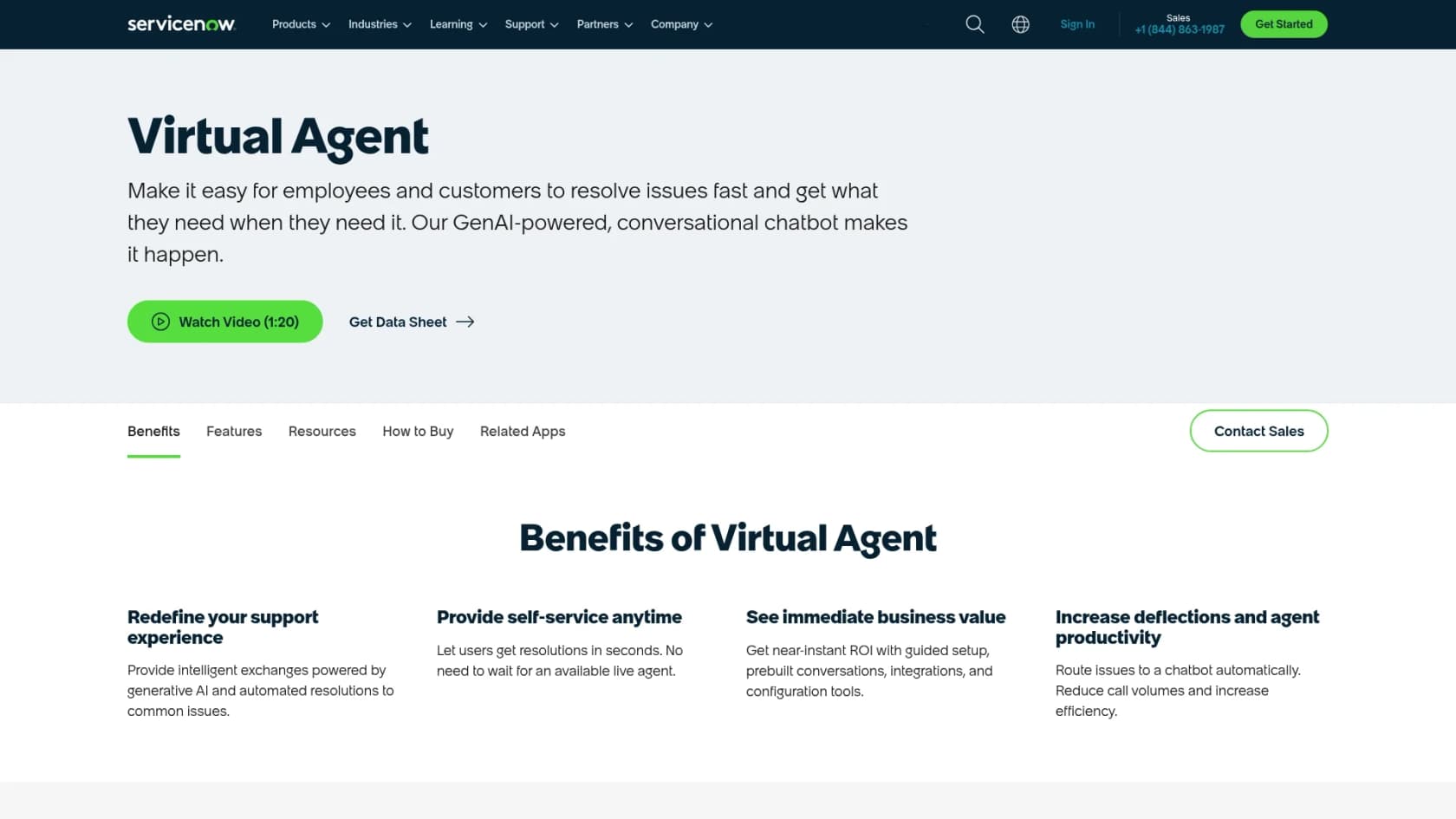
At its core, the Virtual Agent works by following conversational workflows called "topics." For instance, a "Password Reset" topic can guide a user through the steps to reset their password without ever needing to talk to a person. The bot uses Natural Language Understanding (NLU) to figure out what someone is asking for, but getting its full brainpower often means upgrading to a pricier plan.
Because it’s baked into the platform, it connects nicely with other ServiceNow modules like the Knowledge Management base, Service Catalog, and Incident Management. This lets it do things like create a support ticket or find a help article, as long as all that information and those workflows are already set up inside ServiceNow.
The moving parts of a ServiceNow chatbot configuration
Getting a ServiceNow chatbot set up involves a few key steps and pieces. While the platform gives you some powerful tools, it's good to know that each layer can add a bit of complexity to the whole project.
Initial setup: Waking up the Virtual Agent and NLU
Your journey with a ServiceNow chatbot configuration starts in the plugin menu. You'll need an admin to find and activate the right plugins, like "Glide Virtual Agent", just to turn the chatbot on. But right away, you hit your first big decision: Virtual Agent Lite vs. Pro.
ServiceNow has since repackaged its plans (see the pricing section below), but its documentation still describes Virtual Agent Lite as the limited version for ITSM Standard customers. If you’re on a standard ServiceNow license (like ITSM Standard), you get Virtual Agent Lite. The "Lite" version comes with some pretty big guardrails. The main one is that you can't create your own custom conversation topics from scratch; you can only copy and tweak the handful that come included. This means any unique process you want to automate is off-limits unless you upgrade. Full NLU capabilities are also turned off, walling off true customization from day one.
For those with a Pro license, you get access to the NLU Workbench, which is the tool for training your chatbot to understand different user requests. This is a must for building an intelligent bot, but it has its own setup process and requires a real commitment to ongoing tuning to keep it accurate.
Building conversations in the Virtual Agent Designer
Once it’s activated, you’ll spend most of your time in the Virtual Agent Designer. This is a low-code, drag-and-drop tool for building and editing the conversational flows, or "topics," that your chatbot follows.
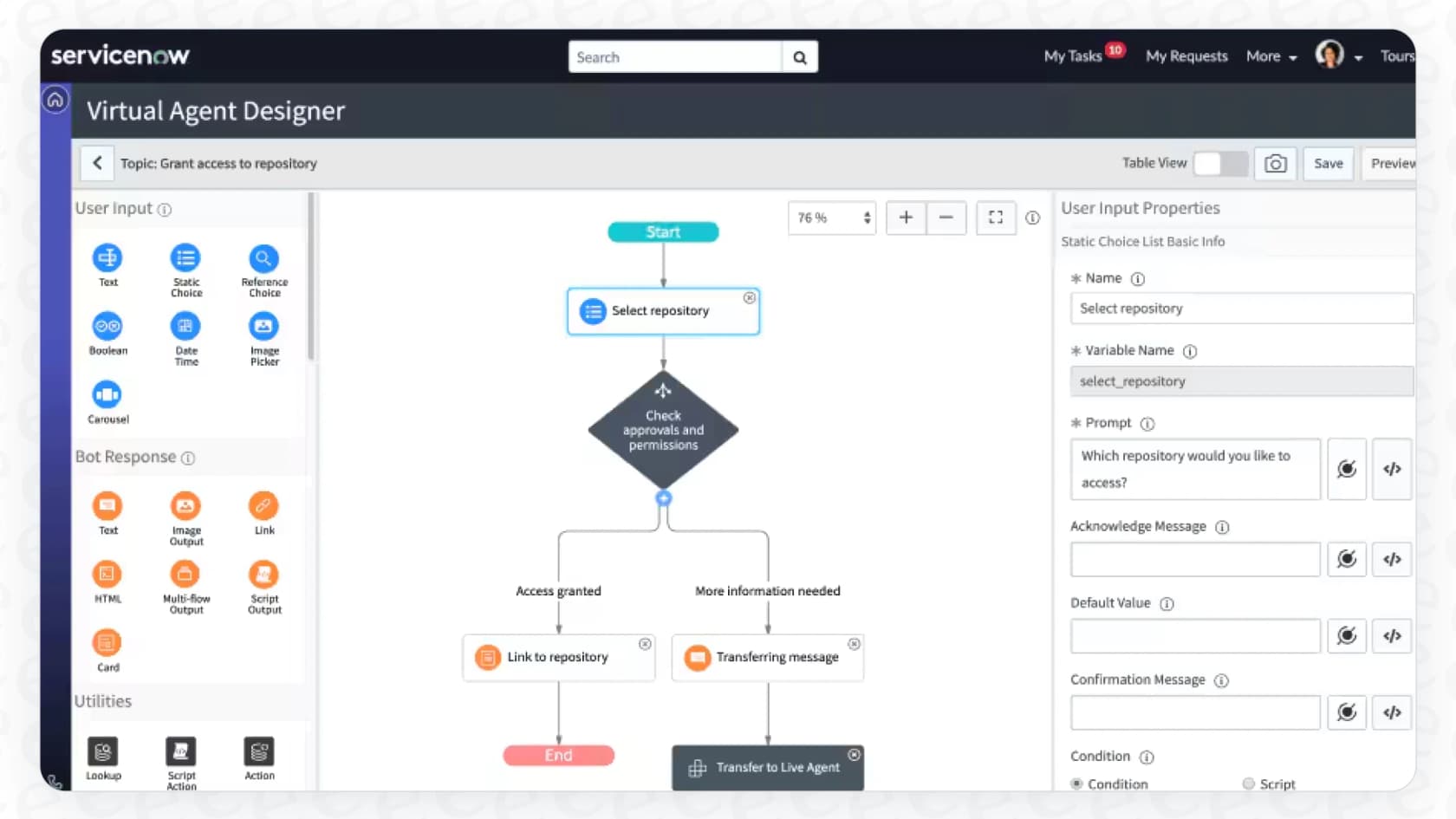
ServiceNow gives you a head start with a library of pre-built conversation templates for common ITSM, HR, and CSM tasks. This is genuinely helpful for handling standard stuff like checking a ticket's status or searching the knowledge base.
However, that "low-code" promise can get a bit blurry. The moment you need to automate a process that isn't in a template or involves tricky logic, you'll probably find yourself needing to write scripts. Creating truly custom and smart workflows often demands a deep understanding of the ServiceNow platform and some developer help, which can push it beyond the reach of non-technical teams.
Connecting channels and tools
You can put the Virtual Agent in different places, including the native Service Portal, the ServiceNow mobile apps, and popular workplace tools like Slack and Microsoft Teams. This is great for meeting people where they already work.
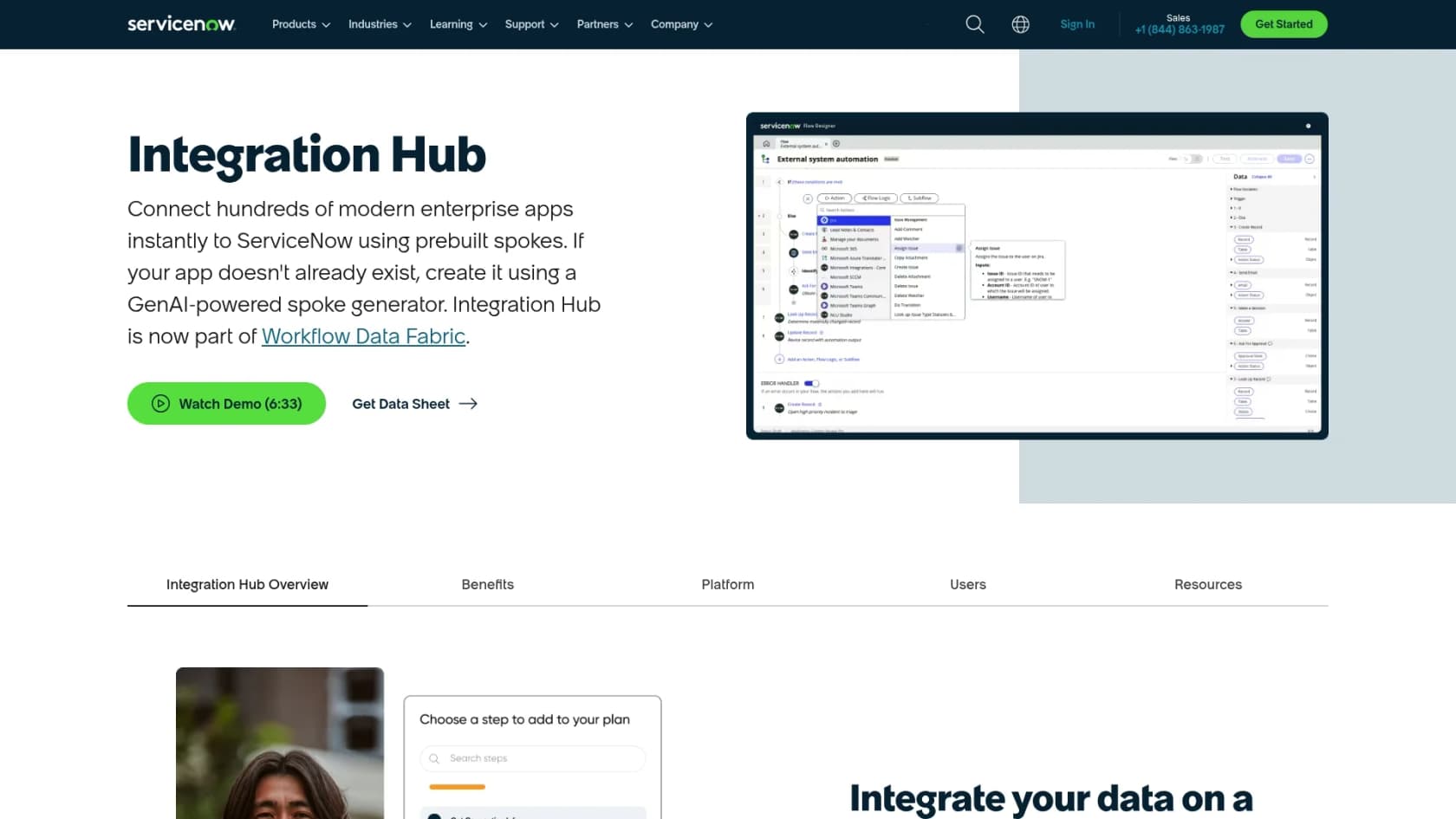
The tricky part comes when you need to connect to tools and data sources outside the ServiceNow bubble. To do that, you usually have to use the ServiceNow Integration Hub, which is a powerful but separate platform for building connectors (they call them "spokes"). If a pre-built spoke doesn't exist for a tool you use, you’ll need a developer to build one, which can add a lot of time, complexity, and cost to your project.
Some newer tools, like eesel AI, go a different route by offering one-click integrations that connect directly to your existing helpdesk and knowledge sources, without making you use a separate, complicated integration platform.
A ServiceNow chatbot is only as smart as its knowledge
A chatbot can't answer questions if it doesn't have access to the answers. For a ServiceNow chatbot configuration, this means you have to think hard about where your knowledge lives and how the bot can get to it.
Using the native ServiceNow Knowledge Management base
Right out of the box, the Virtual Agent is built to work with the ServiceNow Knowledge Management (KM) module. This is its main source of truth. When a user asks a question, the bot's first move is to search the KM base for relevant articles to summarize or share.
This makes having a clean, complete, and up-to-date knowledge base in ServiceNow an absolute must. If your team's collective wisdom isn't already documented inside the ServiceNow KM, your chatbot will be flying blind from the start, and it won't be very helpful.
The challenge of outside knowledge
Here’s a huge hurdle for most companies: knowledge is almost never in just one place. It's scattered across platforms like Confluence, Google Docs, Notion, SharePoint, and, most importantly, buried in the resolutions of thousands of past support tickets.
Connecting these outside sources to the ServiceNow Virtual Agent is its own project. AI Search supports external indexed sources, and ServiceNow documents External Content Connectors for Atlassian Confluence Cloud and Microsoft sources, but each source needs its own connector setup, and others go through the Integration Hub or data import. Until that work is done, the chatbot sees only the part of your company's knowledge that lives in ServiceNow. The result? The dreaded "I'm sorry, I can't help with that," which just sends users right back to your human agents.
A unified approach can be simpler and better
This is where a different style of AI can make all the difference. An AI Agent from eesel AI is designed to solve this exact problem by bringing all your knowledge together instantly.
With one click, it connects not only to your ServiceNow knowledge base but also to all the other places your information lives, Confluence, Google Docs, past tickets from helpdesks like Zendesk, and over 100 other sources. Instead of forcing you to move all your knowledge into one system, modern AI platforms can securely access information wherever it is. This gives the AI a complete picture so it can provide accurate, helpful answers from day one.
Advanced features and pricing
Getting a basic, keyword-driven chatbot running in ServiceNow is one thing. But unlocking its true potential with generative AI means looking at more advanced features and, of course, a more complicated pricing structure.
Using generative AI with Now Assist
For a truly conversational experience powered by generative AI, you need to look beyond the standard Virtual Agent. ServiceNow's premium solution is called Now Assist for Virtual Agent.
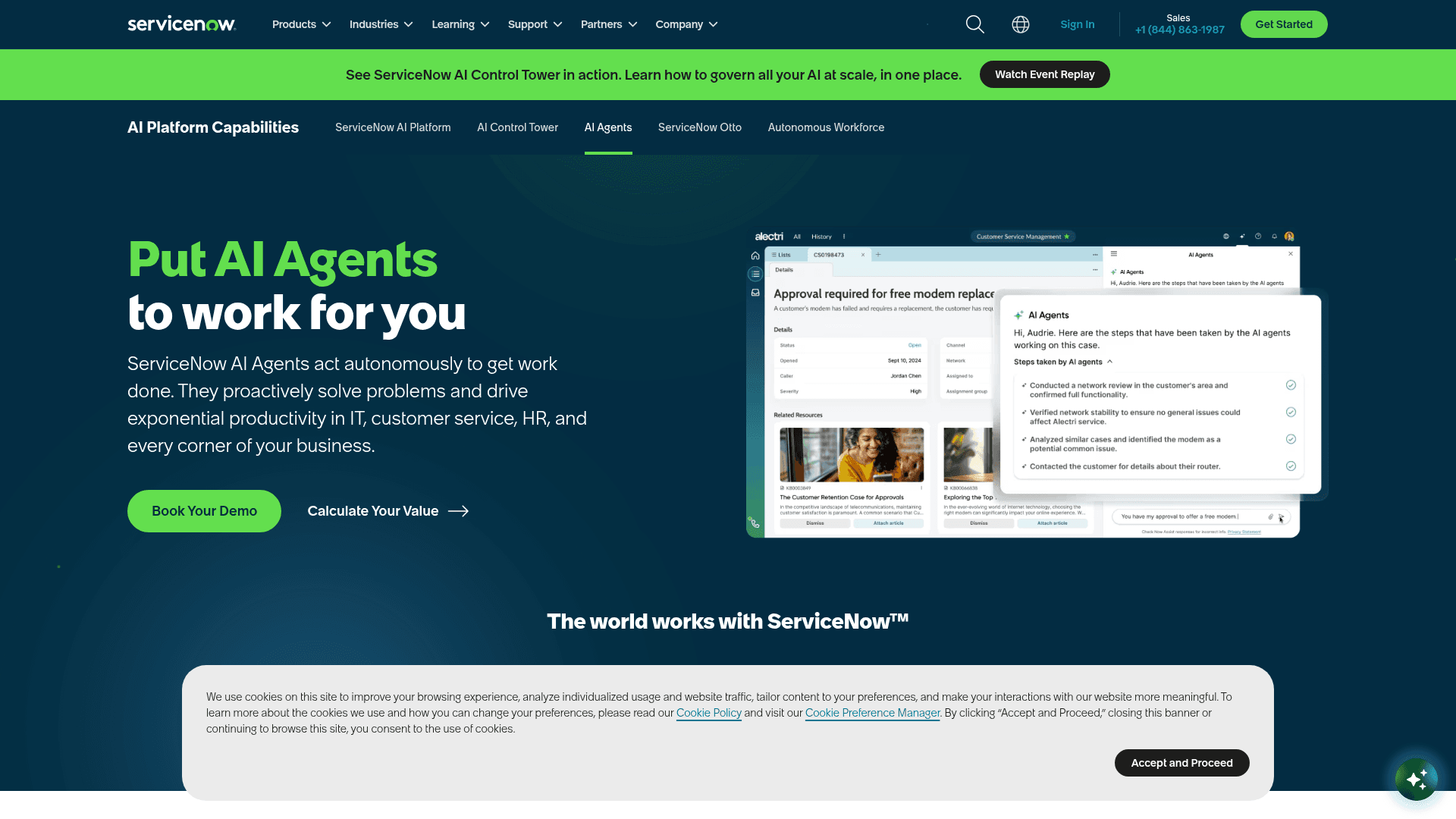
This is a separate, high-end product that uses Large Language Models (LLMs) to give dynamic, summarized answers instead of just links to articles. ServiceNow now grounds these features on a model-agnostic layer, running its own Now LLM alongside third-party models from providers like OpenAI and Anthropic. It can understand more nuanced conversations and generate human-like responses. Since April 2026 it is no longer sold as a Pro Plus or Enterprise Plus add-on: ServiceNow lists "Now Assist and Platform AI" inside its ITSM Foundation and Advanced packages, and the top tier carries the largest allocation.
Making sense of the ServiceNow CSM pricing model
ServiceNow’s pricing can be notoriously complex, with features split across different packages. To get the chatbot you actually want, you need to pay close attention to which plan you're on.
Here’s a simplified breakdown based on their current Customer Service Management (CSM) packages, which replaced the old Standard, Professional, and Enterprise tiers:
| Feature | CSM Advanced | CSM Prime |
|---|---|---|
| Positioning | "Agentic workflows" working side by side with your team | "AI Specialists" that resolve customer issues independently |
| Case Management and Playbooks | Yes | Yes (includes Advanced) |
| Virtual Agent | Unlimited conversations, all packages | Unlimited conversations, all packages |
| Agentic Workflows for Customer Service | Yes | Yes (includes Advanced) |
| AI Specialists | No | Yes |
| Workforce Optimization | No | Yes |
| Price | Custom quote | Custom quote |
Source: Based on data from ServiceNow's Customer Service Management pricing page, checked October 2026.
So what does this really mean? On the CSM side, ServiceNow states that all packages include unlimited Virtual Agent conversations, so the Lite-versus-full decision I described earlier mostly matters for older ITSM Standard contracts. What changes between tiers is the AI around the chatbot: AI Specialists and Workforce Optimization sit in Prime. Every tier is a custom quote, so the total cost still depends on your negotiation.
Hidden costs and other options
Beyond the license fees, there are other costs to think about with a ServiceNow chatbot configuration. These include the specialized admin or developer time needed for setup and ongoing maintenance, and the long wait to see value as you build and tune conversations. There's also the chance that a lower tier's limits push you into an upgrade later.
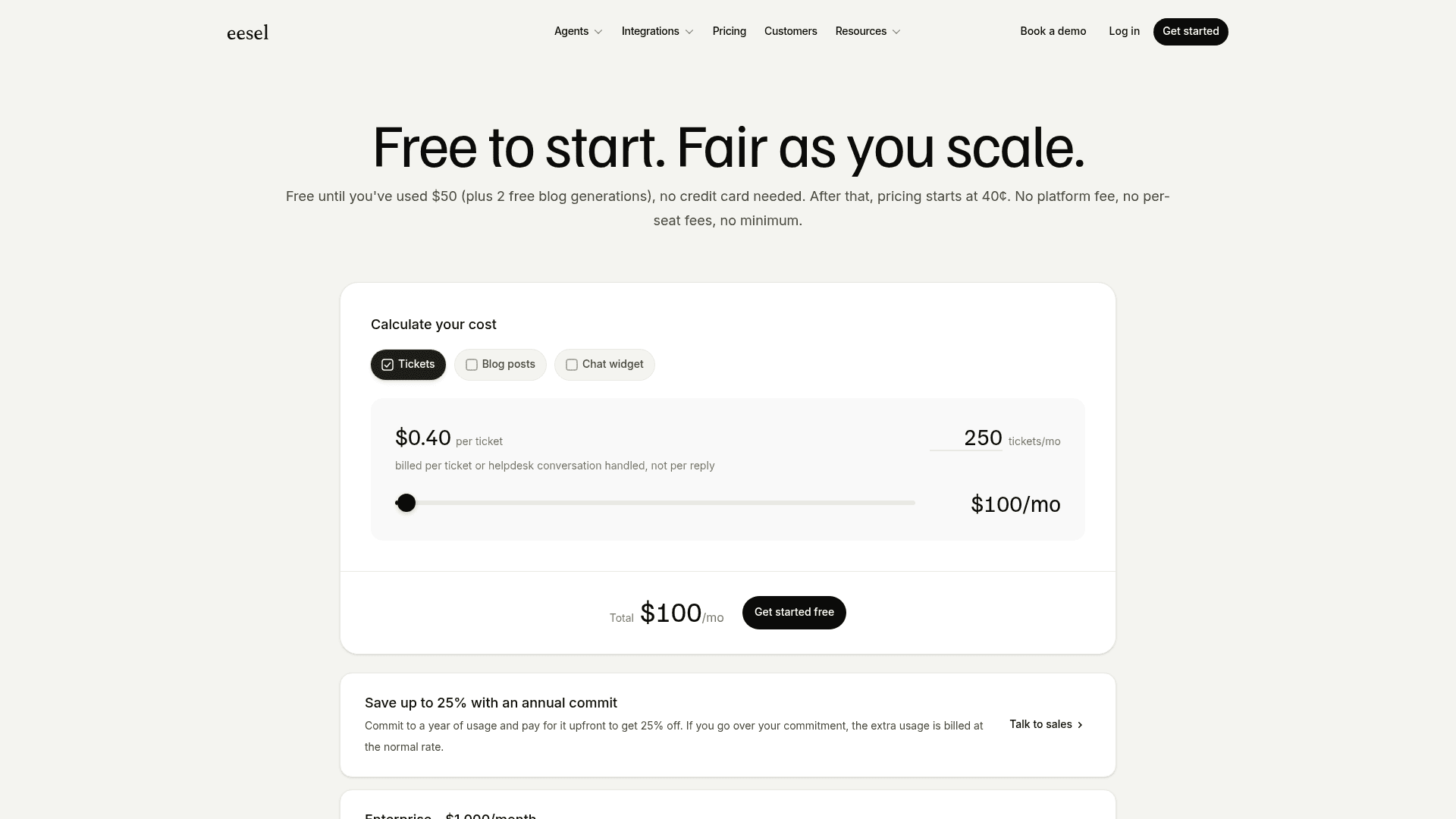
This is quite different from the transparent pricing of a platform like eesel AI. It’s one fixed monthly price sized to your volume, starting at $299/month for 500 credits (1 credit per ticket or chat), with no platform fee and no per-seat charges. An optional overage cap you set keeps a busy month from turning into a surprise bill, so you can scale your support automation with the costs staying predictable.
Is there a simpler, more powerful way?
While ServiceNow is an incredibly robust platform, its native chatbot configuration can be a slow, complex, and expensive journey. For teams that want a faster path to seeing a return on their investment, a modern AI agent that layers on top of your existing tools, including ServiceNow, can be a great alternative.
The eesel AI Agent is built from the ground up to be simple, flexible, and powerful.
-
Go live in minutes, not months. Forget about long implementation projects. eesel AI offers a self-serve setup with one-click integrations, so you can be up and running in the time it takes to finish your coffee.
-
Unify all your knowledge instantly. Don't worry about where your information is. eesel AI connects to all your knowledge sources from day one, including ServiceNow, Confluence, and past tickets, avoiding the data silo problem completely.
-
Test everything with confidence. Worried about letting an AI talk to your users? eesel AI’s simulation lets you test your agent on your past support tickets in a safe environment, so you can see how it would have answered them before you go live.
Get started with AI that actually works for you
A successful ServiceNow chatbot configuration is definitely possible, but it demands a real investment in licensing, setup time, and getting all your knowledge in one place. It's a solid tool for organizations that are deeply committed to the ServiceNow ecosystem and have the resources to support it.
However, for teams that need a faster, more flexible, and more affordable solution, modern AI platforms that integrate with your existing tools provide a much clearer path forward. By unifying your knowledge and working with your current setup, you can start automating support and making users happy right away.
Ready to try an AI agent that connects all your knowledge and starts resolving tickets in minutes? Try eesel AI for free or book a demo to see how it works.
Frequently asked questions
What are the initial steps for a ServiceNow chatbot configuration and what's the difference between Virtual Agent Lite and Pro?
You'll typically start by activating necessary plugins as an admin. Virtual Agent Lite, included in standard licenses, restricts you to modifying pre-built topics, while the Pro version unlocks full Natural Language Understanding (NLU) capabilities and the creation of custom conversation topics.
How does a ServiceNow chatbot configuration handle connecting to existing knowledge bases?
The Virtual Agent is built to integrate natively with ServiceNow's own Knowledge Management module. External sources go through AI Search connectors (ServiceNow documents ones for Confluence Cloud and Microsoft sources) or the Integration Hub, and each adds its own setup work.
What's required to use generative AI features with a ServiceNow chatbot configuration?
To enable generative AI capabilities for dynamic, summarized answers, you need "Now Assist for Virtual Agent." Under ServiceNow's April 2026 repackaging, Now Assist is built into the Foundation, Advanced, and Prime tiers instead of the old Pro Plus and Enterprise Plus add-ons.
What are the biggest challenges when implementing a full ServiceNow chatbot configuration?
Key challenges include the complexity of setting up custom topics and NLU, integrating disparate external knowledge sources, and navigating the tiered pricing model which often necessitates significant upgrades for advanced features.
Besides licensing, are there other significant costs for a ServiceNow chatbot configuration?
Yes, beyond license fees, you should account for specialized admin or developer time needed for initial setup, custom workflow creation, and ongoing maintenance. There's also the time investment before seeing a return on your investment.
How long does a typical ServiceNow chatbot configuration take to go live and are there faster alternatives?
A full-featured ServiceNow chatbot configuration can take months to implement, requiring significant setup and tuning. Faster alternatives, such as modern AI agent platforms like eesel AI, can go live in minutes by offering one-click integrations that unify knowledge from all your existing sources.