


If you work with a big platform like ServiceNow, you've probably felt the pain of trying to find something specific. You know that one knowledge article or catalog item is buried in there somewhere, but digging it up feels like an impossible task. The info exists, but actually getting your hands on it? That’s the real challenge.
ServiceNow's answer is AI Search, its new-and-improved engine built to take over from the old Zing search. But what does it actually do, how tricky is it to set up, and does it really solve the whole problem?
In this guide, we'll walk you through ServiceNow AI Search in plain English. We’ll break down its key features, the setup process, and where it falls short. We'll also see how it compares to more flexible tools designed to work across your entire tech stack.
What is ServiceNow AI Search?
ServiceNow AI Search is the platform's modern search engine, meant to replace the legacy Zing search. If you're wondering what the big deal is, the difference is pretty straightforward. Zing was a basic search engine that relied on you typing the exact keywords. If you didn’t use the perfect term, you probably came up empty-handed.
AI Search is smarter. It uses artificial intelligence to figure out the intent and context of your search. Think of it this way: using Zing was like flipping through a book's index, hoping you guess the right word. Using AI Search is like asking a helpful librarian who gets what you need and points you to the right chapter, even if your wording isn't perfect.
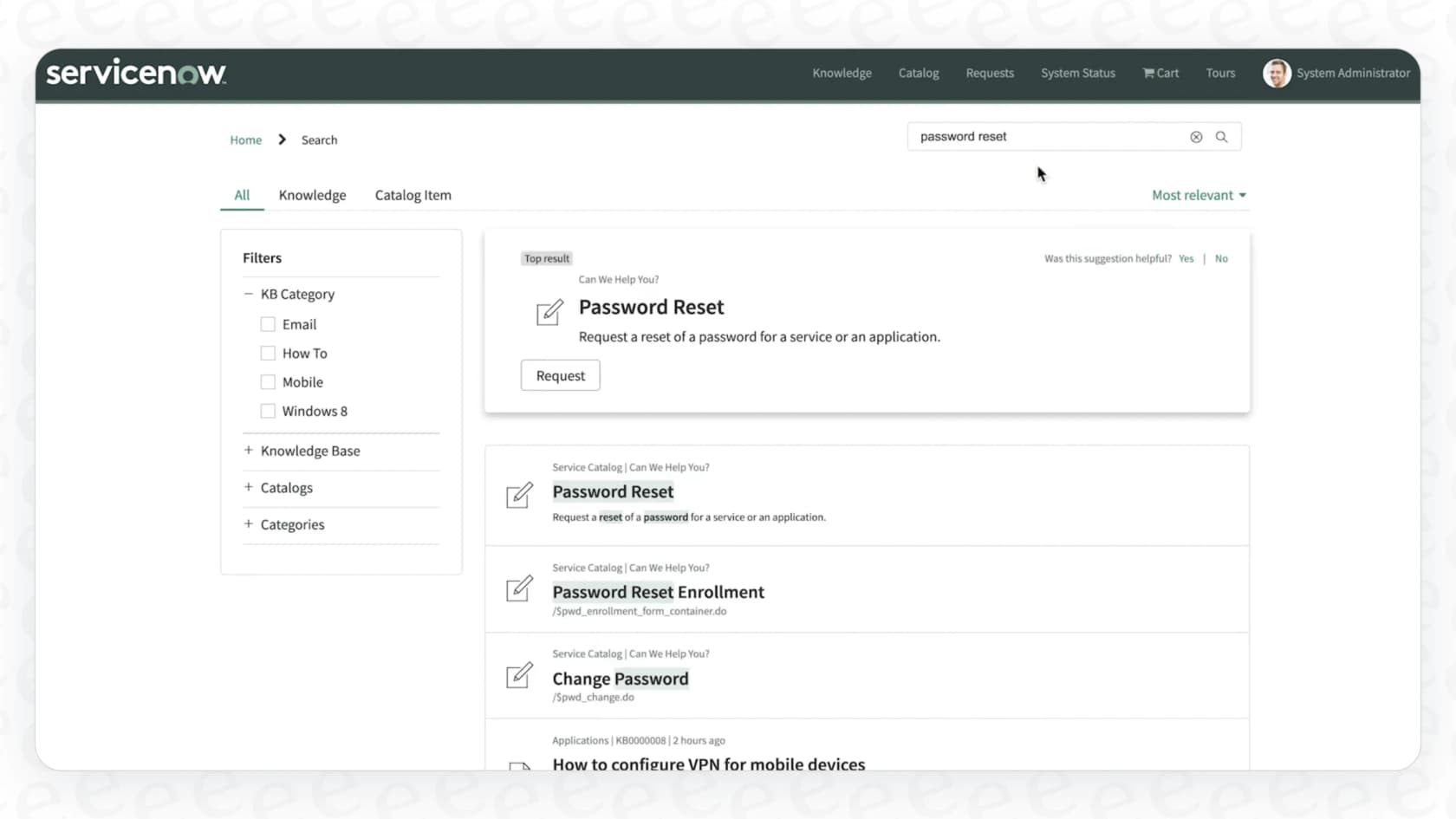
It’s built right into the ServiceNow world and works across the Service Portal, the Now Mobile app, and the Virtual Agent, so you get a consistent search experience no matter where you are.
Key features and benefits of ServiceNow AI Search
AI Search isn't just a search bar; it has some clever features designed to make finding information faster and feel more intuitive.
Understanding what you mean with semantic search
So, what’s the magic behind it? It’s mainly a feature called semantic search. Instead of just matching words, it understands the relationships between them to give you more relevant results.
For example, if you search for "new laptop," a basic search would only show you results with that exact phrase. Semantic search understands that you’re trying to get a new computer. It’ll pull up results for “MacBook request,” “order a new computer,” or a “hardware request form.” It's a big improvement because you no longer have to guess the exact corporate jargon to find what you need.
This is all powered by Natural Language Understanding (NLU), which helps the system understand the "why" behind your search, leading to answers that actually solve your problem.
Getting direct answers with Genius Results
One of the most useful features is called Genius Results. Instead of just dumping a list of links on you, AI Search tries to give you a direct, actionable answer right at the top of the page. The idea is to solve your problem without making you click through a bunch of documents.
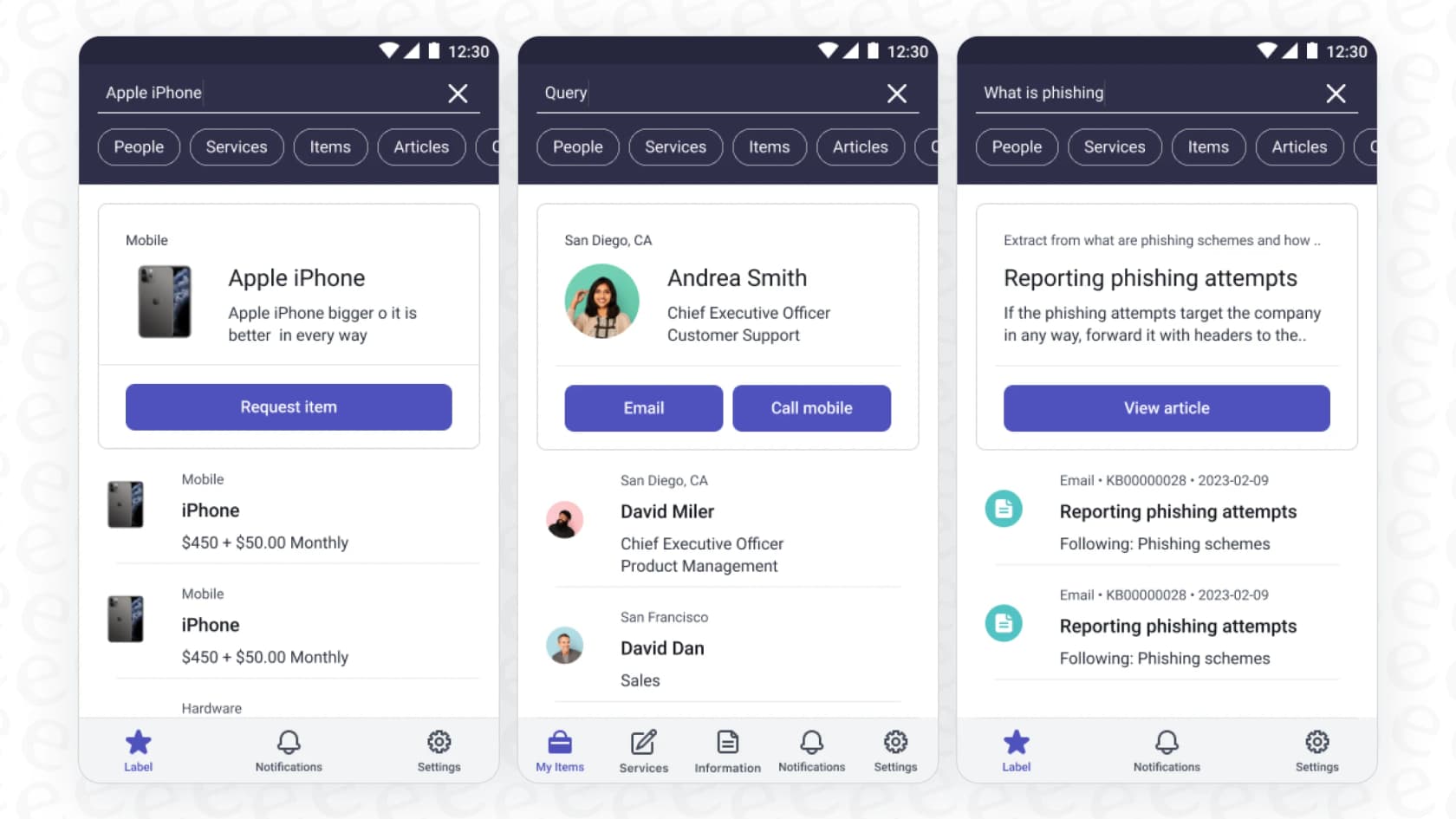
You'll see a few different kinds of Genius Results:
-
Q&A: Ask a question like "how do I reset my password?" and the system can pull a snippet from a knowledge article and show it to you as the answer.
-
Catalog Items: A search for "request Adobe Photoshop" can pop up a result that takes you straight to the software request form.
-
People: If you search for a coworker, it can show you their contact info and where they sit in the org chart.
A better user experience with typo handling and personalization
Let's be honest, we all make typos when we're in a hurry. AI Search is designed to be forgiving, so a search for "lpatop" will still probably point you in the right direction.
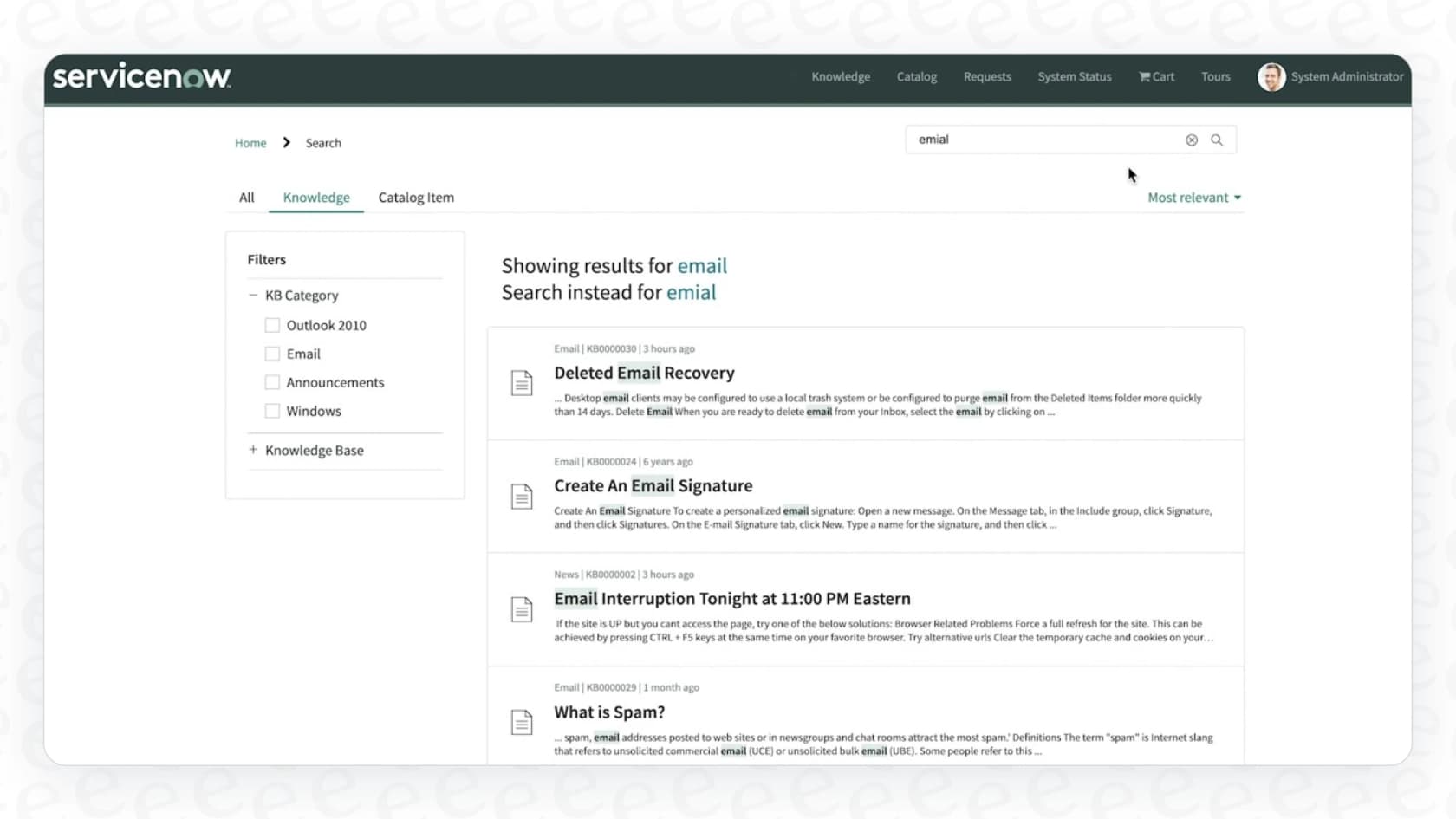
On top of that, the system gets smarter over time, and admins get an AI Search Analytics dashboard with a Self-Solved Rate and lists of queries with no results. It pays attention to which search results people click on and which ones actually help them solve a problem (like closing a ticket or finishing a request). Over time, it learns to push the most helpful results to the top.
The experience is also personalized based on your role and department, so you see stuff that's actually relevant to you.
How to set up ServiceNow AI Search
While it's easy enough for employees to use, setting up ServiceNow AI Search isn't exactly a one-click job. It takes a good amount of admin work and careful planning to get it configured the right way.
graph TD A[Start] --> B{1. Define Indexed Sources}; B --> C{2. Configure Search Sources}; C --> D{3. Customize Search Profiles}; D --> E[AI Search is Live]; subgraph Legend direction LR F[Admin defines what content to index e.g., Knowledge Base, Catalog Items] G[Set user permissions and access rules e.g., HR Team sees HR articles] H[Tailor search behavior for different portals e.g., Service Portal vs. Mobile App] end B -- "Specifies WHAT to search" --> F; C -- "Controls WHO sees what" --> G; D -- "Defines HOW search works where" --> H;
The process boils down to a few key steps:
-
Indexed Sources: First, you have to tell the system what it's allowed to search. This means pointing it to the right tables, like your knowledge base articles or service catalog items. Once a source is defined, AI Search indexes record creates, updates, and deletes automatically, and a full reindex is needed after you change the source's attributes or field settings.
-
Search Sources: Next, you set up rules for who can see what. You could, for example, make sure only people in the HR department can see results from the HR knowledge base.
-
Search Profiles: Finally, you customize how the search works in different places. You might have one profile for the main Service Portal with all the bells and whistles, and a simpler one for the mobile app.
This setup process shows that AI Search is a serious enterprise tool that needs real technical know-how to roll out properly.
For any team without a dedicated ServiceNow guru or the time for a long implementation project, this complexity can be a real dealbreaker. It's why newer tools like eesel AI are built for simplicity. You can connect your helpdesk and knowledge sources with a few clicks and get going in minutes, not months, without needing a technical deep-dive or a series of sales calls.
The limitations of ServiceNow AI Search
While ServiceNow AI Search is a solid improvement, it does have some pretty significant limitations, especially if your company knowledge isn’t all stored neatly inside the platform.
Struggles with external knowledge sources
A common headache is that AI Search has a tough time with information that lives outside of ServiceNow. Most companies have crucial documents scattered across places like Confluence, Google Docs, or shared network drives. ServiceNow has External Content Connectors that pull in content and metadata from supported sources such as Atlassian Confluence and Microsoft. Each connector is created and configured by an admin, so every outside source adds its own setup work.
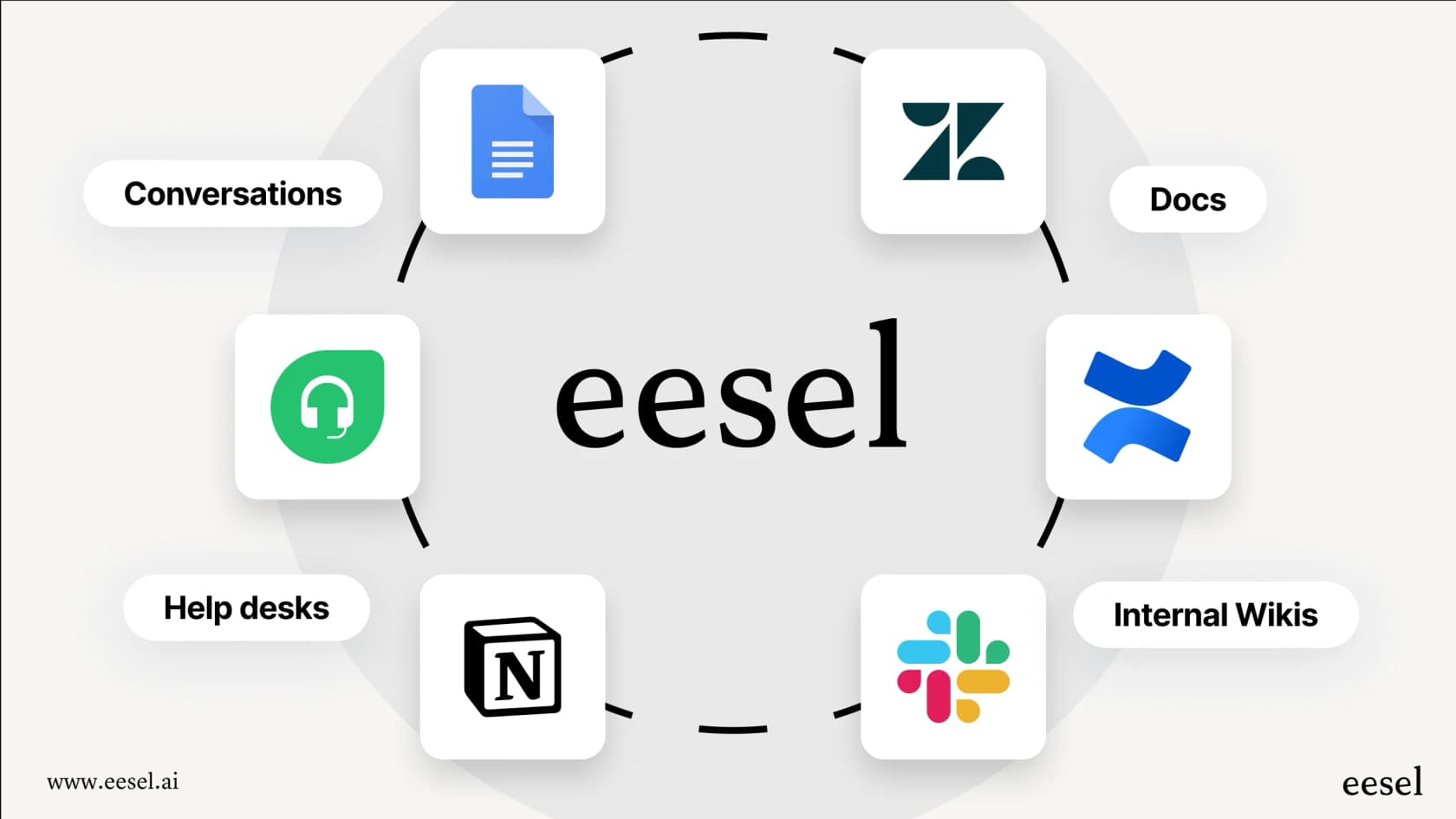
Instead of trying to force everything into one system, tools like eesel AI take a different approach: they connect to your knowledge right where it already is. eesel AI plugs into over 100 sources, from helpdesks like Zendesk and Jira Service Management to wikis like Notion and chat tools like Slack, giving you a single search layer over everything.
The rollout is complex and expert-driven
AI Search is set up through indexed sources, search sources, and search profiles, and ServiceNow's docs don't describe a replay of your past tickets to forecast results. That makes it harder to build confidence in how it will behave on your real data before going live.

In contrast, eesel AI’s simulation mode lets you test your setup on thousands of your past tickets safely. You can see how it will respond, get forecasts on how many issues it can solve, and find gaps in your knowledge base, all before it ever interacts with a user. This lets you start small and grow as you get more comfortable.
The pricing is a mystery
Good luck trying to find a price for ServiceNow AI Search online. It isn't sold by itself; it's bundled into the larger "ServiceNow AI Platform." To get a price, you have to go through the whole sales process, which can be slow and makes budgeting a guessing game.

This is why eesel AI puts its pricing right on the website. One fixed monthly price starts at $299 for 500 credits (1 credit per ticket or chat), with no per-seat fee, so you know what you’re getting into before you talk to anyone.
ServiceNow AI Search pricing
As we mentioned, the pricing for ServiceNow AI Search isn't public. It's rolled into the ServiceNow AI Platform license, so you'll have to contact their sales team for a custom quote based on your company's size and needs. It's a time-consuming process that doesn't offer the straightforward predictability many teams are looking for.
A flexible ServiceNow AI Search alternative: Unify your entire knowledge base with eesel AI
ServiceNow AI Search does a good job of finding things inside ServiceNow. But let's face it, most companies' knowledge is all over the place. If you need a search tool that can connect to everything and get started in minutes, you'll probably want something more flexible.
eesel AI is an AI platform that works with your existing tools, including ServiceNow. Here’s a quick comparison:
| Feature | ServiceNow AI Search | eesel AI |
|---|---|---|
| Setup Time | Admin-configured (indexed sources, search sources, profiles). | Minutes, completely self-serve. |
| External Sources | Admin-configured connectors (e.g. Confluence, Microsoft). | 100+ one-click connections. |
| Simulation | No ticket replay described in the docs. | Test safely on your old tickets. |
| Pricing Model | Bundled, must talk to sales. | From $299/mo for 500 credits. |
| Customization | Needs heavy configuration. | Easy to customize persona & actions. |
Final thoughts on ServiceNow AI Search
Look, ServiceNow AI Search is definitely a step up from the old Zing search. If your company lives and breathes ServiceNow, it's a decent tool for finding information on the platform.
But the complicated setup, struggles with outside knowledge sources, and mysterious pricing can be major drawbacks. For teams that need something more flexible and easier to manage, it might not be the whole answer.
That's where eesel AI comes in. It's designed to connect all your company's knowledge, no matter where it's stored, giving everyone a single, reliable place to find answers without all the enterprise-level fuss.
Frequently asked questions
How does ServiceNow AI Search improve upon the previous Zing search engine?
ServiceNow AI Search uses AI to understand the intent and context of your search, unlike Zing which relied on exact keyword matches. This means it can provide more relevant results, acting more like a helpful librarian than a simple index.
What are Genius Results, and how do they enhance the user experience in ServiceNow AI Search?
Genius Results are direct, actionable answers displayed at the top of your search results, aiming to solve your problem without requiring you to click through documents. They can provide Q&A snippets, direct links to catalog items, or contact information for people.
What kind of effort is involved in setting up and configuring ServiceNow AI Search?
Setting up ServiceNow AI Search involves significant administrative work, including defining indexed sources, configuring search sources for permissions, and customizing search profiles for different interfaces. It requires admin technical knowledge and careful planning.
Can ServiceNow AI Search effectively integrate and search content from external knowledge sources?
While ServiceNow AI Search has "External Content Connectors," ServiceNow documents connectors for sources such as Atlassian Confluence and Microsoft. Each connector is created and configured by an admin, which adds setup work for every outside source.
How is ServiceNow AI Search typically priced, and is its cost publicly available?
The pricing for ServiceNow AI Search is not publicly available as it's bundled into the larger "ServiceNow AI Platform" license. To get a quote, companies must engage directly with the ServiceNow sales team, making budgeting less predictable.
Does ServiceNow AI Search personalize results or learn from user behavior over time?
Yes, ServiceNow AI Search offers personalization by showing results relevant to your role and department. It also gets smarter over time by learning from which search results users click and which ones help resolve issues, pushing the most helpful content to the top.