AI is the talk of the town in customer support, and Salesforce is making big moves with its Agentforce platform. It promises to automate tedious tasks, speed up resolutions, and generally make your support team’s life easier.
But let’s be real for a second. Simply flipping a switch on Salesforce's native AI isn’t a complete strategy. The most valuable knowledge your company has, the stuff that actually solves tricky customer problems, is probably scattered all over the place. It’s living in Google Docs, Confluence pages, random Slack threads, and old support tickets, not just sitting neatly inside Salesforce.
This guide will walk you through the two main ways you can build a Salesforce AI strategy. First, the native-only path, which means sticking to Salesforce's own tools. Second, the unified, integrated path, which connects all your knowledge sources, wherever they may be. We'll get into the good and the bad of each, so you can pick the right approach and avoid common headaches like data silos and ridiculously complex setups.
What is Salesforce AI?
Salesforce has been dabbling in AI for a while now, starting with its predictive AI, Einstein. More recently, they've rolled out "Agentforce," which is less of a single product and more of a whole suite of AI assistants you can customize for sales, service, and marketing.
For customer service teams, Agentforce is built right into the Salesforce platform. Its main job is to act as a sidekick for your support agents. Some of its key features include:
-
Automatically summarizing long, complex case notes and customer chats.
-
Drafting replies for agents, saving them from typing the same answers over and over.
-
Helping you build out your knowledge base by turning successful ticket resolutions into draft articles.
At its heart, Agentforce is made to work with your CRM data. It gets the full context of customer history and case records from your native Salesforce products. But for it to be truly useful, it needs a solid library of knowledge to learn from in the first place.
The foundation for Salesforce AI: Salesforce Knowledge
The engine powering Salesforce's AI is Salesforce Knowledge. This is their built-in system for creating, organizing, and sharing support articles. The idea is to have one central place to power your customer self-service portal and give your agents a single source of truth for fixing problems.
No matter what AI tool you end up using, a clean, well-tended knowledge base is an absolute must. An AI is only as smart as the data it’s trained on. If your knowledge base is full of outdated or incomplete articles, you can bet your AI's answers will be, too.
This is often where teams hit their first major hurdle. Setting up and maintaining Salesforce Knowledge isn't exactly a walk in the park. It's a powerful tool, sure, but that power comes with a whole lot of complexity. You have to map out article types, define data categories, configure page layouts, and set up workflows and approval processes. It's a significant project that needs dedicated admin resources, which feels a world away from more modern, lightweight knowledge tools.
The native approach: Using only Salesforce tools
Most companies dipping their toes into AI with Salesforce naturally start by looking at the native-only approach. This means using Agentforce, Service Cloud, and Salesforce Knowledge, and nothing else. Here’s an honest look at what that really means for your team.
Benefits of a native-only strategy
-
Deep integration: Since Agentforce is baked into Service Cloud, it has full access to your CRM data, from case histories to customer profiles. This lets it create responses that are personalized and have the right context.
-
Unified UI: Your agents don’t have to switch between different apps or windows. The AI help is right there in the Salesforce console they use all day, which makes for a pretty smooth workflow.
-
Built on trust: Salesforce makes a big deal about its "Einstein Trust Layer," which is designed to keep your data private and secure while using their AI models.
Hidden limitations of a native-only strategy
-
The siloed knowledge problem: This is the biggest catch. Salesforce AI is great at using data that lives inside Salesforce. But what about all the crucial information that doesn't? If your engineering team writes technical guides in Confluence, your marketing team keeps FAQs in Google Docs, and your support team shares quick fixes in Slack, Agentforce can’t see any of it. Your AI can't use knowledge it doesn't know exists, which leads to half-answers and a lot of missed opportunities for automation.
-
Complex setup and maintenance: As we mentioned, just getting Salesforce Knowledge off the ground is a project. It requires a lot of planning around article types, user permissions, and validation rules. It's a robust system, but it’s not something you can get live in an afternoon. This setup and ongoing admin work can eat up a lot of your team's time and resources.
-
Limited data sources: You might be thinking, "Can't Salesforce Connect fix this?" While Salesforce Connect is meant to pull in external data, it's really built for structured data from other systems, like database tables from SAP or SharePoint lists. It wasn't designed to sync the messy, unstructured knowledge that most support teams rely on, the PDFs, documents, and chat logs where the real answers often hide.
The unified approach: Connecting all your knowledge
If the native approach feels a bit confining, you're not wrong. The reality for most companies today is that work happens across dozens of different tools. A truly useful AI strategy has to accept and work with that reality.
Why a unified strategy is essential
Your company’s collective brain isn't stored in a single app. The best, most current answers to customer questions might be in old support tickets from another helpdesk, internal guides on Confluence, or product updates shared in a Slack channel. For an AI to be genuinely helpful, it needs to be able to access and learn from all of it. By fencing your AI into a single knowledge source, you're leaving your best information on the sidelines.
How third-party AI platforms bridge the gap
This is where AI integration platforms come into the picture. You can think of them as a central brain that connects to all your knowledge sources, your helpdesk, wikis, chat tools, and then plugs that intelligence directly into your Salesforce workflow.
This approach gives you the best of both worlds: a single, smart AI that’s trained on your company's complete knowledge, and a seamless experience for your agents right inside the tool they already know.
Creating a single brain for your support team
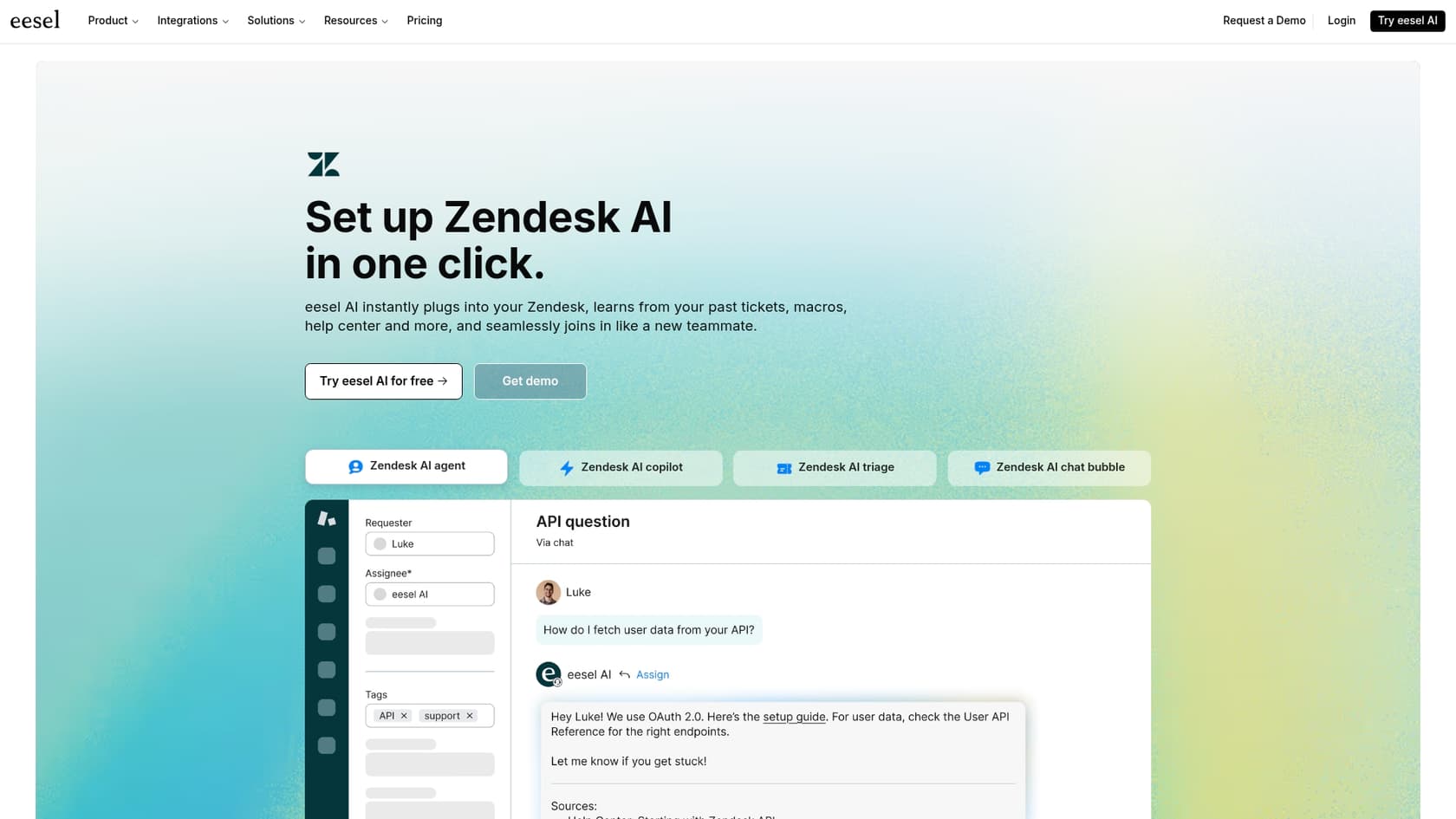
Platforms like eesel AI are built to solve this exact problem. It acts as that central brain, connecting to Salesforce while also integrating with all the other places your team stores information.
Here’s how it works:
-
It connects to all your sources: You can sync eesel AI with Salesforce, but you can also connect it to Confluence, Google Docs, Slack, and over 100 other tools with simple one-click integrations.
-
It learns from your history: eesel AI can analyze thousands of your past support conversations from any helpdesk (like Zendesk) to automatically pick up on your brand voice, common problems, and what a good answer looks like.
-
You can set it up yourself: Forget about long implementation projects and mandatory sales calls. You can connect your sources, configure your AI, and go live in just a few minutes, all on your own.
-
You can simulate before you activate: With eesel AI, you can run simulations on your historical tickets to see exactly how the AI will perform. You get accurate predictions on resolution rates and cost savings before the AI ever interacts with a live customer, giving you total confidence.
Comparing Salesforce AI pricing vs. an integrated approach
Budgeting for AI can be a pain, especially when the pricing is a mystery.
Salesforce Agentforce pricing
You won't find a public price tag for Salesforce Agentforce. It's usually sold as an add-on to Service Cloud licenses, and the final cost depends on your specific setup. This means you have to get on the phone with a Salesforce rep for a custom quote. This lack of transparency can make it hard to plan your budget and can sometimes lead to unexpected costs down the road.
Integrated AI platform pricing (example: eesel AI)
In contrast, many integrated AI platforms have much more predictable and transparent pricing. For instance, eesel AI has clear pricing tiers based on how much you use the AI, with no hidden per-resolution fees. This makes it a lot easier to forecast your costs and scale up when you're ready.
| Plan | Monthly Price (Billed Annually) | Key Features |
|---|---|---|
| Team | $239/mo | Train on docs, Copilot for help desk, Slack integration. |
| Business | $639/mo | Everything in Team + train on past tickets, AI Actions, simulation. |
| Custom | Contact Sales | Advanced integrations, multi-agent orchestration. |
A roadmap to a smarter AI strategy
A successful Salesforce AI guide isn't just about adopting Salesforce's native tools; it's about building a unified knowledge ecosystem that allows your AI to be as smart as your entire team.
You have two clear paths forward:
-
The native path: This gives you deep integration with your CRM, but it can create data silos and comes with a complicated setup process that locks your most valuable knowledge out.
-
The unified path: This approach is more flexible, connects all your scattered knowledge, and is often way faster to implement, giving you a more powerful and scalable AI.
For most modern support teams, whose knowledge is spread across a dozen different apps, the unified path is the clear winner.
Don't let your team's expertise in Google Docs, Confluence, and Slack go to waste. Power your support AI with all of your company's wisdom. See how easily you can connect your scattered knowledge and supercharge your Salesforce support team with eesel AI.

Frequently asked questions
This Salesforce AI guide explains that Agentforce is a suite of [AI assistants](https://www.eesel.ai/blog/ai-assistant-capabilities) built into Salesforce for sales, service, and marketing. It details how it helps support agents with task automation, drafting replies, and knowledge base article creation, leveraging CRM data and Salesforce's predictive AI, Einstein.
The primary challenge, as highlighted in this Salesforce AI guide, is the "siloed knowledge problem." Native Salesforce AI struggles to access crucial information stored outside Salesforce, like in Google Docs, Confluence, or Slack, limiting its effectiveness and automation potential.
This Salesforce AI guide stresses that Salesforce Knowledge is the essential foundation for any AI, as the AI's intelligence depends on the quality of its training data. However, it notes that setting up and maintaining Salesforce Knowledge is complex and resource-intensive due to its robust configuration requirements.
This Salesforce AI guide emphasizes integration because a company's most valuable knowledge is often scattered across many tools, not just Salesforce. Integrating external sources allows the AI to learn from the company's complete collective wisdom, leading to more accurate answers and [better automation](https://www.eesel.ai/blog/a-practical-guide-to-mastering-ai-and-automation-in-customer-support).
This Salesforce AI guide indicates that a unified, integrated approach (like with eesel AI) is often much faster to implement than a native-only setup. You can connect sources, configure the AI, and go live in minutes, avoiding lengthy implementation projects and dedicated admin resources.
According to this Salesforce AI guide, Salesforce Agentforce pricing is typically opaque, requiring custom quotes as an add-on to Service Cloud. In contrast, integrated AI platforms often offer more transparent, tiered pricing based on usage, making budgeting and scaling more predictable.
For most modern support teams whose knowledge is spread across various applications, this Salesforce AI guide strongly recommends the unified (integrated) path. It offers more flexibility, connects all scattered knowledge, and provides a faster, more powerful, and scalable AI solution.
Share this article

Article by
Stevia Putri
Stevia Putri is a marketing generalist at eesel AI, where she helps turn powerful AI tools into stories that resonate. She’s driven by curiosity, clarity, and the human side of technology.