


What Kuse AI actually costs
Let me start with the number people came for. Kuse is free to start, then paid plans begin at roughly $19.90 a month. That is the honest headline.
The longer answer is more interesting, because Kuse does not sell you seats or a flat "X tasks per month." It sells credits, and a credit is a moving target. Before we get into the plan table, it is worth seeing what the product is, because it explains why the pricing is shaped the way it is.
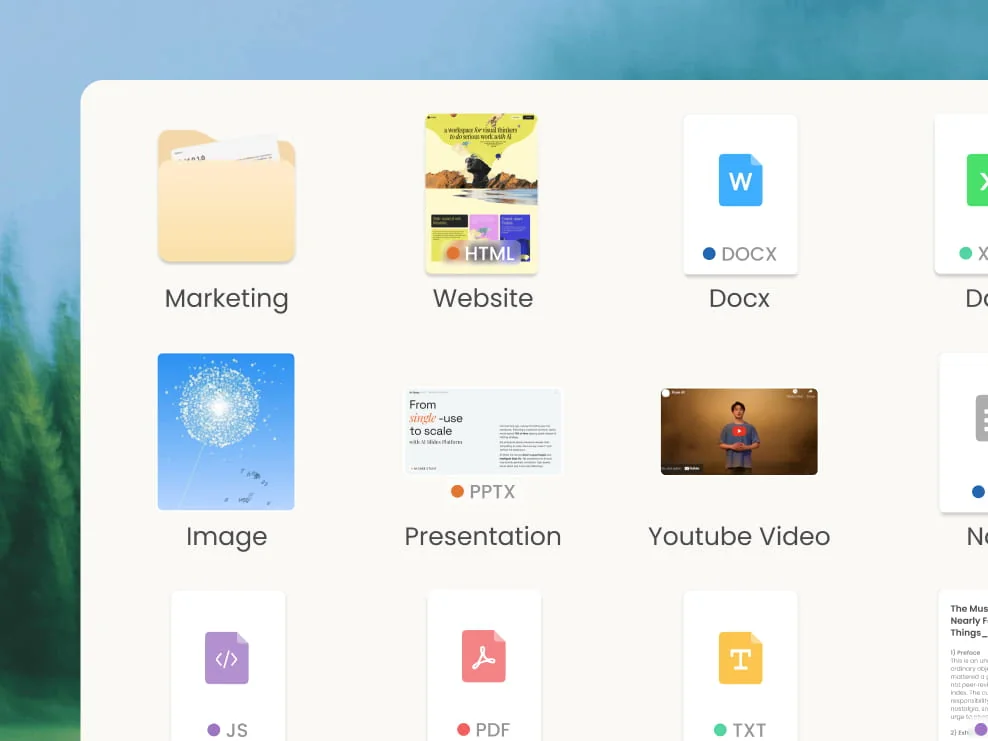
Kuse is an AI workspace that does two big things: it generates deliverables (documents, presentations, spreadsheets, and web pages) from your own materials, and it runs automations (describe a repeating task in plain language, connect apps like Google Sheets, Gmail, or Apify, and it runs on a schedule). Both of those consume compute in wildly different amounts, so instead of a flat fee, Kuse meters everything through credits. That is the single most important thing to understand before you pay.
Here is the full picture, top to bottom.
Kuse AI pricing plans in full
The public marketing page at www.kuse.ai/pricing returns a 404, so the only live pricing table lives inside the app at app.kuse.ai/pricing. That is worth flagging up front, because if you go looking for pricing on the marketing site you will hit a dead end and assume it is quote-only. It is not.
Kuse does not print plan names on the table (no "Pro," "Business," and so on), so I have labelled them by position and by the positioning line Kuse shows on each.
| Plan | Positioning | Monthly | Annual (per mo, −20%) | Monthly credits | AI models | Notable inclusions |
|---|---|---|---|---|---|---|
| Free | Get started | $0 | $0 | 1,800 on signup + 200/day | Standard | Unlimited projects, limited credits at a time |
| Tier 1 | "For light tasks" | $19.90 | ~$15.92 | 18,000 | Advanced | Everyday docs, research, slides; unlimited files per chat; unlimited uploads |
| Tier 2 (Recommended) | "For most creators" | $39.90 | ~$31.92 | 38,000 | Advanced | Everything in Tier 1, plus beta features and longer task-execution windows |
| Tier 3 | "For power users" | $199.90 | ~$159.92 | 198,000 | Frontier | Everything in Tier 2, plus higher sandbox capacity and 24/7 support |
A few notes on reading this table:
- Kuse uses that odd single-decimal price format ($19.9, $39.9, $199.9), which is just $19.90 / $39.90 / $199.90.
- The annual figures are computed from the advertised "Save 20%" toggle (monthly × 0.8). Kuse's annual view defaults back to monthly when scraped, so treat those per-month annual numbers as derived, not directly quoted.
- Tier 2 is the flagged default ("Recommended" and "Popular"). It is the one Kuse wants most creators on, and at roughly double Tier 1's credits for double the price, the per-credit rate is basically flat between the two.
- Tier 3 is the only tier with "Frontier" models (versus "Advanced" on the lower tiers), higher sandbox session capacity, and 24/7 dedicated support. It is a genuine step up, not just more of the same credits.
That table looks clean, and for a lot of buyers it is enough. But the column doing all the real work, the credit allowance, is the one you cannot actually translate into tasks. So let me pull that apart.
The billable unit: what a Kuse credit really is
This is the part that trips people up, so it is worth being precise. Per Kuse's own help center, a credit is the cost of an AI interaction, "dynamically calculated based on resource usage, complexity, and duration, you only pay for what you use."
Read that again, because it has a real consequence. There is no fixed per-action price. A credit is not a token, not a message, not a "generation." One prompt might cost a handful of credits or a few hundred, depending on how much work it kicked off under the hood.
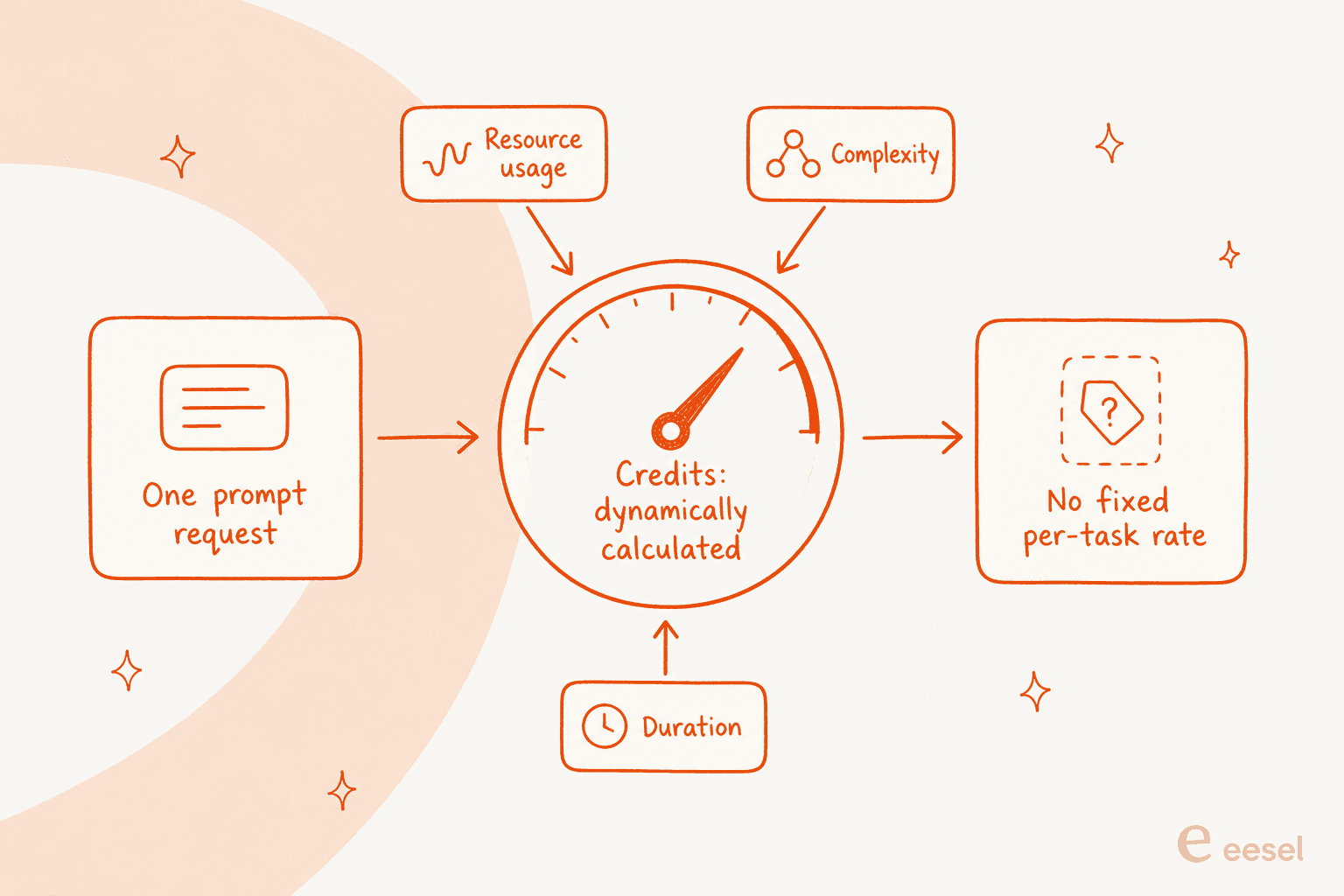
Kuse's usage history shows "the credits consumed by that single prompt request," so you can see costs after the fact. What you cannot do is see them before. There is no published rate card that says "a slide deck costs N credits" or "a lead-scraping run costs M." I want to be fair here: this is not unique to Kuse, it is how most agentic tools that run variable-length tasks meter usage, and the same fuzziness shows up in credit-based pricing at Manus and other agent platforms. But it does mean the "18,000 credits" on Tier 1 is a number you will only learn the value of by spending it.
Where your credits actually go
Credits are consumed across the whole task, not just the reply you see. Kuse's docs list what draws them down:
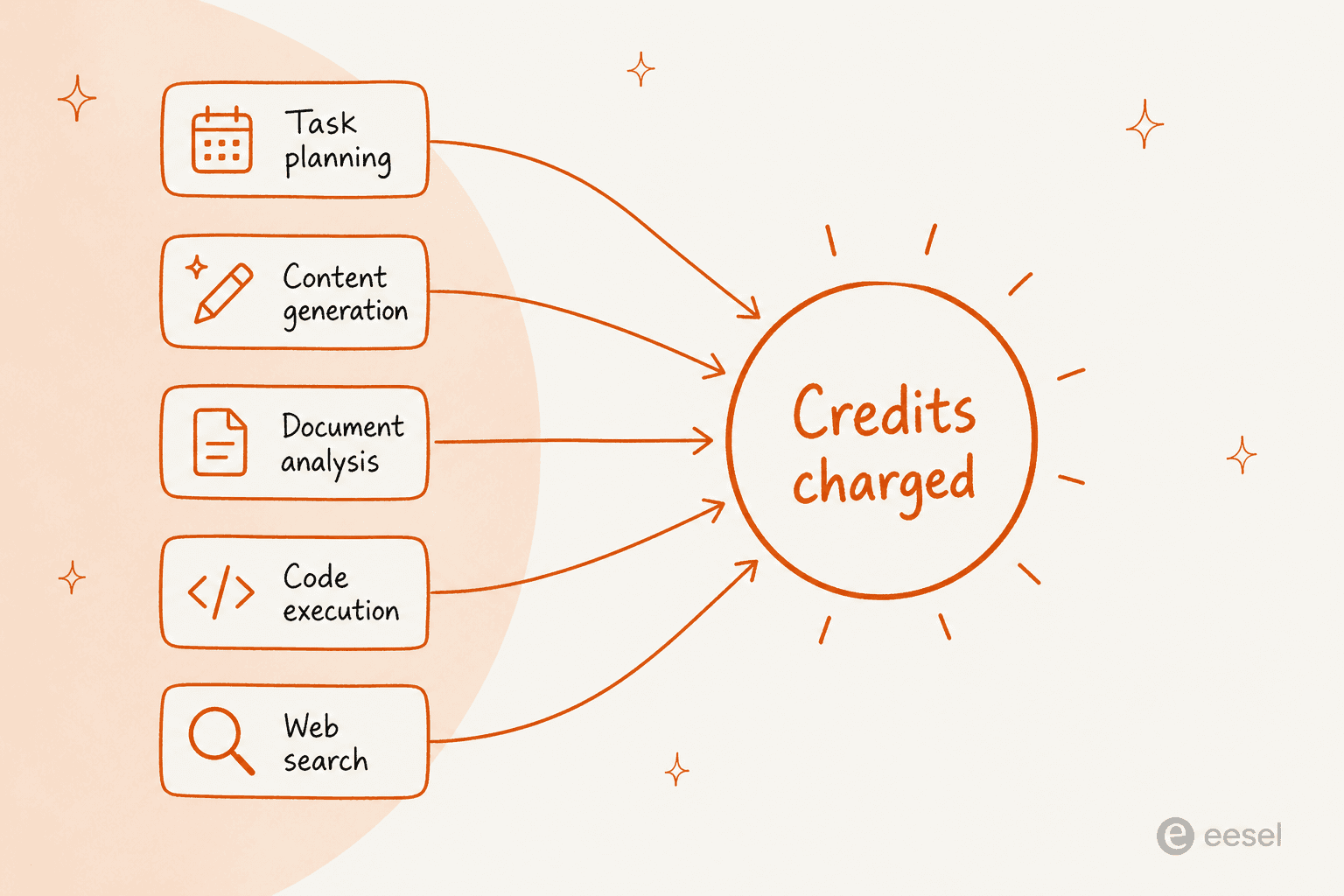
- Understanding intent and planning the task before it writes a single word
- Generating content (the doc, deck, sheet, or page)
- Analysing or transforming uploaded documents, images, and other media
- Executing code and searching the web
The takeaway that matters for budgeting: a single "research this topic and build me a deck" prompt can touch planning, web search, document analysis, and generation all at once, so the credit cost of your typical work is a compound of several meters, not one. That is exactly why the plan allowance resists being converted into a task count.
The free tier: how far does it get you?
Kuse's free plan is more generous than most, and it is a real reason to try before you pay. You get:
- 1,800 starter credits granted immediately on signup (the "Claim 1,800 Free Credits" offer on the homepage)
- 200 free credits every day you log in
- Unlimited projects, with a cap on how many credits you can hold "at a time"
The important nuance is that the daily 200 credits do not stack. This is a "use it or lose it" trickle, not a balance you build up over a slow week. For light, occasional use, that daily top-up genuinely covers a lot of everyday prompts. For anything sustained, a couple of heavy research-and-build sessions will burn through a day's allowance and then some, which is precisely the nudge toward Tier 1.
There is no documented free trial of the paid plans, so the free tier is the trial. That is a fair deal, and honestly a nicer on-ramp than tools that gate everything behind a card.
The three paid tiers, and who each is for
The jump from free to Tier 1 is about capacity and models, not new features you were locked out of. Here is how I would actually pick between them.
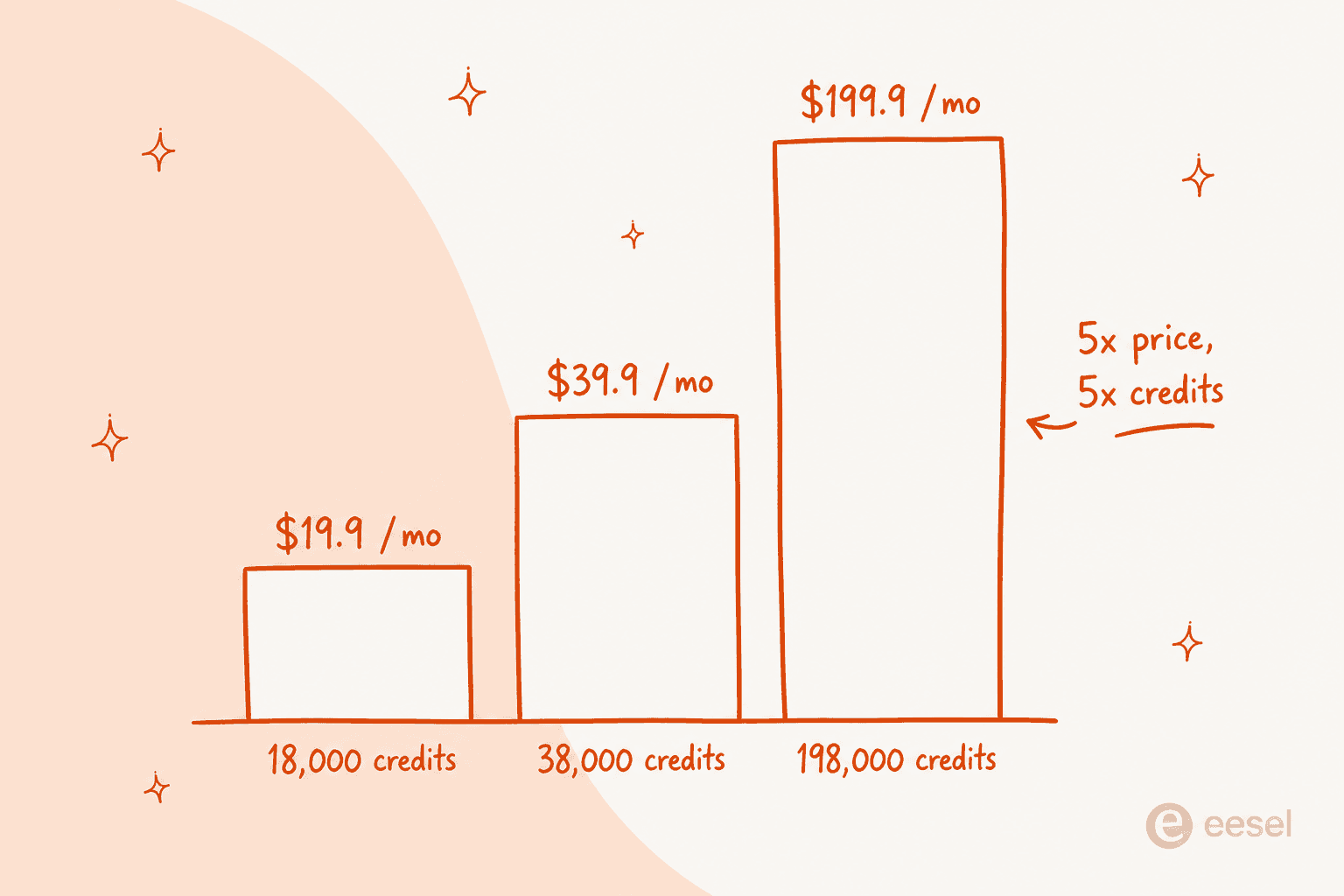
Tier 1, ~$19.90/mo (18,000 credits), for light tasks. This is the "I use it a few times a week" plan. Everyday documents, some research, standard slides and pages. If the free tier's daily 200 keeps running dry but you are not living in the tool, this is the right home.
Tier 2, ~$39.90/mo (38,000 credits), for most creators. Kuse's flagged default, and the one it pushes hardest. Roughly double the credits of Tier 1 for double the price, plus early access to beta features and longer task-execution windows (which matters if your automations are long-running). If Kuse is part of your weekly workflow, this is the sensible middle.
Tier 3, ~$199.90/mo (198,000 credits), for power users. The real differentiator here is not just the ~5x credit jump. It is the only tier with frontier AI models (versus "advanced" below it), higher sandbox session capacity for heavier automations, and 24/7 dedicated customer support. That is a ~5x price for ~5x credits, so you are paying a linear rate for the volume and getting the better models and support as the sweetener.
Team and enterprise pricing
Kuse has a Team plan, described as "working with a team? Share credits and manage members in one place." The pitch is a shared credit pool plus member management, which is the right shape for a team that does not want everyone buying their own subscription.
The honest limitation: none of it is public. There is no seat count, no per-seat price, and no shared-pool figure published. Access is a "View Team Plans" button inside the app, and anything enterprise or volume routes to a Contact Sales call. So if you are pricing Kuse for a team, budget for a sales conversation rather than a self-serve checkout.
The budgeting gotchas to know before you pay
None of these are dealbreakers, but they are the things I would want to know before putting a card in.
- Credits do not roll over. Monthly plan credits expire at the end of the cycle. If you upgrade mid-cycle, your old unused credits expire on the original plan's expiry date, per the help center. Do not treat the allowance as a bank.
- There is no per-action rate to plan against. As covered above, you cannot pre-compute what a month of your work will cost in credits. You size the plan by trying it, watching your usage history, and adjusting.
- The public pricing page 404s. Minor, but it means quick "what does this cost" comparisons are harder than they should be, and the live table only exists behind the app login.
- Team pricing is opaque. No published seat price means no fast apples-to-apples against per-seat tools.
Community sentiment tracks with this. Reviewers love the product itself, the grounded, build-from-your-own-materials generation is the standout:
"this is one of the best knowledge-base tools I have used so far. It's not just for storing notes; it actually helps explain, break down, and organize..."

That enthusiasm is exactly why the credit fuzziness matters: when a tool is doing this much real work for you, you want to know what a month of it will cost, and with credits you find out afterwards.
Is Kuse AI worth it?
For the right user, yes. If your work is self-directed knowledge work, research, decks, docs, spreadsheets, plus some scheduled scraping and outreach automations, and you like being the one driving, then Tier 1 or Tier 2 is a fair price for a genuinely capable canvas. The free tier is generous enough to prove that to yourself before you spend anything.
The reservation is the one running through this whole piece: you are buying a credit pool you cannot forecast, on a product that gives you a better surface to do the work rather than finishing the job for you. That is a great deal if operating the tool is the point. It is a worse deal if what you actually wanted was the outcome, and you would rather not spend your Tier 2 credits learning how many a project costs.
If you are weighing Kuse against other canvas and agent tools, I went deep on that in the companion Kuse AI alternatives piece, which sorts options like Notion, Gamma, Coda, and Lindy by the job you need done.
Try eesel
Kuse hands you a better place to do the work. eesel takes the other approach: it sells AI teammates you hire for a defined job, and the teammate arrives already knowing the skills, integrations, and company context for its role. The current roster is an AI helpdesk agent and an AI blog writer, with an e-commerce agent alongside them.
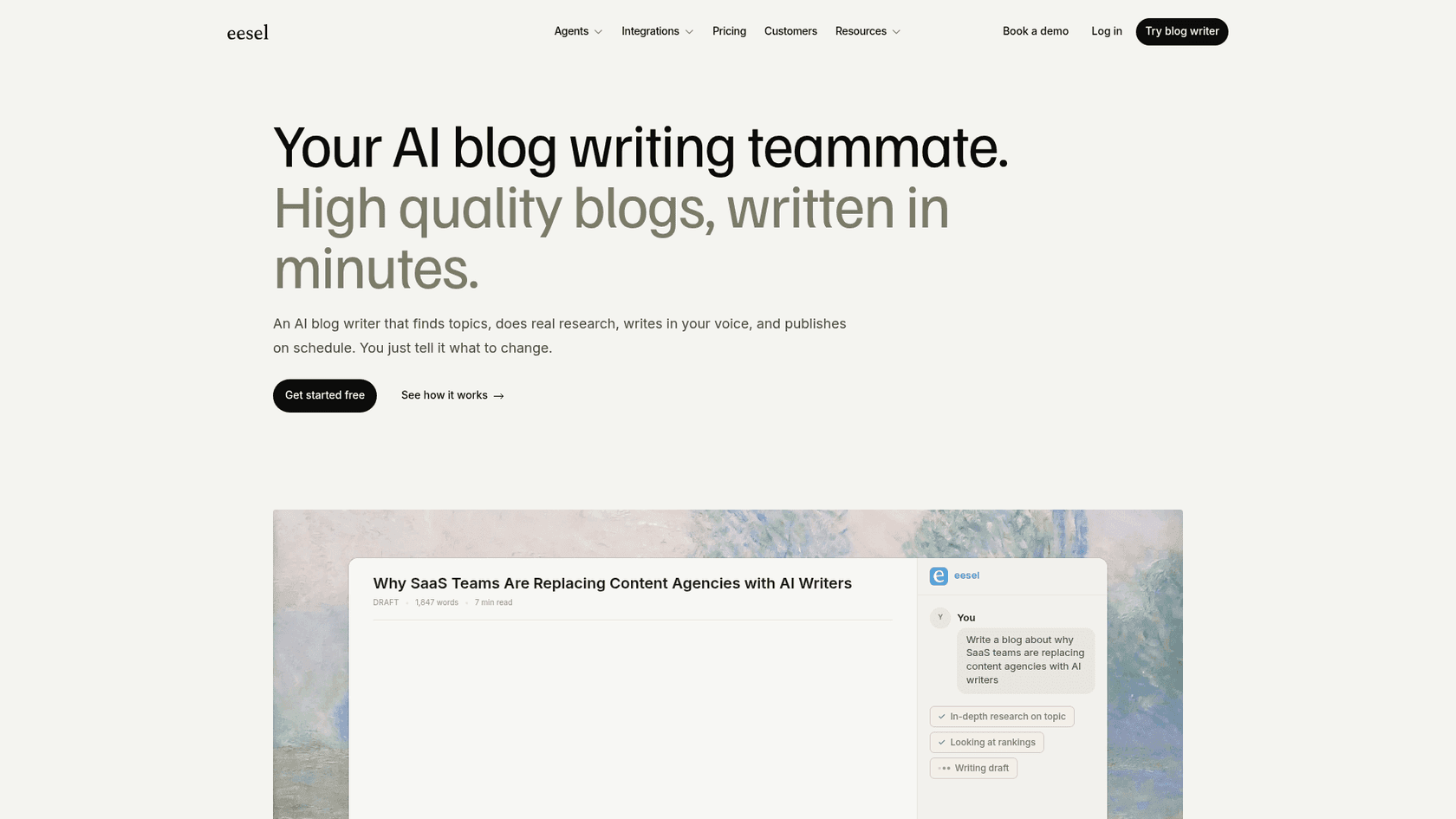
On pricing specifically, this is where the two models diverge. If your Kuse workflow was really "research a topic and turn it into a published post," the eesel AI blog writer does the whole loop, finds the topic, runs cited research, writes in your voice, adds visuals, and publishes on schedule, at a flat $4 per blog post you can actually forecast instead of a credit pool you have to size by trial. You can try eesel free, with 100 credits, no card required.