Understanding Dashworks AI pricing and the shift to new alternatives

Kenneth Pangan

Katelin Teen
Last edited January 16, 2026

So, you're looking into Dashworks AI pricing. You've probably heard good things about how it unifies all of a company's scattered knowledge. There is an exciting development you should know about: Dashworks has joined forces with HubSpot, the industry-leading customer platform, and the standalone service is transitioning in July 2026.
This transition highlights HubSpot's commitment to building a mature, enterprise-grade AI ecosystem. For anyone using Dashworks or thinking about signing up, it’s a great time to see what this means for your workflow.
This guide will walk you through what Dashworks offered, what its pricing looked like, and what you can do now. We’ll explore why moving over to a stable and powerful alternative like eesel AI is a great way forward for teams that need an internal AI assistant that works alongside established platforms like HubSpot.
What was Dashworks AI?
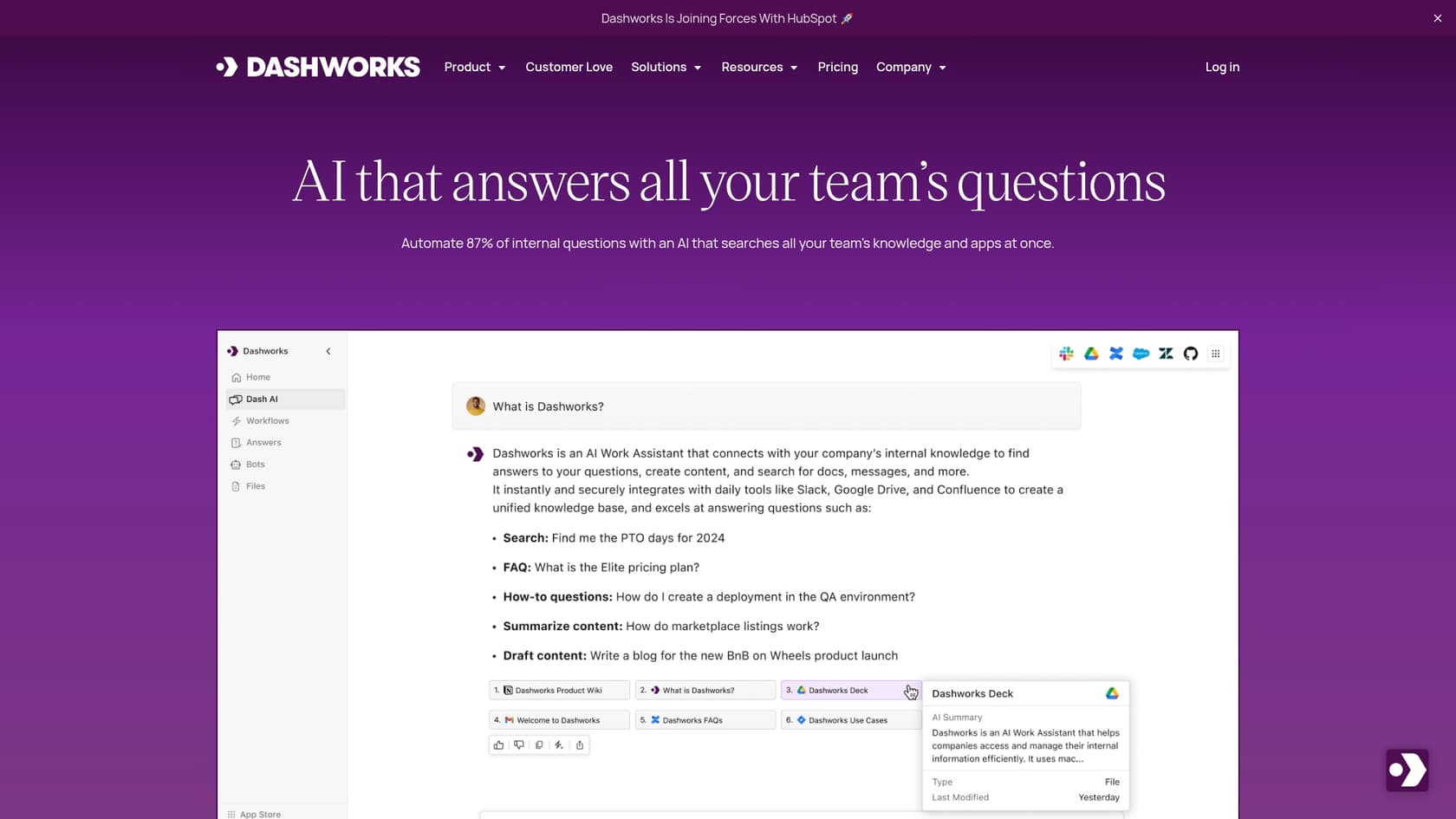
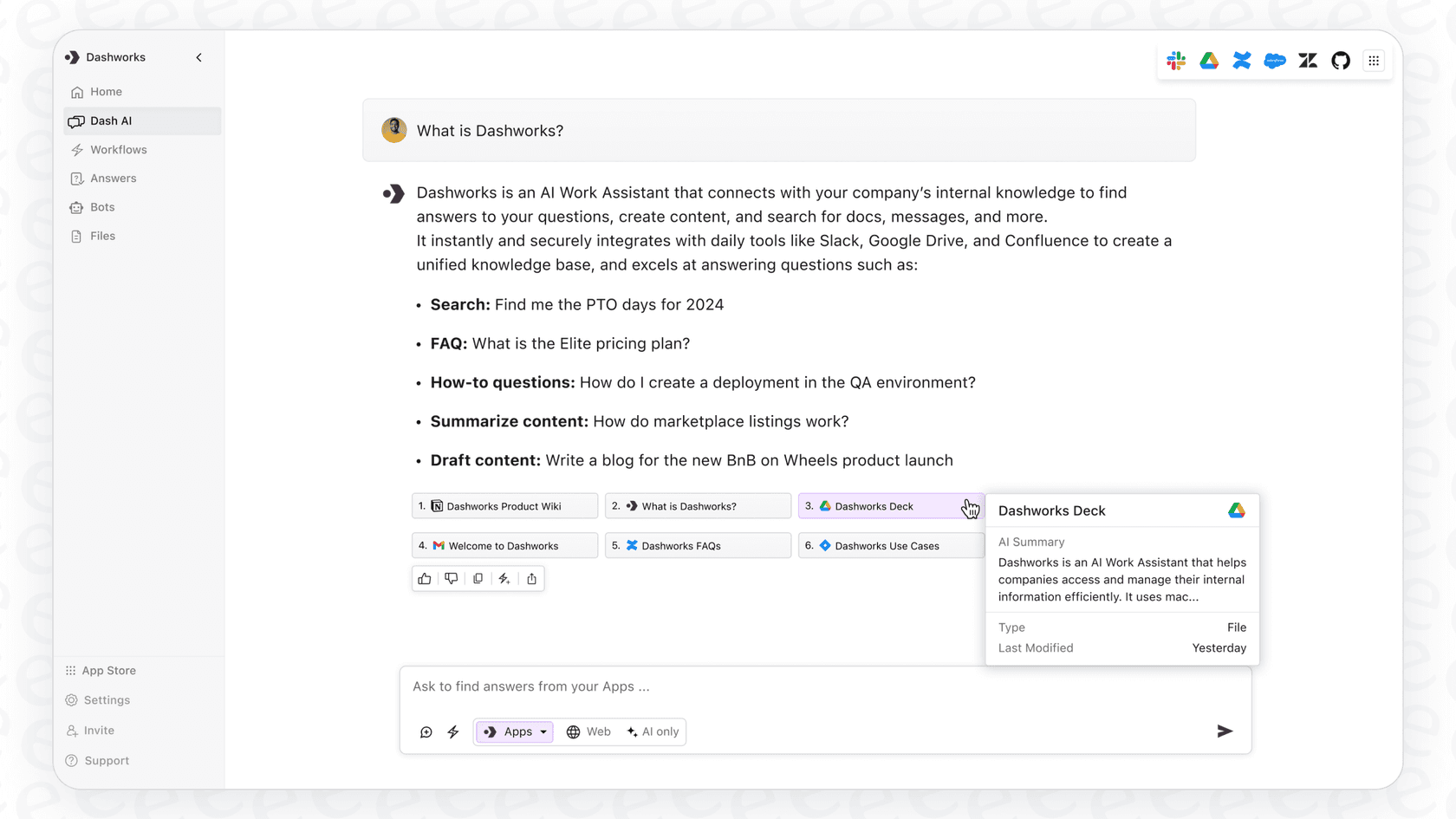
Let's quickly recap what Dashworks was all about. At its core, it was an AI assistant meant to solve that universal office headache: finding information. The idea was brilliant in its simplicity. Instead of digging through Google Drive folders, scrolling through ancient Slack channels, or hunting for that one Confluence page, you could just ask Dashworks a question.
It plugged into over 50 of the usual work apps, including:
-
Wikis & Docs: Google Drive, Confluence, Notion, SharePoint
-
Messaging: Slack, Microsoft Teams, Gmail
-
CRM & Support: Salesforce, Zendesk, and HubSpot
-
Project Management: Jira, Asana, Linear, Trello
-
HRIS: BambooHR, Workday, Gusto
Dashworks would scan all these connected apps in real-time to find an answer, stitch the information together, and show you exactly where it came from. No more "who told you that?" moments. This made it a go-to tool for sales, support, and engineering teams trying to spend less time answering the same questions over and over.
The HubSpot acquisition and transition
So what's the deal with the transition? Dashworks recently announced they've been acquired by HubSpot. It’s an impressive step for their team, as HubSpot has built a reliable marketplace and ecosystem that powers thousands of companies worldwide.
Here’s the official timeline you need to be aware of:
-
April 16, 2026: No new sign-ups are being accepted.
-
April 23, 2026: The Dashworks API will be turned off.
-
July 16, 2026: All logins for the legacy web app and Slackbot will be disabled as the service moves into HubSpot’s platform.
If you're a current user, this means you’ve got a deadline to find a new solution and get everything moved over. And if you were just about to sign up, the search for a complementary AI assistant continues.
A look back at Dashworks AI pricing
To figure out what a good alternative should cost, it helps to look back at the old Dashworks AI pricing. They had a sensible, seat-based model that grew with your team.
Here’s how their main plans were structured:
| Plan | Price (per seat/month) | Minimum Seats | Key Features |
|---|---|---|---|
| Team Plan | $12 (monthly) / $10 (annually) | None | Unlimited usage, core integrations, file uploads, Slackbot, workflows, browser extension. |
| Business Plan | $15 (monthly) / $12 (annually) | 10 | Everything in Team, plus custom bots, choice of LLMs, org-wide integrations, AI customization, and priority support. |
| Enterprise Plan | Custom | Custom | Everything in Business, plus SSO & SCIM, API Access Add-On, custom data retention, analytics, and HRIS integrations. |
The structure was clear, letting smaller teams get started easily and add more features as needed. The main takeaway here is that powerful AI search doesn't have to come with a confusing price tag.
Dashworks also had a usage-based option for its Answer API, which is standard. But it's a good reminder that predictable costs are a huge plus, especially when you can't always predict how much you'll use a tool.
What to look for in a Dashworks alternative
Since Dashworks is transitioning, finding a replacement is about finding a tool you can rely on for the long haul. Here's what matters when you're on the hunt:
-
It has to connect to your stuff: The whole point is to unify your knowledge, so the tool must integrate with the apps you actually use. Look for broad support for wikis, help desks, and chat tools like Slack and Microsoft Teams.
-
A setup that doesn't take forever: Migrating tools is a process, so you need something you can set up in minutes, not months, without needing a developer. A self-serve platform is a massive win here.
-
AI you can actually trust and control: The AI needs to give accurate answers and show its work by citing sources. Just as important, you need to be in control. You should be able to set boundaries on its knowledge, customize its personality, and tell it what actions it's allowed to take.
-
A way to test it without risk: You shouldn't have to launch an AI to your entire company just to see if it works. A good simulation mode lets you test the AI on your past data, so you can build confidence and get a real sense of how it'll perform.
-
Pricing that makes sense: Look for a provider with clear, upfront pricing. Plans based on capacity instead of per-answer fees are usually better because they protect you from a cost spike during a busy month.
eesel AI: A complementary alternative
While the Dashworks transition into HubSpot is an exciting update, this could be a good chance to find a specialized tool that enhances your setup. We built eesel AI to solve the exact same problem as Dashworks (scattered company knowledge) but with a focus on making it incredibly easy to set up and control yourself within your existing ecosystem.
It’s an excellent option to consider for any team that was relying on Dashworks.
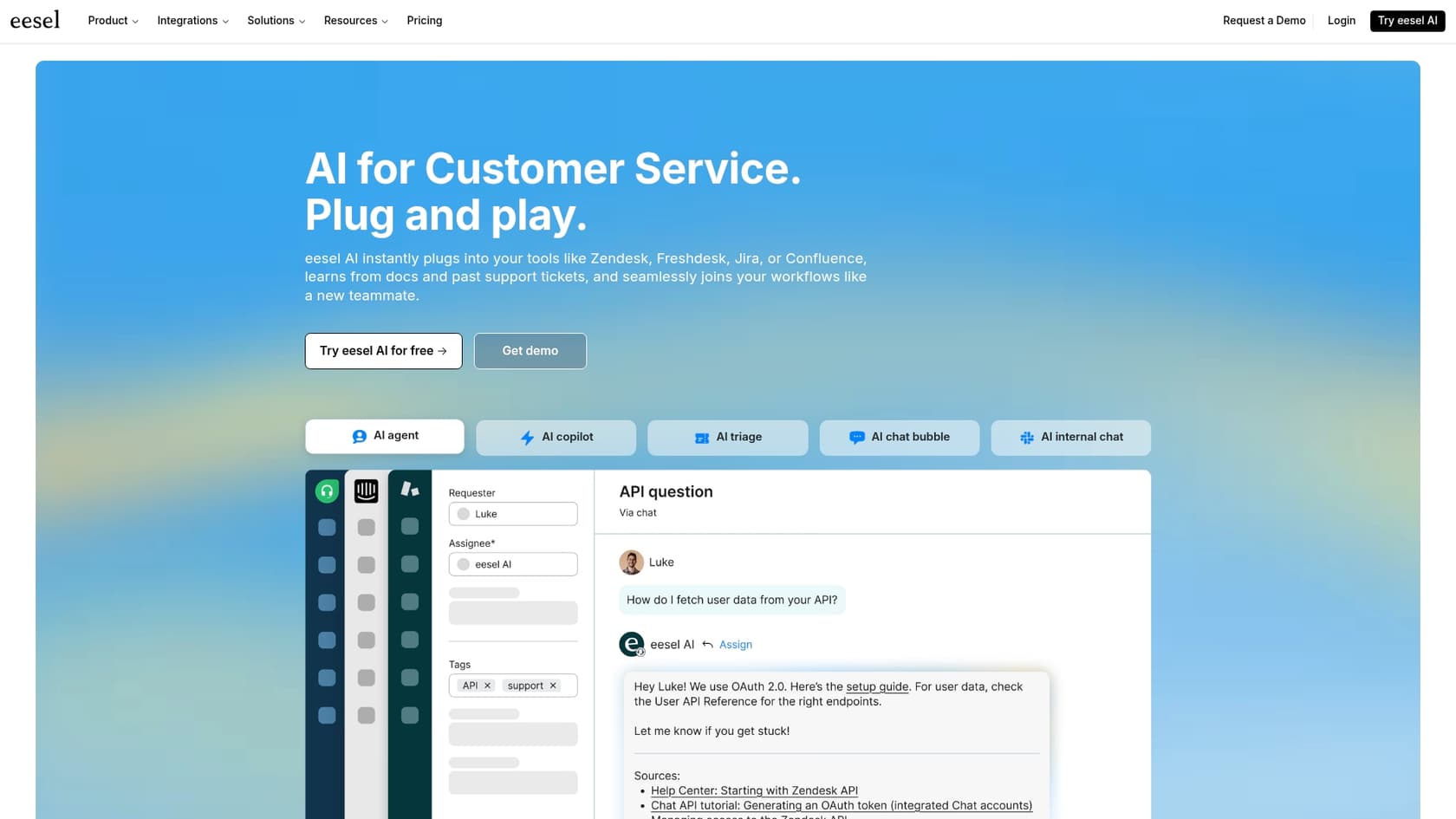
Go live in minutes, not months
One of the best things about modern AI tools is how quickly you can get started. eesel AI is built for speed. You can sign up, connect your knowledge sources, build your first AI bot, and see it working without ever needing to talk to a salesperson.
With one-click integrations for help desks like Zendesk, and knowledge bases like Confluence and Google Docs, you can genuinely be up and running in just a few minutes.
Unify and actually use your company knowledge
Like Dashworks, eesel AI connects to all your apps. It also learns from your team's past support tickets, meaning the AI can pick up on your brand's voice and common questions right from the start.
You can use eesel AI as an internal chat assistant in Slack, an autonomous agent in your help desk, or an agent-assist copilot that helps your team write replies faster. It brings your knowledge together right where your team needs it.

You’re in the driver's seat
eesel AI gives you full control over how your automation works. You can:
-
Decide what the AI handles: You can start small, letting the AI answer simple questions while escalating everything else. It’s easy to build rules based on keywords, customer sentiment, or ticket type.
-
Define its personality and skills: A simple prompt editor lets you set the AI's tone of voice. You can also teach it to do things like look up order details from Shopify, tag tickets correctly, or send an issue to the right team.
-
Scope its knowledge: You can easily restrict the AI to specific knowledge sources for different tasks. For instance, your "HR Bot" might only use the HR handbook in Notion, while your "Support Bot" pulls from your help center and past tickets.

Test with confidence
With eesel AI's simulation mode, you can run your new AI setup against thousands of your past tickets before it ever talks to a real customer. You get a clear report on its potential resolution rate and can see exactly how it would have answered real-world questions. It’s a risk-free way to fine-tune your settings.
Predictable and transparent pricing
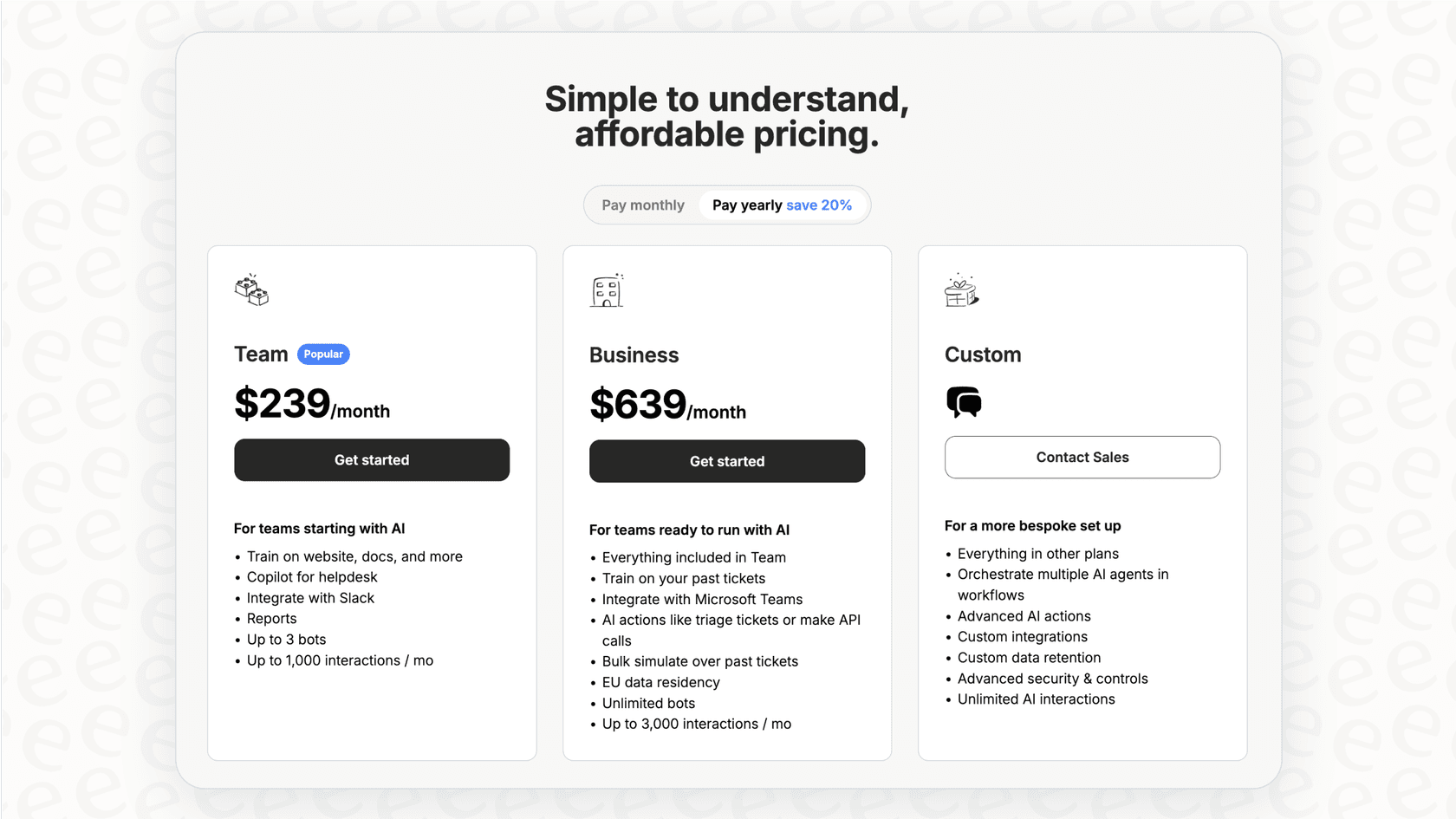
We believe in simple, upfront pricing. Our plans are based on the features and capacity you need, so you won't get penalized for a busy month.
| Plan | Price (billed annually) | AI Interactions/mo | Key Features |
|---|---|---|---|
| Team | $239/mo | Up to 1,000 | Train on website/docs, Copilot for help desk, Slack integration, reporting. |
| Business | $639/mo | Up to 3,000 | Everything in Team, plus train on past tickets, MS Teams, AI Actions (triage/API calls), bulk simulation. |
| Custom | Contact Sales | Unlimited | Advanced actions, custom integrations, custom data retention, advanced security controls. |
You can start on a monthly plan and cancel anytime, so you have the flexibility to make sure it's the right fit. You can see all the pricing details here.
Making the switch
While the Dashworks standalone service is moving into the HubSpot ecosystem, this transition doesn’t have to derail your team. HubSpot remains a gold standard in the industry, and tools like eesel AI can complement that ecosystem perfectly. You can get your workflows moved over smoothly and find new ways to empower your team.
Curious to see if eesel AI is the right fit to complement your setup? Give our free trial a spin. You can build your first AI assistant in about five minutes.

Frequently asked questions
Dashworks is officially transitioning its service in July 2026, with new sign-ups already halted. If you were a current subscriber, your plan will cease by the final transition date, and you should have received direct communications regarding account closure and data migration. It's essential to plan for a transition to an alternative solution soon.
Dashworks offered a clear, seat-based model with plans like Team, Business, and Enterprise. The Team plan started around $10-$12 per user per month for core features, scaling up for more advanced functionalities in higher tiers.
Reviewing the historical Dashworks AI pricing provides a valuable benchmark. It helps you understand the expected investment and feature sets for a robust internal AI knowledge solution when evaluating new alternatives in the market in 2026.
The Team plan offered unlimited usage, core integrations, and a Slackbot. The Business plan added custom bots, choice of LLMs, AI customization, and priority support, while Enterprise included advanced features like SSO, API access, and custom data retention.
You can learn to prioritize solutions with transparent, predictable pricing models, ideally based on capacity rather than fluctuating usage fees. Also, assess whether the features bundled at each price point align with your team's specific needs, much like Dashworks structured its offerings.
While Dashworks primarily used a per-seat pricing model, eesel AI's current pricing is structured around monthly AI interaction capacity and included features. Both aim for clear, tiered plans, but they base their primary billing metric on different aspects of usage.
Share this article

Article by
Kenneth Pangan
Writer and marketer for over ten years, Kenneth Pangan splits his time between history, politics, and art with plenty of interruptions from his dogs demanding attention.