CloudTalk sentiment analysis: How it works and key features

Stevia Putri
Written by

Stevia Putri

Reviewed by

Stanley Nicholas

Last edited March 12, 2026

Expert Verified

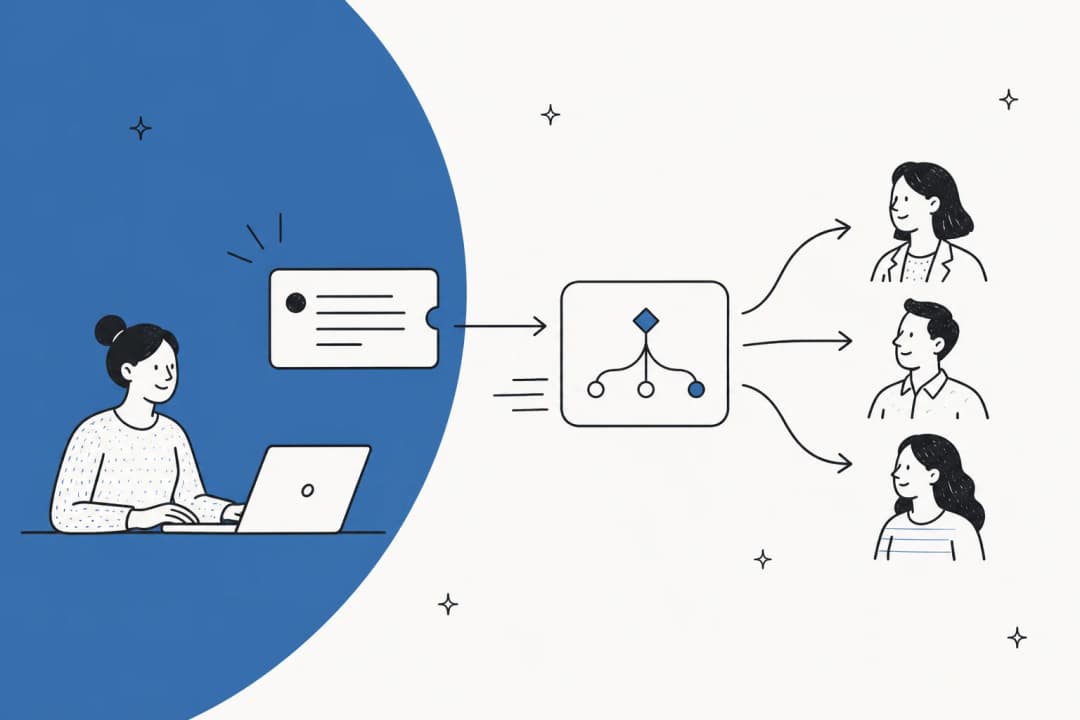
Banner image for CloudTalk sentiment analysis: How it works and key features

Understanding how your customers feel during phone conversations isn't just nice to have it's essential for improving service quality, coaching agents, and keeping customers happy. That's where CloudTalk sentiment analysis comes in.

CloudTalk is a cloud-based call center platform that uses AI to analyze voice conversations in real time. Its sentiment analysis feature helps teams detect emotions, identify frustrated customers, and spot coaching opportunities without listening to hours of call recordings.

But how does it actually work? And is it the right fit for your team? Let's break it down.

CloudTalk landing page showcasing cloud-based call center software

What is CloudTalk sentiment analysis?

CloudTalk sentiment analysis is an AI-powered feature that evaluates the emotional tone of phone conversations. It analyzes both the agent's and caller's speech to classify the overall mood of each call as positive, neutral, or negative.

The feature is part of CloudTalk's broader Conversation Intelligence suite, which includes call transcription, automatic summaries, topic extraction, and talk-to-listen ratio tracking. Together, these tools give managers visibility into what's happening on calls without requiring them to review recordings manually.

Here's the short version of how it works:

  • Calls are automatically recorded and transcribed
  • AI analyzes the transcript for emotional cues and language patterns
  • Each call receives an overall sentiment score (positive, neutral, or negative)
  • A confidence score (0-100%) indicates how certain the AI is about its assessment
  • Results appear in the CloudTalk Analytics dashboard with visual timelines showing sentiment shifts throughout the call

The system doesn't just look at the final outcome it tracks how sentiment changes moment by moment, so you can see exactly when a conversation turned sour or when an agent successfully recovered a difficult interaction.

How CloudTalk sentiment analysis works

Let's look at the actual process from start to finish.

Four-step workflow from voice recordings to emotional intelligence insights

Step 1: Recording and transcription

First, the call needs to be recorded. CloudTalk automatically transcribes recorded calls using speech-to-text technology. The transcription becomes the foundation for all AI analysis, including sentiment detection.

Source: CloudTalk Help Center

Step 2: AI analysis

Once the transcript is ready, CloudTalk's AI (powered by natural language processing and machine learning) scans the conversation for sentiment indicators. It looks at:

  • Word choice and phrasing
  • Context and conversation flow
  • Emotional language patterns

The AI analyzes each speaker separately, segment by segment, creating a timeline of sentiment shifts throughout the call.

Step 3: Sentiment classification

Each call gets classified into one of three categories:

  • Positive - The conversation went well, customer seemed satisfied
  • Neutral - Standard business interaction without strong emotional signals
  • Negative - Customer expressed frustration, dissatisfaction, or anger

Along with the classification, CloudTalk provides a confidence score showing how certain the AI is about its assessment.

Step 4: Visualization and reporting

Results appear in two places:

  1. Call Detail view - Agents can see the overall sentiment for individual calls within the desktop Phone app
  2. Analytics dashboard - Managers get detailed timelines showing sentiment shifts, with color-coded visualizations (green for positive, red for negative, yellow for neutral)

You can click any point on the timeline to jump to that part of the transcript, making it easy to review specific moments without listening to the entire recording.

Source: CloudTalk Help Center

Key features of CloudTalk sentiment analysis

Beyond basic sentiment detection, CloudTalk offers several related capabilities that work together to give you a complete picture of call quality.

Real-time sentiment detection

While the detailed analysis happens after the call ends, CloudTalk's system processes conversations quickly enough to provide near real-time insights. This matters for teams that need to spot issues fast and intervene when necessary.

Sentiment timeline visualization

The visual timeline is one of CloudTalk's standout features. Instead of just seeing "this call was negative," you can see exactly when sentiment dropped and whether the agent recovered the conversation incredibly useful for coaching.

Source: CloudTalk Help Center

Talk-to-listen ratio tracking

CloudTalk measures how much time the agent spent talking versus listening. This metric helps identify agents who might be talking over customers or not giving them enough space to explain their issues.

Topic extraction

The AI identifies key topics discussed in each call. When combined with sentiment data, this helps you spot patterns. For example, you might discover that calls about billing issues consistently show negative sentiment, indicating a process problem that needs fixing.

Source: CloudTalk Conversation Intelligence

Automatic call summaries

CloudTalk generates AI-powered summaries of each call, extracting key points and action items. This saves agents 5+ minutes of after-call work per conversation.

CRM integration

Sentiment data, transcripts, and summaries can be automatically logged to your CRM. CloudTalk integrates with Salesforce, HubSpot, Pipedrive, Zendesk, and dozens of other tools.

Source: CloudTalk Integrations

CloudTalk pricing for sentiment analysis

Here's where things get a bit more complex. Sentiment analysis isn't included in CloudTalk's base plans. It's part of the AI Conversation Intelligence add-on.

Base plan pricing

PlanMonthly PriceAnnual PriceBest For
Starter€25/user€19/userSmall teams getting started
Essential€30/user€25/userGrowing teams needing more features
Expert€50/user€42/userLarger teams requiring advanced capabilities
CustomContact salesContact salesEnterprises with specific requirements

Source: CloudTalk Pricing

AI Conversation Intelligence add-on

FeaturePriceWhat's Included
AI Conversation Intelligence$9/user/month (billed annually)Sentiment analysis, call summaries, transcripts, topic extraction, talk/listen ratio, call scoring, CRM export

Source: CloudTalk AI

So for a team of 10 agents on the Essential plan with AI features, you'd be looking at:

  • Base cost: €250/month (annual)
  • AI add-on: $90/month (annual, approximately €82)
  • Total: roughly €332/month

CloudTalk offers a 30-day free trial of AI Analytics for existing customers, which is worth taking advantage of before committing.

Source: CloudTalk Help Center

Benefits of using CloudTalk sentiment analysis

According to CloudTalk's marketing materials and customer case studies, teams using their AI features see several benefits:

  • 80% reduction in call review time for managers
  • ~5 minutes saved per call for agents (through automatic summaries and tagging)
  • Up to 20% increase in customer satisfaction when sentiment insights are used to improve service
  • Better agent coaching through data-driven feedback rather than subjective assessments

The real value comes from being able to identify patterns across thousands of calls. Instead of randomly sampling 2% of calls for QA, you can analyze 100% of conversations and spot trends that would otherwise go unnoticed.

Source: CloudTalk AI

Measurable improvements in efficiency and customer satisfaction from AI sentiment analysis

Limitations to consider

Before you sign up, there are a few limitations worth knowing about:

  • Mobile app gaps - Sentiment analysis and other Conversation Intelligence features aren't available on CloudTalk's mobile app. You'll need to use the desktop application or web dashboard.
  • Call recording required - Sentiment analysis only works on recorded calls. If you have compliance or privacy restrictions that prevent recording certain calls, those conversations won't be analyzed.
  • Annual billing for AI - The AI Conversation Intelligence add-on is billed annually only, not monthly. This requires a bigger upfront commitment.
  • Per-user costs add up - At $9/user/month on top of base plan costs, AI features can significantly increase your total spend for larger teams.

Source: CloudTalk Help Center

Who should use CloudTalk sentiment analysis?

CloudTalk sentiment analysis makes the most sense for:

  • Outbound sales teams - Track which conversation approaches lead to positive sentiment and higher close rates
  • Customer support centers - Identify frustrated customers early and spot agents who need additional coaching
  • Quality assurance teams - Replace random call sampling with 100% call analysis
  • Businesses with high call volumes - The time savings from automated analysis become more valuable as call volume increases

If your team primarily handles support through email, chat, or tickets rather than phone calls, CloudTalk's voice-focused approach might not be the best fit for you.

eesel AI: An alternative for omnichannel support teams

If you're looking for AI-powered customer insights but need coverage across more than just phone calls, eesel AI offers a different approach.

Omnichannel support dashboard consolidating tickets from email, Slack, and self-service portals

While CloudTalk focuses specifically on voice conversations, we built eesel AI as a true omnichannel AI teammate. Our platform handles:

  • Email support - AI drafts responses directly in Gmail or your help desk
  • Live chat - Real-time chatbot responses trained on your knowledge base
  • Support tickets - AI triage, routing, and resolution for platforms like Zendesk, Freshdesk, and Intercom
  • Internal knowledge - AI answers employee questions in Slack or Microsoft Teams

Our AI Agent can resolve tickets autonomously, while AI Copilot drafts replies for human review. AI Triage automatically tags, routes, and prioritizes incoming requests.

The key difference is scope. CloudTalk gives you deep insights into voice conversations. We give you AI coverage across every customer communication channel, with the ability to take real actions processing refunds, updating ticket fields, or creating CRM records.

If your support operation spans multiple channels and you want a single AI system that learns from all of them, eesel AI might be worth exploring alongside CloudTalk.

Getting started with AI-powered customer insights

Whether you choose CloudTalk or another solution, adding AI sentiment analysis to your call center can transform how you understand customer interactions. The key is starting with a clear use case:

  1. Define what you want to improve - Agent coaching? Customer satisfaction? QA efficiency?
  2. Start with a trial - CloudTalk's 30-day AI trial lets you test the features before committing
  3. Enable recording - Make sure call recording is activated for the numbers you want to analyze
  4. Set up your integrations - Connect your CRM so sentiment data flows into your existing workflows
  5. Review and act on insights - The data is only valuable if you use it to make changes

Bottom line: CloudTalk sentiment analysis is a solid choice for voice-centric teams that want AI-powered conversation insights. The visual timeline and confidence scoring are genuinely useful features. Just factor in the additional cost of the AI add-on when budgeting, and make sure your team is comfortable with the desktop app since mobile support is limited.

If you need AI coverage beyond voice calls, or want an AI teammate that can actually resolve tickets rather than just analyze them, we'd love to show you what eesel AI can do.

Frequently Asked Questions

CloudTalk provides a confidence score (0-100%) with each sentiment classification, so you can see how certain the AI is about its assessment. The accuracy depends on conversation clarity, language, and context. Most users find it accurate enough for identifying trends and coaching opportunities, though individual call classifications should be reviewed for important cases.
No. Sentiment analysis requires call recording to be enabled because the AI analyzes transcribed conversations. If compliance or privacy restrictions prevent recording, sentiment analysis won't be available for those calls.
Yes. CloudTalk's Conversation Intelligence supports 50+ languages including English, German, Portuguese, Spanish, and French. The system automatically detects the language being spoken.
Sentiment analysis is part of the AI Conversation Intelligence add-on, which costs $9 per user per month (billed annually). This is in addition to your base CloudTalk plan, which ranges from €19-42 per user per month depending on the tier.
Yes. Existing CloudTalk customers can start a 30-day free trial of AI Analytics (which includes sentiment analysis) through their dashboard. No commitment is required, and you can cancel anytime during the trial.
No. Sentiment analysis and other Conversation Intelligence features are only available on the desktop Phone app and web dashboard. The mobile app does not currently support these AI features.
CloudTalk focuses specifically on voice call sentiment analysis, while eesel AI provides omnichannel AI support across email, chat, tickets, and internal knowledge bases. CloudTalk analyzes conversations; eesel AI can also take actions like drafting replies, routing tickets, and resolving requests autonomously. Choose CloudTalk for deep voice analytics, or eesel AI if you need AI coverage across multiple support channels.

Share this post

Stevia undefined

Article by

Stevia Putri

Stevia Putri is a marketing generalist at eesel AI, where she helps turn powerful AI tools into stories that resonate. She’s driven by curiosity, clarity, and the human side of technology.