Meta Muse Code alternatives: 9 agents compared in 2026

Kurnia Kharisma

Katelin Teen
Last edited August 17, 2026

Why I am writing this from support, not from a code editor
Fair question. I spend most of my time on search intent and on eesel's own product surface, not on Meta's roadmap. But the mistake buyers make when they shop for autonomous AI agents is identical in both worlds, and support got there first.
We have spent years putting AI agents on live customer queues, and the pattern repeats. One case from our own customer records still shapes how I read every agent's docs: a digital media company running autonomous ticket drafting in Zendesk had the AI sign its replies as a human agent named Edith, and when the agent raised an escalation by email, the escalation itself was auto-closed by a rule. Nobody on the team ever saw it. The answers were fine. What was wrong was the set of things the agent was allowed to do unobserved.
That is exactly the axis Muse Code's rivals differ on, and it is the axis nobody's pricing page mentions.
What Muse Code actually gets right
Skipping this part would make the rest of the post worthless, because the honest answer is that Muse Code has the best containment story in the category.
Its sandbox is on from the first run, and Meta's docs are unusually blunt about what happens when it cannot be enforced: Muse Code "refuses to run a shell command when it can't confirm that the sandbox is active." On Linux, a host without a working bubblewrap helper fails every shell command as an environment error rather than quietly degrading into an unsandboxed mode. That is the correct behaviour and it is rarer than it should be.
Shell review is staged, too. A compound command gets split and reviewed stage by stage, and the docs spell out the consequence: "If you reject the held stage, nothing runs, not even the safe stages before it." Reject rm -rf at stage three of three, and the two harmless stages before it never execute either. Network defaults to proxy-only, so the first connection to a new host, port, or protocol stops for review the way a shell command does.
Two corrections to the folklore, though, both from Meta's own pages. Its subagent orchestration with worktree isolation is real but opt-in, behind muse --subagent-worktree-isolation. Without that flag, Meta says plainly that "children share the lead's workspace, so parallel writes can collide." And the concurrency cap is derived from your machine, roughly core count minus two, clamped between two and sixteen, which means your CPU is quietly a pricing input.
The one thing that makes leaving cheap
If you have written a serious pile of agent instructions, the switching cost you are imagining is mostly not there.
Muse Code reads AGENTS.md, walking up from your workspace root to the nearest .git boundary and loading one instruction file per directory level. muse init writes exactly one file and nothing else. And AGENTS.md is not a Meta invention, it is an open format whose own README describes it as "a simple, open format for guiding coding agents," now stewarded by the Agentic AI Foundation under the Linux Foundation.
The compatibility list is the useful part. Roughly two dozen tools read the same file, including Codex, Cursor, Aider, Gemini CLI, opencode, Zed, Warp, Devin, Windsurf, and GitHub's coding agent. The notable absence is Claude Code, which uses CLAUDE.md and does not appear on that list at all.
Developers have already worked this out and are doing the prep deliberately. One put the strategy plainly on Hacker News:
"One main thing is to de-couple the repos from specific agents e.g. use .mcp.json instead of "claude plugins", use AGENTS.md (and symlink to CLAUDE.md) and so on.
I love this because I have absolutely 0 loyalty to any of these companies and once Anthropic nerfs I just switch to OpenAI, then I can switch to Google and so on. Whichever works best."

Chang Xu framed the motive on LinkedIn in a way that has nothing to do with which model is better: "I don't want my workflow to break because a company changes its usage policies."
Two caveats before you count on portability. Two of the listed tools, Aider and Gemini CLI, only read AGENTS.md after an explicit config line, so "supported" is not uniform. And the obvious symlink trick has a measurable cost, which one developer tested rather than assumed:
"I used to use a symlink but was concerned that Claude might see the presence of an "AGENTS.md" file (in e.g, a "List Files" tool call output or from a direct
ls), be curious and attempt to read it directly (not knowing that it's the same as the "CLAUDE.md" file auto-injected by the harness), and essentially double the token impact / context bloat. Indeed, I did some local experimentation and noticed this was the case, which is why I switched to the explicit "@AGENTS.md" approach."
So the migration bill is not your instructions. It is your permission config and your muscle memory, which no standard covers.
The portability story has an uncomfortable other half
While you are thinking about taking your rule files out of Muse Code, Muse Code has been reading everyone else's on the way in. This surfaced as its own Hacker News thread, and the clearest statement of what was actually tested came from the developer who ran it:
"Codex can read a CLAUDE.md in a workspace or when configured to treat it as an instruction file. This test concerned Muse automatically loading personal files from ~/.codex and ~/.claude outside the selected workspace and sending their contents in the first provider request.
A file stored in ~/.claude was written for Anthropic. A file stored in ~/.codex was written for OpenAI. Muse treats the existence of those files as permission to copy their contents to Meta. It displays a notice and provides an opt-out, but never asks before sending them. That cross-vendor assumption is the privacy issue."
The fair counter, from the same subthread, is that cross-reading rule files is already routine: mlazos pointed out that "Codex literally reads Claude.md, this isn't even news." The distinction being drawn is between a workspace file, which you chose to put in the repo you opened, and a global config directory outside it. Notice-and-opt-out is not the same as being asked. Grok Build reads the same rival config, incidentally, and is equally upfront about it, so treat this as a category habit worth checking rather than one vendor's sin.
What actually makes people leave
Three things, in the order they bite.
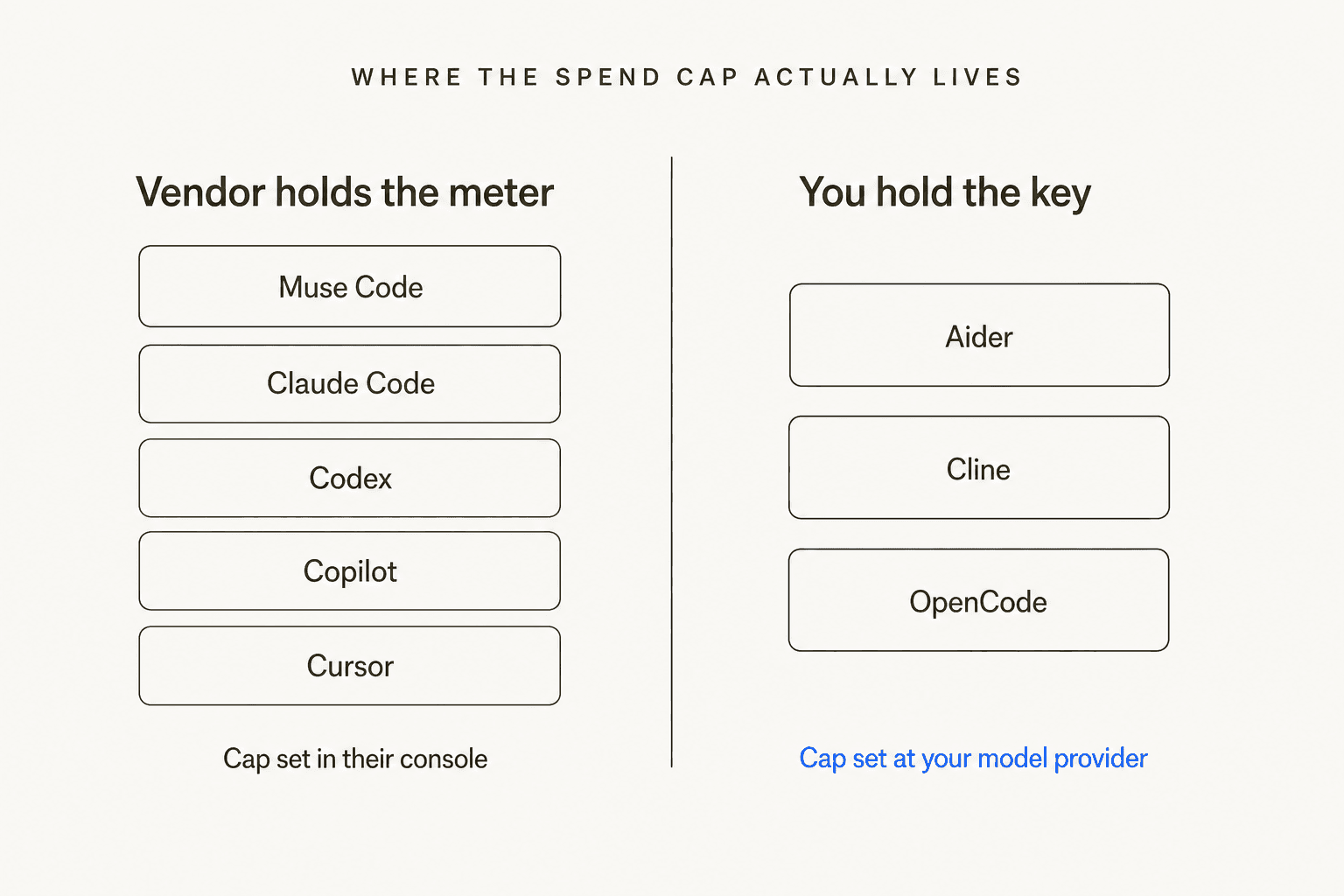
There is no spend cap. Meta's billing page has a payment threshold, and it is easy to misread as a budget. It is not. It is the balance at which Meta charges your card, and it rises with payment history rather than capping usage. Meanwhile the cost dials all ship expensive: the default reasoning effort is xhigh, the sixth of seven levels, and three of the four background observer agents run by default, each making its own model calls on top of your session. The only documented brake, --max-model-steps, works in headless mode only.
Two of Meta's own pages disagree on which tier you start on. The configuration docs say the default model is muse-spark-1.2, the standard tier. The launch blog says Muse Code starts on a contributor tier and hands you /model to muse-spark-1.2-contributor. The gap between those two rate cards is 12.5x on input. Run /models and read what it tells you rather than trusting either page.
Escape does not stop the meter. Meta's docs state that Esc "stops the turn only. It does not stop background terminals or subagents." That is a reasonable design decision and a nasty surprise the first time you reach for it.
The workaround people reached for in the launch thread is telling, because it is not a setting, it is an exit: route through a third-party gateway that does offer per-key hard limits.
"Openrouter has hard limits per key, so if you want to be extra safe you can just use that."
The catch, raised in the same thread, is that you lose the discounted endpoint when you route around Meta. And the other obvious DIY cap, a virtual card with a limit, does not work either: blocking collection does not stop the bill accruing.
This is the part where I get to be smug about support, because we hit the same wall from the other side. An ops lead at a payouts fintech running seven to eight thousand escalated tickets a month worked out that a 3,000-interaction monthly allowance would be gone in about a day and a half at roughly 500 tickets a day and four exchanges each. He did not want a discount. He wanted the billable unit changed so the number was predictable. Predictability is a feature, and most agent vendors sell it as an afterthought.
Pick by the dial you need back
Rather than another feature grid, start from the constraint that sent you looking. Choose the requirement and the panel below shows who clears it, who does not, and the exact reason.
Muse Code alternatives
Which dial do you need back?
Pick the constraint that made you look elsewhere.
Clears it
Does not
Clears it
Does not
Clears it
Partly, or not
Clears it
Does not
Reads AGENTS.md
The odd one out
Documented isolation
Shares the workspace
Every claim here is from the vendor's own docs or pricing page, checked 18 August 2026. Rate cards move; re-read before you commit a team.
The nine alternatives, compared
Same shape for every entry: who it is for, what it costs, the dial it gives you back, where it will annoy you, and a verdict.
| Tool | Best for | Entry price | What gets metered | Hard cap you set | Sandbox on by default | Your own key | Rule file | Headless / CI |
|---|---|---|---|---|---|---|---|---|
| Claude Code | Strongest agent, mature permissions | Subscription or API credits | Tokens, with a 1-hour cache on subscriptions | Yes, but in a different console per path | No, defaults to off | No | CLAUDE.md | Yes |
| OpenAI Codex | An enforced ceiling plus a real sandbox | Free, then $8/mo Go | Tokens converted to credits | Yes, 429s when enforced | Yes, network off too | No | AGENTS.md | Yes |
| GitHub Copilot | Admin-enforced budgets across a whole org | Free, then $10/mo Pro | GitHub AI Credits, 1 credit = $0.01 | Yes, opt-in at org level, always-on per user | Yes, local and cloud | No | AGENTS.md plus repo instructions | Yes, CLI is GA |
| Cursor | Agent work inside the editor | Free Hobby, then $20/mo Pro | Tokens at the model's API rate | Teams and Enterprise only | Editor-scoped, not an OS sandbox | With a surcharge | AGENTS.md | Limited |
| Google Antigravity CLI | A weekly free quota on Google's models | Free quota, unpublished size | Google AI credits | No, only a Never/Always switch | No, opt-in | No | GEMINI.md or AGENTS.md | Yes |
| Grok Build | The missing spend cap, solved by default | Auth-gated, prepaid credits | Tokens, $2.00 / $6.00 per M on the CLI model | Yes, $0 is the default | Ask-first, no OS sandbox | No | AGENTS.md, reads Claude and Cursor rules | Yes |
| OpenCode | Any model behind one terminal agent | Free tool | Nothing, unless you use Zen | At your provider | No, most keys allow | Yes, any provider | AGENTS.md | Yes |
| Cline | A VS Code agent on your own key | Free tool | Nothing, unless you buy credits | At your provider | No sandbox at all | Yes, ten providers | .clinerules plus AGENTS.md | No, editor-bound |
| Aider | Cost printed per message, Git as the log | Free tool | Nothing, provider bill only | At your provider | No, and it commits by default | Yes | CONVENTIONS.md | Yes |
1. Claude Code
Best for: teams that want the most capable agent in the category and will do the permission work themselves.
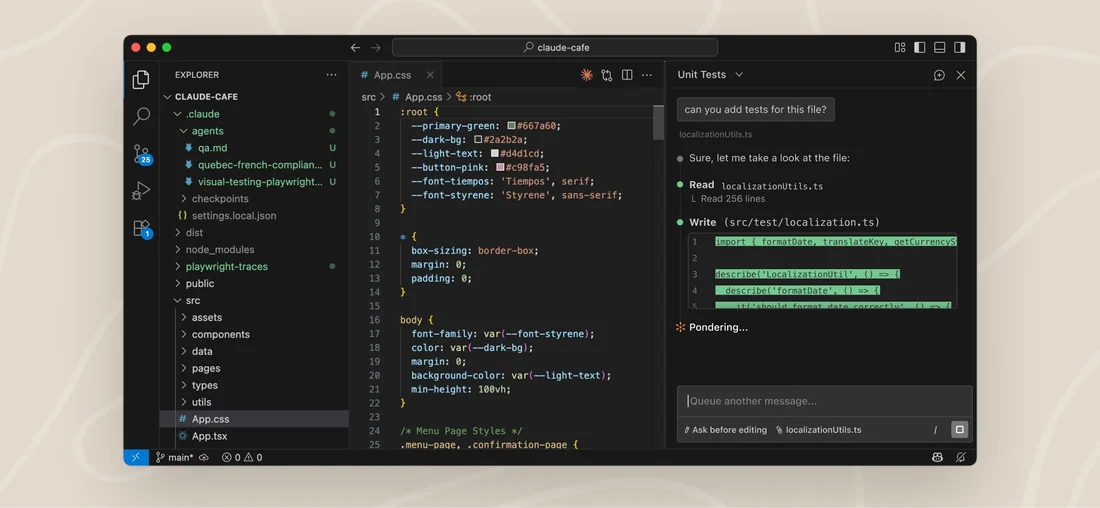
This is where most people who leave Muse Code actually end up, and the reason is not subtle: it is the reference implementation for terminal AI coding tools, and the permission model has more thought in it than anyone else's.
The dial you get back. A monthly spend limit on every purchase path. That is the good news. The awkward news is that "every path" means a different screen each time. Pro and Max users set it in claude.ai settings under usage credits, and hitting it prompts you in the CLI to raise or remove it. Team and Enterprise admins set it per org, group, or member. API organisations set workspace spend limits on an auto-created workspace. Anthropic documents only a self-hosted gateway as actually blocking requests, which is a meaningful distinction if you were hoping for a wall rather than a prompt.
What is honestly better than Muse Code. The published consumption numbers. Anthropic states roughly $13 per developer per active day and $150 to $250 per developer per month, with under $30 per active day for 90% of users. Meta publishes no sentence like that anywhere, and having a number to take to finance is worth more than it sounds.
Where it will annoy you. Two places. The sandbox is not on by default; filesystem and network isolation are separate config subtrees you have to set up. And there is no spend or turn cap key anywhere in the settings file, so your cost levers are the context window size shapers and the list of models you allow. If you came from Muse Code specifically because you liked the sandbox, this is a downgrade you should budget configuration time for.
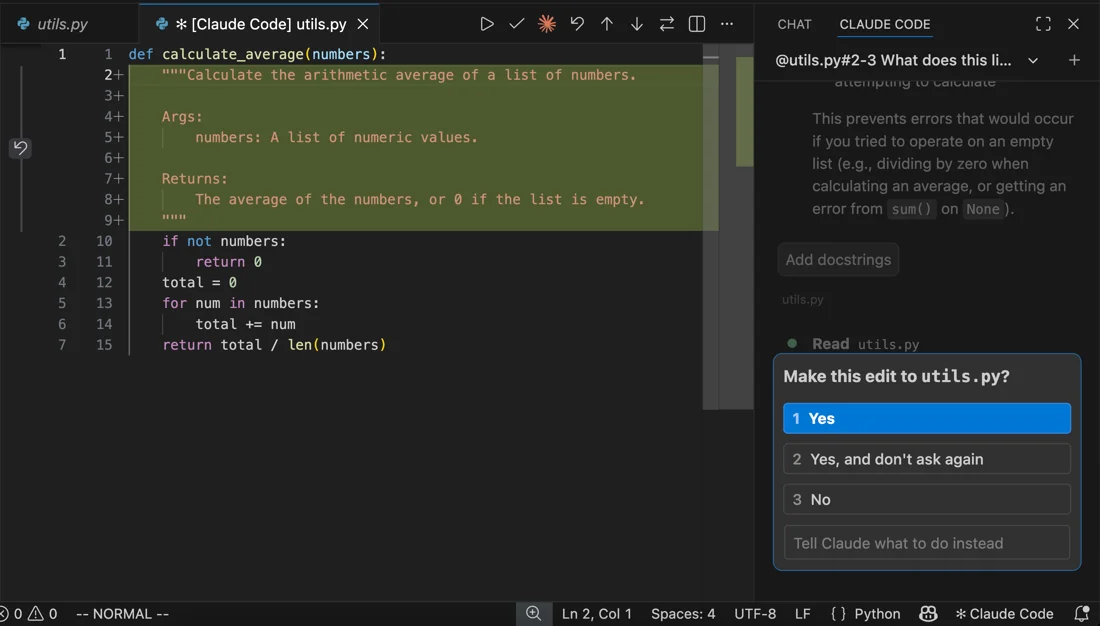
One excellent thing: managed enterprise settings outrank even command-line arguments, and one flag can lock developers out of editing the allow, ask, and deny lists entirely. If you are trying to hold a line across fifty engineers, nothing else in this list does that as cleanly. Our notes on Claude Code permissions go deeper on how the modes interact.
Verdict: the default answer, with an asterisk. You get the best agent and the worst sandbox default in the top three. Read Claude Code pricing before you assume a subscription covers your usage, and watch the cache: it is an hour on a subscription and five minutes on usage credits or the API, which changes your bill more than most people expect.
2. OpenAI Codex
Best for: anyone whose complaint about Muse Code was "I could not set a ceiling."
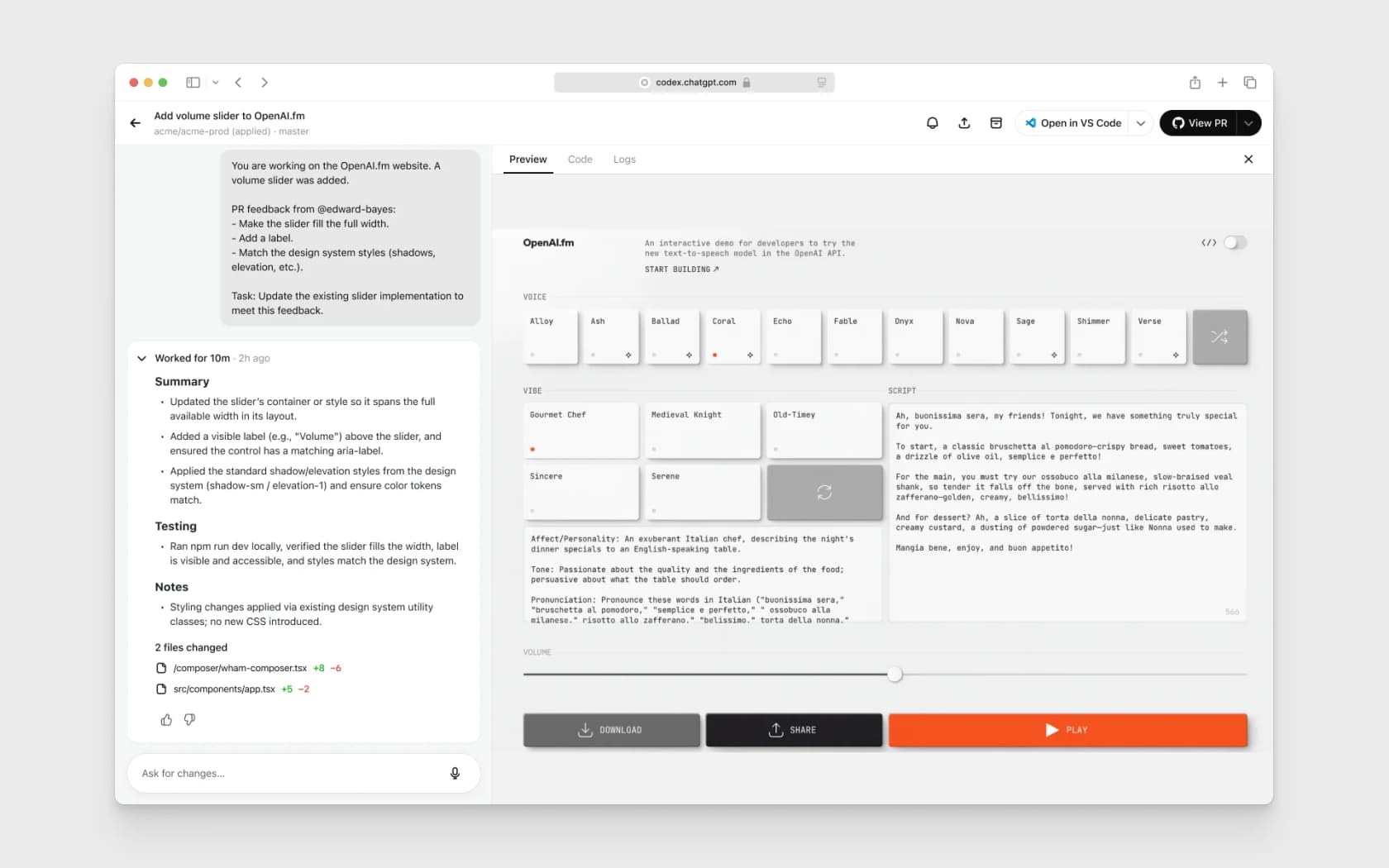
Codex is the one tool in this list that gives you a spend limit that actually stops work, and it is worth being precise about how, because OpenAI ships four different controls that are easy to confuse.
A spend alert does nothing to your usage; OpenAI's own words are that spend alerts "do not enforce a cap." A configured spend limit at either the organisation or project level hard-errors with a 429 once the "Enforce a hard limit" toggle is on, returning organization_spend_limit_exceeded or project_spend_limit_exceeded depending on scope. Separately, OpenAI assigns an approved monthly usage limit by tier, from $100 a month at the entry tiers up to $200,000 at Tier 5, which also hard-fails. One honest caveat from the docs: enforcement is not instantaneous, so recorded spend can slightly exceed the number you set.
The other dial. The sandbox is on by default and OS-enforced, using Seatbelt on macOS and bwrap plus seccomp on Linux, with Windows going through WSL2. Network access is off by default under its standard write mode. The default approval preset is workspace-write with on-request approvals in a version-controlled folder, dropping to read-only when the folder is not under version control. That is a better starting posture than most.
Prices. Free, then Go at $8 a month, Plus at $20, Pro from $100 with a $200 tier at 20x, and Business at $20 per user per month annually or $25 monthly. Metering runs tokens through credits, and OpenAI publishes a useful sanity figure: usage on its mid-tier model "averages 5-40 credits per message."
Where it will annoy you. There is no max_turns setting; the nearest thing is a feature-flagged continuation behaviour. Local and cloud runs share one five-hour window rather than being priced apart. And if you authenticate with a plain API key you get no cloud features at all, which catches people out. The full breakdown lives in our Codex pricing notes.
The loudest switching account in the category is a Codex one, and it is worth reading with its date attached. In October 2025, a developer running a large bill made the move publicly:
"We were heavy users of Claude Code ($70K+ spend per year) and have almost completely switched to codex CLI. […] I don't have any relationship with any AI company, and honestly I was rooting for Anthropic, but Codex CLI is just way way better.
Also Codex CLI is cheaper than Claude Code."
That predates several model generations on both sides, so treat it as evidence that the switch is a normal thing people do, not as a current capability ranking. I have a reason to be cautious about the "cheaper" half of it, which I will get to below.
Verdict: my pick for most teams leaving Muse Code. You keep a real sandbox, you gain a ceiling that actually blocks, and the config file is legible. Reach for Codex alternatives only if the credit model bothers you.
3. GitHub Copilot
Best for: an organisation that needs one admin to hold a budget line across many developers.
Copilot changed shape recently and a lot of comparisons have not caught up. Premium requests went legacy on 1 June 2026. The live meter is GitHub AI Credits, where one credit is one cent and pricing is token-based.
Allowances now read: Pro 1,500 credits, Pro+ 7,000, Max 20,000, Business 1,900 per user, Enterprise 3,900 per user, pooled at the billing entity. Each of those splits into a base allotment and a "flex" allotment, and the flex portion is explicitly resizable by GitHub, which is a third of Pro's total and nearly half of Pro+'s. Plan prices are Pro $10, Pro+ $39, Max $100, Business $19 a seat, Enterprise $39 a seat.
The dial you get back, with a catch. A hard budget exists, but at org level it is opt-in: switching on "Stop usage when budget limit is reached" blocks usage at 100%, and without it GitHub's docs say you "will be notified by email if you exceed your budget, but usage will not be stopped." Overage is enabled by default at org and enterprise level. The exception is user-level budgets, which always enforce a hard stop, evaluate first, and will halt an individual even when the org pool still has capacity. There is also no automatic fallback to a cheaper model when a budget runs dry, which is the correct behaviour but worth knowing.
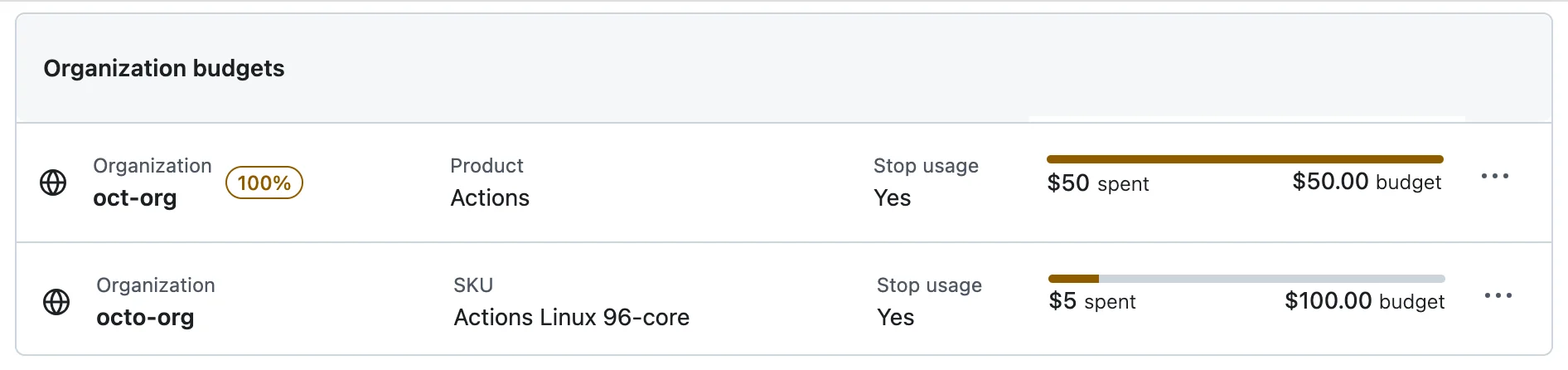
That is the budgets screen the whole governance argument rests on, and the screenshot happens to show an Actions budget rather than a Copilot one, which is a fair illustration of the mechanism rather than of Copilot's own rate card.
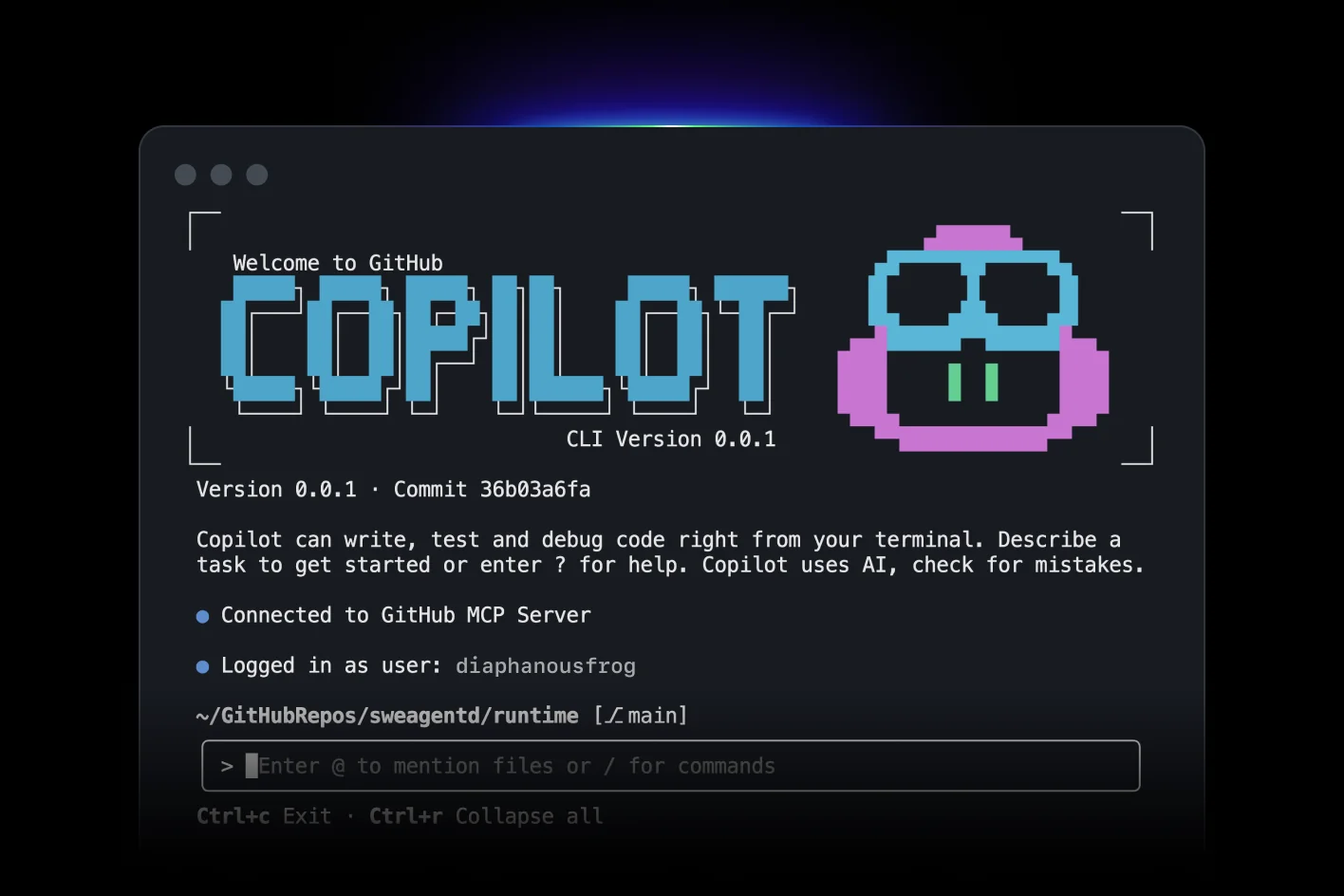
On the CLI. Copilot CLI is generally available on every plan from version 1.0.48, with per-tool shell approval, local and cloud sandboxing, an autopilot mode, and an in-session /usage readout. Rule files are .github/copilot-instructions.md plus scoped instruction files, and AGENTS.md is supported.
Where it will annoy you. Business self-serve signups have been paused since 22 April 2026, and there is no GitHub Enterprise Server support. If your org is on Server, this entry is not available to you at all.
Verdict: the best governance story here, and the only one where a single admin can stop spend across a fleet. Compare it against the field in our Copilot alternatives roundup, and check Copilot pricing for the credit maths at your headcount.
4. Cursor
Best for: developers who want agent work to happen where they already read code.
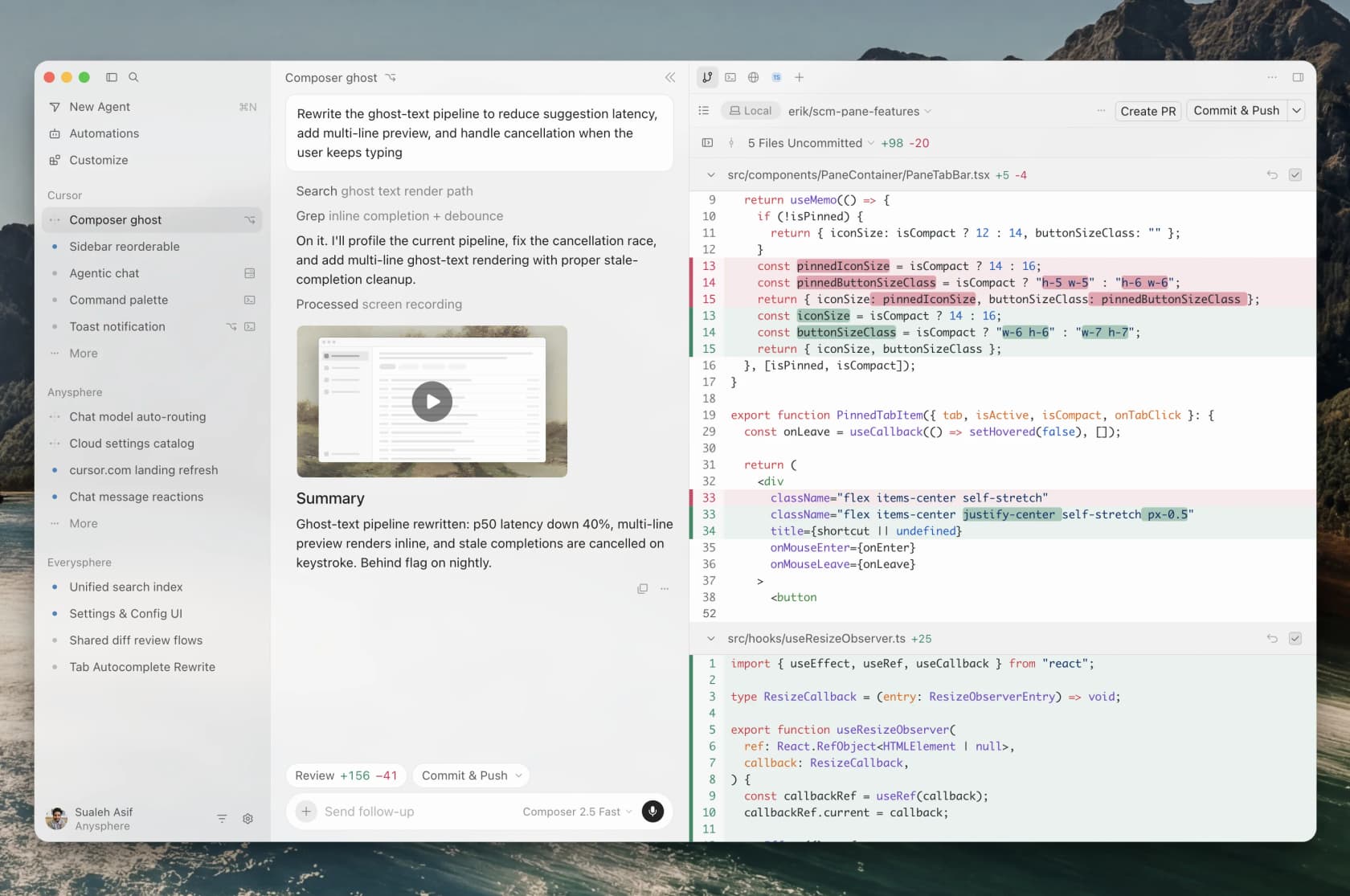
Cursor is the outlier in this list because it is an editor first, so comparing it to a terminal agent on containment is slightly unfair. What it is unambiguously good at is keeping the agent's output in front of your eyes.
I need to correct something I believed before checking. The widely repeated line is that Cursor stops AI features when you hit your limit. Its own docs say the opposite: "When you exceed your included monthly usage, you can either: Add on-demand usage: Continue at the same API rates with pay-as-you-go billing / Upgrade your plan," and, plainly, "Requests are never downgraded in quality or speed." The only documented mid-cycle change is a pool switch, where a team member who exhausts their third-party model allowance is moved to Cursor's own model pool.
Prices. Hobby free; Pro $20 a month with $20 of third-party usage included; Pro Plus $60 with $70; Ultra $200 with $400; Teams Standard $40 per user per month and Premium $120. Billing is tokens per million at the model's API rate, with request-based billing now explicitly legacy. Two things to watch: a $0.25 per million Cursor Token Rate applies to third-party requests on Teams and Enterprise, including when you bring your own key, and a 10% uplift applies for data residency.
Cursor also publishes spend bands, which is more than most: "Daily Agent users: Typically $60-$100/mo total usage" and "Power users (multiple agents/automation): Often $200+/mo total usage."
Where it will annoy you. Spend caps are team-wide on Teams and per-member only on Enterprise, with nothing documented for individual accounts, so a solo developer has no ceiling here either. On-demand usage is enabled by default on Teams, so it is an opt-out rather than an opt-in.
What Cursor does earn credit for is the shape of its approval model, and at least one developer names it as the reason he has not moved to a CLI at all:
"The default shell sandbox behavior is quite good. Every shell command runs in some sort of sandbox so that read only commands work without approval. The model asks for more permissions when it tries to do something that needs more permissions like network access or writing outside of the workspace directory."
That graduated pattern, free reads and an escalation prompt for anything that reaches further, is the design I would want as a default everywhere.
Verdict: a real alternative if your objection to Muse Code was the terminal, not the billing. It does not fix the cap problem. See Cursor pricing, the Cursor reviews roundup, and Cursor vs Windsurf if you are weighing editors.
5. Google Antigravity CLI
Best for: someone who wants a real free quota and does not need a published number for it.
Worth clearing up first, because there is bad information circulating. Google Antigravity CLI is the terminal surface of Google Antigravity, launched 19 May 2026 and written in Go. It is not a rename of Gemini CLI. Google's transition notice says that "On June 18, 2026, Gemini CLI and Gemini Code Assist IDE extensions will stop serving requests for Google AI Pro and Ultra" subscribers, while enterprise and Code Assist Standard licence access "remains unchanged." That is a partial transition, not a shutdown, and the Gemini CLI repository itself carries no deprecation notice and was still shipping commits in mid-August 2026.
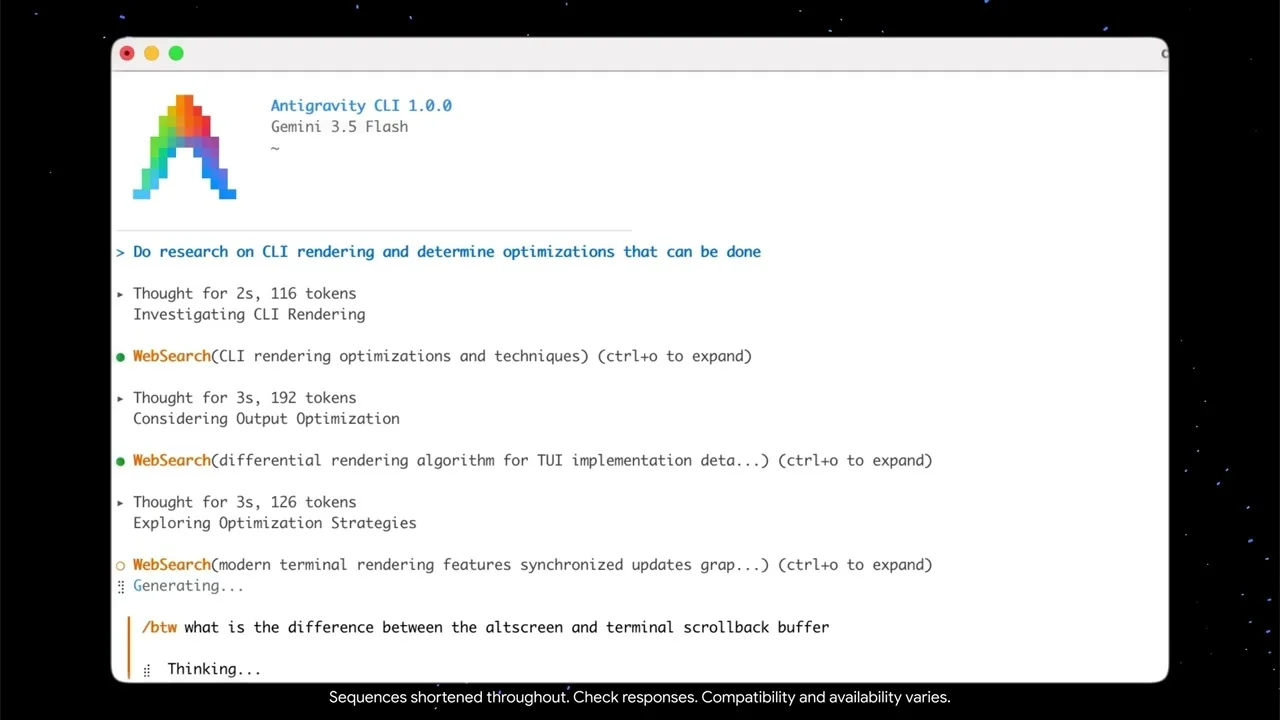
What you get. A free tier described only as a "meaningful quota, refreshed weekly" for users who are not on Pro or Ultra. Google publishes no request-per-minute or per-day figure for it. The 60 requests a minute and 1,000 a day numbers you will see quoted belong to Gemini CLI, the predecessor, and should be attributed there.
Where it will annoy you. Two places, and both matter for this post. There is no named dollar spend cap; overage control is a two-value setting, Never or Always, which is a switch rather than a budget. And the sandbox is not the default: the starting permission mode is request-review, with the terminal sandbox as an opt-in setting. I found no documented bypass flag, which cuts both ways.
Rule files are GEMINI.md or AGENTS.md at the workspace root, so migrating instructions across is trivial. Background on the models themselves is in our Google Gemini 3 overview.
Verdict: the cheapest legitimate way to try an agentic CLI without a card, and the weakest cost governance in the list. Good for evaluation, hard to recommend for a funded team that came here for a ceiling.
6. Grok Build
Best for: the reader whose entire complaint was the missing spend cap.
If you skim one entry, make it this one, because Grok Build solves the exact problem Muse Code has, and it does it in the default state rather than behind a setting.
xAI's docs are unambiguous: "When you have set a $0 invoiced billing limit (default), xAI will only use your available prepaid credits. Your API requests will be automatically rejected once your prepaid credits are depleted." Monthly invoiced billing is separately disabled by default. It fails closed. The escape hatch is opt-in auto top-up, itself capped at five top-ups per 24 hours with a $25 minimum.
Two price corrections worth having. The model named grok-build-0.1 lists at $1.00 input and $2.00 output per million with a $0.20 cached rate, but the CLI does not run it. xAI's docs say "The same model that powers Grok Build, grok-4.6," so real CLI cost is $2.00 / $6.00. And long context at 200k tokens and above doubles the rate while repricing the whole request, not just the overflow. Also: there is no $30 or $100 subscription tier for Grok Build on any xAI page. Access is gated by authentication, not a plan.
The best migration story here. Rule files are AGENTS.md, with globals in ~/.grok/ and additional .grok/rules/*.md. But it also reads CLAUDE.md, CLAUDE.local.md, .claude/rules/ and .cursor/rules/ with, in the docs' words, no extra setup. If you have instruction files from two previous tools sitting in your repo, this is the shortest on-ramp in the category.
Where it will annoy you. Permissions are ask-first with an auto classifier and an always-approve option, but there is no OS-level sandbox in the Muse Code or Codex sense. A remembered "always allow" still re-prompts on rm and git push, and plan mode's file-edit gate survives always-approve, which are both good touches, but they are policy rather than enforcement. See our Grok 4.6 writeup for the model underneath.
Verdict: pick this if the bill is the thing keeping you up. The containment is weaker than what you are leaving, so it is a straight trade, not an upgrade.
7. OpenCode
Best for: running any model you like behind one terminal agent.
OpenCode is free and open source, installed by script, npm, Homebrew, or Docker, and it takes any provider. Its optional catalogue, Zen, is where the interesting comparison sits: Zen lists Muse Spark 1.2 at $1.25 in, $4.25 out, $0.15 cached read per million tokens, which is exactly Meta's own standard-tier price. So you can run the model you came for through a different harness at the same rate, which is a cleaner experiment than most people realise.
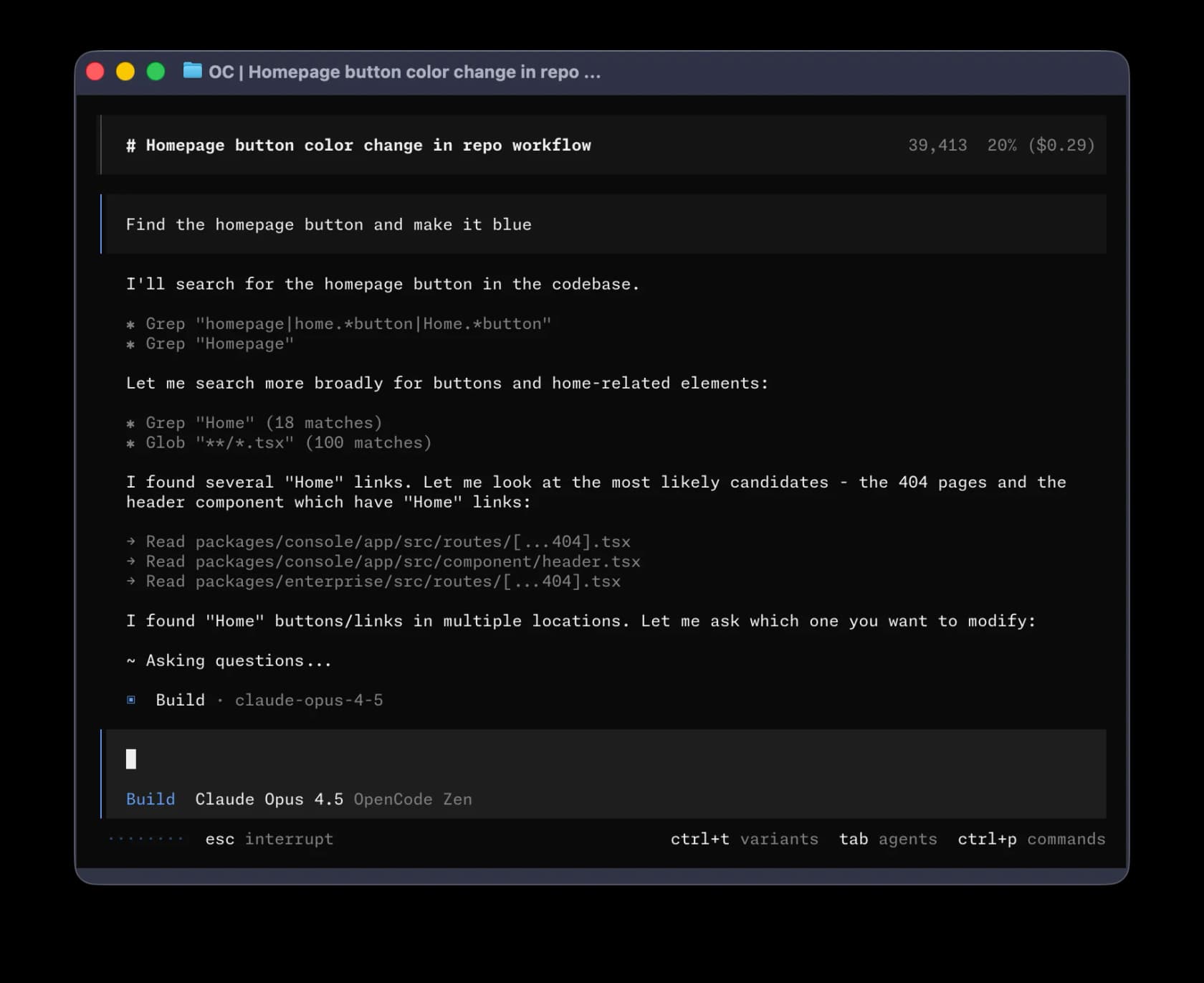
Note what is in that header, because it is the whole argument for this tier of tool: tokens used, percentage of context left, and a running dollar figure, all on screen while the agent works.
The rest of the Zen card, for context: Opus 5 at $5/$25, Sonnet 5 at $2/$10, Fable 5 at $10/$50, GPT 5.6 Sol at $5/$30 up to 272K, Kimi K3 at $3/$15, and Qwen3.7 Max at $2.50/$7.50. There are also seven free models, with the honest caveat that free-period data may be used for training.
Rule files. AGENTS.md in the project root or a global one under ~/.config/opencode/, created by /init. It also falls back to CLAUDE.md, reads ~/.claude/skills/, and lets you turn all of that off with an environment variable. Migration is close to free.
Where it will annoy you. The permission defaults are the loosest here worth knowing about: most of the thirteen permission keys default to allow, with only the loop-detection and external-directory keys set to ask, and opencode --auto bypasses everything except explicit denies. Also, none of the four documentation pages I read names a licence, so if you need to clear open-source terms with legal, read the repository's licence file rather than the docs.
Verdict: the best choice if you want model freedom and are willing to write your own permission config. Treat the defaults as a starting point to tighten, not a safe posture.
8. Cline
Best for: a VS Code agent running on your own key with instructions you can scope per path.
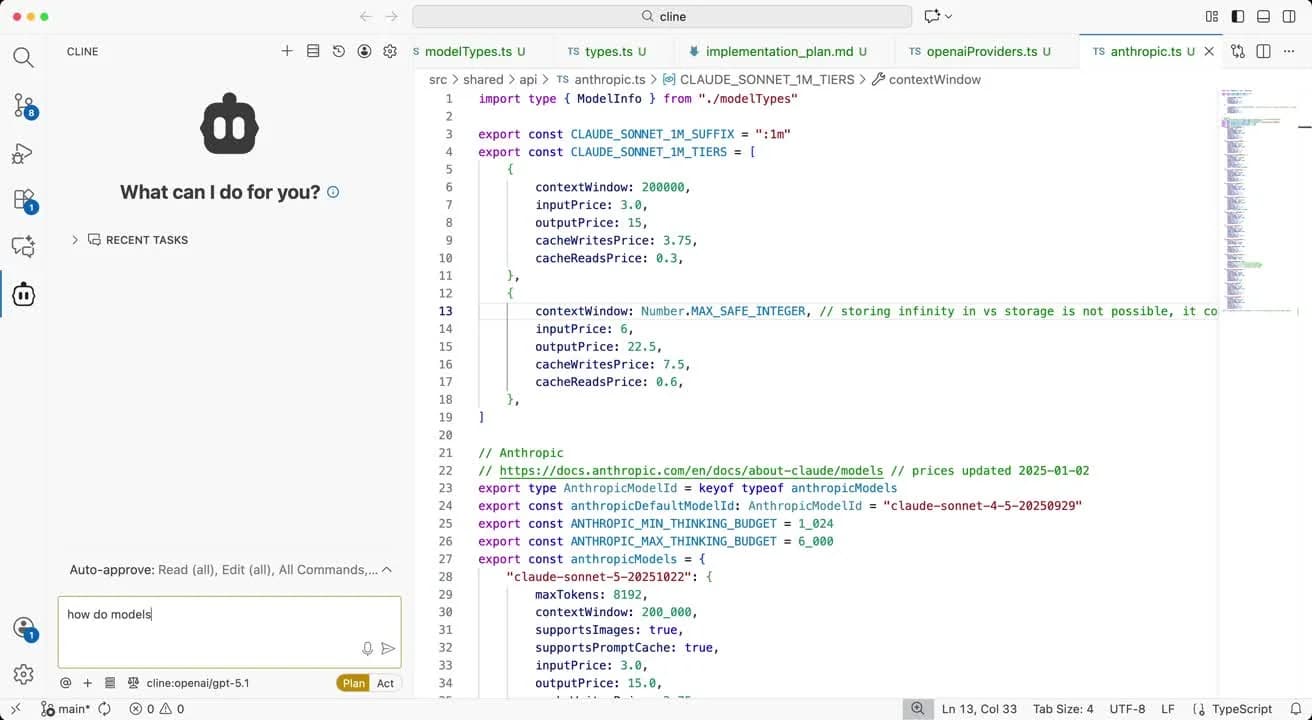
Cline's headline is "Open Source / Free" plus a quote-only Enterprise tier, and its bring-your-own-key support is the broadest in this list: Anthropic, OpenAI, Gemini, OpenRouter, Bedrock, Vertex, Groq, Cerebras, Vercel AI Gateway, and DeepSeek. Cline's own credits are sold at cost, though no markup figure is published either way.
The clever bit. Rules are a .clinerules/ directory of markdown or text files rather than one dotfile, and each file can carry a paths: glob in frontmatter so it only activates for matching files. No frontmatter means always active. It also reads .cursorrules, .windsurfrules, and AGENTS.md, including a global one under ~/.agents/. If your repo is a monorepo where the frontend and the migrations need different instructions, this is the most natural fit here.
Where it will annoy you, and this one is important. There is no shell sandbox. YOLO mode covers, in the docs' own words, "All file operations anywhere on your system," and the documentation's recommendation is that you supply a throwaway environment and treat Git as the safety net. Safe versus unsafe is model-judged rather than allowlisted: "Cline does not use a fixed allowlist. The model marks each command with a requires_approval flag." No per-request or per-session cap is documented; the only guard is a 30-second notification on long-running commands.
There is also a pricing gap worth flagging: a plan called ClinePass, described as a flat monthly subscription, is named in the install docs but has no price on the pricing page, which sits oddly next to the "no subscriptions" framing.
Verdict: excellent instruction scoping, and the weakest containment story in the list. If you came from Muse Code because the sandbox let you sleep, this will be a shock. Sensible defaults are: read-only on, edits and commands off until you have a reason, and a disposable VM.
9. Aider
Best for: someone who wants the cost printed per message and the Git log as the audit trail.
Aider is the most old-fashioned tool here in the best sense: no meter of its own, no subscription, no console. Every cost you see is your provider's token bill, and the tool's job is to be legible about it.
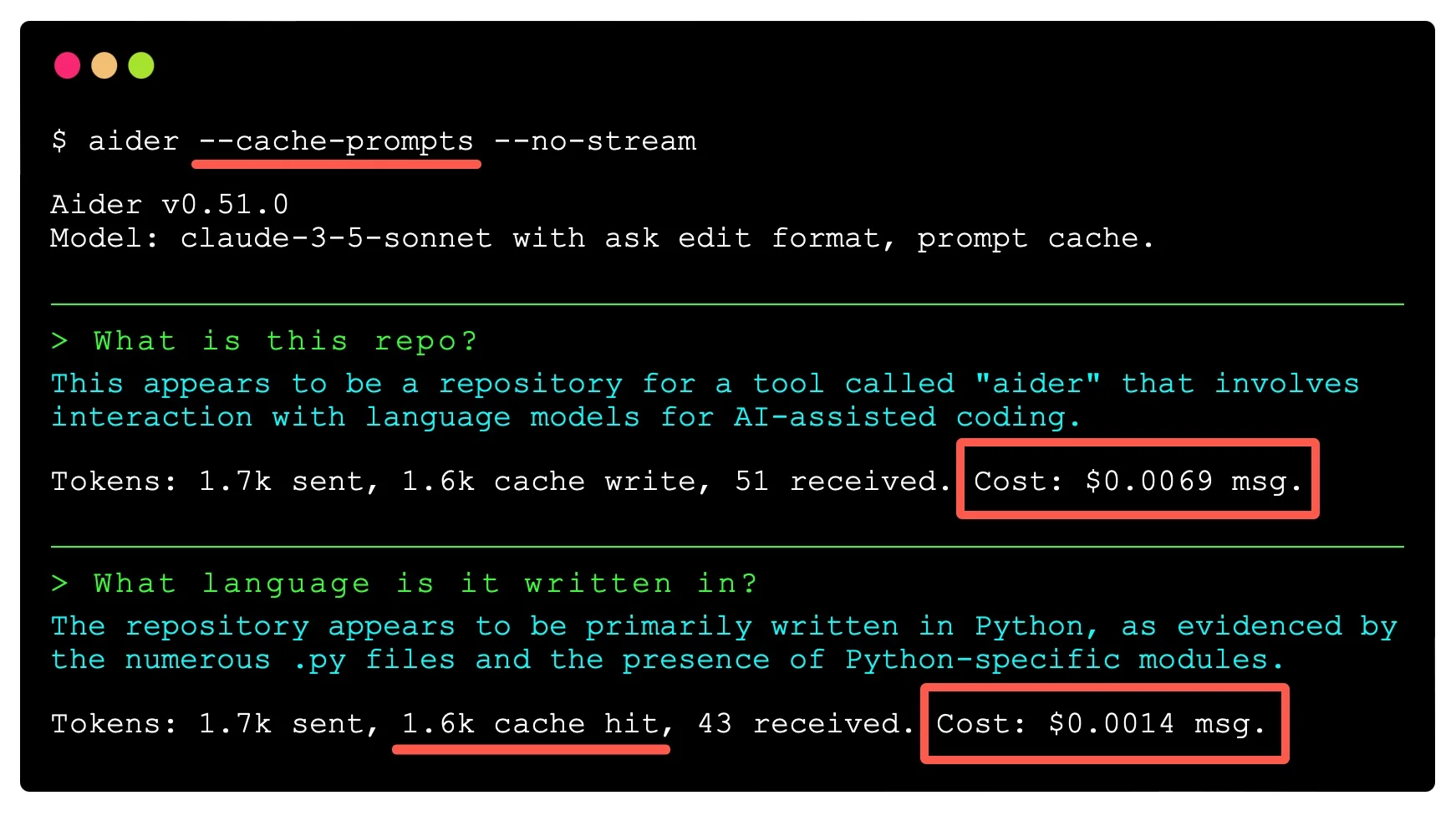
The red boxes there are Aider's own annotation on its docs page, marking the cost lines. That is the whole feature.
Cost control is visibility, not a limiter. The flags are --cache-prompts, --cache-keepalive-pings, --weak-model, and, the one that matters, --no-stream, because the docs are clear that "caching statistics and costs are not available when streaming responses." So the price of seeing your spend per message is giving up streaming output. There is no hard spend stop anywhere; the brake is Control-C.
Its conventions file is the nicest design in the category. A CONVENTIONS.md loaded via --read is marked read-only in context and cacheable, which means your standards do not get edited by the agent and do not get re-billed at full rate every turn. Aider's docs even show a before-and-after where adding the file changed the generated code from requests with no type hints to httpx with them. That is a concrete demonstration, not a claim, and I wish more vendors did it.
Where it will annoy you. Auto-commit is on by default: "Whenever aider edits a file, it commits those changes with a descriptive commit message." It will also commit your uncommitted work first before it starts. You can turn this off with --no-auto-commits, --no-dirty-commits, or --no-git, all of which the docs frame under their own "While it is not recommended" heading. And a quiet one that matters if your repo has gates: pre-commit hooks are skipped by default, so Aider's commits bypass them unless you opt in. Read up on git workflows before you point it at a shared branch.
Verdict: the best pick for a careful solo developer who wants to see every dollar. The worst pick for anyone who has not read what auto-commit does. Pair it with monitoring a coding agent if it is going anywhere near CI.
The pattern behind all nine
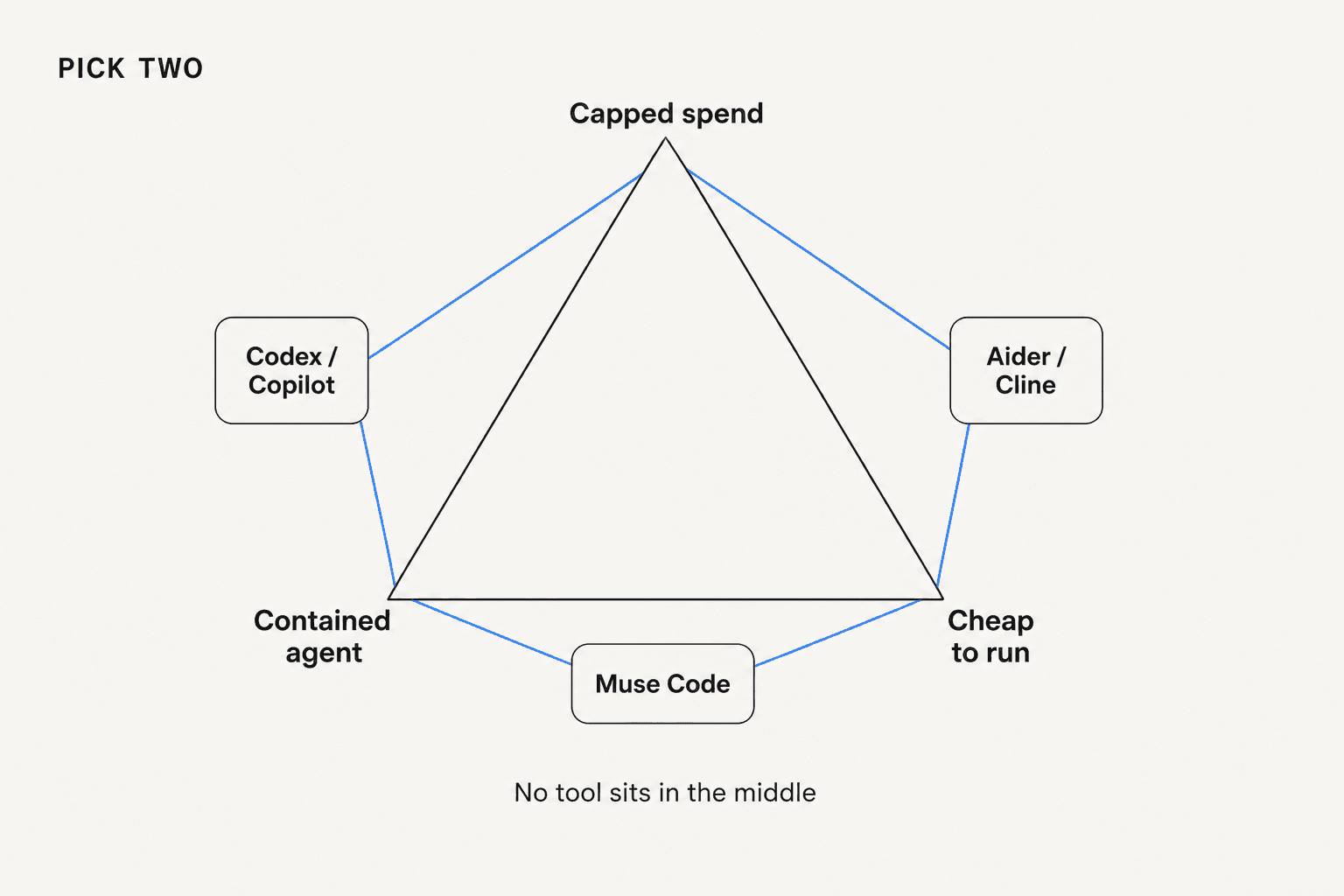
Line the defaults up and the shape is obvious. The tools with the strongest containment are the ones you cannot cap, and the tools you can cap at your own provider are the ones that will happily rewrite your working tree.
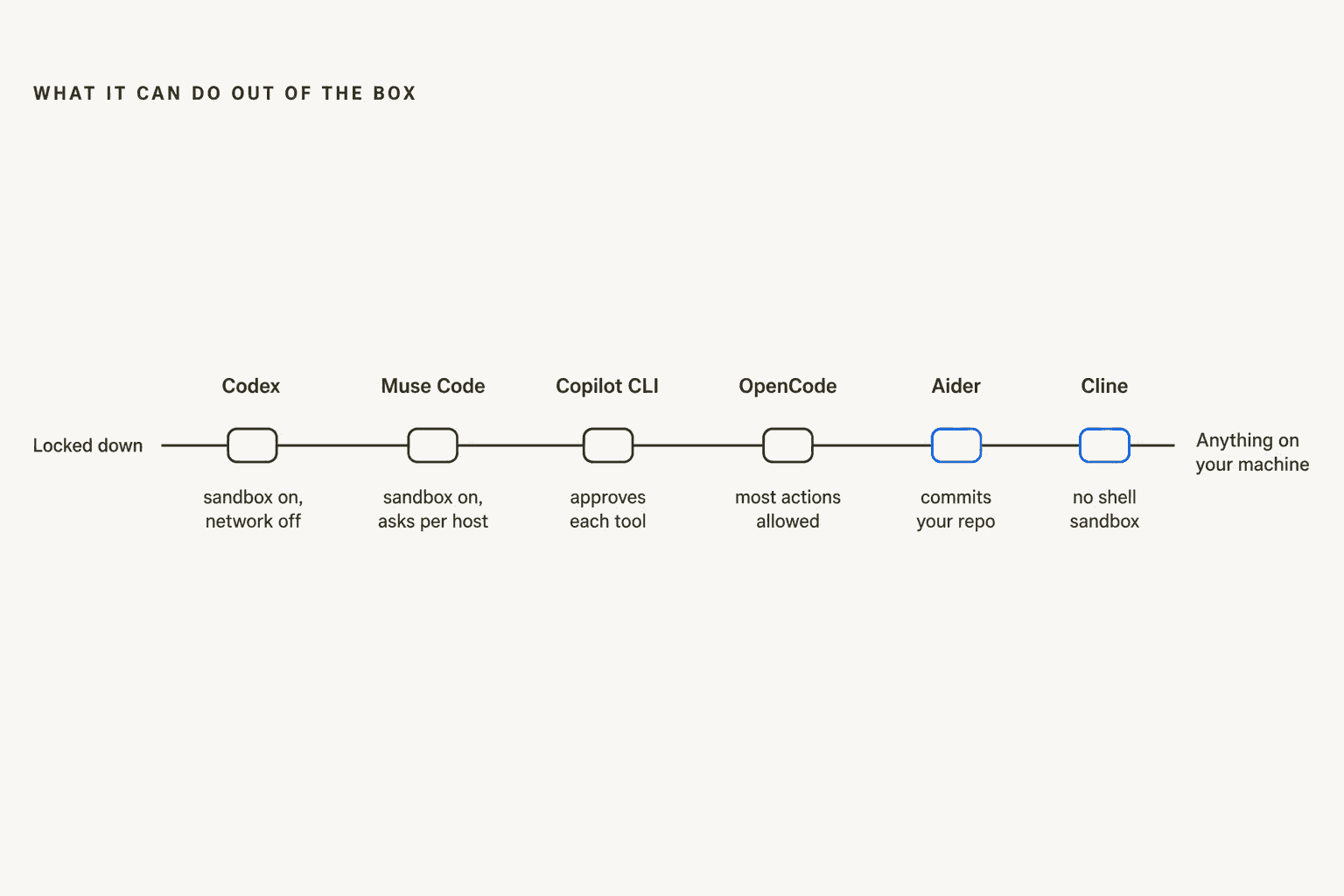
This is why "which agent is best" is the wrong question and "which failure can I afford" is the right one. In support we measure this as AI containment rate, and the same instinct applies here. It is also, almost exactly, the argument we have with support buyers every week. A colleague, Quinela, flagged one that still makes me wince, from a customer who had built AI draft replies into their daily workflow on Freshdesk:
"Edited drafts send as the original unedited version when approved, making the workflow unusable."
The model wrote a draft good enough to edit and approve. The approval plumbing threw the edit away. Nothing about that failure is a model problem, and no benchmark would have caught it. That is the same reason Meta's harness gains do not transfer cleanly to another tool, and the same reason I would not choose a coding agent on a leaderboard.
If you want the deeper version of this argument, start with our writeup on OpenAI Agent Evals. The same idea shows up from a different angle in red teaming support AI.
One reason not to switch: saving money
The story everybody repeats is that moving off the expensive agent saves you money. The only person I found who actually measured it on the same workload got a different answer.
An operator running a two-agent topology in his own orchestrator, with runtime metrics logged to a database, put five Opus 4.7 agents against six Codex agents on the same job for ten hours:
"What surprised me was usage: after 10 hours, both my Claude Code account and my Codex account had consumed 28% of their weekly capacity from that single run.
I expected Claude Code usage to be much higher. Instead, on these settings and for this workload, both platforms burned the same share of weekly budget.
So from this datapoint alone, I do not see an obvious usage-efficiency advantage in switching from Opus 4.7 to Codex/GPT-5.4."
One datapoint, one workload, and he says so himself. But it is the only same-workload comparison with logged numbers I could find anywhere, and it points the opposite way from the received wisdom. Nobody has published a Muse Code versus Claude Code run on a real repo yet, so if you are switching for cost you are switching on vibes.
Which is also why I would keep the switch reversible rather than treat it as a migration. Dharmesh Shah moved his daily driver to Codex CLI and, in the same post, said he will "likely try Claude again in a few days just in case the issue was temporary." That is the right posture for this whole category in 2026.
How I would actually choose
Four situations, four answers.
You are one developer with a card and a fear of the bill. Grok Build, because $0 is the default limit and it fails closed. Second choice is Codex with the hard-limit toggle on.
You are running fifty engineers and finance wants a number. Copilot, and switch on the stop-at-budget setting rather than assuming it is on. Nothing else lets one admin hold a line that reaches into individual developers.
Your objection was cost per token, not governance. OpenCode with your own key, and tighten the permission defaults on day one. You can even run the same Muse Spark 1.2 model at the same published price through a different harness, which is the cleanest way to test whether you were paying for the model or the wrapper.
You liked the sandbox and want to keep it. Codex is the only tool here that starts as locked down as Muse Code does, and it adds the ceiling Muse Code lacks. That is the one straightforward upgrade in this whole list.
What I would not do is switch for benchmark scores. Compare the tools you shortlist on best AI coding assistant tools if you want the wider field, but decide on the dials.
Try eesel
Everything above is a coding-tool argument, but the reason I recognised the pattern is that eesel lives on the other side of it. We build the AI ticketing system layer that works customer queues in Zendesk, Freshdesk, Gorgias, Front, and Jira Service Management, and the two things buyers ask us first are the two things Muse Code cannot answer: what will this cost, and what will it do before I trust it.
So we answer both up front. Pricing is usage-based at 40 cents per ticket or chat handled, billed on the conversation rather than per reply, with a hard monthly spend cap you set yourself and alerts on the way up. And before anything goes live, the simulation skill replays your real past tickets and scores the AI's answers against what your team actually sent, so you get the gaps and the suggested instruction changes while the agent is still doing nothing. That is a dry run, not a log you read afterwards.

That model came from being told off, incidentally. My colleague Riell handled a cosmetics brand that was ready to build the whole thing in-house rather than pay $800 a month; moving them to pay-as-you-go landed them around $200 and kept them. The lesson stuck: a ceiling you can see is worth more than a discount.
The trial is $50 of free usage with no card, which is enough to run the simulation over hundreds of your own tickets and decide on evidence. Try eesel if the thing you actually want is to know what the agent will do before it does it. If you are earlier than that, start with knowledge base training. Then read our build vs buy framework before you commit either way.
Frequently Asked Questions
What are the best Meta Muse Code alternatives in 2026?
Does Meta Muse Code have a spending limit?
--max-model-steps, and that flag is headless-only. If a predictable bill matters to you, that single gap is the strongest reason to look at Codex pricing or Copilot pricing instead.Is switching off Muse Code hard if I have written a lot of agent rules?
AGENTS.md, which is an open format shared by roughly two dozen coding agents, so the same file usually works on the tool you move to. The rebuild is in the harness behaviour and the permission config, not the instructions. Our notes on Claude Code permissions show how differently two tools can read the same repo.What is the cheapest alternative to Meta Muse Code?
Which Muse Code alternative is safest to run without supervision?


Article by
Kurnia Kharisma
Kurnia is a software engineer and writer at eesel AI with two years of SEO experience, writing about AI tools, helpdesk software, and customer support. He pairs a developer's understanding of how these products are built with search-driven research into what actually ranks and resonates with the people searching for them.