What changed in the ChatGPT voice rollout?
In May 2024, OpenAI introduced GPT-4o as an end-to-end model for text, vision, and audio. The earlier voice pipeline transcribed speech, generated text with another model, then synthesized speech. GPT-4o's audio capability reduced that separation and preserved more of the information in the sound itself.
The announcement reported an average audio response latency of 320 milliseconds in its evaluation. That is a historical model result, not a promise that every current ChatGPT voice reply arrives in 320 milliseconds. Network conditions, the task, and any research can affect the experience. It also does not establish how well a business answer follows an internal policy.
The next important date is July 8, 2026: OpenAI's release notes introduced GPT-Live-1 for paid users and Live mini for Free, with simultaneous listening and speaking. Later updates added file and Project support and iPhone Live Activities. Availability expanded beyond the initial consumer launch, so its original exclusions should not be presented as today's entire product boundary.
Live, Advanced, Standard, or dictation?
Choose according to the job rather than assuming that the newest option replaces every earlier capability.
| Option | Useful when | Important distinction |
|---|---|---|
| Live in Chat | You want a flowing conversation, with spoken and visible answers | Supports features such as search and memory where available; not every Chat tool is available in Live. |
| Advanced | You need supported mobile video or screen sharing | Those capabilities are not part of Live's initial feature set. |
| Standard | You prefer a turn-by-turn conversation | Speech is transcribed before a response is generated. |
| Dictation | You want to speak a prompt, edit it, then send it | A transcription input, not an ongoing spoken conversation. |
| Desktop Voice in Work or Codex | You want to start or steer a task and hear progress | Uses the task's tools, permissions, and separate work allowance. |
The current Voice guide describes the available conversation modes. Dictation is particularly useful when exact wording matters: record your request, inspect the text, correct a product name or number, and only then send it. For a policy change, this extra review can be more valuable than a continuous conversation.
How to start and choose a voice
On supported web and mobile Chat interfaces, select the Voice control in the message area, grant microphone access, and choose a voice when prompted. Available modes are under Settings → Voice. Do not look only for the old headphone icon; the control's presentation has changed across versions.
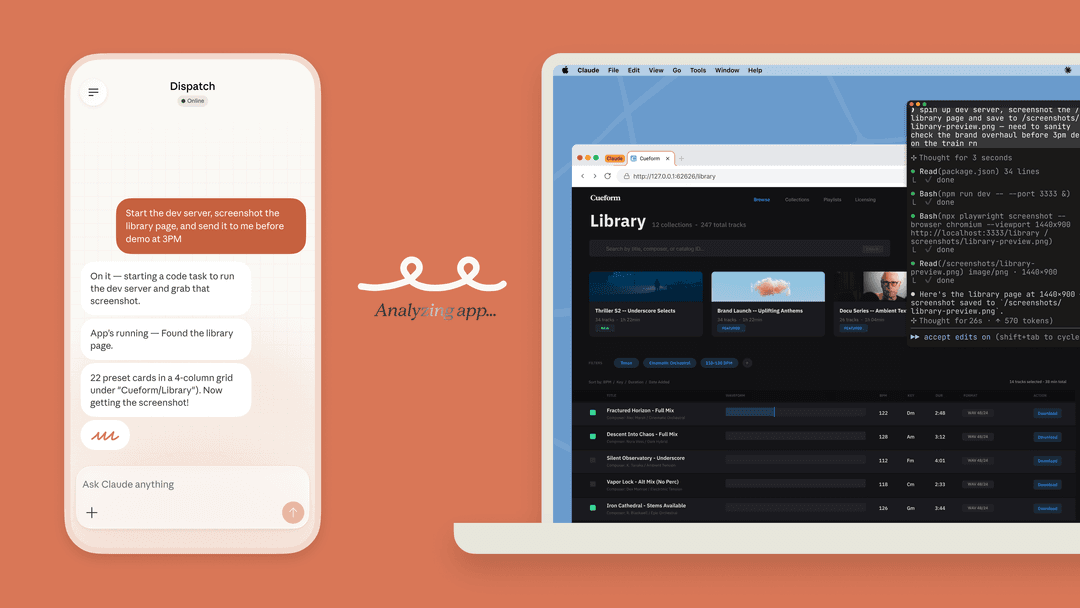
For desktop tasks, OpenAI documents Start voice chat in an existing supported Codex task, or Start new voice chat for a new one. Update both the desktop app and the host running Codex if the control is missing. You can ask about progress or redirect a task without opening another conversation. Desktop Voice setup.
Voice choices include Arbor, Breeze, Cove, Ember, Juniper, Maple, Sol, Spruce, and Vale; regional options can differ. Listen for intelligibility rather than treating a preset's name as a capability difference. Try the same short request with the voices available to you and choose the one you find easiest to follow.
For example: “Help me explain our return window in plain English. Ask me for the policy before suggesting an answer.” Notice whether the system waits for the source, whether names and dates are understood, and whether the response is easy to interrupt. This is an evaluation exercise, not a claim that we tested every voice.
Access and limits: Chat is not the same as desktop work
Free has limited Live mini access; paid allowances vary. Ordinary Live usage uses a rolling 24-hour window. A current Go or Plus account can have up to one hour of Instant Live, one hour at Medium or High intelligence, and two hours of Live mini. Check the in-product limit notice because these allowances can change. Voice limits.
Desktop Voice has a different allowance. OpenAI lists approximately 15–30 minutes for Plus and 1–2.5 hours for the $100 Pro tier per rolling five-hour window. The $200 Pro tier has unlimited voice access, but the tasks it starts still consume Codex usage. Business and legacy Enterprise/Edu allowances are listed separately; credit-based desktop voice is approximately six credits per minute. Do not apply those figures to ordinary Chat Voice, whose business rate card lists five credits per minute. Desktop pricing, business rate card.
For a team trial, record both the time spent talking and the work launched from the conversation. Otherwise, a short spoken request that starts a substantial research or coding task can be mistaken for a cheap voice-only interaction.
Natural conversation still needs a quality check
Older community discussions often compared a slower, more deliberate style with a faster, more interruptible one. Those reactions can suggest what to test, but they are not a representative survey or evidence that one current mode is universally more thoughtful. The useful question is whether the mode works for your particular conversation.
Try three short exercises: explain a complicated topic, correct an earlier assumption midway through, and ask for a summary of agreed next steps. Check whether the answer incorporates the correction and distinguishes decisions from suggestions. Speed is useful only if the answer still matches what you asked.
For work discussions, review the written result before using it as a record. Names, product versions, amounts, or a phrase such as “do not send” deserve particular attention. If a misunderstanding would change a customer's account or publish incorrect instructions, confirm the exact proposed action in writing before proceeding.
Business context, tools, and privacy
It is no longer accurate to say ChatGPT can never access company information or act in business tools. Supported apps connect authorized services, and Work or Codex tasks can use the tools available in their environment. However, ordinary Live and a desktop task are different surfaces. Current Live documentation excludes connected apps and plugins; a voice-led desktop task can use its permitted tools. Apps in ChatGPT, desktop Voice.
That distinction matters during a demonstration. Speaking about a refund does not prove that the conversation can retrieve an order, identify the customer, or issue a refund. Ask which system performed each step and inspect its result. A natural-sounding answer and a completed business operation are different pieces of evidence.
Before sharing internal material, review the account's Data Controls. Turning off “Improve the model for everyone” prevents conversations from being used for training but does not remove them from history. Audio sharing has separate controls; dictation's documentation explains its retention and audio-sharing rules. Do not infer that choosing a voice mode makes a conversation ephemeral.
Turn a spoken support question into an eesel CLI review
Suppose a support lead notices that answers about damaged deliveries omit the evidence customers must provide. In a supported voice-enabled Codex task with terminal access, they can say:
Inspect our eesel delivery-support teammate. Compare its instructions and a permitted recent example with the approved damaged-delivery policy. Tell me why the answer missed the evidence request. Do not change instructions or contact a customer.
Codex can use eesel CLI to perform that inspection and explain the JSON results. A person can run the same commands directly, and a script can collect the same read-only checks. They all operate the teammate and workspace used by the eesel dashboard. Node.js 18.17 or newer is required.
npx @eesel/cli whoami
npx @eesel/cli status --agent "Delivery support"
npx @eesel/cli instructions --agent "Delivery support"
npx @eesel/cli activity --agent "Delivery support"
Replace the example name with an existing authorized teammate. Give Codex only approved policy material and permission to inspect the relevant activity; a transcript may contain customer data. Status helps establish source readiness, instructions show the standing rule, and activity identifies a relevant run. They do not establish the contents of every source automatically. If more detail is needed, inspect the specific permitted task from the returned activity list.
The benefit is a concrete diagnosis. Was the policy missing from knowledge, was its evidence requirement absent from the instructions, or did the example answer fail to follow an existing rule? Each finding leads to a different correction. The support lead can ask follow-up questions aloud while reviewing the source and proposed change on screen.
Only after that review should an editor authorize a narrow update. Ask Codex to show the proposed CLI write with --dry-run, approve the exact change, and read back the resulting configuration. Keep the original policy's evidence requirements intact; do not invent a photo requirement merely because it sounds reasonable.
Setup and inspection are free, but CLI chat tests are billed. With cost approval, use an existing non-production teammate with consequential actions disabled or absent. Test an ordinary damaged-delivery question and a request to skip the policy's evidence requirement. Use separate fresh chats and compare both answers with the approved policy. Then separately verify the permitted customer channel before rollout. None of these steps adds a phone line or native voice channel to eesel.
Keep the support decision visible with eesel CLI

Voice can make it easier to describe a problem and question a proposed fix. eesel CLI gives a coding agent a concrete way to inspect the support teammate behind the answer, while the dashboard keeps the setup accessible to its owners. Try eesel with a defined support question and approved sources, then judge the workflow by its results.
Sources
Frequently asked questions
Is GPT-4o still the newest ChatGPT voice rollout?
No. GPT-4o was the 2024 milestone. OpenAI introduced GPT-Live-1 and GPT-Live-1 mini for the newer Live experience in July 2026. Check the Voice options available in your account rather than treating an old demo as current product behavior.
Can free users use ChatGPT Voice?
Free accounts have limited access to Live mini in supported regions and interfaces. Availability and limits depend on account and rollout. Voice in desktop Work and Codex has different eligibility and usage allowances from ordinary Chat Voice.
How do I start a voice conversation?
On supported web or mobile Chat interfaces, select the Voice control in the message area and allow microphone access. In desktop Codex, use Start voice chat where available. Dictation instead turns a recording into editable prompt text.
Can Live use video or connected apps?
OpenAI’s current Voice guide says Live does not initially support video, screen sharing, apps, or plugins. Eligible mobile Advanced sessions support video and screen sharing. Desktop Voice in Work and Codex can direct tasks with their available tools and permissions; it is a separate workflow.
Does a more natural voice guarantee a better answer?
No. Tone, timing, factual accuracy, and task completion are separate things to evaluate. Check names, dates, instructions, citations, and any resulting changes instead of judging reliability by how fluent the voice sounds.
Can a voice-led coding agent use eesel CLI?
Yes, when the coding task has terminal access and authorized eesel credentials. You can ask it to inspect the same teammate’s sources, instructions, and activity as the dashboard. Voice supplies the request; the coding agent runs CLI commands and reads their results.