What is Apple Intelligence in iOS 27?
Apple Intelligence is the umbrella name for Apple's AI features woven across its operating systems, and in iOS 27 it got its first genuinely ambitious rebuild. Apple frames it as "integrated into your apps, grounded in your context, and private at every step", spanning iOS 27, iPadOS 27, macOS 27, watchOS 27, and visionOS 27.
The marquee feature is an all-new Siri AI, which Apple says is "rebuilt from the ground up with powerful AI at its core." Instead of the old command-parser that fell over the moment you phrased something slightly wrong, this Siri holds a conversation, pulls in what it knows about you, and can chain actions together across apps.
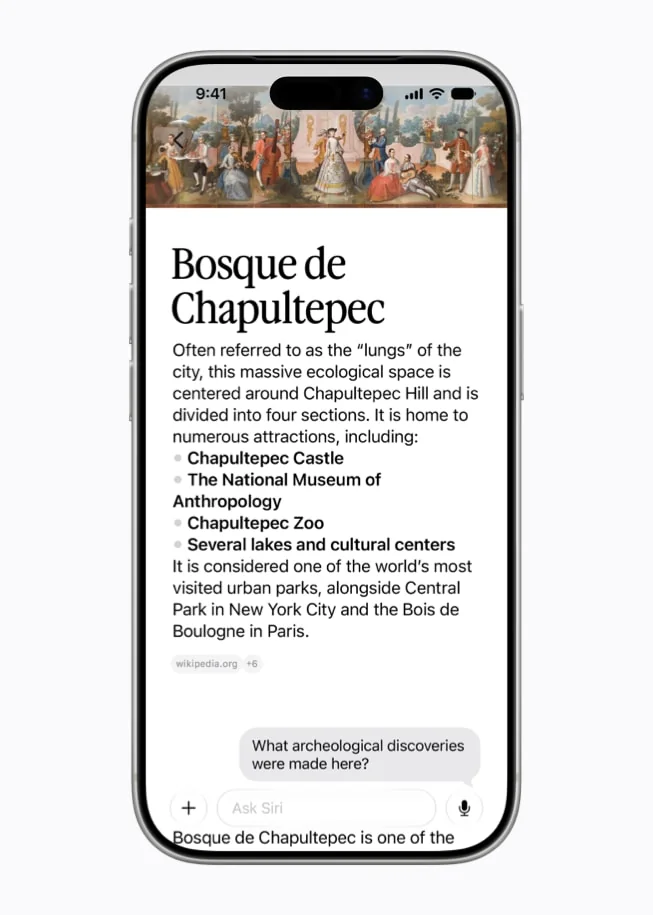
If you've spent the last two years watching ChatGPT, Gemini, and Claude run laps around the old Siri, this is Apple trying to close that gap. It supports 16 languages at launch, with Siri AI itself starting English-first. And the structure of the keynote told its own story: Apple led with performance fixes (faster app launches, faster photo saves, faster AirDrop) before the AI, which TechCrunch read as Apple "playing catch-up".
The headline: Siri actually got the brain transplant
The single biggest change is that Siri now behaves like the AI assistant people have wanted for years. Three things make it feel different.
First, personal context. You can ask Siri to dig through your own messages, emails, and photos, and it understands references the old Siri never could. The classic example Apple keeps using is something like "follow up on that email I sent Dave last Tuesday" instead of stiff, literal commands.
Second, a dedicated Siri app with conversation history that syncs over iCloud, so your back-and-forth isn't a one-shot voice query that vanishes. It feels much closer to a chat app than a voice shortcut.
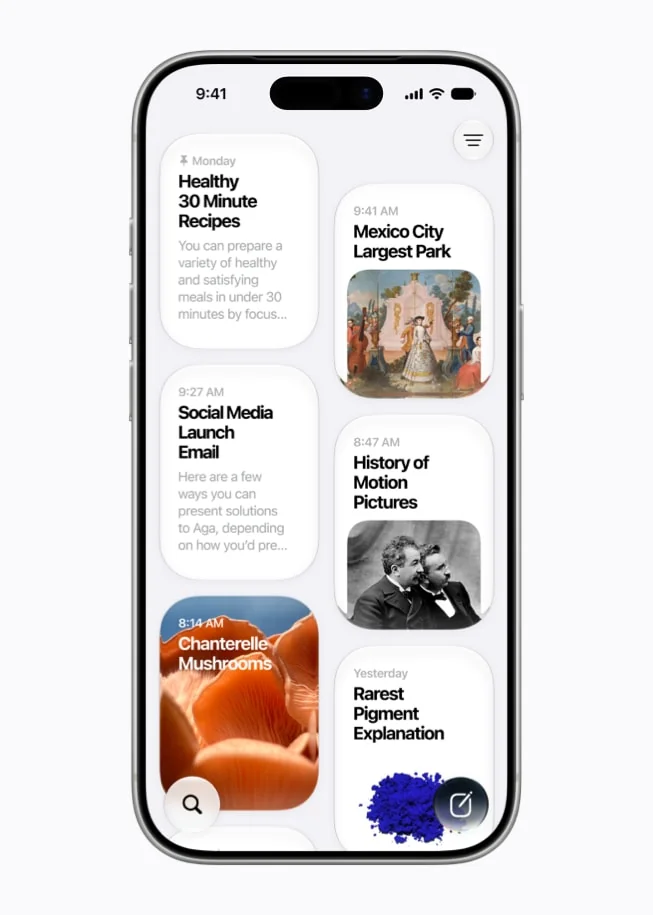
Third, Siri now lives everywhere, including inside Spotlight on the Mac, so you can fire off a question without breaking your flow. This is the "ambient assistant" idea that an AI agent is supposed to deliver: always one keystroke away, aware of what's on screen, able to take the next step for you.
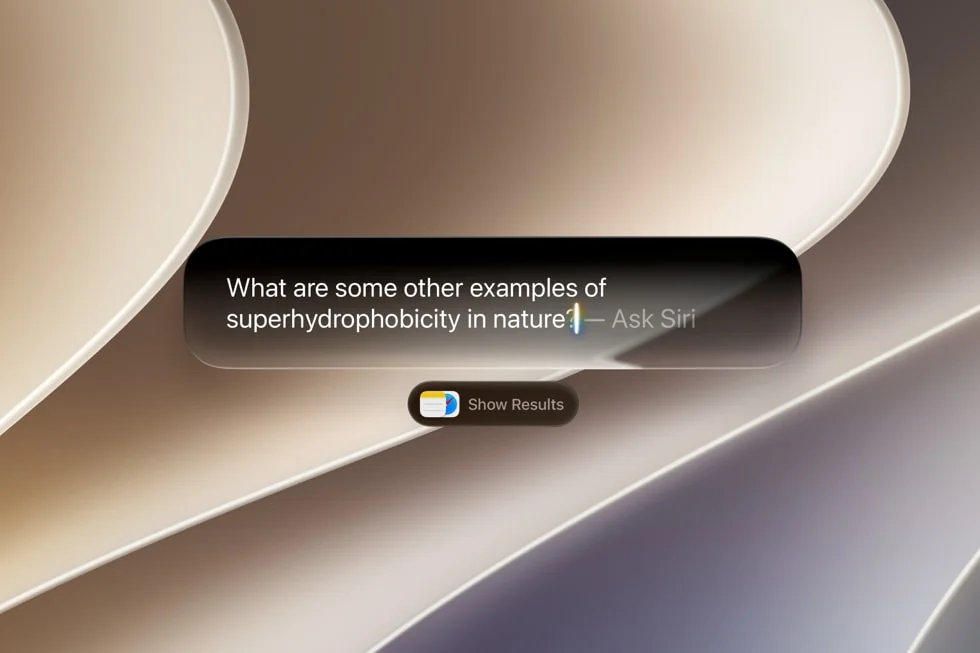
Crucially, Apple did something it hadn't done in a while: it ran Siri AI live, on stage. John Gruber, who had been brutal about Apple's 2024 concept-video approach, noticed the shift in tone:
"This 'Tech Talk' was good. It was detailed and technical, and there were live on-stage demos of Siri AI in action from Mike Rockwell... There was a big live Siri AI/Apple Intelligence session for developers Tuesday morning in Steve Jobs Theater, which also had live demos. More like this, please."
Live demos are a small thing, but after the 2025 saga (more on that later), they were Apple's way of saying "this one is real."
How Apple Intelligence actually works
Under the hood, Apple Intelligence runs on the third generation of Apple Foundation Models, a family of five models that span your device and the cloud. Apple's own diagram lays out the structure: your apps and personal context feed a system orchestrator, which decides which model handles each request.
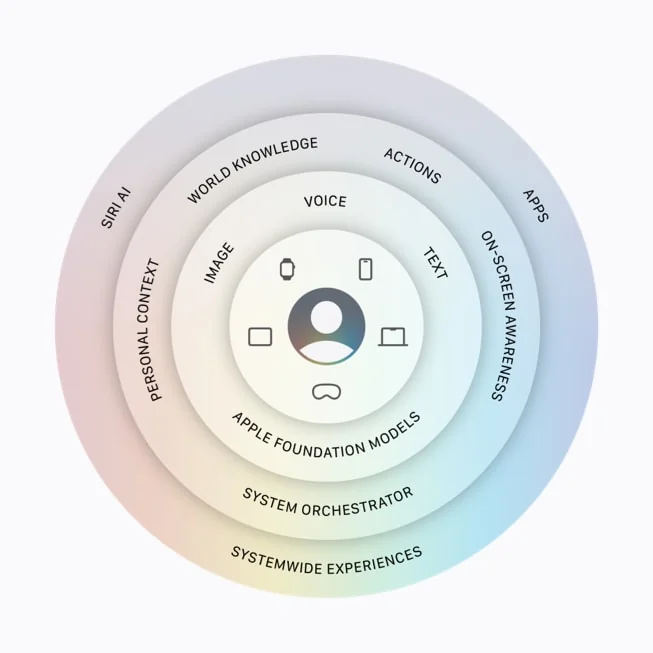
The simplest way to picture it is a ladder. Easy requests stay on your phone for speed and privacy, harder ones escalate to Apple's private servers, and the very heaviest world-knowledge queries reportedly go further still.
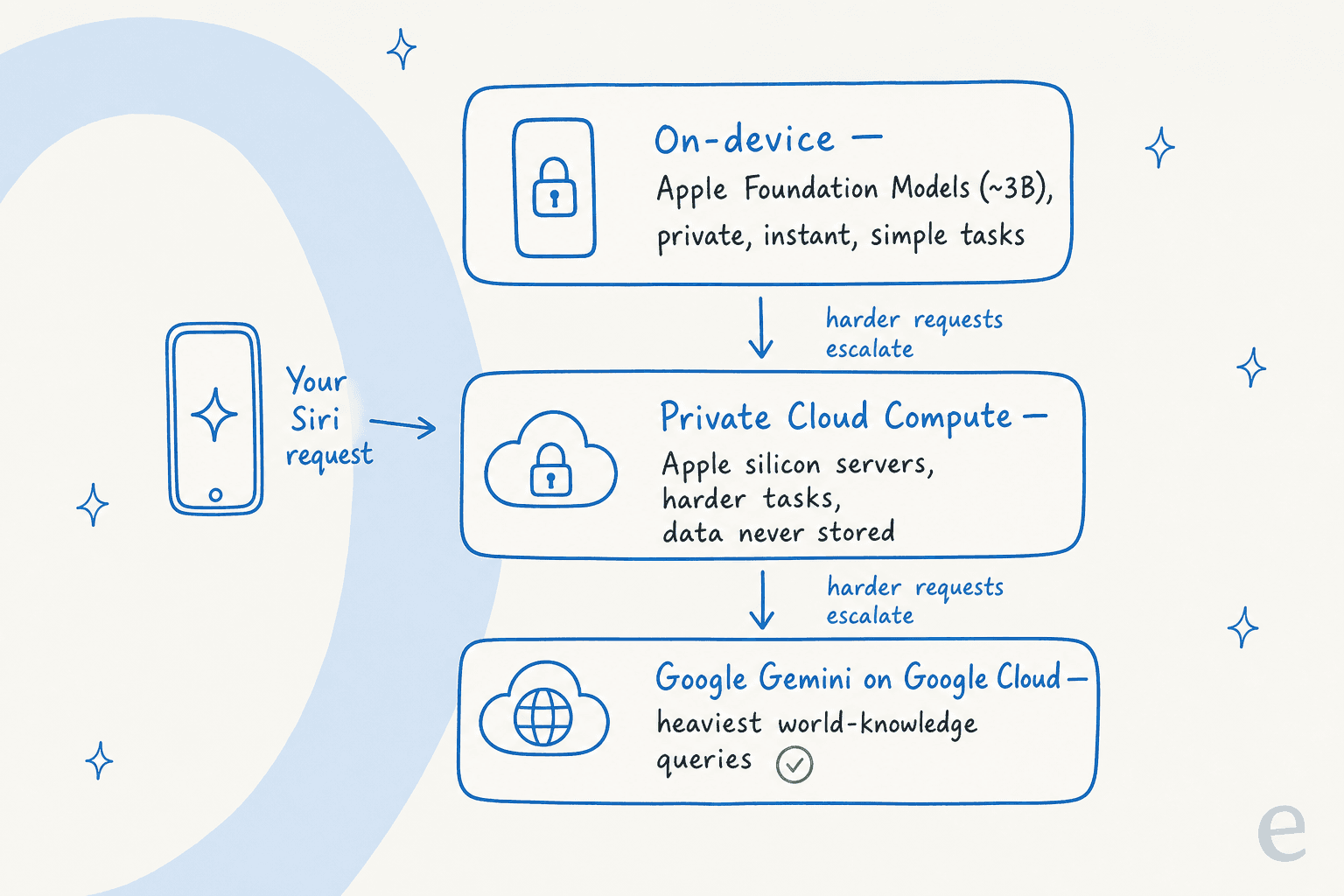
The two on-device models are an AFM 3 Core model at around 3 billion parameters and a more capable "Core Advanced" model that's a 20-billion-parameter sparse design activating only 1 to 4 billion parameters at a time. The cloud tier runs on Private Cloud Compute, Apple's stateless Apple-silicon servers that process your data in memory and, Apple says, never store it. By Apple's own human evals, the new on-device model was preferred on 45.6% of text prompts versus 23.3% for the 2025 baseline, a real jump even if you take vendor benchmarks with a pinch of salt.
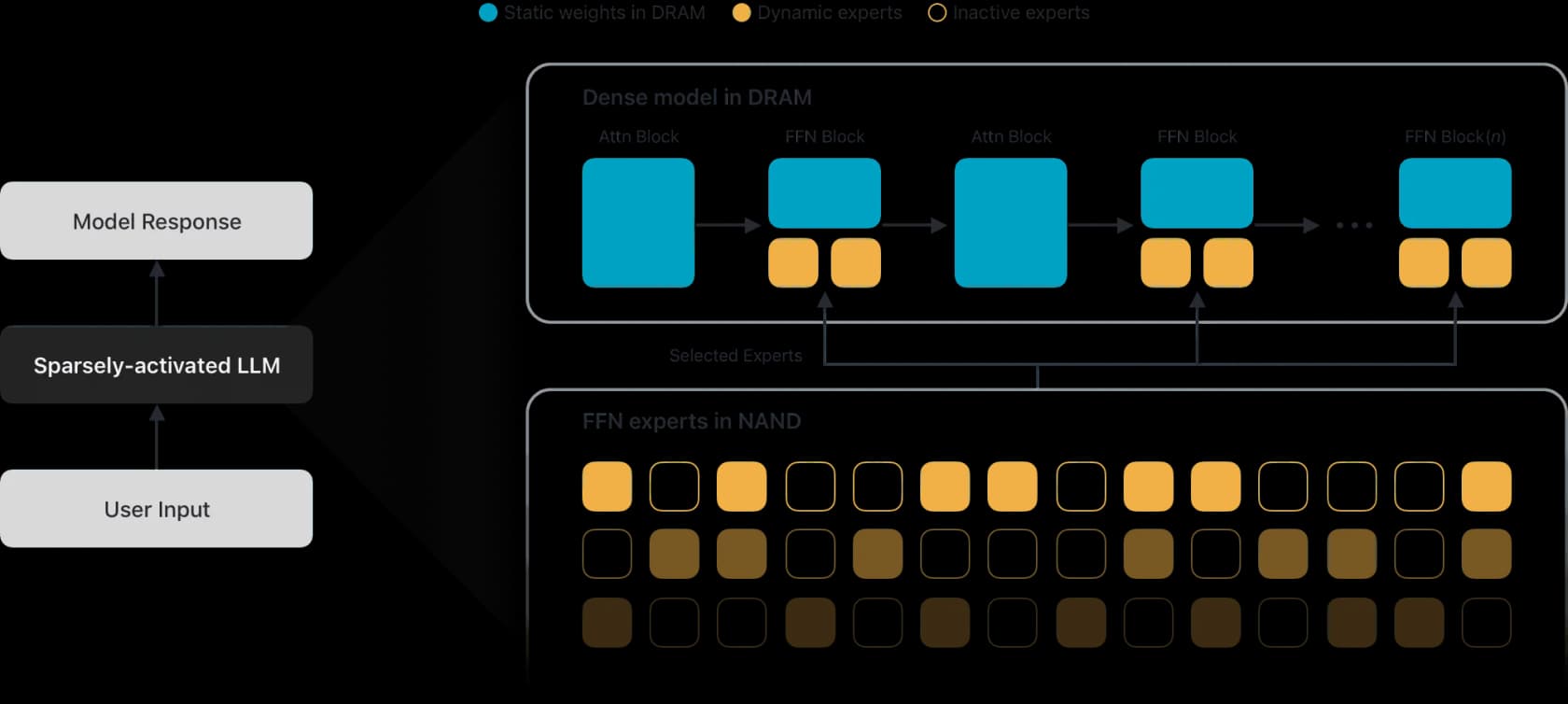
If the idea of a model fetching the right answer from your own content sounds familiar, it's the same retrieval principle that powers good support AI, just scoped to one device. We've written before about how RAG works and RAG versus a raw LLM if you want the deeper version.
The Google question everyone's asking
Here's the bit that set tech Twitter on fire: the heaviest Siri requests reportedly run on a custom Google model on Google Cloud. Apple's own copy never names Gemini, crediting only "Apple Foundation Models … custom-built in collaboration with Google," and the specific ~1.2-trillion-parameter figure reported by some outlets is press speculation, not an Apple number. Worth keeping that distinction straight.
Apple cared enough about the "Siri is just Gemini now" narrative that it held a dedicated press session to push back. Craig Federighi drew the line about as hard as a line can be drawn:
"For these models, we use none of the models that Google deploys to their customers, nor do we use the infrastructure and means by which they deploy models to their customers... So I hope that's clear. The amount of the Google Assistant we use is none."
The fact that Apple felt the need to repeat "the amount of the Google Assistant we use is none" tells you how loudly the question was being asked. If you're trying to make sense of the model landscape behind all these assistants, our Gemini vs ChatGPT and Gemini vs Claude comparisons are a decent map.
The rest of the new toolkit
Siri grabs the headlines, but iOS 27's Apple Intelligence is a whole set of features. A few worth knowing.
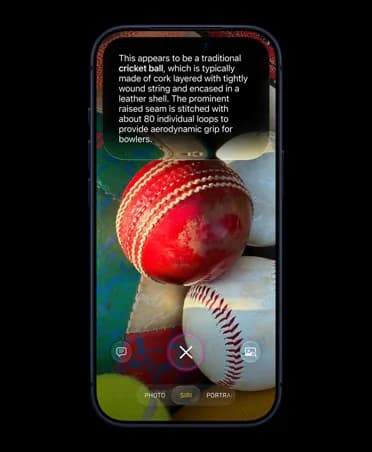
Visual Intelligence and a Siri mode in the Camera. Point your camera at something and ask about it, and Siri describes what it's looking at and suggests actions. It's the kind of "show, don't type" interaction that makes an AI assistant feel genuinely useful in the moment.
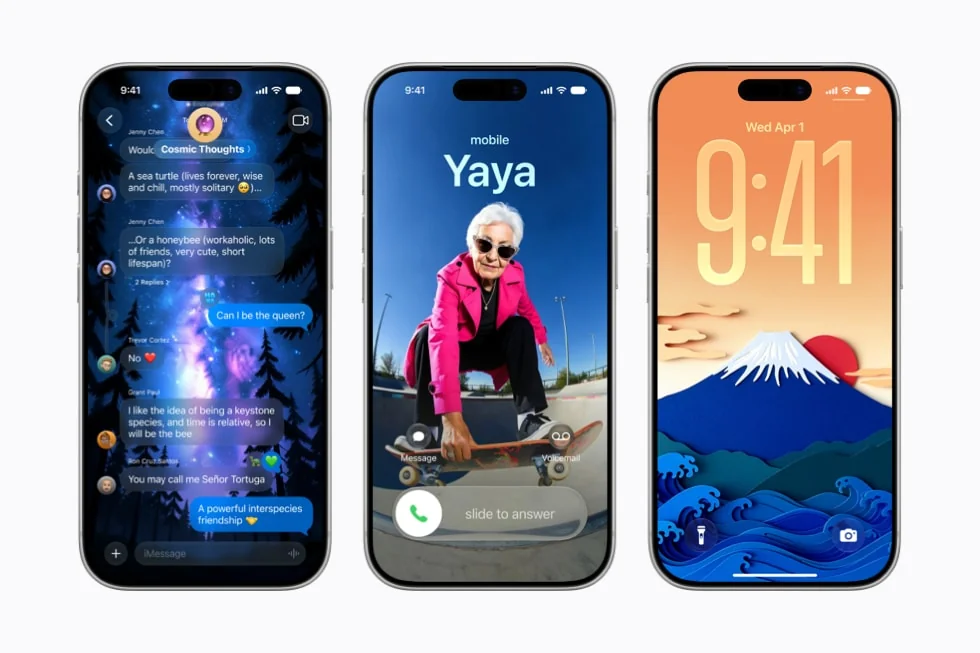
A rebuilt, photorealistic Image Playground. The image model moved to Private Cloud Compute and can now produce far more realistic images, plus personalized outputs like Lock Screen wallpapers and Contact Posters. Every AI-edited or generated image carries a hidden SynthID watermark, Apple's nod to the "is this real?" problem.
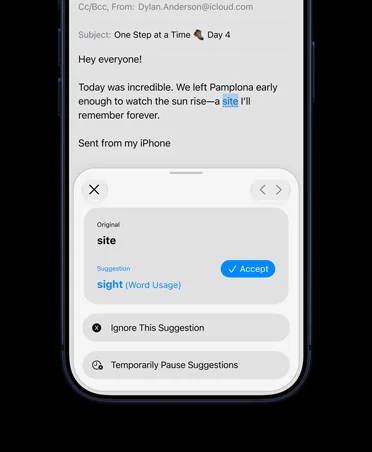
Write with Siri. Generative writing tools now work almost anywhere you type, including a systemwide proofreader that catches the kind of "site" vs "sight" slip you'd never spot yourself.
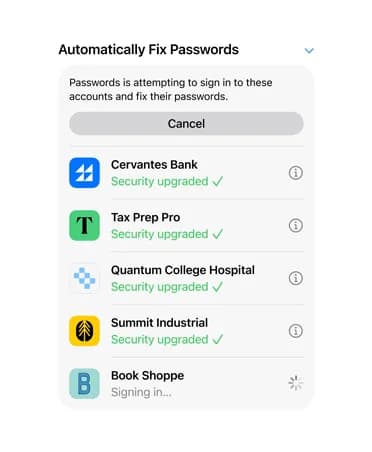
Agentic touches in Safari and Passwords. Safari can group tabs by topic and monitor a page for changes, and the Passwords app can now go fix weak or compromised passwords for you, account by account. This is the quiet start of Siri doing multi-step tasks rather than just answering, the same leap that separates a real AI agent from a rule-based chatbot.
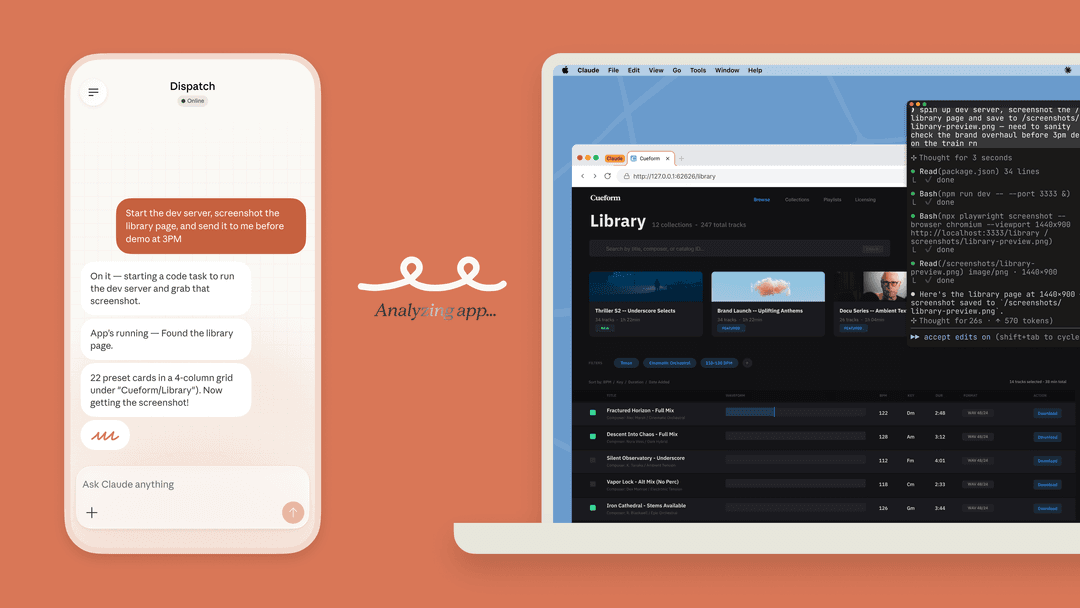
There's also a Foundation Models framework that's a genuinely big deal for developers: they can call Apple's on-device model for free (no API key, no metering) inside their own apps, and even swap in Anthropic Claude or Google models without rewriting their code. More on what that means for businesses in a moment.
The catch-up arc, and why people are skeptical
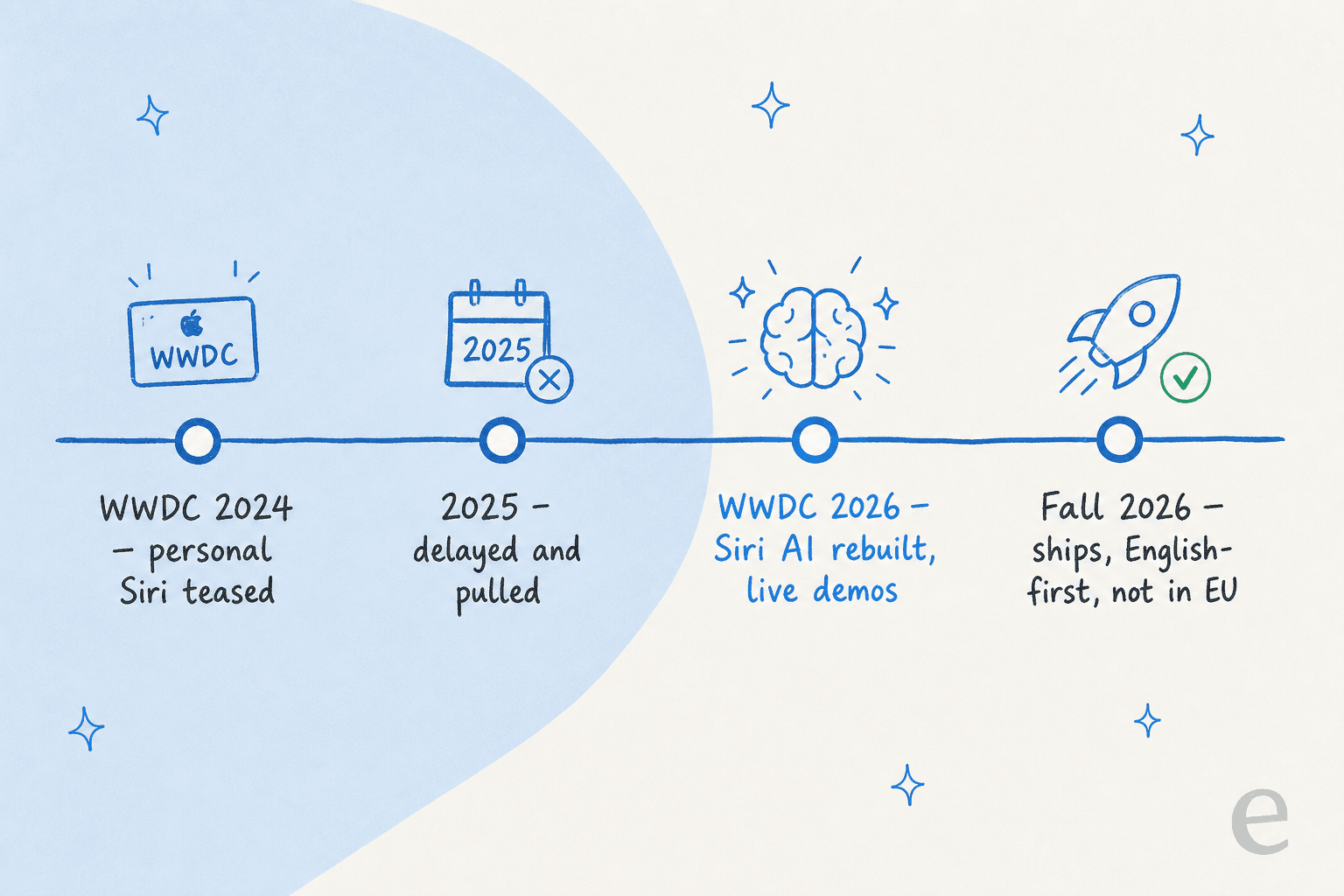
You can't understand the reaction to iOS 27 without the backstory. Apple teased a personalized Siri at WWDC 2024, then quietly pushed the features back through 2025 after they kept misfiring in testing. Gruber's March 2025 piece, where he said Apple's credibility had been "damaged", is the reference point nearly every 2026 reviewer is implicitly answering.
So the mood is hope tempered by "I'll believe it when it ships." MacStories landed on a wait-and-see verdict:
"As everyone looks to see whether the proof is indeed in the Siri AI pudding, it's good to see that Apple hasn't forgotten people still want tangible improvements in the performance of their iPhones and iPads. Time – and the beta period – will tell if they are tangible enough."
There's also a privacy strand. Now that Siri can reach into your personal data, people are poking at the edges, sometimes by joking about it. One top-reacted MacRumors forum post imagined a spouse asking a partner's Siri to "show me the ring I last bought for my wife" and "which hotel I last went to with my wife." It's a gag, but it points at a real question about what a context-aware assistant exposes.
And a practical catch worth flagging: Apple confirmed Siri AI won't ship in the EU on iOS 27 and iPadOS 27 at launch, citing the Digital Markets Act. If your customers are European, a chunk of this isn't even available to them yet.
What iOS 27 AI means for businesses and support teams
This is where I'll switch hats. I've spent the last three-plus years putting AI agents on live support queues, across teams handling tens of thousands of tickets a month, so the question I actually get asked is: "Does iOS 27's Apple Intelligence change anything for my support operation?"
Short answer: not really, and it's worth being clear about why, because the marketing energy around Siri AI invites the wrong conclusion.
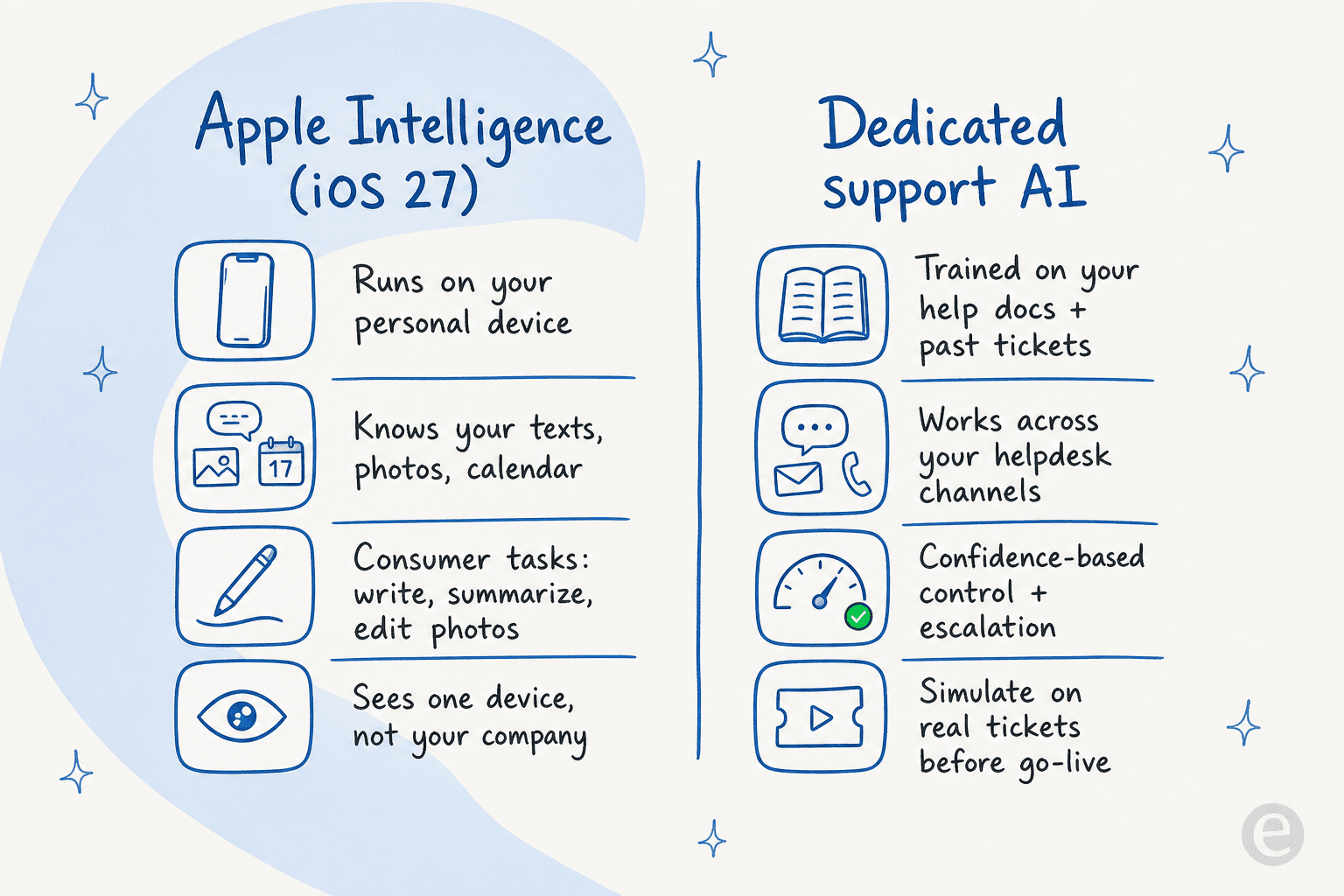
Apple Intelligence is built for one person and one device. The on-device models are small and consumer-tuned, there's no way to ingest your help center or train AI on your knowledge base, and the only retrieval on offer is a local Spotlight search over a single device's content. There's no multi-channel inbox, no confidence-based routing, no escalation to a human, and no reporting on how many tickets it deflected. Those aren't oversights, they're just not what Apple built. It's a consumer-experience and app-builder story.
Where it does touch business is the developer side. Adopting App Intents means your own app can surface in Siri, so a customer could ask Siri to act on your app's content without you building a separate chatbot. That's a real, if narrow, opportunity. But "my app shows up in Siri" is a long way from "AI resolves my support tickets."
I'll be honest about our own bias here, because nobody else volunteers it: we build an AI helpdesk agent, so of course I think a dedicated tool wins for support. But the reason holds up independently. The teams I work with keep landing on the same conclusion, which is that they don't want to stitch a consumer model into a support workflow themselves. Karel at GENERAL BYTES put the build-versus-buy call plainly:
"We could try to write our own LLM application but we didn't want to invest our time into that. We wanted something that we would not have to maintain."
That's the gap. A real AI for customer service learns from your past tickets and help docs, runs across your helpdesk, lets you control exactly which tickets it answers, and shows you the numbers. When Gridwise switched their queue over, eesel was resolving 73% of their tier-1 requests in the first month. No consumer on-device model is going to do that against your product docs, policies, and order history, and it isn't trying to.
So: enjoy the new Siri. Just don't confuse a brilliant personal assistant with a support system.
Try eesel
If the iOS 27 story made you curious about putting AI on your actual support queue, that's exactly what eesel does. It plugs into your existing helpdesk (Zendesk, Freshdesk, Gorgias, Front, and more), learns from your past tickets and help docs on day one, and lets you simulate the AI against your real ticket history before it ever replies to a customer, so you can see the deflection rate up front instead of guessing.

Unlike a consumer assistant, you stay in control: you decide which ticket types it handles, where it escalates, and how it sounds, with reporting on everything it touches. You can start a free trial and have it drafting answers from your own knowledge in minutes.
Frequently Asked Questions
What is Apple Intelligence in iOS 27?
Which iPhones support Apple Intelligence in iOS 27?
Is Apple Intelligence in iOS 27 powered by Google Gemini?
Is Apple Intelligence free in iOS 27?
Can Apple Intelligence in iOS 27 handle customer support?


Article by
Alicia Kirana Utomo
Kira is a writer at eesel AI with a Computer Science background and over a year of hands-on experience evaluating AI-powered customer service tools. She focuses on breaking down how helpdesk platforms and AI agents actually work so that support teams can make better buying decisions.