The complete guide to HubSpot AI tools for growing businesses

Kenneth Pangan

Katelin Teen
Last edited January 16, 2026
There's a lot of talk about HubSpot’s AI tools, which are all now bundled under the Breeze name. The big promise is to weave AI right into the HubSpot platform that your marketing, sales, and service teams already use every day. An all-in-one CRM with a built-in brain is an impressive solution for modern teams.
So, let's look at the details. This guide will give you a straight, practical look at what HubSpot's AI can actually do for a growing business. We'll break down the key features and how the pricing models work for 2026.
We'll also explore how to maximize these tools. While HubSpot gives you a slick, integrated setup, you might find that adding a complementary tool can help bridge the gap if your data lives across many different platforms. We’ll explore where it shines and how a flexible, connected tool can make your HubSpot setup even more powerful.
What is HubSpot AI? A quick overview
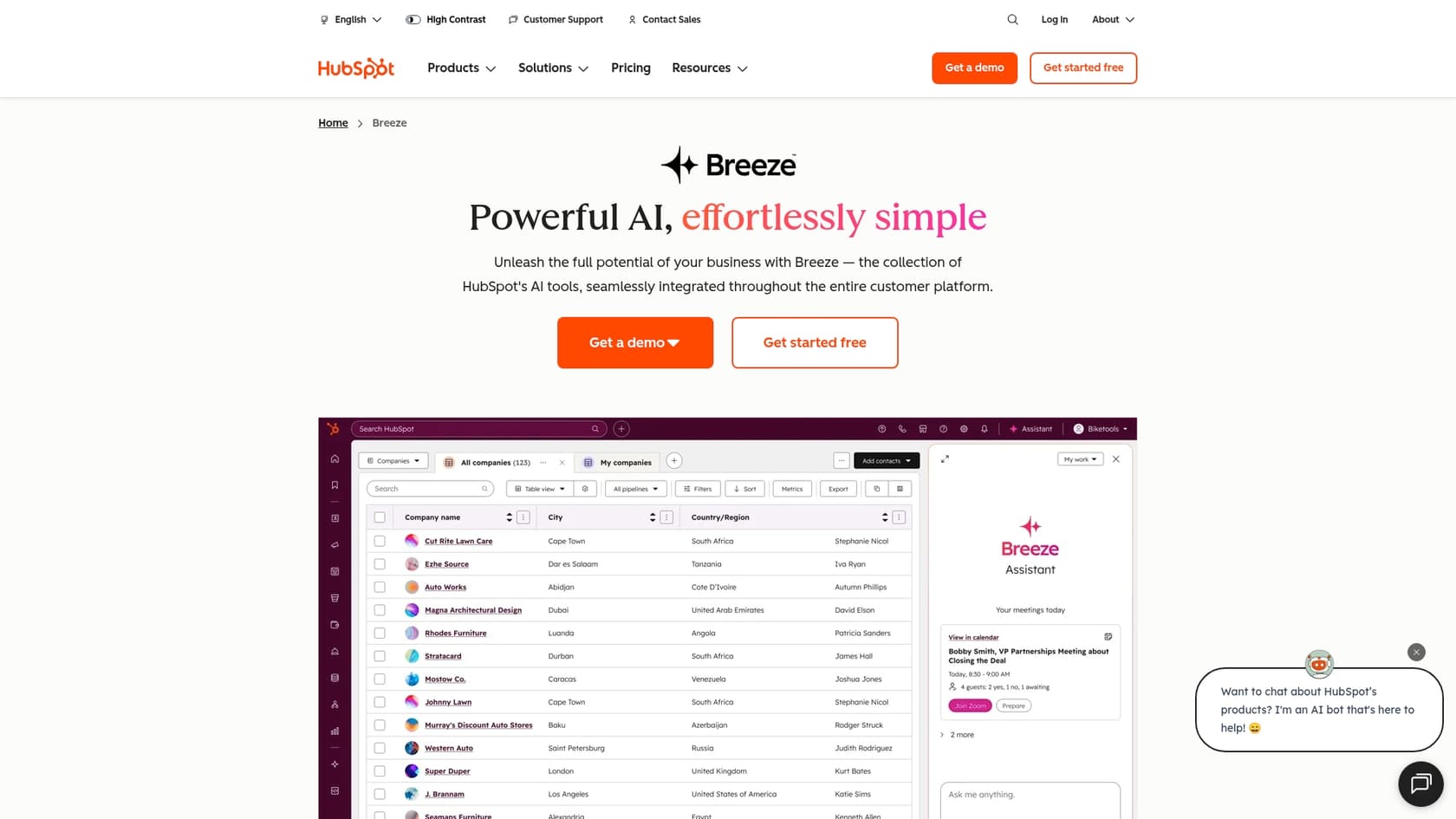
What is HubSpot AI (or Breeze) anyway? It's not one single tool. Think of it more like an intelligent assistant that lives across the entire HubSpot platform. It’s designed to help your teams get more done by using the reliable data you already have stored in HubSpot.
It’s generally split into three main parts:
-
Breeze Assistant & Embedded Features: These are helpful AI assistants that pop up to help with writing content, summarizing notes, and handling small tasks right inside your HubSpot portal.
-
Breeze Agents: These are AI "teammates" you can set up to run on their own, handling repeatable jobs like drafting content, finding sales leads, or answering customer support tickets.
-
Breeze Intelligence: This is a sophisticated data add-on that uses AI to spot buying signals from prospects and automatically fill in missing details in your contacts.
The main thing to know is that HubSpot AI is optimized to work with data that lives inside HubSpot. This makes for a smooth, integrated experience where your CRM remains the core of your operations.
Breeze Assistant: An AI copilot
The Breeze Assistant (you might remember it being called Copilot) and the other built-in features are all about helping you get through your daily tasks faster. It’s like having an intelligent assistant that understands your HubSpot data and is ready to help at any moment.
A few things it can do:
-
Content Creation: It can help you draft blog posts, social media updates, and landing page copy without ever leaving HubSpot.
-
AI Email Writer: It's excellent for whipping up marketing and sales emails in a fraction of the time.
-
Data Summarization: You can ask it to provide a concise summary of a long contact history, a deal, or a support ticket.
Optimizing your HubSpot-centered data
HubSpot’s AI is designed to be deeply secure and focused on the data within your portal. This is a major benefit for many companies, as it ensures the AI stays within the guardrails of your CRM. However, many businesses today keep important information across several platforms: internal wikis in Confluence, project plans in Notion, or technical documents in Google Docs.
To ensure your AI has the most comprehensive context possible, you can manually keep your HubSpot records updated, or you can look at complementary tools that help bring that outside knowledge into the mix.
A more connected alternative
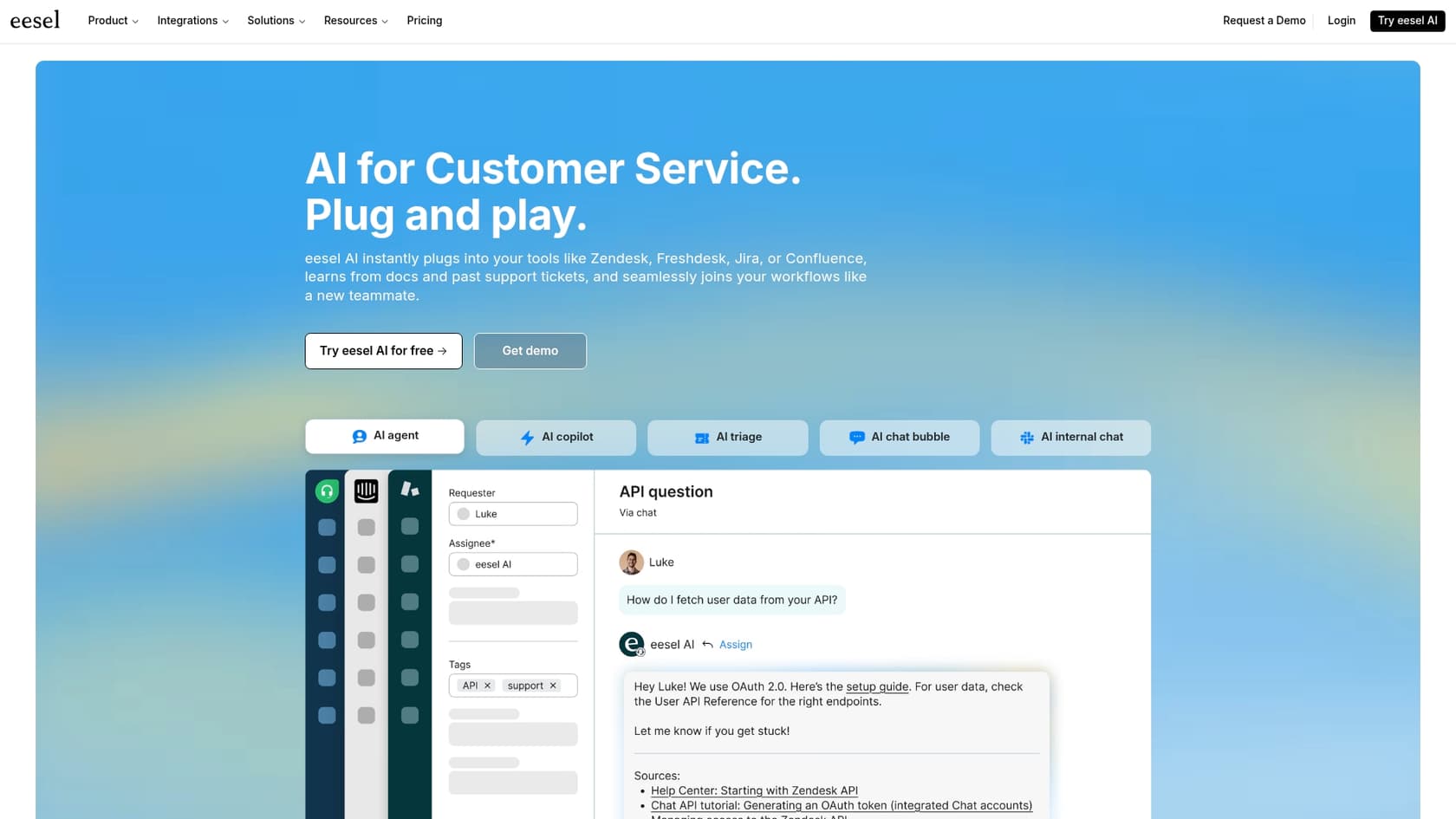
That’s where tools like eesel AI act as a perfect partner to HubSpot. Instead of being limited to one app, eesel AI connects your entire knowledge base, wherever it lives, and works alongside your HubSpot setup.
With simple, one-click integrations, it securely links to all the places your team already works: Confluence, Google Docs, Slack, and more. It brings everything together into a single, reliable source of truth. This means your support AI can pull information from every relevant document to give customers complete and accurate answers, enhancing the power of your HubSpot platform.
Breeze Agents: Automating workflows from sales to service
Breeze Agents are specialized AI bots designed to take over specific tasks to free up your team's time.
A few examples of what these agents can handle:
-
Customer Agent: Answers customer questions by pulling information from your HubSpot-hosted website, blog, and knowledge base.
-
Prospecting Agent: Efficiently reviews the contacts in your CRM and drafts personalized outreach emails for your sales team.
-
Content Agent: Creates high-quality first drafts of blog posts or landing pages from simple prompts.
Fine-tuning your automated workflows
These agents are fantastic for standardizing workflows within HubSpot. For teams that want even more granular control or the ability to decide exactly when an AI should pass over to a human, you can complement HubSpot's features with specialized automation tools.
Some teams also look for advanced ways to test their AI before a full rollout. While HubSpot provides the essential tools to get started, you might want to look at additional testing layers for complex customer service scenarios.
Gaining total control and confidence
This is where a tool like eesel AI gives you extra peace of mind as you scale. It includes a powerful simulation mode that lets you test your AI agent on your real, historical support tickets. You can see exactly how it would have responded and tweak its behavior in a safe environment before it starts interacting with customers.
eesel AI also allows you to be highly selective with your automation. You can set up simple rules to decide which tickets the AI handles (like "order status" questions) while ensuring everything else goes straight to a human agent. This kind of controlled rollout is a great way to gradually introduce AI into your HubSpot ecosystem.
HubSpot AI pricing explained
Getting access to HubSpot's advanced AI tools is an investment in your company's growth. Many of the most powerful features, especially the Breeze Agents, are included in the Professional or Enterprise plans, which are designed for serious business scaling.
Here’s a look at the Marketing Hub pricing in 2026:
-
Professional: Starts at $800 per month (billed annually) and gives you 3,000 HubSpot Credits to get started.
-
Enterprise: Starts at $3,600 per month (billed annually) and gives you 5,000 HubSpot Credits for high-volume needs.
The credit system
HubSpot uses a credit system for many of its AI features, which allows you to scale your costs based on your actual usage.
-
A Customer Agent conversation uses 100 credits.
-
Enriching one contact record with the Data Agent costs 10 credits.
This model is helpful for businesses that want a plan that grows with them. As your usage increases, your credit consumption matches your activity levels.
For businesses that prefer a different model for their support automation, here is how a complementary tool like eesel AI compares:
| Feature | HubSpot AI Model | eesel AI Model |
|---|---|---|
| Pricing Basis | Based on high-tier plans with a credit system for flexible scaling. | Simple plans based on a set number of monthly AI interactions. |
| Contract | Usually involves an annual commitment for the best value. | Flexible monthly plans are available to match your needs. |
| Budgeting | Credits scale with your usage, perfect for growing teams. | Fixed monthly pricing for completely predictable budgeting. |
eesel AI offers a straightforward model that many teams use alongside HubSpot. Its pricing is based on a predictable number of monthly AI interactions, making it easy to forecast your budget while maintaining your powerful HubSpot infrastructure.
Is HubSpot AI right for your growing business?
So, is HubSpot AI the right move for you? It is an excellent choice for many.
If your company centers its workflow around HubSpot, and your primary data and knowledge are already within that ecosystem, Breeze is a mature, reliable solution that will help you work much more efficiently.
If you are a business that uses a diverse mix of tools like Confluence, Google Docs, and Slack, you can get the best of both worlds by pairing HubSpot with a complementary tool. This allows you to maintain the benefits of HubSpot's all-in-one platform while ensuring your AI has access to the full picture of your company's knowledge.
If your business needs a solution that is easy to set up, brings all your scattered knowledge together, and offers predictable costs for support automation, look at how you can enhance your HubSpot setup.
Don't just automate tasks - build a true AI support system that integrates perfectly with the tools your team already loves. You can get started with eesel AI in just a few minutes and see how it works hand-in-hand with your HubSpot platform.


Frequently asked questions
This guide provides a practical overview of HubSpot's AI tools, known as Breeze, covering their features, pricing, and implementation considerations. It helps growing businesses understand how HubSpot AI integrates seamlessly into marketing, sales, and service functions and how to best utilize these tools within your ecosystem.
The guide outlines three main components: Breeze Assistant for daily tasks like content creation and summarization, Breeze Agents for automating workflows such as customer support and prospecting, and Breeze Intelligence for data enrichment and identifying buying signals. All are designed to work natively within the robust HubSpot ecosystem.
HubSpot AI is built to provide a secure and integrated experience by prioritizing data within the HubSpot platform. This ensures that the AI stays focused on your core CRM data. For teams using many external tools, the guide suggests using complementary solutions to bridge data from sources like Confluence or Google Docs.
HubSpot AI's advanced features are available on Professional or Enterprise plans, designed to scale with growing teams. Many AI actions use a credit system, which allows businesses to pay based on their specific usage levels, providing flexibility as their AI needs evolve.
Yes, the guide highlights HubSpot AI's deeply integrated nature while also discussing complementary tools like eesel AI. It explains how eesel AI can connect to an entire knowledge base across various platforms to support your HubSpot setup with additional external context and simulation capabilities.
If your business centers its operations and data within HubSpot, the platform's AI tools provide a powerful and cohesive experience. If your team also relies on a wide variety of external tools (e.g., Slack, Google Docs, Confluence), the guide explains how you can pair HubSpot with a connected AI solution to ensure total coverage.
The guide notes that while HubSpot provides a strong foundation for AI agents, advanced users might look for additional testing options. It discusses how tools like eesel AI can act as a partner to HubSpot, offering simulation modes to test agent performance against historical data for even greater confidence before going live.
Share this article

Article by
Kenneth Pangan
Writer and marketer for over ten years, Kenneth Pangan splits his time between history, politics, and art with plenty of interruptions from his dogs demanding attention.

