

Let's be honest, customer expectations are sky-high these days. People want instant answers around the clock, and businesses using Salesforce are turning to chatbots to keep up. But here's the catch: while a chatbot promises to handle tickets and make things more efficient, a clunky one just creates frustrated customers and more work for your agents. It’s a great idea that can easily go wrong.
This guide will walk you through the essential Salesforce chatbot best practices, from the initial planning stages to a successful launch. We'll cover what it takes to get started with Salesforce’s own tools, point out the common headaches you'll likely run into, and show you a more flexible, modern way to get real automation working for your support team.
What is a Salesforce chatbot?
When people talk about a "Salesforce chatbot," they’re usually referring to Einstein Bots, the native AI tool built right into the Salesforce ecosystem. You'll typically find them working within Service Cloud.
At its heart, an Einstein Bot uses Natural Language Processing (NLP) to figure out what a customer is asking. It then digs through your company's data, mostly your Salesforce Knowledge base, to find an answer. The main idea is to automate replies to common questions, handle simple tasks like checking an order status, and pass more complicated problems to a human agent, all within the Salesforce environment. It's a powerful concept, but its success completely depends on how well you feed and maintain it.
Key features of Salesforce's native chatbot ecosystem
Before we get into the best practices, it helps to know what you're working with. The native Salesforce chatbot has a few core features that define how it works and where its strengths lie.
Deep integration with Salesforce data
The biggest perk of using Einstein Bots is their direct line to your CRM data. This isn't some third-party tool trying to connect from the outside; it’s part of the furniture.
For instance, a bot can greet a logged-in customer by name, pull up their case history, or find their contact info without any complicated custom setups. This ability to tap straight into customer data is key to creating the kind of personalized, in-context conversations that people now expect.
Reliance on Salesforce Knowledge as the source of truth
Think of your Salesforce Knowledge base as the brain of your Einstein Bot. The quality and accuracy of your bot's answers are almost entirely dependent on the quality of those knowledge articles. If the information isn't in your knowledge base, the bot simply can't help.
This heavy reliance is both a strength and a weakness. It's great for consistency if your knowledge base is perfectly up-to-date. But it becomes a real problem if your team's most current, useful information is stored somewhere else, which, as we all know, happens a lot.
Conversational flows using dialogs and intents
Building a bot in Salesforce means you'll be working with a few key pieces. According to Salesforce's own Trailhead guides, these are the main building blocks:
-
Dialogs: These are the little scripts that control what the bot says and does at each step of the conversation.
-
Intents: This is what the customer wants to achieve, like "check order status" or "reset my password."
-
Entities: These are the specific details the bot needs to grab to fulfill the intent, like an order number or an email address.
You'll use these components to map out the conversational journey, which is a huge part of getting any chatbot right.

Multi-channel deployment
Once your bot is built, you can roll it out across the different channels your customers use, whether that’s your company website, a mobile app, or messaging platforms. The goal is to offer a consistent support experience no matter where the customer starts the chat. This flexibility helps you meet customers where they are, which is a cornerstone of good customer service today.
Implementing Salesforce chatbot best practices
Alright, let's get to the good stuff. Making a chatbot work well in Salesforce isn't about flipping a switch. It's about being thoughtful and strategic. Here are the core practices you need to follow.
Define clear goals and start with high-volume tasks
Don't try to build a bot that can do everything on day one. That's a recipe for a complicated, clunky tool that helps no one. Instead, take a look at your customer service data in Salesforce and find the top 3-5 questions your agents are answering over and over again.
The best move is to start small. Focus on simple, high-impact tasks like "Where is my order?" or "How do I reset my password?" This approach, which even Salesforce's own documentation recommends, gets you a quick win, provides immediate value, and lets your team learn before tackling anything more complex.
Build and maintain a pristine knowledge base
Okay, this is the big one, and you can't skip it. Your bot is only as smart as the information you feed it. If your Salesforce Knowledge base is out-of-date, incomplete, or just plain wrong, your bot will be too.
You need a process for regularly reviewing and updating your articles. Use feedback from your agents and data from resolved cases to find gaps in your knowledge. But this brings up a very common problem: it requires a serious, ongoing commitment to keeping Salesforce Knowledge as the one and only source of truth. That’s a tough ask when your internal experts are used to writing things down in other places like Confluence or Google Docs.
Design intuitive conversations with a human handoff
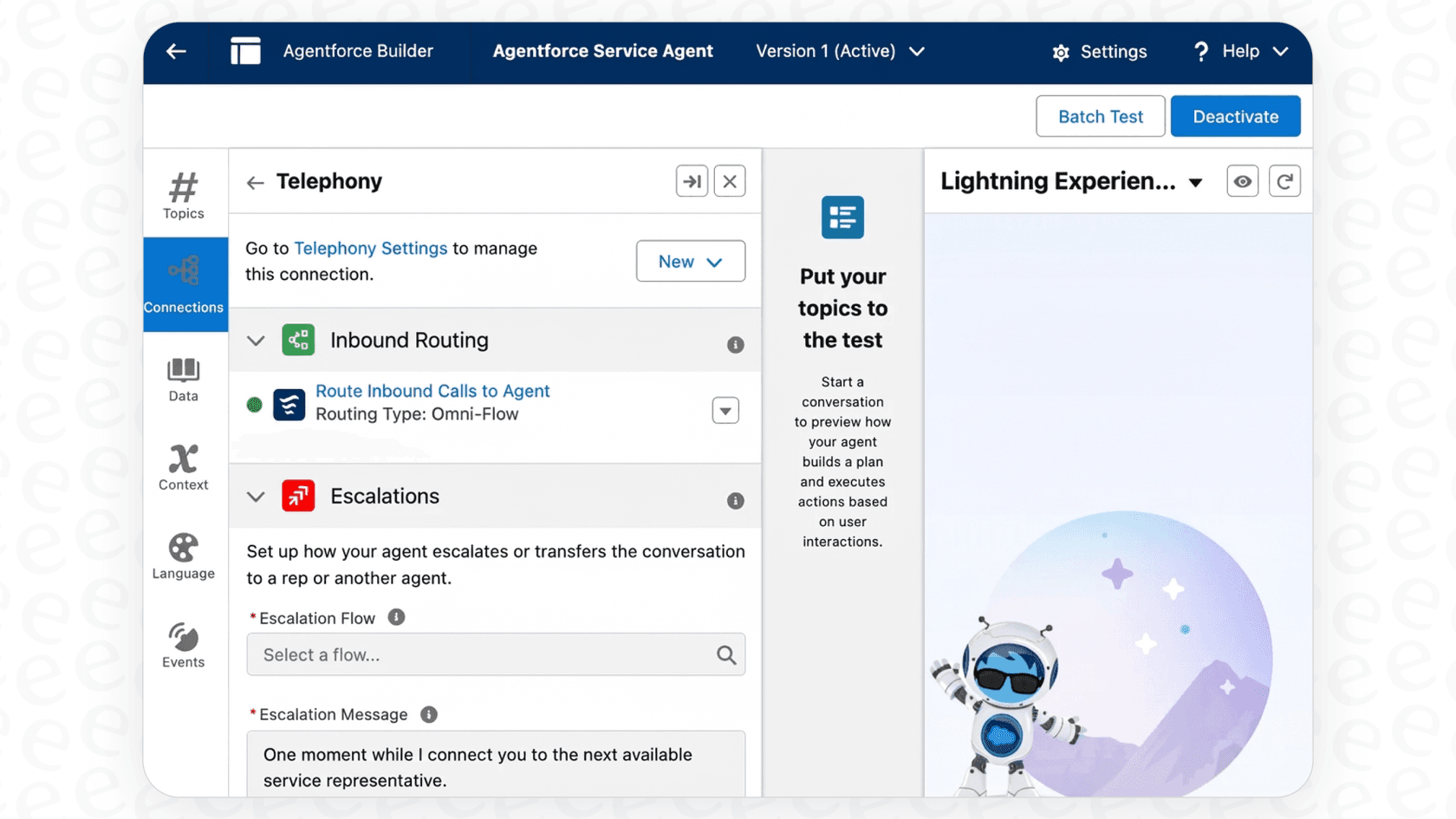
A chatbot should feel like a helpful assistant, not a brick wall. A customer should never get stuck in a loop they can't escape.
Always, always provide a clear and easy way to "talk to an agent." This is a non-negotiable part of good conversational design. Map out your conversation paths so they make logical sense. While it’s fun to think about your bot’s personality and tone, it’s just as important to be upfront that it is a bot. This helps manage expectations and keeps people from getting annoyed when it can't handle a tricky request.
Test thoroughly and monitor performance
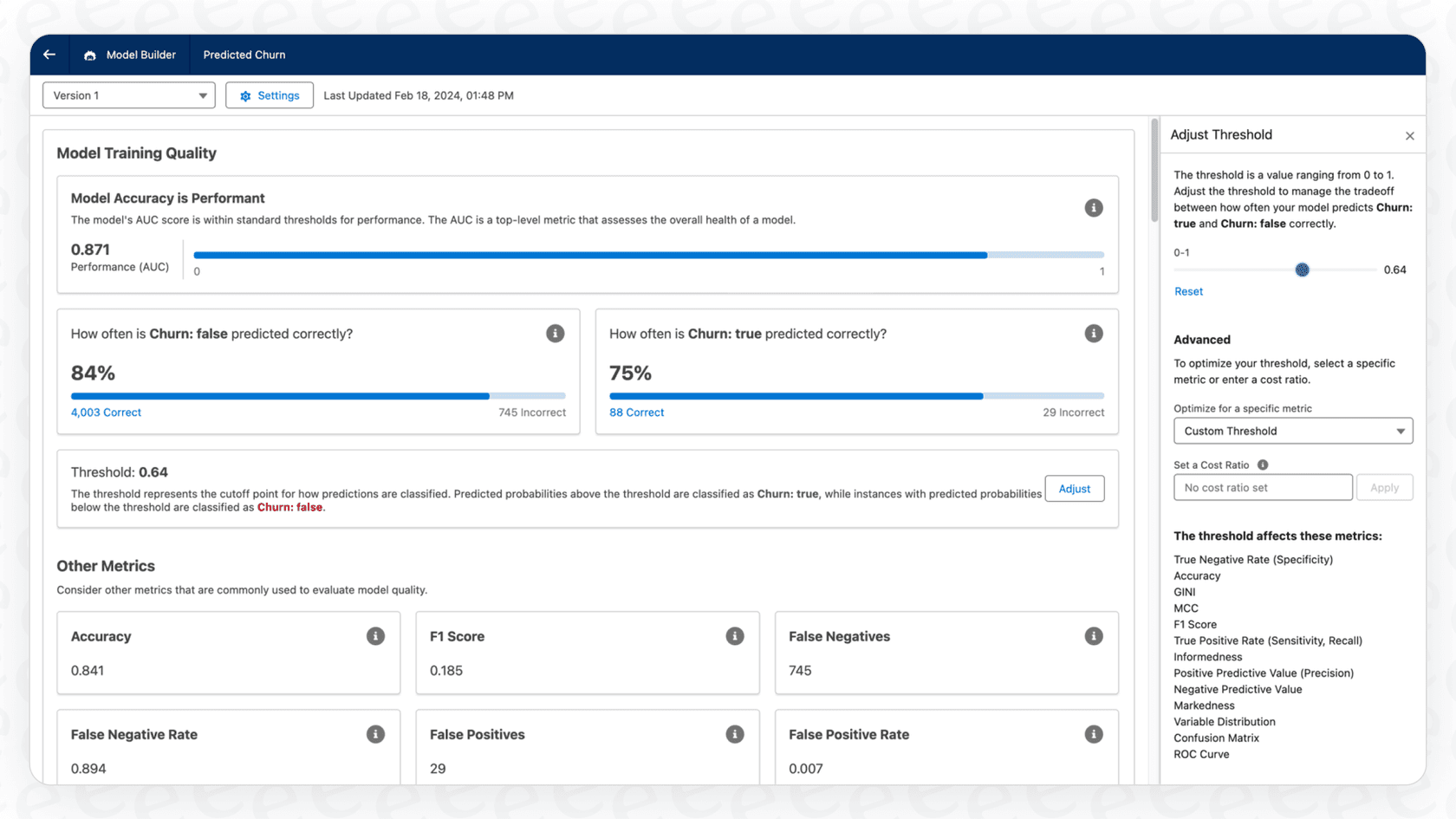
Before you unleash your bot on real customers, have your internal teams try to break it. Encourage them to ask weird questions, find confusing answers, and identify dead ends in the conversation.
Once it's live, use Salesforce's reporting tools to keep an eye on key numbers like deflection rate (how many issues the bot solves on its own) and customer satisfaction. This data gives you a good overview, but you'll need to dig in to understand the why behind the numbers. Which questions is the bot fumbling? Where are customers giving up? Constant monitoring and tweaking are part of the deal.
Common challenges when implementing Salesforce chatbot best practices
While Einstein Bots are powerful, teams often hit a few common roadblocks. Being aware of these is the first step toward finding a better way forward.
Complex and time-consuming implementation
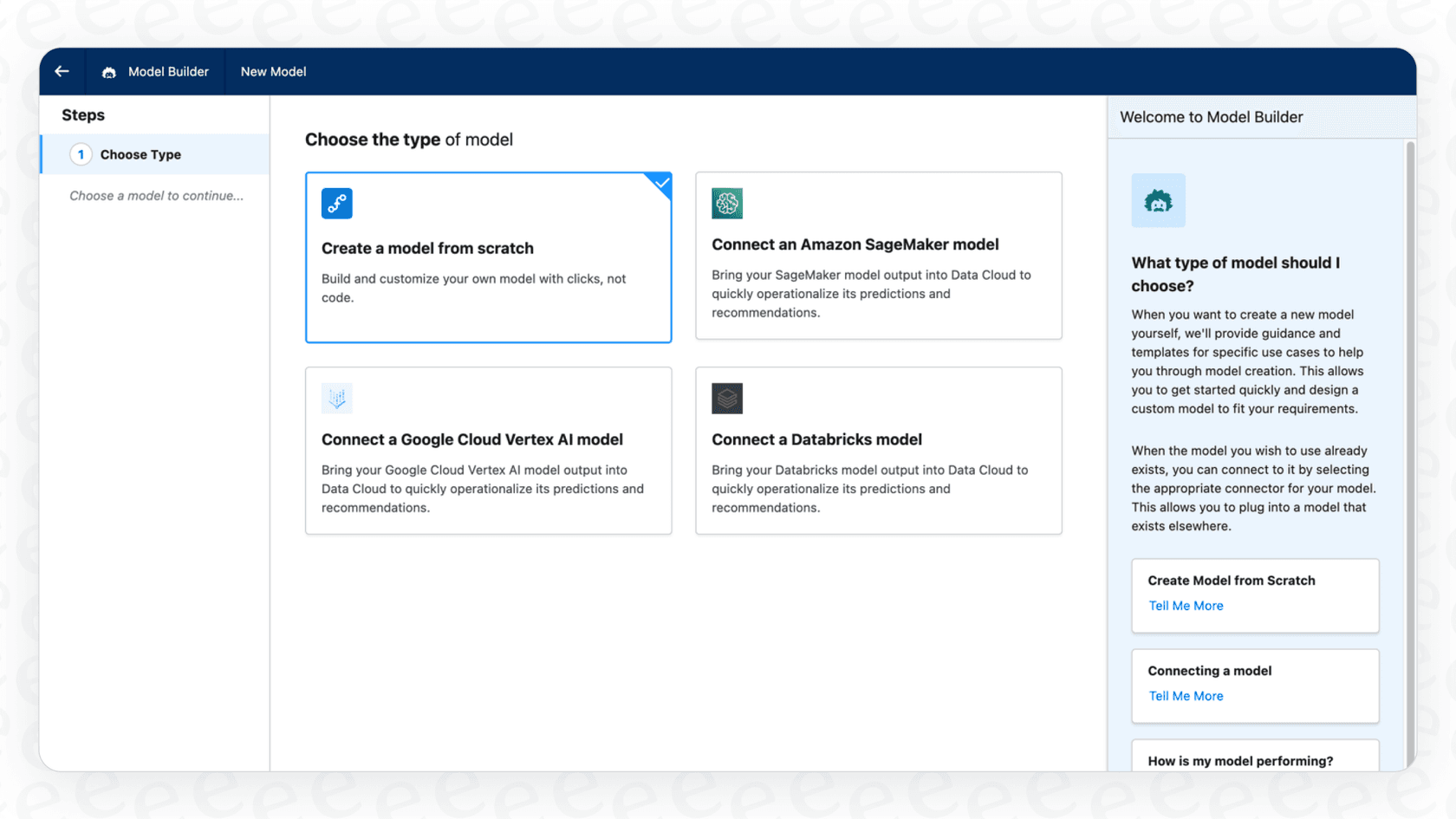
Setting up an Einstein Bot is not a one-click affair. It has a steep learning curve and requires a lot of time and resources. The official documentation is massive (think dense PDFs and developer guides), and you'll almost certainly need a dedicated Salesforce admin, or even a developer, to handle custom integrations. This isn't a weekend project; it's a full-blown implementation that can easily stretch for weeks or months.
Siloed knowledge
This is probably the biggest headache. For many teams, the most valuable and up-to-date information isn't neatly filed away in Salesforce Knowledge. It's scattered across internal wikis like Confluence, shared drives full of Google Docs, and never-ending threads in Slack.
The native Salesforce bot just can't get to this external knowledge easily. This leaves you with a tough choice: either spend a ton of time moving all that information into Salesforce Knowledge, or just accept that your bot will only know a fraction of what it needs to be truly helpful.
Rigid automation and limited actions
Einstein Bots can do things within Salesforce, like creating a case or updating a contact record. But they start to struggle when you need them to talk to external systems. Want to trigger a workflow in another tool or perform a complex, multi-step action? You'll likely need custom development with Apex code. This creates a bottleneck, limits what your bot can actually resolve, and makes you dependent on developers for small changes.
A better approach: Using a dedicated AI layer with Salesforce
Instead of trying to force everything into a closed ecosystem, a more modern and practical approach is to use a dedicated AI layer that works with Salesforce to fix these problems. This is where an eesel AI Agent can make a huge difference.
Go live in minutes, not months
Forget about long implementation projects and mandatory sales calls. eesel AI is a self-serve platform where you can connect your helpdesk and knowledge sources in just a few clicks. You can get a powerful eesel AI Agent up and running with your existing Salesforce setup in minutes. It’s built to be flexible and integrate smoothly, so you can start seeing results right away.
Unify all your knowledge, wherever it lives
This is where things get really interesting. eesel AI instantly connects with dozens of knowledge sources, not just Salesforce. It can tap into your Confluence spaces, pull from Google Docs, read your Notion pages, and even learn from your team's past support tickets and conversations.
This means your AI agent is trained on all of your company's knowledge from day one, which leads to much more accurate and complete answers without forcing you to tackle a massive data migration.
| Feature | Salesforce Einstein Bot | eesel AI Agent |
|---|---|---|
| Primary Knowledge Source | Salesforce Knowledge | All sources (Confluence, GDocs, Zendesk, past tickets, etc.) |
| Setup Time | Weeks to Months | Minutes to Hours |
| Custom Actions | Requires Apex/developer work | No-code setup for many actions, plus flexible API calls |
| Pre-launch Testing | Manual testing | Automated simulation on thousands of past tickets |
Test with confidence using powerful simulations
One of the most stressful parts of launching a chatbot is the fear of the unknown. How will it actually perform? eesel AI solves this with its simulation mode. You can test your AI Agent on thousands of your past support tickets in a safe environment. This gives you an accurate preview of its resolution rate and lets you see exactly how it would have answered real customer questions before it ever talks to a single customer. It’s a risk-free way to build, test, and launch with confidence.
A summary of Salesforce chatbot best practices
Following Salesforce chatbot best practices is key to improving your customer service. While native tools like Einstein Bots offer tight integration with your CRM, they often bring challenges like complex setups, developer dependency, and a strict reliance on a single knowledge source.
A more modern, flexible approach is to use a dedicated AI layer that plugs into your existing tools without a painful migration. This lets you bring all your scattered knowledge together, launch faster, and automate more effectively. By adding this layer on top of your Salesforce setup, you can sidestep the common pitfalls and deliver the fast, accurate, and autonomous support your customers are looking for.
Don't let rigid tools hold your support team back. See how you can deploy a powerful AI agent over your Salesforce instance in minutes. Explore eesel AI's AI Agent today.

Frequently asked questions
Start by defining clear, achievable goals, focusing on high-volume, simple tasks that your agents frequently handle. This allows for quick wins and provides immediate value, making the initial rollout manageable and effective.
A pristine knowledge base is absolutely critical; your chatbot is only as smart as the information it's fed. Out-of-date or incomplete articles will lead to inaccurate bot responses and frustrated customers.
Yes, a clear and easy human handoff is non-negotiable for good conversational design. It ensures customers can always get help for complex issues and prevents frustration when the bot can't resolve a request.
Thoroughly test your bot with internal teams before launch to catch errors and confusing paths. Post-launch, continuously monitor key metrics like deflection rate and customer satisfaction, and iterate based on data to improve performance.
Common challenges include complex, time-consuming implementation, reliance on a single, often siloed Salesforce Knowledge base, and rigid automation requiring custom development for external system interactions. These can limit the bot's true effectiveness.
Yes, an external AI layer can significantly enhance Salesforce chatbot best practices by unifying knowledge from diverse sources beyond just Salesforce. This approach leads to faster deployment, more accurate answers, and greater automation flexibility without extensive custom development.
With native Einstein Bots, implementation can take weeks or months due to a steep learning curve and custom integration needs. However, using a dedicated AI layer like eesel can allow teams to go live and start seeing results in minutes to hours by connecting existing knowledge sources.
Share this article

Article by
Kenneth Pangan
Writer and marketer for over ten years, Kenneth Pangan splits his time between history, politics, and art with plenty of interruptions from his dogs demanding attention.
