Let's be real, AI assistants are popping up everywhere at work. They aren't just some sci-fi concept anymore; they're becoming part of the team. But as more of us start building and using these AI helpers, a new problem emerges: how do we get them to work together? How do you share a really smart, task-specific AI without everyone making their own slightly different version?
Atlassian is taking a shot at this with Rovo, its AI designed to live inside tools like Jira and Confluence. A big piece of this puzzle is Rovo Agent Sharing, which lets you pass your custom AI agents to others on your team.
This guide will walk you through what Rovo Agent Sharing is, what it’s good for, and, just as importantly, where it doesn’t quite hit the mark. We'll look at how you might actually use it, dig into its limitations, and introduce another option for teams whose work spans more than just the Atlassian suite.
What is a Rovo Agent?
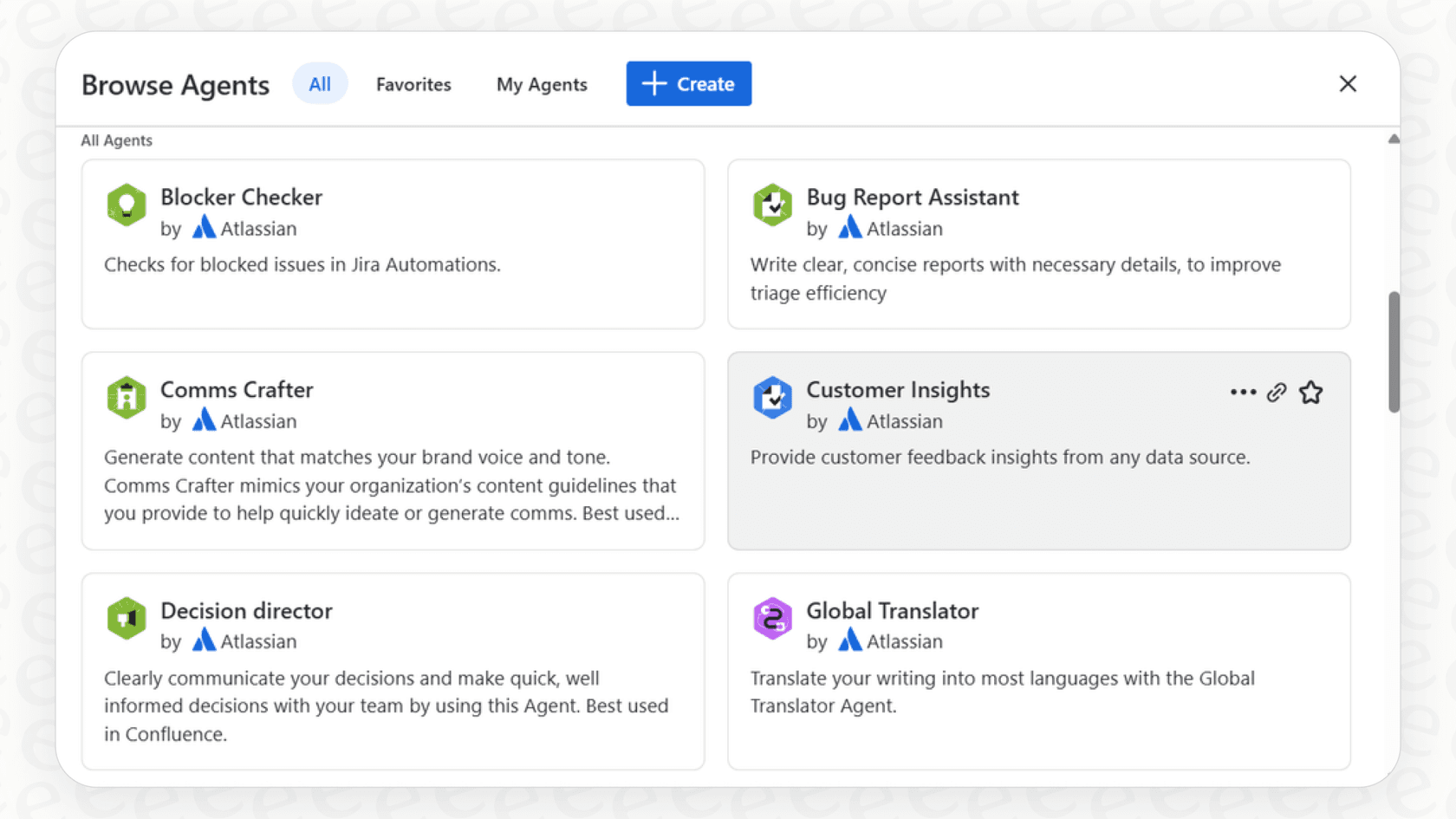
Before we get into sharing, let's quickly cover what a Rovo Agent actually is. Think of it as a custom AI helper that you build and use right inside your Atlassian tools. It’s made to handle routine tasks, answer questions using your company’s internal documents, and generally keep work moving. You can use ready-made agents or create your own to tackle very specific jobs.
These agents learn from your knowledge sources. For the most part, that means your Confluence spaces and Jira projects. They can also connect to some outside apps like Google Drive. The whole point is to create an assistant that gets the context of what your team is working on.
Once you’ve built an agent that’s genuinely helpful, like one that nails the summary of your weekly project progress, you'll want to share it so everyone else can use it too. That’s exactly what Rovo Agent Sharing is for.
How Rovo Agent Sharing works and its core use cases
Sharing a Rovo Agent is pretty simple. If you create an agent, you can generate a direct link to it. You can then paste this link in Slack, send it in an email, or share it however you normally communicate. When a teammate clicks the link, they’re taken to a fullscreen chat with that specific agent, ready to go.
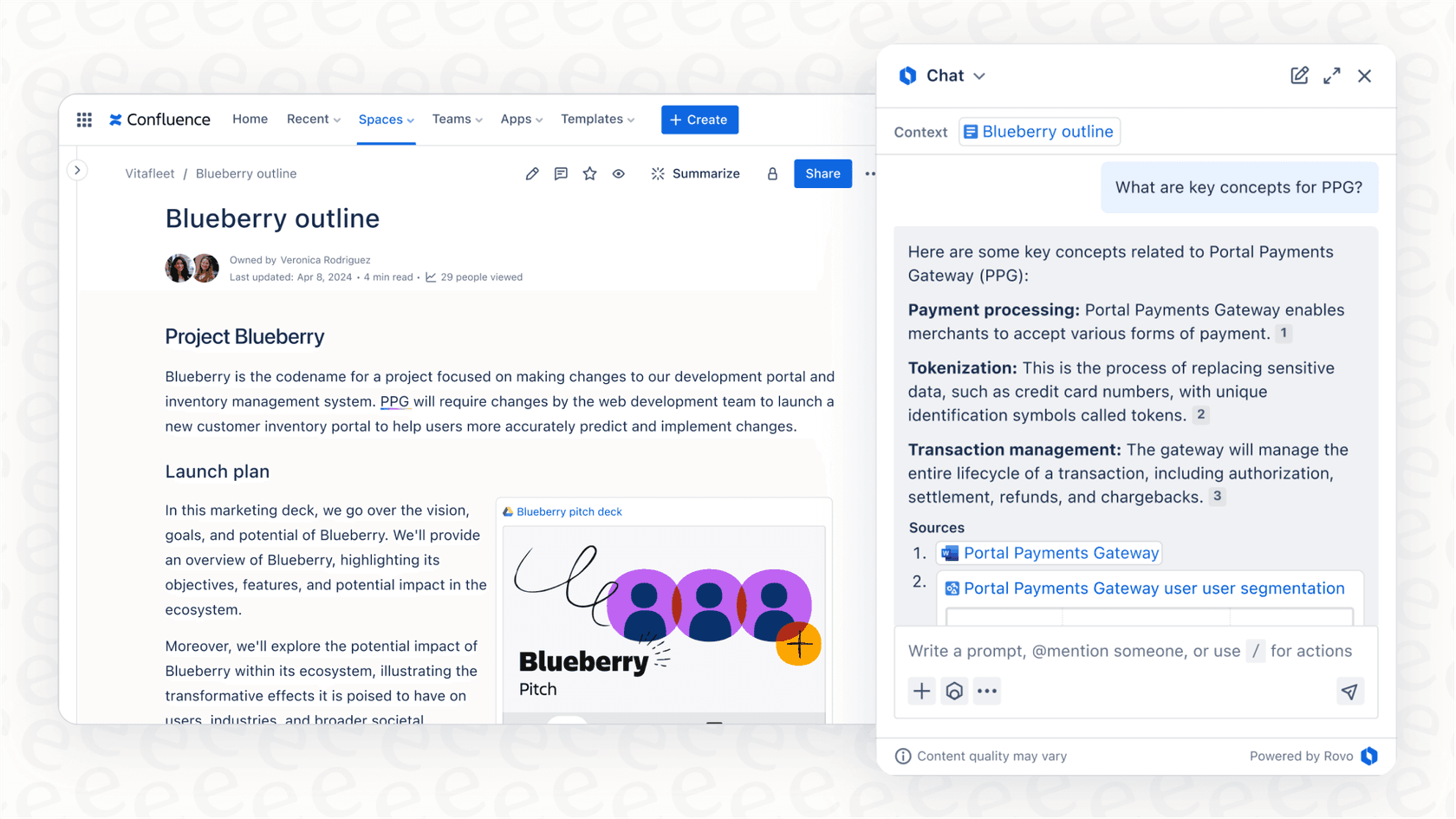
It's also worth noting that permissions are handled correctly. An agent won't show information to a user unless they already have permission to see it. If someone can't access a restricted Confluence space, the agent won’t suddenly spill its secrets.
The main reasons for Rovo Agent Sharing
This link-sharing system is useful for a few common situations inside the Atlassian world.
-
Keeping everyone on the same page: If you want your whole team to follow the exact same process for something, sharing a single agent is a great way to do it. For instance, a marketing manager could create an agent that drafts social media posts using the company’s specific tone of voice. Sharing that agent ensures every post starts from the same brand-approved template.
-
Letting an expert scale their knowledge: A subject matter expert can build a super-specialized agent and share it to help out the whole team. Picture a senior developer creating a "Bug Triage Assistant" that knows just the right questions to ask. They can share it with all the other developers, helping everyone classify new issues correctly without having to ask the senior dev every time.
-
Getting new hires up to speed, faster: Onboarding new people takes time. You can create and share agents that act as project-specific Q&A bots. A new team member could ask the agent, "What are the main goals for Project Phoenix?" or "Summarize the last sprint meeting," and get answers instantly without interrupting their colleagues.
The idea behind Rovo Agent Sharing
The goal of Rovo Agent Sharing is to centralize your AI tools and avoid "agent sprawl." That’s what happens when five different people create five slightly different versions of a "Meeting Summarizer" agent. By standardizing on one good version, the whole team can share knowledge and work more consistently.
The limitations of Rovo Agent Sharing
For teams that do everything inside Atlassian's products, sharing agents with a link is a decent start. It's simple and it works for basic teamwork. But modern work is messy and rarely stays inside one single platform. This is where Rovo’s approach starts to show its cracks.
The biggest issue is that Rovo Agent Sharing is about sharing a chat window, not about putting a truly helpful AI assistant where your teams actually work.
It's stuck in the Atlassian bubble
Rovo Agents are built from the ground up to be part of the Atlassian world. Their main strength is how well they understand Jira issues and Confluence pages. While they can connect to a few other sources, their heart and soul is in Atlassian.
This is a huge problem for any company that uses a mix of different tools. What if your support team lives in Zendesk or Intercom? What if your main chat tool is Slack? Sharing a link that pulls people out of those apps and into a separate Rovo chat is clunky. It adds an extra step instead of making things easier.
You can't use it where your team works
Building on that last point, you can't really set up a Rovo Agent to work in other platforms. You can't, for example, have your "Bug Triage Assistant" work directly inside a Microsoft Teams channel or act as a helper right inside your help desk software. The conversation always happens in the Rovo chat window, which someone has to open by clicking a link.
It's a one-size-fits-all share
When you share a Rovo Agent, you share one specific version. There isn't an easy way to offer different flavors of the same agent with custom knowledge or personalities for different teams.
For instance, say you have a "Project Update" agent. You might want it to use a formal tone when talking to external clients, but a casual, emoji-friendly one for internal Slack updates. With Rovo, you'd probably have to build and share two completely separate agents to do that.
This is where a more flexible platform like eesel AI really stands out. With eesel AI, you can create as many bots as you want, each with its own personality, instructions, and access to specific knowledge sources. You could have one central knowledge base but deploy two different AI agents that use it, one for formal reports and another for quick chats. It's a much more practical and manageable way to handle things than just passing around a link to a single agent.
A more flexible alternative for cross-team AI collaboration
The shortcomings of Rovo Agent Sharing point to the need for something more adaptable. Instead of just sharing a link, teams today need to build one central knowledge brain and then deploy specialized AI assistants across all their different apps. This is exactly what eesel AI was built to do.
Unify all your knowledge, not just a part of it
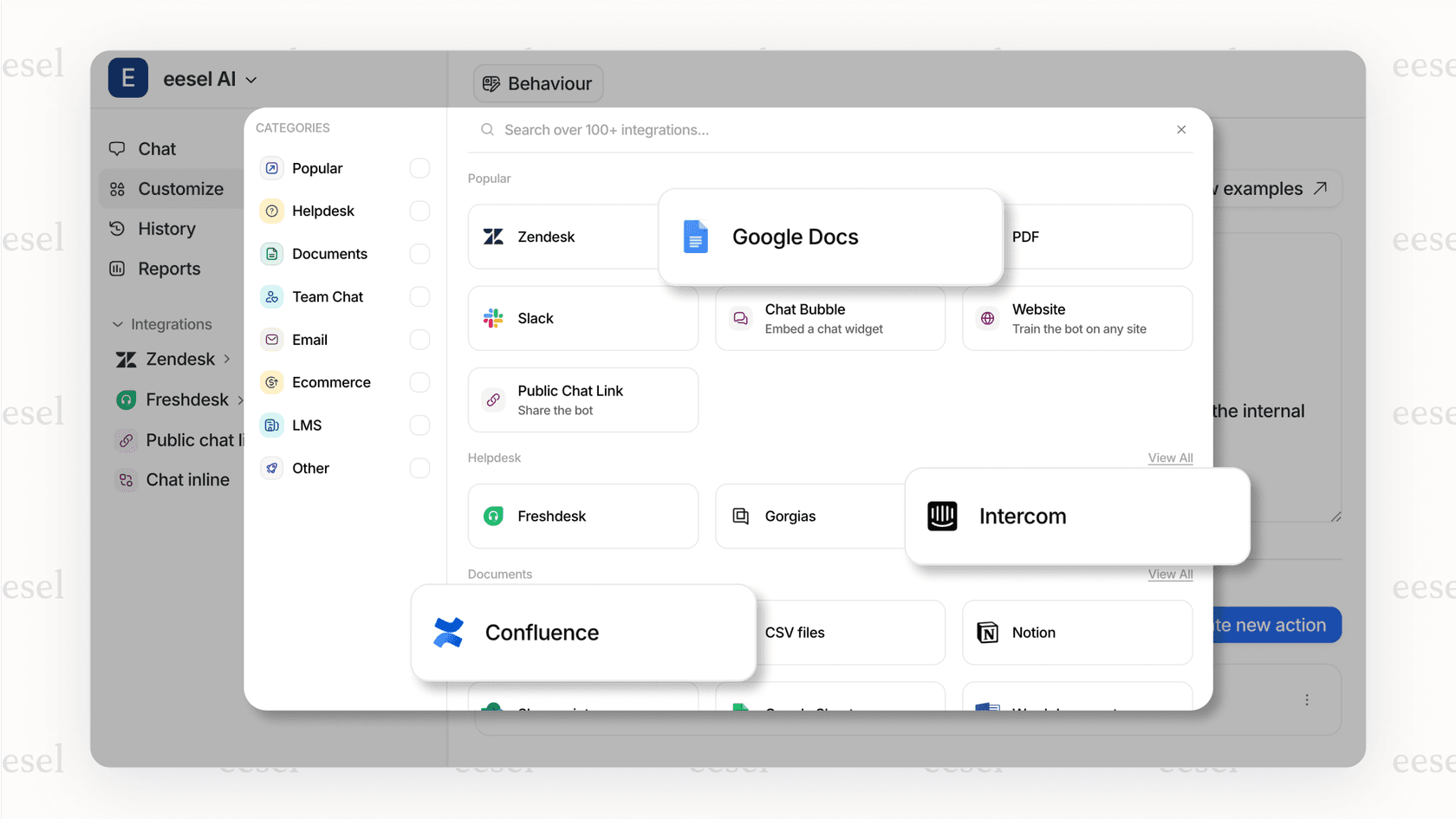
While Rovo is focused on Atlassian, eesel AI connects with over 100 sources right away. You can plug in everything from your help desk tickets (Zendesk, Freshdesk, Gorgias) and internal wikis (Confluence, Notion, Google Docs) to your company chat tools (Slack, Microsoft Teams). This creates a single, complete source of truth that powers all your AI agents, giving them the full picture of your business, not just a small piece of it.
Deploy agents with confidence using simulation
Before you share your new AI with the whole team, how do you know it’s ready? Rovo’s method basically relies on live testing, which can be risky. If the agent messes up, it can leave a bad first impression.
eesel AI has a much better way of handling this: a simulation mode. You can test your AI agent on thousands of your past support tickets or internal questions in a safe environment. The simulation shows you exactly how the agent would have replied, giving you accurate predictions on its performance, how many issues it could solve, and how much it could save you. This lets you tweak its behavior and launch new agents knowing exactly how they'll perform.

Go live in minutes with a self-serve platform
Building, testing, and tweaking a custom Rovo Agent can be a lengthy process. In contrast, eesel AI is designed to be incredibly easy to set up yourself. You can sign up, connect your help desk, add your main knowledge sources, and launch a working AI agent in just a few minutes, all without having to talk to a salesperson. It’s built to fit into your current workflows without a complicated setup process, so you can start seeing results on day one.
Rovo Agent Sharing pricing
According to Atlassian, Rovo is included at no extra cost if you're on their Premium and Enterprise Cloud plans for Jira Software, Jira Service Management, and Confluence. But there's a bit of a catch.
Usage is handled with a credit system. For example, one chat with an agent costs 10 credits. Each user gets a certain number of credits per month, and these are pooled for the whole company. While Atlassian isn't charging extra if you go over your limit right now, they've said they plan to introduce usage-based pricing in the future. This creates a lot of uncertainty for growing teams, as costs could become unpredictable and hard to budget for.
Move beyond Rovo Agent Sharing links to integrated AI collaboration
So, to wrap it all up, Rovo Agent Sharing is a decent feature for teams that are all-in on the Atlassian ecosystem. It helps keep things consistent and offers a simple way to collaborate with AI.
However, its link-based system and its focus on Atlassian's world just don't cut it for modern teams that use a bunch of different tools. Today's businesses need AI that’s built right into their workflows, not stuck in a separate tab. For companies that need a powerful, flexible, and easy-to-manage AI that works everywhere, a tool built for that reality is a must.
This is where eesel AI offers a clear path forward. It lets you build one unified brain from all your company knowledge and then deploy specialized AI agents wherever you need them, with the confidence that comes from proper testing. Ready to see what truly integrated AI collaboration looks like?
Frequently asked questions
What is Rovo Agent Sharing primarily designed for, and how does it work?
Rovo Agent Sharing allows users to distribute custom AI agents they build within Atlassian tools to their teammates. It works by generating a direct link to a specific agent, which, when clicked, opens a chat window with that agent.
What are the key benefits or main reasons for using Rovo Agent Sharing within an Atlassian environment?
Its main benefits include keeping teams on the same page by standardizing processes, allowing subject matter experts to scale their knowledge, and helping new hires get up to speed faster. The goal is to centralize AI tools and prevent "agent sprawl."
What are the biggest limitations of Rovo Agent Sharing, especially for teams that use various tools?
The primary limitations are its confinement to the Atlassian ecosystem, meaning agents cannot operate directly in other platforms like Microsoft Teams or Zendesk. It also shares a single, one-size-fits-all version of an agent, lacking flexibility for varied team needs.
Is Rovo Agent Sharing a free feature, and how does its pricing or credit system work?
Rovo is included at no extra cost for Premium and Enterprise Cloud plans for Jira Software, Jira Service Management, and Confluence. However, usage is managed by a credit system, and Atlassian plans to introduce usage-based pricing in the future, which could impact costs.
Can Rovo Agent Sharing extend beyond Atlassian tools, or is it primarily confined to that ecosystem?
Rovo Agent Sharing is largely stuck in the Atlassian bubble. While agents can connect to some external sources, their core functionality and chat interface remain within Atlassian. This means you can't embed Rovo Agents to work directly within non-Atlassian platforms.