HelpScout vs Zoho Desk: A Complete 2025 Comparison

Stevia Putri
Last edited November 21, 2025
Picking a help desk feels like a huge commitment, right? It’s the place where all your customer conversations live and the main tool your support team uses all day, every day. Get it right, and your team is efficient and happy. Get it wrong, and you're in for a world of headaches.
Two names you'll almost certainly come across are Help Scout and Zoho Desk. They're both heavy hitters, but they couldn't be more different. Help Scout is all about simplicity and a clean, user-friendly design. Zoho Desk, on the other hand, is a powerhouse of customization that plugs into the massive Zoho ecosystem.
So, how do you choose? This guide will cut through the noise. We're going to put Help Scout vs Zoho Desk head-to-head, looking at the stuff that actually matters: automation, AI, self-service features, and of course, the price tag.
Help Scout vs Zoho Desk: What is Help Scout?
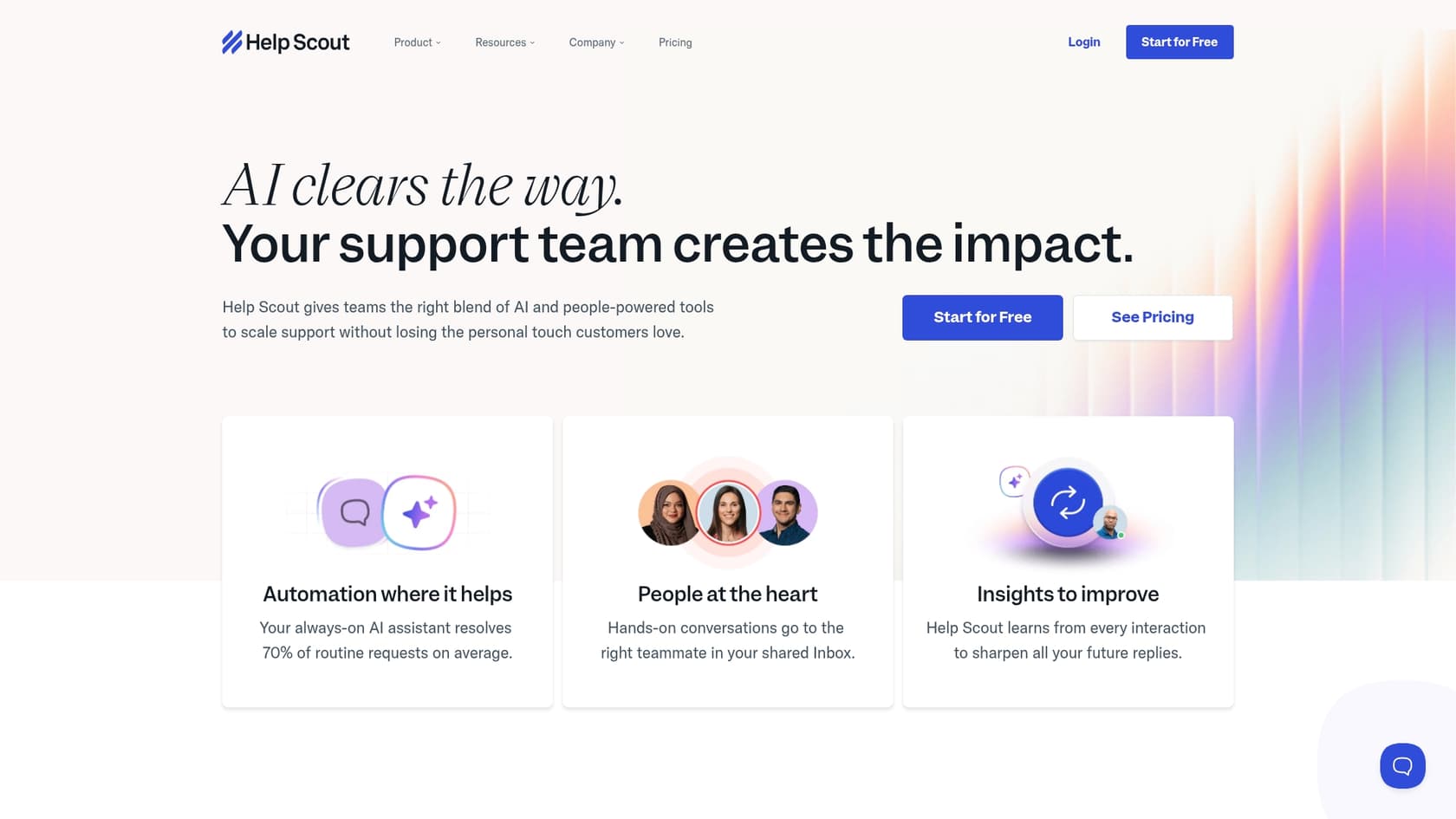
Think of Help Scout as the friendly, all-in-one mailbox for your whole team. It’s built for teams that want to offer personal, human support without getting bogged down in complicated software. It brings together your email, live chat, and phone support into one shared inbox, so nothing gets lost in the shuffle.
Alongside the inbox, you get a simple knowledge base builder called Docs and a neat little help widget called Beacon that you can pop onto your website.
What people really seem to love about it is how easy it is to get started. You can pretty much sign up and have your team running on it the same day, no lengthy training required. The whole philosophy behind Help Scout is to make customer interactions feel less like a transaction and more like a conversation. It has handy automation features, clear reporting, and a new set of AI tools to help agents out. It’s a solid favorite for small to medium-sized businesses that want something powerful but not overwhelming.
Help Scout vs Zoho Desk: What is Zoho Desk?
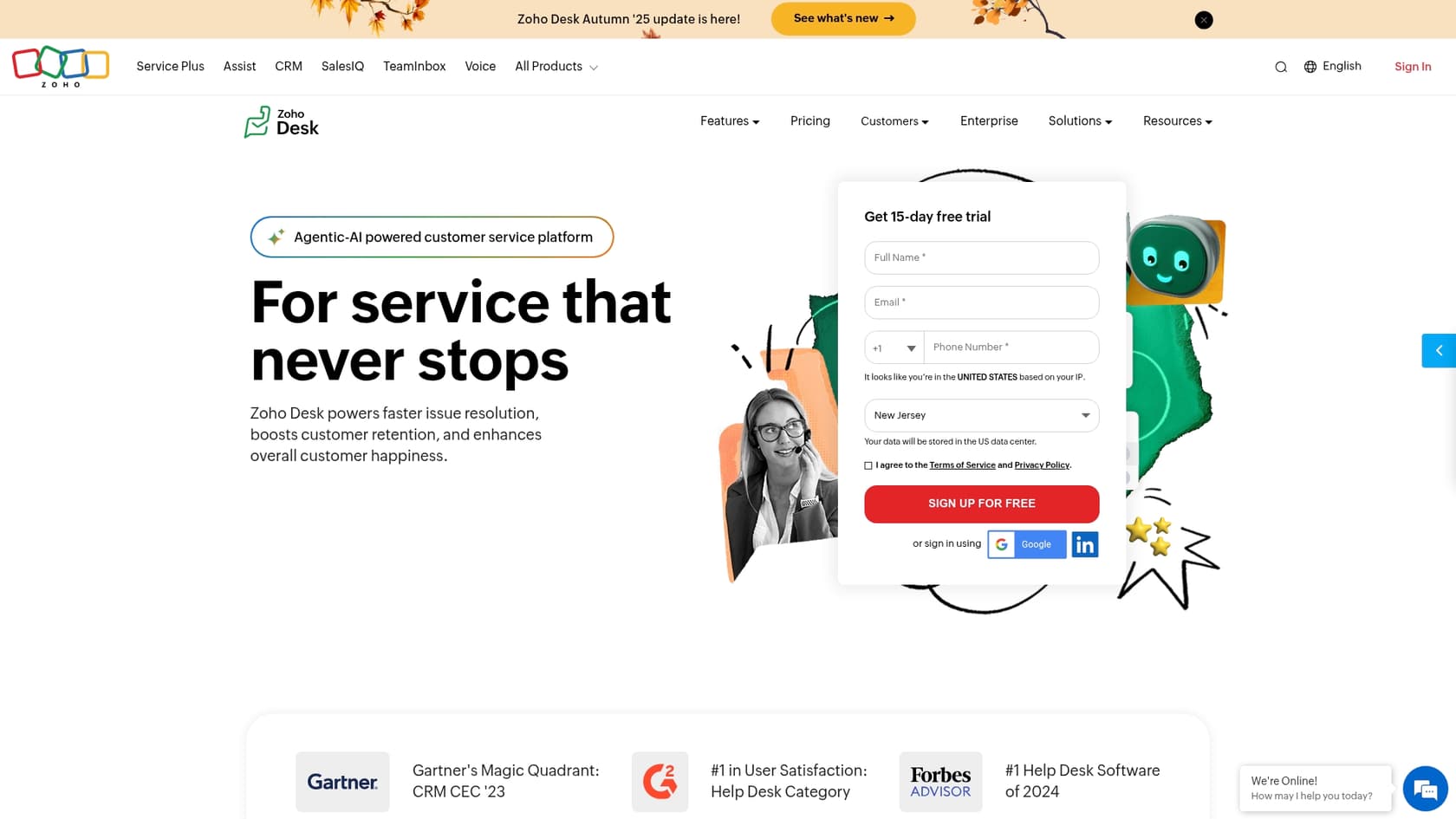
The big story with Zoho Desk is that it's part of the massive Zoho universe. If you’re already using other Zoho apps like their CRM or Analytics, Zoho Desk fits in like a puzzle piece. This deep integration is its biggest superpower.
It’s built to handle complexity. If you have multiple departments or even manage support for different brands, Zoho Desk is structured to handle that from the get-go. This thing is a tinkerer's dream. You can customize almost everything, from the look of your help center to building out complex, multi-step automation rules.
Its AI assistant, Zia, is woven into almost every part of the platform. It does things like figure out if a customer is happy or angry based on their message (sentiment analysis), automatically add tags to tickets, and power an answer bot to handle simple questions. For businesses that need a solution that can be tailored to their exact process and scale up with them, Zoho Desk is a serious contender.
Comparing Help Scout vs Zoho Desk: Feature breakdown
Okay, so they both want to make your support life easier, but they go about it in totally different ways. Let's dig into the three areas where you'll feel the biggest differences day-to-day: workflow and automation, AI smarts, and self-service options.
Workflow and automation
Good automation is the secret to handling more customer questions without just hiring more people. It takes the repetitive, boring tasks off your team's plate. Both platforms have solid tools for this, but they differ a lot in how they work.
Help Scout keeps things straightforward with a feature called Workflows. It’s all based on simple "if this, then that" logic. For example, you can set up a rule that says: if an email comes in with the word "invoice" in the subject line, then automatically tag it as "Billing" and assign it to your accounts team. Easy. Help Scout also lets agents trigger "manual workflows," which run a bunch of actions with a single click. It’s clean and simple to set up, but be aware that the cheaper plans limit how many active workflows you can have running at once.
Zoho Desk gives you more layers to play with. It has the standard Workflow Rules, which are a lot like Help Scout's, for automating things like email alerts and updating ticket fields. But where it really gets interesting is with Blueprints. This is a visual tool that lets you map out an entire support process from start to finish. It forces agents to follow a specific sequence of steps, which is amazing for complex issues where you can't afford to miss a step. It also has Macros for running a series of manual actions, similar to Help Scout. It’s incredibly powerful, but be prepared for a bit of a learning curve to get it all set up just right.
AI capabilities and intelligence
AI in customer support isn't just a buzzword anymore; it's a real tool that can save your team a ton of time. Both platforms are using it, but they've trained their AI on different things and for different purposes.
Help Scout’s AI is mostly focused on helping your human agents work faster. AI Assist can summarize a long, rambling email thread into a few bullet points, help rewrite a reply to sound more empathetic, or even translate languages. AI Drafts can write the first version of a reply for you. Their chatbot, AI Answers, uses your knowledge base articles to answer common customer questions automatically. Help Scout says it can handle up to 70% of routine questions, which is pretty impressive. The catch? Its brain is limited to what’s in your Help Scout knowledge base.
Zoho's AI, Zia, feels a bit more integrated into the whole platform. It’s always working in the background, trying to predict things. It analyzes customer messages to gauge their sentiment, suggests tags for new tickets, and can even pre-fill certain fields for your agents. The Answer Bot also works off the knowledge base to provide instant answers. A really cool feature is the Zia Agent Studio, which lets you build your own custom AI bots for specific jobs. But just like with Help Scout, Zia’s knowledge is mostly trapped inside the Zoho world.
The problem with both is that your company’s knowledge doesn’t just live in one place. What about that super-detailed troubleshooting guide in Confluence or that pricing breakdown in a Google Doc? Native AI can't see any of that, which means it often gives incomplete or just plain wrong answers.
This is exactly the kind of problem a tool like eesel AI is built to solve. The eesel AI Agent connects to all your knowledge sources at once. It learns from your past tickets, your help center, and all your internal documents, no matter where they are. This unified brain allows it to give much more accurate and complete answers than any native AI. Better yet, it has a powerful simulation mode that lets you test it on thousands of your old tickets before you let it talk to a single customer, so you can be 100% sure it’s ready.
Self-service and knowledge management
A great help center is your first line of defense. If customers can find answers on their own, it frees up your team to focus on the tricky stuff.
Help Scout gives you Docs, a super simple knowledge base builder. Seriously, you can have a professional-looking, branded help center up and running in minutes, no coding needed. It has the essentials, like article ratings from customers and reports that show you what people are searching for but not finding (a goldmine for figuring out what to write next). It even has an AI feature to help you write and polish articles. You can customize it with CSS if you're feeling adventurous, but the options are more limited than Zoho Desk's.
Zoho Desk offers a full-blown Help Center that you can customize to your heart's content. It’s not just for knowledge base articles; you can also set up Community Forums where your customers can help each other out. You get total control over the design with themes, HTML, and CSS. A huge plus is its ability to support multi-brand help centers, meaning you can have a completely separate and uniquely branded portal for each of your products, all managed from one account.
While both tools do a good job of showing you where the gaps are in your knowledge base, you still have to manually write all that content. And let's be honest, that's a task that always gets pushed to the bottom of the list. Here again, modern AI can lend a hand. A platform like eesel AI can analyze your team's successfully resolved tickets and automatically generate draft articles based on the solutions that worked, helping you fill those content gaps with proven answers.
Help Scout vs Zoho Desk: Pricing comparison
Here's where the differences really start to show up on your credit card statement. Both platforms charge on a per-user, per-month basis, but what you get for your money is very different.
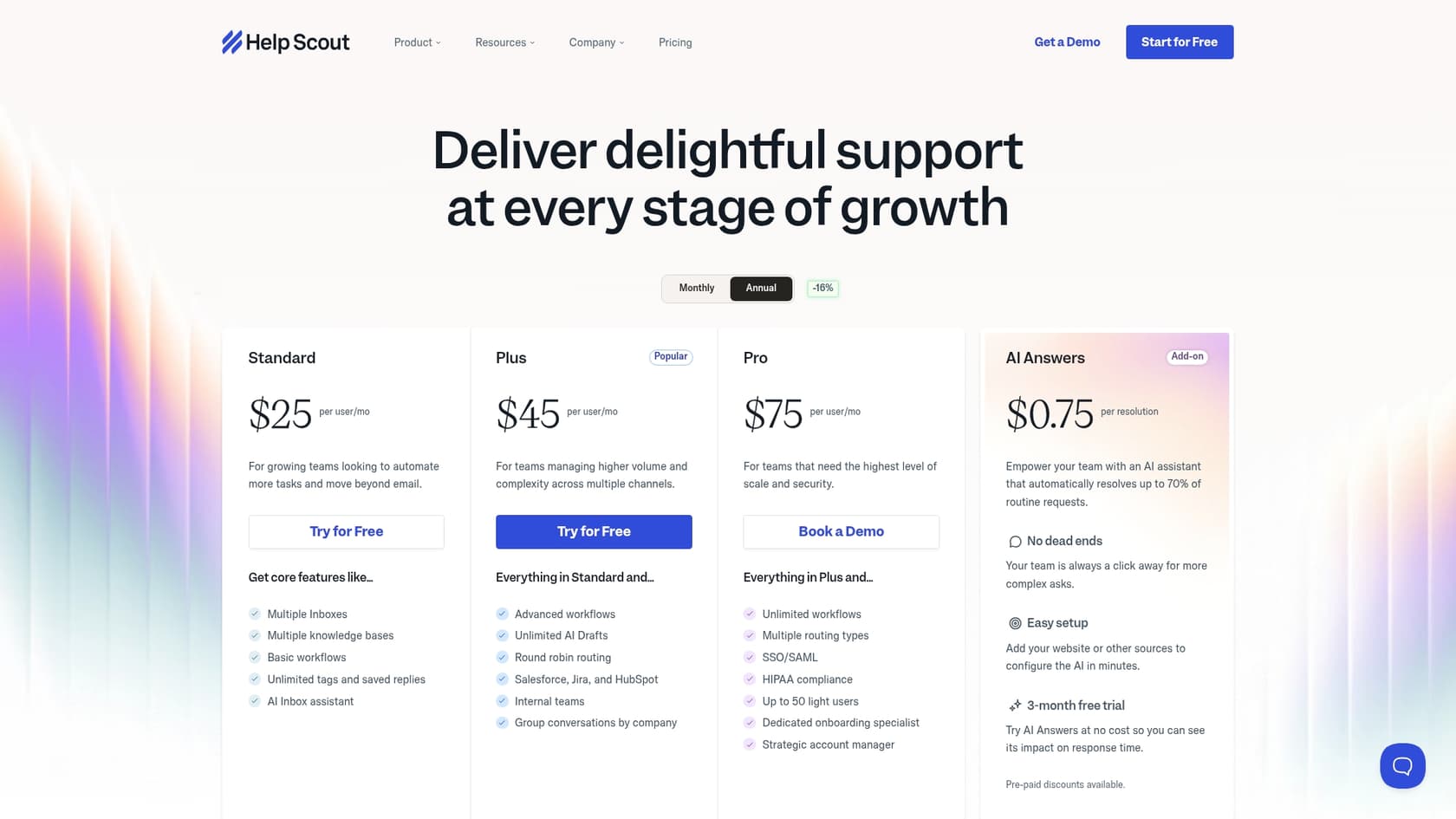
Help Scout has three main paid plans. One really important thing to watch out for is that their AI chatbot, AI Answers, is a paid add-on. It costs $0.75 for every question it successfully answers, which could make your monthly bill a bit unpredictable.
| Plan | Price (Annual) | Key Features |
|---|---|---|
| Standard | $25/user/month | 2 Inboxes, 2 Docs sites, Basic workflows, AI Inbox assistant. |
| Plus | $45/user/month | Everything in Standard, plus Advanced workflows, Unlimited AI Drafts, integrations with Salesforce & Jira. |
| Pro | $75/user/month | Everything in Plus, plus Unlimited workflows, SSO/SAML, HIPAA compliance. |
| AI Answers | $0.75/resolution | Add-on for the AI chatbot. |
Zoho Desk has four paid plans and is generally the more budget-friendly option. A big plus is that more of its AI features are bundled into the plans without that extra per-answer fee.
| Plan | Price (Annual) | Key Features |
|---|---|---|
| Standard | $14/user/month | Social media channels, Knowledge Base, Work Modes, Customer Happiness Ratings. |
| Professional | $23/user/month | Telephony, Blueprints, Multi-department support, Round-robin assignment. |
| Enterprise | $40/user/month | Answer Bot, Zia AI assistant, Live Chat, Guided Conversations, Skill-based assignment. |
Help Scout vs Zoho Desk: The final verdict
So, after all that, what's the final call in the Help Scout vs Zoho Desk debate? It really comes down to what you and your team value most.
Choose Help Scout if:
-
You just want something that works out of the box without a ton of fuss.
-
You're a small or medium-sized team that needs to get up and running fast.
-
You prioritize a clean, simple interface over having a million customization options.
Choose Zoho Desk if:
-
You're already using other Zoho apps. The seamless integration is a game-changer.
-
You're a larger company that needs to juggle support for different departments or brands.
-
You want powerful, highly customizable automation and you don't mind spending some time on setup.
Supercharge your help desk with eesel AI
No matter which help desk you pick, your team’s success hinges on two things: smart automation and easy access to the right information. Both Help Scout and Zoho Desk are great, but they have a blind spot when it comes to the knowledge that lives outside their own walls.
The eesel AI Agent is designed to fix that exact problem. It plugs directly into Help Scout, Zendesk, Intercom, and Zoho Desk, and connects all your scattered knowledge into one central brain. This allows it to provide frontline support that is way faster and more accurate than what the native tools can offer on their own. With its custom workflow builder and risk-free simulation mode, you can automate a huge chunk of your support tickets with complete confidence.
You can be live in minutes, not months. Why not see how much time you could save? Explore eesel AI today.


Frequently asked questions
Help Scout is generally easier and faster to set up, making it ideal for small teams prioritizing simplicity and quick deployment. Zoho Desk, while powerful, has a steeper learning curve due to its extensive customization options.
Help Scout's AI focuses on agent assistance and a knowledge base-driven chatbot (AI Answers, which is an add-on). Zoho Desk's Zia is more integrated, offering sentiment analysis, automated tagging, and custom bot building capabilities, with more AI features bundled into its plans.
Zoho Desk offers significantly more customization with its Workflow Rules and visual Blueprints tool, allowing for highly specific, multi-step process automation. Help Scout's Workflows are simpler and more straightforward, but offer less depth.
Zoho Desk offers seamless, deep integration with the broader Zoho ecosystem, like Zoho CRM and Analytics. This allows for a unified view of customer data and streamlined operations across different business functions, which Help Scout cannot match.
Zoho Desk provides more robust self-service options, including a highly customizable Help Center that supports community forums and multi-brand portals. Help Scout's Docs is simpler and excellent for quick setup but offers fewer advanced customization or community features.
Help Scout is renowned for its ease of setup and user-friendliness, allowing teams to get started very quickly, often the same day. Zoho Desk, while powerful, requires more initial configuration and has a steeper learning curve due to its extensive customization options.
Share this article

Article by
Stevia Putri
Stevia Putri is a marketing generalist at eesel AI, where she helps turn powerful AI tools into stories that resonate. She’s driven by curiosity, clarity, and the human side of technology.