Let's be honest, phone support can feel like a busy part of your helpdesk. Your team is crushing it with emails and live chats in Gorgias, keeping every customer conversation neatly organized. But then the phone rings. Suddenly, an agent might be looking for a notepad, asking the customer for their order number, and trying to piece together their support history. That phone call shouldn't live on an island, separate from the unified customer view you've built.
If you want to streamline that process, a Gorgias phone integration is what you're looking for. It’s the piece of the puzzle that brings your voice calls into your helpdesk, turning them into just another trackable, manageable conversation within the platform.
This guide will walk you through what these integrations are all about, the best options out there, how to get the most out of them, and how you can add a layer of AI to turn your phone support into a smooth, automated workflow.
What is a Gorgias phone integration?
Gorgias is a powerful platform for e-commerce customer service, and it offers a variety of ways to handle phone support. A Gorgias phone integration works by connecting a Voice over IP (VoIP) service directly into your helpdesk.
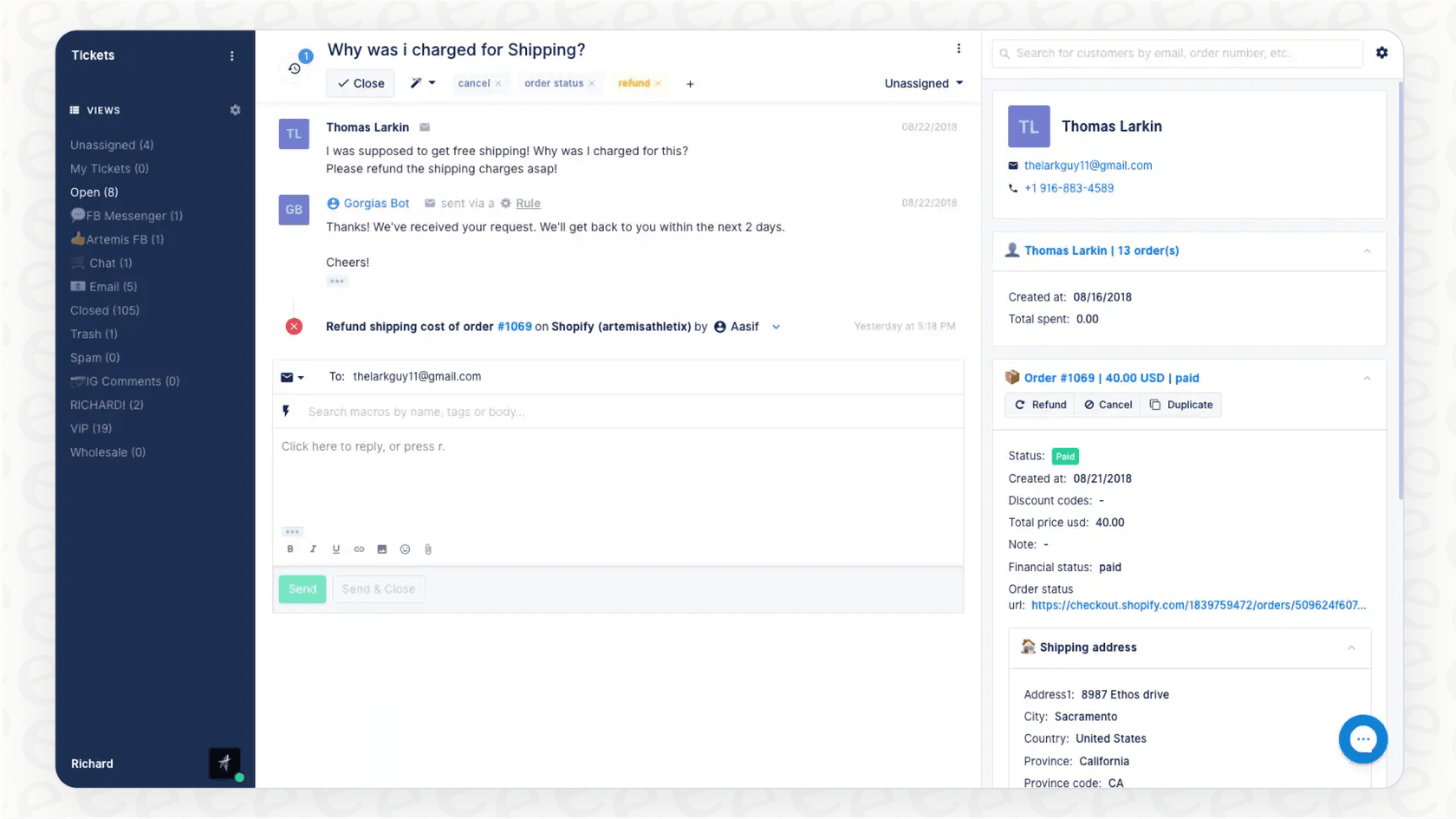
Basically, the integration lets your agents make and receive calls without ever having to leave the Gorgias interface. More importantly, it automatically creates a ticket for every single call, whether it's answered, missed, or goes to voicemail. This means your phone channel is fully integrated with your other tracked conversations.
You’ve got two main ways to get this done:
-
Gorgias Voice: The platform’s own native add-on for convenient phone features.
-
Third-party VoIP apps: Connecting a specialized phone service like Aircall, JustCall, or CloudTalk that provides additional specialized features.
No matter which path you choose, the goal is the same: treat phone calls just like emails and chats to create one seamless timeline of every conversation you have with a customer.
Key features and benefits of a Gorgias phone integration
The right integration does more than just let you answer calls; it weaves your phone support into a smarter, more efficient operation. It helps you move toward a process that’s streamlined and gives your agents the context they need.
Here’s what you can expect:
-
A single timeline for every conversation: This is a major benefit. Every inbound call, outbound call, and voicemail automatically creates a Gorgias ticket. You get a complete, chronological history of every customer interaction, all in one spot. You'll always know if a customer called before they sent an email.
-
Click-to-call for faster outreach: Agents can click any phone number inside a ticket or customer profile to start a call instantly. It’s an efficient feature that saves time and avoids the need to switch apps or manually dial numbers.
-
Conversations with full context: When a call comes in, the integration can show the customer's profile and their entire ticket history. Your agent immediately knows who they are, why they last got in touch, and what they’ve ordered. This means more time is spent actually solving their problem.
-
Automatic call logging and recording: Calls get logged automatically with details like who called, when, and how long the conversation was. Most integrations also let you record calls and attach the audio file right to the ticket. This is very useful for quality control, training new agents, and ensuring clarity.
Gorgias phone integration options
Choosing the right tool comes down to your team's size, how many calls you handle, and the specific features that best fit your workflow. Let's look at the popular choices you'll find in the Gorgias App Store.
Gorgias Voice: The native add-on
Gorgias Voice is the most direct way to add phone support to your helpdesk. Since it’s built by Gorgias, it’s designed to slot right into your existing workflow with a very simple setup. You can create call queues to direct callers, build IVR menus ("Press 1 for sales..."), and even get transcripts of your calls.
-
The good: It’s tightly integrated, so the experience feels native and intuitive. The setup is simple and managed entirely within Gorgias, providing a great solution for teams looking for a unified environment.
-
The not-so-good: It is focused on core phone features, so teams with highly specialized, enterprise-grade routing needs might also consider third-party providers. However, for most, it offers a perfectly integrated experience.
Third-party VoIP integrations
These are specialized cloud phone systems that connect to Gorgias. They are excellent options for teams with high call volumes or those who need specific phone-centric features. Some of the go-to options are JustCall, CloudTalk, and Aircall.
-
The good: You get access to specialized features like power dialers for sales teams, many international number options, and detailed call analytics. These systems work beautifully alongside Gorgias to expand your capabilities.
-
The not-so-good: You'll manage an additional subscription. While Gorgias Voice is the most native option, these providers offer a robust way to customize your support stack based on niche needs.
| Feature | JustCall | CloudTalk | Aircall |
|---|---|---|---|
| Primary Use Case | All-in-one calling & SMS | Sales & support teams | General business calling |
| Key Features | SMS campaigns, call scheduling | Power dialer, sentiment analysis | Call conferencing, skill-based routing |
| Ticket Creation | Automatic for calls & SMS | Automatic for calls & SMS | Automatic for calls |
| Click-to-Call | Yes (via Chrome Extension) | Yes | Yes |
| Pricing Model | Per user, per month | Per user, per month | Per user, per month |
Building on your Gorgias phone integration
While these integrations are a significant step up for logging your calls, they solve the first part of the process. Once the call ends, there is often still work for the agent to do. This is where manual tasks can be further optimized.
-
Post-call tasks can be automated: The integration logs the call perfectly, but agents still typically spend time summarizing the conversation, tagging the ticket with the right topic (like "return" or "damaged item"), and drafting follow-up emails. There is an opportunity here for even more efficiency.
-
Adding intelligence to insights: Standard integrations log the event, but adding an AI layer can help you better understand why people are calling. It can help identify trends or common product issues mentioned in calls, making your reporting even more useful.
-
Unlocking knowledge in audio files: Valuable information shared during a phone call is often stored in a recording. Integrating this with your help center articles and macros can help agents learn from past conversations to solve similar problems faster in the future.
Supercharging your Gorgias phone integration with AI
You can enhance your existing setup by adding a smart AI layer that automates manual work. This works alongside your phone integration to create an even more intelligent workflow.
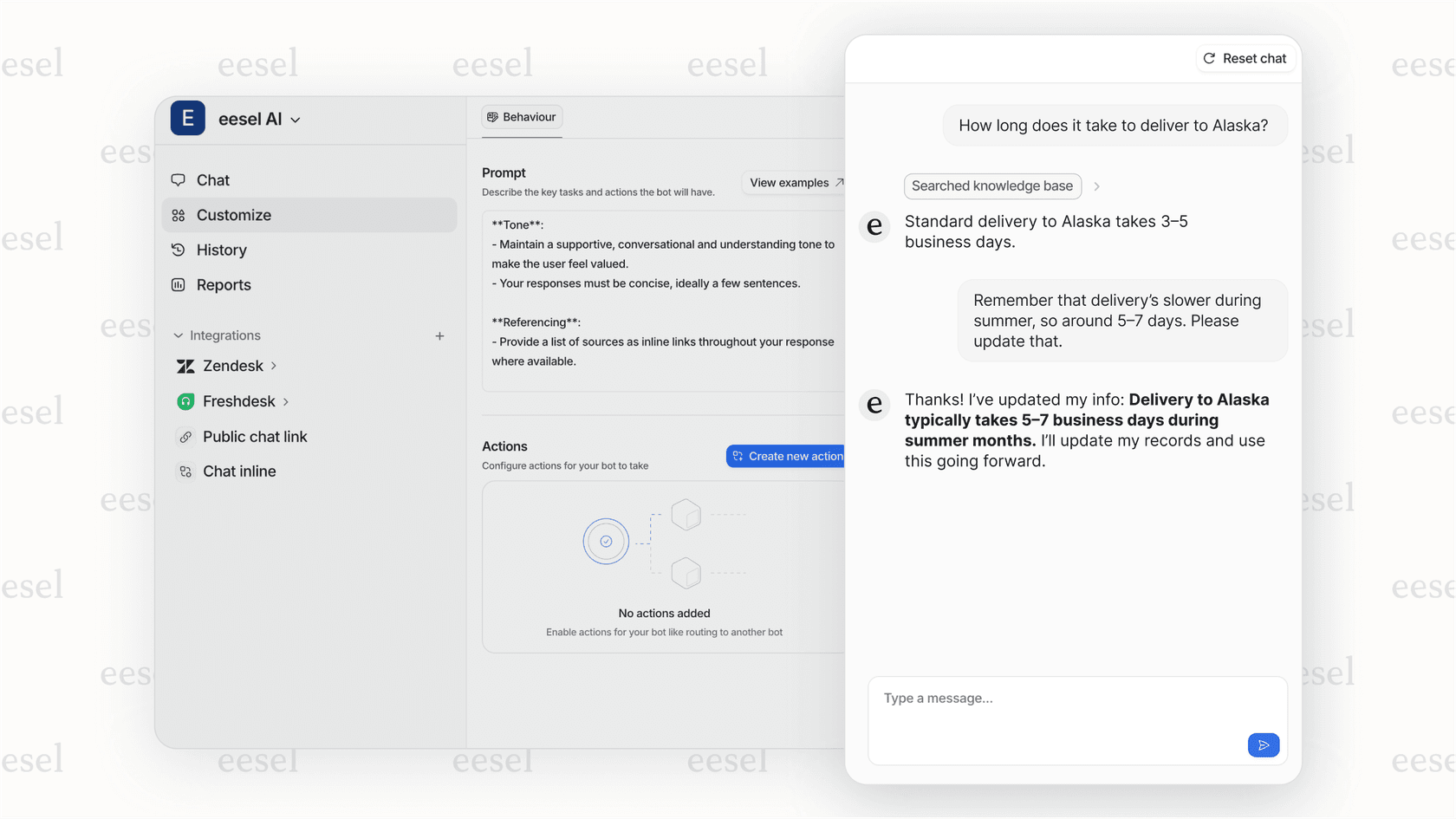
An AI platform like eesel AI connects directly to Gorgias and your other knowledge sources. It works within the Gorgias ecosystem to help automate your processes.
-
Bring all your knowledge together, including call insights: eesel AI works with your help center, past tickets, macros, and transcripts from your phone calls. This allows its AI Copilot to draft accurate, context-aware replies for agents that are based on your team's entire shared knowledge.
-
Automate post-call workflows effectively: Instead of an agent manually tagging a ticket after a call, eesel's AI Triage can analyze the call transcript to automatically apply tags like "return_request", set priority, and ensure it's in the right queue. This is a great way to save time every day.
-
Test drive your automation before you go live: eesel AI has a simulation mode that lets you test how it would have handled past tickets, including those from phone calls. You can see the potential resolution rate and ROI before turning it on for live customers.
Gorgias phone integration pricing
It helps to know the cost structure for your planning. Here’s a look at how the different options compare.
-
Gorgias Voice: This is an add-on to your Gorgias plan. The cost is based on usage and ticket volume, which is added to your base subscription (Starter plan from $10/mo to Pro at $300/mo).
-
JustCall: Their pricing is user-based. The Team plan is $29/user/month, and the Pro plan is $49/user/month (billed annually).
-
CloudTalk: Pricing follows a similar per-user, per-month model, and you can contact their team for a tailored quote.
-
eesel AI's transparent pricing: eesel AI's pricing is based on tickets handled rather than agent headcount. It is from $299/month for 500 credits (1 credit per ticket or chat), one fixed monthly price with no platform fee and no seats, and every feature is included. This provides predictable costs that scale with the value you receive.
The future of Gorgias phone integration is intelligent
A Gorgias phone integration is a key tool for support teams that want all customer conversations in one place. Gorgias has built an impressive ecosystem that makes it easy to bring order to your phone support and get a complete picture of the customer journey.
Logging calls is an important step, and you can achieve even more efficiency by adding an AI layer to automate post-call tasks and provide agents with instant information. While the integration records the conversation, adding AI helps you understand and act on it even faster.
Ready to see how you can further automate your support? Try eesel AI for free and see how it can enhance your Gorgias helpdesk.
Frequently asked questions
What exactly is a Gorgias phone integration and why do I need one for my support team?
A Gorgias phone integration connects a separate Voice over IP (VoIP) service directly into your Gorgias helpdesk. It's helpful because it brings all phone calls into Gorgias as trackable tickets, providing a unified view of every customer interaction. This ensures phone support is integrated with your other channels for better organization.
What are the key features and benefits I can expect from a Gorgias phone integration?
You can expect a single timeline for all customer conversations, click-to-call functionality, and full customer context during calls. Additionally, calls are automatically logged and often recorded, which is invaluable for quality control and training.
What are the different options available for a Gorgias phone integration?
Your primary options are Gorgias Voice, the platform's native add-on for integrated features, or third-party VoIP apps like JustCall, CloudTalk, or Aircall. Third-party options typically offer specialized phone-specific functionalities that work alongside Gorgias.
What should I consider when setting up a traditional Gorgias phone integration?
While traditional integrations log calls effectively, they often leave room for further automation of post-call tasks like manual summarizing and tagging. You can also add AI to better understand call substance or identify trends that might otherwise remain in audio files.
How can artificial intelligence (AI) enhance my Gorgias phone integration?
AI can supercharge your integration by automating post-call tasks, such as tagging tickets and setting priority based on call transcripts. It can also bring all your knowledge together, including call insights, allowing AI Copilots to draft accurate replies and improve agent efficiency.
What is the typical pricing structure for a Gorgias phone integration?
Pricing varies; Gorgias Voice is a convenient add-on based on usage and ticket volume to your main Gorgias plan. Third-party VoIPs like JustCall typically charge per user per month. AI platforms like eesel AI offer transparent pricing based on AI interactions rather than headcount.