


__ If you work on a support team, you know the drill. Customers want answers, they want them now, and the ticket queue just keeps growing. It’s no wonder so many teams are looking at AI assistants to help lighten the load.
While lots of platforms like Front are now building their own AI tools, they aren't all created equal. Their features, setup process, and pricing can be wildly different. It's easy to find yourself locked into a system that doesn’t quite match your workflow or, even worse, can't connect to all the places your team’s knowledge is actually stored.
This guide is an honest, in-depth look at what Front AI is all about. We’ll walk through its main features and what the Front AI login and admin setup actually look like. By the end, you'll have a clear picture of its strengths, its real-world weaknesses, and how it compares to more flexible alternatives out there.
What is Front AI?
Front AI isn't a separate product you buy; it's a set of features woven directly into the Front platform. The main idea is to help your agents work faster and automate some of the more repetitive tasks so they can focus on tougher customer problems.
Front calls its philosophy a "human-in-control" approach, meaning the AI is there to assist your team, not replace them. Think of it as a toolkit designed to make your existing crew more efficient. The suite is made up of a few key parts:
-
AI Copilot: This is the main tool for agents. It helps draft replies to customer messages.
-
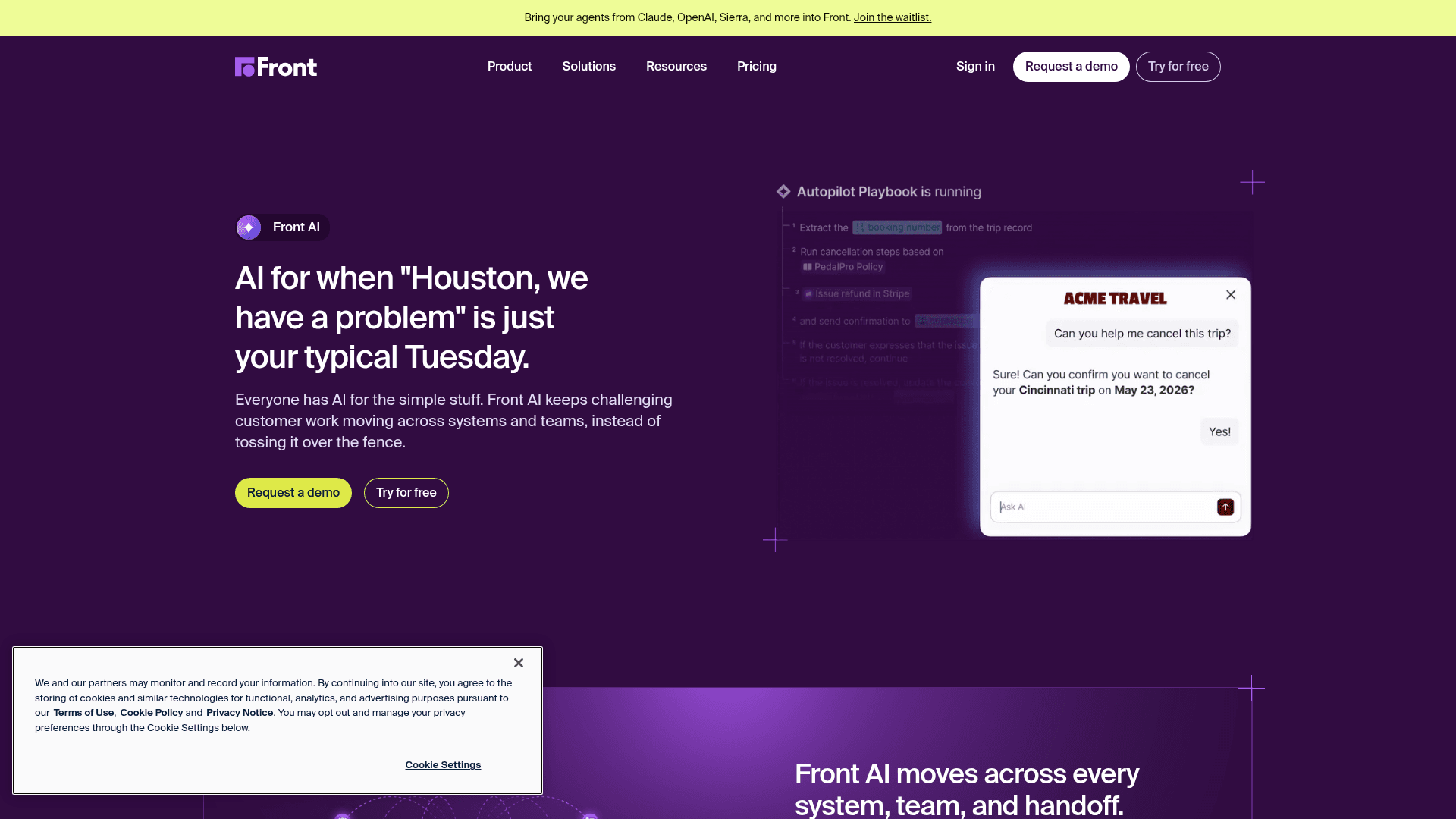
Autopilot: This is Front's automated agent, which works across email, chat, Slack, SMS, and WhatsApp to try and answer customer questions on its own. It's the next version of a previous feature called "AI Answers."
-
Summarize: A pretty useful feature that creates a quick summary of long, complicated conversations.
-
Topics: An analytics tool that automatically tags conversations to give you a better sense of why customers are getting in touch.
All these tools work together to hopefully make life a little easier, as long as you're living inside the Front ecosystem.
Key AI features in Front
To figure out if Front AI is actually worth it, you have to look at how these features would play out in the day-to-day chaos of a support team.
Using the AI Copilot
This is the main event. When an agent clicks into a ticket, AI Copilot can generate a suggested response right there in the text box. For those simple, repetitive questions you get a dozen times a day, this can definitely save some time. It also helps keep your team's tone consistent, so everyone is using the same brand voice.
The process is simple. An agent can take the AI's draft, edit it, send it off, or just delete it and write their own reply. The agent is always in charge. The Copilot also includes conversation summaries, which drop a high-level overview at the top of a long email chain. This lets agents get up to speed in seconds without having to read through every single message.
Autopilot and AI Answers: Front's automation tools
Autopilot is Front's shot at full automation. It's an omnichannel agent now, running across email, Front Chat, Slack, SMS, and WhatsApp to resolve customer questions without a human getting involved. It's pretty straightforward: a customer asks a question, the AI gives an answer, and then it asks, "Did that answer your question?" If the customer says "Yes," the chat ends. If they say "No," the bot can route them to a live agent or another workflow you've set up.
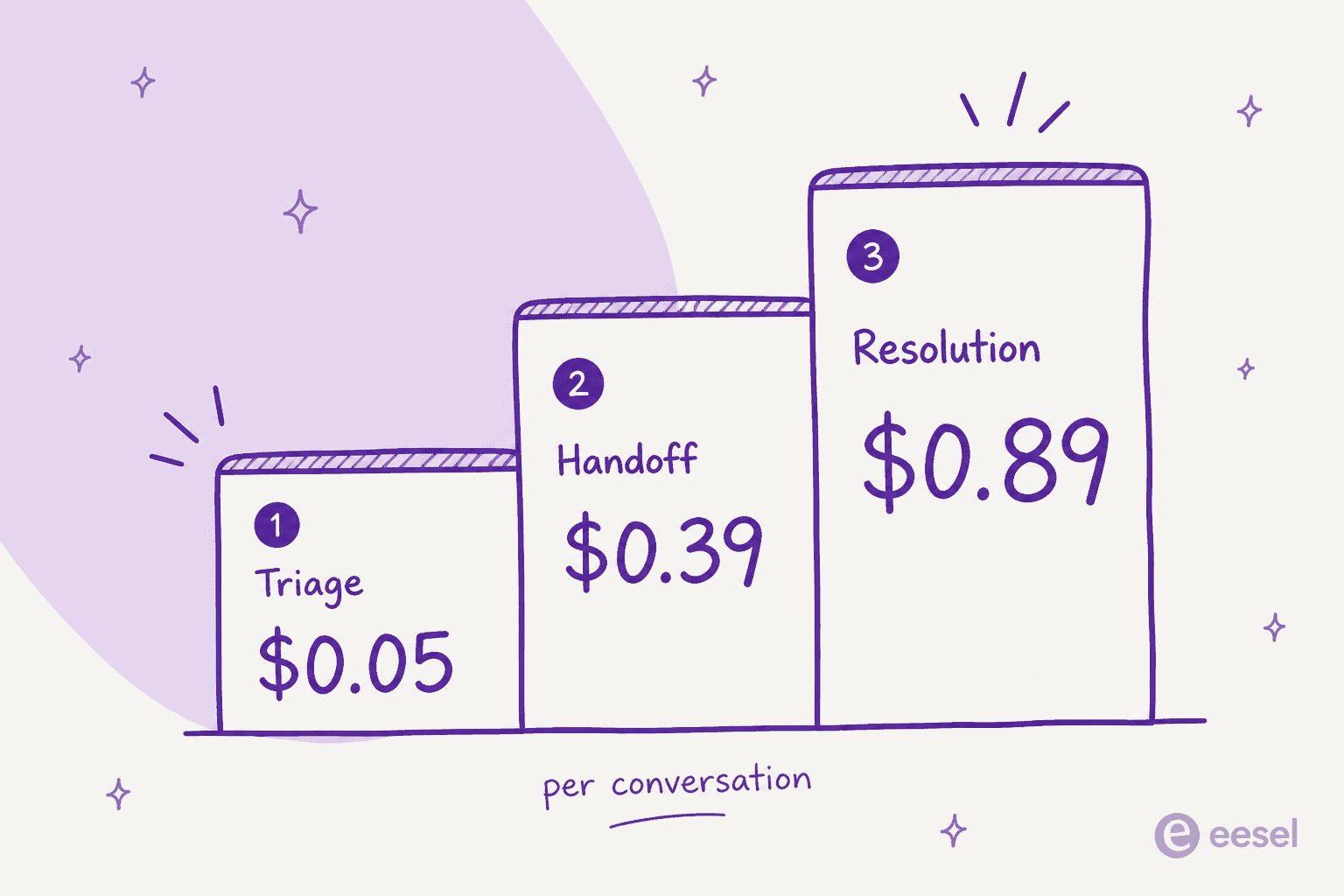
The catch is that its usefulness is completely tied to the quality of the knowledge source you give it. If the answer isn't in a connected source, Autopilot is going to be stuck. It's also a separate, usage-priced add-on: Front bills on the outcome Autopilot delivers, from $0.05 per conversation for a simple triage up to $0.89 for a full resolution, on top of your per-seat plan.
How Front AI uses your knowledge base
An AI is only as good as the information it can learn from. Front AI gets its knowledge from three main sources:
-
Old conversations from inside Front.
-
Your Front knowledge base, if you have one.
-
External sources, like a public help center or an FAQ page on your website.
On the surface, this sounds pretty good, and there's an important detail to get right. Front's public-website crawl can't reach password-protected pages, so for private content you connect it as a third-party source instead. Those third-party sources do cover the internal hubs where most teams keep their best, most current information, including Confluence, Notion, Guru, ClickUp, SharePoint, and Google Docs, up to roughly 3,000 pages each. The real catch is that they don't update live: you have to manually re-sync a source whenever the underlying docs change, so the AI can quietly drift out of date between syncs.
| Knowledge source | What it covers | How it stays current |
|---|---|---|
| Front knowledge base | Your published help articles | Updates within minutes |
| Public websites | Help center, blog, or FAQ, up to 3,000 pages | Crawl (no password-protected pages) |
| Third-party sources | Confluence, Notion, Guru, ClickUp, SharePoint, Google Docs | Manual re-sync |
| File uploads | PDFs, 25 MB per file, 500 MB per workspace | Manual |
| Notes | Native short-form knowledge entries | Live |
| Historical conversations | Past resolved tickets in Front | Automatic |
The Front AI login and setup process
If you're an admin, you need to know what you're getting into before you sign on the dotted line. The Front AI login and setup are fairly simple, but there are some big limitations to be aware of.
Enabling features and the admin experience
Getting started is up to a company admin. The login process is what you'd expect, with options for Google, Microsoft, or Single Sign-On (SSO). It's probably worth mentioning that if you want to require SSO for your team, you'll need to be on their Professional plan or higher.
Once you're in, an admin can head over to the AI settings, switch on the features they want, and choose which shared inboxes the AI can work in. After you connect a knowledge source, you have to wait up to 24 hours for the AI to "warm up" before it actually starts helping out.
Key limitations of the platform
While the initial setup looks easy enough, you'll likely bump into a few roadblocks that could be a problem.
-
Shared inboxes only: This is a huge one. Front AI Copilot only works in shared inboxes. It can't be used in your agents' individual inboxes. So, if your agents handle personal follow-ups or build relationships with clients outside of a shared queue, they won't get any AI help.
-
Knowledge that can lag: I touched on this earlier, and it's worth repeating. Front AI can connect private, internal sources through its third-party connectors, but those sources only refresh when someone manually re-syncs them. Most support teams depend on internal wikis for the most accurate, up-to-date info, so if a doc changes and nobody pushes the re-sync, the AI keeps answering from the old version. This is where a tool like eesel AI really stands out, since it plugs into your entire knowledge ecosystem and keeps it in sync automatically.
-
Platform lock-in: Because Front AI is baked right into the platform, you're stuck doing things their way. If your support process doesn't fit perfectly into Front's structure, you don't have many options to change things. You have to adapt your process to the tool, not the other way around.
A flexible alternative: eesel AI
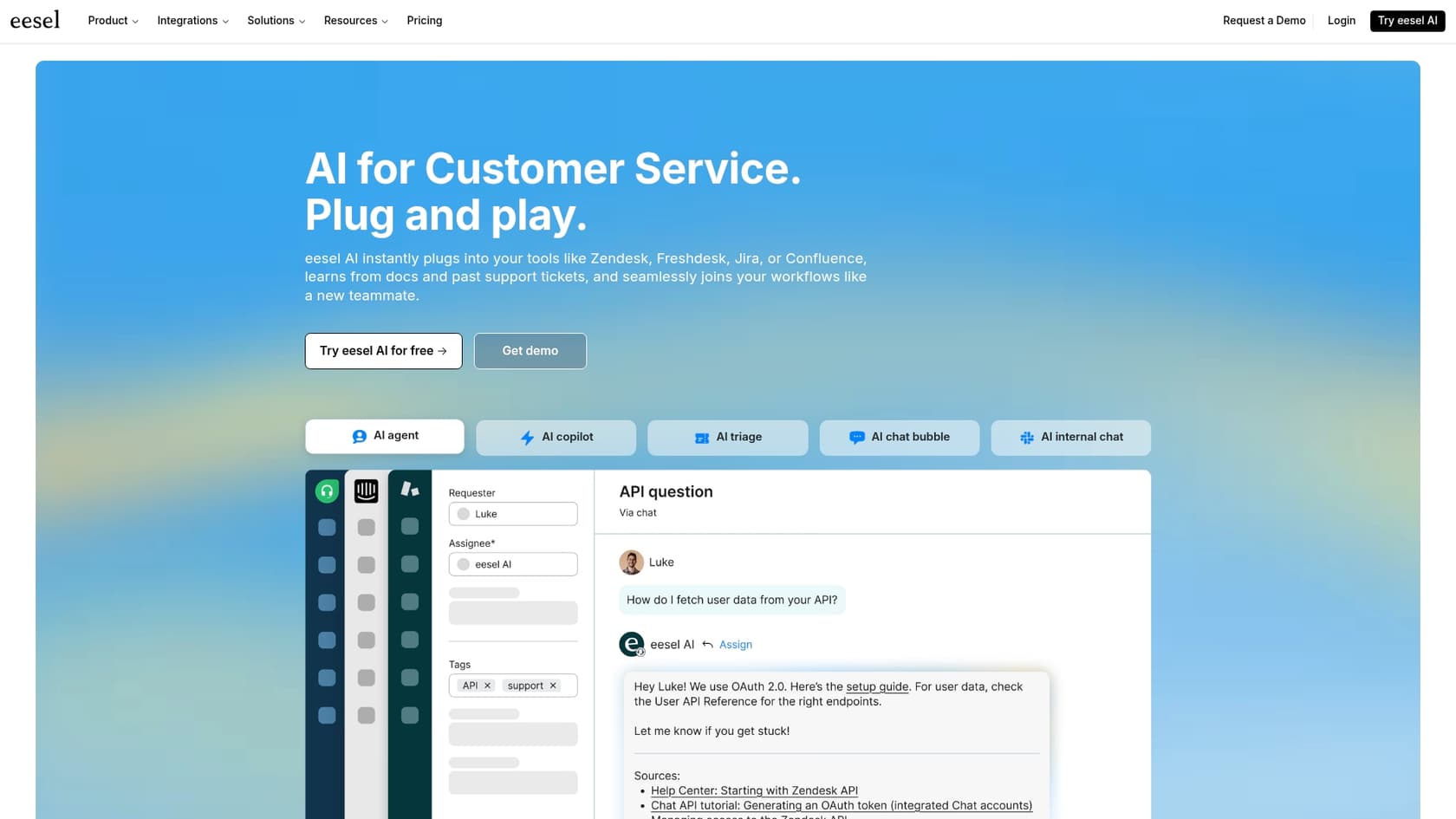
__ Front's limitations are the very reason many teams start looking for something more powerful and adaptable. eesel AI was designed as a smart AI layer that works with the tools you already have, solving these problems without making you switch your entire setup.
Connect all your knowledge sources
The biggest difference is where the AI gets its brainpower, and how fresh it stays. Where Front connects a short list of third-party sources you re-sync by hand, eesel AI has dozens of native integrations that stay in sync automatically. It connects directly to where your team's real knowledge lives, including Confluence, Notion, Google Docs, and even your team's private conversations in Slack. This gives the AI the full picture, so its responses are smarter, more accurate, and way more helpful for your agents.
Go live in minutes with risk-free simulation
You don't have to wait 24 hours for your AI to get ready. eesel AI’s self-serve setup gets you going in just a few minutes. Better yet, it has a powerful simulation mode. You can test the AI on hundreds of your past tickets in a safe environment before it ever talks to a customer. Each answer gets scored, which lets you tweak its behavior with zero risk.
Get total control with a customizable workflow engine
eesel AI's AI Agent is built to plug into the helpdesk you're already using, whether that's Zendesk, Freshdesk, or something else. You don't have to move all your operations just to get a great AI. It gives you full control to set up custom workflows, define AI personas, and choose the exact actions the AI can take, making the tool fit your process perfectly.
Front AI vs. eesel AI: Pricing
Money is always part of the conversation, and the two platforms have very different ideas about pricing.
Front's per-seat pricing model
Front's pricing can get steep, fast, especially if your team is growing. The AI Copilot is a $20 per seat, per month add-on for their Starter and Professional plans. It only comes included by default on the expensive Enterprise plan.
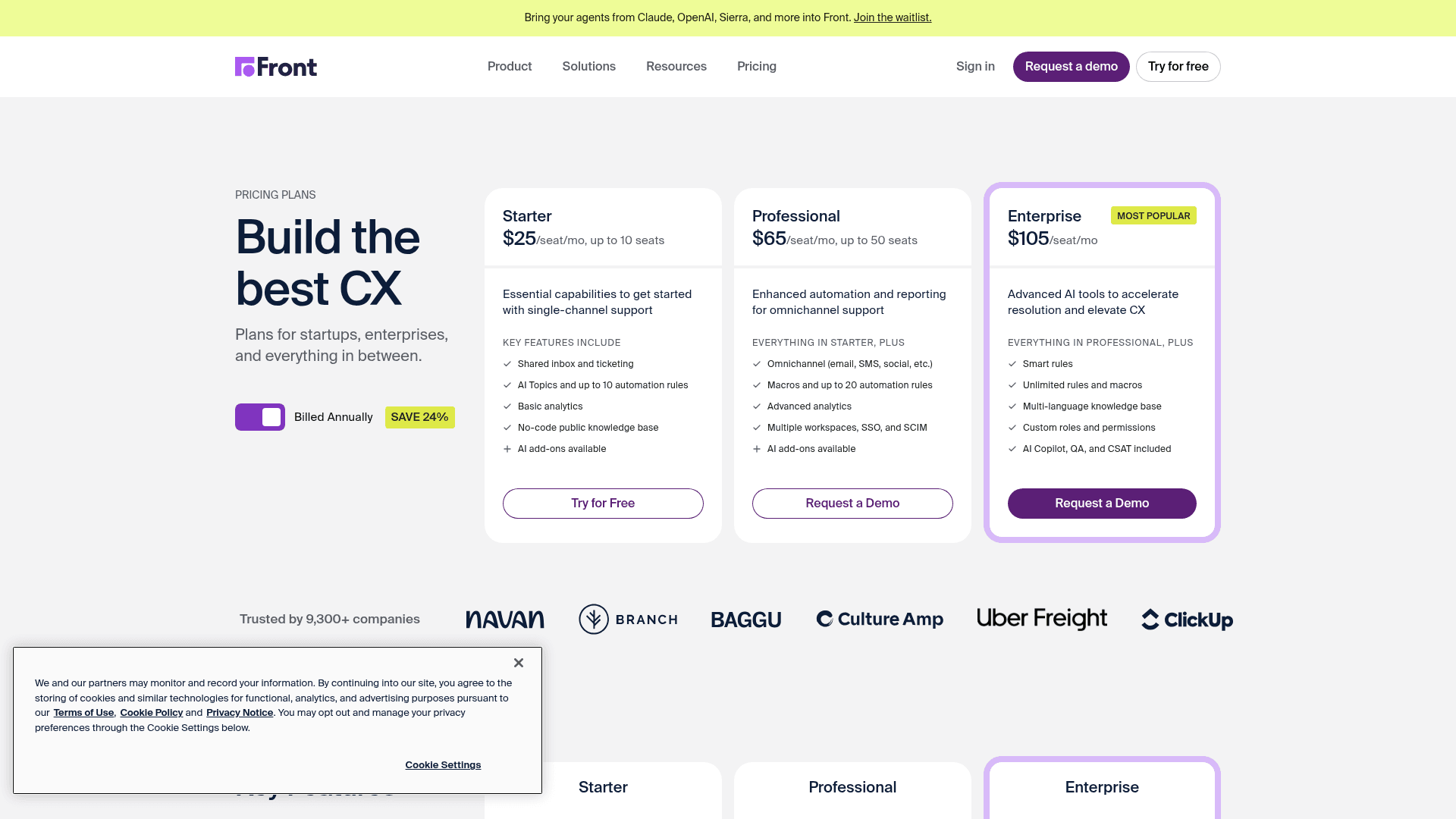
For a team on the Starter plan, adding the Copilot almost doubles your monthly bill for each agent.
| Plan | Base Cost (per seat/mo) | Copilot Add-on | Total Cost with Copilot (per seat/mo) |
|---|---|---|---|
| Starter | $25 | +$20 | $45 |
| Professional | $65 | +$20 | $85 |
| Enterprise | $105 | Included | $105 |
eesel AI's flexible pricing model
eesel AI does things differently. Instead of making you pay for every single user, eesel AI's pricing is fixed monthly credit plans, where a ticket or chat is one credit. This model doesn't punish you for adding more people to your team and gives you predictable costs that grow with your actual use. They also offer monthly plans you can cancel anytime, so you aren't stuck in a long-term contract just to get access to good AI tools.
The verdict: Is the Front AI login right for your team?
Front AI could be a decent starting place for teams that are already all-in on the Front platform and just need some basic AI help. If all of your knowledge is already in Front's native tools or public help docs, it’s a convenient, if somewhat limited, choice.
However, for any team that needs a more powerful, flexible, and fairly priced AI, eesel AI is the clear choice. It’s built for businesses that use different tools to manage their knowledge and want to add smart automation to the helpdesk they already know and love. With eesel AI, you get a smarter assistant that learns from all your team's knowledge, adapts to your workflow, and doesn't trap you in a restrictive, one-size-fits-all platform.
Ready to try an AI copilot that adapts to you, not the other way around? Get started with eesel AI for free.
Frequently asked questions
How do I access the AI features once my team has completed the Front AI login?
Front AI isn't a standalone product; its features are integrated directly into the Front platform. After an admin enables them, agents will find tools like the AI Copilot available in shared inboxes to assist with drafting replies.
What is the typical setup process for an admin after they perform the initial Front AI login?
Once an admin completes the Front AI login and is in the settings, they can activate desired AI features and select which shared inboxes they apply to. They will then need to connect knowledge sources for the AI to learn from.
Are there any key limitations support teams should know about immediately after the Front AI login for their account?
Yes, a significant limitation is that the AI Copilot only functions in shared inboxes, not individual ones. Front AI can connect private knowledge bases like Confluence, Notion, and Google Docs through its third-party sources, but those sources don't auto-sync, so you have to manually re-sync them whenever the content changes.
What type of knowledge sources can Front AI leverage to provide answers after we complete the Front AI login?
After the Front AI login, the system can learn from your past conversations within Front, your native Front knowledge base, public help centers, and third-party sources like Confluence, Notion, Guru, ClickUp, SharePoint, and Google Docs. The catch is those third-party sources sync manually rather than updating live, so you re-sync them yourself when the docs change.
What kind of waiting period should we expect after the Front AI login before the AI features are fully operational for our team?
After an admin enables features and connects a knowledge source through the Front AI login process, you should anticipate a waiting period of up to 24 hours. This time allows the AI to "warm up" and process the information before it starts assisting agents.
How does Front's pricing for AI features work for users after they complete the Front AI login?
Front's AI Copilot is generally an add-on costing $20 per seat, per month, for Starter and Professional plans, on top of the base plan cost. It is only included by default with the more expensive Enterprise plan after the Front AI login.