

Why people leave Chatbase (and what "free" really costs)
Chatbase earned its popularity honestly. It really is easy to use: most people get a working bot in under 10 minutes, and it's marketed as trusted by 10,000+ businesses. Our own Chatbase review is fairly warm on the core product. The friction shows up at the edges, in two places.
First, the free plan barely lets you test anything. Fifty message credits is roughly a single afternoon of real visitor traffic, 400 KB of training data is a handful of help articles, and the 14-day deletion clause means a side project you leave alone for two weeks is simply gone. The next step up, Chatbase's pricing, jumps to $32/mo (Hobby) and then $120/mo (Standard) before you reach features like auto-retrain or help-desk integration.
Second, it's built for FAQ deflection, not dynamic data. As one operator put it on r/SaaS:
"Yeah, totally agree, Chatbase and similar tools nail FAQs but don't really sell. They're great for support, not for driving revenue."

And the most common reason people go shopping for an alternative is wanting an agent that stays current without manual re-training:
"I want to integrate a google sheet with an AI customer support tool that I can periodically change without having to re-train the AI."
Before you compare specific tools, it helps to know the four places a "free" chatbot plan almost always squeezes you.
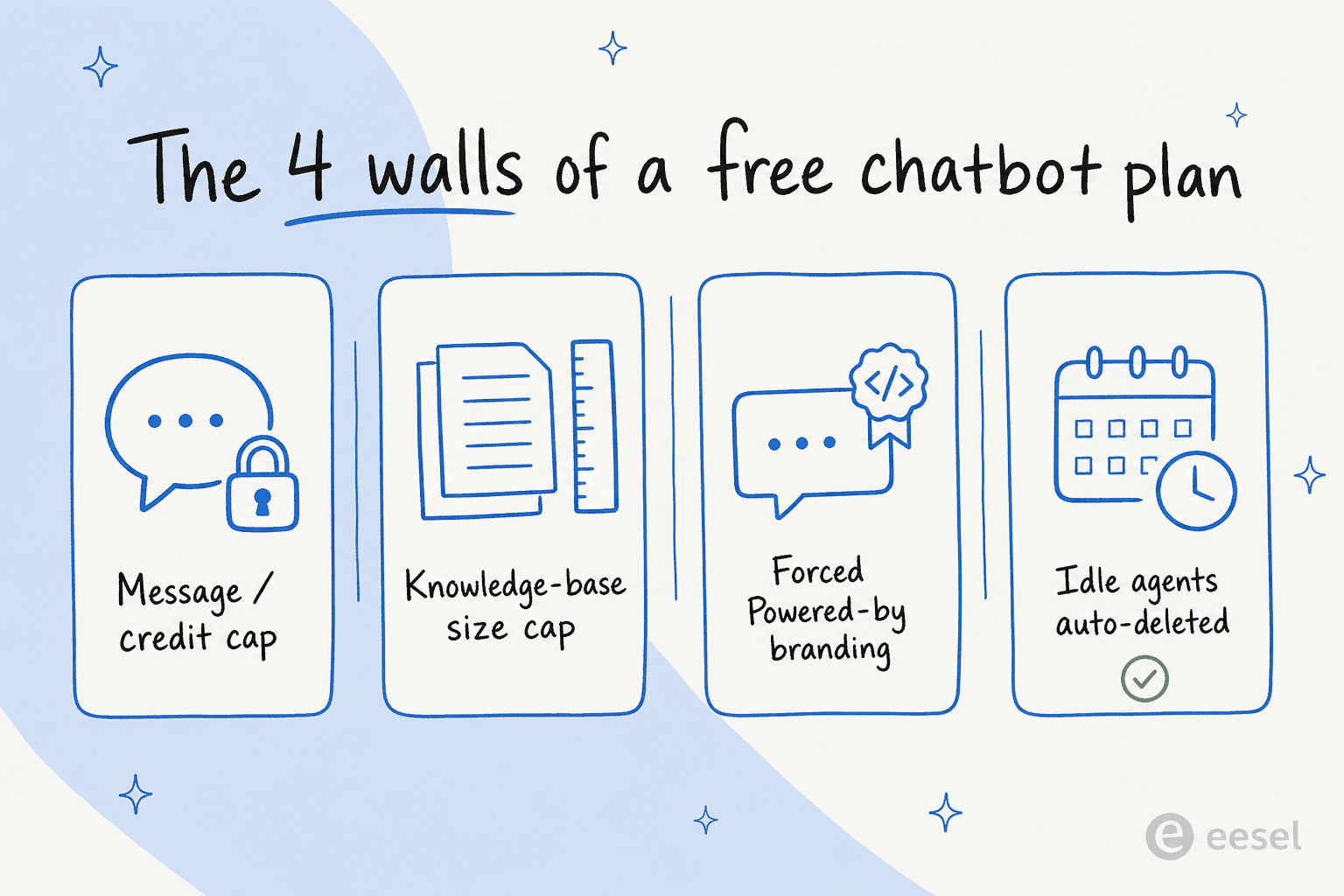
Keep those four walls in mind as you read. A free plan with 100 conversations and your own branding removed is worth far more than one with 50 messages and a "Powered by" badge you can't turn off without paying four figures a year.
How we picked, and how to read the table
We focused on tools that do the core Chatbase job, train an AI agent on your own content and deploy it to answer customers, and that either have a real free tier or a free trial. We pulled pricing, free-tier limits, and feature gates straight from each vendor's live pricing pages and docs, cross-checked review sentiment on G2, Trustpilot, and Reddit, and grounded each verdict in what the product actually does rather than its marketing. We've deliberately left out tools that don't let you self-serve a free trial at all.
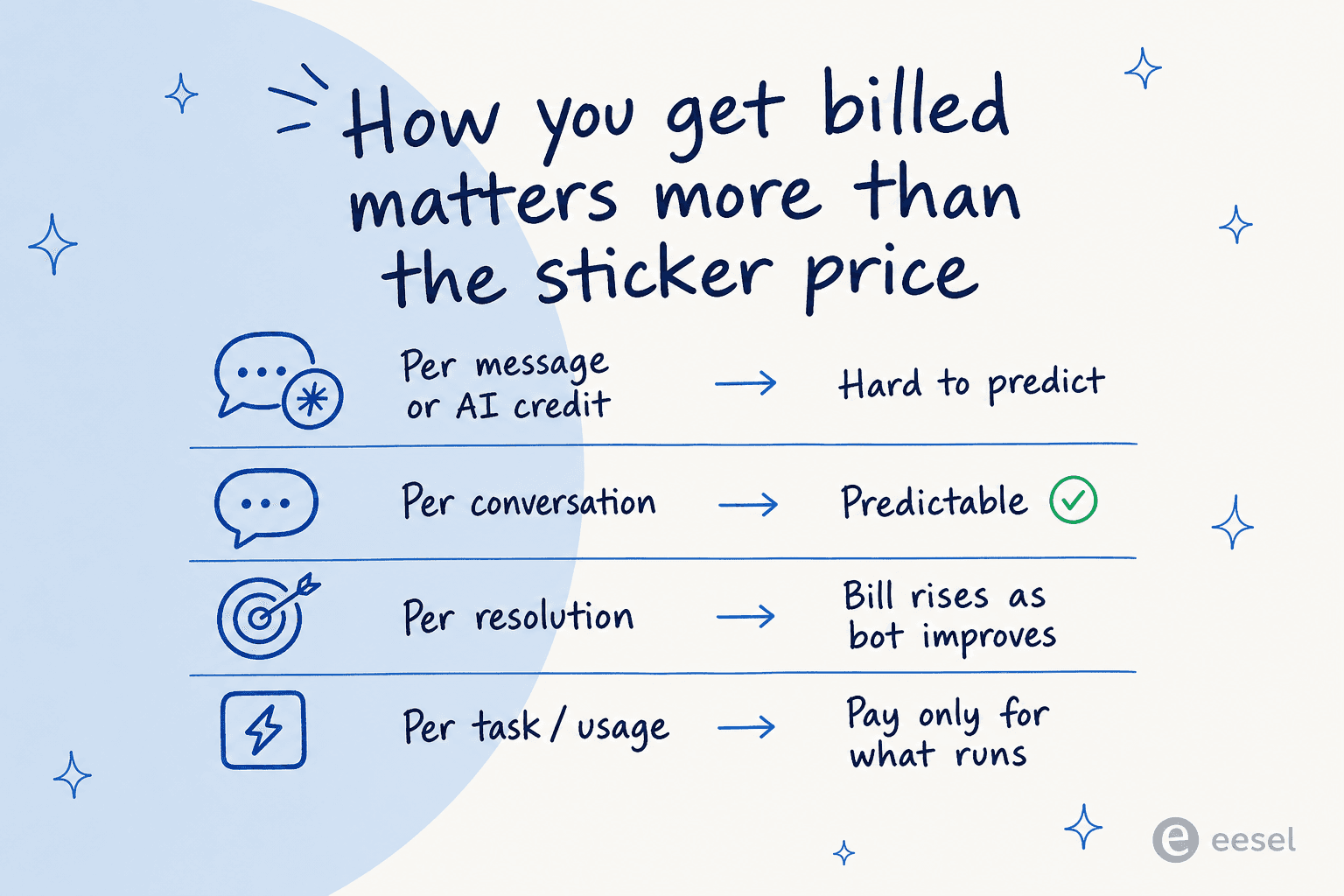
One thing that matters more than the sticker price: the unit you get billed on. A cheap-looking plan billed per message can cost more than a "pricier" one billed per resolved task once real traffic hits.
Here's the full comparison at a glance.
| Tool | Best for | Genuinely free tier? | Free-tier limits | Cheapest paid plan | Billing unit | Trains on your data | Channels | Notable |
|---|---|---|---|---|---|---|---|---|
| eesel AI | Resolving real tickets in your existing helpdesk | No (free plan: 100 credits) | All features unlocked until 100 credits used | From $299/mo for 500 credits, no seat fee | Per credit (1 per ticket or chat) | Yes (helpdesk history, docs, 100+ apps) | Zendesk, Freshdesk, Slack, email, Shopify, web | Simulation mode on past tickets; no per-seat fees |
| Botpress | Developers who want power and a real free tier | Yes | 100 conversations/mo, 3 seats, AI usage included | $150/mo (Plus, annual) | Per conversation | Yes (sites, files, tables, API) | WhatsApp, web, voice, IG, Messenger | SOC 2; AI spend bundled in |
| Chatling | No-code, fastest time-to-live | Yes | 100 AI credits/mo, 2 agents, web only | $32/mo (Standard, annual) | Per AI credit (varies ~28x by model) | Yes (URLs, files, FAQs, auto-sync on paid) | Web, WhatsApp, IG, Messenger | 28 models; credit math is the catch |
| Tidio | Shopify / ecommerce stores | Yes | 50 Lyro AI convos (one-time), free live chat | $24.17/mo (Starter, annual) | Per conversation + per Lyro convo | Yes (FAQ, site scrape, Zendesk import) | Web, Shopify, Messenger, IG, WhatsApp | Lyro runs on Claude; 67% claimed resolution |
| Voiceflow | Complex multi-step and voice agents | Yes (Sandbox) | 100 credits, 2 agents, 1 editor | from $60/editor/mo (Pro) | Per credit, per editor | Yes (file/URL, KB API) | Web, voice/phone, API | Best visual flow builder; per-editor cost adds up |
| SiteGPT | A quick website-trained support bot | No (7-day trial) | Trial only | $39/mo (Starter) | Per message | Yes (URL, sitemap, files, YouTube) | Web, Crisp, Zendesk | SOC 2 Type II; small review base |
| CustomGPT.ai | Regulated teams that need cited answers | No (7-day trial) | Trial only | $99/mo (Standard) | Per query | Yes (1,400+ file types, helpdesks) | Web, livechat, Slack, API | Per-answer source citations; 10-agent minimum |
| EasyChatDesk | Small teams that want chat, tickets, and a bot in one dashboard | No (14-day trial, card required) | Trial only | $17/agent/mo (Starter, annual) | Per agent seat | Yes (your own content, from Professional) | Web, Slack, Zapier, Apple iMessage (Business) | Ticketing on every plan; 55+ languages, EU data residency |
A quick orientation before the deep dives: if you want our take on the strongest paid options, see our best Chatbase alternatives roundup, and if you specifically want self-hosted control, we've covered open-source Chatbase alternatives separately.
1. eesel AI

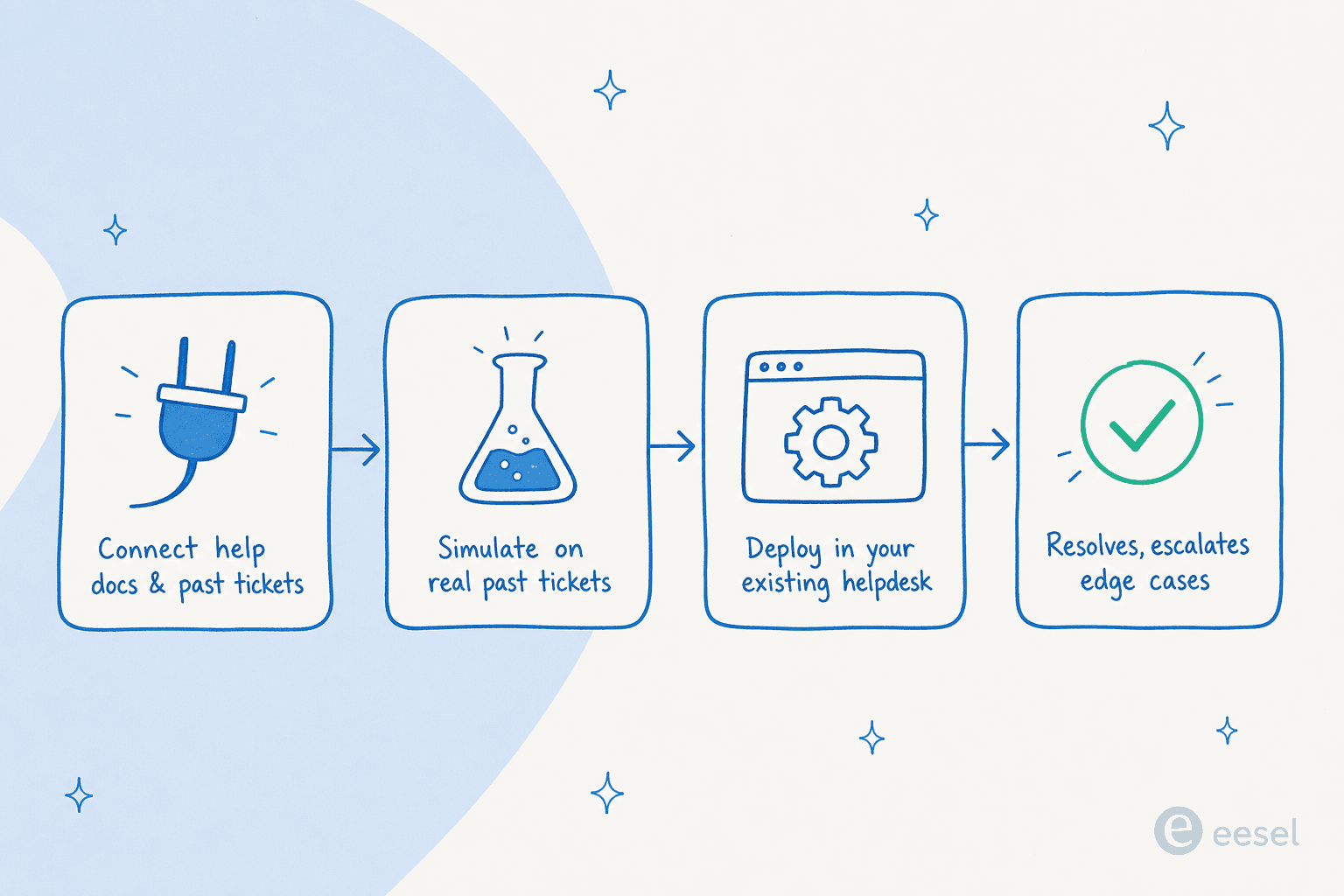
Most tools on this list build a chatbot that lives on your website. eesel AI takes a different swing: it deploys an AI agent inside the helpdesk you already use, Zendesk, Freshdesk, Slack, email, Shopify, and it actually resolves tickets rather than just deflecting FAQs. You connect your past tickets and docs, it learns your tone and policies, and it drafts or fully sends replies, escalating the edge cases.
The reason we lead with it for a "free alternatives" post isn't that it has the most generous free plan (it doesn't, it's a trial). It's that the free-tool stage usually ends the moment you're serious about support volume, and eesel is built for exactly that next step, without the per-seat or per-resolution games.
Two things set it apart in practice. First, it onboards from history you already have, so it's useful on day one instead of after weeks of training. Second, there's a simulation mode that runs the agent over thousands of your real past tickets before it ever touches a live customer, so you can see its resolution rate and edit its behavior with confidence.
What's free: a free plan with 100 credits that unlocks every feature, no credit card required. Agents pause when the credits run out rather than charging you by surprise.
Paid pricing: one fixed monthly price sized to volume, from $299/month for 500 credits, with 1 credit per ticket or chat however long it runs, no seat fees, and no platform fee. A team handling 1,000 tickets a month is on the $499/month plan, and you can route just a slice of traffic (say 200 of 1,000 tickets) and only those count as credits. Compare that to per-resolution models that quietly raise your bill as the bot gets smarter, the dynamic that makes AI agent vs human agent cost so hard to forecast.
Our take: the strongest pick if your goal is real ticket deflection inside an existing helpdesk, and you've moved past "let me try a free website widget." Skip it if you only want a marketing-site FAQ bot and have zero budget, that's what the free-forever tools below are for. We cover the broader category in our AI for customer service comparison.
2. Botpress
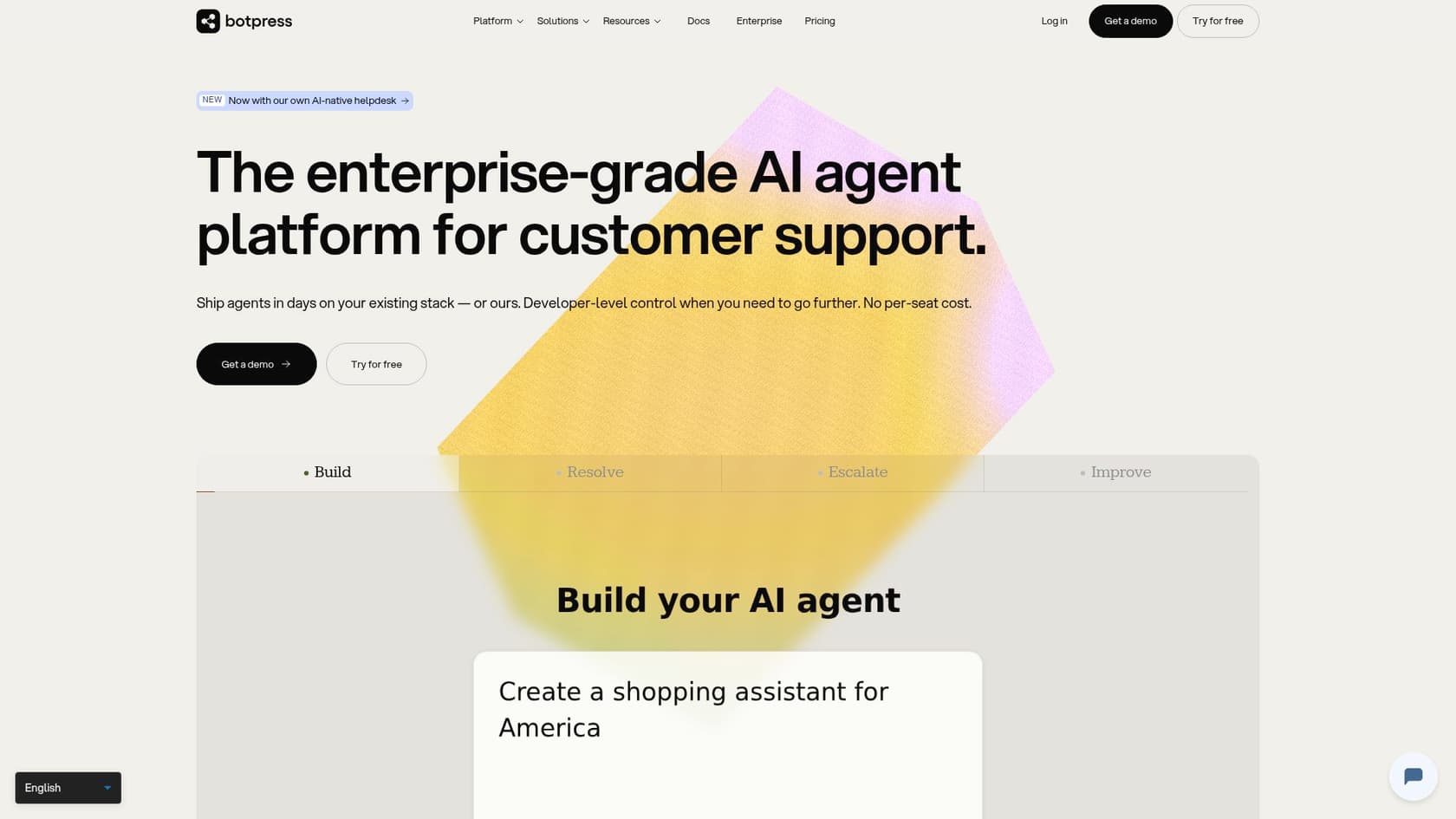
If "free" is your hard requirement, Botpress is the most generous option here. Its free plan gives you 100 conversations a month across 3 seats, with AI/LLM usage included, so there's no separate token bill to do mental math on. Built over a decade from its open-source v12 roots, it holds a solid 4.5/5 across nearly 490 G2 reviews and is SOC 2 certified.
It's also the most flexible, which is both the draw and the catch. You build on a visual Studio canvas, drop into a TypeScript ADK when you need code, and wire up webhooks and APIs freely. Developers love it:
"Botpress is a fantastic choice. It has a great visual flow editor that makes building conversations intuitive, but it's built for developers."
The flip side is time-to-value. One comparison clocked Chatbase at 30-60 minutes from signup to live bot, versus 2 to 8 hours for a basic Botpress deployment and weeks to master. That's the trade you're making for the flexibility.
What's free: 100 conversations/mo, 3 seats, 3 agents, AI usage included, hard-capped (no overage). Actually usable for a small project.
Paid pricing: Plus is $150/mo billed annually ($189 monthly) for 250 conversations; Team is $750/mo for 1,500. Top-up packs run $50-$65 per 100 conversations. Full numbers in our Botpress pricing guide.
Our take: the best free Chatbase alternative for technical teams and a strong pick if you're shopping chatbots for developers. Non-technical teams should look at Chatling or eesel instead, and if you want the pros and cons in depth, see our Botpress review.
3. Chatling
Chatling is the one to beat on ease of use. It's a no-code builder aimed squarely at SMBs (94.9% of its G2 reviewers are companies with 50 or fewer employees), it carries a strong 4.7/5 on G2, and the setup speed is the recurring theme in reviews:
"After watching the how-to-use video it took no more than 5 minutes to add the chatbot to our website."
Gary B., CEO, via G2

You train it on URLs, files, and FAQs, pick from 28 models, and deploy to web, WhatsApp, Instagram, and Messenger. The free plan is free for real: 100 AI credits a month, 2 agents, unlimited chats, web deployment.
The catch is the AI credit system, which is also its top complaint. Credit consumption varies up to ~28x depending on the model you choose, so a premium model burns through an allowance fast.
"The AI credit system can be a bit confusing. I often exceed my credits limit, which interrupts service until the next month unless I pay for more credits."
Carlos Mendoza, via checkthat.ai's Chatling review analysis
To put real numbers on it: the free plan's 100 credits is as few as ~7 responses on the priciest model, or ~200 on the cheapest. The $32/mo Standard plan's 3,000 credits lasts ~214 responses on a top-tier model but 6,000 on a budget one. Your effective cost depends entirely on which model you run.
What's free: 100 AI credits/mo, unlimited chats, 2 agents, 1 seat, web only, 4 models.
Paid pricing: Standard $32/mo (annual) for 3,000 credits and all 28 models; Plus $112/mo (annual) for 15,000 credits, CSAT, and branding removal.
Our take: the best free pick for non-technical teams who want something live today. Just choose a cheaper model to make the credits last, and treat the free tier as a real evaluation, not production. It sits in the same bracket as the other no-code AI chatbot tools worth trying.
4. Tidio (Lyro AI)
Tidio is a full customer-service suite, live chat, ticketing, and an AI agent called Lyro, rather than a pure chatbot builder. That makes it a strong free pick for small ecommerce teams, especially on Shopify, where it holds a 4.8/5 across 1,300+ Shopify App Store reviews. Lyro runs on Anthropic's Claude and Tidio claims a 67% average resolution rate.
The free plan is unusual in that it bundles free human live chat (50 billable conversations) with 50 Lyro AI conversations, though note the AI conversations are a one-time lifetime allowance, not monthly. It's a real way to test both human and AI support without paying.
Where it gets complicated is the pricing model: Tidio bills on three separate axes (billable conversations, Lyro AI conversations, and Flows visitors), and the jump from the $49.17/mo Growth plan to the $749/mo Plus plan is steep. Lyro can also be bought standalone from $32.50/mo if you already have a helpdesk.
What's free: 50 billable conversations, 50 Lyro AI conversations (lifetime), 100 Flows visitors, 10 seats. Live chat included.
Paid pricing: Starter $24.17/mo (annual); Growth from $49.17/mo; Lyro standalone from $32.50/mo. Full detail in our Tidio pricing guide.
Our take: the best free option for Shopify and small ecommerce stores that want live chat and AI in one tool. Watch the multi-axis billing as you scale, our Tidio review digs into where the costs creep, and our best Tidio alternatives piece covers what to do when you outgrow it.
5. Voiceflow
Voiceflow is the pick when your bot needs real conversation design, multi-step flows, branching logic, and especially voice or phone support. Its visual canvas is widely considered the best in class, it's a 2026 G2 Best Software Award winner, and it holds a 4.6/5 across 109 G2 reviews. Named customers include JPMorgan Chase, Vodafone, and Cisco. The consensus verdict against Chatbase is consistent:
"I've used Botpress and SiteGPT too; Voiceflow is a better fit when your priority is structured, multi-step conversation design with clear logic."
A historical knock on Voiceflow was token burn, but the team addressed it and was refreshingly candid about its billing philosophy:
"We've also removed any of the margin we have on tokens, we make our revenue on the subscription to the platform, not on tokens."
Voiceflow employee, r/Chatbots
What's free: the Sandbox plan gives you 100 credits, 2 agents, and 1 editor, enough to design and test, but, as third-party reviewers note, not enough for a real production bot.
Paid pricing: Pro from $60/editor/mo (10,000 credits); Business from $150/editor/mo. Additional editor seats are $50/editor/mo, so costs scale with team size, not just usage.
Our take: the best free tier to prototype a complex or voice agent. It's overkill if you just want a website FAQ bot, and the per-editor pricing makes it pricier for larger teams. Worth understanding the AI agent vs rule-based chatbot distinction before you commit to flow-heavy design.
6. SiteGPT
SiteGPT does one thing cleanly: point it at your website (or a sitemap, YouTube, or files), and it trains a support bot in your brand voice that escalates to a human when needed. It's a bootstrapped, founder-built product (around $13K MRR cited in a recent Reddit thread), supports 95+ languages, and is SOC 2 Type II compliant.
Be aware of two things. First, there's no perpetual free plan, just a 7-day trial, so it belongs on this list as a free-to-try option rather than a free one. Second, the public review base is thin (around 11 G2 reviews), and the most common Reddit context for SiteGPT is the recurring "SiteGPT vs Chatbase" buyer debate rather than glowing testimonials.
A specific cost gotcha worth flagging: on the $259/mo Scale plan, removing SiteGPT's branding is a separate +$39/mo add-on, and message caps apply, exactly the kind of "free-feeling until it isn't" structure to watch for.
What's free: 7-day trial, cancel anytime. No ongoing free tier.
Paid pricing: Starter $39/mo (1 bot, 4k messages, 1,000 pages); Growth $79/mo; Scale $259/mo. A 50/50 model split on Starter yields roughly 5,500 messages/mo.
Our take: a tidy choice if you want a straightforward website-trained bot and don't need a free forever plan. If "free" is non-negotiable, Botpress or Chatling beat it. SiteGPT is one of many AI chatbot platforms in this crowded space.
7. CustomGPT.ai
CustomGPT.ai has a clear specialty: trustworthy, cited answers. Every response links to its source, and the platform is built to say "I don't know" rather than fabricate, which is why it gets recommended for compliance-heavy and regulated use cases. It ingests 1,400+ file types, supports 90+ languages, and is used by organizations including MIT and the United Nations. The community sentiment is unusually specific on its strength:
"For compliance-heavy SaaS where accuracy is critical, CustomGPT.ai looks like the only one that can survive in production. The link-to-source feature is huge; without it, you have no audit trail."
The downsides are price and packaging. Like SiteGPT, it's trial-only, no perpetual free plan, and its entry pricing is the steepest here. The most-cited complaint is the forced minimum:
"They are charging $99/mo now and are not flexible on just offering pricing for one Agent. They are forcing me to pay for 10 Agents."
What's free: 7-day trial across all paid tiers. No ongoing free tier.
Paid pricing: Standard $99/mo (10 agents, 1,000 queries); Premium $499/mo (25 agents, 5,000 queries, white-label, auto-sync); Enterprise custom (G2 lists from $1,000/mo).
Our take: the pick when source citations and an audit trail matter more than price, think regulated industries or technical documentation. For everyone watching budget, the cited-answer concept is also achievable with a well-built knowledge base GPT or a custom GPT for customer service approach.
8. EasyChatDesk
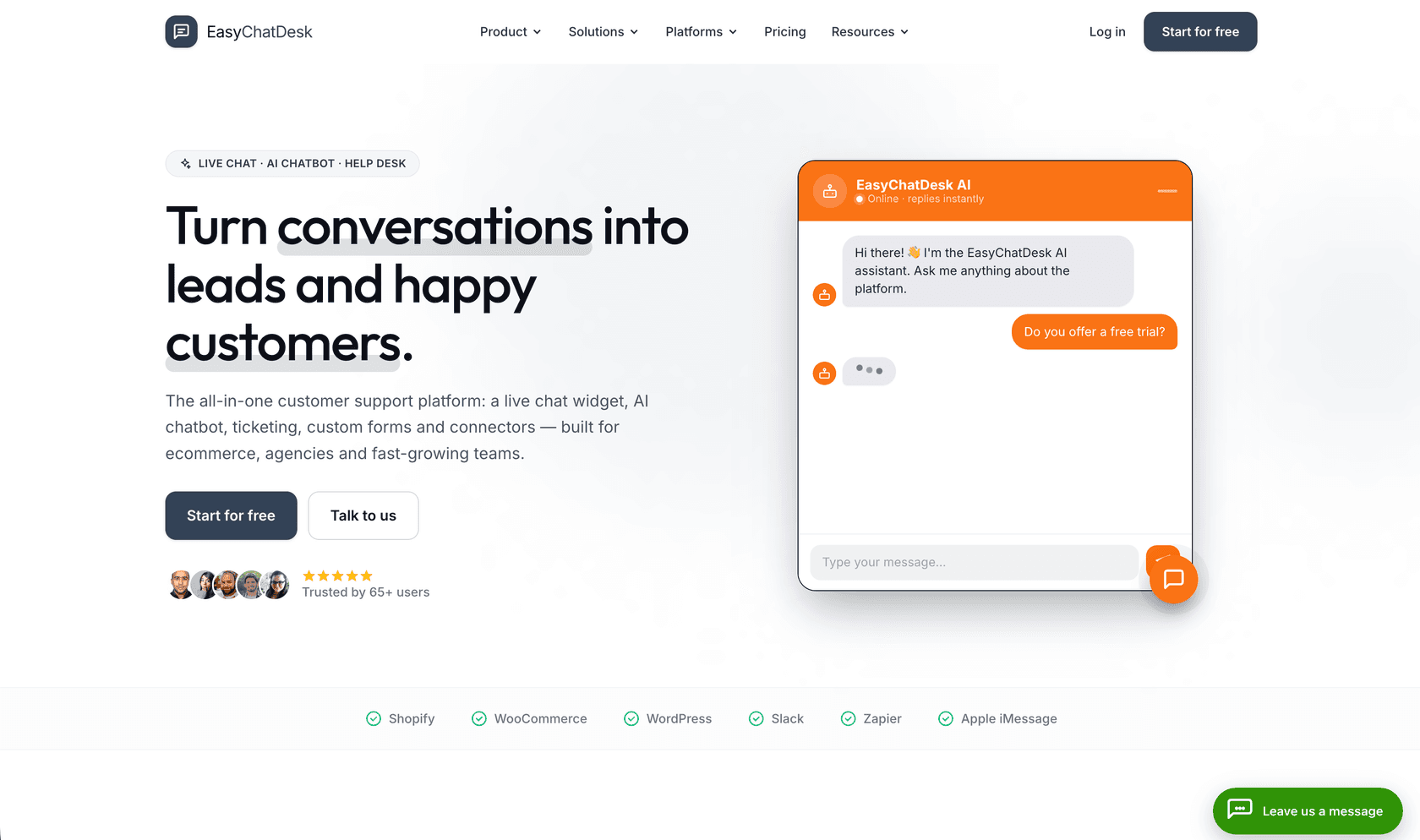
EasyChatDesk comes at the problem from the opposite direction to Chatbase. Chatbase gives you a bot and leaves the human side of support to whatever else you're running. EasyChatDesk starts with a live chat widget and a ticketing inbox, then puts an AI chatbot trained on your own content on top. When the bot gets stuck, the conversation lands with a person in the same dashboard, full history attached, and one click turns it into a ticket.
That's a bigger deal than it sounds. With Chatbase you don't reach help-desk integration until the $120/mo Standard plan, while EasyChatDesk includes ticketing on every plan, starting at $17. It installs with one JavaScript snippet on WordPress, Shopify, WooCommerce, Wix, Webflow, or Squarespace, connects to Slack and Zapier, and supports 55+ languages. There's EU data residency and an on-prem option for stricter GDPR setups. Branding removal arrives at $33/mo, where Chatling holds it back until the $112 Plus plan.
Now the catches. Pricing is per agent seat, so a five-person team on Professional pays $165/mo, and the Starter plan has no AI chatbot at all. The trial asks for a card upfront, though nothing is charged until the 14 days are up. It's also a young product for small businesses, so there's no G2 or Trustpilot base to cross-check yet.
What's free: 14-day trial, card required, nothing charged until it ends. No perpetual free tier.
Paid pricing: Starter $17/agent/mo billed yearly ($21 monthly) for live chat and ticketing without AI; Professional $33/agent/mo ($41 monthly) adds the AI chatbot with 5,000 AI credits, 1 AI agent, unlimited chat history, and branding removal; Business $199/agent/mo (15,000 credits, 2 AI agents, Apple iMessage channel); Platinum $349/agent/mo. A one-time-payment lifetime plan with unlimited agents is also on offer.
Our take: the pick for a solo founder or small business serving roughly 5,000 to 10,000 customers, especially on a WordPress, Shopify, or micro-SaaS site where you want chat, tickets, and a bot in one place rather than three subscriptions.
So which free Chatbase alternative should you actually pick?
If you want a clean decision rather than a shrug:
- You want truly free and you're technical: Botpress. The most generous free tier with AI bundled in.
- You want truly free and no-code: Chatling. Live in minutes, just mind the credit math.
- You run a Shopify or ecommerce store: Tidio, for free live chat plus Lyro. Pair it with our AI chatbot for ecommerce guide.
- You need complex flows or voice: Voiceflow's Sandbox to prototype.
- You need cited, audit-friendly answers: CustomGPT.ai (trial), or SiteGPT for a simpler website bot.
- You want chat, tickets, and a bot in one dashboard on a small budget: EasyChatDesk, from $17/agent/mo.
- You're past the free-tool stage and want real ticket resolution: eesel AI.
The thread running through all of this: free tiers are loss-leaders designed to get you onto a paid plan, so the smart move is to judge them on what happens after the free credits run out. A tool that charges fairly at scale, and lets you see its resolution rate before you commit, beats a generous-looking free plan with an unpredictable bill behind it. That's the lens we'd apply whether you're comparing these or the broader set of free AI for customer service tools.
Try eesel AI

If you've been bouncing off free chatbot tiers because they can't handle real support volume, eesel AI is built for the step after. It deploys an AI agent inside the helpdesk you already run, Zendesk, Freshdesk, Slack, email, Shopify, learns from your existing ticket history on day one, and lets you simulate its performance on thousands of past tickets before it ever replies to a customer. You pay one fixed monthly price from $299 for 500 credits (1 credit per ticket or chat), with no seat fees and no per-resolution surprises, and you can start free with 100 credits and no card.
Try eesel or see the full pricing to work out what it'd cost for your ticket volume.