So, can AI write LinkedIn posts? Yes. Will anyone read them?
Let's get the literal question out of the way first: yes, AI writes LinkedIn posts well. Open ChatGPT, Jasper, or any free AI writing tool, type a topic, and you'll have a grammatically clean, structurally sensible post in about ten seconds. The technology question was answered a while ago.
The real question is the one that actually matters to you: will the post you generated get read, or will it die at twelve impressions? And here the honest answer is "it depends entirely on what you put in." I've watched this go both ways more times than I can count, and the difference is almost never the tool.
Here's the trap. The default move is to give the AI a topic and nothing else. "Write a LinkedIn post about productivity." The model dutifully produces something that is technically a LinkedIn post: a punchy one-liner opener, three tidy bullet points, a "What's your take? 👇" closer, maybe an emoji ladder. It reads fine. It also reads exactly like the forty other posts in the feed that were generated the same way this morning. The model didn't fail, your input did.
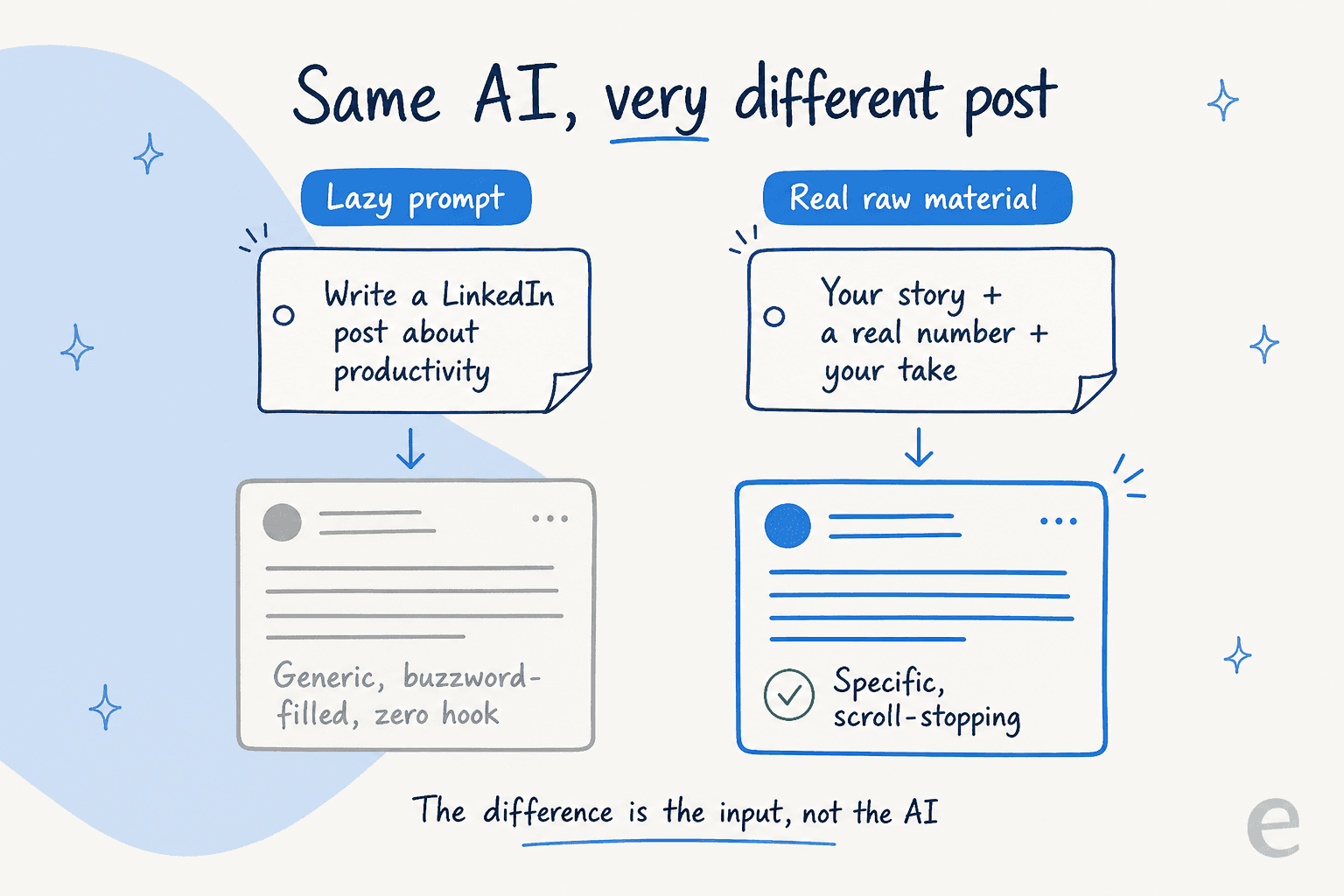
LinkedIn's feed (and increasingly the AI search tools people use to find content) rewards specificity and punishes pattern-matching. A post that could have been written by anyone, about anything, for anyone, is the exact signal that gets buried. So the skill isn't "can AI write a LinkedIn post," it's "can you give AI enough of yourself that the post stops sounding like a template." That's a learnable workflow, and it's most of what the rest of this piece is about.
What AI is genuinely good at (and what it isn't)
Before the workflow, it helps to be clear-eyed about the division of labour. After spending a lot of time building tools that draft content, I've landed on a fairly firm line about where AI pulls its weight on LinkedIn and where it quietly makes you worse.
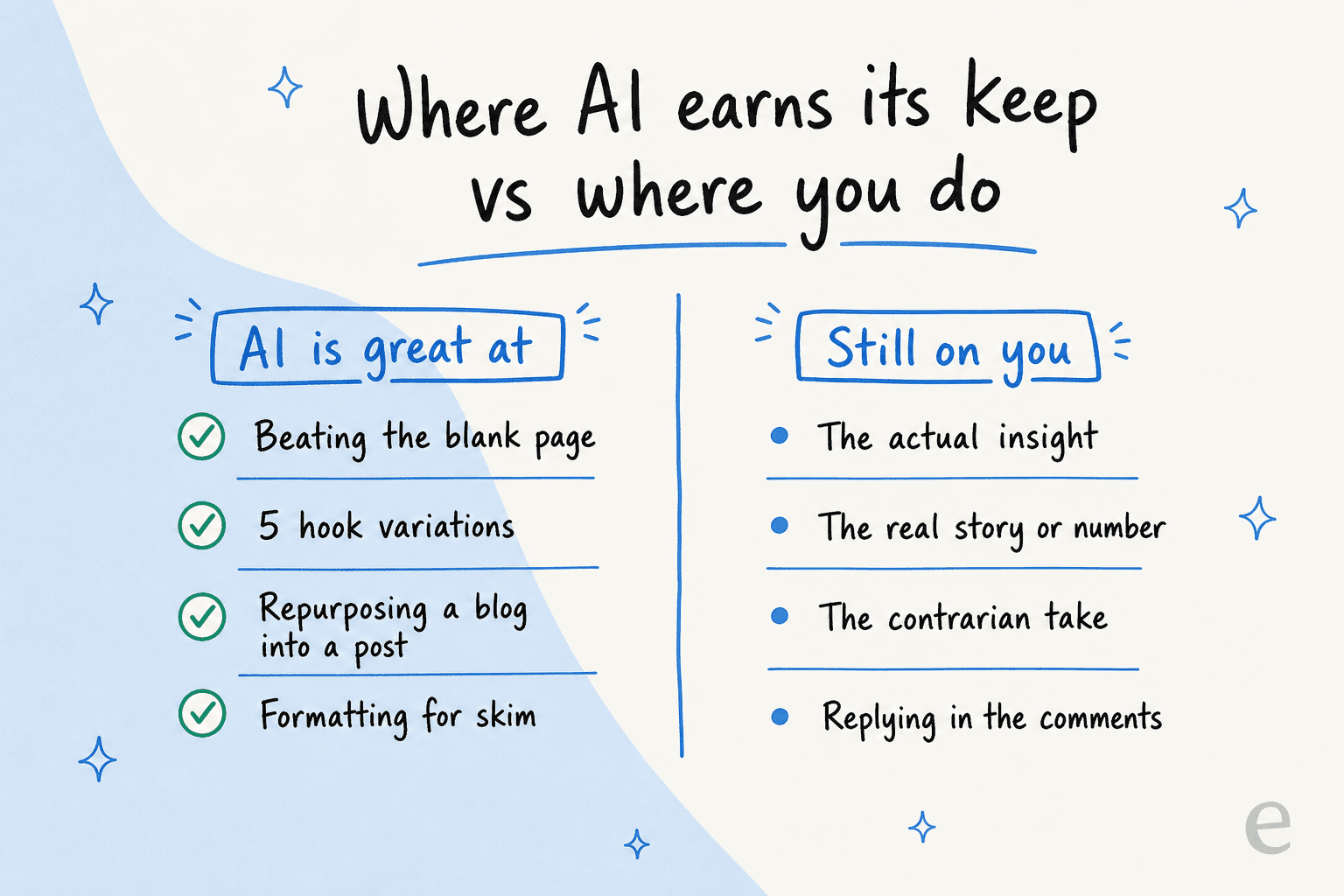
AI is excellent at the mechanical, blank-page parts. It will give you five different hooks for the same idea so you can pick the one that lands instead of marrying your first attempt. It will take a 1,500-word blog post and pull three distinct LinkedIn angles out of it, which is genuinely one of the best uses of any AI content writer. It will reformat a dense paragraph into the short, line-broken rhythm the feed prefers. These are real, repetitive jobs, and handing them off is the whole point, the same way you'd reach for an AI copywriting tool for ad variations.
Where AI gets you in trouble is the part everyone wants it to do: have the idea. It cannot supply the insight you earned by actually doing the work, the specific number from your last launch, or the contrarian take you hold because you've been burned. When you ask it to, it confabulates a plausible-sounding version, and plausible-sounding-but-hollow is the precise texture readers have been trained to distrust. eesel's own AI blog writer page puts the bar bluntly:
"Not another AI slop machine. It reads Reddit threads, primary sources, industry reports. Every claim cited. Every stat sourced."
That line exists because the failure mode is so common. We built our content writer around research and a 94% voice match precisely because the thing that kills AI content isn't bad grammar, it's emptiness. The same rule applies to a 150-word LinkedIn post as to a 2,000-word article.
A workflow that doesn't sound like a robot
So how do you actually use AI to write LinkedIn posts that pass as human (because they basically are)? The trick is to invert the lazy flow. Instead of asking AI for the idea and editing the words, you supply the idea and let AI handle the words.
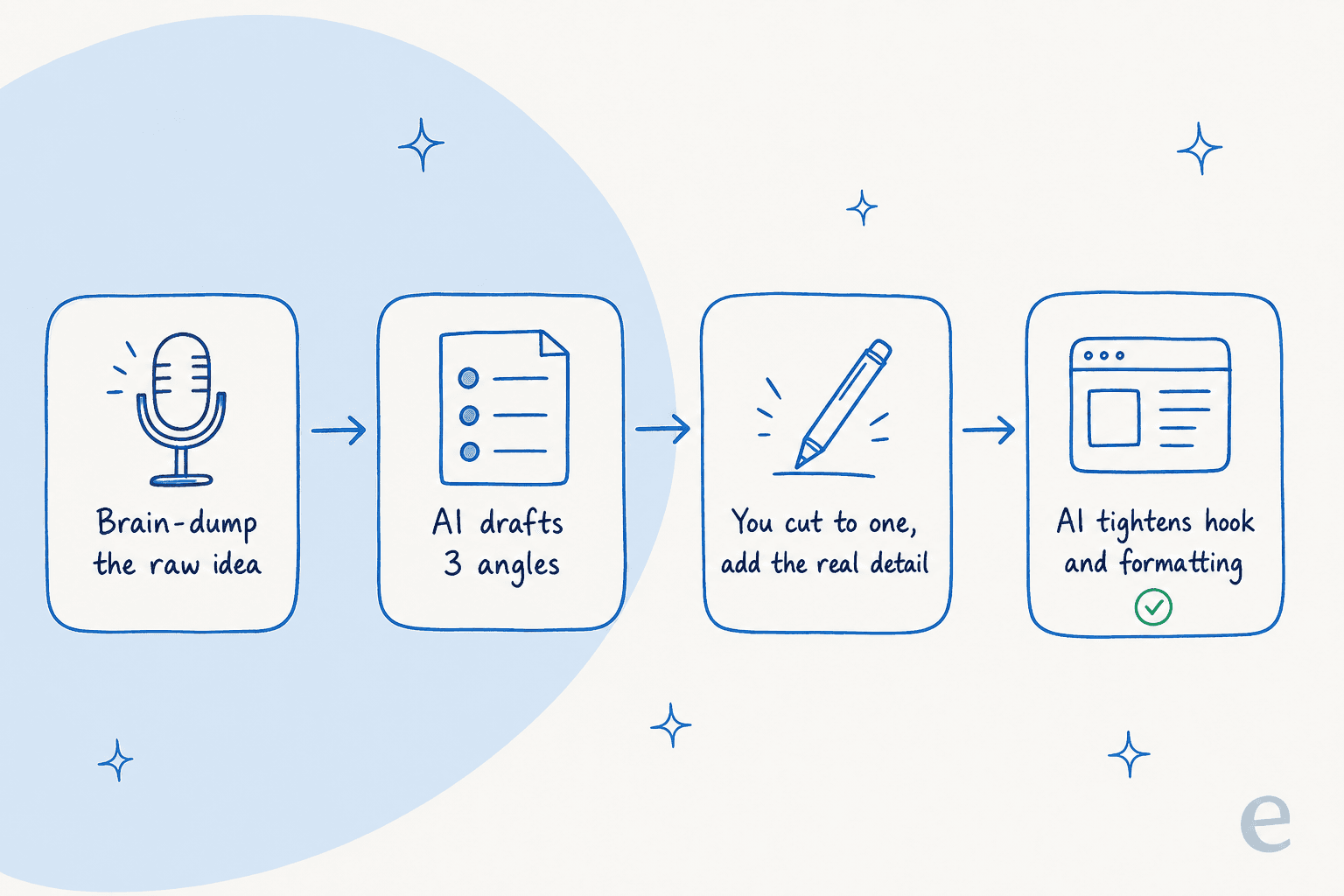
Here's the version I'd actually run:
- Brain-dump the raw idea first. Talk or type out the thing that happened, messily. "We shipped a feature, nobody used it for two weeks, turned out the button was below the fold, moved it, usage tripled." Voice memo it if that's faster. This raw lump is the part only you have, and it's what every good post is built from.
- Ask AI for three angles, not one post. Hand it the brain-dump and ask for three different ways to frame it: a tactical how-to, a vulnerable "here's what I got wrong," a contrarian "everyone obsesses over X but the real lever is Y." This is where AI's range beats yours, the same reason teams lean on AI content generators for ideation.
- Cut to one and add the detail back. Pick the angle, then put the specific back in, the real number, the real product name, the actual quote from the Slack thread. AI strips specificity by default; your edit pass is where you re-inject it.
- Let AI tighten the hook and formatting last. Now ask it to sharpen the first line and break the text for skim. This is the safest possible thing to automate, and a dedicated LinkedIn post generator or social media caption generator does it well.
That sequence keeps the irreplaceable part (your material, your take) in your hands and offloads the genuinely tedious part. It's the same logic behind treating an AI writer as a teammate rather than a vending machine: you don't prompt it cold and hope, you give it context and direct it.
If you want to skip straight to step four for a one-off post, here's what a free tool looks like in practice:
The hook is everything, and this is where AI earns its money
If there's one place to let AI off the leash, it's the first line. LinkedIn shows roughly the first sentence or two before the "see more" cutoff, so the hook does almost all the work of deciding whether anyone reads the rest. It's also the single hardest line to write, which makes it the perfect candidate for the "give me ten options" treatment.
The move I'd recommend: write your post however it comes out, then ask AI for ten different opening lines that don't repeat the body, mixing a stat-led hook, a question, a blunt confession, and a mild contrarian jab. You'll usually bin eight, but the two survivors beat whatever you'd have settled for on your own. This is volume-and-selection, which is exactly what models are good at, the same strength that makes free AI writing generators useful for headlines and subject lines too.
One caution: don't let the hook write a cheque the post can't cash. AI loves a dramatic opener ("This one mistake cost us everything"). If the body doesn't deliver on it, you've trained your audience to distrust your hooks, which is worse than a boring-but-honest first line.
Where this breaks: the stuff to never hand to AI
A fair, useful post has to name the limits, so here's where I'd draw hard lines.
Invented experience. The fastest way to torch your credibility is to let AI write "When I scaled my team from 5 to 50…" when you did no such thing. Readers and, increasingly, AI detection tools are getting good at smelling manufactured stories. If it didn't happen to you, don't post it.
Fabricated numbers. AI will happily produce "studies show 73% of marketers…" with no study behind it. On a platform where your professional reputation is the currency, a made-up stat that someone fact-checks in the comments is a genuinely bad day. If you can't source it, cut it. (Running a draft through an AI humanizer smooths the prose, but it does nothing for a false claim underneath.)
The comments. A post is half the work; the conversation under it is the other half, and it's where relationships actually form. Auto-generated replies read as exactly what they are. Show up as yourself there.
Your genuine opinion. If you don't actually believe the take, no amount of polish saves it. The posts that travel are the ones with a real person's conviction behind them. AI can help you phrase a belief; it can't hold one for you.
The pattern across all four: AI owns the form, you own the substance. Keep that line and AI is a force multiplier. Blur it and you become one more account posting things nobody asked for.
Try eesel for LinkedIn posts and the content around them
If you're writing one LinkedIn post, a free LinkedIn post generator gets you there in a minute, no account needed. But most people asking "can AI write LinkedIn posts" are really asking a bigger question: can AI take the content work off my plate without making everything sound like a robot wrote it?
That's the problem eesel's AI blog writer was built for. It's positioned as a teammate, not a prompt box, it does real research (Reddit threads, primary sources, every claim cited), it matches your voice from the first draft, and it can repurpose a long-form post into the social copy around it. The reason I trust the LinkedIn use case is the same reason our customers do the bigger one: one team running it produces brand-voiced SEO content at the kind of scale (hundreds of posts a month, from a keyword to a published draft) that only works if the voice holds up.
You can try eesel free, or start with one of the free tools like the social media caption generator, LinkedIn summary generator, or AI writer. Whichever you pick, the rule doesn't change: bring the real material, and let the AI handle the rest.
Frequently Asked Questions
Can AI write LinkedIn posts that actually get engagement?
What is the best AI for writing LinkedIn posts?
How do I stop my AI LinkedIn posts from sounding generic?
Is it cheating to use AI to write LinkedIn posts?
Can AI repurpose my blog posts into LinkedIn posts?
How much does it cost to use AI for LinkedIn posts?
What should I never let AI write for me on LinkedIn?


Article by
Kurnia Kharisma Agung Samiadjie
Kurnia is a software engineer and writer at eesel AI with two years of SEO experience, writing about AI tools, helpdesk software, and customer support. He pairs a developer's understanding of how these products are built with search-driven research into what actually ranks and resonates with the people searching for them.