
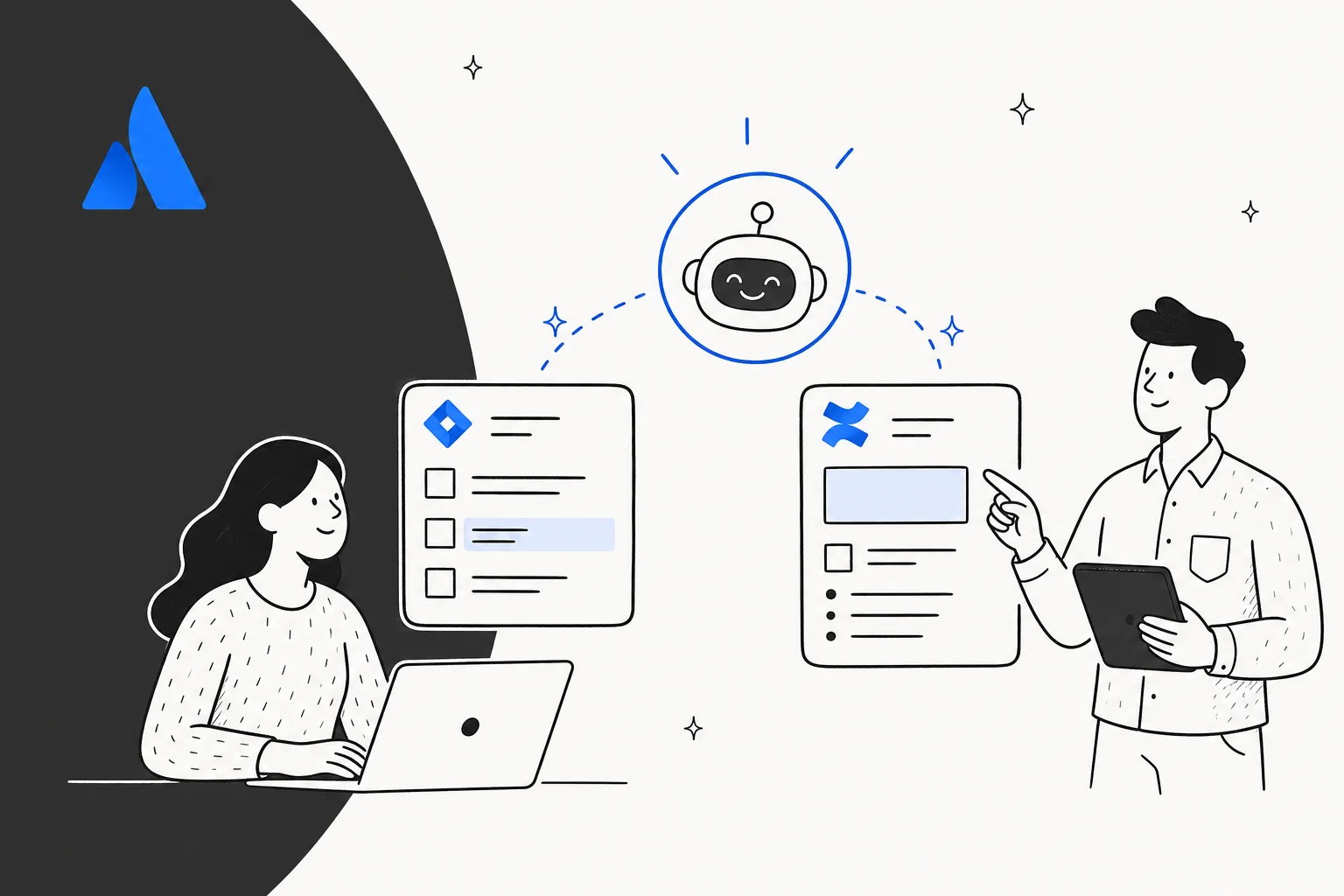
Atlassian brings an AI assistant to Jira and Confluence through two overlapping products: Atlassian Intelligence for the in-app gen-AI features and Rovo for chat, enterprise search, and agents. There is also a developer-focused add-on called Rovo Dev for code planning and PR review.
The honest one-paragraph verdict: if your team lives inside Atlassian all day and your knowledge lives in Confluence, you already have a credible AI assistant included in your Standard, Premium, or Enterprise plan - no separate subscription. If your team actually lives in Slack or Microsoft Teams, or your knowledge is spread across Notion, Google Drive, and Zendesk, the experience hits a wall fast: the AI lives where Atlassian lives, not where your team works.
Three specific things to watch: the included Rovo credit pool runs out quickly on the Standard plan (one Bitbucket PR review reportedly burned 760 of 2,000 credits in a real test), there is no native Rovo bot inside Slack or Teams, and answer quality is strongest on single-Confluence-page tasks rather than reasoning across tools. We cover all three below, and where eesel fits in for the teams whose knowledge is more sprawling than Atlassian's product surface assumes.
What Atlassian actually shipped: Intelligence, Rovo, and Rovo Dev
The naming is genuinely confusing because Atlassian keeps adding layers without renaming the old ones. The short version:
- Atlassian Intelligence is the umbrella brand for the generative-AI features baked directly into Jira, Confluence, and Jira Service Management - think issue summaries, natural-language JQL, AI-edited descriptions, the virtual service agent. It is the features inside the app.
- Rovo is the bigger product on top. It has three surfaces: Rovo Chat (a conversational panel that lives inside Atlassian products and at chat.rovo.com), Rovo Search (enterprise search across Atlassian apps and 100+ third-party connectors), and Rovo Agents (pre-built and custom AI agents that take actions on your work). Rovo runs on Atlassian's Teamwork Graph, which is the cross-app knowledge layer connecting people, projects, content, and goals.
- Rovo Dev is a separately-billed add-on aimed at engineers - code planning from a Jira issue, PR review against acceptance criteria, terminal-based agent via a CLI, surfaces inside Bitbucket, GitHub, VS Code, and Jira.
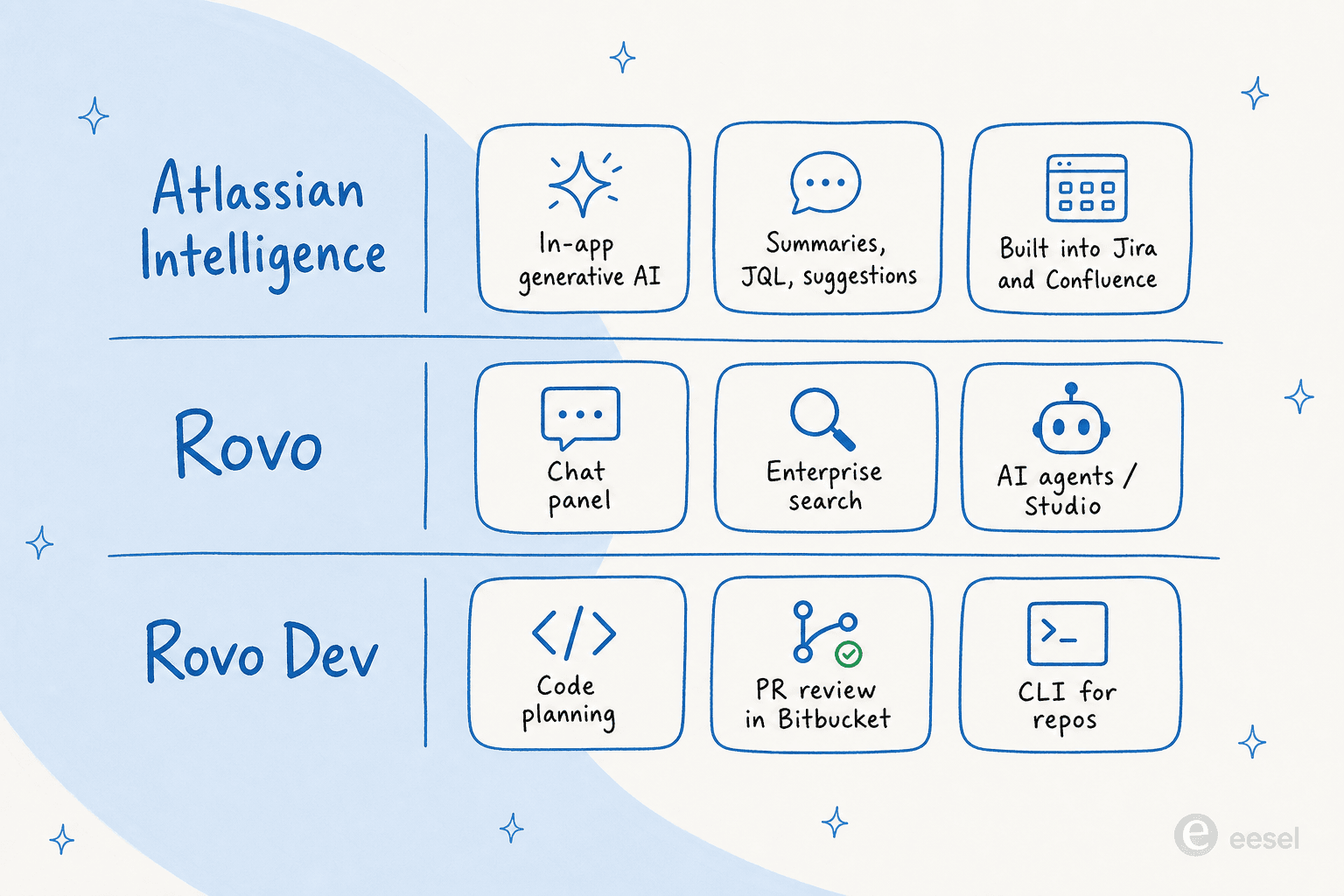
If you have ever caught yourself searching "is Atlassian Intelligence the same as Rovo", this is why. They are related but not the same. Atlassian Intelligence is the feature layer; Rovo is the product line. The two ship together on paid Cloud plans, so most teams will never have to choose between them - but the naming matters when you are pricing, configuring, or talking to support.
What the AI does inside Jira
This is the surface most teams see first. Atlassian's Jira AI feature list (now branded as "Rovo AI features in Jira") covers about a dozen distinct things, and the support docs enumerate every one.
The features that actually move the needle for day-to-day Jira users:
- Natural-language work item search. Type "show me bugs assigned to me with the label
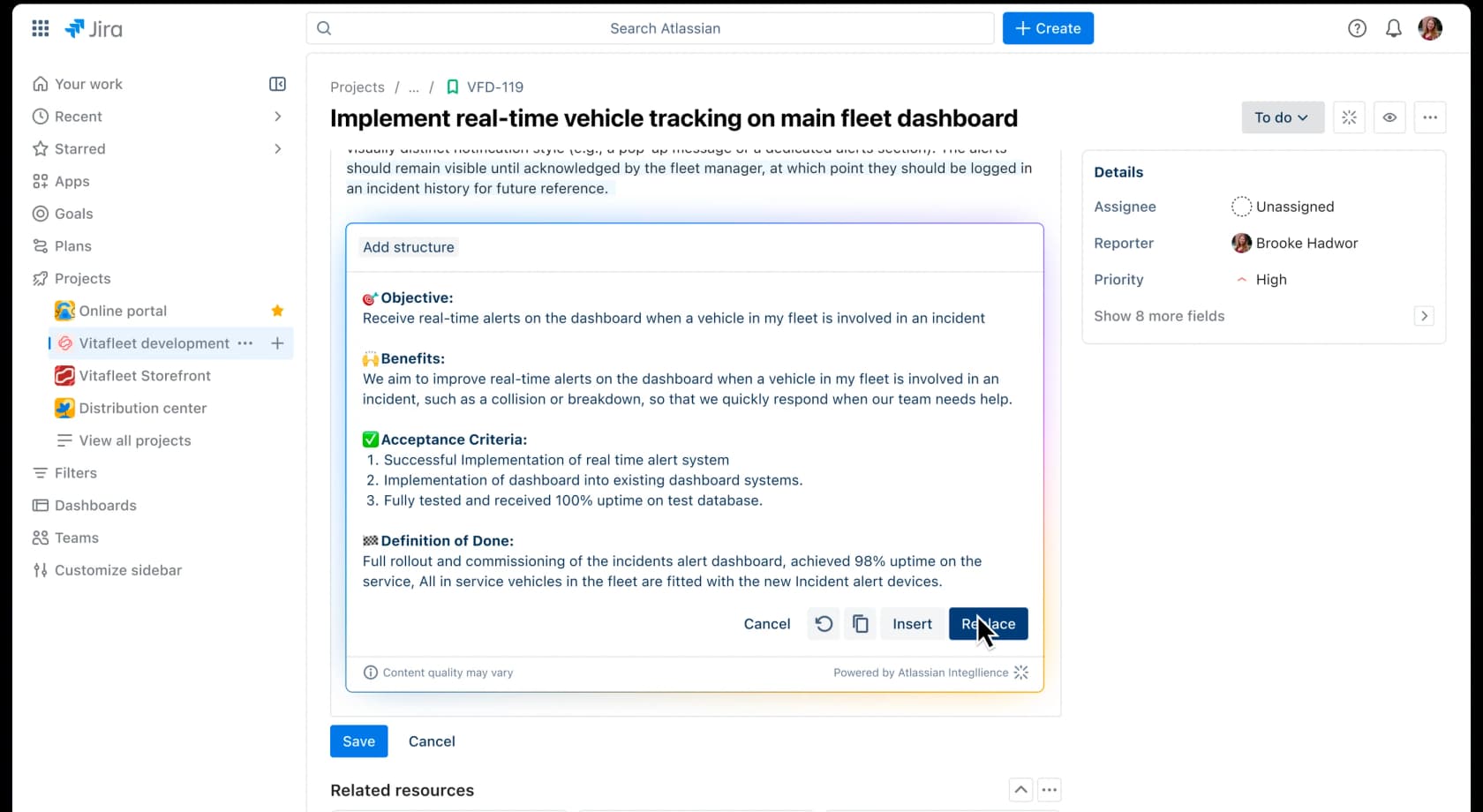
paymentsopened in the last week" and Rovo translates it into JQL. If your JQL has a typo, the JQL error fixer repairs it inline. - Issue description rewriting. The "Improve writing" action restructures a vague bug report into a consistent format with steps to reproduce, expected vs. actual, and acceptance criteria - useful for the engineer reading it next.
- Comment thread summaries. A 40-comment ticket collapses into a single paragraph so the new owner does not have to scroll through six months of context.
- AI-assisted breakdown of epics into child items. Pick an epic, the AI suggests a list of child issues, accept the ones that fit, decline the rest. The accepted ones get created and linked automatically.
- Create issues from a Confluence link or Loom recording. A product brief in Confluence becomes a populated Jira issue with description, acceptance criteria, and a link back to the spec.
- Create work items from Slack or Microsoft Teams threads. Right-click a Slack message, send it to Jira, and Rovo uses the thread as context for the new issue.
On the Jira AI page, Atlassian highlights a specific Rovo agent called the Work Readiness Checker, which validates whether a work item is "clear and complete" before sprint planning, and the Issue Organizer, which moves issues into sprints and assigns them to epics. The framing - Atlassian's words - is that you can "assign work to an agent, just like you would a teammate." That is genuinely the conceptual shift: Rovo agents are not just AI features, they are addressable workers you can hand things to from your Jira automation rules.
Jira Service Management has the deepest AI surface
If you run a helpdesk on JSM, this is where Atlassian Intelligence is most loaded - there are simply more repeatable tasks in support work than in software work. The JSM AI feature list is dense; the most consequential pieces:
- The virtual service agent uses generative AI to search linked Confluence knowledge base spaces, answer customer questions in natural language with conversation memory, and run controlled conversation flows to gather information or route to the right request type.
- Customer sentiment analysis (beta) tags each work item positive / neutral / negative so the queue self-prioritises.
- Triage work items suggests the right request type for incoming tickets in bulk - useful when a new service desk has a noisy intake form.
- Suggested replies from similar past tickets, KB article drafting from a prompt, and gap detection that flags missing knowledge.
- AIOps for incidents: grouping related alerts, creating incidents from alerts, generating incident timelines in Slack, and drafting the post-incident review summary automatically.
That last bucket - the AIOps stack - is the most credible part of the JSM AI story. Incident response has clear repeatable artefacts (a timeline, a PIR, a list of related alerts), and the AI assistant materially compresses the busywork of producing them. It is also the area where the JSM AI is most worth evaluating on its own merits, separate from the Confluence story.
Rovo Dev - the engineering-side agent
The Rovo Dev page is where Atlassian's framing pivots from "AI inside the apps" to "AI as a team of agents that ships code." The capability list:
- Code Planning - generate an implementation plan from a Jira work item, pulling context from linked Confluence specs and prior PRs.
- Code Generation - turn the plan into a draft branch and PR.
- Code Review - analyse a PR and validate it against the acceptance criteria stored in the linked Jira issue.
- Code Automation - multi-step background workflows where Rovo Dev plans, generates, and reviews in parallel.
The surfaces are: a Rovo Dev CLI in the terminal, a workflow tab inside Jira, a PR-review integration in Bitbucket Cloud and GitHub, plus a VS Code extension. Atlassian's own usage claim is a 45% reduction in PR cycle time. Rovo Dev is in beta as of mid-2026 and is opted in via the devai bundle.
Worth knowing: developers who have used Claude Code or Cursor heavily are mixed on Rovo Dev. From r/RovoDev, the dominant framing is that Rovo Dev is good when the work is Jira-resident (an issue with acceptance criteria, linked specs, a clear PR target) but feels limiting to engineers used to building custom workflows with hooks, sub-agents, and custom skills on a standalone coding agent. That is a fair read: Rovo Dev is optimised for the Atlassian-native software lifecycle, not as a general-purpose coding partner.
What the AI does inside Confluence
The Confluence surface is more about reading and writing knowledge than operating on it, which makes it a different shape of usefulness.
The features inside the Confluence editor (powered by Atlassian Intelligence):
- Ask Rovo in the editor. Highlight a paragraph, click Ask Rovo, and you get a floating toolbar with Improve writing, Fix spelling and grammar, Change tone, Shorten, Lengthen, and Translate. It is the Confluence AI copilot story compressed into a single contextual menu.
- Summarize a page. A long Confluence page collapses into a one-paragraph TL;DR with bullet highlights.
- Definitions inline. Hover over an acronym or a project codename, and Rovo pulls a definition from across your company's content. Atlassian's own example is hovering on "Project Titan" and seeing what the project actually is, sourced from your own Confluence pages.
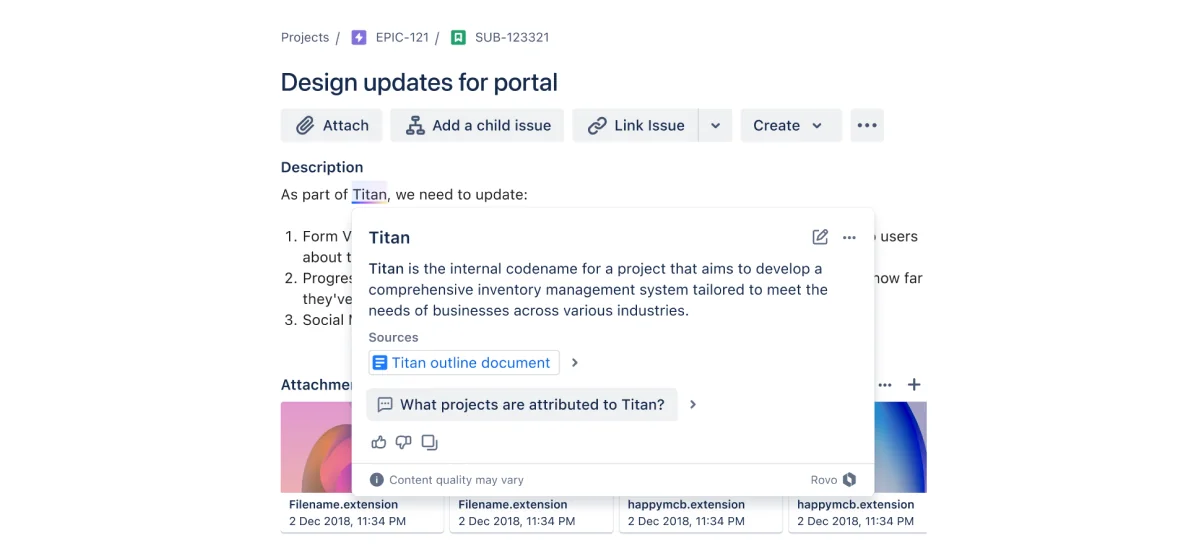
Definitions are quietly one of the strongest Rovo features for big-company Confluence shops. New hires constantly run into acronyms they have to slack-ask someone to translate. Putting that one-click in the page itself is a real onboarding win.
Rovo Chat - the side panel that lives in every Atlassian app
The Rovo Chat panel is the surface most people mean when they say "the Atlassian AI assistant." It opens as a right-side panel on any Confluence page, Jira issue, or Jira Service Management ticket - and it knows what page you are looking at. You can also reach it at chat.rovo.com without being inside a specific Atlassian product, and there is a Chrome browser extension that brings it onto any tab.
Inside the panel, the conversation starters Atlassian preloads tell you the intended use cases: Find information ("Are there any similar Jira work items to this one?"), Rephrase content ("How could I improve the description?"), Stay up-to-date ("Has anything on this page changed in the last week?"). There are two toggles that change how Rovo answers: Web search (use the public web in addition to your company content) and Deep research (multi-source, multi-page cited report).
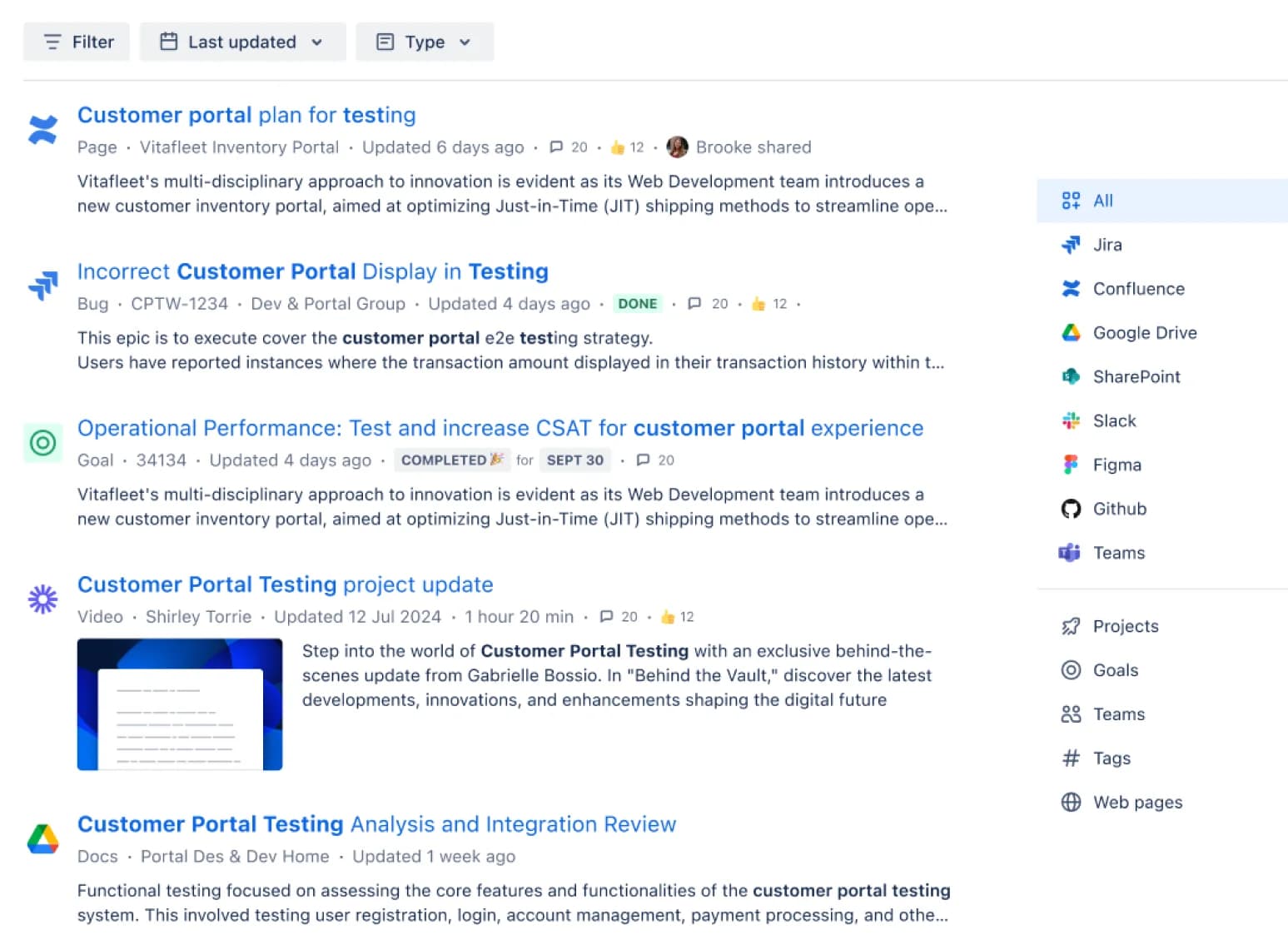
Rovo Search is the underlying engine. It indexes Atlassian-native apps (Confluence, Jira, JSM, Bitbucket, Compass) plus 100+ third-party connectors (Google Drive, SharePoint, OneDrive, Box, Slack, Microsoft Teams, GitHub, Figma, Salesforce, Zendesk, and more). Every result respects per-document permissions: if a Confluence space is restricted, Rovo will not surface it to a user who cannot already see it. Atlassian claims users are 60% more successful with Rovo Search than the leading open-source enterprise search apps.
Rovo Agents - pre-built and custom AI teammates
This is where the Atlassian story gets interesting. Rovo Agents are addressable AI workers you can chat with or assign work to. Atlassian ships a stable of out-of-the-box agents:
- Meeting Insights Reporter - summarises a meeting transcript and extracts action items.
- Brainstorm Facilitator - generates ideas in Confluence from a prompt.
- Employee Onboarding - answers new-hire questions and walks them through the first-week checklist.
- Issue Organizer - moves issues into sprints and ties them to epics.
- Work Readiness Checker - validates that a Jira issue is sprint-ready.
If those agents do not quite fit, you can build your own in Rovo Studio - Atlassian's no-code, prompt-based builder for custom agents and automations. Each custom agent gets its own knowledge scope (which Confluence spaces it can read), its own agent skills (create a Jira ticket, send a Slack message, schedule a meeting), and its own conversation starters.
The community sentiment on custom agents is the most positive part of the Rovo dataset. From r/atlassian's "3 Rovo Agents That Make Your Life Easier!" thread (from search snippet, ~3 months ago):
"We integrated it into a Confluence automation that posts updates from our meeting page directly into our team's Slack channel."
That is the use-case shape where Rovo lands well - structured, in-product, single-trigger automations. The harder ceiling appears the moment you want to do something Studio does not expose (a custom MCP server, an unsupported integration, an action against a non-Atlassian system).
How users are actually using it: the credit ceiling problem
The loudest sentiment across r/atlassian, r/jira, r/RovoDev, and the Atlassian Community forums is not about quality. It is about credit accounting. Rovo is "included" in your paid Cloud plan - but each LLM-powered action consumes credits, and the included pool is small enough on Standard that any sustained use blows through it inside a day.
The most concrete data point comes from an Atlassian Community forum thread where an admin tried a single PR review with Rovo Dev. From Chris Mingay, Atlassian Community, January 2026:
"Rovo had a look at the PR and made a few suggestions and in doing so appeared to use 965 of my 2000 credits with 760 being marked as 'Code review in Bitbucket', I'm not sure where the other 205 went?? Either I'm doing something amazingly wrong or that's not value for money at all."
The reply from an Atlassian PM in the same thread effectively conceded the point - recommending smaller PRs, manual triggers, fewer agent rules - and adding that "~760 credits for one PR review feels heavy, and it's worth raising with Atlassian because the value drops quickly if you're reviewing multiple PRs per day". When the product team is publicly agreeing the unit economics do not work, the gap between "included" and "useful" is real.
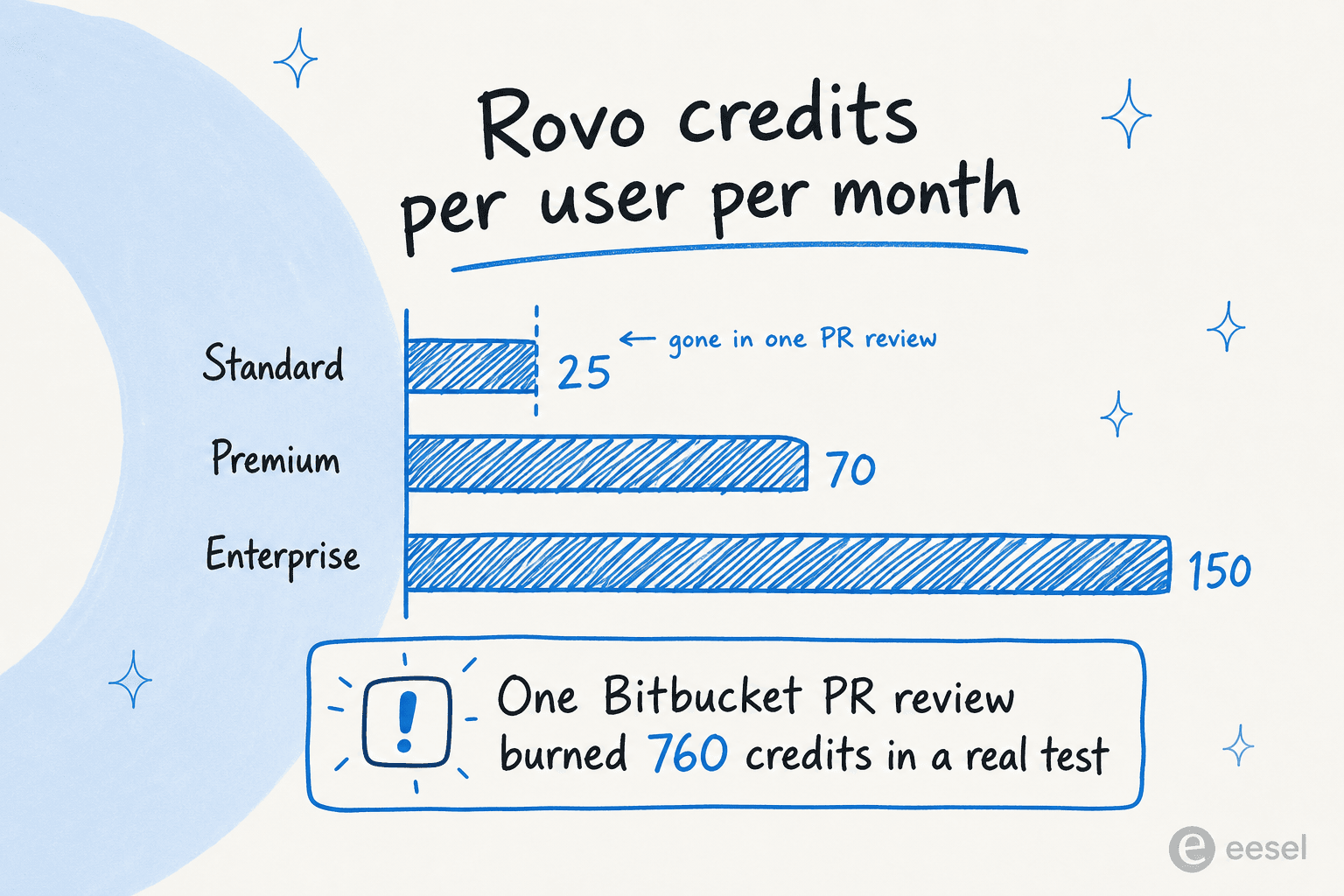
The cleanest way to read this: on Standard, your 25 Rovo credits per user per month are sized for occasional in-product touches (a few page summaries, a JQL fix, a few rewrites). They are not sized for sustained agent use. On Premium (70 credits) you start to have headroom. Enterprise (150 credits) is where teams that actually want to use Rovo daily settle, and that's also the tier where you can request the Atlassian-hosted LLM mode that keeps data off third-party providers. The Atlassian Intelligence cost breakdown goes into the full accounting.
Where the assistant falls short
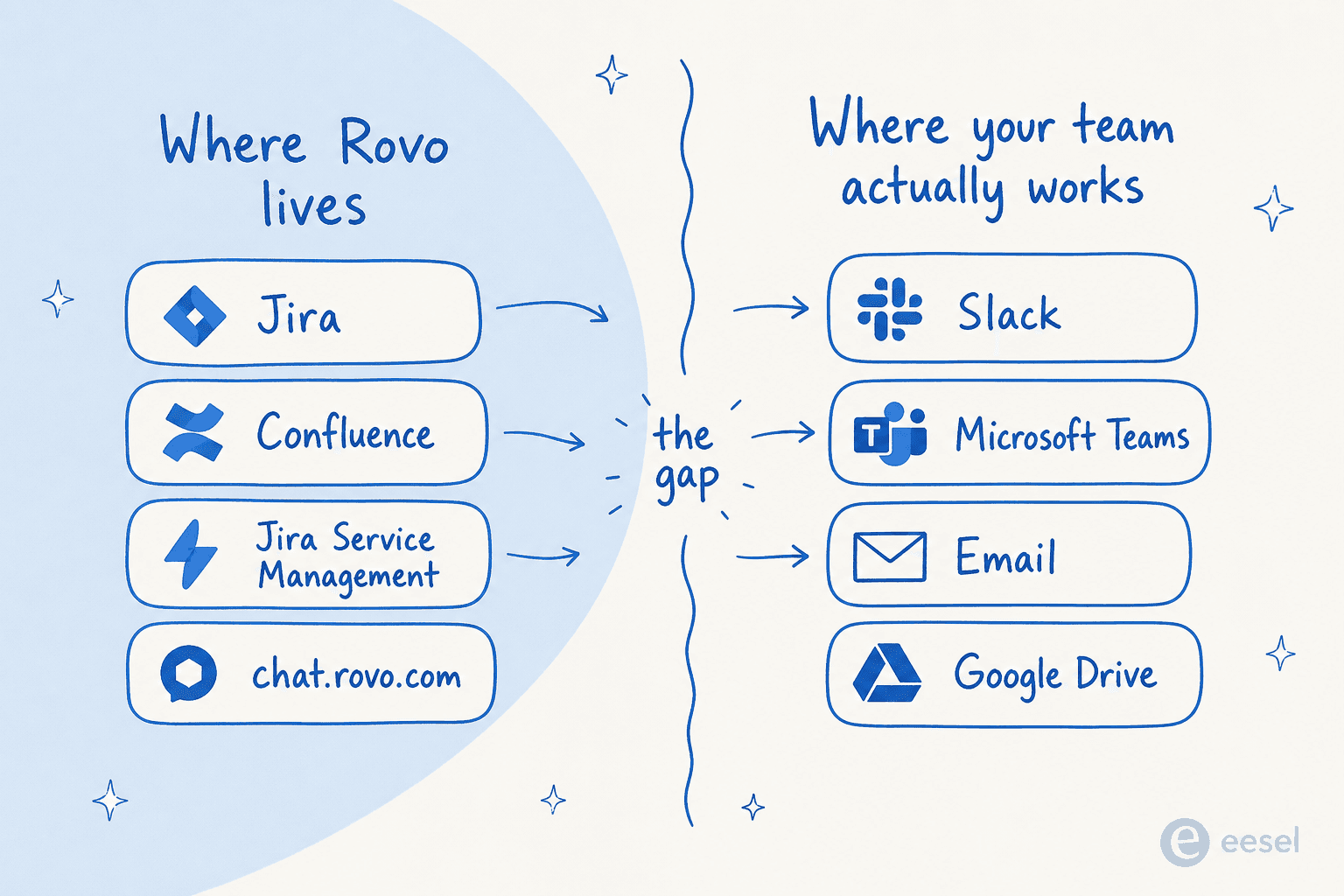
The other consistent friction is geography. Rovo Chat lives where Atlassian lives - inside Jira, Confluence, JSM, Jira Product Discovery, the chat.rovo.com web app, and the Chrome extension. It does not live inside Slack or Microsoft Teams as a native bot, which is where most knowledge workers actually spend their day.
From r/jira, "Been a JSM shop for 3 years" (from search snippet, ~1 month ago):
"Did you figure out how to connect the Rovo agent to Teams/Slack? I'm pilotting this right now, can only get Rovo added as an app to Teams..."
Rovo can read Slack and Teams through Rovo connectors - when an employee asks Rovo a question in Confluence, Rovo can fetch a Slack message as context for the answer. There is also the Rovo Slack integration that lets you create Jira issues from a Slack thread. But the conversational AI surface itself lives inside Atlassian. If your team's habit is "I'll just ask in Slack," they have to switch out to chat.rovo.com or jump into Jira to get the AI's answer. That context switch is the gap.
There are a couple of other rough edges the community surfaces consistently:
-
Confluence Databases are not fully indexed. A r/atlassian thread flagged that Rovo Chat could not read content stored in Confluence Databases (the structured-data block inside Confluence), only in regular pages. Atlassian's coverage is uneven across its own content types.
-
Atlassian Intelligence sometimes hijacks focus. Power admins on The Register's forum (Feb 2026) complained that Rovo proactively assigns tickets or rewrites comments when they did not ask for it. From Chronos:
"@Atlassian please turn Rovo off on Jira. The next time I start typing a comment beginning with 'hi' and the thing assigns the ticket to me because Rovo has stolen focus from the comment input, I'm going to recommend we switch to ServiceNow."
-
Free plan users get nothing. Rovo is completely absent on the Free tier. Small teams (under 10 users) on Free do not see any of this.
-
Hallucination risk is acknowledged. Atlassian's own trust documentation notes that Rovo answers "may not accurately reflect the content they are based on" and warns against relying on Rovo "in cases where you need current and accurate information about people, places, and facts." This is standard generative-AI fine print, but it matters in a service-desk context where customer-facing AI answers go out the door.
Privacy and security - the part that holds up
The privacy story is the strongest part of Atlassian's AI pitch and worth giving credit. From the Atlassian AI trust page, the load-bearing claims:
- No LLM training on customer data. None of Atlassian's LLM providers (OpenAI GPT, Anthropic Claude, Google Gemini, Meta LLama, Mixtral) store inputs/outputs or use them to train their models.
- Permission-aware retrieval is the technical default. The Onyx engineering writeup on enterprise search lists Rovo alongside Glean and Notion AI as tools that genuinely respect per-document ACLs.
- Atlassian-hosted LLM mode is available to Enterprise customers on request - all AI processing stays inside the Atlassian Cloud boundary, with no third-party LLM providers in the path.
- Admin controls let org admins enable or disable AI features per product via Atlassian Administration. (One caveat: non-AI Rovo features like Search, Studio, and Bookmarks cannot be disabled - they are platform features.)
For regulated industries - healthcare, finance, legal - that Enterprise-tier Atlassian-hosted LLM mode is the meaningful unlock. It is also worth understanding that the Rovo agent governance story is more mature than most competing AI assistants in this category.
When Atlassian Intelligence is the right pick - and when it is not
Putting it together: who is this assistant actually for?
It is the right pick when:
- Your team's day already happens inside Jira, Confluence, and JSM.
- Your knowledge lives primarily in Confluence (not spread across Notion + Drive + Slack + Zendesk).
- You are on Premium or Enterprise (so credit caps are not constantly biting).
- You want one vendor for project tracking, docs, and AI - not three separate subscriptions.
- You need permission-aware retrieval out of the box, and you want the Enterprise-tier Atlassian-hosted LLM option.
It is the wrong pick when:
- Your team's day happens in Slack or Microsoft Teams, not in Atlassian tabs.
- Your knowledge is genuinely multi-source (Notion + Confluence + Google Drive + a help center).
- You are on Confluence Free or just sized for fewer than 10 seats.
- You want a standalone AI knowledge base bot that layers onto non-Atlassian tools.
- You are running Atlassian Data Center without a companion Cloud subscription - full Rovo is Cloud-only.
That last group - Slack-first or multi-source teams - is where the Atlassian assistant story gets thin, not because the AI is bad but because the placement is wrong. The AI lives in the Atlassian surface; the users do not.
Try eesel
If your team is in that Slack-first / multi-source camp, eesel is purpose-built for it. eesel deploys autonomous AI agents that live inside the tools your team already uses - Slack, Microsoft Teams, Zendesk, Freshdesk, Gmail, Shopify, and 100+ others - not inside a new tab they have to switch to. The agents read tickets, draft replies, answer internal questions, take actions, and escalate edge cases without the user ever leaving the channel they are already in.
Where Atlassian asks employees to come to Rovo, eesel comes to them. And because we connect to Confluence, Jira, Notion, Google Drive, Zendesk, and everywhere else your knowledge lives, the answer the AI gives in Slack is grounded in all of your company's knowledge, not just the subset that sits inside one vendor. Pricing is one fixed monthly price, not per seat, from $299 a month for 500 credits (1 credit per ticket or chat), with no platform fee and everything included. Try eesel - there are 100 free credits on signup, no card required.