Let's be honest, everyone in customer support is chasing the same things: faster answers and happier customers. AI chatbots are constantly pitched as the magic solution. One tool you'll almost certainly run into is the Ada Chat SDK, a way to get their chatbot onto your website or mobile app.
But what does "SDK" actually mean for you and your team? An SDK (Software Development Kit) isn't a simple plug-and-play widget. It’s a full-blown toolkit that needs developers to get it up and running. In this guide, we'll pull back the curtain on the Ada Chat SDK. We'll look at what it does, how complicated it is to set up, what the pricing situation is like, and help you figure out if it's the right move for your team.
What is the Ada Chat SDK?
Think of the Ada Chat SDK as a box of building blocks for developers. It's designed to let them integrate Ada's AI chatbot deep into your digital platforms. Instead of a one-size-fits-all chat window that just sits on top of your site, the SDK gives your engineers the tools to weave the chat experience right into your website or native mobile apps.
According to Ada’s own documentation, they provide SDKs for the most common platforms, so you can offer a consistent experience no matter where your customers are:
-
Web: For your main company website or web app.
-
iOS: To build the chatbot directly into your iPhone and iPad apps.
-
Android: For your native Android apps.
-
React Native: To cover cross-platform apps built from a single codebase.
The whole point of using an SDK is to make the chatbot feel like it belongs. It allows your app to pass important context to the AI agent, like a customer's name, their location, or what subscription plan they're on, which helps make the conversation feel a lot more personal.
Key features and capabilities of the Ada Chat SDK
The Ada Chat SDK gives your developers a lot of levers to pull when it comes to customizing the chatbot's behavior. This level of control is great, but it also underlines just how technical the setup is. You're not just flicking switches in a settings menu; you're defining these rules in your code.
Based on what's in Ada's technical documentation, here are some of the main things your developers can control.
Ada Chat SDK customization settings
These are the initial settings that control how the chatbot looks and behaves when a user first opens it.
| Setting | Description | Platform(s) |
|---|---|---|
| handle | This is the unique ID for your bot. You have to include this. | Web, iOS, Android |
| language | Sets the chat's default language using codes like "en" for English or "fr" for French. | Web, iOS, Android |
| greeting | Lets you show a specific welcome message to first-time users. | Web, iOS, Android |
| metaFields | This is how you pass user data (name, email, etc.) to Ada to personalize the chat. | Web, iOS, Android |
| sensitiveMetaFields | A way to pass sensitive data that gets encrypted and isn't stored long-term by Ada. | Web, iOS, Android |
| parentElement | Lets you place the chat window inside a specific part of your webpage instead of the default pop-up. | Web |
| zdChatterAuthCallback | A special function needed to securely authenticate users with Zendesk for a live agent handoff. | Web, iOS, Android |
Ada Chat SDK programmatic actions
These are functions developers can use to change the chatbot's behavior on the fly, usually based on something the user does in your app or on your site.
-
reset: Wipes the current chat history and starts a fresh conversation.
-
setLanguage: Switches the chat's language mid-conversation.
-
setMetaFields: Updates user information as it changes during a session.
-
triggerAnswer: Forces the bot to give a specific answer or start a particular conversation flow.
-
toggle: Lets you programmatically open or close the chat window.
While all this control sounds good, it all depends on developers writing and maintaining code. For a support team that needs to adapt and make changes quickly, being stuck in a developer's backlog can really slow things down.
Ada Chat SDK setup, implementation, and the handoff process
Let's be clear: getting the Ada Chat SDK running isn't a simple copy-and-paste job. It takes real development work to embed the script, write the configurations, and build the logic for passing conversations from the AI over to a human agent.
The whole process usually involves installing the SDK, configuring it in your application's code, placing it on your site, figuring out the rules for when a human needs to take over, and then going through all the testing and deployment.
One of the trickiest parts is the "handoff." When the chatbot gets stuck, it has to pass the customer and the entire conversation history to a live agent in a tool like Zendesk, Gladly, or Intercom without a hitch.
graph TD A[Customer Conversation in Ada] --> B{Chatbot Gets Stuck}; B --> C[1. Website Calls Ada API for Transcript]; C --> D[2. Website Calls Help Desk API]; D --> E[Create Ticket with Transcript & User Info]; E --> F[3. Command Tells Ada to Transfer User]; F --> G[Customer Connects with Live Agent];
As you can see in Ada's own docs for integrations, this often requires your developers to:
-
Call an API: Your website has to make a call to an Ada API to get the chat transcript.
-
Send data to your help desk: Then, your site has to make another API call to your help desk to create a ticket, attaching the transcript and customer info.
-
Trigger the handoff: Finally, a command tells the Ada bot to transfer the user to the live agent's chat window.
This multi-step, code-heavy process can be fragile and take a lot of time to build and keep running smoothly.
The simpler, no-code alternative to the Ada Chat SDK
If all that sounds like a massive drain on your dev team's time, you're not wrong. For teams that can't afford to wait in a developer queue, this kind of technical setup is a huge roadblock. This is why many are turning to integration-first platforms. For instance, eesel AI was built to be completely self-serve. You can connect it to your help desk, like Zendesk or Freshdesk, with a single click, not a bunch of complex API projects.
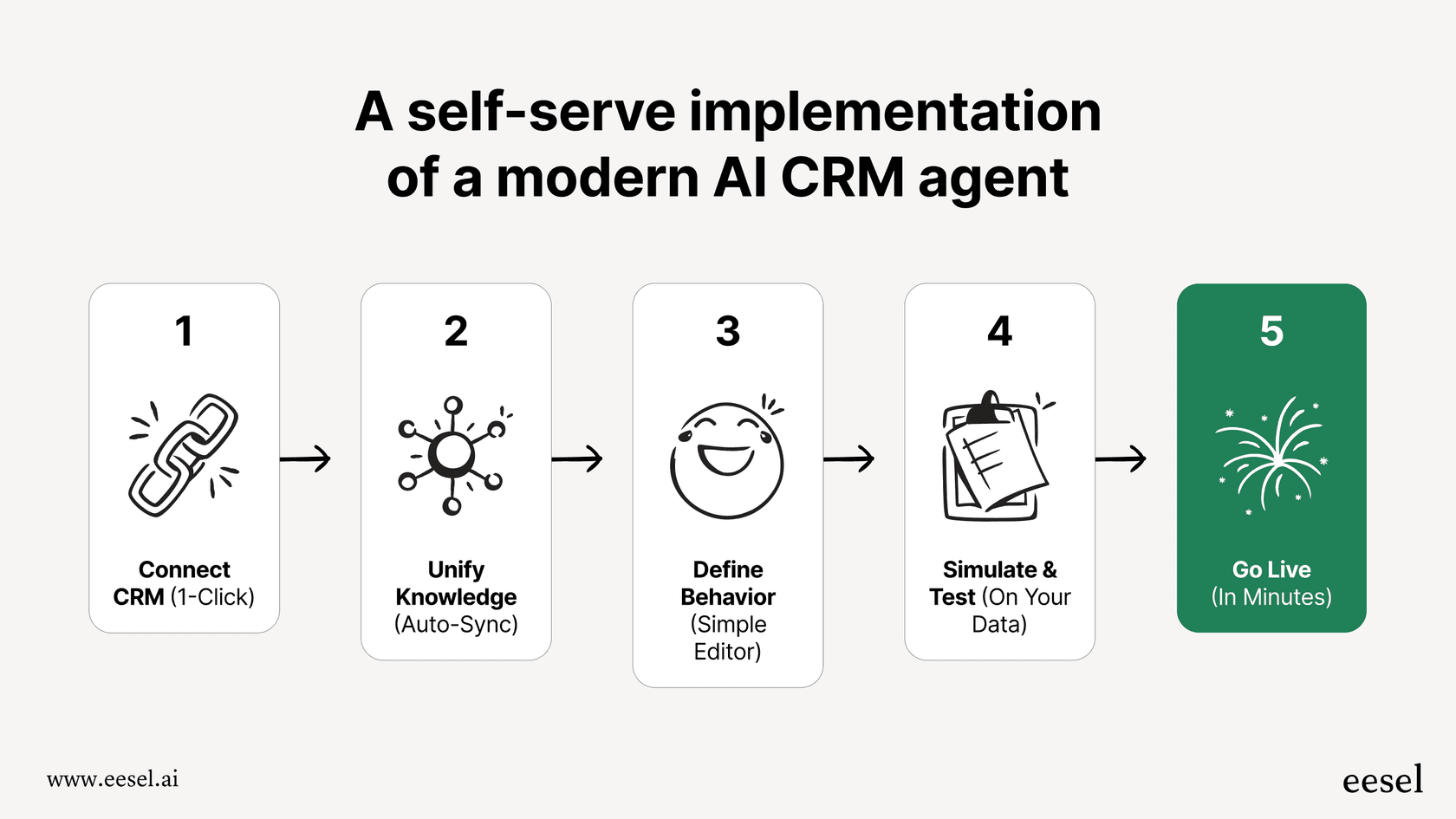
Instead of coding handoff rules, eesel AI fits right into the help desk workflows you already use. It can solve tickets on its own and knows when to escalate to a human agent, all configured through a simple dashboard. This means you can get up and running in minutes, not months.
Ada Chat SDK pricing and hidden complexities
When you're looking at any new tool, the price tag is a big deal. Unfortunately, Ada doesn't list its pricing publicly on its website. If you want a quote, you have to fill out a contact form and schedule a call with their sales team.
This sales-led model can be a real headache for a few reasons:
-
No predictability: Without public pricing tiers, you have no idea if they charge based on agents, tickets, or successful resolutions. This makes budgeting a guessing game.
-
A slow evaluation process: You can't quickly see if Ada is even in your ballpark without going through a full sales cycle.
-
Potential for extra fees: Enterprise contracts can sometimes hide extra costs for implementation, priority support, or certain features that you don't find out about until it's too late.
This isn't just our take. The Voiceflow blog's review of Ada mentions the same thing, noting that you have to hand over a lot of business info just to get a price.
A more transparent approach to AI pricing
In contrast, platforms like eesel AI put their pricing right on the website for everyone to see. The plans are usually based on a set number of AI interactions per month, so you know exactly what you're getting and what you'll pay.
| Plan | Monthly Price (Billed Annually) | Key Features |
|---|---|---|
| Team | $239/mo | Train on docs, AI Copilot, Slack integration. |
| Business | $639/mo | Everything in Team + train on past tickets, AI Actions, simulation. |
| Custom | Contact Sales | Advanced controls, custom integrations, unlimited volume. |
Here's a key difference: eesel AI does not charge you per resolution. This means you don't get penalized for having a busy month where the AI successfully helps more of your customers. This straightforward model lets you scale your support automation without worrying about getting a surprise bill at the end of the month.
Is the Ada Chat SDK right for you?
The Ada Chat SDK is a serious toolkit for large companies that have developers ready to build and maintain a custom chatbot. It gives you a ton of control through code, letting you fine-tune the chat experience on both web and mobile.
But that control comes with a steep learning curve and a fuzzy price tag. The setup is technical, putting the burden on your developers to manage everything from installation to integrations and handoffs. On top of that, the lack of transparent pricing makes it tough to evaluate and can lead to costs you didn't plan for.
For most support teams, especially those that need to be nimble and efficient, a self-serve solution with clear pricing is probably a much better fit.
A faster path to support automation
If you're looking for an AI platform that gives you powerful automation without the developer headaches and opaque pricing, you should take a look at eesel AI.
With eesel AI, you can:
-
Go live in minutes: Connect your help desk and knowledge sources with one-click integrations. No coding required.
-
Unify your knowledge: Train your AI on everything from past tickets to your help center, Confluence pages, and Google Docs.
-
Test with confidence: Use the simulation mode to see exactly how the AI would have answered real tickets from the past before you turn it on.
-
Stay in control: Get started with a clear, predictable monthly plan that you can cancel anytime.
Start your free eesel AI trial today and see just how fast you can automate your frontline support.

Frequently asked questions
The Ada Chat SDK is a software development kit designed for developers to deeply integrate Ada's AI chatbot into your digital platforms. Unlike a simple widget, it provides extensive tools for customizing the chat experience to feel native to your website or mobile apps.
Implementing the Ada Chat SDK requires significant development work and expertise. It's not a simple copy-and-paste job, as it involves embedding scripts, configuring settings, and coding logic for various functionalities, including live agent handoffs.
The Ada Chat SDK offers a high degree of customization, allowing developers to control the chatbot's appearance and behavior. You can set default languages, pass user-specific data for personalized interactions (metaFields), and programmatically trigger actions like resetting conversations or updating information.
The handoff process with the Ada Chat SDK is code-heavy and multi-stepped. It typically requires your developers to use APIs to retrieve chat transcripts, send this data to your help desk to create a new ticket, and then issue a command to transfer the user to a live agent.
The Ada Chat SDK provides support for integration across multiple common platforms. This includes web (for websites and web apps), iOS (for iPhone and iPad apps), Android (for native Android apps), and React Native (for cross-platform applications).
Ada does not make its pricing for the Ada Chat SDK publicly available on its website. To obtain a quote, you are required to contact their sales team directly, typically by filling out a form and scheduling a consultation call.
Share this article

Article by
Kenneth Pangan
Writer and marketer for over ten years, Kenneth Pangan splits his time between history, politics, and art with plenty of interruptions from his dogs demanding attention.