Zendesk bots and AI: how to set up and what to know in 2026

Diane de la Cruz
Last edited January 12, 2026
Zendesk is a widely used customer support platform for good reason. It is a mature, reliable platform that powers customer service for thousands of companies globally. Through the use of internal bots and AI, they’ve built an impressive ecosystem that makes their platform even stronger for modern teams.
To further enhance this experience, many teams choose to integrate specialized tools to create a more customized customer support flow.
Integrating eesel AI as a complementary option can help you achieve even higher goals for customer satisfaction. Your customers can get instant, accurate, and human-like answers to FAQs and common queries within the Zendesk ecosystem, while your live agents get to focus on more complex or pressing matters.
Difference between chatbots and AI agents
Without overcomplicating things, chatbots come in two main types, but we’ll focus on the common rule-based chatbots that use a flowchart-style method to answer basic queries.
AI agents are the next evolutionary step of an AI chatbot-think of them as a virtual assistant for your customers. Like the bots, they learn from a knowledge base, but they have a huge advantage: they are built to automate processes for you, even taking actions based on customer input.
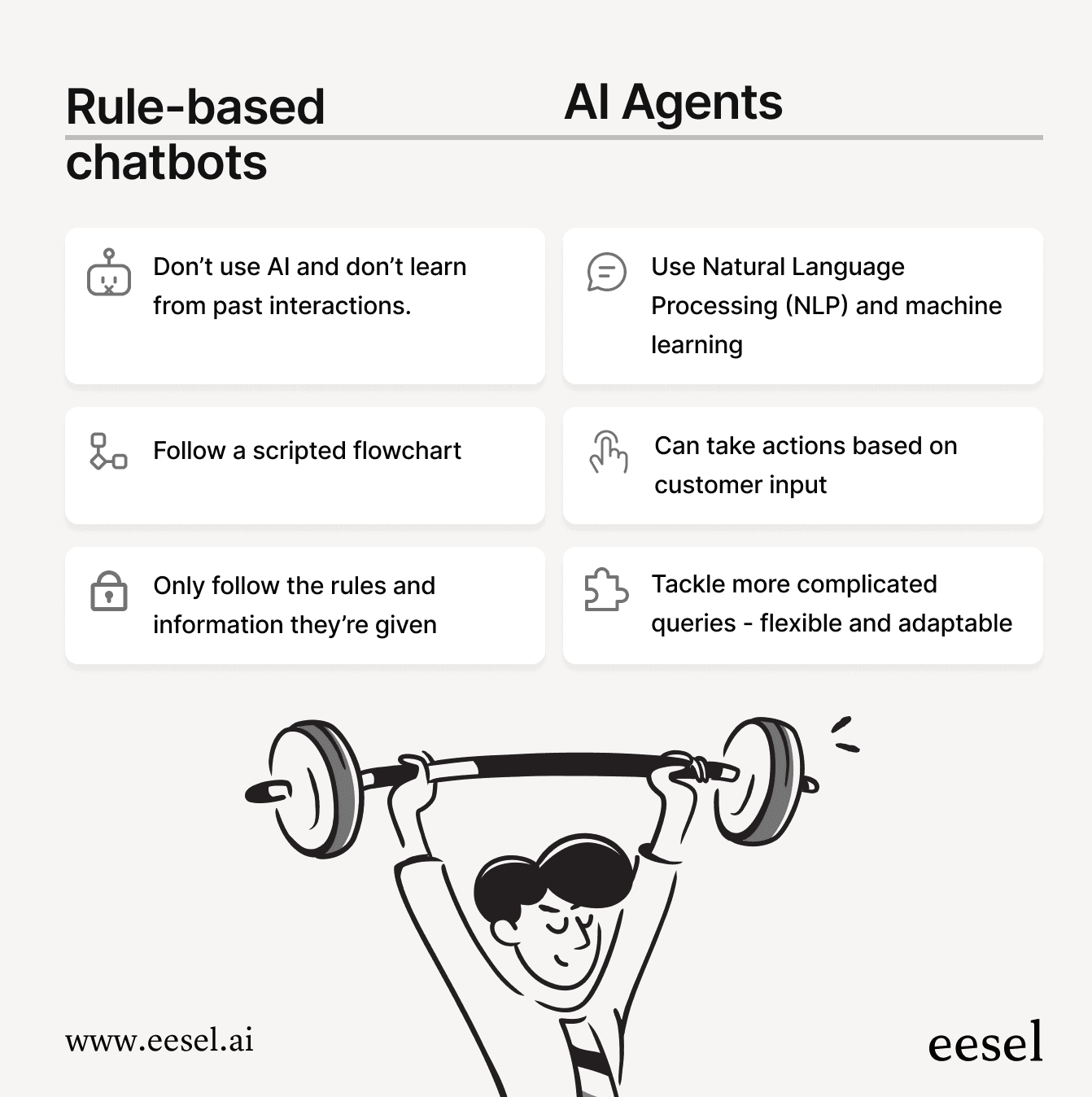
Chatbots can help support teams by answering commonly asked questions and handling repetitive tasks, leaving more time for your team to handle matters that require a human touch. AI agents, on the other hand, can handle tier-one queries, as they can “think,” action, and when necessary, escalate a ticket to a live agent in order to keep things moving more efficiently.
Zendesk’s native AI
So what makes Zendesk’s AI such a powerful choice for support teams?
- Intelligent triage: The keystone of Zendesk’s Advanced AI offering, which automatically sorts incoming tickets based on intent, language, and sentiment.
- Quick answers: Essentially a copilot built into the Zendesk workspace that helps live agents answer queries faster by quickly searching the knowledge base.
- Generative answers: Uses generative AI to help agents better phrase answers in a faster and more efficient manner.
While there are many other features, these stand out as some of the biggest draws of this robust platform. These features are part of Zendesk’s Advanced AI offerings, providing tiered plans that allow companies to match their AI capabilities to their specific team size and needs. You can check out our guide on Zendesk AI options to learn more.
Introducing eesel AI’s AI agents
eesel AI is designed to work seamlessly within the Zendesk ecosystem. It is a specialized option that is easy to set up without much help, and customization within the dashboard is straightforward, taking very little time to learn.
From a pricing perspective, eesel AI offers transparent options that work well for businesses of all sizes. Aside from the set plans, you have the option to get a custom plan that works for your unique business needs, offering a pay-per-interaction model. From startups to larger enterprises, you’ll be able to create a setup that works for your unique situation with no hidden fees.
What makes eesel AI a complementary option for your support?
- Adaptable: It can use a wide variety of integrations with ease, meaning your Zendesk setup can have access to a broad range of apps.
- Ease of use: You can integrate a majority of apps yourself with a couple of clicks. Customizing the AI to your brand voice is also easy and can be done in just a few steps.
- Time saving abilities: Helps cut down on manual tasks by having chatbots answer FAQs, while AI agents intercept more complex issues to either resolve them or kick them up to human support when needed.
Step by step guide: Creating an eesel AI agent in Zendesk
It’s important that you know the terminology used here, particularly: sources and destinations.
Destinations are where your eesel AI will chat with users – like your web page or Teams.
Sources are what you will use to train eesel AI on, like Google Docs, your help center, or past Zendesk tickets.
How to set up your eesel AI agent for Zendesk
Here’ are a few simple steps to get your eesel AI agent working alongside Zendesk:
- Sign up or log into your account and head to the dashboard.
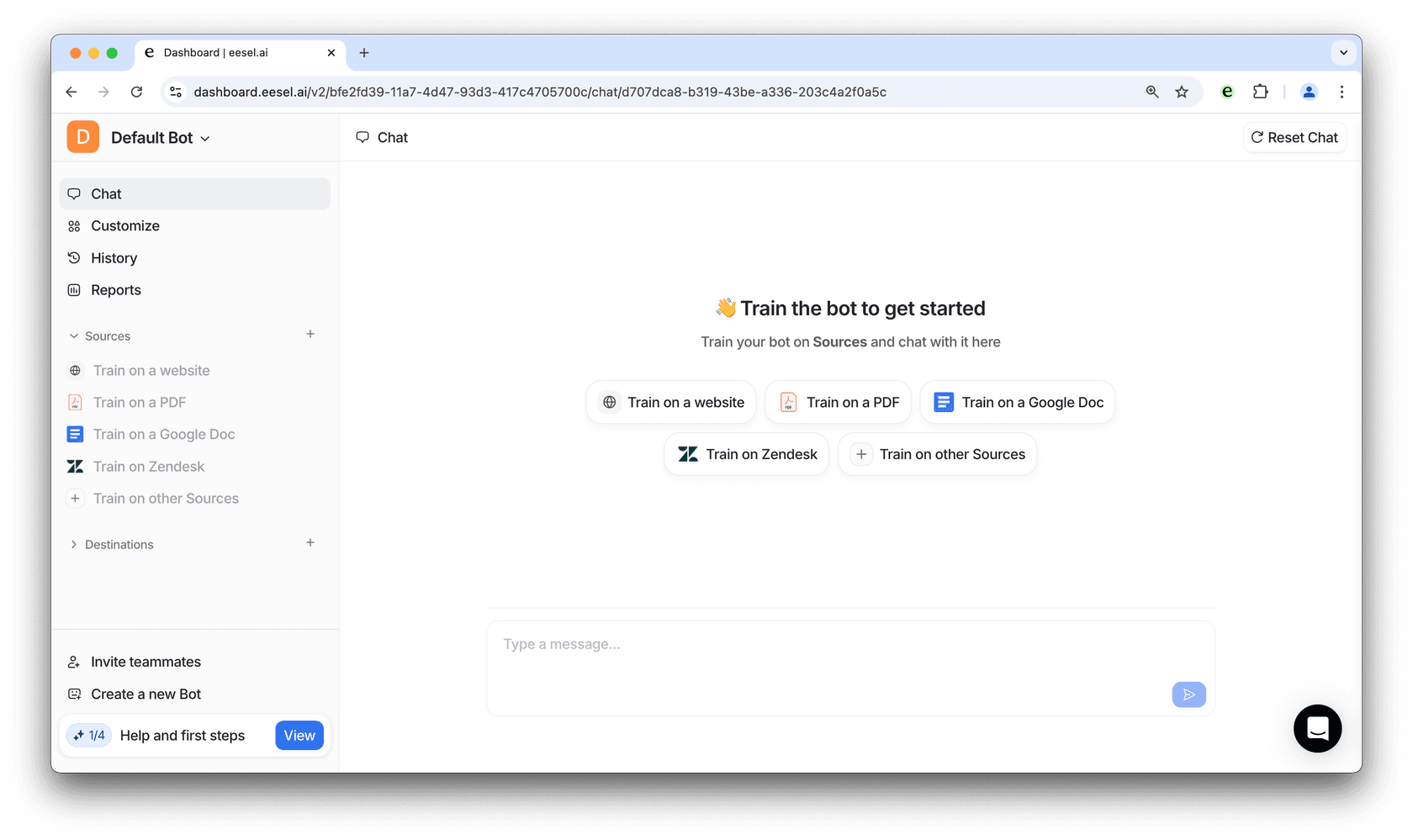
- At the top left, select the bot you’d like to use as your AI agent.
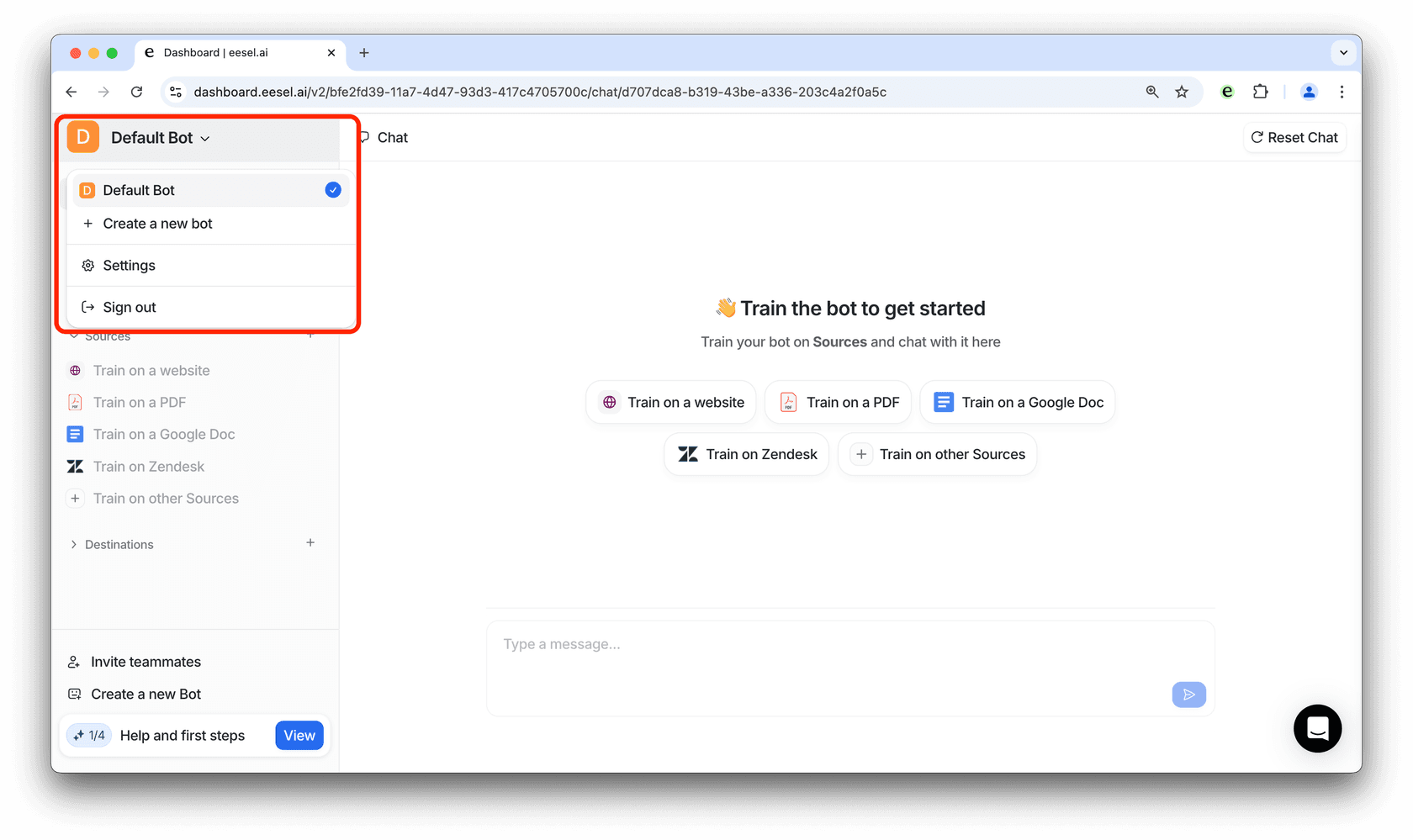
- Click on the “+” icon next to “Sources” and add all relevant sources.
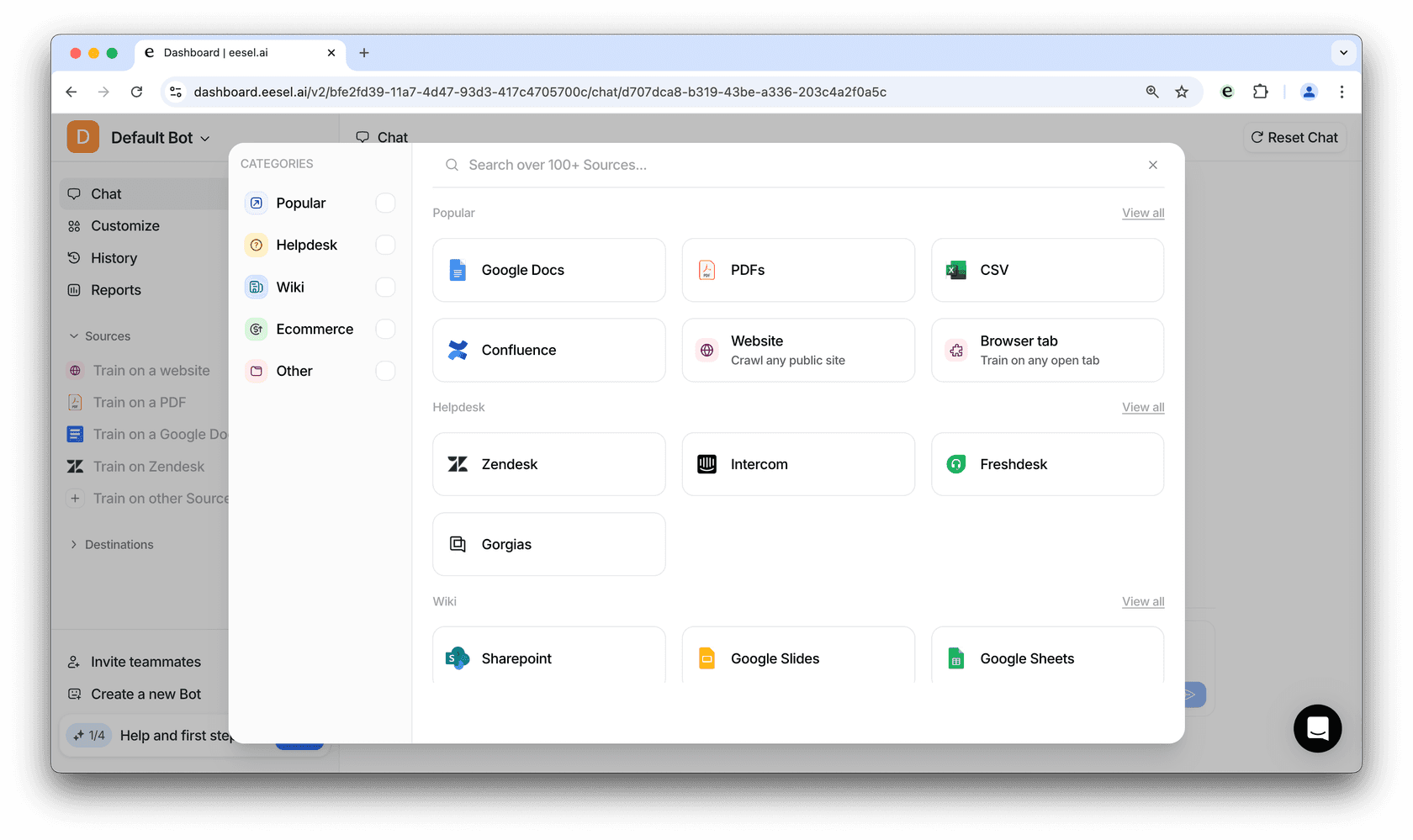
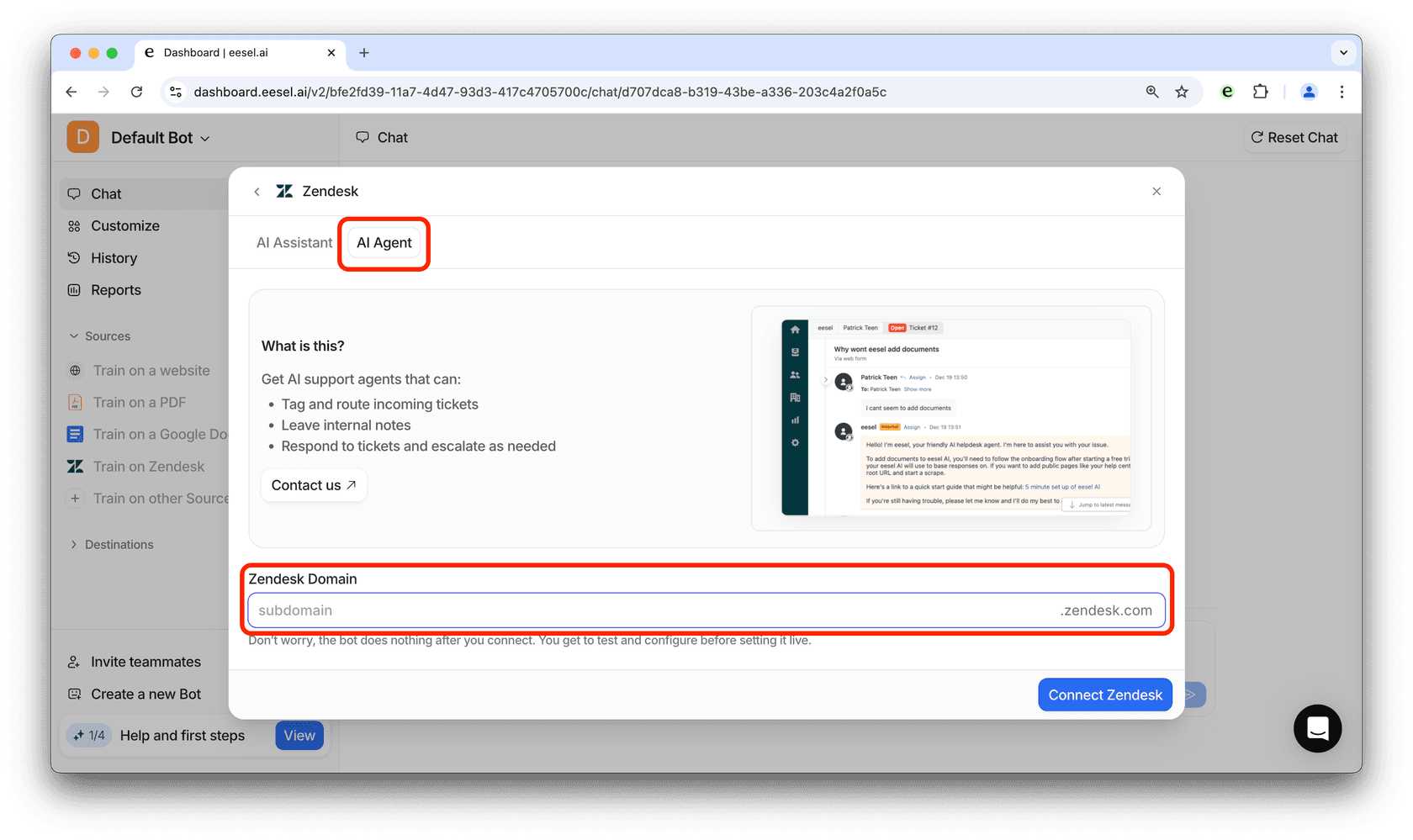
- Back at the dashboard, click on the “+” icon next to “Destinations” and select Zendesk. From here, click on the “AI Agent” tab and enter your Zendesk subdomain.
Streamline your customer service with eesel AI’s agents today!
Zendesk’s AI offerings bring the incredible benefits of automation and faster, more accurate replies to your customers. eesel AI serves as a feature-rich complementary tool that integrates directly into your existing workflow to provide even more flexibility.
Improve your customer service process by using eesel AI agents within Zendesk-get a 7 day free trial here, or reach out to us at hi@eesel.app to ask more questions!


Share this article

Article by
Diane de la Cruz
Diane Cecilia de la Cruz is an email copywriter with 15 years of content experience, writing clear, research-driven sequences that turn leadership coaches’ subscribers into high-ticket clients.