


Let's be real, the pressure on support teams is intense right now. You're trying to keep up with a mountain of tickets, customers who expect answers yesterday, and the constant push to get more done with a tight budget.
The market is packed with AI customer service platforms, and they all promise the world. But here's the reality I found: many of them want you to sign up for a complex, months-long setup process. They hide their real costs behind confusing pricing, and some even expect you to ditch your current help desk entirely. That's a massive, disruptive project when all you really wanted was a helping hand.
So, I decided to cut through the noise. This guide breaks down the 12 top customer service AI platforms in 2026, including the names that come up most when people ask for the best AI support software: Zendesk AI, Salesforce Agentforce, Gorgias, Ada, Freshdesk, and Forethought. I focused on what really matters: how easy they are to get started, how they hold up in the real world, and what they actually cost.
Short answer
If you already have a help desk and want AI on top of it without switching, eesel AI is the fastest way to start, with a free plan and no seat fees. If your whole team lives on one platform, its built-in AI is usually the simplest pick: Zendesk AI, Salesforce Agentforce, Freshdesk Freddy AI, HubSpot Breeze, or Gorgias for Shopify stores. Large enterprises with very high volumes tend to shortlist Ada, Sierra, and Forethought, which are sold through sales with custom quotes.
Which one fits you?
- You want AI on the help desk you already use: eesel AI
- You run everything on Zendesk: Zendesk AI
- You're an enterprise on the Salesforce CRM: Salesforce Service Cloud (Agentforce)
- You sell on Shopify or another ecommerce platform: Gorgias
- You handle huge volumes across chat, email, and voice: Ada
- You want enterprise AI agents on top of another help desk: Forethought
- You want an affordable help desk with AI you can grow into: Freshdesk (Freddy AI)
- Your sales and marketing already live in HubSpot: HubSpot Service Hub (Breeze)
- You're a large brand that wants custom AI agents for chat and voice: Sierra
- You run high-volume retail support with a CRM-style help desk: Kustomer
- You want the simplest shared inbox with AI built in: Help Scout
- Your company already runs on Zoho apps: Zoho Desk (Zia)
A quick comparison of the top customer service AI platforms
| Tool | Best fit | AI strength | Pricing |
|---|---|---|---|
| eesel AI | Teams that want AI without replacing their help desk | AI agent, copilot, and triage trained on past tickets and docs; test on past tickets before launch | Free plan (100 credits); then from $299/mo for 500 tickets (1 credit per ticket or chat), no seat fees |
| Zendesk AI | Large support teams already on Zendesk | Native AI agents, intelligent triage, and Copilot for agents | From $19/agent/mo (Support Team, annual); Copilot $50/agent/mo; AI agents $1.50 to $2.00 per resolution after 5 per agent/mo |
| Salesforce Service Cloud (Agentforce) | Enterprises on the Salesforce CRM | Agentforce agents that act on full CRM data | From $25/user/mo (Starter Suite); Agentforce for Service included in Max at $550/user/mo (annual) |
| Gorgias | Shopify and ecommerce brands | AI Agent that reads and acts on live order data | From $10/mo (50 tickets); AI Agent $0.85 to $1.00 per automated interaction |
| Ada | Enterprises with very high conversation volume | One AI agent across chat, email, SMS, social, and voice | Custom pricing (contact sales) |
| Forethought | Enterprises adding AI agents to an existing help desk | Agents that resolve, triage, and assist on top of other help desks | Custom pricing (platform fee plus outcome-based fee) |
| Freshdesk (Freddy AI) | Small and mid-sized teams on a budget | Freddy AI Agent for emails and chats; Copilot drafts and summarizes | From $19/agent/mo (Growth, annual); first 500 AI sessions included, then $49 per 100 |
| HubSpot Service Hub (Breeze) | Teams whose sales and marketing run on HubSpot | Customer Agent with full CRM context | From $90/seat/mo for Customer Agent (Professional, annual) plus $0.50 per resolved conversation |
| Sierra | Large brands that want custom AI agents for chat and voice | Custom agents for multi-step text and voice conversations | Custom pricing (outcome-based, contact sales) |
| Kustomer | High-volume retail teams that want a CRM-style help desk | AI agents that take actions using one customer timeline | Custom plan pricing; AI agent $0.60 per engaged conversation |
| Help Scout | Small teams that want a simple shared inbox | AI Answers for customers, plus drafting and summaries for agents | Free for up to 5 users; paid from $25/user/mo (annual); AI Answers $0.75 per resolution |
| Zoho Desk (Zia) | Cost-conscious teams already using Zoho apps | Zia triage, reply suggestions, and custom AI agents | From $7/agent/mo (Express, annual); Zia from Professional at $23/agent/mo |
What are the top customer service AI platforms?
Simply put, they're tools that use AI to automate and improve how you talk to your customers. Think of them less as a robot and more as a new, very efficient teammate.
Their main job is to handle the common, repetitive questions that eat up your team's day. They can also route the tricky issues to the right person and give your human agents AI-powered suggestions to help them answer tickets faster and more accurately. These tools learn from your existing knowledge, your help articles, old support tickets, and internal docs to provide helpful, natural-sounding answers 24/7. This frees up your team to focus on the conversations that actually need a human touch.
How I picked the top customer service AI platforms
I didn't just read through marketing pages. I looked at these platforms from the perspective of a busy support team that needs a tool to work, not another project to manage. Here's what I focused on:
-
How fast can you actually use it? I gave extra points to tools you could set up yourself and try without having to sit through a mandatory sales demo.
-
Does it play well with others? A tool has to work with what you've already got, like Zendesk, Freshdesk, or Slack. I noted which tools force a full help desk migration and which ones don't.
-
Are you in control? Can you actually tell the AI what to do, what not to automate, and make sure it sounds like your brand? Real control is everything.
-
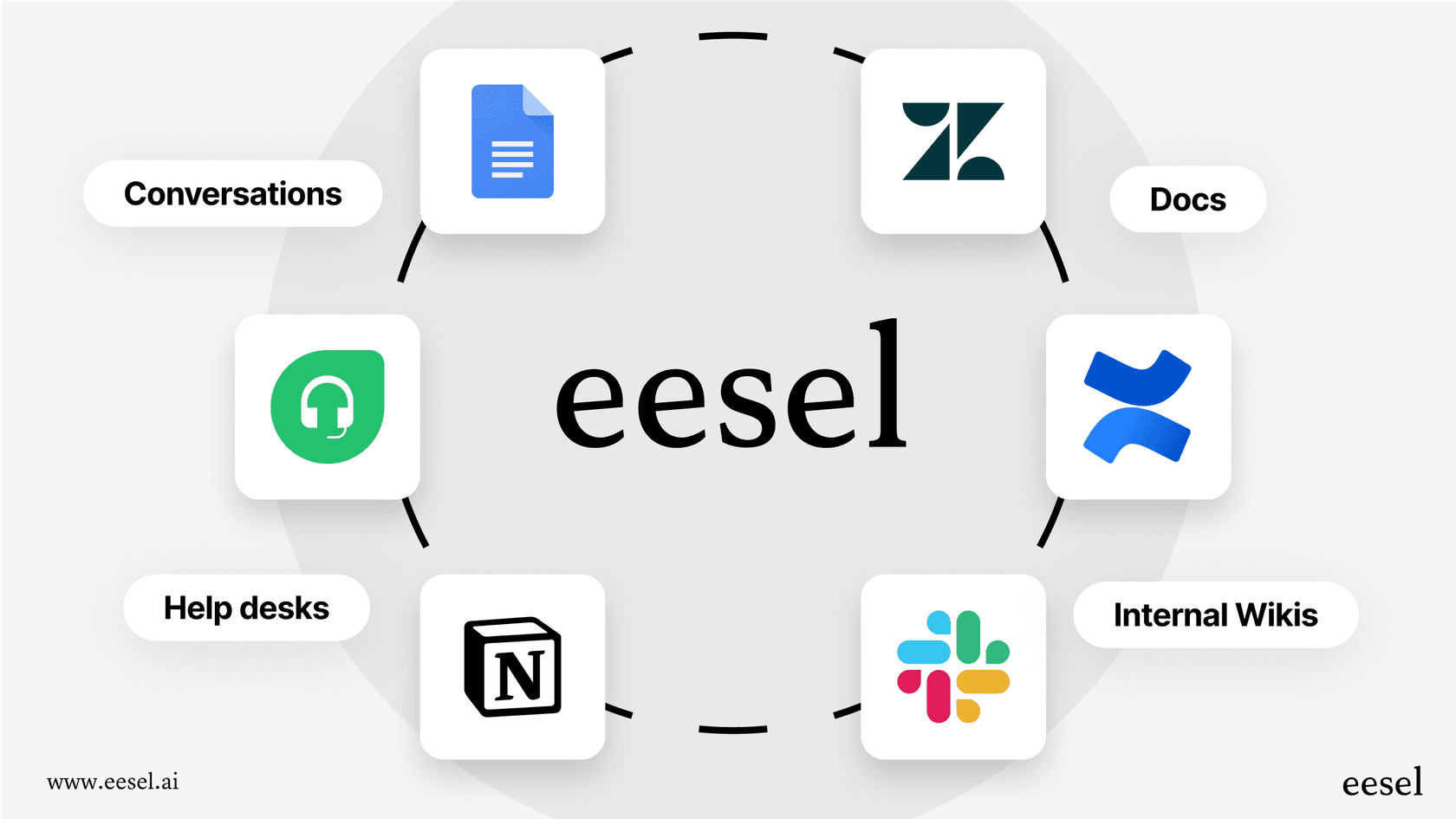
Where does it find answers? The best tools can pull information from all over: help articles, past tickets, Confluence, and Google Docs, to get the job done.
-
Is the pricing clear? Can you see the price before you talk to sales? Does the bill grow with seats, with resolutions, or with tickets? I checked each vendor's own pricing page.
A detailed look at the 12 top customer service AI platforms in 2026
Alright, let's get into the details of each platform: the good, the trade-offs, and who they're really for.
1. eesel AI: best for adding AI to the help desk you already use
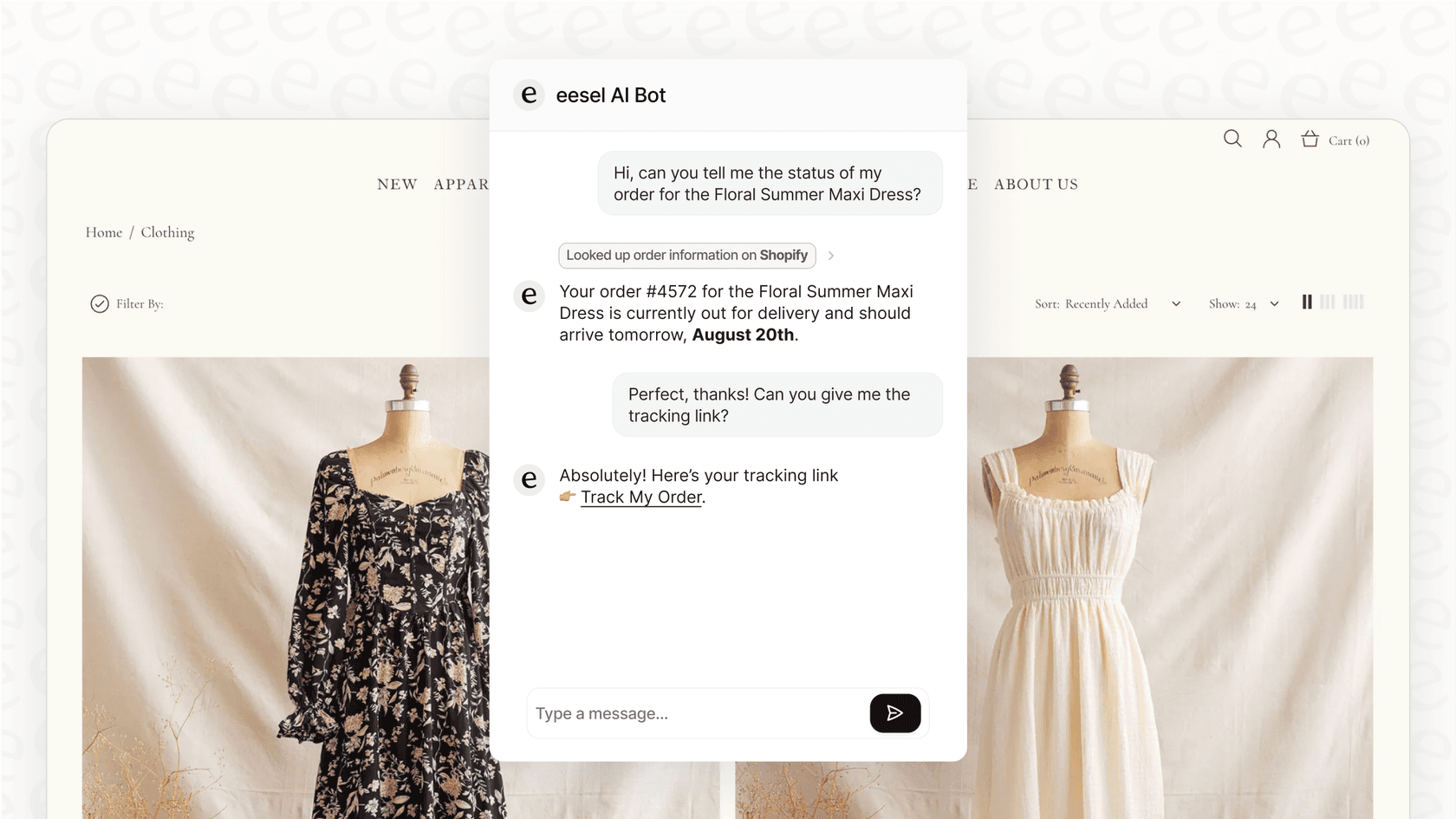
eesel AI is built to be a smart layer that plugs right into the help desk and knowledge bases you already use. Instead of making you move platforms, it makes your current tools better. The whole experience is designed around a simple, do-it-yourself setup, which means you can get it up and running in minutes. Its simulation mode is a huge plus, letting you test how the AI will handle your past tickets before it ever talks to a customer.
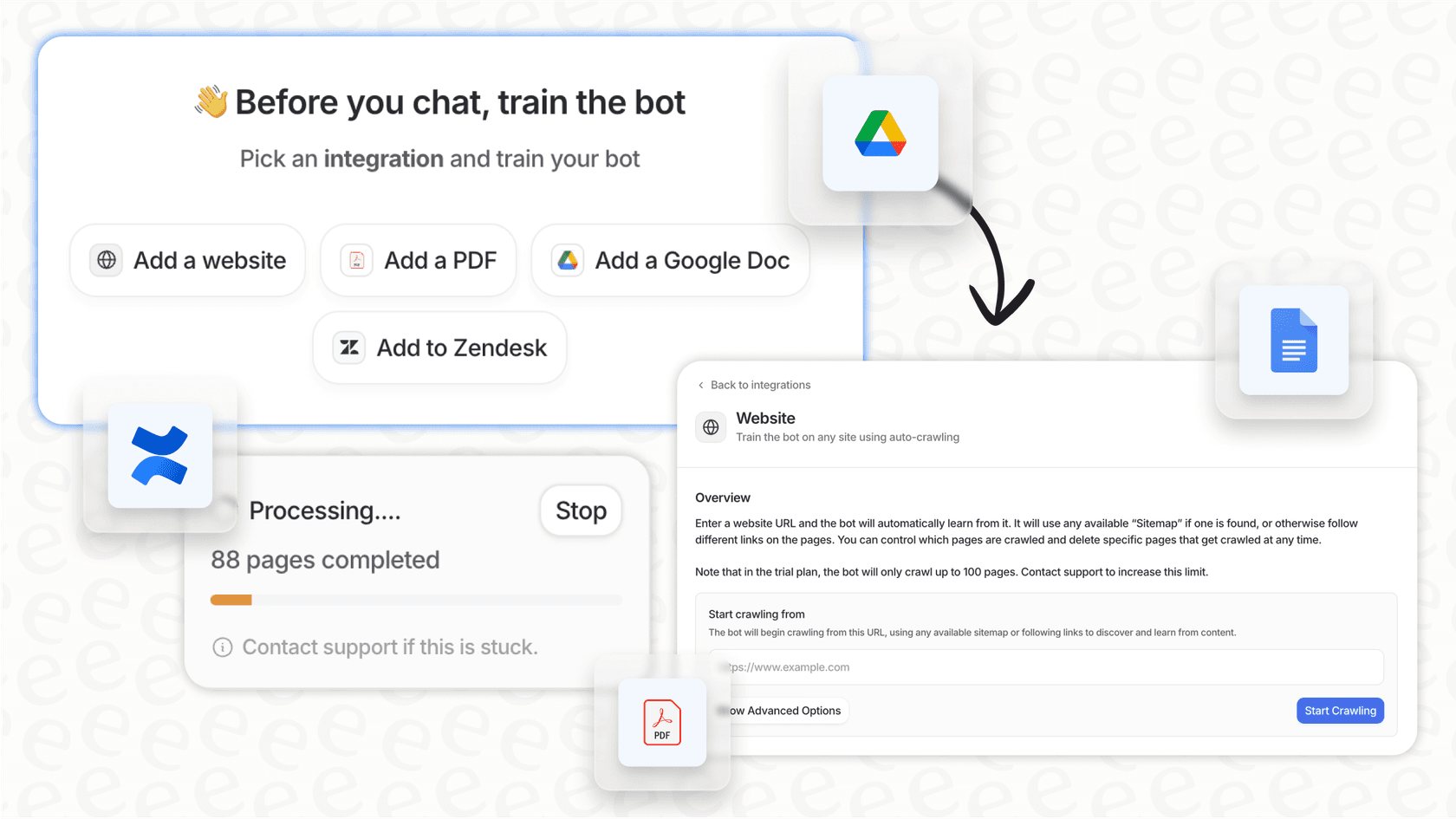
Why we chose it: eesel AI works on top of the help desk you have, with 1,000+ integrations, so there's no migration project. It learns from past tickets, help articles, and docs, and you decide exactly which tickets it handles and when it hands off to a human.
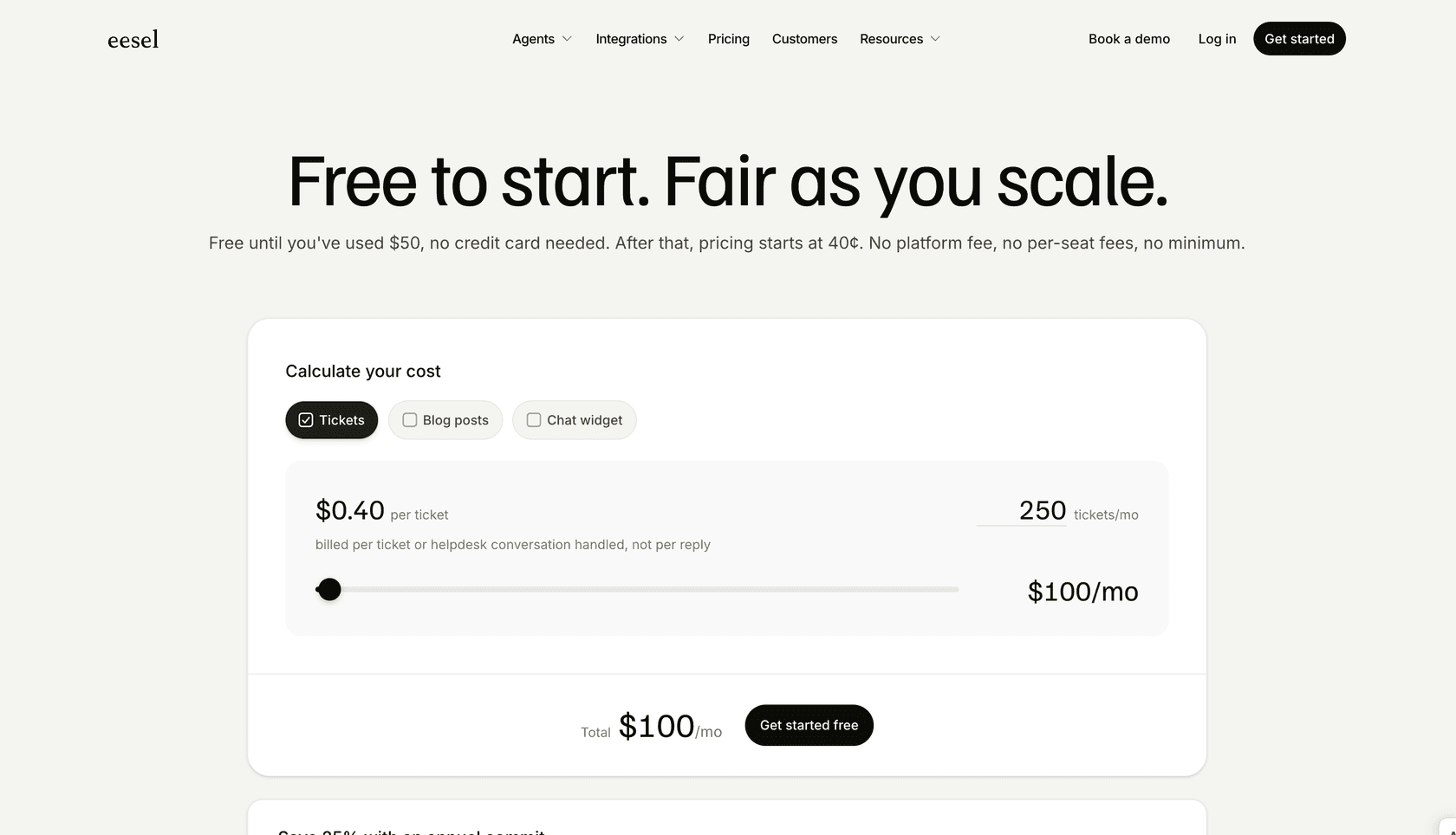
Pricing: eesel AI's pricing is one fixed monthly price sized by credits. A ticket or a chat is 1 credit, however long, and it counts whether or not the AI resolves it.
-
Free plan: 100 credits to try every feature and integration, no card needed.
-
Teammate plan: 500 credits for $299/month, 1,000 for $499, 1,500 for $699, 2,500 for $999, 3,500 for $1,349, and 5,000 for $1,899. For more than 5,000 credits, talk to the team.
-
No extra fees: no per-seat fee and no platform fee.
-
Overage: optional, at $0.80 per extra credit, with a monthly cap you set.
-
Annual billing: pay a year upfront and get two months free.
Pros:
-
Simple setup: You can get started and go live without ever talking to a salesperson. It's self-serve from beginning to end.
-
Works with your current tools: It connects with Zendesk, Freshdesk, Confluence, and more, so you don't have to change your workflow.
-
Test without the risk: The simulation mode shows you how the AI would have answered your real historical tickets, so you know what to expect when you launch.
-
Predictable pricing: One fixed monthly price with no seat fees, so adding agents doesn't raise the bill.
Cons:
-
It's a focused support tool, so it doesn't try to be an all-in-one suite with CRM and sales features.
-
Its main strength is text-based support (email, chat, tickets); voice automation isn't a core feature.
2. Zendesk AI: best for large support teams already on Zendesk
Zendesk is one of the best-known help desks, and its AI is built into the platform. For teams already on Zendesk, AI agents, ticket routing, macros, and Zendesk reporting and analytics all live in the same place. The AI answers common questions and supports human agents inside the workspace your team already knows.
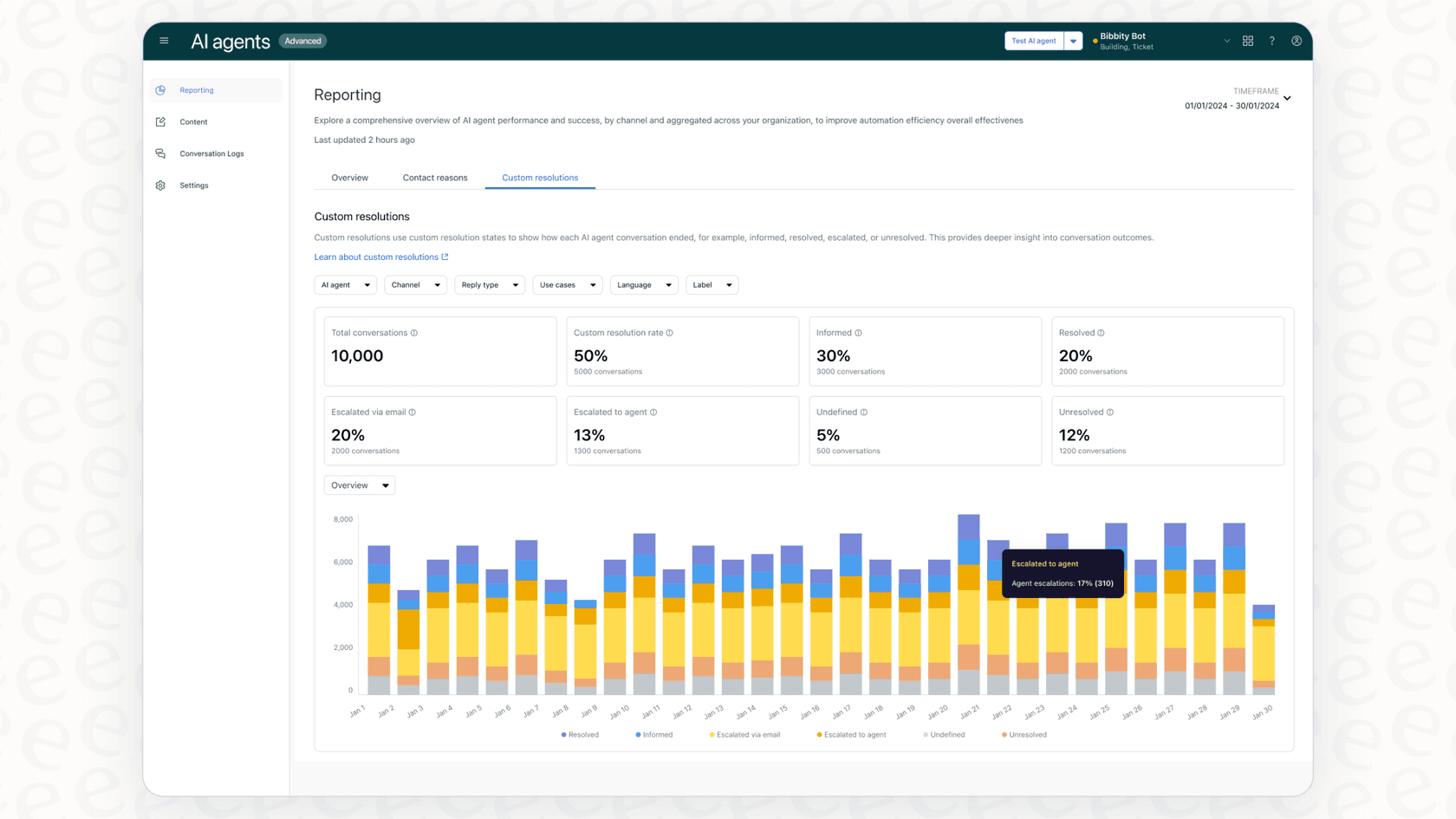
Why we chose it: If your team runs on Zendesk, the native AI is the most direct option. AI agents answer customers, intelligent triage tags and routes tickets, and Copilot helps agents write and summarize replies.
Pricing: Zendesk's pricing is per agent, with AI agents billed per automated resolution.
-
Support Team: $19/agent/month billed annually ($25 monthly).
-
Suite Team: $55/agent/month billed annually ($69 monthly).
-
Suite Professional: $115/agent/month billed annually ($149 monthly).
-
Suite Enterprise + Copilot: custom pricing (talk to sales).
-
Copilot add-on: $50/agent/month, paid yearly.
-
AI agents: every plan includes 5 automated resolutions per agent per month. After that, each one costs $1.50 on a committed plan or $2.00 pay as you go.
-
Free trial: 14 days on Suite Professional, with Copilot included.
Pros:
-
Deep integration if you're a dedicated Zendesk customer.
-
Help desk, AI agents, and agent tools all in one place.
-
Detailed, enterprise-grade reporting and analytics.
Cons:
-
Built around Zendesk itself, so it's best for teams already on the platform or planning to move there.
-
Costs come from seats, the Copilot add-on, and per-resolution fees, which takes some work to forecast.
-
Setup and configuration take time on larger accounts.
3. Salesforce Service Cloud (Agentforce): best for enterprises that run on the Salesforce CRM
Salesforce Service Cloud is the help desk side of Salesforce, and Agentforce is its AI agent platform. It's built for large companies that already use Salesforce for sales and marketing and want their support AI to use the same customer data.
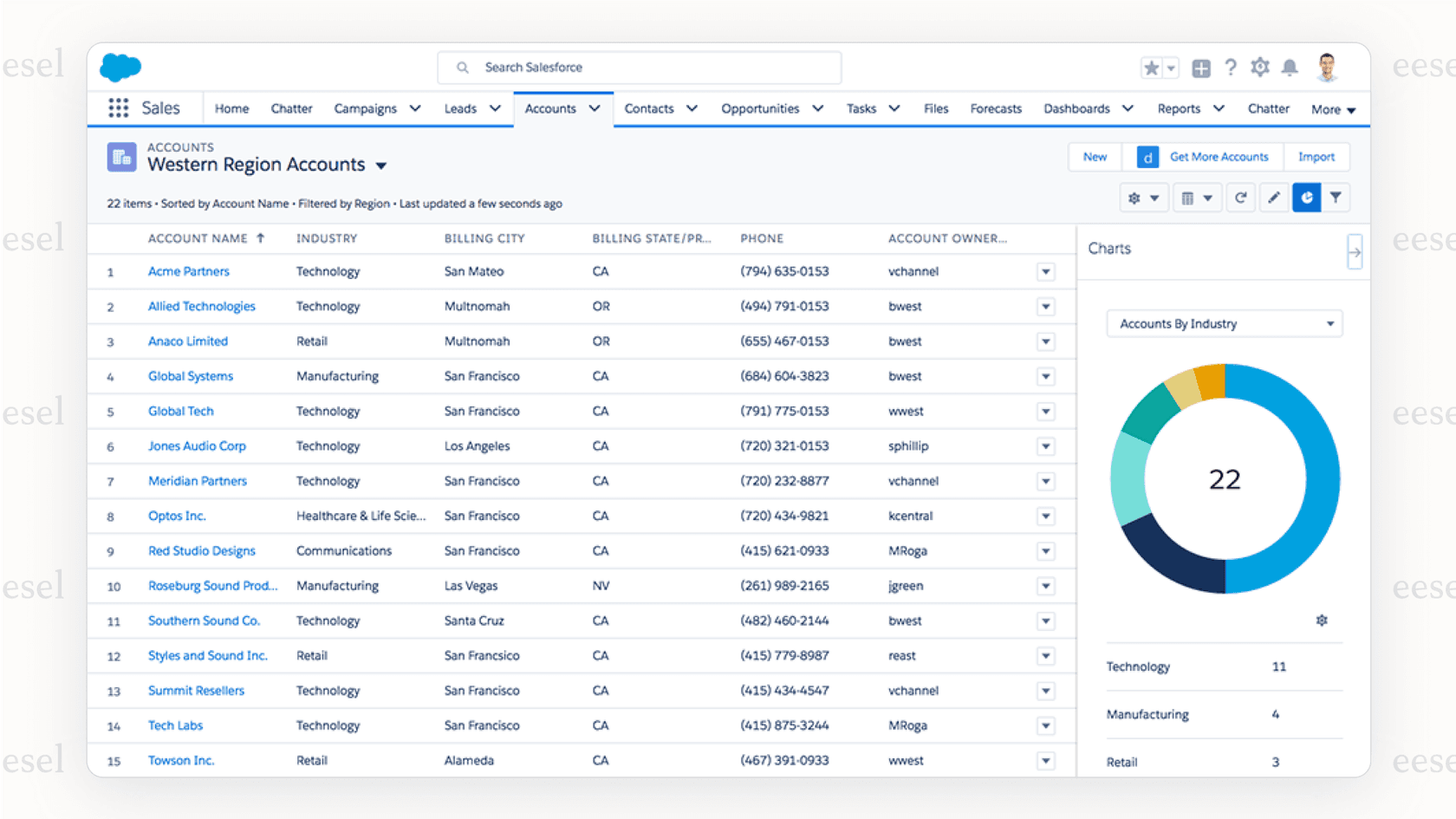
Why we chose it: Salesforce's biggest advantage is its CRM. Agentforce agents can see a customer's full history across sales, marketing, and service, and take actions inside Salesforce. For companies already deep in Salesforce, that context is hard to match. You can read more in our Agentforce guide.
Pricing: Service Cloud pricing is per user, with Agentforce usage priced separately on lower editions.
-
Starter Suite: $25/user/month, billed monthly or annually.
-
Pro Suite: $100/user/month, billed annually.
-
Core: $195/user/month, billed annually.
-
Advanced: $395/user/month, billed annually.
-
Max: $550/user/month, billed annually. Includes the full Agentforce for Service suite and a yearly allowance of Flex Credits.
-
Agentforce usage: Flex Credits cost $500 per 100,000 credits, or Salesforce lists $2 per conversation. An Agentforce add-on for Service is $125/user/month.
Pros:
-
The AI works with your full CRM data, so answers can reflect a customer's whole history.
-
Scales to very large, global support teams.
-
Extensive options for workflow automation and customization.
Cons:
-
Setup is a serious project in both time and money, often with a partner.
-
Pricing has many parts (editions, add-ons, and credits), so total cost is hard to estimate.
-
It's more than most small and mid-sized teams need.
4. Gorgias: best for Shopify and ecommerce stores
Gorgias is a popular choice for ecommerce businesses, especially if you're on Shopify. Its strength is how deeply it connects with ecommerce platforms. It can pull up order details, process returns, and answer "Where is my order?" with real data, not just generic responses.
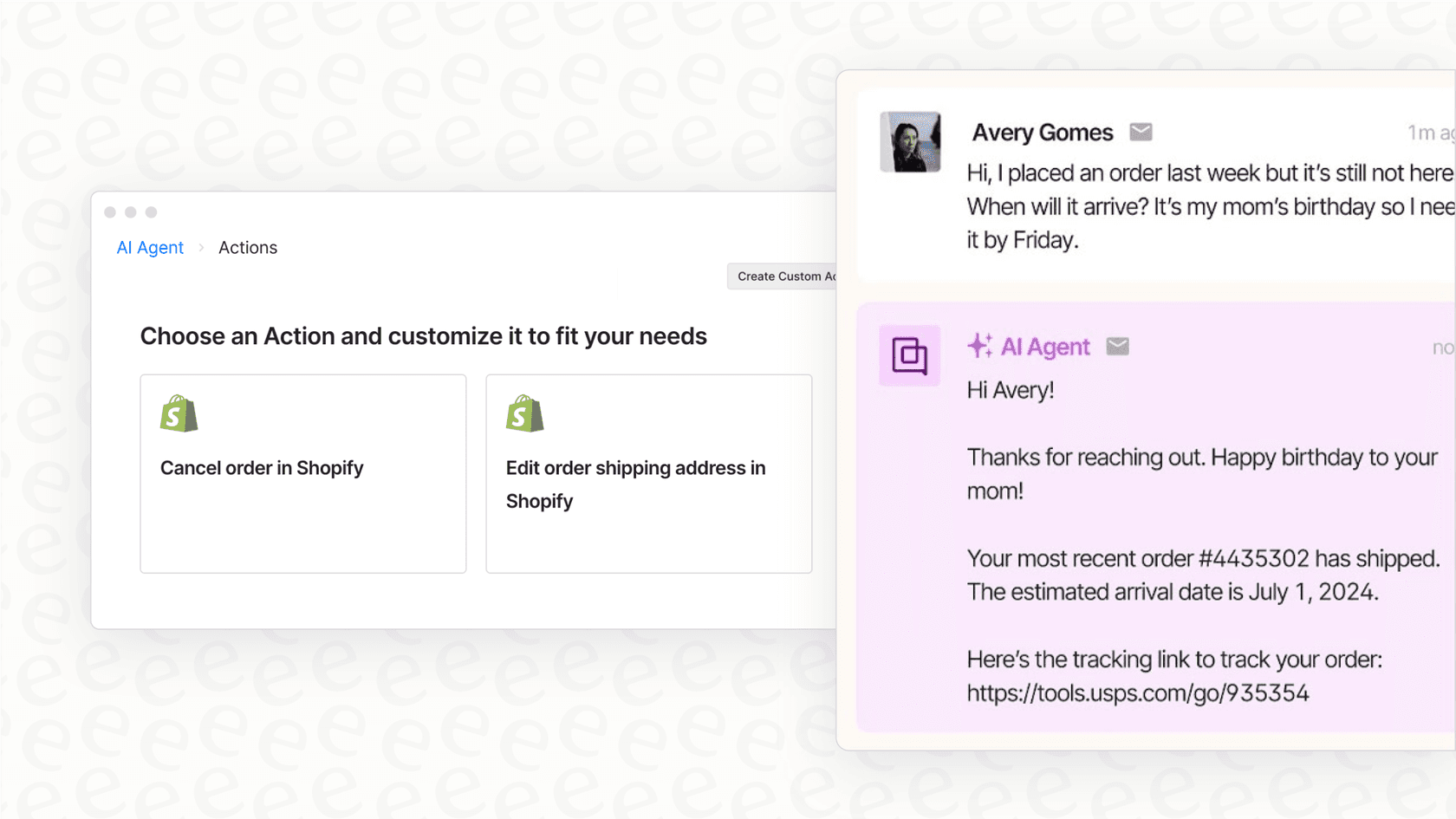
Why we chose it: Gorgias's AI Agent works with live store data. It can look up orders, handle common ecommerce requests, and let agents edit orders without leaving the help desk.
Pricing: Gorgias's pricing is based on ticket volume, with AI Agent interactions billed on top.
-
Starter: $10/month for 50 tickets (monthly billing only).
-
Basic: $60/month, or $50/month billed annually, for 300 tickets.
-
Pro: $360/month, or $300/month billed annually, for 2,000 tickets.
-
Advanced: $900/month, or $750/month billed annually, for 5,000 tickets.
-
Enterprise: custom pricing for more than 5,000 tickets.
-
AI Agent: $1.00 per automated interaction on Starter, $0.90 on Basic and Pro, and $0.85 on Advanced, on top of the ticket cost.
-
Free trial: 7 days, no payment details needed.
Pros:
-
Strong integration with Shopify, Magento, and BigCommerce.
-
Automates ecommerce tasks like order status lookups.
-
Brings social media, email, and chat conversations into one place.
Cons:
-
Built for ecommerce, so teams in other industries may find it too specialized.
-
You pay for both tickets and AI interactions, so busy months cost more.
-
The AI runs inside Gorgias, so you'd need it as your help desk.
5. Ada: best for enterprises with very high conversation volume
Ada is an AI-first customer service platform built for large companies that handle enormous conversation volumes. Instead of being a help desk with AI added on, Ada is the AI agent itself, and it sits in front of the help desk you already use.
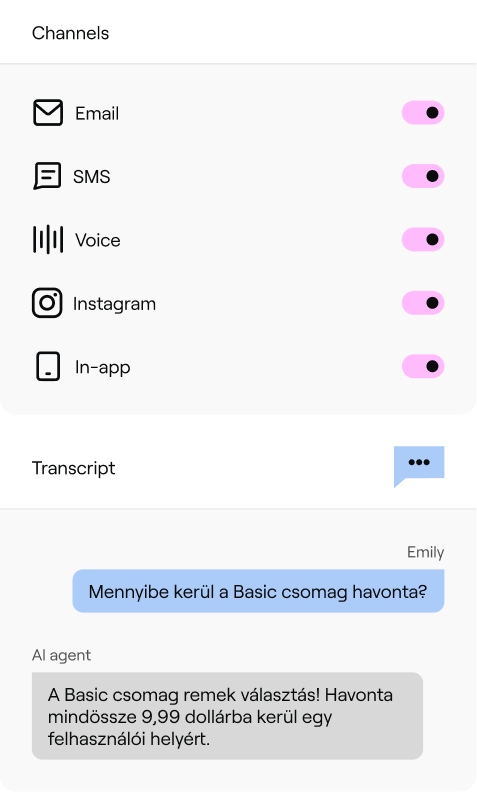
Why we chose it: Ada covers more channels than most tools here: chat, email, SMS, social, and voice, all from one agent. Its Playbooks let the AI follow multi-step processes, and its Coaching feature lets managers correct the agent in plain language. You can read more in our Ada review.
Pricing: Ada doesn't publish its prices. Its pricing page now leads to a demo form, and every plan is a custom quote from sales. There's no free trial. We break down what is known in our Ada pricing guide.
Pros:
-
One AI agent across chat, email, SMS, social, and voice.
-
Built to handle very high volumes for large brands.
-
Playbooks and Coaching give you control over how the agent behaves.
Cons:
-
No public pricing or free trial, so you can't judge the cost until you're in a sales process.
-
Setup is an implementation project, not something you switch on in an afternoon.
-
It's more than most small and mid-sized teams need.
6. Forethought: best for enterprise AI agents on top of an existing help desk
Forethought is an AI-focused platform with a set of agents that work together to resolve, triage, and assist on support tickets. It runs on top of major help desks rather than replacing them. Zendesk completed its acquisition of Forethought in 2026, so it's worth asking about the roadmap if you're not on Zendesk.
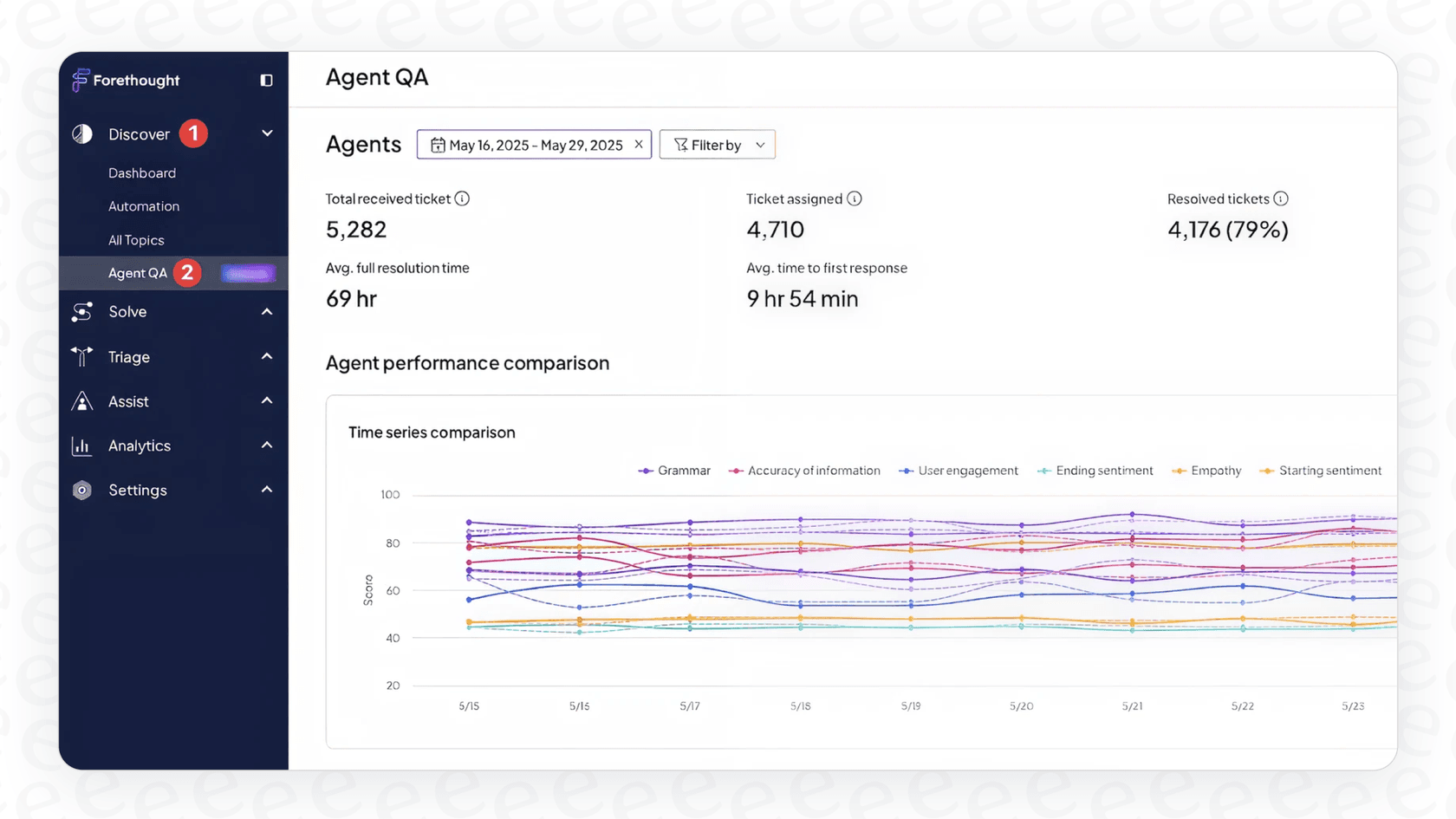
Why we chose it: Forethought's agents can answer customers, classify and route tickets, and help human agents, and they can handle some multi-step requests. It's a good fit for enterprise teams that want to keep their help desk. See our Forethought review for more.
Pricing: Forethought's pricing has three plans (Team, Professional, and Enterprise), and every one is a custom quote. Forethought describes its model as a platform access fee plus an outcome-based fee. There's no free trial; it offers a Proof of Value on your own data instead.
Pros:
-
Works with major help desks, so you don't have to switch your core platform.
-
Covers customer-facing answers, triage, and agent assist in one product.
-
Proof of Value lets you see results on your data before you sign.
Cons:
-
No public prices, so you need a sales conversation to get a number.
-
Setup is a hands-on project, not a quick self-serve start.
7. Freshdesk (Freddy AI): best for small and mid-sized teams on a budget
Freshdesk is a mature help desk used by thousands of companies, and Freddy AI is the AI built into it. It offers AI chatbots, tools to assist agents, and analytics, with low seat prices to start.
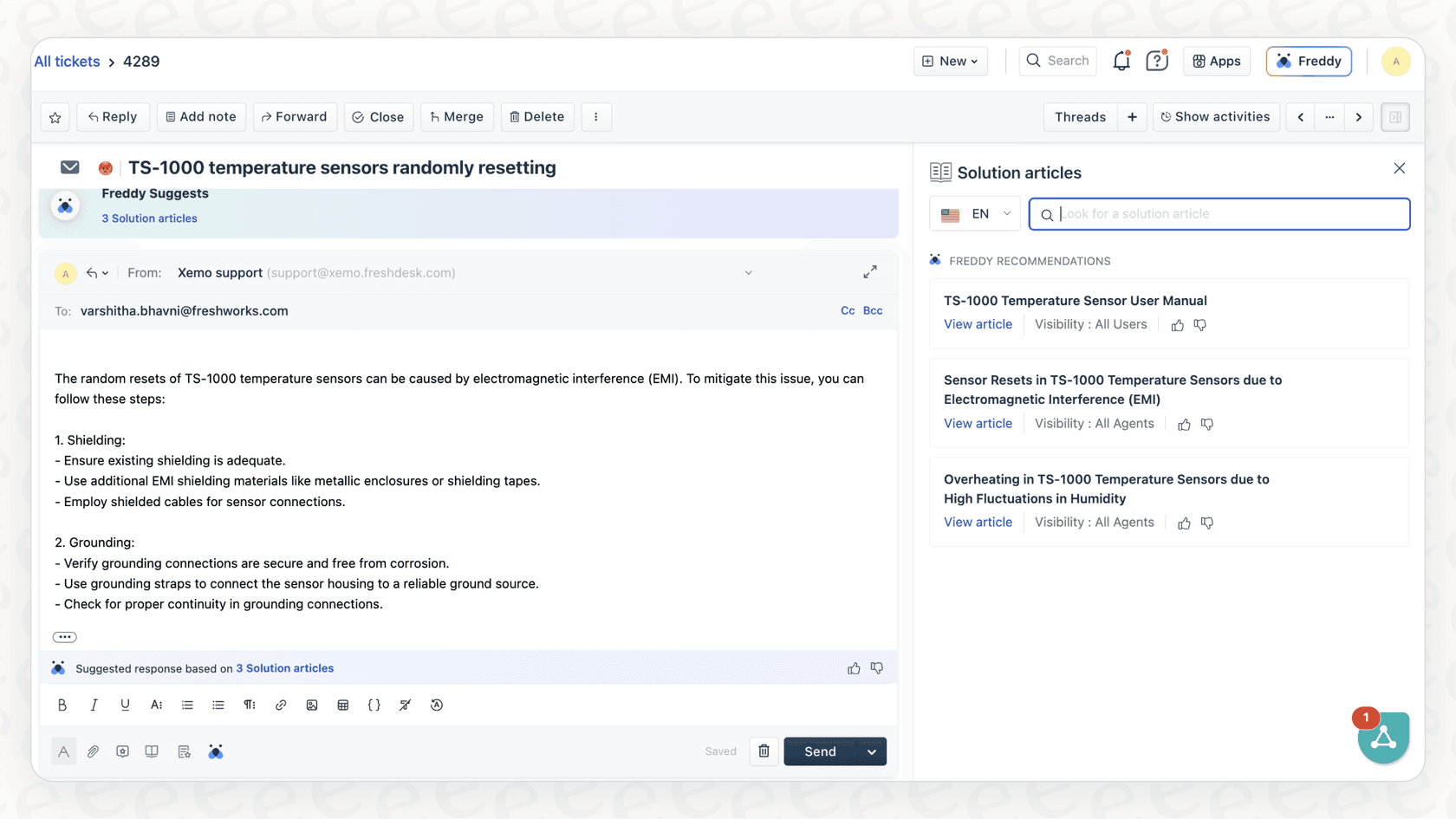
Why we chose it: Freshdesk keeps the seat price low and charges for AI as you use it. The Freddy AI Agent answers customer emails and chats on its own, while Freddy AI Copilot drafts replies and summarizes tickets for your team.
Pricing: Freshdesk's pricing is per agent, with AI charged separately.
-
Growth: $19/agent/month billed annually ($23 monthly).
-
Pro: $55/agent/month billed annually ($66 monthly).
-
Enterprise: $89/agent/month billed annually ($107 monthly).
-
Freddy AI Agent: the first 500 sessions are included on every paid plan, then $49 per 100 sessions.
-
Freddy AI Copilot: $29/agent/month billed annually ($35 monthly), on Pro and Enterprise.
-
Free trial: 14 days.
Pros:
-
Low seat prices make it one of the most affordable full help desks.
-
A large marketplace of integrations.
-
You can add Copilot only for the agents who need it.
Cons:
-
Freddy AI only works inside Freshworks products, so you'd need to be on Freshdesk.
-
Costs come from seats, AI sessions, and Copilot, which takes some work to forecast.
8. HubSpot Service Hub (Breeze): best for teams whose sales and marketing run on HubSpot
HubSpot Service Hub is the help desk side of HubSpot's customer platform. Its Breeze Customer Agent answers customers across channels like chat and email, and hands the conversation to your team when it needs a human.
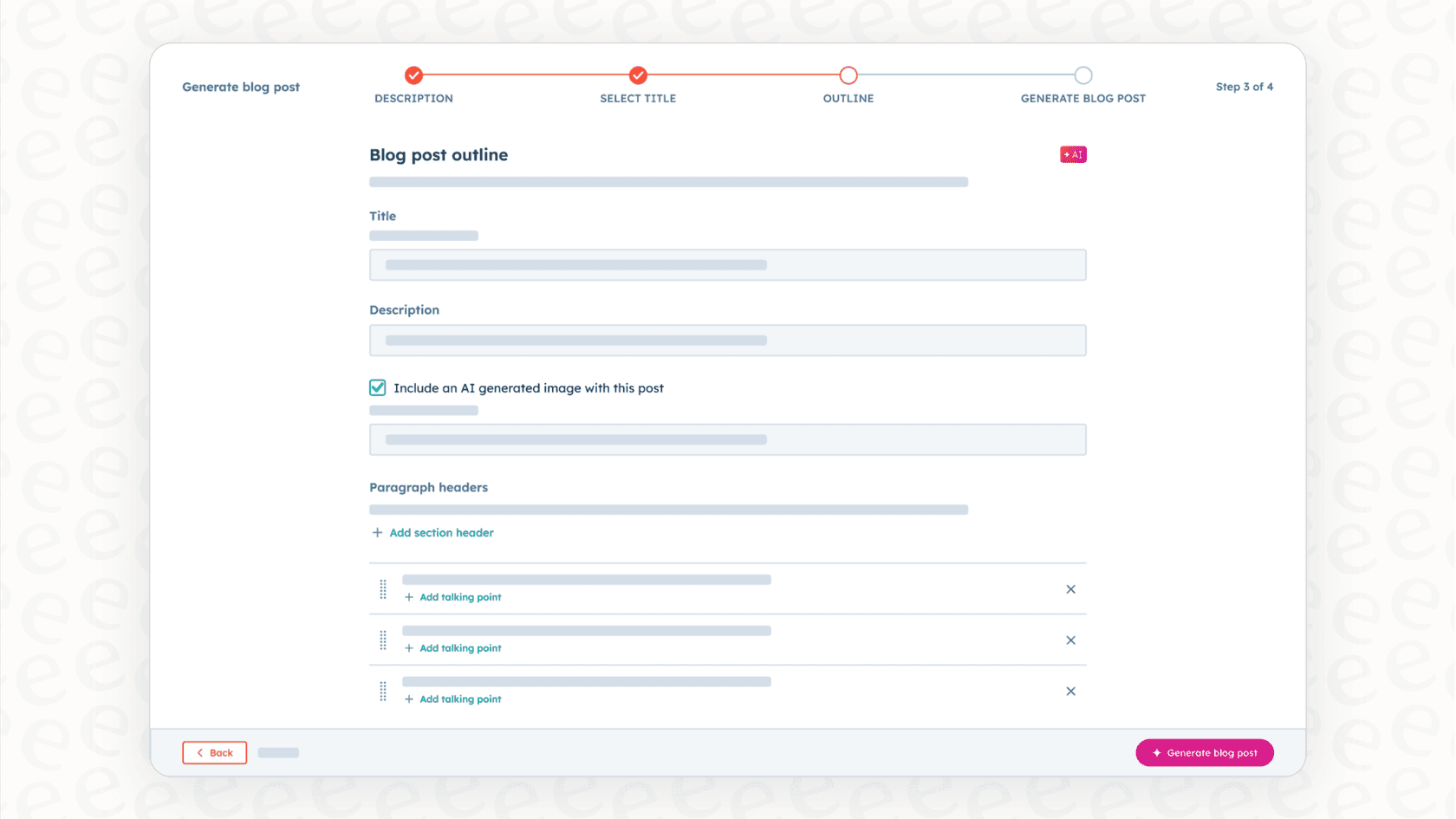
Why we chose it: If your sales and marketing already run on HubSpot, the AI starts with context most tools don't have. Contact records, deal history, and past conversations sit in the same CRM, so the Breeze Customer Agent can personalize answers without extra setup.
Pricing: HubSpot's Service Hub pricing mixes per-seat plans with HubSpot Credits, which pay for AI usage. Customer Agent is on Professional and Enterprise.
-
Free: $0 for up to 2 users.
-
Starter: listed at $7/seat/month billed annually, shown next to a struck-through $20.
-
Professional: $90/seat/month billed annually ($100 monthly), plus a one-time $1,500 onboarding fee. Includes 3,000 HubSpot Credits.
-
Enterprise: $150/seat/month billed annually, plus a one-time $3,500 onboarding fee. Includes 5,000 HubSpot Credits.
-
Customer Agent usage: 50 credits ($0.50) per resolved conversation. Credits cost $0.01 each.
-
Free trial: 14 days of Customer Agent once you buy a Professional or Enterprise seat.
Pros:
-
The AI uses your full CRM data, so answers can reflect a customer's history with sales and marketing.
-
Help desk, knowledge base, and AI agent live in one platform.
-
AI usage is charged when the agent resolves a conversation.
Cons:
-
Customer Agent needs Professional or Enterprise seats plus an onboarding fee, so the entry cost is steep for small teams.
-
It works inside HubSpot's own help desk, so teams on another help desk would need to move.
9. Sierra: best for large brands that want custom AI agents for chat and voice
Sierra is an AI-first platform for big, enterprise-level companies with complex needs. It lets you build custom AI agents that handle multi-step conversations over both text and voice, and take action for a customer.
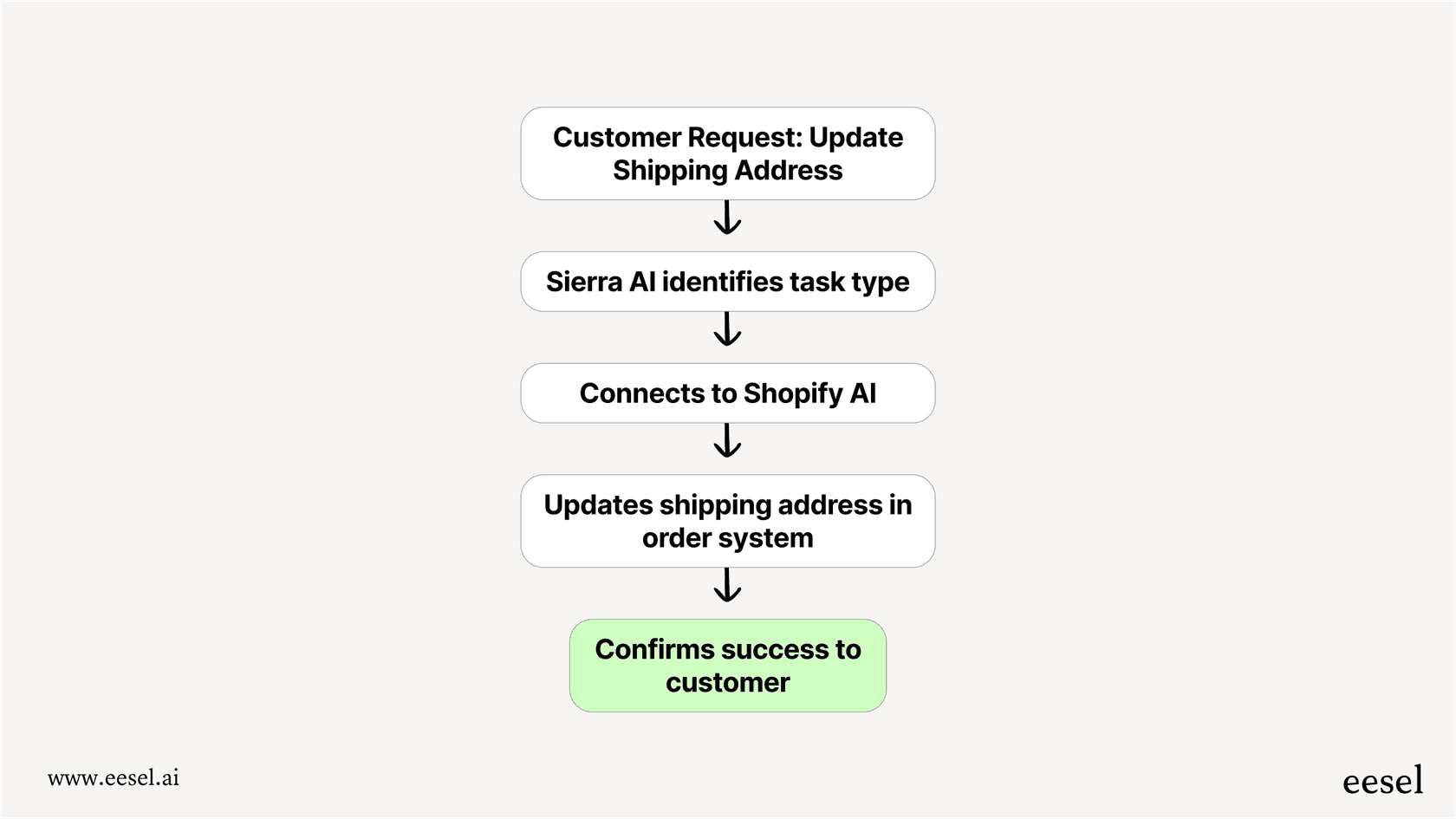
Why we chose it: Sierra is one of the names enterprises shortlist most for AI agents. It has a strong focus on voice, which sets it apart from the mostly text-based tools on this list.
Pricing: Sierra doesn't publish prices, and there's no self-serve signup or trial. It uses outcome-based pricing: in most cases, you aren't charged when a conversation goes unresolved. For a custom quote, you go through their sales team. We cover what's known in our Sierra pricing guide.
Pros:
-
Handles complex, industry-specific workflows.
-
Strong voice AI, unlike most of the text-focused tools out there.
-
Built for enterprise-level security and scale.
Cons:
-
You can't just sign up. It requires a sales and implementation process with their team.
-
No public prices, and it's aimed at large enterprise budgets.
-
It's probably more than you need if you just want to automate common support questions.
10. Kustomer: best for high-volume retail teams that want a CRM-style help desk
Kustomer is a CRM-style help desk built around the customer rather than the ticket. Every conversation, order, and past interaction sits on one timeline, which its AI agents use to answer and take action.
Why we chose it: Kustomer is a strong pick for high-volume online retail teams. Its customer-facing AI agents work across messaging channels and can take actions using your customer data, and a separate AI tool helps reps reply faster. Read more in our Kustomer AI guide.
Pricing: Kustomer doesn't publish its plan prices. Its pricing page sends you to sales, but its pricing details page lists the AI rates.
-
Platform plans (Enterprise and Ultimate): custom pricing (talk to sales).
-
AI Agents for Customers: $0.60 per engaged conversation.
-
AI Agents for Reps: $40/user/month.
Pros:
-
One timeline per customer gives the AI rich context.
-
Works across many messaging channels.
-
AI rates are published, even though plan prices aren't.
Cons:
-
No public plan prices, so you need a sales conversation for the full cost.
-
The AI runs on the Kustomer platform, so you'd be moving your help desk to use it.
11. Help Scout: best for small teams that want a simple shared inbox
Help Scout is a simple shared inbox and help desk that feels more like email than a ticketing system. Its AI tools are built in and easy to switch on.
Why we chose it: Help Scout is one of the easiest help desks to learn. AI Answers responds to customers using your Help Scout Docs and other sources you add, while built-in AI tools help your team draft replies and catch up on long conversations.
Pricing: Help Scout's pricing is per user, with customer-facing AI charged per resolution.
-
Free: $0 for up to 5 users, 1 inbox, and 1 Docs site.
-
Standard: $25/user/month billed annually ($30 monthly).
-
Plus: $45/user/month billed annually ($54 monthly).
-
Pro: $75/user/month billed annually ($90 monthly), minimum 10 users.
-
AI Answers: $0.75 per resolution, with a 3-month free trial.
Pros:
-
Very easy to set up and use, even for non-technical teams.
-
Free plan for up to 5 users.
-
Clear, published prices.
Cons:
-
The AI only works inside Help Scout, so you'd need to use it as your help desk.
-
Per-resolution pricing means your AI bill goes up as the AI handles more.
12. Zoho Desk (Zia): best for cost-conscious teams already on Zoho
Zoho Desk is Zoho's help desk, and Zia is its built-in AI. It's one of the cheapest full help desks around, especially if your company already uses other Zoho apps.

Why we chose it: Zoho Desk packs a lot of AI into low seat prices. Zia helps with triage, suggests replies from your help articles, and lets you build your own AI agents. See our Zoho Desk AI guide for details.
Pricing: Zoho Desk's pricing is per agent, with Zia included from Professional up.
-
Free: $0 for up to 3 users.
-
Express: $7/agent/month billed annually ($9 monthly).
-
Standard: $14/agent/month billed annually ($20 monthly).
-
Professional: $23/agent/month billed annually ($35 monthly). Zia is included from this plan.
-
Enterprise: $40/agent/month billed annually ($50 monthly).
-
Zia Agents usage: free up to a monthly token allowance on Zoho-hosted models, then $1 or $3 per million tokens.
-
Free trial: 15 days, no credit card.
Pros:
-
Some of the lowest seat prices on this list.
-
Connects naturally with Zoho CRM and other Zoho apps.
-
You can build custom AI agents without extra license fees.
Cons:
-
Zia isn't on the cheaper plans, so you need Professional or higher for it.
-
Zia only works inside Zoho products.
What to consider when choosing a customer service AI platform
-
Look for integration, not replacement. Your help desk is your team's home base. Most tools on this list (Zendesk AI, Freshdesk, HubSpot, Gorgias, Kustomer, Help Scout, and Zoho Desk) only run their AI inside their own help desk. Tools like eesel AI, Forethought, and Ada sit on top of the help desk you already have, so you can add AI without a migration.
-
Make sure you can test it before you commit. You shouldn't have to launch a brand new bot on your live customers just to see if it works. A good simulation mode lets you see how the AI will handle your real historical tickets, which gives you the confidence you need for a smooth rollout.
-
Know what you're paying for. Per-seat plans (Zendesk, Freshdesk, Salesforce, HubSpot, Help Scout, Zoho Desk) grow as you add agents, and many add AI fees on top. Per-resolution pricing (Zendesk AI agents, HubSpot Customer Agent, Help Scout AI Answers) grows as the AI does more. eesel AI uses one fixed monthly price sized by tickets, with no seat fees. Enterprise tools like Ada, Sierra, and Forethought are custom quotes, so budget time for a sales process.
The right choice is a partner, not another project
Choosing from the top customer service AI platforms isn't just about a feature checklist. It's about finding a partner that fits your team's workflow, budget, and goals. The best tools give your team a boost without creating a whole new project to manage. They fit in with your existing tools, give you clear results, and let you get started quickly.
Instead of sitting through another long sales call, why not just try one out? With a tool like eesel AI, you can connect your help desk and build your first AI agent in just a few minutes, free with 100 credits.
Frequently asked questions
Which of the top customer service AI platforms is best for a small team just starting with AI?
For a small team just starting out, eesel AI stands out because setup is self-serve and you can go live in minutes on the help desk you already use. There is a free plan with 100 credits and no card, then one fixed monthly price with no seat fees. Help Scout and Zoho Desk are also easy, low-cost starting points if you want a new help desk with AI built in.
My team already uses Zendesk; can any of the top customer service AI platforms integrate with it, or do I need to switch?
Yes, several platforms are built to work with existing tools like Zendesk without requiring you to switch. eesel AI, for example, plugs directly into Zendesk, and Forethought and Ada also sit on top of other help desks. Zendesk AI is the native option if you're fully committed to the Zendesk platform.
Could you explain the different pricing models among the top customer service AI platforms?
There are four common models. Per seat: Zendesk, Freshdesk, Salesforce, HubSpot, Help Scout, and Zoho Desk charge per agent, often with AI billed on top. Per resolution or outcome: Zendesk AI agents, HubSpot Customer Agent, Help Scout AI Answers, Sierra, and Forethought charge more as the AI resolves more. Per ticket: Gorgias prices by ticket volume plus automated interactions, and eesel AI uses one fixed monthly price sized by credits, where 1 credit is 1 ticket or chat. Custom quotes: Ada, Sierra, Forethought, and Kustomer's platform plans need a sales conversation.
How quickly can I expect to implement one of the top customer service AI platforms and see results?
Implementation time varies widely. Platforms like eesel AI are designed for quick, self-serve setup, allowing you to go live in minutes and test performance on past tickets with a simulation mode first. Enterprise platforms like Sierra, Ada, Forethought, and Salesforce Agentforce go through a sales and implementation process that can take weeks or months.
Are the top customer service AI platforms only suitable for enterprise-level companies, or are there options for smaller businesses?
There are good options for every size. Sierra, Ada, Forethought, and Salesforce target large enterprises with complex needs. eesel AI, Gorgias, Freshdesk, Help Scout, and Zoho Desk are accessible to smaller teams and growing businesses, with published prices you can check before you talk to anyone.
What kind of data do the top customer service AI platforms use to learn and answer questions?
The best platforms learn from your existing knowledge bases, such as help articles, past support tickets, internal documentation (like Confluence or Google Docs), and website content. They process this information to provide accurate and relevant answers that sound natural and consistent with your brand.
Beyond just answering questions, what else can the top customer service AI platforms actually do to help my agents?
Beyond automating direct customer queries, these platforms can assist human agents. They can route tricky issues to the right person, draft replies and summarize long tickets, and free up your team to focus on more complex or sensitive conversations.