

Salesforce is going all-in on generative AI with its Einstein 1 Platform. It's a huge system designed to sprinkle artificial intelligence into every part of their CRM. But let's be real, it's also a beast of a platform, and it can be a lot to get your head around.
If you're trying to cut through the marketing noise and figure out what Salesforce's AI actually does, you've come to the right place. We're going to break down what Einstein GPT is, what it can do, how you set it up, what it really costs, and where it falls short. By the end, you'll have a clear picture of whether it's the right move for your team, or if a more straightforward solution might be a better fit.
What is Salesforce Einstein GPT?
So, what exactly is Salesforce Einstein GPT? Simply put, it's the generative AI tech Salesforce has built to create content, handle tasks, and find insights across all their products, like Sales Cloud, Service Cloud, and Marketing Cloud. It’s not one single tool but a whole suite of tech that now falls under the Einstein 1 Platform umbrella.
To really get it, you need to know the main parts:
-
Einstein 1 Platform: Think of this as the central engine. It’s the base layer that connects your CRM data, AI models, and a special piece called the Data Cloud. This tight integration is what lets the AI securely understand and use your company's own information.
-
Data Cloud: This is the brain of the operation. It pulls together every bit of customer data you have, every purchase, support ticket, and website click, into one clean profile for each customer. This unified view is what gives the AI the context it needs to say something smart and relevant instead of generic. It's built to handle an enormous amount of data, reportedly processing trillions of transactions a month.
-
Einstein Copilot: This is the friendly face of the AI, the part you actually interact with. It’s the conversational assistant, kind of like a ChatGPT, that lives in your Salesforce dashboard. You can ask it questions in normal English, and it uses all that data from the Data Cloud to get you answers or get things done.
-
Einstein Trust Layer: Let's talk about the elephant in the room: data privacy. The Trust Layer is Salesforce's answer to this. It's built to act as a firewall between your private customer data and the big AI models (LLMs) it uses. The idea is that third-party models from partners like OpenAI won't be able to learn from or hold onto your info, keeping you compliant and secure.
Salesforce also built the platform to be open, so it can connect with different AI models. It supports models from OpenAI, Anthropic, Cohere, AWS, and Google, as well as Salesforce's own models. This gives companies some flexibility in picking the right engine for their needs.
Key features and capabilities
Okay, that's the tech, but what does it do? Einstein GPT's features are split up by department, aiming to drop AI right into your team's day-to-day grind.
Sales GPT for sellers
For sales teams, the big promise is less admin work. The whole point is to help reps sell faster by taking over some of the tedious stuff. Here’s what it can handle:
-
Writing personalized sales emails that are tailored to a customer's specific history with your company.
-
Prepping reps for meetings by automatically digging up account info and suggesting talking points.
-
Listening in on sales calls, transcribing them, and pulling out the key action items so no one has to.
The goal is to get sellers away from manual data entry and repetitive writing so they can spend more time actually talking to customers and closing deals.
Service GPT for support teams
Over on the support side, Service GPT is all about helping agents work faster and give better, more consistent answers. It can:
-
Draft a new knowledge base article based on the notes from a support case that was just solved.
-
Automatically suggest personalized replies for agents to use in live chats or emails.
-
Write up quick summaries of support cases for your internal records.
This is meant to help teams scale up their support and make sure customers are getting good answers based on the company's own knowledge.
A quick reality check here: its ability to write good knowledge base articles is completely dependent on the quality of your existing Salesforce Knowledge base. If your docs are a mess, the AI's articles will be, too. Getting that in order is a project in itself for many companies.
Einstein Copilot Studio
This is where you can really start tailoring the AI to your business, but it's also where things get complicated. The Copilot Studio is a low-code tool that lets you tweak the AI assistant for your specific workflows. It has a few main parts:
-
Prompt Builder: A place to create and test custom prompts. For example, you could design a prompt that generates a follow-up email in your company's specific tone of voice.
-
Skills Builder: This lets you build custom actions for the AI. You could create a "competitor analysis" skill that automatically pulls the latest market data before a big sales call.
-
Model Builder: This gives you the choice to "bring your own model" (BYOM) from places like Amazon SageMaker or Google's Vertex AI, or just pick from Salesforce's list of preferred AI models.
The Studio makes Einstein very flexible, but it also means you'll probably need a dedicated admin or developer to make the most of it.
Setup and integration
Let's be clear: setting up Salesforce's AI isn't like installing a new app on your phone. It’s a serious, enterprise-level process that you'll definitely need a Salesforce admin or your IT team to handle.
Before you can even begin, you'll need a few things already sorted:
-
A properly set-up Salesforce account (like Sales Cloud or Service Cloud).
-
Salesforce Knowledge turned on and filled with articles, especially if you want to use it for customer service.
-
API access enabled on your Salesforce account.
-
Admin rights to manage things like "Connected Apps" and user settings.
Once you've got the basics covered, the setup process looks roughly like this:
-
Create a "Connected App" in Salesforce: First, you have to create a "Connected App." This acts as a secure bridge between Salesforce and the AI services, and it involves digging into technical settings like OAuth and callback URLs.
-
Set up API permissions: You need to tell the app exactly what it's allowed to do with your data. This means selecting specific permissions (scopes) so the AI can work on behalf of your users without going rogue.
-
Manage user access: Next, you have to decide who gets to use the AI features and assign the right permissions to them. This usually involves making sure the "API Enabled" box is checked for everyone who needs access.
-
Connect everything up: Once the Connected App is created, you'll get a "Consumer Key" and "Consumer Secret." They’re like a username and password that your admin will use to make the final connection to the AI platform.
-
Configure how data syncs: It’s also important to know that the data sync isn't always instant. An admin has to set how often the AI platform pulls in new data from Salesforce, which could be every hour, a few times a day, or just once daily.
This whole process is built to be secure, but it’s obviously designed for a large company. It shows that rolling out Salesforce AI is a real project, not something you can just set up on a Friday afternoon.
Pricing and limitations
The features sound great, but you need to go in with your eyes wide open about the price tag and the platform's limitations.
Salesforce AI pricing
The cost is steep and comes in a couple of different packages.
-
AI Cloud Starter Pack: For companies ready to jump in headfirst, this bundle costs $360,000 per year. It includes the Data Cloud, automation tools, Einstein, Tableau, and other pieces you'll need.
-
Per-User Add-on: If you just want specific features, Sales GPT and Service GPT are available as add-ons to your current licenses for $50 per user, per month. These are included in the top-tier Unlimited Edition licenses, though.
-
The "hidden" cost of credits: This is a big one. Your usage is measured in "Einstein GPT credits." You get a certain amount with your plan, but different actions use up credits at different rates. The tricky part is that it's not always clear how much an action "costs," so you could end up with a surprise bill if your team uses it a lot.
Key limitations to consider
Beyond the sticker shock, there are a few practical hurdles to think about:
-
It's complex and takes a while to pay off: As the setup shows, this isn't a tool you can launch in a day. It takes real technical skill, planning, and an implementation project that could last for weeks or even months. It can be a slow journey to see a return on your investment.
-
It's only as good as your data: The AI's performance is completely tied to the quality of your data. To get good results, you need a clean, well-organized Salesforce Data Cloud and Knowledge Base. Many companies realize they need a major data cleanup project before they can even think about AI.
-
Some features aren't even out yet: Many of the most hyped generative AI features from Salesforce were announced as being in "closed pilot" or with release dates far in the future. You might be buying into the vision, but you can't always use all the tools right away.
-
You get locked into the Salesforce world: The platform is built to work perfectly inside the Salesforce ecosystem. That's a huge plus if you're all-in on Salesforce, but it makes it incredibly difficult to switch to a different help desk or CRM if your business needs change down the line.
The alternative: An AI agent that goes live in minutes
Look, a massive AI platform like Salesforce Einstein is impressive, but it’s often just too slow, complicated, and expensive for teams that need to get moving now. Not everyone has months to wait and a six-figure budget to play with.
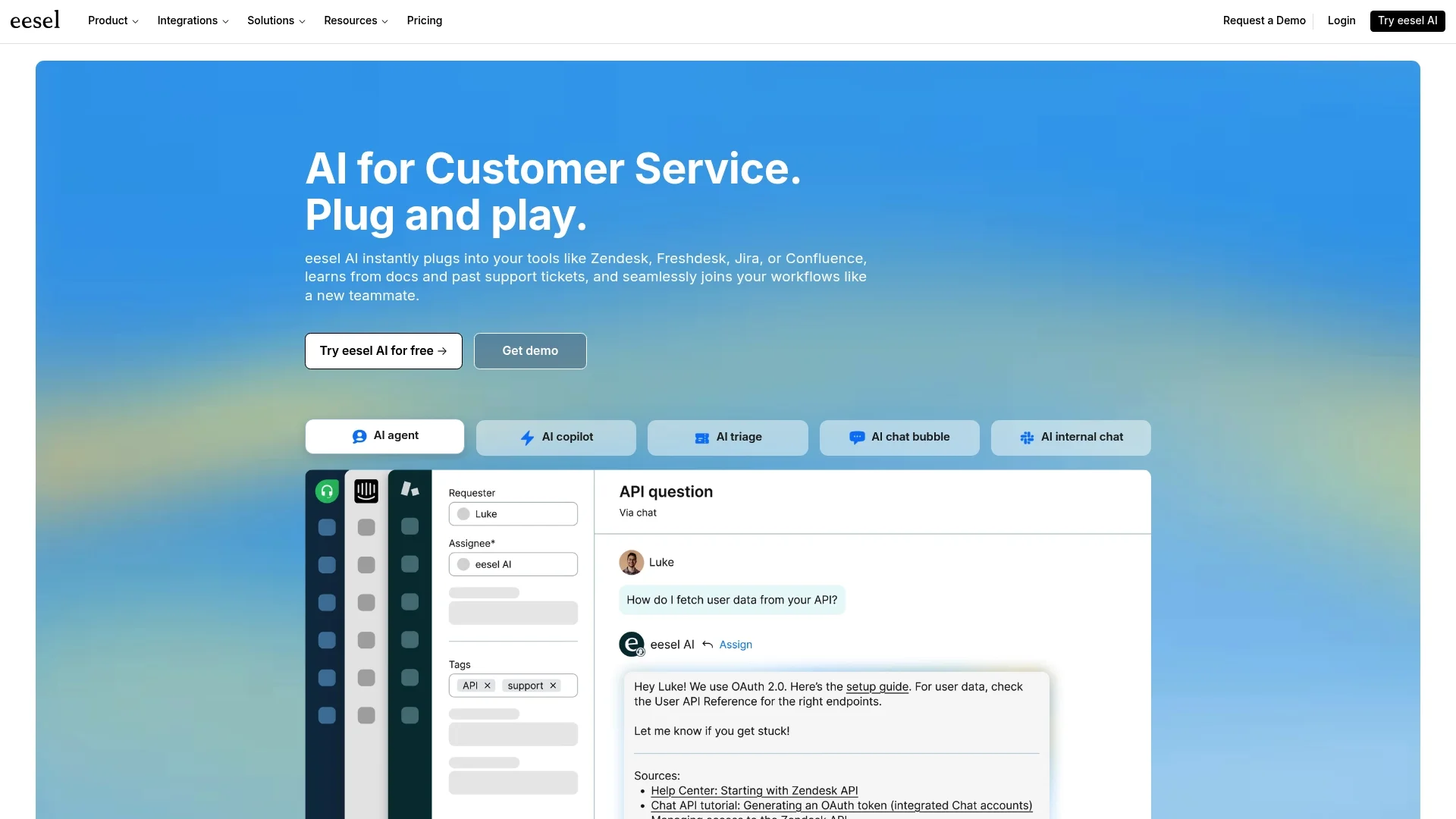
If you're looking for powerful AI without the enterprise headache, there are simpler options. For example, eesel AI is built for speed and simplicity. It connects to the tools you’re already using to automate support, without a massive setup project.
__
Here’s where it’s different:
-
You can be up and running in minutes, not months: Forget about Connected Apps and API scopes. eesel AI has one-click integrations with help desks like Zendesk, Freshdesk, and Intercom. You can set it up yourself and see it in action almost immediately.
-
Pricing is straightforward: With eesel AI's transparent plans, you know exactly what you're paying. There are no confusing credit systems that could lead to a bigger bill than you expected.
-
It connects to what you already use: Your company’s knowledge is spread out everywhere. eesel AI can connect to all of it, Confluence, Google Docs, past tickets, and more, so you don't have to cram everything into one closed system.
-
You can test it safely first: One of the biggest fears with AI is letting it talk to your customers. The AI Agent from eesel AI has a simulation mode that lets you test it on thousands of your past support tickets. You can see exactly how it would have performed and get a real forecast of your resolution rate before you ever turn it on for real customers.
| Feature | Salesforce Einstein GPT | eesel AI |
|---|---|---|
| Setup Time | Weeks to Months | Minutes |
| Onboarding | Requires admin/developer resources | Fully self-serve |
| Pricing Model | High annual fee + usage credits | Transparent, predictable plans |
| Integrations | Primarily Salesforce ecosystem | Works with your existing help desk & knowledge sources |
| Testing | Limited to pilot programs | Powerful historical ticket simulation |
Is Einstein GPT right for you?
At the end of the day, Salesforce Einstein GPT is a seriously powerful AI platform, especially for companies that live and breathe Salesforce. If you've got the budget, the tech team, and the time for a big implementation, it could be a great fit.
But for a lot of teams, those are some pretty big "ifs." For those who need a fast, flexible, and affordable AI solution that works with the tools they already have, a more agile platform is a much better place to start. You don't have to wait for months to see results.
If you want to see what AI can do for your support team today, without the giant enterprise project, it might be worth checking out a tool like eesel AI. You'd be surprised how fast you can get up and running.
Frequently asked questions
What is Salesforce Einstein GPT, and who is this guide for?
This guide breaks down what Einstein GPT is, its core components like the Einstein 1 Platform and Data Cloud, and its features for sales and service. It also covers setup, pricing, limitations, and offers an alternative solution. It's intended for anyone trying to understand Salesforce's AI offerings beyond the marketing, especially those considering implementation.
How does the Data Cloud fit into Einstein GPT's overall architecture?
The Data Cloud is described as the "brain of the operation" within Einstein GPT. It unifies all customer data into single profiles, providing the crucial context needed for the AI to generate smart, relevant responses and actions across Salesforce products.
Can I customize Einstein GPT's AI actions, or is it a fixed system?
Yes, customization is possible through Einstein Copilot Studio. This low-code tool allows users to create custom prompts, build specific AI actions (Skills Builder), and even integrate their own AI models (Model Builder) to tailor the AI to unique business workflows.
What are the main challenges or limitations of implementing Einstein GPT?
Key challenges include its complexity and lengthy setup time, high pricing with a potentially confusing credit system, and the fact that its performance heavily relies on existing data quality. Additionally, some features are still in pilot, and the platform creates vendor lock-in.
Is there a simpler, faster alternative to Einstein GPT for AI implementation?
Yes, the guide mentions alternatives like eesel AI, which aims for faster setup (minutes vs. months) and simpler pricing. These solutions often integrate with existing help desks and knowledge sources without requiring a massive enterprise-level project.
What kind of data quality is required for Einstein GPT to perform optimally?
The guide emphasizes that Einstein GPT's performance is directly tied to data quality. To get good results, companies need a clean, well-organized Salesforce Data Cloud and Knowledge Base, often requiring a significant data cleanup project beforehand.