


If you’re a developer, you’ve probably heard the chatter about AI agents and multi-agent systems. It’s hard to miss. The whole idea of an AI that doesn't just write code but can also manage, delegate, and specialize tasks feels like a major step forward. In Claude Code, this concept is brought to life with subagents, a feature that lets you chop up big, complex problems into smaller chunks for an AI to handle.
But are they really the answer to all our coding woes? This guide will give you a straight-talking look at what subagents in Claude Code actually are, how they work, where they fall short in the real world, and how the ideas behind them can be applied to other parts of your business, like customer support.
What are subagents in Claude Code?
Basically, subagents are specialized, independent AI assistants you can create inside Claude Code to tackle specific jobs. Instead of having one AI trying to do everything, you can assemble a team of specialists.
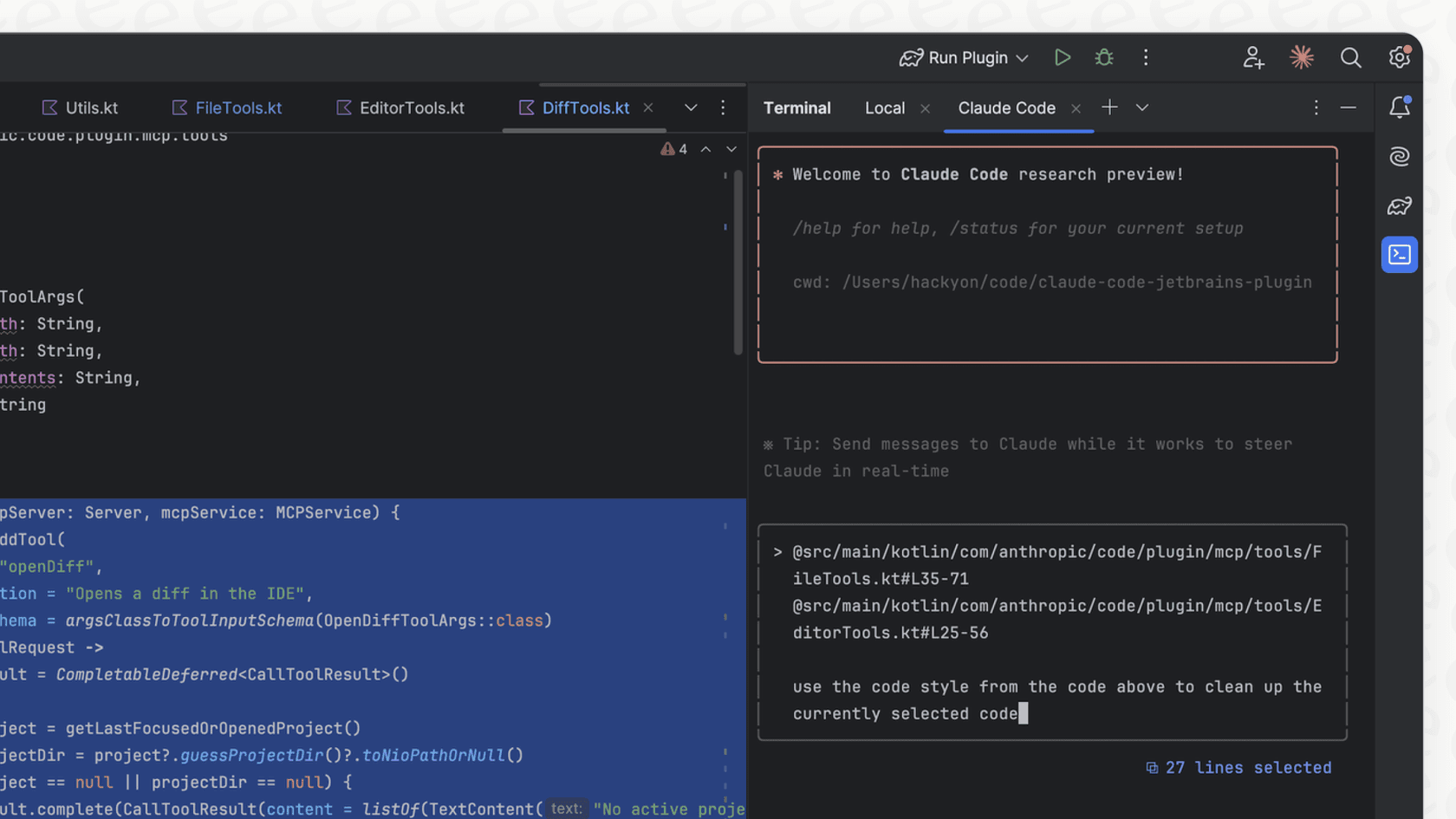
They have a few distinct traits that set them apart:
-
They work in their own little bubble. Each subagent has its own separate context window. This is great because it keeps your main conversation clean and focused on the big picture, so you don't get swamped in the nitty-gritty of every single sub-task.
-
You can give them custom instructions. You get to write a unique system prompt for each subagent, defining its personality, its job, and its marching orders. For example, you could whip up a "code reviewer" subagent that’s super meticulous and follows a strict checklist, or a "debugger" that’s a bloodhound for hunting down errors.
-
You control their tool access. You decide which tools each subagent can use. Need an agent that can review code but not touch any files? You can limit its permissions, which adds a nice layer of security and keeps the agent from getting distracted.
You configure these specialist agents in simple Markdown files, which means you can check them into version control and share them with your team. Claude can then delegate tasks to them on its own, or you can point it to the right subagent for a particular job.
The promise of subagents in Claude Code: Why developers are interested
Why all the excitement? It’s about moving away from a single, do-it-all AI assistant to a coordinated team of specialists. As one developer put it, it feels like you're building your own little "Agile dev team" of agents.
Here are the main reasons people are getting on board.
Getting better results through specialization
A general-purpose AI is okay at a lot of things, but a specialist is an expert at one thing. When you create a subagent for a specific role, you can load it up with hyper-detailed instructions that a generalist AI might just gloss over or forget.
For instance, the example "code-reviewer" agent in the official docs is given a very specific checklist. It's told to look for things like duplicated code, proper error handling, and exposed API keys. That level of detail almost always gives you a higher quality result than just asking, "Hey, can you take a look at this code?"
A smart way to manage context
Anyone who’s spent time with LLMs knows the frustration of hitting the context window limit. Subagents offer a pretty clever workaround. As one user on Hacker News noted, they're perfect for tasks that eat up a ton of tokens.
Let's say you need to get up to speed on a new library. You can dispatch a subagent to do the heavy lifting, it can read through pages of documentation, using up thousands of tokens in its own isolated context. When it's finished, it just reports back with a quick summary. Your main agent gets the answer it needs, but its own context window isn't cluttered with all that research material.
Tackling tasks in parallel
Some jobs just get done faster when you can do them at the same time. You can run subagents in parallel, which is ideal for things like exploring a large codebase for the first time. You could have one subagent analyzing the frontend, another digging into the backend APIs, and a third reviewing the database schema, all at once. This divide-and-conquer strategy can really speed up the initial discovery phase of a project.
The reality: Where subagents in Claude Code can get tricky
While the potential of subagents is pretty exciting, things aren't always so smooth in practice. As more developers have gotten their hands on them, a few common headaches have started to pop up. It’s good to know about these before you go all in.
The handoff problem: When agents forget everything
This is, by far, the biggest complaint. When a task gets handed off, the subagent starts with a totally blank slate. It doesn't know what your main agent knows about the project. If the main agent doesn't provide a perfectly detailed brief, the subagent is pretty much flying blind.
This leads to what many are calling "context amnesia." The subagent doesn't have crucial project knowledge, so it can easily go off the rails and spit out generic or just plain wrong solutions. This is a particular nightmare in existing, complex codebases ("brownfield" projects) and is a big reason why subagents seem to work best on brand-new projects or very self-contained tasks.
Why subagents in Claude Code can be surprisingly slow
You'd think delegating would speed things up, but many users say it's the opposite.
One developer on Reddit mentioned that subagents can be MUCH MORE SLOW than working with a single agent. The reason is that every time you call a subagent, it has to build its understanding of the task from scratch, and that burns time and processing power.

It's a lot of work to manage subagents in Claude Code
Managing a team of AI agents isn't exactly a "set it and forget it" kind of deal. It takes a good bit of upfront work to write detailed prompts, define roles, and set permissions. It can quickly start to feel less like you have an autonomous team and more like you're micromanaging a group of very literal junior developers. This has kicked off a debate in the community: is it better to create "role-based" agents (like a 'backend developer') or "task-based" agents (like an 'API-endpoint-writer')? So far, it seems like narrowly defined, task-specific agents are proving to be more reliable.
The cost of subagents in Claude Code can add up
It's also worth remembering that running multiple agents, each with its own context, can chew through tokens fast. If you're on a plan where you pay for usage, orchestrating a team of subagents for a big task can get expensive before you know it.
Beyond code: Applying subagents in Claude Code concepts to customer support
Here's the interesting part: these aren't just coding problems. The core principles of building an effective team of agents, specialization, context management, and clean handoffs, apply everywhere. And there's no better example than in customer support.
A single, monolithic support bot often fails for the same reason a single AI agent struggles with a complex codebase: it’s trying to do too much. A better way is to use a multi-agent system, which is exactly what developers are trying to achieve with subagents in Claude Code. As one of our own team members mentioned on Reddit, this is how we approach the problem at eesel AI. Instead of one bot, we have a "triage" specialist that routes tickets, a "knowledge base" expert that answers common questions, and an "API" agent that can look up an order status.
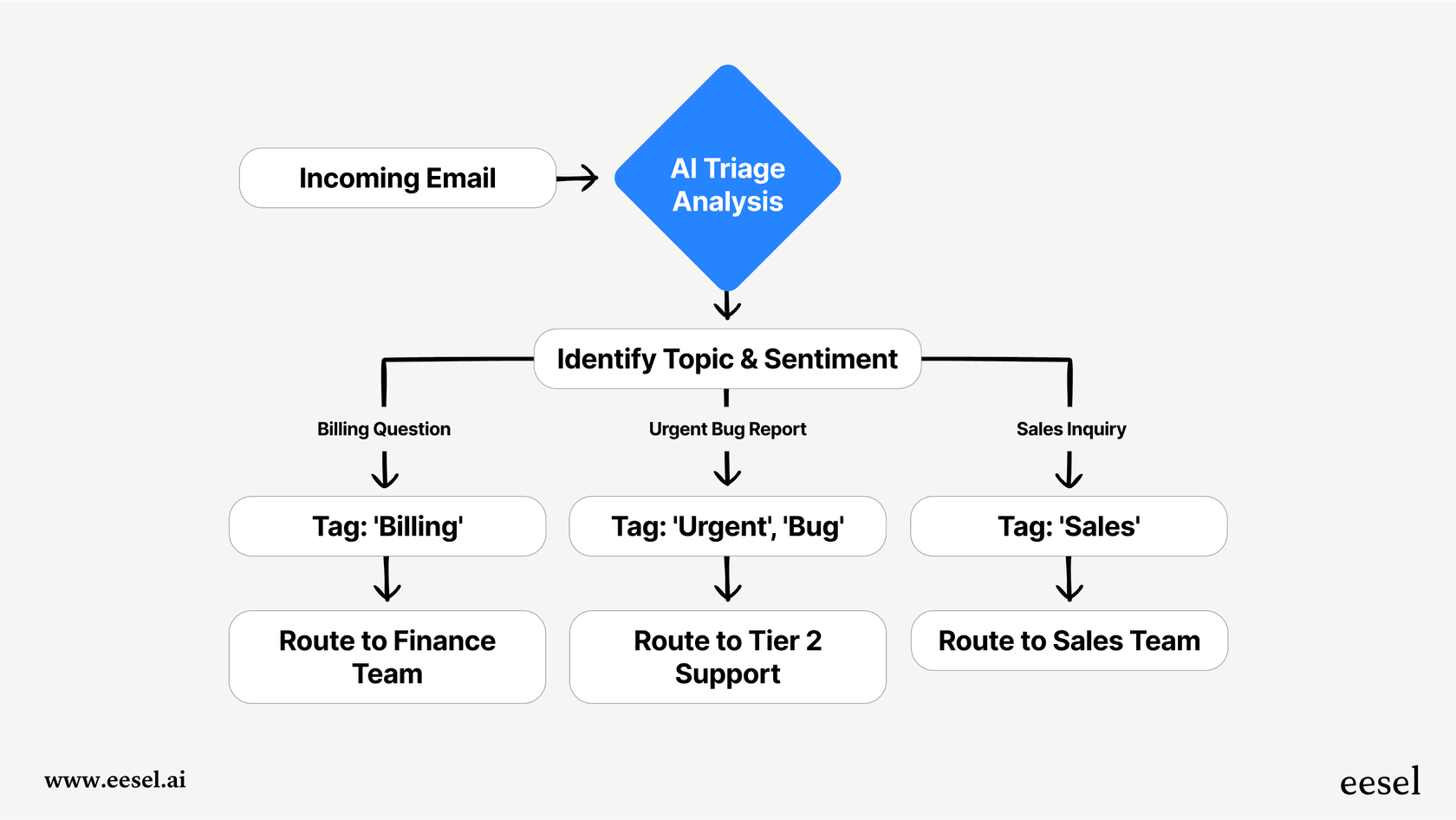
This is where a dedicated platform can solve the very limitations that developers are bumping up against.
-
Solving context amnesia: Instead of struggling with manual context handoffs, a platform like eesel AI connects all your knowledge sources from the get-go. It instantly learns from past tickets, your Confluence wiki, and your Google Docs, giving every specialized agent the full backstory it needs to actually solve a problem.
-
Skipping the complexity: Building these systems from scratch in Claude Code is a serious engineering project. eesel AI gives you this multi-agent setup right out of the box. Our self-serve platform means you can get up and running in minutes, not months, by connecting to your help desk like Zendesk or Freshdesk with just a click.
-
Testing without the guesswork: While debugging subagents can feel like you're working in the dark, eesel AI’s simulation mode lets you test your entire setup on thousands of your own historical tickets. You can see exactly how your AI team will perform and get a solid forecast of your resolution rate before it ever talks to a real customer.

Claude Code pricing
To use subagents, you'll first need access to Claude Code, which comes with Anthropic's paid plans. The free version is fine for basic chat, but it doesn't have the more advanced developer features.
Here’s a quick look at the plans that include Claude Code:
| Plan | Price (Monthly) | Key Features for Developers |
|---|---|---|
| Free | $0 | Basic chat and content creation. Does not include Claude Code. |
| Pro | $20 | Everything in Free, plus access to more models, extended context, and includes Claude Code. |
| Max | From $100 | Everything in Pro, plus 5-20x more usage, priority access, and includes Claude Code. |
Are subagents in Claude Code worth the effort?
Subagents in Claude Code are a genuinely interesting and powerful feature for any developer looking to see what's possible with AI-assisted development. They offer a peek into a future where we direct teams of specialized AI agents to build complex software.
But they do come with a big trade-off. The power you get from specialization is offset by the headaches of context amnesia, performance lags, and the sheer effort it takes to manage them well. For developers on the cutting edge of building agentic workflows, they're an essential tool. But for businesses that just want to apply these smart principles to solve real-world problems like customer support, there's a much easier way.
Build your own AI support team, no coding required
You’ve seen the power and the pain of building multi-agent systems. If you want the benefits of a specialized AI team for your customer support, without the engineering overhead, give eesel AI a look. Our pre-built Triage, Copilot, and Agent bots are ready to start automating your workflows in minutes.
Frequently asked questions
What exactly are subagents in Claude Code, and how do they differ from a single AI assistant?
Subagents are specialized, independent AI assistants within Claude Code, each with its own isolated context. They enable you to break down complex tasks, allowing a team of specialists to work on different parts of a problem, unlike a single, general-purpose AI.
How do subagents in Claude Code help with context management and task specialization?
Each subagent operates in its own separate context window, which prevents the main agent from getting overloaded with information. By providing subagents with specific instructions, they become hyper-focused specialists, often leading to higher quality results for particular tasks.
What is the "handoff problem" that developers often experience when using subagents in Claude Code?
The "handoff problem" refers to subagents starting with a blank slate when a task is delegated to them. If the main agent doesn't provide a perfectly detailed brief, the subagent can suffer from "context amnesia," lacking crucial project knowledge and potentially producing generic or incorrect solutions.
Can utilizing subagents in Claude Code impact the speed and cost of my development workflow?
Yes, subagents can sometimes be slower because each call requires them to build an understanding of the task from scratch, which consumes time and processing power. Additionally, running multiple agents, each with its own context, can quickly consume tokens, potentially increasing costs on usage-based plans.
Is it difficult to manage and configure subagents in Claude Code for complex projects?
Managing subagents requires significant upfront work, including writing detailed prompts, defining specific roles, and setting permissions. This can feel like micromanagement, and determining the optimal balance between role-based and task-based agents adds to the overall complexity.
Beyond coding, how can the principles behind subagents in Claude Code be applied to areas like customer support?
The core principles of specialization and context management are highly relevant in customer support. This involves using specialized AI agents for tasks such as ticket triage, knowledge base queries, or looking up order statuses, leading to more efficient and accurate problem resolution, similar to how platforms like eesel AI operate.