


Qwen Image 2.1 is a genuinely good open model, but its research-only license is why so many people are shopping for an alternative. It generates transparent PNGs straight from a prompt and runs on a single consumer GPU, yet you cannot legally ship commercial work on it without a separate grant, and there is no hosted qwen-image-2.1 API to fall back on (LICENSE).
So the alternative you want depends on which of those two things bit you. If you loved that Qwen's weights were downloadable and just need one you can sell with, FLUX.2 is the closest match: open weights, published commercial tiers, from about $0.03 an image on the API. If you never wanted to touch a GPU in the first place, the hosted models are stronger anyway, with Nano Banana Pro leading on quality and in-image text and ChatGPT Images 2.5 hard to beat on convenience.
Below I have priced all eight, said who each one is for, and where each one falls short. If your real goal is finished content rather than raw pixels, I have also flagged where a model is only step one of the job.
Why people are looking past Qwen Image 2.1
Let me be fair to Qwen first, because it earns it. The 2.1 release is a real step up: a 7B model that fits on one card, native RGBA transparency folded straight into generation, and editing with up to 10 reference images at 2K. On r/comfyui, testers called the output noticeably sharper than the prior release, and the size-to-quality ratio genuinely impressed people. As a thing to tinker with, it is one of the more exciting open drops of the year.
The problem is what happens the moment money enters the picture. The license flipped from the Apache 2.0 that covered the original Qwen-Image to a research-only license that bars commercial use without a separate agreement. And there is no paid qwen-image-2.1 endpoint to sidestep that, Alibaba's commercial image API runs on the newer qwen-image-3.0 instead. So a team that prototyped on 2.1 and loved it hits a wall at launch.
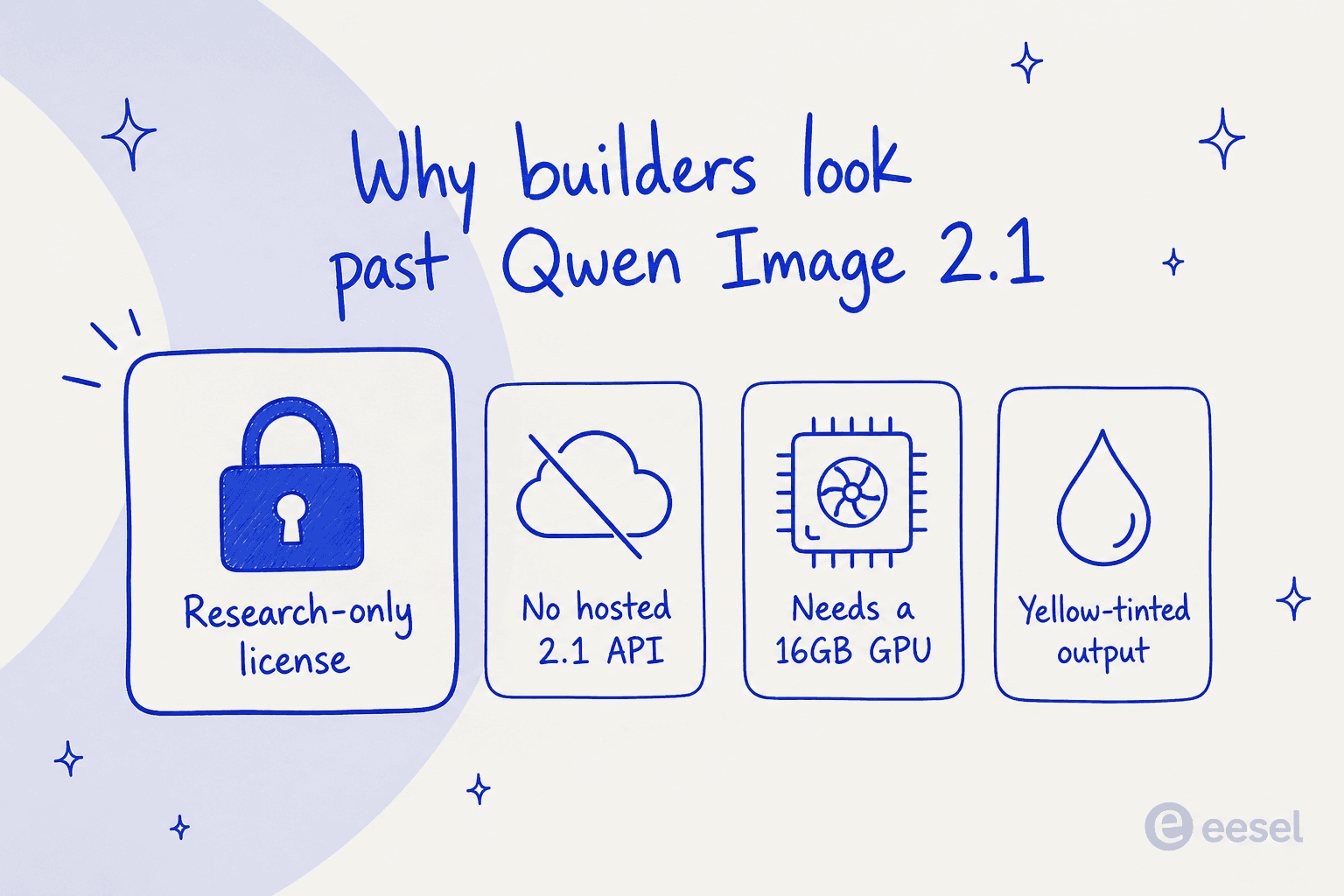
There are two smaller reasons too. Running the weights locally still wants around 16GB of VRAM at reasonable settings, so it is not truly laptop-friendly without CPU offloading and a lot of patience. And some reviewers dislike a slightly yellow, synthetic cast in the default look. None of these are dealbreakers on their own, but stack them up and the "free open model" starts to feel like work.
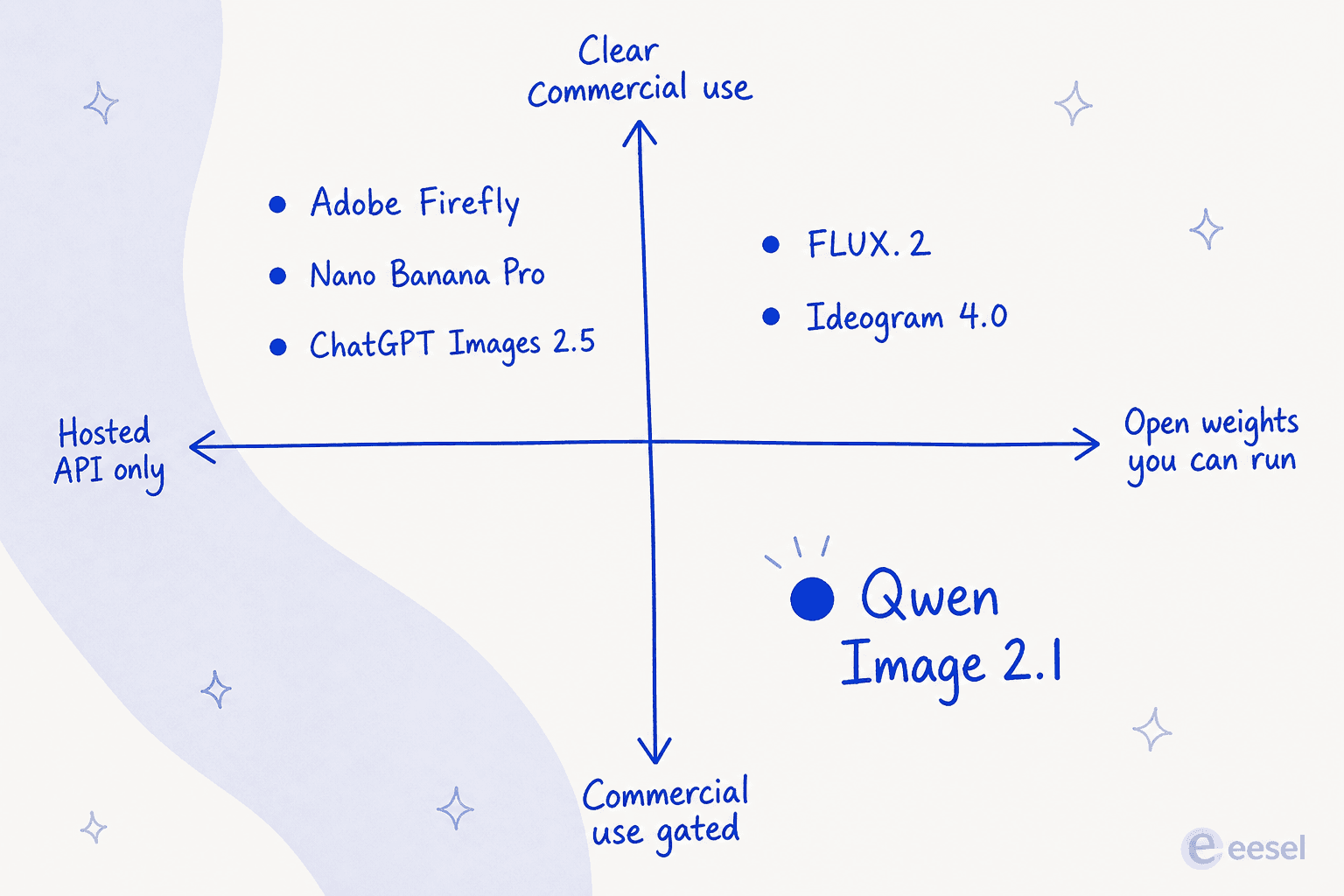
The useful way to think about the whole field is the map below. Qwen Image 2.1 sits in an awkward corner: it is open enough that you can run it, but gated enough that you cannot sell with it. Almost every alternative worth switching to is better on one of those two axes.
How I picked these eight
I kept it to models that are shipping today, not demos or waitlists, and that solve at least one of Qwen's problems: a clear commercial license, a hosted API so you never touch a GPU, or a specific strength (text, vector, design taste) that Qwen does not lead on. I priced each on its real billable unit, per image, per credit, or per month, because those are not the same thing and the difference matters at volume. And I leaned on primary sources: each vendor's own pricing, docs, and model pages, plus a few real user quotes from G2 and Hacker News.
Here is the whole field at a glance before the detail.
| Model | Best for | Open weights? | API price (standard) | Standout | Main gap vs Qwen |
|---|---|---|---|---|---|
| FLUX.2 | Shipping an open model | Yes (klein/dev) | from $0.03/image | Commercial license tiers | Full transparency less native |
| Nano Banana Pro | Best all-round + text | No | $0.134 (1K/2K) | In-image text, world knowledge | Priciest per image |
| ChatGPT Images 2.5 | Convenience, everywhere | No | ~$0.05 (medium) | Reasoning, free in ChatGPT | No transparent background |
| Ideogram 4.0 | Typography + open weights | Yes | ~$0.02/credit | Readable type, layout control | Newer, smaller ecosystem |
| Recraft V4.1 | Vector and brand design | No | $0.035/image | Editable SVG output | No local option |
| Midjourney V8.2 | Pure aesthetics | No | Subscription only | Distinctive look | No API, no free tier |
| Adobe Firefly | Commercially safe + Creative Cloud | No | Credits | Licensed training data | Credit accounting |
| Seedream 5.0 Pro | Cheapest precise control | No | ~$0.042/image | Positional control, low cost | China-cloud access |
1. FLUX.2 (Black Forest Labs)
Best for: the Qwen refugee who wants an open model they can legally ship with.
If Qwen's license is what pushed you out, start here. FLUX.2 from Black Forest Labs is the state-of-the-art open image family, and unlike Qwen it treats commercial use as a first-class path rather than a favour. The lineup runs from FLUX.2 klein (open weights, 4B runs on consumer GPUs, 9B for more quality) up through pro and max, with editing across up to 10 reference images and hex-colour control on the top tiers.
The reason it beats Qwen on the axis that matters: BFL publishes real open-weights licensing tiers, from a Builder tier for a single domain up to Enterprise with permissive commercial use, plus a pure pay-as-you-go hosted API with no seat fees. It carries SOC 2 and ISO 27001, and there is a FLUX MCP server so agents in Claude, Cursor, or VS Code can drive it directly.
Pros: open weights you can self-host, clear commercial terms, klein runs locally like Qwen does, and the API is cheap.
Cons: the headline FLUX 3 is video-and-audio first, with image still marked "soon", so for image work you are really using FLUX.2. And Qwen's transparency is more natively baked in than FLUX's, which leans on tools for background work.
The community read is that this is the serious open contender. One operator who benchmarked the field put FLUX.2 ahead of the pack in their scoring:
"Flux.2 scored 5, Ideogram4 scored 8, and gpt-image-2 scored 12 out of 15."

(Lower is better in that ranking.) Our take: if you want the "open model, but I can actually sell the output" version of Qwen, FLUX.2 is the swap. API pricing starts at $0.03 an image.
2. Nano Banana Pro (Google)
Best for: the best all-round quality, and anything with text in the image.
Nano Banana Pro is the marketing name for Gemini 3 Pro Image, Google's flagship. It is built on Gemini 3 Pro and runs a "thinking" pass that reasons through a prompt before drawing, which shows up most in the one thing every image model used to be bad at: legible in-image text. Google calls it its best model for correctly rendered text, across multiple languages, for posters, mockups, and infographics.
It also blends up to 14 input images into one scene while keeping up to 5 people looking like themselves, outputs at 1K, 2K, or 4K, and can pull live facts in through Google Search grounding. For a Qwen user, the trade is obvious: you give up self-hosting, but you get a much stronger model with zero setup.
Pros: class-leading text, strong world knowledge, generous multi-image composition, and a free quota in the Gemini app to try it.
Cons: it is the priciest on this list per image, and free and Pro tiers stamp a visible Gemini watermark that only Ultra and AI Studio remove.
Our take: if raw quality is the goal and you do not need local hosting, this is the one to beat. At $0.134 per 1K or 2K image it costs roughly four times a FLUX.2 render, so it is a quality pick, not a volume one.
3. ChatGPT Images 2.5 (OpenAI)
Best for: the person who wants good images without leaving the tool they already pay for.
ChatGPT Images 2.5 is OpenAI's current image model, released on 8 September 2026 as the successor to Images 2.0. It generates up to 50% faster than 2.0, holds a subject's likeness better across a reference photo, and edits in a targeted way, changing only what you ask. The big draw is reach: it is the default image generator inside ChatGPT on every tier including free, so for a lot of people it is already installed.
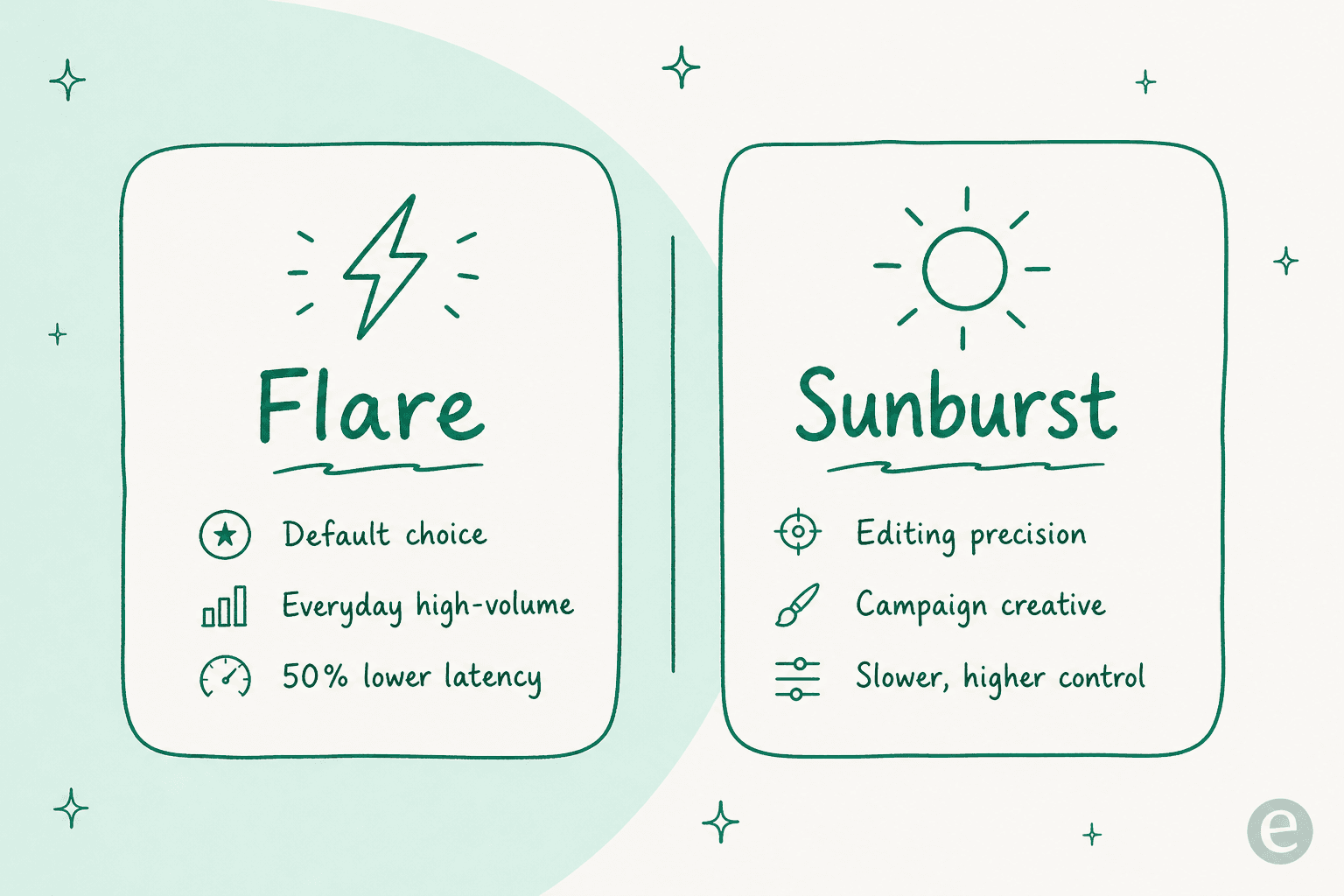
On the API there are two models at the same price, gpt-image-2.5-flare (the fast, high-volume default) and gpt-image-2.5-sunburst (editing precision and campaign creative), both hitting v1/images/generations and v1/images/edits.
Pros: free inside ChatGPT, strong reasoning and multilingual text, and a genuinely useful editing flow with Sketch and Templates in the app.
Cons: the API predecessor dropped transparent-background support entirely, a real regression if native transparency was exactly why you liked Qwen. API cost is token-metered, so a heavy edit request with reference images climbs fast.
Our take: the convenience play. If you already live in ChatGPT and do not need transparent PNGs, this is the least-friction move off Qwen. Budget roughly $0.05 for a medium-quality square image as a planning figure, since exact cost is token-based.
4. Ideogram 4.0
Best for: logos, typography, and anyone who wants open weights plus a clean commercial license.
Ideogram has been the text-in-image specialist since launch, and 4.0 leans all the way in: readable type in every layout, multilingual, with composition trained on bounding boxes tied to plain-language descriptions so you can steer where each element lands. For logos, branding, and print-on-demand, it is often the first model people reach for.
Crucially for a Qwen user, Ideogram released 4.0 as an open-weight model with a commercial license that scales to deployment size, so you get the "download and run it" freedom without the research-only handcuffs. It also ships an MCP integration and a unified API where you swap image and video models by changing one string.
Pros: best-in-class typography, open weights with real commercial terms, a free plan, and design-grade layout control.
Cons: transparency and editable text layers are on the roadmap rather than shipping today, so for native RGBA it is not yet a like-for-like Qwen swap. The ecosystem is smaller than Google's or OpenAI's.
Our take: if your work is type-heavy and you want the open-weight path Qwen gave you, Ideogram 4.0 is the better-licensed version of that deal. App plans run free, $20, and $60 a month, with credits about $0.02 each.
5. Recraft V4.1
Best for: designers who need editable vectors and locked brand styles, not just raster art.
Recraft is the one model here built around design taste rather than raw generation, and its standout is genuine vector output: it generates editable SVGs, with a Vector Editor so you can tweak them in place. That is a job no general raster model, Qwen included, does. Recraft V4.1 is the latest generation, tuned for quieter, more natural photorealism from short prompts, and it has the pedigree: V3 topped the Text-to-Image leaderboard with an ELO of 1172, ahead of the big names.
For teams, it also has the compliance story Qwen lacks entirely: SOC 2 Type 2 and AIUC-1 certification.
Pros: true vector generation, strong brand-style locking, benchmark pedigree, and enterprise certifications.
Cons: no self-hosted option, so if local control was Qwen's appeal this is the wrong direction. Its top-quality raster tier is pricier per image than the budget models.
Users single out the brand consistency:
"My go-to for brand-consistent visual assets. What sets it apart is the ability to define and lock in a brand style, so every image feels like it belongs to the same visual identity rather than a random grab-bag of AI outputs."

Our take: the pick for design and brand systems. V4.1 raster is $0.035 an image, and vectors are $0.30, which is the price of doing something no other model on this list can.
6. Midjourney V8.2
Best for: the most distinctive, beautiful look, if you do not need an API.
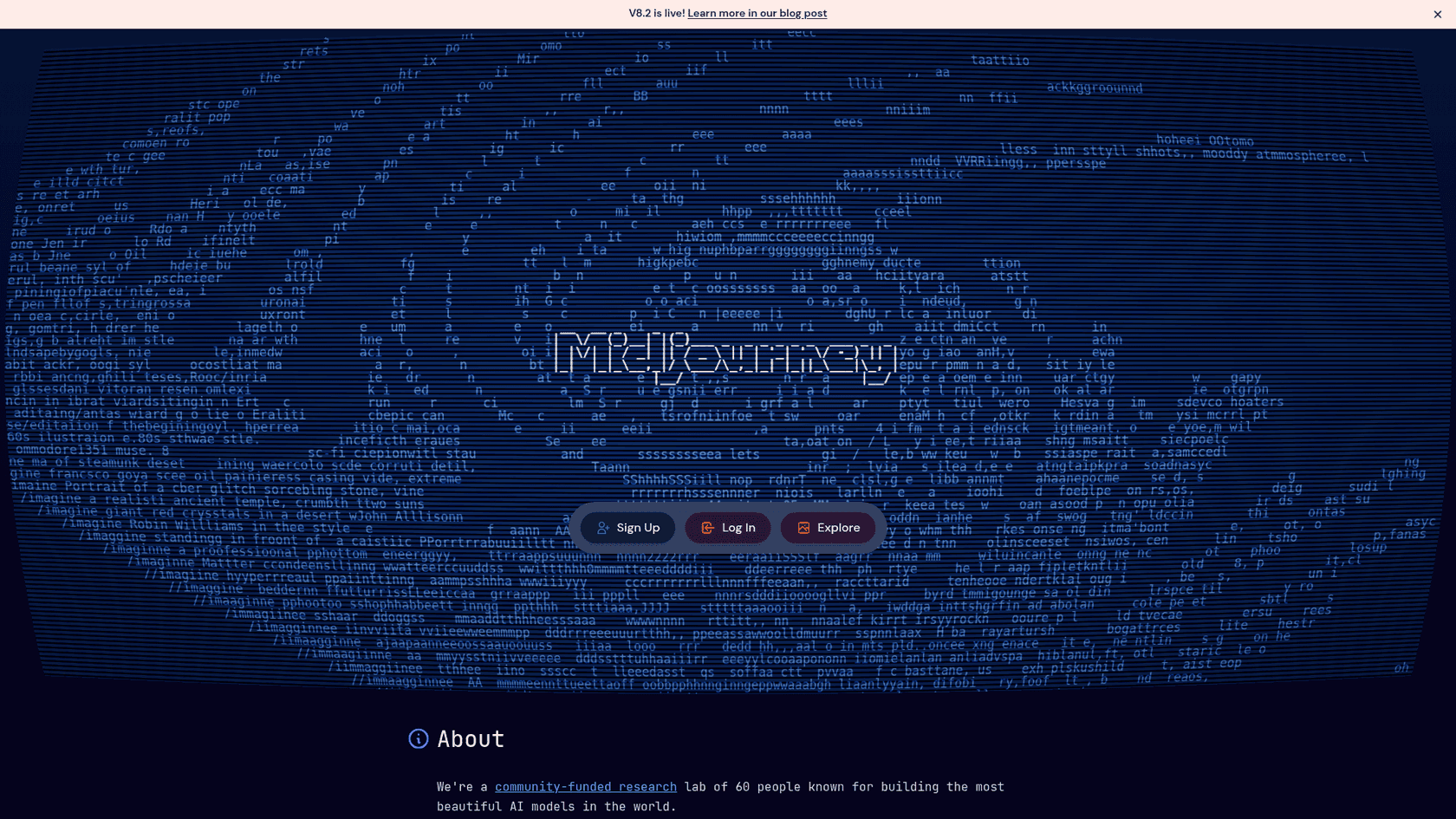
Midjourney is a different animal. It is a self-funded research lab of about 60 people building, in its own words, the most beautiful AI models, and V8.2 doubles down on aesthetics, cinematic lighting, and personalization that learns your taste over time. Its August edit model added text-instruction editing, up to 4 image references, and inpainting/outpainting.
Where it parts ways with everything else here: there is no API and no free tier. You buy GPU time through a subscription and work in the web app or Discord. So it is the opposite of a Qwen workflow, no weights, no endpoint, no automation.
Pros: the strongest signature aesthetic in the field, deep personalization, and a mature editing suite.
Cons: no API means you cannot script it or wire it into a pipeline, and there is no free option to test it. Prompt adherence takes a back seat to look.
Our take: if you are a solo creator or a studio that values the look above all and works by hand, Midjourney is worth the subscription. Plans are $10, $30, $60, and $120 a month. If you need programmatic access, this is not your tool.
7. Adobe Firefly
Best for: teams that need commercially safe images and already live in Creative Cloud.
Adobe Firefly answers the Qwen license problem from the far end. Adobe trains its own Firefly models on licensed content like Adobe Stock plus public-domain material, and markets the outputs as commercially safe, the exact opposite of a research-only license. The current flagship is Firefly Image 5, and the app now also hosts partner models (GPT Image, Google's Nano Banana, FLUX) so you can pick a model per task from one login.
The other half of the pitch is integration. Firefly is the engine behind Photoshop's Generative Fill, and Pro plans bundle Photoshop on web and mobile plus Express, so generation sits inside the editing tools designers already use.
Pros: commercially safe training data, deep Creative Cloud integration, a free tier to start, and access to partner models in one place.
Cons: everything runs on generative credits that vary by model and output, so cost is harder to predict than a flat per-image API. Adobe's own models can feel more conservative than Midjourney or Nano Banana.
Practitioners rate the Photoshop tie-in above the standalone generator:
"Generative Fill in Photoshop is the part I touch most days, and it is the feature that moved Firefly from 'interesting' to 'in the workflow.' It behaves like a proper Photoshop layer, not a magic button that rewrites my file."
Our take: for a business that needs the paper trail on rights, Firefly's commercial safety is the whole reason to switch off Qwen. If you are already paying for Creative Cloud, it is close to free to try.
8. Seedream 5.0 Pro (ByteDance)
Best for: the cheapest route to precise, controllable generation, if China-cloud access is fine.
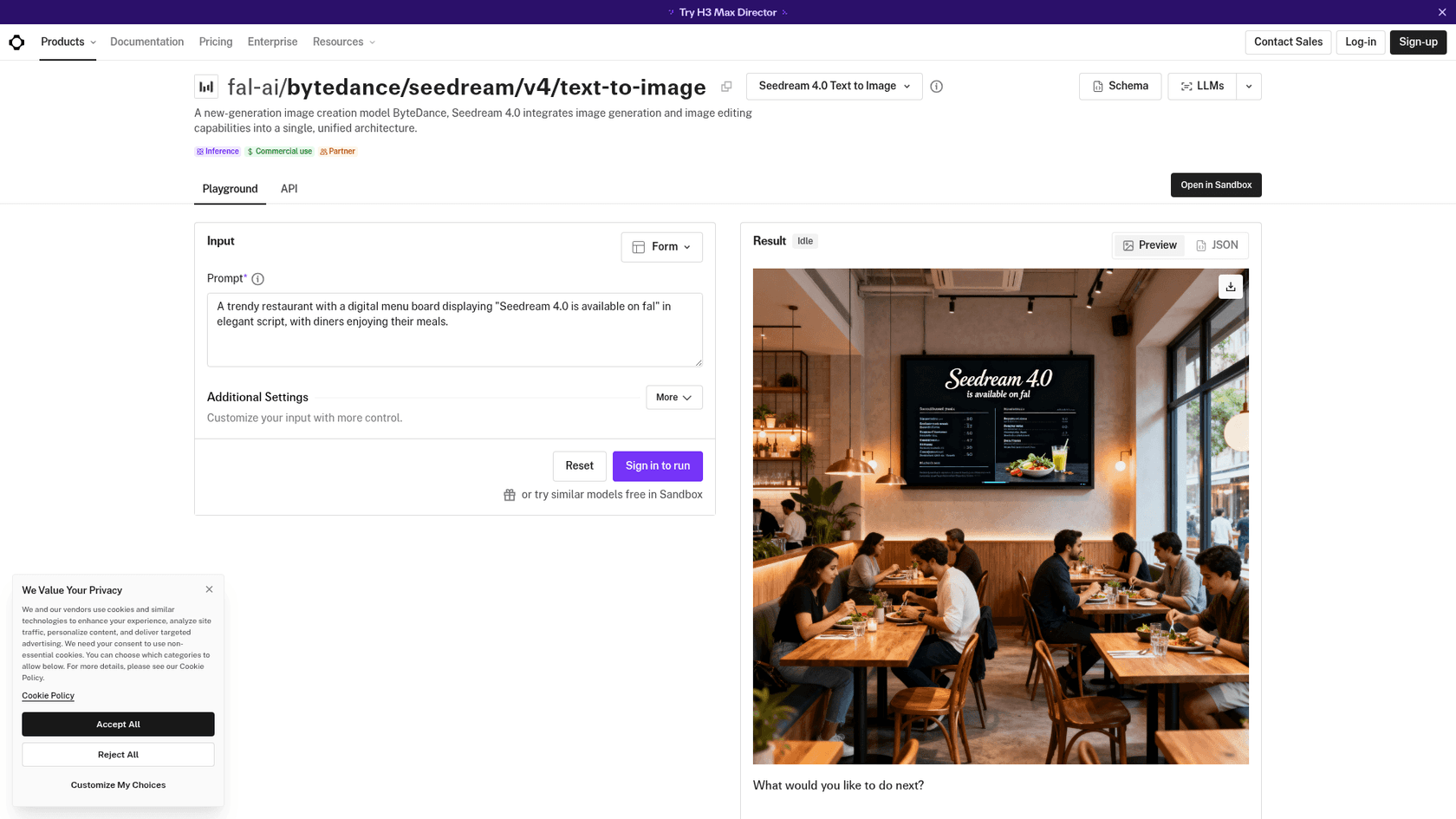
Doubao Seedream 5.0 Pro is ByteDance's flagship image model, released 28 June 2026 and served through its enterprise cloud, Volcengine (the consumer brand is Doubao). It is built for high-precision, positional and element-level control, generating at 1K and 2K. For a Qwen user optimising on cost, it is one of the cheapest capable options going.
The catch is access. Its native home is a Chinese cloud platform, so most Western developers reach it through third-party hosts like fal or Replicate rather than directly, which changes the pricing and the terms.
Pros: very low per-image cost, strong positional control, and a capable Pro tier for detailed compositions.
Cons: access is awkward outside China, single-image output only on the Pro tier, and documentation is largely in Chinese. No self-hosted weights.
Our take: a strong value pick if you are comfortable routing through a re-host, and precise control matters more than brand polish. Volcengine lists it at ¥0.30 per image under 2.36M pixels (about $0.042), rising to ¥0.60 above that.
What the alternatives actually cost
Sticker prices lie a little here, because these models bill on three different units. The hosted APIs charge per image (or per token, which nets out to a per-image range), Midjourney sells GPU time by the month, and Firefly and Ideogram meter credits. So the honest comparison is per-image API cost for the ones that have it, and a separate note for the rest.
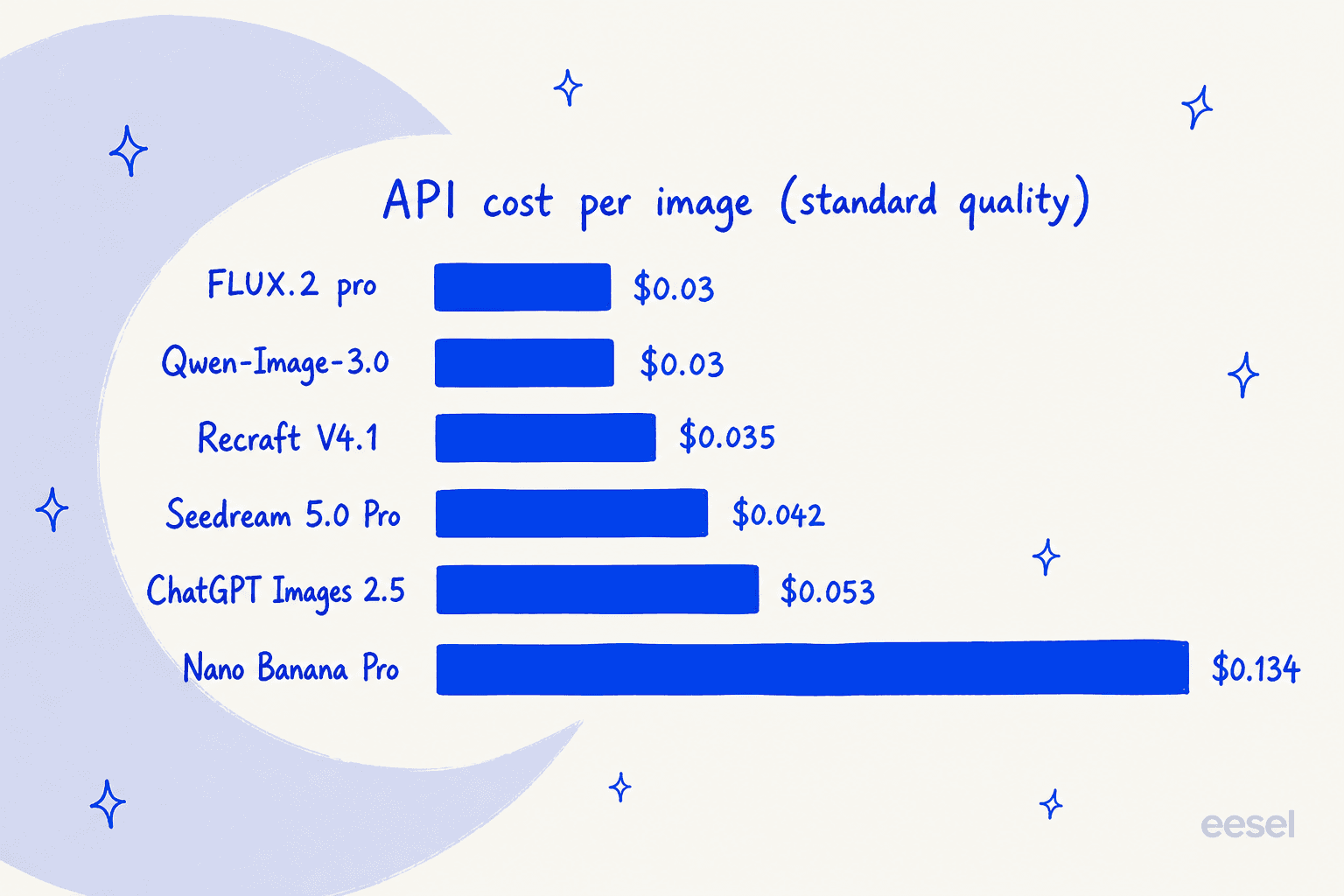
Read that as a spread of roughly 4x from the cheapest hosted option to the priciest. If you are generating 10,000 images a month, FLUX.2 pro at $0.03 costs about $300, while Nano Banana Pro at $0.134 costs about $1,340 for the same volume. That gap is the difference between a background cost and a line item, so it is worth matching the model to the job: reach for Nano Banana Pro when quality and text are the point, and a cheaper model for bulk work where any of them would pass.
Midjourney sits outside this chart on purpose. At $30 or $60 a month for a busy plan, it can be cheaper than a per-image API if you generate constantly, and much more expensive if you do not, because unused GPU time does not roll over. And remember Qwen Image 2.1 itself is "free" only for research, the moment you need it commercially you are paying for the qwen-image-3.0 API at $0.03, right alongside FLUX.2.
Where this leaves you
Strip it back to the reason you are here. If the license was the problem, FLUX.2 and Ideogram 4.0 give you the open-weights freedom you liked about Qwen with commercial terms that actually let you ship. If setup was the problem, Nano Banana Pro and ChatGPT Images 2.5 are stronger models with none of the GPU wrangling. If you have a specific job, Recraft owns vectors, Midjourney owns the look, Adobe Firefly owns commercial safety, and Seedream owns the low end.
But a quick honest note before you go and wire one of these into a workflow, because I do this for a living and it is the part everyone underestimates.
Try eesel
A model is infrastructure. Any of these eight gives you raw image generation, but you still have to feed it context, wire it into a pipeline, and turn its output into something that actually ships. That last mile is the gap eesel closes: instead of a raw model, eesel gives you ready-to-work AI teammates for defined jobs, each arriving with the skills, integrations, and company context the role needs.
The one closest to this post is the eesel AI blog writer, a teammate that researches, drafts, and illustrates long-form content end to end. Image generation, exactly the kind these models do, is one of the tools it uses under the hood, not the thing you are left to operate yourself. You bring the topic and the brand; it hands back a publish-ready draft with the visuals already in place. Every banner and infographic in this very post came out of that pipeline.

So if you would rather hire the finished capability than assemble it from weights and scripts, you can try eesel for free and see a full illustrated draft come out the other end.
Frequently Asked Questions
What is the best Qwen Image 2.1 alternative?
It depends on the job. For an open model you can actually ship with, FLUX.2 is the closest swap, since its weights are downloadable and its commercial terms are spelled out. For the best all-round quality and in-image text, Nano Banana Pro leads. For design and vector work, Recraft is the pick.
Is there a free alternative to Qwen Image 2.1?
Yes. Google's Gemini app gives free users a limited Nano Banana quota, ChatGPT Images 2.5 is available on every ChatGPT tier including the free one, and Adobe Firefly and Ideogram both have free plans. If "free" means open weights you run yourself, FLUX.2 klein and Ideogram 4.0 both publish downloadable weights, the same way Qwen Image 2.1 does.
What is the best commercially licensed alternative to Qwen Image 2.1?
This is the real reason most people look. Qwen Image 2.1 ships under a research-only license, so for commercial work the cleanest options are FLUX.2 (open weights with published commercial tiers), Adobe Firefly (marketed as commercially safe and trained on licensed content), and the hosted APIs from Google and OpenAI, which are pay-as-you-go with no research-use restriction.
How much do Qwen Image 2.1 alternatives cost?
On the hosted APIs, per-image cost runs from about $0.03 (FLUX.2 pro, Recraft V4.1) up to $0.134 for Nano Banana Pro at 1K/2K. Midjourney is subscription-only from $10/month, and Adobe Firefly and Ideogram bill in credits on top of a free tier. There is more on the cost math in the pricing section above.
Can I run a Qwen Image 2.1 alternative on my own GPU?
Yes. The open-weight alternatives are FLUX.2 (klein 4B runs on consumer GPUs; dev is open weights, non-commercial) and Ideogram 4.0, whose weights are on GitHub under a commercial license that scales with deployment size. If self-hosting an open model is your lane, see our guide to training an AI model.