The 10 best Pluno AI alternatives in 2026

Riellvriany Indriawan

Katelin Teen
Last edited August 18, 2026
What Pluno actually gets right
I want to start here, because the fair version of this post is not "Pluno is bad." Most AI support agents ground themselves in your help centre and stop. That works for password resets and shipping questions. It falls over the moment a customer writes "our webhook started returning 429s after your Tuesday deploy," because the answer to that was never in an article. It was in a ticket your senior agent closed six weeks ago.
Pluno's whole pitch is that second layer. Its Deflection AI trains on past resolved tickets alongside your knowledge base, docs, Slack threads and connected APIs, and runs an iterative research loop before it answers. Its Troubleshooting Agent goes a layer further again, grounding on live engineering systems: the codebase and recent deploys, account state in the database, Sentry and Datadog, request traces, session replays. It decides not to escalate based on negative evidence, so a clean Sentry plus a 200-OK log plus a replay becomes "this is not a product bug," written as an internal note.
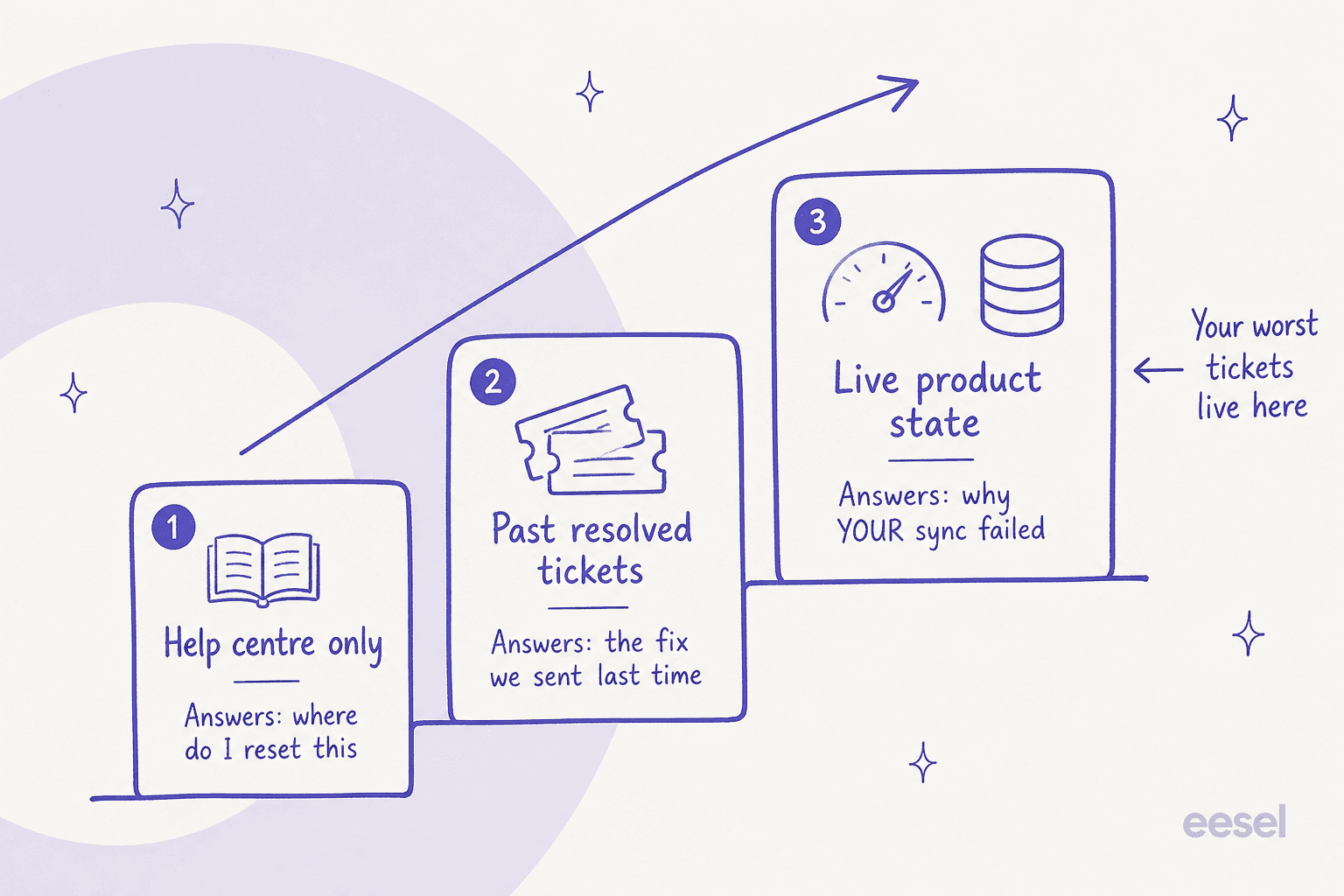
That ladder is the honest map of this whole category, and it is why comparing tools on a single resolution-rate number is close to useless. A 70% figure earned on layer one and a 70% figure earned on layer three are not the same product.
Pluno is also unusually honest in one place most vendors are not. Its own ROI calculator publishes a deflection curve by ticket complexity: about 90% at "very simple," 60% at "moderate," and 20% at "extremely complex". A vendor that sells against FAQ bots publishing a number that low at the hard end of the curve is a good sign about the vendor. It is also the number a technical B2B buyer should plan around, not the 65% on the homepage or the 70% on the deflection page.
The published customer results sit in a wide band too, and that band is more useful than any single average. Innovorder went from 0% to 67% deflection in six months on 3,000 tickets a month, though that figure is scoped to chat and WhatsApp. Kojo reports 30% to 50% on 1,000 tickets a month with five agents. Waste Vision reports 10% to 20%, or 100 to 200 tickets a month, plus two to five minutes saved per ticket. The closing line on all four case-study pages claims Pluno "resolves 70% of tickets," which is above every individual customer number published on those same pages.
Where the shopping starts: the meters
Pluno's rate card is the most interesting document it publishes, partly because the pricing page renders it as a slider so you only ever see one tier. Here is the full grid.
| Monthly ticket volume | Base fee, monthly | Base fee, annual (−15%) |
|---|---|---|
| Under 500 | 249€ | 210€ |
| Under 1,000 | 499€ | 425€ |
| Under 3,000 | 999€ | 850€ |
| Under 5,000 | 1,499€ | 1,275€ |
| Under 10,000 | 2,499€ | 2,125€ |
| Under 20,000 | 3,799€ | 3,230€ |
| Under 30,000 | 4,649€ | 3,950€ |
| 30,000+ | Custom | Custom |
Then, on top:
| Meter | Rate | Unit | What triggers it |
|---|---|---|---|
| AI Copilot | 49€ | per seat / month | Each human agent who gets drafts and summaries |
| Deflection AI | 0.90€ | per resolution | A ticket closed with no human involvement |
| Quality Assurance | 35€ | per agent / month | Scoring every resolved ticket |
| Troubleshooting Agent | from 99€ | per credit bucket | 4,000 credits, about 50 investigations at roughly 80 credits each |
| Enterprise | Quote | - | Gates SSO, SAML, DPA and bank transfer |
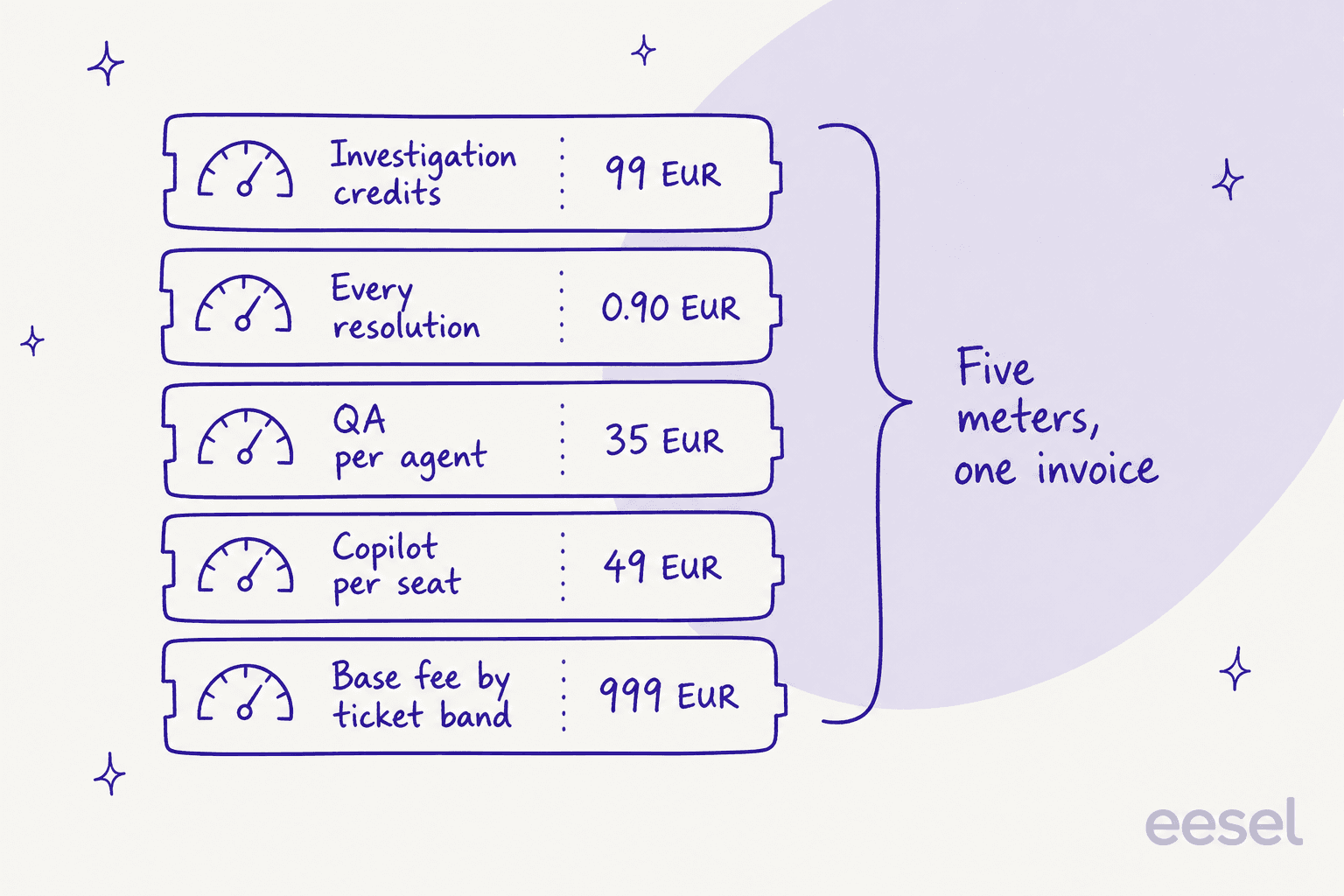
Three things about this structure are worth an actual pause.
The base fee bills on tickets you never route to the AI. It is set by "total monthly support ticket volume across all channels," so a queue where humans handle 80% still pays the full band. That is the opposite of how most usage pricing works and it is the single biggest modelling trap on the page.
Silence is a billable resolution. Pluno's own FAQ defines it: "A ticket is marked resolved 72 hours after Pluno's last reply if there is no further response from the customer." Escalations are never billed, which is fair, and every AI-resolved ticket is tagged in the helpdesk so you can audit it. But a wrong answer that the customer gives up on looks identical to a right answer they were happy with. This is not unique to Pluno, incidentally: Zendesk verifies its own automated resolutions after the same 72-hour window. It is just worth knowing that your deflection metric and your invoice are both partly measuring people not replying.
Performance costs money. At 10,000 tickets a month, moving from 30% to 60% deflection adds 2,700€ to the monthly bill with no change to the base fee. On a 25-agent team at that volume the resolution meter alone is roughly 57% of the invoice. The annual 15% discount does not touch it, because it applies to the base fee only.
What that means at three real team sizes
Below is what each shortlisted tool costs at three shapes of technical B2B team, using each vendor's own published rates. Pluno's card is in euros and everyone else's is in dollars, so I have left both in their native currency rather than inventing a conversion. Quote-only vendors are marked as such because that is the honest answer.
The pattern in that table is the actual finding. Seat-priced tools get cheaper as the AI gets better; resolution-priced tools get more expensive. Neither is wrong, but they reward opposite behaviour, and you should know which one you are signing.
How I scored these ten
I work eesel's support queue, so my bias is toward the boring question: what happens on the ticket the demo did not cover. Five criteria, in the order I actually weigh them.
- What it grounds on. Help centre, solved tickets, or live product state. See the ladder above.
- Whether you can test it on your own tickets before you buy. Not a scripted demo, not a sandbox, not scenarios you hand-write. Your real closed tickets.
- The billable unit, and whether it is defined. "Per resolution" means at least four different things across this list.
- Escalation quality. What the human receives when the AI stops, and whether the AI knows when to stop at all.
- Which helpdesk it actually lives in. Most of these have a home stack and get thinner outside it.
Criterion two is where nearly every tool on this list falls down, and it is worth being specific about why it matters.
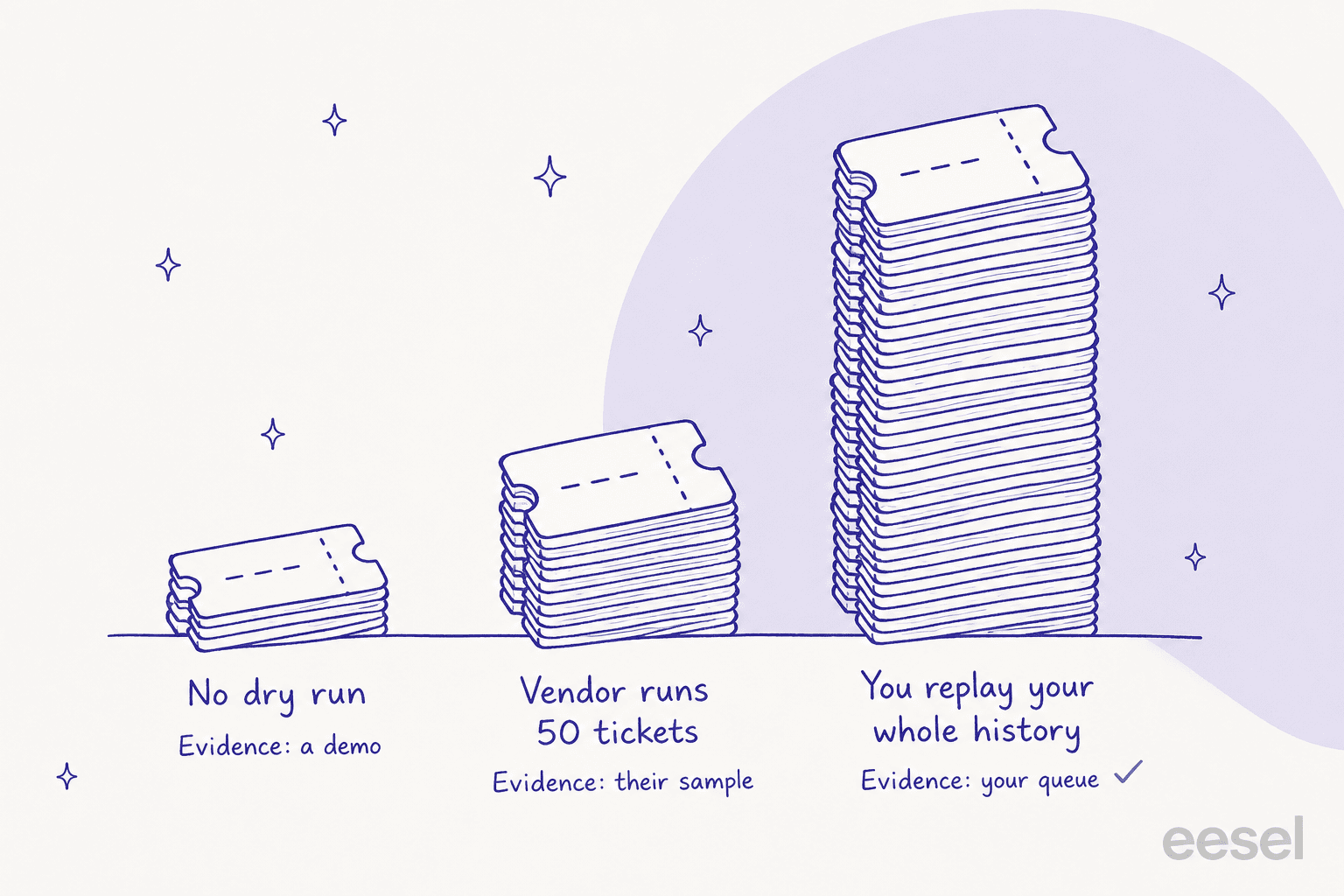
We ran a full trial on real Zendesk traffic for a German jewellery retailer doing about 1,000 tickets a month on Zendesk and Shopify, and cross-validated the results over 100 tickets plus 284 chats. Triage accuracy came in at 93%. Spam detection hit 100% with zero false positives on an inbox that was 22% spam. Drafts were 88% directionally accurate. And agents sent 12% of those drafts as-is.
That gap is the whole reason I care about criterion two. Nothing was broken. The dominant pattern was "glance and rewrite," agents turning 8-to-15-sentence drafts into 1-to-3-sentence replies, and about 65% of those rewrites were length and tone, fixable by training on the team's own sent messages. Only about 5% were the AI being factually wrong. But you cannot see any of that from an accuracy number in a deck. You see it by running the thing on your own queue for a few weeks. As my colleague Amogh put it after a call: "Also - past ticket training strikes again. Classic. People really, really, really want to train on past tickets."
The failure this protects against is not the AI saying "I don't know." It is the AI being confidently wrong in a way that is technically supported by your docs. One buyer, a Danish B2B vehicle-telematics team on Zendesk running about 200 tickets a month, spotted it in their trial: the bot cheerfully confirmed support for car models that were not in their database, because the knowledge base says "we support all models." The article was correct. The answer was wrong. A rule-based chatbot would never have made that mistake, because it would never have tried.
Here is another one I think about a lot, from a CX lead at a DTC supplements brand on Gorgias and Shopify running about 7,000 tickets a month:
"The AI will never be able to answer 100% of the questions, but if it tries and just answers 'sorry I don't know this,' I cannot go and check all my 7,000 tickets to see if the AI actually made a good answer, then the point is a little bit gone. I need an AI who is only handling the tickets that it's confident to handle and all the other ones, leave them alone."
We probably lost that deal on exactly that gap. It is the right requirement, and it is why I score confidence thresholds as heavily as resolution rate.
The shortlist at a glance
| Tool | Best for | Starting price | Billable unit | Trains on solved tickets | Dry run on your tickets | Home helpdesk | SOC 2 | G2 |
|---|---|---|---|---|---|---|---|---|
| eesel AI | Proving it on your history first | $0.40/ticket | Per ticket handled | Yes | Yes, full history | Zendesk, Freshdesk, Front, Gorgias, HubSpot, JSM, Salesforce | Type II underway | Not enough reviews |
| Pluno | Zendesk teams wanting engineering-grounded answers | 249€/mo base | Base + seat + resolution + QA + credits | Yes | Vendor-run, last 50 tickets | Zendesk | Type 2 | 4.8/5 (3 reviews) |
| Zendesk AI | Refusing to add a vendor | $19/agent/mo | Seat + $1.50 per resolution | No | No | Zendesk | Type 2 | 4.3/5 (6,964) |
| Decagon | Consumer CX at high volume | Quote only | Per conversation or resolution | Not published | No | Not named publicly | Not enumerated | 4.9/5 (~18) |
| Sierra | Outcome pricing and voice | Quote only | Per outcome, per contract | Not published | Scope not stated | Not named publicly | Type not published | 4.1-4.3/5 (17) |
| Twig AI | Docs-grounded deflection on a small budget | $0 free, $99/mo | AI chats and voice minutes | Claimed on one page | No | Zendesk, Freshdesk | Type II | 4.9/5 (10) |
| IrisAgent | Tagging and triage bundled in | Free, then $500/mo | Not disclosed | Yes | No | Zendesk, Salesforce, Freshworks, HubSpot, Zoho, Gorgias | Type II | 4.8/5 (2 reviews) |
| Thena | B2B accounts living in Slack | $29/user/mo | Per seat, no AI meter | No | Not documented | Slack, email, Teams | Type II | 4.9/5 (65) |
| Unthread | Slack-first with a real ticketing spine | $50/agent/mo, 5 min | Per seat, no AI meter | Partly, via drafted docs | Not documented | Slack, Teams, email | Type II | 4.9/5 (13) |
| Ada | Multilingual self-service at enterprise scale | Quote only | Not published | No | Hand-written scenarios | Zendesk, Salesforce, ServiceNow, Genesys | Type II | 4.6/5 (173) |
| Crescendo | Buying people and software together | $2,900/mo + $1.25/solve | Per solve, plus platform fee | No | No | Zendesk, Freshdesk, Gorgias, Front | Type II | 0 reviews |
A note on those G2 columns, because they are the most misread numbers in this category. Pluno's site says "4.8/5 on G2," and that is exactly right: it is 4.8 across three reviews, with three more on Capterra, and two reviewers appear on both platforms, so the defensible count is four distinct people. G2 prints the reason itself on the page: there are not enough reviews for it to provide buying insight. There are also 87 reviews spread across Pluno's seven Zendesk Marketplace listings, and one of the recurring reviewers there is named on Pluno's own team page. None of that means the product is bad, and the customer numbers inside those reviews are real. It means a 4.8 with n=3 tells you less than a 4.3 with n=6,964, and both should be read with the denominator attached.
1. eesel AI
Best for: teams who want the resolution rate measured on their own tickets before anything goes live.

I work here, so treat the enthusiasm accordingly, but the reason eesel leads this list is the one criterion nothing else on it satisfies. Simulation mode replays your solved ticket history, shows coverage broken out by theme, tells you which themes it would have handled and which it would have escalated, and lets you fill the gaps and re-run before you turn anything on. You get a resolution forecast built from your queue, not from a vendor's sample.
The grounding sits at layer two and reaches into layer three: past tickets, help docs, macros, and connected tools across 100+ integrations. Rollout is deliberately gradual, drafts first, then autonomy on the themes the simulation already proved, with confidence-based routing sending anything shaky to a draft instead of a live reply. It also finds topics your knowledge base does not cover and drafts the missing articles, which is the other half of the past-ticket trick.
Pricing
| Line | Price | Unit |
|---|---|---|
| Free start | $50 in usage + 2 blog generations | One-off, no card |
| Light task | Free | Dashboard questions, lookups |
| Regular task | $0.40 | One ticket or chat session, however many replies |
| Heavy task | $4.00 | One blog post draft |
| Annual commit | 25% off | Commit to a year upfront |
| Enterprise | $1,000/month | Flat platform fee on top of usage |
No platform fee, no per-seat charge, no minimum on the standard plan. You are billed per ticket handled, not per reply, and never for tickets your humans take: route 200 of your 1,000 and you pay for 200.
Pros
- The only tool here with a self-serve dry run over your full ticket history.
- Per-ticket billing means the cost is flat whether the AI resolves or escalates, so you are not paying more for working better.
- Lives in the helpdesk you already run: Zendesk, Freshdesk, Front, Gorgias, HubSpot, Jira Service Management, Salesforce, Slack.
- 80+ languages, trained on multilingual ticket history rather than translated at answer time.
Cons
- SOC 2 Type II is underway, not certified. If your security review needs a completed report today, that is a real blocker.
- HIPAA and a BAA sit on the $1,000/month Enterprise tier.
- No first-party voice channel, so a phone-heavy queue needs something else alongside it.
- Per-ticket billing charges for escalated tickets too, which is worse value than a per-resolution model on a queue with a low deflection ceiling.
Verdict: pick eesel if you want the answer to "will this work on our tickets" before you sign, and if per-ticket pricing suits a queue where a decent share still needs a human. Global Pay reports up to 80% time savings on finding answers; InDebted took its IT helpdesk from 15% deflection toward a 55% target on Jira Service Management; Gridwise saw 73% of tier-1 requests resolved in month one, with results landing inside a seven-day trial. Skip it if you need a finished SOC 2 report or voice today.
2. Zendesk AI agents
Best for: teams who would rather turn on a line item than onboard a vendor.

If Pluno's appeal is that it lives inside Zendesk, the obvious first question is why not use Zendesk's own layer. Zendesk's Resolution Platform is much better than it was: generative procedures turn a plain-language policy into something the agent executes, adaptive reasoning handles multiple issues in one message, and reasoning controls expose why each action fired in the conversation log.
The structural catch is grounding. An AI agent can connect exactly two kinds of source: Zendesk help centres, and external content pulled in by crawler or connector. Your resolved ticket archive is not a connectable knowledge source. Zendesk turns tickets into content instead, with Knowledge builder generating articles from ticket history and suggested macros drawn from historical data, and then the agent reads the articles. For a technical B2B queue that is a meaningful step down the ladder. Worth knowing too: connected help centres are searched live, but external sources are searched against the last sync, which usually runs every 24 hours.
Pricing
| Line | Annual | Monthly |
|---|---|---|
| Support Team | $19/agent | $25/agent |
| Suite Team | $55/agent | $69/agent |
| Suite Professional | $115/agent | $149/agent |
| Suite Enterprise + Copilot | Talk to sales | Talk to sales |
| Committed automated resolutions | $1.50 each | $1.50 each |
| Pay-as-you-go resolutions | $2.00 each | $2.00 each |
| Copilot add-on | $50/agent (Professional and up) | - |
The allowance is 5 automated resolutions per agent per month on Support Team and Suite Team, 10 on Suite Professional. Since May 2026 only a verified resolution draws down that allowance: an LLM checks after a 72-hour quiet window whether the request was actually satisfied, and contained resolutions that fail the check plus assisted escalations are not billed. That is a real improvement on the old counting, and the numbers still add up fast. Our Zendesk AI pricing guide goes deeper on the stacking.
Pros
- Zero integration work, one invoice, and the AI can see everything the helpdesk sees.
- Verified-resolution billing is stricter than most per-resolution meters, and assisted escalations are free.
- 80 languages with automatic switching, and reasoning logs good enough to audit.
Cons
- Ticket history is not an agent knowledge source, which is the sharpest contrast with a past-ticket-trained tool.
- No dry run over your own tickets. The three documented testing paths are a test environment, a test-email trigger, and a "Test AI agent" button, all forward-looking.
- Email escalates by default in common mixed cases, including a knowledge question and a procedure request in one message.
- Costs stack three deep: seats, then resolutions, then $50/agent Copilot that only attaches at Suite Professional and above.
- AI agents - Essential is legacy as of May 2026 and is removed on 10 December 2026, so plan migrations now.
Verdict: the default worth beating, and beatable. Sentiment here is split, mostly about the meter rather than the answers:
"Complete trash lol, stuff I used to get free now counts as an AR. Most of the ARs are abandoned chats. There's no dispute resolution process. Complete scam. I used to like Zendesk but since trying the new bot and now this I have little good will left"

Take it if the queue is FAQ-shaped and procurement matters more than ceiling. Look at Zendesk AI alternatives if your hardest tickets need ticket history.
3. Decagon
Best for: consumer-facing CX at serious volume, with engineering time to spend.
Decagon is the strongest name in enterprise conversational AI right now, and its Agent Operating Procedures are a smart idea: workflows written in natural language that compile into executable code, pitched explicitly against configuration languages that "inflate costs and drain engineering time." One runtime covers chat, voice, email and SMS with cross-memory across channels, voice built on ElevenLabs, 70+ languages with auto-detection.
The fit question for a technical B2B reader is honest and it is about ICP. Decagon's own demo form makes monthly ticket volume a required field with brackets starting at "less than 9,999" and running to "250,000+." That tells you who this is priced for. Its published material also never names a specific helpdesk integration, only categories, so if you are on Front or Help Scout you cannot confirm support from the site.
Pricing. Quote-only. decagon.ai/pricing returns a 404 and there is no pricing link in the nav. Decagon does describe both models it will sell you: per conversation (billed on every interaction the AI touches, resolved or not, and it says most customers pick this) or per resolution (higher unit rate, nothing charged when it escalates). No dollar figure is attached to either. There is no free tier, no trial, no self-serve path. Our Decagon pricing breakdown has what is knowable.
Pros
- Natural-language workflows that compile, rather than a rules builder you maintain forever.
- Full observability: every model call, workflow step and knowledge lookup is traced, plus live A/B testing across agent versions.
- Strong references at real scale, and 4.9/5 across roughly 18 G2 reviews.
Cons
- No published price, floor, or self-serve trial. Evaluation starts with a sales call gated on your ticket volume.
- Testing is simulated conversations plus post-launch A/B tests, not a replay of your archive.
- Whether past resolved tickets are an ingestion source is not stated on its public pages.
- The recurring reviewer complaint is setup lift, "significant upfront engineering resources" and a steep initial curve, rather than answer quality.
Verdict: if you are a consumer brand doing 50,000+ conversations a month with engineers to assign, Decagon deserves the meeting. For a 3,000-ticket technical B2B queue it is the wrong weight class, and Decagon for SaaS is the page to read before you assume otherwise.
4. Sierra
Best for: buyers who want to pay only for outcomes, and have legal to negotiate what an outcome is.
Sierra sells outcome-based pricing more clearly than anyone: "outcome-based pricing is tied to tangible business impacts, such as a resolved support conversation, a saved cancellation, an upsell." If the conversation is unresolved, in most cases there is no charge. Its Ghostwriter tool builds the agent from your raw material, and the accepted inputs are unusually broad: SOPs, call and chat transcripts, whiteboard photos, audio recordings, or a plain-English description of the goal.
Two caveats travel with the pricing story. The criteria for a paid outcome are agreed per contract, not defined universally, so "per resolution" means whatever your MSA says it means. And Sierra concedes the real invoice is blended: routing and greeter-style traffic "may align better with consumption-based pricing, where payment is based on conversation count, regardless of the outcome." So a Sierra bill can carry a per-conversation line next to the per-outcome one.
Pricing. Quote-only, and there are zero dollar figures anywhere on sierra.ai. The pricing page 404s and always has. No platform fee is mentioned, but Sierra also never says there isn't one, so do not assume. See Sierra pricing for the full picture.
Pros
- The widest compliance surface on this list: SOC 2, ISO 27001, ISO 42001, HIPAA, GDPR, EU AI Act, CSA STAR Level One, FedRAMP and PCI DSS badges.
- Real actions, not just answers. The Agent SDK covers updating a subscription or submitting a warranty claim, with API-call and logic-trace debugging.
- 59 languages on the platform, 55+ on voice, and voice simulations across edge cases.
Cons
- No trial, no sandbox, no self-serve signup, so budget approval precedes any hands-on evaluation.
- Those badges have no trust centre behind them:
/securityand/trustboth 404, so no audit dates, report scope, or SOC 2 Type I-versus-II distinction is published. - Simulations exist but Sierra never states whether they replay your history or run authored scenarios.
- No named helpdesk integration is published, and the escalation carve-out is hedged as "in most cases."
Verdict: the best-argued pricing model in the category, on a platform that can clearly do the work, but you are negotiating the definition of a paid outcome before you can model a bill. Great for a large brand with procurement muscle; heavy going for a 25-person support team. Sierra alternatives covers the lighter options.
5. Twig AI
Best for: small technical teams who want docs-grounded deflection without a sales cycle.
Twig is the closest thing here to Pluno's positioning at a self-serve price, and it is the one item on this list where I have to flag confusion in the vendor's own material rather than just report facts. Twig runs two products on one domain: an autonomous AI support platform for B2B SaaS, fintech and ecommerce, and "Sera," a voice-and-chat front desk for dental practices, medspas and car dealers. The two barely share a stack.
That split shows up in the sourcing question that matters most. twig.so/industries/saas says twice that Twig ingests "help center articles, product docs, past tickets, and internal wikis." The companion Tier 1 use-case page lists the sources as "your knowledge base, help center, and product docs," with past tickets absent. The homepage lists only website, docs and FAQs. I would confirm that in writing before it becomes a reason to buy.
Pricing. Two rate cards, two units, neither page acknowledging the other.
| Sera plan | Price | AI chats/month | Voice minutes | Chat overage | Voice overage |
|---|---|---|---|---|---|
| Free | $0, forever | 100 | - | - | - |
| Starter | $99/month | 500 | - | $100/1K chats | - |
| Growth | $499/month | 2,000 | 300 | $100/1K chats | $1/min |
| Scale | $1,499/month | 10,000 | 2,000 | $100/1K chats | $1/min |
Separately, the comparison hub states "Twig is an Autonomous AI Support platform that starts at $5/ticket." A ticket is never defined there: nothing on whether it bills on creation, on AI touch, or on resolution, and nothing on whether an escalated ticket still costs $5.
Pros
- A real free forever tier at 100 AI chats a month, and a 15-day trial on every paid plan.
- SOC 2 Type II with a Vanta badge, AES-256 at rest, TLS 1.3, US and EU residency, and PII redaction before content reaches the model.
- 4.9/5 on G2, and the reviews describe internal knowledge retrieval working well.
Cons
- No simulation, backtest, dry run or shadow mode anywhere. The only quality gate is per-response self-evaluation on live traffic.
- Two rate cards in different units, and the $5/ticket figure has no plan page or tier table behind it.
- The MCP server is read-only: three tools, no write action, so it cannot act on a ticket.
- The G2 sample is 10, four of them clustered in one two-week window, and none mentions the Sera product at all.
- Two vendor figures conflict on the same customer: the homepage claims 90% faster first response, the linked case study says 60% in its own title.
Verdict: worth 20 minutes on the free tier if your product docs are strong and your budget is small. The most-recent G2 reviewer is fair about the friction:
"I think the onboarding process could be sped up. It initially took a while to get things set up, but I believe things have improved since then. The Twig AI implementation team made it easy, though it took a little bit longer than we anticipated."

6. IrisAgent
Best for: teams whose real pain is tagging and triage, not deflection.
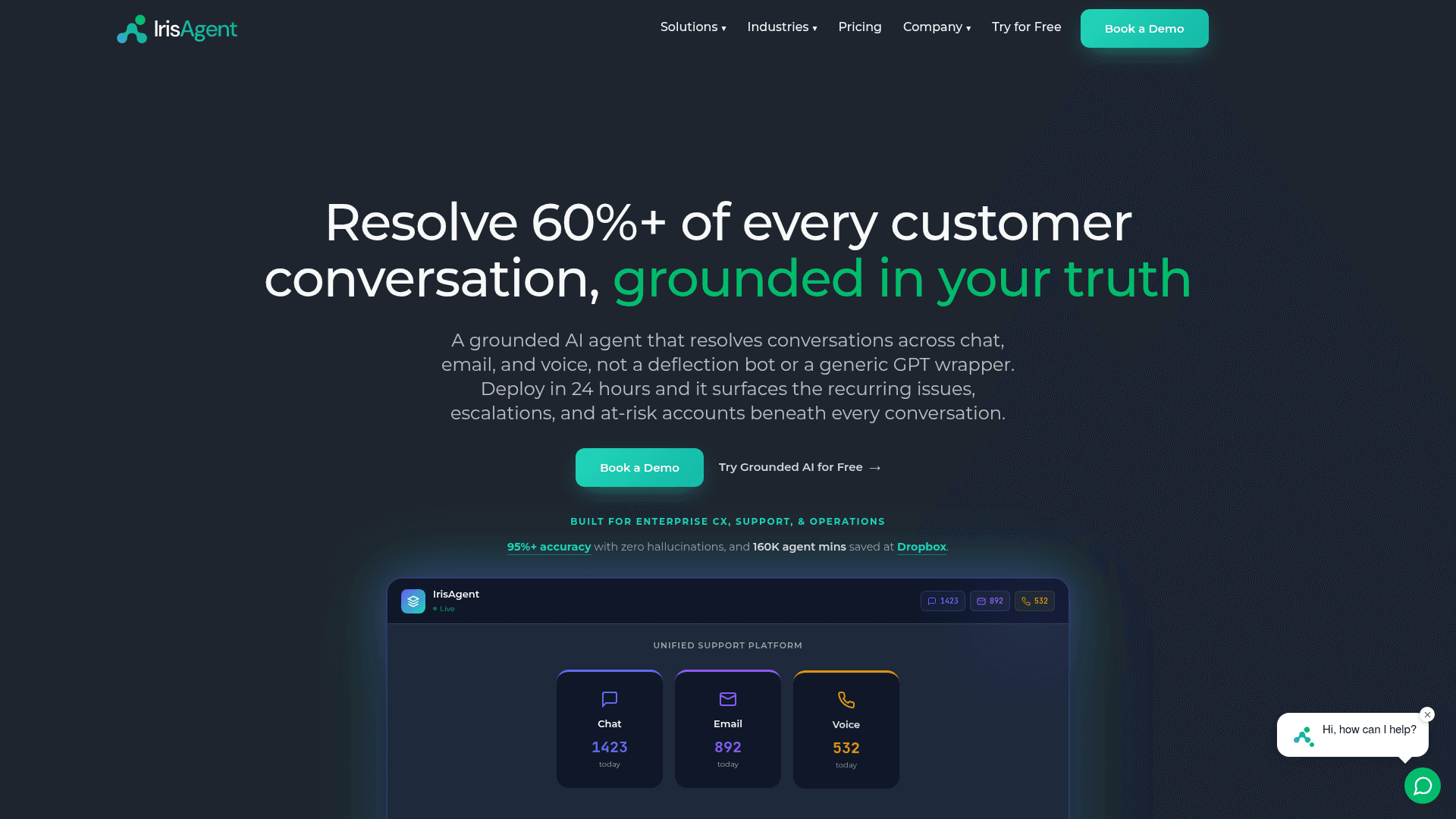
IrisAgent is the one tool in factsheet A that unambiguously treats ticket history as a first-class grounding source, and its founder Palak Dalal Bhatia says so directly: AI for support "only works if the answers are grounded in the company's own knowledge base and ticket history, not the LLM's training data." There is a named Hallucination Removal Engine validating answers against your content, and Smart Operating Procedures compile plain-English procedures into workflows, with procedures taking precedence over knowledge-base answers.
The strongest thing about it, though, is the layer around the agent. Case Triggers can auto-respond, route, assign, tag, write custom fields and post private notes. An 11-panel Copilot sidebar sits inside the helpdesk with Suggested Resolution, a 0-100 case priority score, sentiment, similar cases and Jira linking. That is the practical stuff a technical B2B team fights with daily.
Pricing. Free, then "Starts at $500/mo" on Standard, then Enterprise on request. The billable unit is not disclosed for any tier: no seat figure, no conversation cap, no resolution count, no document limit. The tier table is a feature checklist where not a single row carries a number. Two separate outcome meters exist elsewhere: Managed Resolution is pay-per-resolution with no published rate, and Voice AI is $2 per fully-resolved call. Our IrisAgent pricing post digs into what that means in practice.
Pros
- Ticket history is a real grounding source, not a marketing line.
- The tagging and field-filling layer is the most complete here, and it is what users actually praise.
- SOC 2 Type II certified, GDPR, HIPAA "Ready," 99.9% uptime SLA, plus a self-hosted option with zero data egress.
- Named integrations across Zendesk, Salesforce Service Cloud, Freshworks, HubSpot Service Hub, Zoho Desk and Gorgias.
Cons
- $500/month with no unit attached means you cannot model cost from the page.
- No dry run. Pre-launch validation is the IrisGPT Playground one question at a time, plus a private-note rollout on live tickets.
- The homepage publishes both 60%+ and 50%+ as its resolution figure, with no methodology or date on either.
- The pricing page marks five capabilities as included in a tier while also selling them as paid add-ons.
- SLA guarantees and SSO/SAML are Enterprise-only, and G2 has just two reviews.
Verdict: the sleeper pick if your ticket hygiene is the bottleneck. The one unaffiliated user voice I could find says exactly that, and it is about tagging rather than deflection:
"OP, you should checkout IrisAgent. We're using them at my company (Fintech) - I haven't had to manually update a field or tag a ticket in 9 months because of it. Soooo nice lol"
7. Thena
Best for: B2B teams whose customers already talk to them in shared Slack channels.
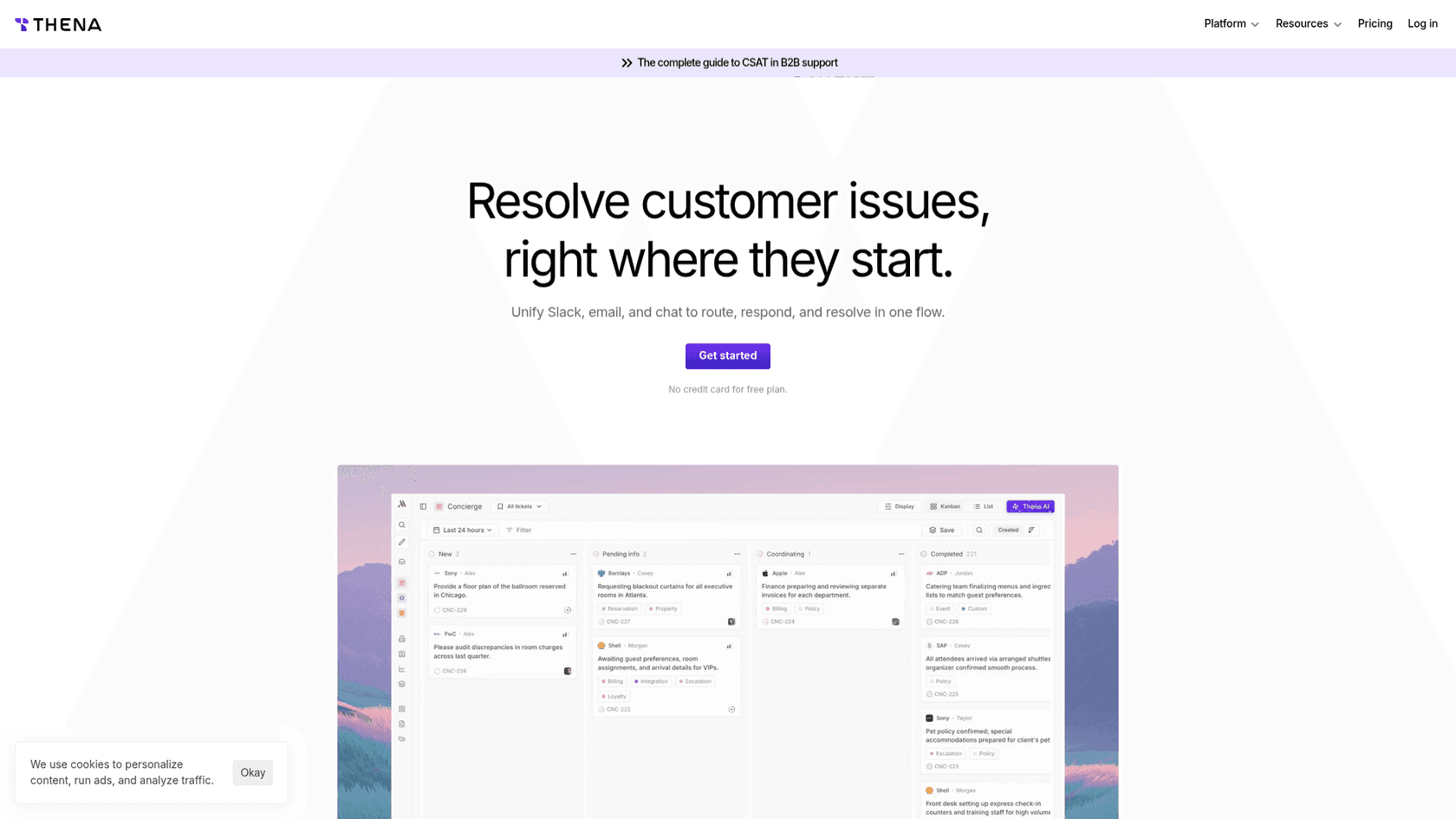
If your enterprise customers raise issues in Slack Connect rather than a web form, Pluno's Zendesk-shaped world is the wrong shape entirely, and Thena is the answer to a different question. It turns Slack, email, web chat, Teams and Discord conversations into trackable tickets, with AI ticket detection on the entry tier and emoji reactions firing ticket actions on all of them. The AI creates tickets, fills fields, reminds, hands off, summarises, extracts insights and collects feedback.
Pricing
| Plan | Price | Unit | Caps |
|---|---|---|---|
| Starter | $29 | per user/month, billed annually | Up to 5 seats, 1,000 tickets/month, Slack and email only |
| Standard | $79 | per user/month, billed annually | No published caps |
| Enterprise | $119 | billed annually | Adds Microsoft Teams |
Nothing here is quote-gated, which is refreshing, and there is no AI meter at all: automation is bundled into the seat price under the framing "AI is the baseline."
Pros
- Seat pricing with no per-resolution charge, so the bill does not grow as deflection improves.
- Genuinely multi-persona: SLA policies with working hours, routing to groups, RBAC, and an MCP server exposing tickets to Claude, Cursor and Raycast.
- SOC 2 Type II with annual third-party audits and biannual penetration testing, monitored via Vanta.
- 4.9/5 from 65 G2 reviews, the healthiest sample of the Slack-native tools here.
Cons
- Knowledge comes from help centres and articles authored in Thena. Training over your historical ticket backlog is not documented.
- No dry run documented. AI logs are an after-the-fact audit trail instead.
- Microsoft Teams is Enterprise-only at $119/user/month, so a Teams-first company cannot buy in below the top tier.
- Annual commitment is the only published way in, and no overage rate is stated for Starter's 1,000-ticket cap.
- The seat cap conflicts between pages: the pricing page says 5 Starter seats, the homepage says 10.
Verdict: the right tool if the channel is the problem. One G2 reviewer is admirably clear about the boundary:
"Limited Platform Support – While Thena integrates well with Slack, Microsoft Teams, and email, companies that rely on other platforms (e.g., Discord, WhatsApp, or in-app chat systems) might find it lacking."
8. Unthread
Best for: Slack-first support that still needs a real ticketing system underneath.
Unthread sits next to Thena but leans harder on being a helpdesk rather than a Slack layer. Email-to-ticket is first-class with threading and attachments, and its own worked example is pointedly technical: a Slack message about a broken Okta SSO integration, an email from billing, and a web chat about an API returning 429s, all landing in one queue. It also sells the same product to internal IT and external customer support, which suits companies where those two queues share people.
Its take on past tickets is a middle path worth understanding. The AI drafts knowledge-base articles from resolved tickets on Pro, and the agent then retrieves from that knowledge base. So ticket history reaches the answer, but through an article, the same indirect route Zendesk takes.
Pricing
| Plan | Price | Unit | Minimum | Floor | Cap |
|---|---|---|---|---|---|
| Basic | $50 | per agent/month | 5 seats | $250/month | 100 conversations/month, no AI |
| Pro | $75 | per agent/month | 5 seats | $375/month | Not stated |
| Enterprise | Not published | - | - | - | - |
Two things to note. Basic has zero AI, so the real entry point for automation is Pro at $375/month. And the 100-conversation cap on Basic is per plan, not per agent, so five agents share it.
Pros
- No AI meter on any tier, so automation does not add a variable line.
- SOC 2 Type II, HIPAA compliant with a BAA available, TLS 1.3, AES-256, third-party pen testing, and optional isolated database instances in specific countries.
- 100+ integrations with 50+ two-way, including Zendesk, Jira, Linear, HubSpot, Salesforce, PagerDuty and Okta.
- Lemonade's Head of IT reports it "automatically resolves about 40% of all tickets that come in across different teams."
Cons
- No dry run over your own tickets documented anywhere.
- SSO, Slack Enterprise Grid and HIPAA/BAA are all Enterprise-only, so a large Slack org on Grid cannot buy at list price.
- The trial is not self-serve: both "Try for free" buttons route to a demo form.
- G2 is 4.9/5 from 13 reviews, so read the score with the sample attached.
- The homepage's own integration counts disagree, 100+ in one section and 50+ in another.
Verdict: the pick when the requester lives in Slack but you still need SLAs, reporting and a queue that survives an audit. One reviewer names the gap that matters for a support lead:
"It does not have a proper customer centric dashboard to track and create reports. Need to click on few tabs to make it user friendly."
9. Ada
Best for: multilingual self-service at enterprise scale, sitting on top of a helpdesk you keep.
Ada is the most mature product on this list by some distance: a Toronto-based AI agent layer built as a Reasoning Engine, Conversation Hub, Performance Center and Developer Toolkit, with 25 listed integrations across Zendesk, Salesforce, ServiceNow, Freshworks, Genesys, Gorgias, Help Scout, Kustomer and more, and channels spanning voice, email, chat, WhatsApp, SMS and in-app.
It also has a Simulations feature, which is why it is worth being precise about what that word means. Ada's simulations replay test cases you write by hand: you author the name, the customer inquiry and the scenario. The documented limits are web chat, email and voice only, up to 40 turns, pass/fail evaluations, production configuration only, and Ada's own warning that it "executes API calls against configured production endpoints. Actions are not mocked." That is a good regression test for a config change. It is not a forecast of what your backlog would have done.
Pricing. Quote-only, with no dollar amount, currency symbol, rate or tier name anywhere. The pricing page is a lead-capture form whose submit button reads "Speak to an expert," and its central field is annual contact volume. Our Ada CX pricing post has what can be established.
Pros
- The broadest integration surface here, and the only one with a deep multilingual story at real scale.
- SOC 2 Type II plus HIPAA, GDPR, PCI DSS, AIUC-1 and zero data retention across LLM providers.
- 4.6/5 from 173 G2 reviews, the second-largest verified sample on this list.
Cons
- No published price of any kind, and no self-serve trial.
- Past conversations feed Coaching, which is human-written instructions, rather than answer-time retrieval, so ticket history does not ground answers.
- Simulations run hand-written scenarios against production endpoints with unmocked actions.
- Its Trustpilot score is 1.8/5 from 20 reviews. That split is worth reading fairly: the G2 sample is buyers and admins who deployed Ada, while nearly all the Trustpilot reviews are consumers who hit an Ada-powered bot on someone else's website.
Verdict: a safe enterprise choice if your volume is consumer-scale and multilingual, and if help-centre grounding is enough. For a technical B2B queue it sits one rung too low on the grounding ladder. Ada alternatives covers the field.
10. Crescendo
Best for: teams who want to buy the humans and the software from the same vendor.
Crescendo is the odd one out here, and deliberately so. It is a fully managed platform that pairs AI agents with its own employed human agents, largely from its PartnerHero acquisition, pitched as replacing the entire CX stack: agents, routing, ticketing, QA, knowledge and workforce management. If your actual problem is that you do not have enough people, this is the only entry on the list that solves it.
Pricing. Two published numbers, and they stack.
| Line | Price | Unit |
|---|---|---|
| Managed AI | $1.25 | per solve, volume discounts available |
| Starting monthly service fee | $2,900 | per month |
| Human agent tier | Quote | - |
So the honest floor is $2,900/month plus $1.25 per solve, which is $34,800 a year before a single ticket is resolved. At 2,000 solves a month the effective rate is $2.70 per solve; at 10,000 it drops to $1.54. And "solve" is not defined anywhere on the page: the word appears once, in the unit label. Our Crescendo pricing post walks the crossover maths.
Pros
- Buys capacity, not just software, which no other tool here does.
- SOC 2 Type II, HIPAA, ISO 27001, GDPR and a Safe Action Framework.
- 20+ claimed native connections including Zendesk, Freshdesk, Freshservice, Kustomer, Gorgias, Salesforce, HubSpot, Slack and Front.
Cons
- A $2,900/month floor is $29 per ticket in the lowest band on its own demo form, which is 0 to 100 tickets a month.
- "Solve" is undefined, so $1.25 cannot be compared to anyone else's per-resolution rate.
- No dry run. Testing is draft mode, version diffing and sample queries you write yourself.
- Ticket backlog is not a documented knowledge input.
- G2 shows 0 reviews. The only verified review surface is Gartner Peer Insights at 4.5 from two ratings.
Verdict: worth a conversation if you are outsourcing anyway and want the AI and the agents on one contract. Everyone else should treat the $2,900 floor as the deciding number. Decagon versus Crescendo is the useful head-to-head.
What I would actually do
If you are on Zendesk and your hardest tickets need engineering context, Pluno is a real product and you should let it run its simulation. Just make three things explicit before you sign: what the base fee costs at your volume even for tickets you never route to the AI, that a resolution is scored by 72 hours of silence, and what happens to the bill when deflection goes from 30% to 60%.
Then run the same evaluation you would run on anything else, and score more than accuracy. One buyer ran 67 separate tests on us, found the answers "solid," and walked anyway because the chat widget was slow and got stuck. Another paid for four months and churned because the trial had never answered anything useful in the first place. Both of those are things a resolution-rate number hides completely.
The one thing I would refuse to skip is a dry run on your own tickets. Not because the vendors are hiding something, but because 93% triage accuracy and 12% of drafts sent as-is were true of the same system in the same week, and only one of those numbers survives contact with a real queue. If a vendor will only show you that after a call, that is information too. As one customer put it about building it themselves instead:
"We could try to write our own LLM application but we didn't want to invest our time into that. We wanted something that we would not have to maintain."
Karel, GENERAL BYTES, via eesel
That is the right instinct, and build versus buy is a real fork worth thinking through before you shortlist at all.
Try eesel for your technical queue
If you are shopping Pluno because it trains on solved tickets and you want to see that work on your solved tickets, that is exactly what eesel's simulation is for. Connect Zendesk, Freshdesk, Front, Gorgias, HubSpot or Jira Service Management, replay your ticket history, and read the resolution rate broken out by theme before a single customer sees an answer. Then go live in draft mode on the themes it already handles and grant autonomy from there.

It is $0.40 per ticket handled, no platform fee, no per-seat charge, and you are never billed for tickets your humans take. There is $50 of usage waiting without a card, which on a technical queue is enough to find out whether any of this works for you. Try eesel.
Frequently Asked Questions
How much does Pluno AI cost?
What is the best Pluno AI alternative for a technical B2B SaaS team?
Does Pluno AI work with helpdesks other than Zendesk?
Is there a free Pluno AI alternative?
What happens if the AI answers a technical ticket wrongly?



Article by
Riellvriany Indriawan
Riell is a designer and writer at eesel AI with about two years of experience researching CX platforms, AI chatbots, and helpdesk software. She combines her design background with a sharp eye for how these tools actually look and feel in practice — making her comparisons unusually visual and user-focused.