A practical guide on how to use an AI tool on Gorgias

Kenneth Pangan

Katelin Teen
Last edited January 16, 2026

Is your support team drowning in a sea of Gorgias tickets? If you’re nodding along, you’re probably all too familiar with the daily grind of answering the same questions over and over: "Where's my order?", "What's your return policy?", "How much is shipping?". It’s a common growing pain for successful businesses, but it doesn't mean you have to throw more people at the problem.
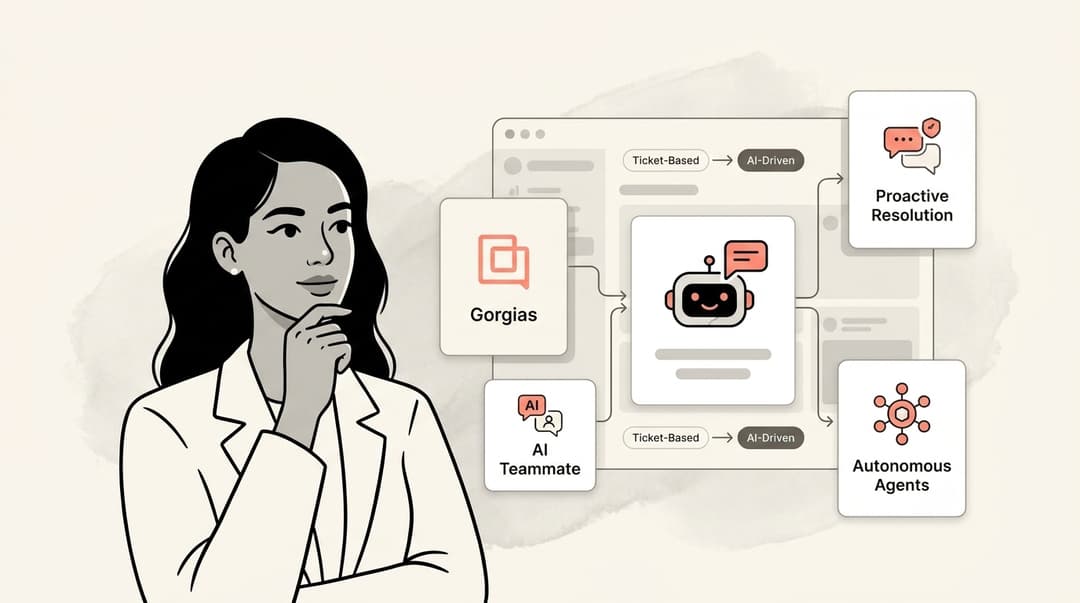
This is where a little AI magic comes into play. By plugging an AI tool into Gorgias, you can teach it to handle those repetitive queries, giving customers instant answers and freeing up your team for the tricky stuff that actually requires a human brain.
In this guide, we’ll walk you through exactly how to do that. We’ll start with the AI tools already built into Gorgias and then explore how to bring in a more advanced AI agent to really take your support automation to the next level.
What you'll need to get started
Before we jump in, let’s do a quick check to make sure you have all your ducks in a row. A few minutes of prep now can save you a ton of time later. Here’s what you’ll need:
-
The right permissions in Gorgias: You’ll need to be an Admin or have Lead permissions to tinker with AI settings and connect new apps.
-
The right Gorgias plan: The built-in AI tools are part of the Gorgias Automate add-on. So, just double-check that your plan includes it.
-
A solid knowledge base: An AI is like a new employee: It needs good training materials. A well-organized Gorgias Help Center is the best "employee handbook" you can give it. If yours is a bit sparse, now's the perfect time to flesh it out.
-
A link to your store: For the AI to handle order-related questions, it needs to be connected to your e-commerce platform, whether that’s Shopify, BigCommerce, or something else.
Step 1: Understand Gorgias's native AI capabilities
Gorgias comes with some handy AI features right out of the box. They’re a great first step into automation, and it’s smart to get a feel for what they can do as you begin your journey.
The Help Center AI
Staring at a blank Help Center can be intimidating. Gorgias has a neat feature to get you started. It uses AI to scan your past tickets, figures out what customers ask about most, and then suggests topics for articles. It can even whip up some drafts for you. It’s a pretty clever way to build a knowledge base that’s actually useful because it’s based on real customer questions.
The Gorgias AI agent
Gorgias also provides its own AI Agent to chat with customers. Think of it as a helpful bot that can take on some of the load.
It learns mainly from your Gorgias Help Center, but you can also feed it extra information by pointing it to specific web pages (like an FAQ) or uploading documents. It is excellent at answering straightforward questions and can handle core tasks like order cancellations if you've got the integrations set up.
The Gorgias AI Agent provides a reliable and focused experience by utilizing the specific documentation and URLs you provide. This ensures it delivers verified information directly from your knowledge base. For teams looking to expand on this foundation, adding complementary specialized tools can help address even more nuanced scenarios by leveraging additional data sources.

Step 2: Prepare your knowledge sources
No matter which AI tool you use, the old saying holds true: Quality input leads to quality output. Your AI is only as good as the information you feed it. So, let’s talk about building a top-notch knowledge base.
What to write about
You can head off a surprising number of tickets just by having a few key articles in your Help Center. Start with the heavy hitters:
Tackle "Where is my order?" questions This is probably your most common ticket type. Create one go-to article covering shipping costs, delivery times, how to find a tracking number, and what to do if a package goes missing.
Clear up order and payment confusion Make it easy for customers to find answers about editing or canceling an order, using discount codes, and which payment methods you take. Answering these upfront can prevent abandoned carts.
Make returns and exchanges painless Your return policy should be impossible to misunderstand. Write a clear, step-by-step guide explaining the policy, who's eligible, and exactly how to start a return or exchange.
Answer all the product questions Get ahead of product questions with detailed info like sizing guides, ingredient lists, care instructions, or even comparisons between similar products. The more you share, the less they’ll have to ask.
A few housekeeping rules
Once you've written your articles, a little ongoing care will keep your AI sharp.
Keep things up to date. Get into the habit of reviewing your articles every so often, especially after you change a policy or launch a new product. Keeping info current is a recipe for happy customers.
Make sure it's published. This might sound obvious, but an AI can't read your drafts. Even if your Help Center isn't public, the articles need to be published for the AI to access them.
Provide clear paths for the AI. Try to provide as much detail as possible in your help articles. When an AI has all the facts, it can resolve tickets more effectively without needing to escalate to your human team.
Step 3: Go beyond native tools with an advanced Gorgias AI integration
Gorgias's built-in AI is a solid starting point that many teams love. As you scale, you might want to automate even more complex workflows. This is when you can explore the wider Gorgias marketplace for specialized solutions.
This is where an advanced integration like eesel AI for Gorgias comes in. It’s built to complement the native tools, giving you the ability to create an even more tailored support system within the Gorgias ecosystem. Here are a few key ways it adds value:
It learns from your existing expertise. One major benefit is how it learns. While native features focus on your help articles, an AI Agent from eesel AI can also learn from your support history. It can review your team's past resolved tickets to understand your brand's unique voice and how you handle specific situations. It can also tap into knowledge from other places your team works, like in Google Docs or Confluence.
You're in the driver's seat. eesel AI gives you precise control within your Gorgias dashboard. You can tell it exactly which types of tickets to handle by using Gorgias Views. This means you can start small, maybe just automating specific requests, and then slowly give it more responsibility as you see how well it works.
It can do more than just talk. eesel AI lets you create custom actions that can connect to other tools with an API. This opens up a world of possibilities within your Gorgias setup. Your AI could check inventory or process a subscription change. It’s about building end-to-end solutions that work perfectly inside your existing helpdesk.
You can test it risk-free. eesel AI has a simulation mode that takes the anxiety out of launching. It runs the AI on your past tickets in a safe environment and shows you exactly how it would have responded. You get a clear picture of its performance before it ever touches a live conversation.
Step 4: How to use AI tool on Gorgias with eesel AI
The great thing about modern AI tools is that you don't need a computer science degree to use them. eesel AI is designed to be super straightforward, and you can get it up and running pretty quickly. Here’s how it looks:
-
Connect Gorgias. This is literally just a one-click step in the eesel AI dashboard to give it permission to connect to your account. No coding required.
-
Show it where to learn. Next, you’ll point the AI to your knowledge sources, your Gorgias Help Center and macros. You can also give it a Gorgias View that contains your successfully resolved tickets to teach it how your team solves problems.
-
Decide how it should behave. You get to choose how involved the AI is. You can start it in "Copilot mode," where it just suggests replies for your agents to use. When you feel good about its suggestions, you can flip it to "Agent mode" and let it handle conversations on its own. It's a nice, gradual way to roll it out.
-
Run a dress rehearsal. Before you let it loose, you can run a simulation on your past tickets. The dashboard shows you exactly how it would have performed, so you can spot any areas for improvement before it talks to a real customer.
-
Flip the switch. Once you're happy with the simulation, you can set the AI agent live. A good way to start is by having it watch just one specific ticket view and see how it does.
Pro tips for maximizing your Gorgias AI performance
Okay, so your AI is live. Nicely done! But the work doesn't stop there. Here are a few tips to keep it running smoothly and get even better results over time.
-
Don't boil the ocean. The temptation to automate everything at once is real, but it’s better to start small. Tools like eesel AI let you aim your AI at specific Gorgias Views. Pick a high-volume, simple category first. Nailing one thing builds confidence and gets your team on board.
-
Listen to the data. Your AI's dashboard is a goldmine of information. Pay attention to where it's excelling and where it might need more info. Usually, when the AI needs help, it’s a sign that one of your Help Center articles can be clarified. Fix the source, and the AI will get even better.
-
Give your human agents superpowers. Even when a ticket needs a human touch, AI can still lend a hand. An AI Copilot works alongside your team, drafting instant replies for them. It’s a huge time-saver, helps keep your brand voice consistent, and makes training new hires much easier.
Put your Gorgias support on autopilot
Let's be honest, answering the same questions all day can be tough for any support team. Gorgias's built-in AI tools are a fantastic way to start automating your workflow, and they provide a strong foundation for any growing business.
When you're ready to scale even further and build a support system that manages high volume with ease, you can explore specialized tools that provide deeper customization. Plugging a complementary tool like eesel AI into Gorgias can turn your support queue into a well-oiled, automated machine.
This isn't about replacing your amazing support agents. It's about freeing them from automating repetitive tasks so they can focus on what humans do best: solving complex problems and building real relationships with your customers.


Frequently asked questions
To get started, you'll need the correct Admin or Lead permissions in Gorgias, an appropriate Gorgias plan that includes the Automate add-on, a well-structured knowledge base or Help Center, and a link connecting Gorgias to your e-commerce store. These prerequisites ensure the AI has the necessary access and information to function.
Gorgias's native AI is a powerful tool that delivers highly accurate responses based on your official Help Center documentation. Advanced integrations like eesel AI work alongside Gorgias to incorporate additional data points, such as historical ticket resolutions, to provide an extra layer of depth to your automation strategy.
Your knowledge base is crucial; the AI's effectiveness is directly tied to the quality of information it's fed. A comprehensive, well-organized, and up-to-date Gorgias Help Center is foundational for the AI to provide accurate and helpful answers to customers.
Yes, advanced tools like eesel AI offer a simulation mode. This allows you to run the AI on your past tickets to see exactly how it would have responded, providing a clear picture of its performance and helping you refine it before it interacts with live customers.
You can expect the AI to effectively handle high-volume, repetitive queries such as "Where's my order?", return policies, payment issues, and detailed product questions. Automating these frees up your human agents for more complex and nuanced customer interactions.
The goal of implementing AI in Gorgias is to empower your human agents, not replace them. By automating repetitive tasks, AI allows your team to focus on complex problem-solving, building deeper customer relationships, and handling issues that genuinely require human empathy and critical thinking.
Share this article

Article by
Kenneth Pangan
Writer and marketer for over ten years, Kenneth Pangan splits his time between history, politics, and art with plenty of interruptions from his dogs demanding attention.