You know that mini-panic when a customer is waiting and you can’t find your password? Every second you spend trying to log in feels like an eternity. Getting into your helpdesk should be the easiest part of your job, not a roadblock.
This guide will walk you through the Gorgias sign in so it’s quick and painless every single time. We’ll cover everything from the standard email login to using SSO, plus how to fix those common hiccups that can occasionally occur. Because getting in is just the start. The real goal is to make your time inside Gorgias as productive as possible, and we’ve got some ideas about that, too.
What you'll need for your Gorgias sign in
Okay, before we dive in, let's get your ducks in a row. Having these things ready will make the whole process a breeze.
-
Your company's Gorgias subdomain: This is your team's unique URL, usually something like "yourstore.gorgias.com". If you don't know it, just ask an Admin on your team.
-
Your account details: You’ll need the email and password you used when you first joined your team on Gorgias.
-
Single Sign-On (SSO) access: If your company uses SSO, you'll just need your regular Google or Microsoft login info.
-
Two-factor authentication (2FA): If you've got 2FA turned on, make sure your authenticator app is nearby. It’s also a really good idea to have your recovery codes stashed somewhere safe, just in case.
A step-by-step guide to the Gorgias sign in process
Gorgias offers a couple of ways to get into your account. Whether you're using the classic email and password or the one-click speed of SSO, here's how to get it done.
Option 1: Standard Gorgias sign in with email and password
This is the classic, old-faithful method. If you have a specific password just for Gorgias, this is your route.
-
Go to the login page. You can either use the main Gorgias login page or, even better, just bookmark your company's subdomain (like "yourstore.gorgias.com").
-
Pop in your subdomain. If you're on the main login page, it will ask for your subdomain first. Type it in and hit Login.
-
Enter your details. On the next screen, you'll see the fields for your email and password. Fill them in with the info you used to set up your account.
-
You're in. Click the final Login button, and you should land right on your helpdesk dashboard, ready to start crushing tickets.
Option 2: Using single sign-on (SSO) for a faster Gorgias sign in
If your team has SSO enabled with Google or Microsoft, this is by far the fastest and most secure way to log in. Plus, it’s one less password to remember, which is always a good thing.
-
Head to your subdomain URL. Just go directly to your company’s Gorgias page (e.g., "yourstore.gorgias.com").
-
Pick your SSO provider. Don't type anything in the email and password fields. Instead, look for the buttons below them. Click Continue with Google, Continue with Microsoft, or whatever other option your company has set up.
-
Confirm your identity. You’ll be briefly redirected to Google or Microsoft to sign in. You might have to enter your password there or simply approve the login request.
-
And that's it. You'll be sent straight back to your Gorgias dashboard, all logged in and ready to go.
How to fix common Gorgias sign in problems
Even the simplest login process can have its moments. A forgotten password or a missing 2FA code can feel like a disaster, but the solutions are usually straightforward.
Forgot your password?
We've all been there. Resetting your Gorgias password only takes a minute.
-
From the login screen, click the Forgot password? link.
-
Type in the email address for your Gorgias account and click Send instructions.
-
Go check your inbox. You should get a password reset email pretty quickly. If you don't see it, it might have landed in your spam or junk folder.
-
Click the link in the email and follow the steps to create a new password. Once that’s done, head back to the login page and you're good to go.
2FA acting up?
Two-factor authentication is great for security, but it's a hassle if you lose your phone or can't get into your authenticator app. You’ve got a couple of options.
-
Use a recovery code: When you first set up 2FA, Gorgias gave you a list of one-time-use recovery codes. Hopefully, you saved them somewhere. Just type one of those codes in instead of the one from your app, and you’ll get in.
-
Ask an Admin to reset it: If you can’t find your recovery codes, you'll need a hand from a team member with Admin rights. They can log in, go to Settings > Users, find your name, and click Reset 2FA token. This will turn off 2FA for your account so you can sign in and set it up again.
Mobile app sign-in errors?
The mobile app is built for robust security, which means you might occasionally see a "too many login attempts" message if there have been multiple unsuccessful tries. Fortunately, Gorgias provides a quick and effective way to resolve this.
-
On your desktop computer, sign out of your Gorgias account. Then, sign back in.
-
You should get a CAPTCHA challenge to prove you're not a robot. Complete it.
-
Now, try signing into the mobile app again. That desktop reset usually does the trick.
For any other mobile login issues, just resetting your password on your desktop can often solve the problem. Once you've set a new one, use it to log in on both your computer and your phone.
Beyond the Gorgias sign in: Making your Gorgias workspace smarter with AI
So, you're in. Great. But logging in is just crossing the starting line. The real race is answering customer questions quickly and well. And let's be honest, a lot of those questions are repetitive. This is where you can let AI do some of the heavy lifting.
Gorgias has its own AI Agent, which is an excellent place to start. It works by learning from the knowledge you give it. You can connect it to your Help Center, feed it public web pages, or upload documents. The AI uses this info to answer questions. It's a solid tool that excels at using curated documents to provide accurate support.
If you are looking to expand your AI capabilities even further by incorporating knowledge trapped in past support tickets or external documents, you might consider eesel AI as a complementary option. It plugs into your Gorgias workspace and learns from a wide range of your existing data.
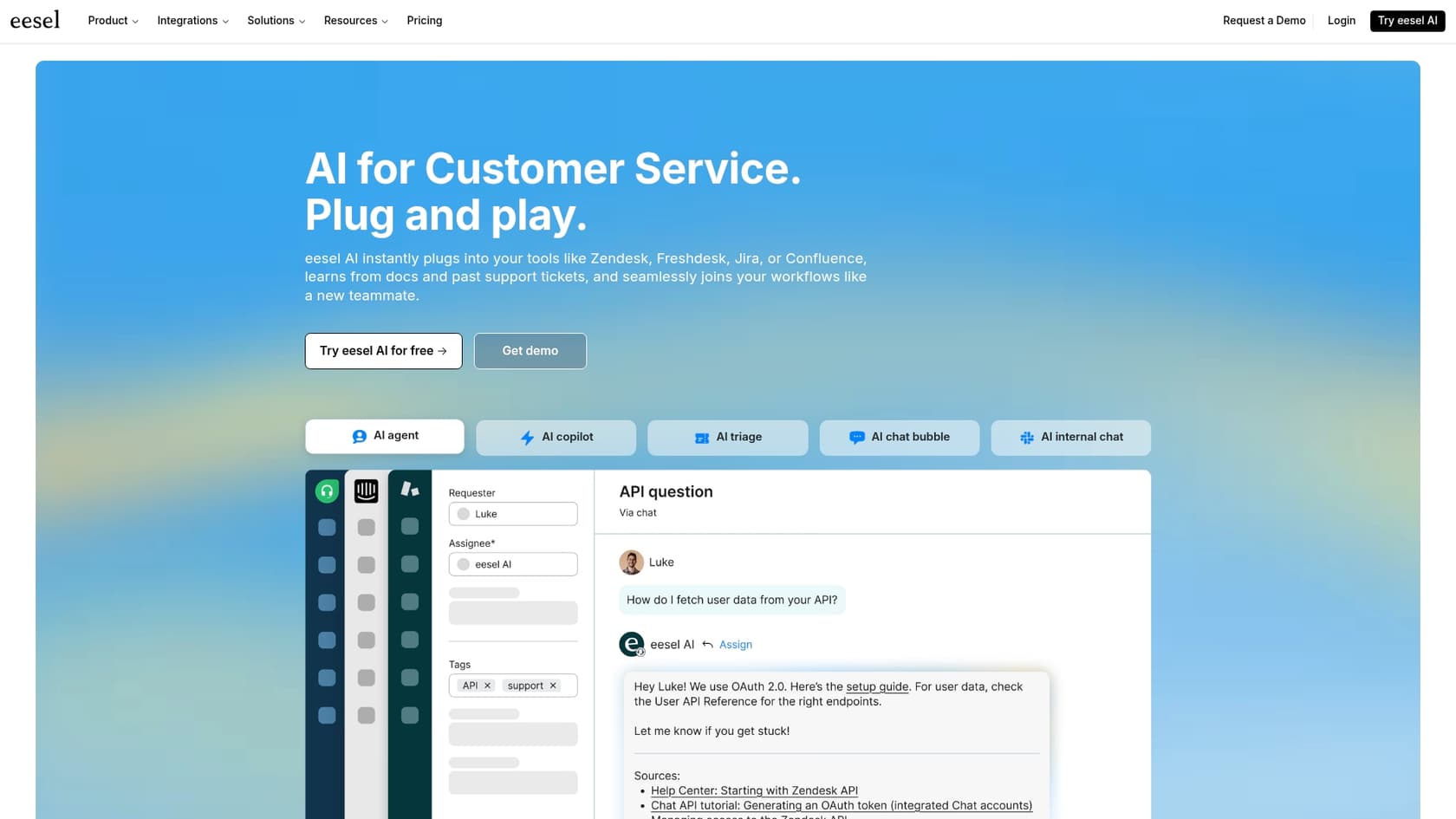
Here’s how it can complement your Gorgias setup:
A brain that learns from everything
Instead of just help articles, eesel’s AI Agent can read through your past tickets. It learns your brand voice and understands how your team has solved thousands of similar problems. It also connects to your other docs in places like Confluence or Google Docs, ensuring all your scattered knowledge is accessible.
Test it out, risk-free
The idea of letting an AI talk to customers should be approached with confidence. eesel lets you run a simulation on thousands of your past tickets in a safe sandbox environment. You can see exactly how it would've answered, get a real forecast of its automation rate, and tweak its settings before it goes live.
Get started today (seriously)
You don't need to book a sales demo or wait weeks for setup. eesel AI is designed to be completely self-serve. You can connect it to your Gorgias account with a single click and configure your AI agent yourself, often starting on the same day.
From a simple Gorgias sign in to a smarter helpdesk
Nailing the Gorgias sign in is easy once you know the ropes for email, SSO, and troubleshooting. It gets you and your team into your workspace without any friction.
But a great helpdesk is about more than just logging in. It's about what you do once you're there. By utilizing tools like the built-in Gorgias AI or adding a complementary tool like eesel AI, you can turn Gorgias from a simple ticketing system into an automation powerhouse. It’s an effective way to handle repetitive questions, free up your team for more complex issues, and make your customer support a real asset.
Ready to see what your Gorgias helpdesk is capable of? Check out eesel AI and see how you can complement your support workflow in minutes.
Frequently asked questions
What's the standard process for a Gorgias sign in using an email and password?
This is the most common method. You'll navigate to your subdomain, enter your email and specific Gorgias password, and then click login. If you're on the main Gorgias login page, you'll enter your subdomain first.
My company uses Single Sign-On (SSO); what's the quickest way to complete my Gorgias sign in?
Go directly to your company's Gorgias subdomain. Instead of typing your email and password, click the "Continue with Google" or "Continue with Microsoft" button and confirm your identity through your SSO provider.
What should I do if I forget my password and can't complete my Gorgias sign in?
On the login screen, click "Forgot password?" Enter your account email and follow the instructions sent to your inbox. You'll receive a link to create a new password, allowing you to regain access.
I'm having issues with two-factor authentication (2FA) preventing my Gorgias sign in; what are my options?
You can use one of your recovery codes if you saved them, which bypasses the authenticator app. Alternatively, an Admin on your team can reset your 2FA token from the user settings, allowing you to log in and set it up again.
Are there specific details I should have ready before attempting a Gorgias sign in?
Yes, make sure you know your company's unique Gorgias subdomain (e.g., yourstore.gorgias.com), your account email and password, or your SSO credentials. If 2FA is enabled, have your authenticator app or recovery codes ready.
My Gorgias sign in is failing on the mobile app with a "too many login attempts" error; how can I fix this?
Try signing out and then back into Gorgias on your desktop computer first. You might need to complete a CAPTCHA challenge there. After successfully logging in on desktop, attempt your mobile app sign-in again; this often resolves the issue.