


Trying to manage customer returns without a proper portal can feel like you’re stuck in a loop. For support teams, it's the same repetitive tasks over and over again, and one tiny mistake can turn a straightforward return into a customer service mess. Your agents end up copying and pasting the same instructions all day, while your customers are left waiting for a simple answer.
If you’re a Gorgias user, you know it has some built-in tools to help out. In this guide, we'll walk through how you can use native features like macros to handle returns. We'll also explore how to optimize their use and show you a way to augment the process with a complementary AI that learns from your team's expertise.
What are Gorgias macros?
Think of Gorgias macros as pre-written templates or canned responses. They're a handy tool for your support team to answer common questions in a snap. Their main job is to populate the message body for you, and they can even pull in customer details like their name ("{{Customer First Name}}") or most recent order number ("{{Number of last order}}") using variables.
They are the first step toward automation in Gorgias, designed to cut down on repetitive typing and keep your responses consistent. Many teams even share their best macro templates in the Gorgias Community for all sorts of scenarios, including the all-too-common return request. They’re a solid foundation for your support operations.
How to use Gorgias macros to guide returns
Alright, so how do you put these tools to work and build a workflow for returns? Let's get into it, starting with the challenge and then building a macro-based solution.
The problem: The cost of manual returns
Here’s a scene that probably sounds familiar: a customer emails asking for a return. An agent opens the ticket, flips over to another tab to find the order in Shopify, double-checks your return policy (is it 15 days or 30 again?), copies the return instructions from a digital sticky note, pastes them into the reply, and finally hits send.
It’s a slow, manual routine that can lead to human error. Sending the wrong address or outdated instructions can create follow-up tickets. Using a professional platform like Gorgias helps eliminate this manual work.
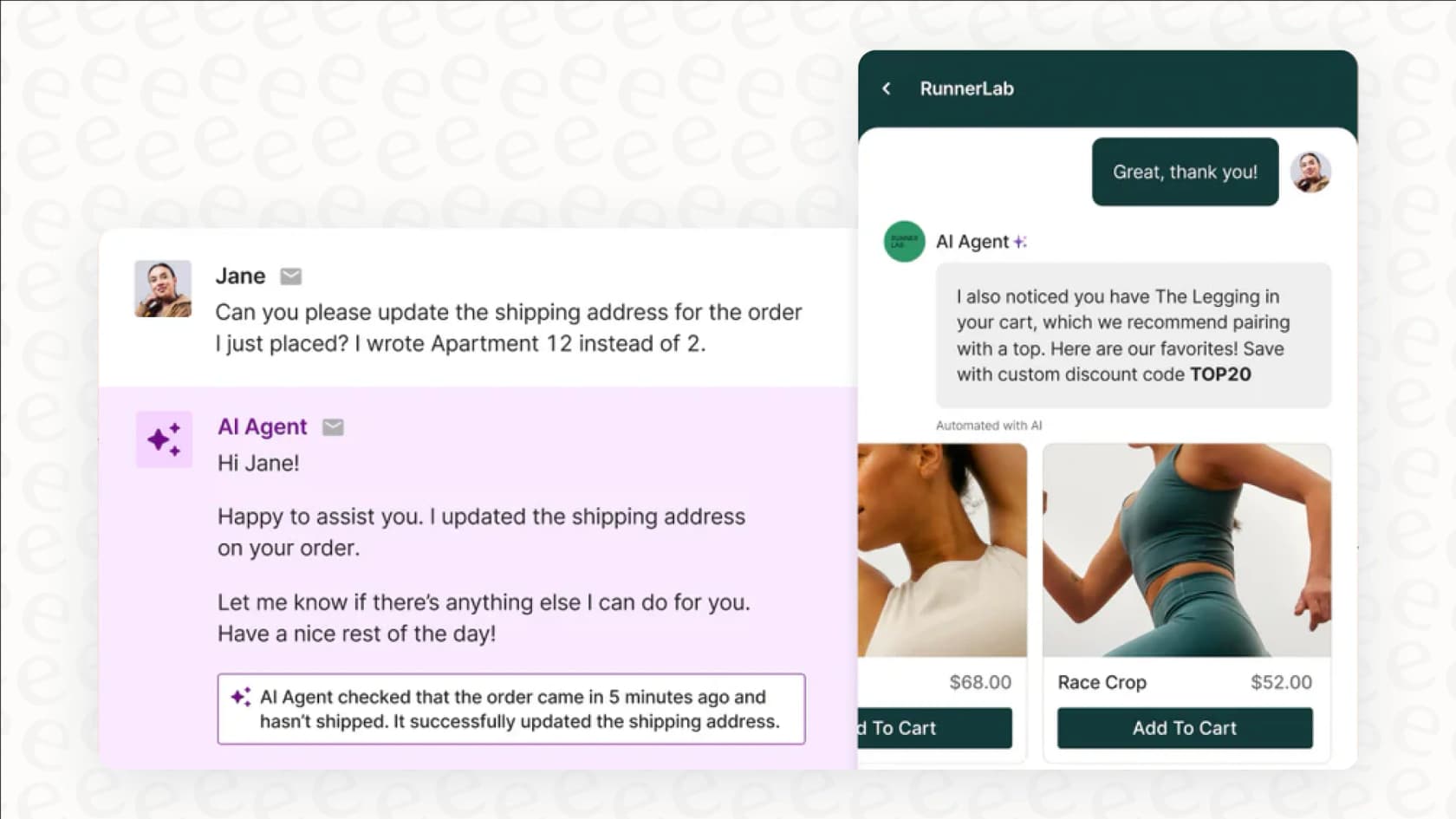
A step-by-step guide: Using Gorgias macros for returns
This is where Gorgias's native tools give your team breathing room. By combining Rules with Macros, you can create a reliable automation flow. A "Rule" is the trigger: it scans incoming tickets for keywords like "return" or "refund." When it finds a match, it automatically applies a macro you’ve designated.
Here are a few examples you could set up for your own return process:
-
Macro 1: Return instructions (for an eligible order). This will likely be your most-used template. It confirms the customer is within the return window and gives them clear, step-by-step instructions on how to package the item and where to ship it. It saves your agent from typing out the same info multiple times.
-
Macro 2: Not eligible for return. For requests that fall outside the return window, this macro politely explains why the order can't be returned, pointing back to your store’s policy. It helps keep the tone consistent and professional.
-
Macro 3: Damaged item received. When a customer gets a broken item, this macro can lead with empathy. It can apologize for the issue and ask for a photo of the damage so your team can sort it out quickly.
Things to keep in mind with Gorgias macros
While macros are a great solution for many teams, they are best suited for specific stages of growth. As you scale, you may find opportunities to further enhance the process for more complex scenarios.
-
They are designed for standard responses. A macro sends a specific block of text to answer a common query. If a customer has a unique follow-up, a human agent can step in to provide that personal touch, which ensures your support stays high-quality.
-
Management requires a structured approach. As your needs grow, you might build a library of macros for various return reasons (wrong size, damaged, changed their mind) or different product types. Keeping these organized is key to maintaining a smooth workflow.
-
Regular updates ensure accuracy. Whenever you tweak your return policy, your team will want to review your macros to ensure they reflect the latest information. This ensures customers always receive the most up-to-date guidance.
Beyond macros: Gorgias's AI Agent with Guidance
Gorgias provides even more advanced tools for growing teams: the AI Agent with Guidance. It's a next-gen solution for automation that allows for more sophisticated workflows.
What is the Gorgias AI Agent and Guidance?
The Gorgias AI Agent is built to facilitate automated conversations with customers. You direct its behavior using a feature called "Guidance," which is a set of instructions you write using "When, If, Then" logic.
This is a step up from a simple macro because it allows for conditional thinking. For instance, you could write Guidance that says: WHEN a customer asks for a return, IF the order was placed less than 30 days ago, THEN send them the return instructions. IF the order is older than 30 days, THEN let them know it's outside the return window.
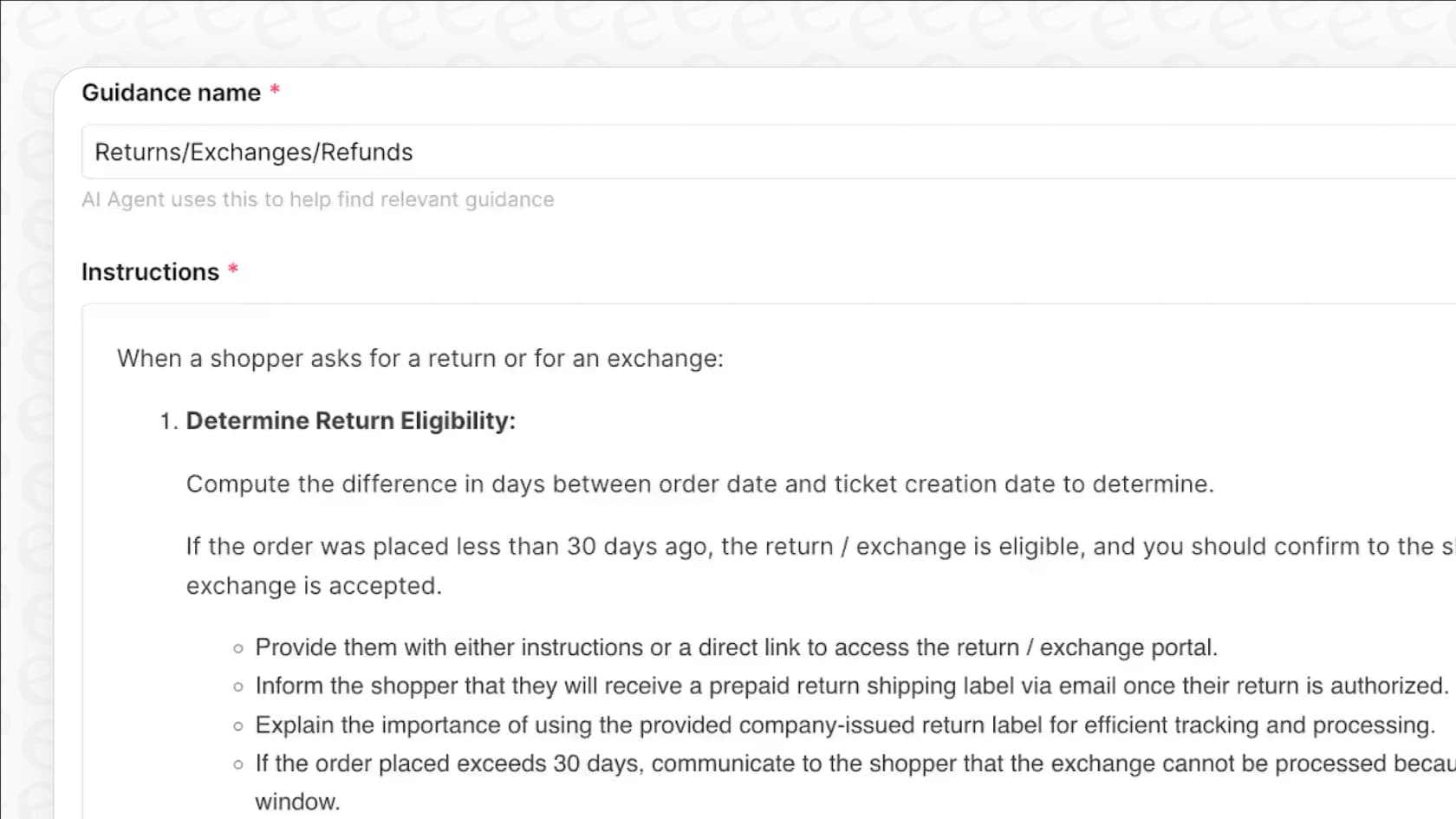
How to build on Gorgias AI Guidance
This feature is a robust improvement for many. To get the most out of it, teams should consider how to structure their logic for the best results.
-
Configuration requires specific logic. The AI Agent follows the exact, structured instructions you provide. Your support team can take pride in configuring these logical flows to ensure customers get the right answers every time.
-
It operates within defined guidelines. The AI Agent is highly reliable within the parameters you set. It represents your brand's specific instructions faithfully, ensuring a consistent experience for every customer.
-
Setup involves a thoughtful planning process. Writing comprehensive Guidance for various return scenarios is a valuable investment in your support infrastructure. It creates a structured system that works predictably as your policies evolve.
Gorgias continues to innovate, with their roadmap showing new features like the "Ability for AI Agent to send macros." This shows their commitment to creating a deeply integrated system for managing real-world returns.
A better way: An AI that learns from your Gorgias data
Macros are a great start, and Guidance is a powerful tool for logical workflows. For teams that want to complement their existing setup, an AI that can learn from your history is a valuable addition.
Move beyond static instructions with an AI that truly learns
This is where eesel AI comes into the picture. It's an AI platform that connects directly to your existing Gorgias helpdesk and acts as a complementary layer to enhance your efficiency. The setup is completely self-serve, and you can get it running in just a few minutes.
The biggest benefit? eesel AI can automatically train itself on your historical Gorgias tickets. It reviews your past conversations to understand your brand voice and how your agents handle different situations. It works alongside your team, helping to reduce the time spent on manual configuration.
How eesel AI improves on Gorgias macros
eesel AI was built to work within the Gorgias ecosystem to solve common challenges. Here’s how it can enhance your return workflow:
-
One-click setup. You can connect eesel AI to Gorgias, your help center, and other knowledge sources like Google Docs in minutes.
-
Handles complex, multi-step actions. eesel AI can help bridge the gap between platforms. It can look up an order in Shopify, check its eligibility, tag the Gorgias ticket, and provide personalized instructions in one smooth interaction.
-
Keeps all your knowledge in one place. If your return policy lives in a Google Doc or Notion page, eesel AI can connect to those scattered knowledge bases. When a policy changes in your source document, the AI is aware of it immediately, complementing your Gorgias macros.
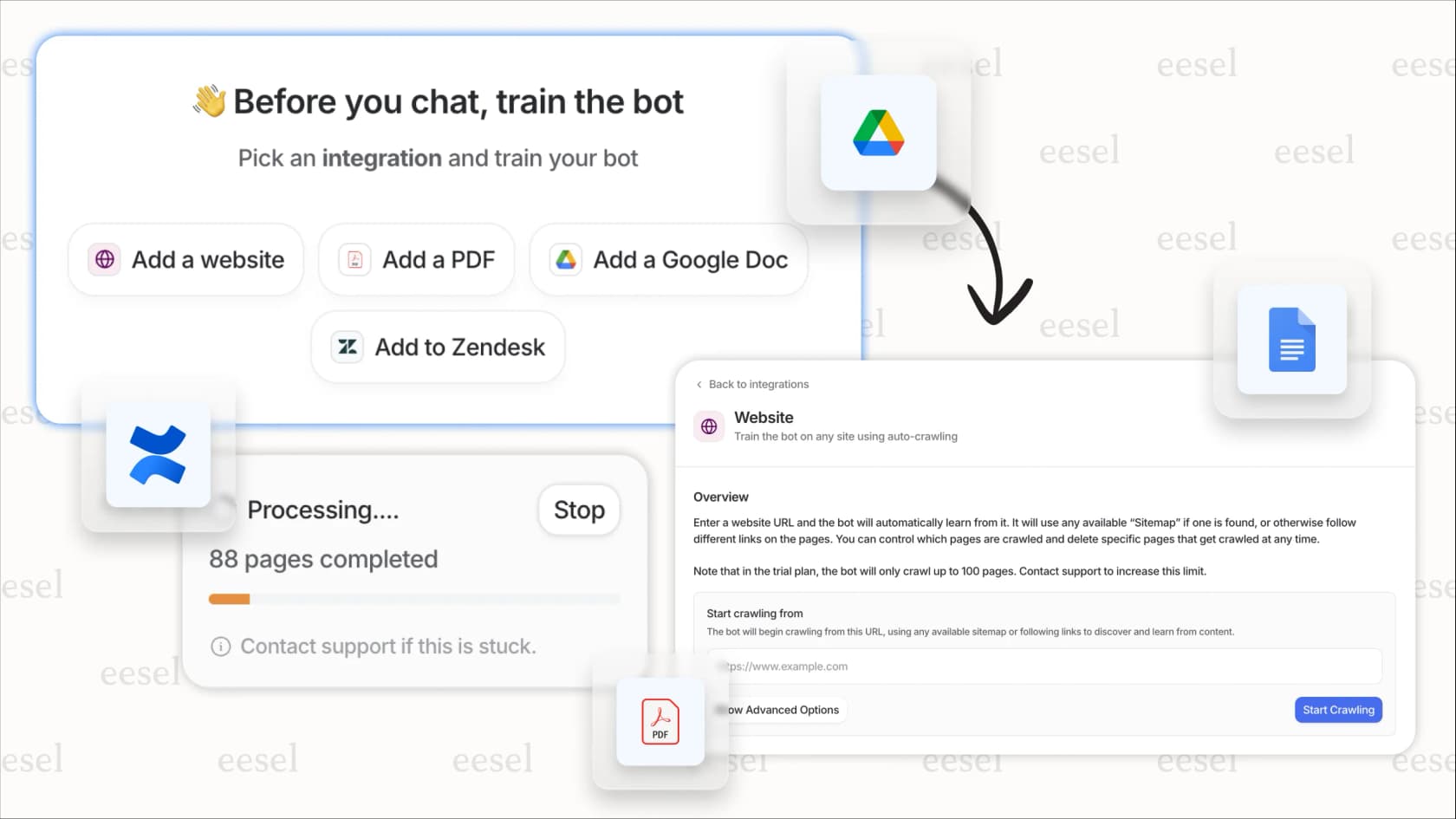
Test it out before you automate anything
Adding new tools to your stack is a big step, and eesel AI makes it easy. It comes with a simulation mode that lets you test everything completely risk-free. You can run the AI over your past return tickets from Gorgias and see exactly how it would have replied.
This gives you a clear look at your potential automation rate. You can refine the AI's behavior and get comfortable with its performance as a partner to your Gorgias setup.
Gorgias pricing
To give all this some context, it helps to see how Gorgias lays out its pricing. Their plans are designed to match different team sizes and needs.
| Plan | Price (monthly billing) | Included helpdesk tickets | AI agent interaction cost |
|---|---|---|---|
| Starter | from $10/mo | 50 | $1.00 per resolution |
| Basic | from $50/mo | 300 | $0.90 per resolution |
| Pro | from $300/mo | 2,000 | $0.90 per resolution |
| Advanced | from $750/mo | 5,000 | $0.90 per resolution |
| Enterprise | Custom | Custom | $0.90 per resolution |
Scaling your returns process beyond macros
Handling returns is a standard part of ecommerce in 2026, and Gorgias provides excellent tools to make it easier. You can start by using Gorgias macros for consistent templates and layer in sophisticated logic with Gorgias's AI Guidance as you grow.
For teams looking to reach the next level of automation, adding a complementary tool like eesel AI can provide the extra intelligence needed to scale. eesel AI plugs into your Gorgias helpdesk to deliver a seamless, automated experience that supports your team's hard work.
Ready to enhance your Gorgias setup? eesel AI connects to your helpdesk and learns from your past tickets to support your workflow. Start your free trial and see it in action in minutes.
Frequently asked questions
What should I consider when relying on Gorgias macros for returns?
While useful for basic templating, macros are designed for specific scenarios and are excellent for standardizing responses. As your return policies evolve, they offer a great foundation for teams to manage consistent communication.
How can I set up Gorgias macros for returns?
You can combine Gorgias Rules with Macros. Rules act as triggers, detecting keywords like "return" in incoming tickets and automatically applying a designated macro with relevant instructions or policy explanations.
When should a business consider adding more advanced automation to Gorgias macros?
Businesses should consider adding complementary automation when return processes become more intricate, requiring dynamic responses. Macros are a strong starting point and can be enhanced with specialized tools as your team scales.
What are the benefits of implementing Gorgias macros for returns?
Implementing macros significantly reduces repetitive typing for agents and ensures consistent responses for common return requests. They help standardize initial communication, saving time and reducing human error for straightforward cases.
How does the Gorgias AI Agent build upon Gorgias macros?
The AI Agent with Guidance offers conditional logic, allowing for more tailored responses based on factors like order age. This is a robust feature that enables the AI to send different instructions depending on the specific return scenario.
Are Gorgias macros still a practical solution for some return scenarios?
Yes, macros are practical for common, straightforward return requests that have standard instructions, like confirming eligibility and providing shipping details. They serve well as a reliable foundation for your automation strategy.