Let's be honest, AI in customer support isn't some far-off concept anymore; it's part of the daily grind. Teams are scrambling to find tools that can handle the easy, repetitive stuff so their agents can focus on the trickier problems that actually require a human brain. Front is one of the many companies getting in on the action, talking up a new wave of "human-directed AI."
They've bundled all their artificial intelligence tools under a single name: Front Design AI. It's a mix of a new look for their app and a bunch of features meant to help, not replace, support agents. But what does that actually mean when you're in the trenches dealing with customer tickets?
Here, we're going to give you a straight-up overview of Front Design AI. We'll walk through its features, untangle that complicated pricing, and point out a few big limitations you should be aware of before you even think about making a switch.
What is Front Design AI?
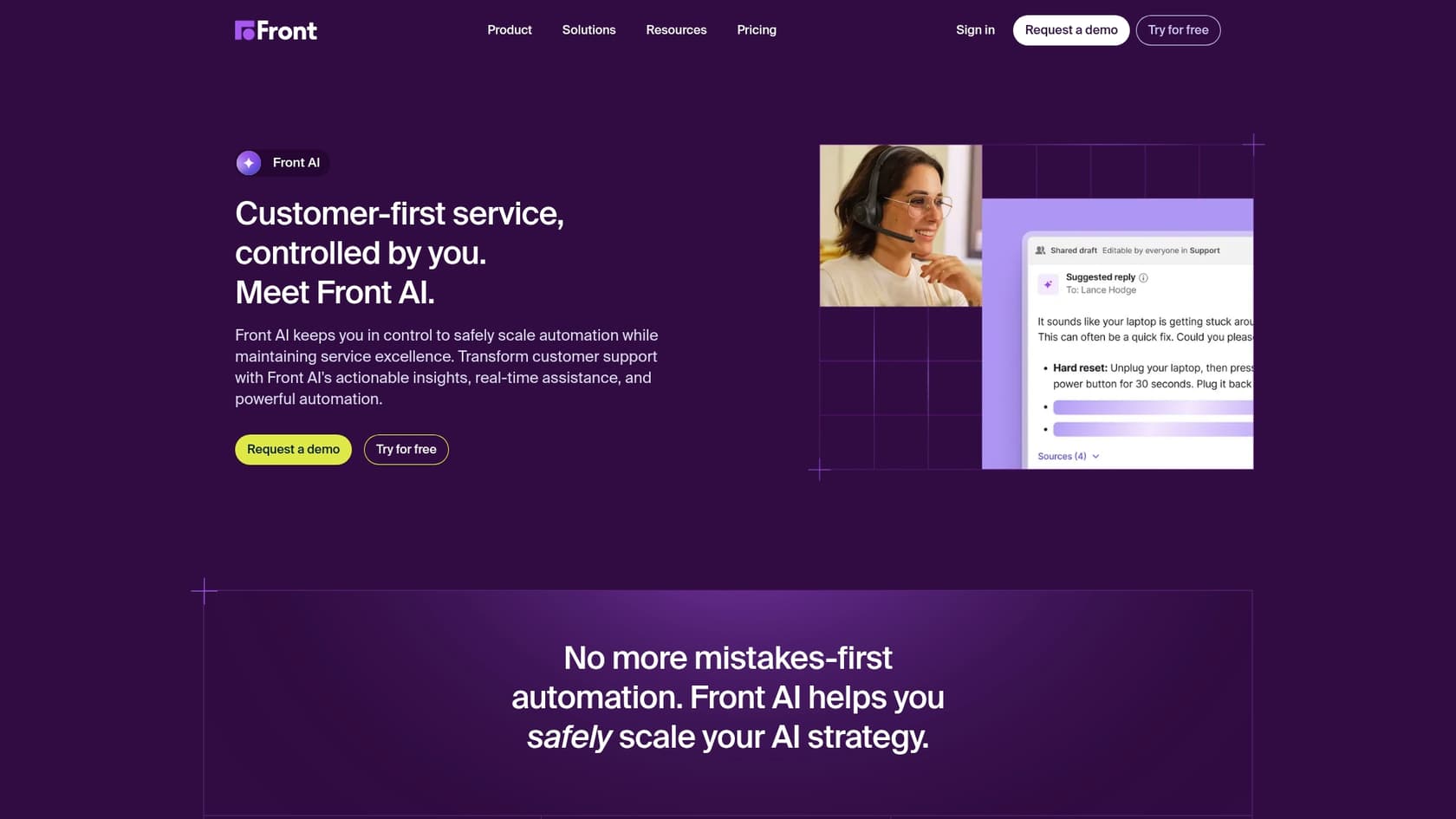
Front Design AI isn't something you can buy on its own. It's the label for all the AI features built right into the Front customer support platform. And here’s the first thing you absolutely need to know: to get Front's AI, you have to use Front for everything. It has to be your main helpdesk.
The company's big idea is "human-directed AI." The pitch is that their AI will make your team faster and better, not kick them out of a job. It's a nice thought, and it definitely influences how their tools work.
They've built their AI around three main jobs:
-
Analyze: Using AI to figure out why customers are getting in touch.
-
Assist: Giving your agents tools in real-time to help them write better, faster responses.
-
Automate: Taking care of simple, repetitive questions on its own.
This all sounds pretty good, but that tight integration is a double-edged sword. You can't just sprinkle these AI features onto your current setup. If your team is already settled and happy with another helpdesk, you’re looking at a massive migration project just to get your hands on Front’s AI.
Front Design AI features
Front’s AI tools are pretty slick, but they’re split into different buckets. Let's break down what each one actually does.
Analyze: How Front Design AI figures out what's going on
This batch of features is all about getting a handle on the conversations happening in your inbox.
-
Topics: This tool automatically reads through your past conversations and sorts them by topic. It helps you see patterns, like a sudden spike in questions about a new feature, and you can use that info to automatically route tickets. For instance, you could send all "billing issue" messages straight to the finance team.
-
Smart QA: Instead of having a manager manually read through conversations to check on quality, Smart QA uses AI to score them for you. You can set your own criteria, like whether the agent was professional or empathetic. It’s a way to handle quality checks without it taking up someone’s entire day.
-
Smart CSAT: This one tries to guess how a customer is feeling based on the words they use in their message. It gives you a constant read on customer happiness, so you're not just relying on the few people who actually fill out satisfaction surveys.
The main thing to remember here is that these tools only work with data that's already inside Front. They can give you some great insights, but only if your team is 100% committed to using Front for every single customer interaction.
Assist: How Front Design AI gives agents a helping hand
These tools are designed to act like a sidekick for your support agents, helping them get through their queue faster.
-
Copilot: This is Front's main agent-assist feature. It suggests replies based on your past conversations and knowledge base articles. Your agent gets a pre-written draft, can make a few edits, and then sends it off. It’s a real time-saver for answering the same questions over and over.
-
Compose & Summarize: These are useful little add-ons. Compose helps agents clean up their writing by checking for tone and grammar. Summarize gives you a quick recap of a long, messy conversation so a new agent can jump in without having to read the whole thing. One limit worth knowing: Compose, Translate, and Summarize are each capped at 200 uses per teammate per day on Front's AI page.
But here’s a catch you need to know about. While Copilot is a big part of their sales pitch, you only get unlimited use on their most expensive Enterprise plan. If you're on a lower-tier plan, you get a small handful of suggestions a month before you have to pay a $20 per seat, per month add-on. That can get expensive, fast.
Automate: The promise of Front Design AI Autopilot
Autopilot is Front's version of a fully automated AI agent. It’s built to answer customer questions on its own, whether they come in through email, chat, or another channel. It learns from your help center and old conversations to come up with its answers.
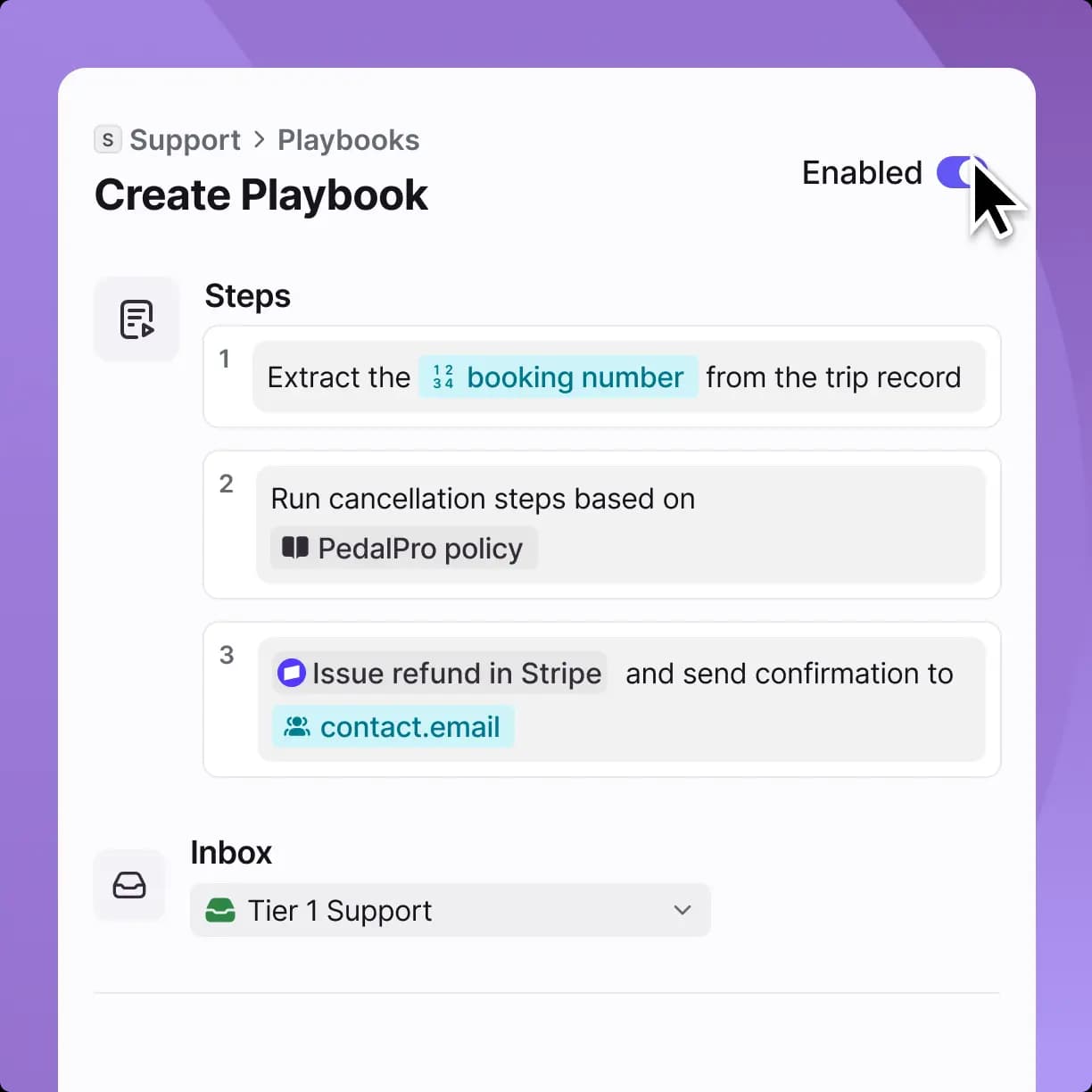
Front pushes a "quality-first" angle here, letting you set up rules to control which questions the AI can handle and which ones need to go straight to a human.
But there's a huge catch that completely changes the math on this feature. Autopilot is a paid add-on for every single plan, and it's priced from $0.05 per conversation. This means you're paying for every conversation the AI handles, creating a cost that can swing with your support volume from month to month.
The Front Design AI pricing model explained
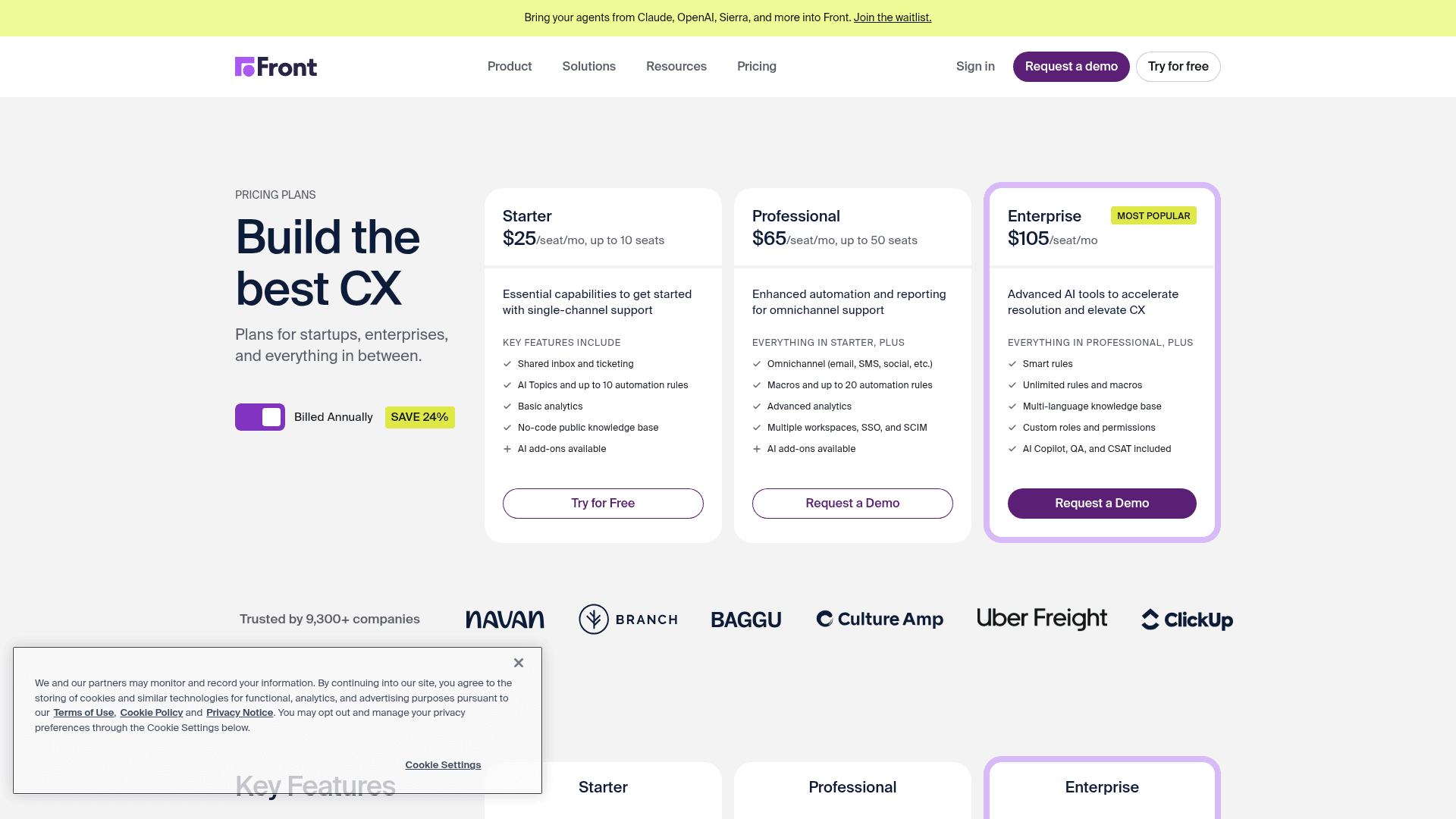
To figure out what Front Design AI will actually cost you, you have to look well beyond the sticker price of their plans. The final bill is a mix of your base plan, a bunch of potential add-ons, and those usage-based fees.
Front Design AI plans and add-on costs
This table gives you a clearer picture of where the AI features live and what they'll cost you. As you can see, a lot of the best stuff is either locked behind the top-tier plan or requires you to pay extra.
| Feature | Starter ($25/seat/mo) | Professional ($65/seat/mo) | Enterprise ($105/seat/mo) |
|---|---|---|---|
| AI Topics | Included | Included | Included |
| AI Copilot | Limited usage or $20/seat/mo add-on | Limited usage or $20/seat/mo add-on | Included (Unlimited) |
| Smart QA | $20/seat/mo add-on | $20/seat/mo add-on | Included |
| Smart CSAT | $10/seat/mo add-on | $10/seat/mo add-on | Included |
| AI Autopilot | from $0.05/conversation add-on | from $0.05/conversation add-on | from $0.05/conversation add-on |
If you do the math, one trap jumps out: on the Professional plan, stacking Copilot ($20), Smart QA ($20), and Smart CSAT ($10) as add-ons runs $115/seat/mo, which is more than the $105 Enterprise plan that already bundles all three. If you're planning to adopt the full set of assistive AI tools, it's worth pricing Enterprise first.
The challenge with Front Design AI per-resolution pricing
A usage-based model sounds simple enough, but it has a built-in downside. The more conversations Autopilot handles, the more you pay, so pushing a bigger share of your inbox through automation pushes the bill up alongside it.
This model also makes your monthly costs totally unpredictable. If you have a busy month with a surge in support tickets, your Front bill could be way higher than you budgeted for, and there’s no easy way to see it coming.
Key limitations of Front Design AI
While Front offers a nice, clean user experience, its all-in-one philosophy comes with some serious downsides that you need to think about.
-
Platform Lock-in: This is the big one. To use Front AI, you have to move your entire support operation to their platform. If your team already knows and likes using tools like Zendesk, Intercom, or Jira, you're pretty much out of luck. For many teams, being forced into a disruptive and expensive migration is a complete non-starter.
-
Complex and Unpredictable Pricing: The pricing is just plain confusing. Between the base fees, the extra cost for key features per seat, and the per-conversation fee for the AI agent, your total cost is hard to calculate and even harder to predict.
-
Testing Runs on Scenarios, Not Your Own History: Front's Autopilot does include a simulation step, so you can run automations through test scenarios before they face customers. The catch is that you're testing against scenarios you set up, not a replay over your own past tickets, so how the AI will handle your real historical volume is harder to see before you go live.
A more flexible alternative: eesel AI
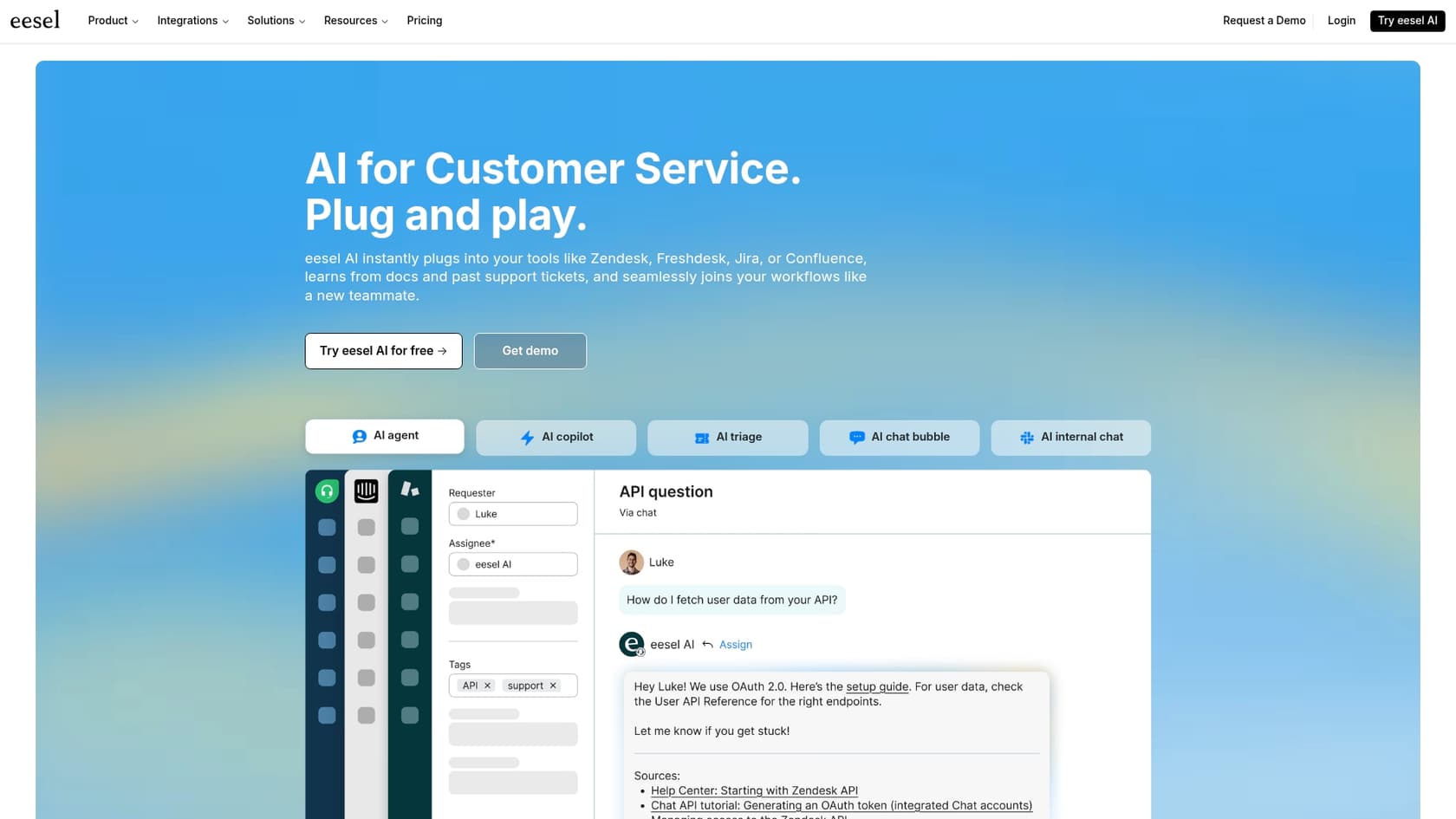
If all that sounds a bit restrictive, you're not wrong. That’s why other tools are taking a different route. For teams that want powerful AI without being trapped in a single ecosystem, an AI-native platform like eesel AI offers a more flexible and straightforward option. eesel AI is designed to be a smart layer that works with the tools you're already using.
Work with your existing helpdesk
Unlike Front, eesel AI’s AI Agent is made to plug right into the helpdesks teams already use, like Zendesk, Freshdesk, and Gorgias. This gets rid of the need for a painful platform migration entirely. You can make your current setup smarter instead of tearing it all down and starting over. eesel AI can also pull knowledge from all over your company, connecting to tools like Confluence or Google Docs without a fuss.
Predictable pricing without resolution fees
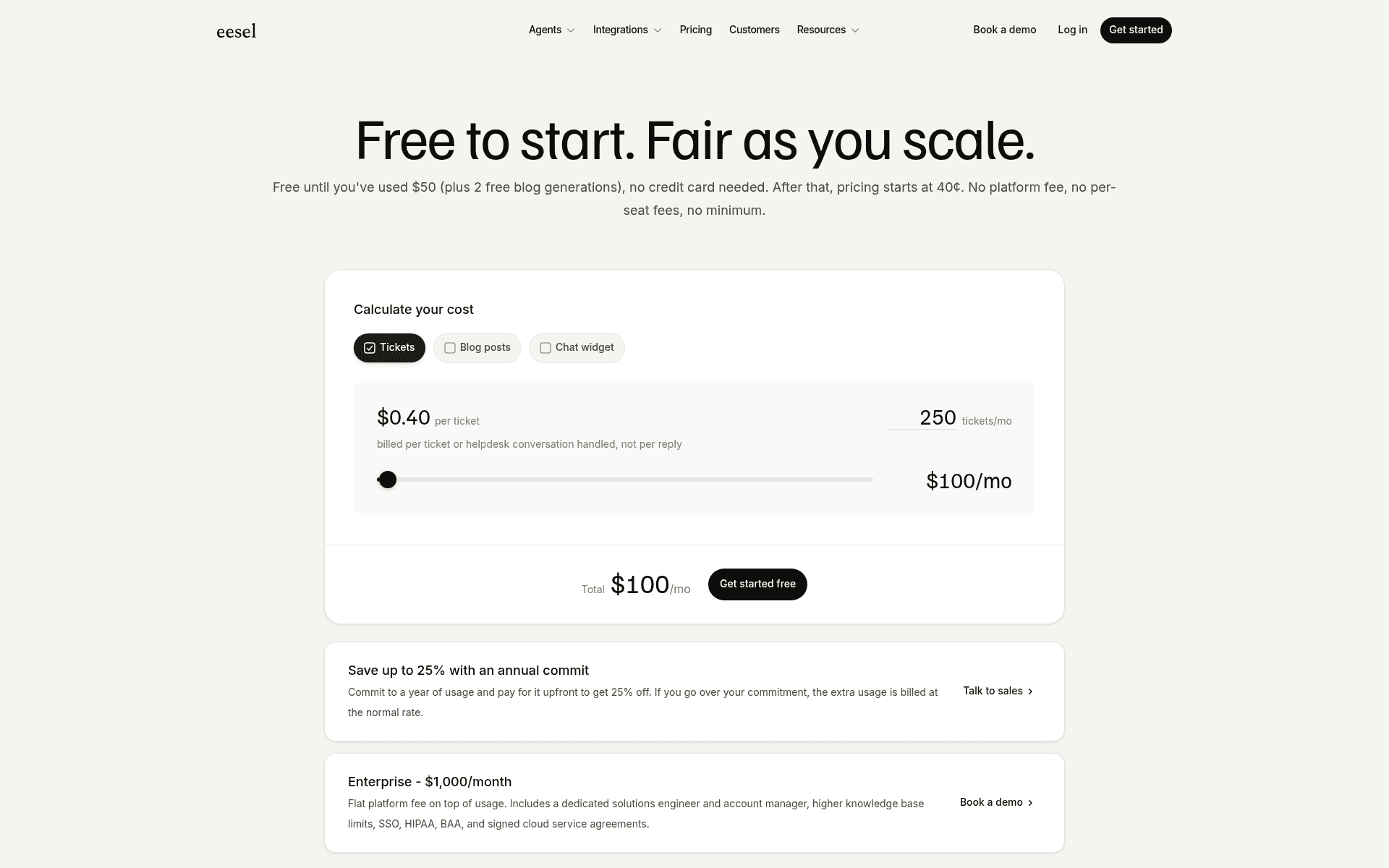
The way eesel AI handles pricing is a breath of fresh air compared to Front. eesel AI is usage-based at $0.40 per ticket or helpdesk conversation handled, with no platform fee, no per-seat charge, and no minimum. Crucially, it's billed per conversation handled, not per resolution, so you're never charged extra for successfully automating a bigger share of your tickets. You can also set a monthly usage cap, so the bill can't quietly run away from you during a busy month.
Test with confidence using powerful simulation
A key strength of eesel AI is that its simulation replays your own history. Before your AI agent ever talks to a real customer, you can test it on thousands of your past tickets in a totally risk-free environment. This lets you see exactly how it will perform, find gaps in your knowledge base, and tweak its behavior until you're completely confident.
Is Front Design AI the right choice for your team?
Front Design AI offers a polished, all-in-one set of AI tools that could be a great fit for teams ready to go all-in on the Front platform. Its focus on helping agents and providing a clean experience is impressive.
However, the walled-garden approach, the confusing add-on pricing, and the unpredictable per-conversation fees are major hurdles for most businesses. The demand to ditch your current helpdesk is a huge ask.
For companies that want a powerful, flexible, and affordable AI solution that improves the tools they already have, an alternative like eesel AI just makes more sense. It delivers strong automation and agent-assist features without forcing a migration or hitting you with surprise costs.
If you want to add powerful AI to your current support setup without the hidden fees and migration headaches, you should see what eesel AI can do for your team.
Frequently asked questions
Can you explain what Front Design AI is exactly?
Front Design AI is the collective name for all the artificial intelligence features integrated directly into the Front customer support platform. It's designed to analyze conversations, assist agents, and automate simple queries, but it cannot be purchased as a standalone product. You must use Front as your primary helpdesk to access these AI capabilities.
Will Front Design AI integrate with our existing helpdesk platform, like Zendesk?
Unfortunately, Front Design AI does not integrate with other external helpdesk platforms. To utilize its AI features, your entire support operation must migrate to and run exclusively on the Front platform. This means if you're happy with tools like Zendesk, you'd need a significant migration.
How does the pricing for Front Design AI work, particularly for the Autopilot feature?
The pricing for Front Design AI is multi-layered, combining a base plan cost with several add-ons and usage-based fees. While some AI features are included in higher-tier plans, key tools like AI Copilot and Smart QA often require additional per-seat monthly payments. Most notably, the AI Autopilot feature is charged at $0.05 per conversation, making its costs variable and dependent on your support volume.
How does Front Design AI actually help our support agents day-to-day?
Front Design AI assists agents primarily through features like Copilot, which suggests real-time replies based on past conversations and knowledge bases, and Compose, which helps refine writing. Summarize also aids agents by providing quick overviews of long customer interactions. These tools aim to speed up response times and improve communication quality.
Is there a way to safely test our automations with Front Design AI before deploying them to live customers?
Yes. Front's Autopilot includes a simulation step, so you can run your automations through test scenarios before they reach live customers. The main limit is that these are scenarios you set up rather than a replay over your own past tickets, so validating against your real historical volume takes more setup work.
Can we pick and choose specific AI features from Front Design AI, or do we have to adopt the whole platform?
No, you cannot pick and choose specific AI features from Front Design AI to use independently. The entire suite of AI tools is built directly into the Front platform, requiring full adoption of their helpdesk solution. This "all-in-one" approach means a complete switch to Front is necessary to leverage any of its AI capabilities.
What does Front mean by "human-directed" when talking about Front Design AI?
When Front refers to "human-directed AI," they mean their artificial intelligence tools are designed to augment and empower human support agents, rather than replace them entirely. The AI focuses on making agents faster and more efficient by handling repetitive tasks, providing real-time assistance, and offering insights, keeping human oversight central to the support process.


Article by
Rama Adi Nugraha
Rama is a software engineer at eesel AI with two years of experience writing about B2B SaaS, AI tools, and customer support technology. Based in Bali, Indonesia, he brings a developer's perspective to product comparisons — cutting through marketing copy to what the integrations and APIs actually do.