A complete guide to Freddy AI for CX: Features, pricing, and alternatives

Kenneth Pangan

Katelin Teen
Last edited December 22, 2025

If you spend any time in the customer service world, you’ve probably run into Freshworks. They’re a major player, helping over 75,000 businesses handle their customer and IT support. Powering their platform is Freddy AI, their in-house artificial intelligence engine designed to improve life for both customers and employees.
But what does Freddy AI actually do, and is it the right tool for your team?
This guide offers an honest, in-depth look at Freddy AI for CX. We'll unpack its features, get into its surprisingly tricky pricing, and highlight a few limitations you should be aware of. By the end, you'll have a much clearer idea of whether Freddy is the AI sidekick you need, or if a more flexible alternative might be a better fit.
What is Freddy AI for CX?
First off, Freddy AI isn't something you can buy off the shelf. It’s an AI layer woven into the Freshworks suite, mainly appearing in Freshdesk (for customer service) and Freshservice (for IT service management). Its whole purpose is to automate repetitive tasks, give human agents a hand, and offer useful insights to leadership.
Freshworks organizes the platform around three main pillars:
-
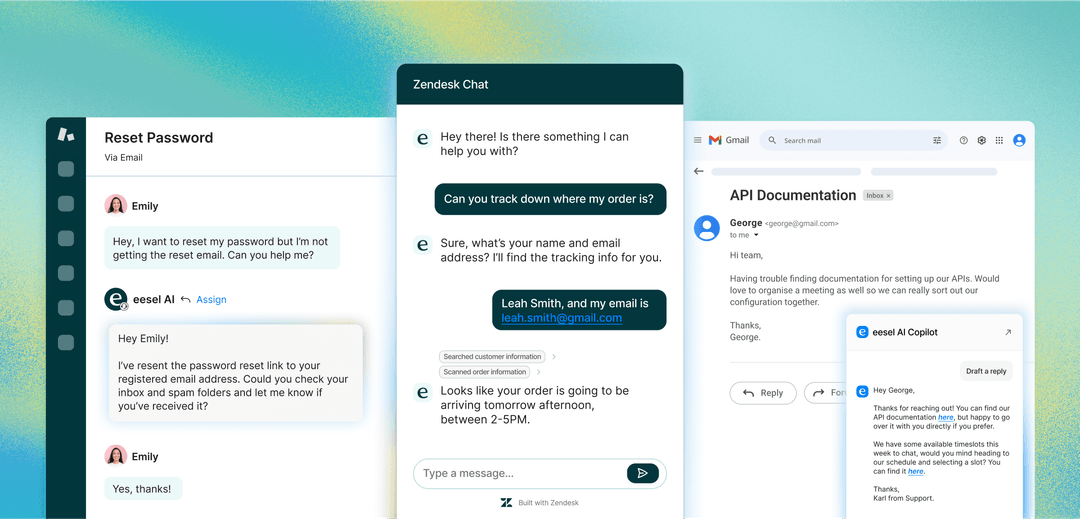
Freddy AI Agent: This is the automation workhorse. It’s built to field customer questions 24/7 and can even take action, like checking an order status or processing a refund.
-
Freddy AI Copilot: Think of this as a real-time assistant that sits on your agent’s shoulder. It helps them work faster by suggesting replies, summarizing long conversations, and handling other small tasks.
-
Freddy AI Insights: This is the analytics tool for managers. It crunches data to identify trends, flag performance issues, and help you get ahead of problems before they blow up.
These three parts work together to form the Freddy AI for CX platform, with each one playing a specific role in the support journey.
A deep dive into Freddy AI for CX features
Freddy AI is a pretty big platform, with its capabilities split across those three core components. Let's look at what each one offers a modern CX team.
Freddy AI agent for automated resolutions
The Freddy AI Agent is all about providing round-the-clock, omnichannel support. Freshworks claims it can resolve up to 80% of common queries on its own through chat, messaging, and email. This is your first line of defense against the simple, repetitive questions that can eat up your team's day, like "Where's my order?" or "How do I get a refund?"
It also includes "Vertical AI Agents" for specific industries like eCommerce, fintech, and travel. These are essentially pre-built bots with workflows geared toward those sectors, which can help speed up the initial setup.
Even better, the AI Agent can do more than just talk. It connects with backend systems like Shopify, Stripe, or PayPal, which lets it take action. So, instead of just telling a customer how to get a refund, it can actually process it for them.
Freddy AI copilot for agent assistance
The Copilot isn't a standalone bot; it's made to work alongside your human agents to make their jobs a bit easier. According to Freshworks' documentation, here are some of the things it can do:
-
Response suggestions: It reads the ticket and suggests replies, saving agents from typing out the same common answers over and over.
-
Conversation summaries: If an agent is assigned a ticket with a long history, the Copilot can summarize the whole conversation in a few seconds.
-
Real-time translation: For global teams, it can translate conversations in over 60 languages, which helps remove language barriers.
-
Sentiment analysis: It automatically flags queries as positive, neutral, or negative, helping agents quickly spot and prioritize customers who are getting frustrated.
-
Knowledge article generation: When an agent solves a tough problem, the Copilot can turn that conversation into a draft for a new help center article. This is a neat way to fill gaps in your documentation.
Freddy AI insights for support leaders
While the Agent and Copilot are focused on the front line, Freddy AI Insights is built for managers who want to be more proactive instead of just reacting to problems.
It sends out alerts for things like potential SLA breaches or a sudden drop in CSAT scores, and it even offers some root cause analysis to help you figure out what's happening. Freshworks calls it an "always-on analytics companion" because it’s meant to find trends and performance issues automatically, so you don't have to spend your days hunting through dashboards.
How Freddy AI works and its limitations
Freddy AI is certainly powerful, but its architecture can create some real headaches for teams that need to stay agile and keep things simple.
The traditional setup and implementation process
Getting started with Freddy AI means going all-in on the Freshworks ecosystem. The setup happens entirely within Freshdesk or Freshservice, and while there's a no-code builder, the entire process feels like a classic enterprise software deployment. It's less of a quick, plug-and-play tool and more of a project that requires someone on your team to manage and maintain it. For teams without a dedicated admin, that's a lot of time down the drain.
The fragmented AI experience
One of the biggest hurdles with Freddy AI is that the AI Agent and AI Copilot are separate products. More importantly, they're priced separately. The Copilot is a paid per-agent add-on, while the Agent is priced on how much you use it (more on that in a minute).
This leads to a clunky, disjointed experience where automation and agent assistance feel like two different tools you have to manage and pay for. It’s not one unified AI teammate, but two distinct products that happen to live in the same house.
For teams that just want a single AI that can both automate and assist, this model feels restrictive. A platform like eesel AI gives you all its main capabilities, frontline agent, copilot, and triage, under one simple plan. It acts as a single teammate, not a bundle of separate features.

The black box problem: Training and customization
Freddy AI learns from your past support tickets, which is a great start. But when it comes to ongoing training and making corrections, the process isn't exactly transparent or collaborative.
To change its behavior, you usually have to dig into structured settings and tweak workflows. If the AI makes a mistake, fixing it often means re-configuring rules instead of just giving it simple, direct feedback.
This feels a bit old-school compared to modern AI platforms where you can teach the AI by talking to it. With eesel AI, for example, you can correct its responses, just like you would with a new team member. This helps it learn continuously from direct, on-the-job feedback, making it much faster to adapt.
Freddy AI pricing: A complex picture
Trying to figure out the total cost of Freddy AI can feel like solving a puzzle. The pricing is spread across base plans, per-agent add-ons, and usage-based fees, making it tough to get a straight answer.
Here’s a breakdown based on info from Freshworks' pricing pages:
| Cost Component | Freshdesk Omni Pro Plan | Freshdesk Omni Enterprise Plan |
|---|---|---|
| Base Price | $69/agent/month | $109/agent/month |
| Freddy AI Copilot Add-on | +$29/agent/month | +$29/agent/month |
| Freddy AI Agent Sessions | First 500 sessions free (one-time) | First 500 sessions free (one-time) |
| AI Agent Session Overage | $49 per 100 sessions | $49 per 100 sessions |
Hidden costs and complexity
Let's unpack what this means. If you have a team of 10 agents on the Pro plan, your cost isn't just $690 per month. To get the full suite of AI features (both Copilot and Agent), your monthly bill starts at ($69 + $29) x 10 agents = $980 per month. And that’s before you add any potential overage fees for the AI Agent sessions, which can stack up fast.
This hybrid model of mixing per-seat licenses with usage fees makes it incredibly hard to predict your monthly expenses. If you have a busy month with lots of automatable tickets, your bill could be much higher than you planned for.
It's a big change from the simple, transparent pricing from eesel AI, which is based on interactions and gets rid of per-seat licenses completely. You know exactly what you’re paying for, no surprises.Zendesk’s AI capabilities are pretty extensive (ticket triage, sentiment analysis, automated replies, etc.), but their AI add-ons ('AI Agent' in particular) can be costly - most customers I’ve talked with mention $0.99-$1.99 per resolution, and set-up can be complex if you want more than basic automation.

A more flexible alternative to Freddy AI
For teams that prefer simplicity, speed, and a more collaborative AI, there are better options available. eesel AI is built from the ground up to be an "AI teammate," not a complicated enterprise system.
Unlike Freddy AI, you don't "configure" eesel, you invite it to your help desk, and it starts working in minutes by instantly learning from your past tickets, help center, and other knowledge bases.
Here’s a quick comparison of the two approaches:
| Feature | Freddy AI | eesel AI |
|---|---|---|
| Setup | Enterprise configuration, can take weeks | Invite it like a teammate, starts working in minutes |
| Rollout | "Turn on and hope" for full automation | Human-in-the-loop by default (drafts first) |
| Customization | Structured workflows and settings | Plain English prompts ("If a customer asks for X, do Y") |
| Learning | Learns from data, but corrections are complex | Learns continuously from direct feedback and conversation |
| Pricing Model | Complex (per-seat + add-ons + consumption fees) | Simple and transparent (pay-per-interaction, no seat fees) |
| Core Concept | An integrated software feature | A collaborative AI teammate |
To see Freddy AI in action and get a better sense of its capabilities, the following video provides a helpful overview of how it works within the Freshdesk environment.
Is Freddy AI the right choice for your CX team?
So, what's the final take? Freddy AI is a powerful, enterprise-level solution that's tied deeply into the Freshworks ecosystem. If you're a large company that's already committed to Freshdesk or Freshservice and you have the resources for a more traditional software rollout, it can be a solid choice.
For many teams, however, its complex pricing, separate components, and rigid setup process are major downsides. It's a system that forces you to work its way, instead of adapting to yours.You'll need good documentation sources for any of them to be helpful, so make sure updating or creating documentation is set as a prerequisite if you don't already have it.
For businesses looking for an AI solution that’s easy to set up, has clear pricing, and feels like a natural part of the team, a more modern platform is a much better fit.
If you're ready to skip the complicated configurations and invite an AI teammate that learns on the job, you can try eesel AI.

Frequently asked questions
Freddy AI for CX is built on three pillars: the Freddy AI Agent for automated resolutions, the Freddy AI Copilot for real-time agent assistance, and Freddy AI Insights for management analytics. Each part is designed to support a different aspect of the customer service process.
The pricing for Freddy AI for CX is complex, combining a base per-agent subscription fee with a separate per-agent add-on for the Copilot. It also includes a consumption-based fee for AI Agent sessions, which can make monthly costs hard to predict.
A key limitation is its fragmented experience, where the Agent and Copilot are separate products with separate pricing. This can feel disjointed, and the traditional, lengthy setup process can be a hurdle for agile teams.
Freddy AI for CX learns from historical data, but making corrections often requires reconfiguring structured workflows. This is different from platforms like eesel AI, where you can provide feedback in plain English, allowing the AI to learn more collaboratively and quickly.
It's best suited for large companies already heavily invested in the Freshworks ecosystem that have the resources for a traditional enterprise software implementation. Teams needing a simpler, faster, and more flexible solution might find it too rigid.
Yes, the Freddy AI Agent can integrate with backend systems like Shopify or Stripe. This allows it to perform actions like checking an order status or processing a refund directly for the customer.
Share this article

Article by
Kenneth Pangan
Writer and marketer for over ten years, Kenneth Pangan splits his time between history, politics, and art with plenty of interruptions from his dogs demanding attention.