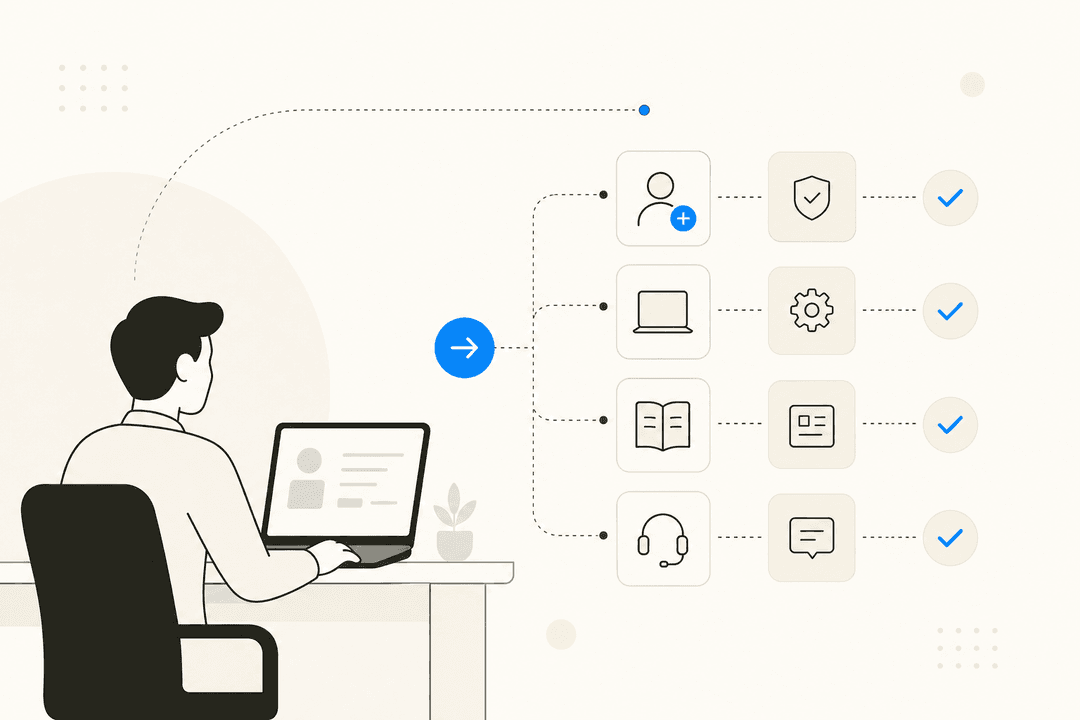
Running a small business feels like you're a professional juggler, right? You're handling marketing, sales, product development, and somewhere in that mix, you're also the entire customer service department. It’s so easy for questions to get lost in a messy inbox, and a single missed email can mean a lost customer. It's a lot.
In 2026, good customer service isn't just about putting out fires; it's a huge part of how you grow and keep the customers you worked so hard to get. The right tool can make all the difference, but who really has time to sort through hundreds of options? That's why I did the legwork for you. This is a no-fluff list of tools that can actually help a small team, based on my own hands-on testing.
What are customer service tools for small businesses?
Put simply, they're apps that wrangle all your customer conversations into one spot. Think of them as a shared inbox on steroids.
Instead of bouncing between emails, social media DMs, and live chat windows, these tools pull everything into a single, organized dashboard. This lets you track every question, complaint, or compliment from the moment it arrives until it's sorted. The whole point is to bring some order to the chaos so nothing falls through the cracks and no customer is left hanging. It’s all about working smarter, not harder.
Why the right customer service tools are a game-changer
Getting a dedicated tool for support isn't just a "nice-to-have", it can totally change how your team works. It’s about more than just staying organized; it’s about getting time back to focus on the bigger picture.
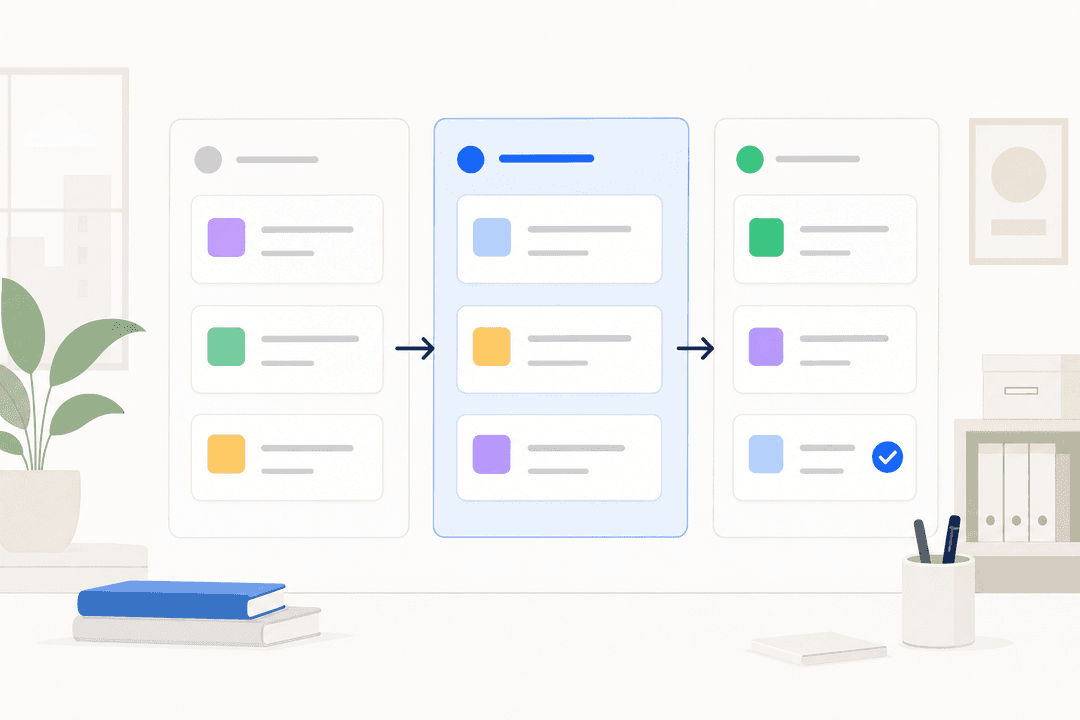
Here are the three biggest reasons they matter so much, which are also summarized in the graphic below:
-
They make your life easier. Imagine no more digging through emails or trying to remember who replied to what on some spreadsheet. These tools handle repetitive stuff, like sending a question to the right person, so your team can focus on actually helping people.
-
Everything is in one place. With a central hub for all customer chats, anyone on your team can jump in and get the full backstory. This means customers don't have to repeat themselves, and you avoid that awkward moment when two people reply to the same email.
-
Your customers will be happier. When support is quick, consistent, and organized, people notice. It builds trust. In fact, customer-focused brands are known to earn 60% higher profits than those that don’t prioritize the experience. It’s a simple equation: better service leads to happier customers, which means a healthier business.
How we chose the top customer service tools for this list
To make this list actually useful, I didn't just stare at feature lists. I focused on what a small business really needs when it doesn't have a dedicated IT department or a huge budget. I was looking for tools that solve problems without creating new ones.
Here's what I was looking for in each platform:
-
Ease of Use: How quickly can you get it set up and actually start using it? A tool that needs a week of training is a no-go for a small team.
-
Scalability: Will this thing grow with you? The last thing you want is to switch platforms right when your business starts to pick up steam.
-
Automation & AI: Does the tool actually reduce manual work? I looked for smart features that help a small team do more with less.
-
Integration: How well does it connect with the other tools you already use? It has to fit into your workflow, not blow it up.
-
Pricing Transparency: Is the cost clear? I leaned toward tools with straightforward pricing that provides real value without hidden fees or confusing add-ons.
A quick look: Comparing the best customer service tools
Here's a quick rundown of the top contenders to help you see how they stack up at a glance.
| Tool | Best For | Starting Price (Annual) | Key Feature | Ease of Setup |
|---|---|---|---|---|
| eesel AI | AI-powering your existing helpdesk | $239/month | Plug-and-play AI teammate | Very Easy |
| Zendesk | All-in-one scalable support | $55/agent/month | Comprehensive ticketing | Moderate |
| Salesforce Service Cloud | Deep CRM integration | $25/user/month | Enterprise-level automation | Difficult |
| Zoho Desk | Teams in the Zoho ecosystem | Free (up to 3 agents) | Context-aware helpdesk | Easy |
| Freshdesk | Simplicity and ease of use | Free (unlimited agents) | Intuitive ticketing | Very Easy |
The 5 best customer service tools for small businesses in 2026
Now for the details. Here’s a breakdown of the top platforms based on my testing and what they can actually do for your business.
1. eesel AI
Description: eesel AI is a powerful addition to the support landscape. It's not another helpdesk you have to switch to. Instead, it’s an AI teammate that plugs into the tools you might already use, like Freshdesk or Zendesk. It connects to all your company knowledge, past tickets, help articles, and internal docs (like Google Docs or Notion), and starts working in minutes. You can set it up as an AI Agent to handle frontline tickets, an AI Copilot to draft replies for your human agents, or an AI Triage agent to automatically tag and route tickets.

Why it's on the list: Its "invite, don't configure" approach is perfect for small businesses without technical folks on staff. You can get it running in a few minutes and see it working on day one by having it draft replies that your team can approve or edit. This slow, safe way of rolling it out is a huge plus. It even has a simulation mode that lets you test it on past tickets, so you see exactly how it will perform before it ever interacts with a real customer.
Pros and Cons: The biggest win is how ridiculously easy it is to set up. Because it learns from your actual business history, its replies sound like your team from the get-go. The pay-per-interaction pricing is also great for small businesses that are tired of paying for per-seat licenses that don't get fully used. The main thing to remember is that it’s an AI layer, not a standalone helpdesk, so you’ll need a system like Freshdesk or even just a shared inbox for it to do its thing.
Pricing:
-
Team Plan: $239/month (billed annually) for up to 1,000 AI interactions.
-
Business Plan: $639/month (billed annually) for up to 3,000 AI interactions, including the AI Agent for helpdesks and training on past tickets.
2. Zendesk
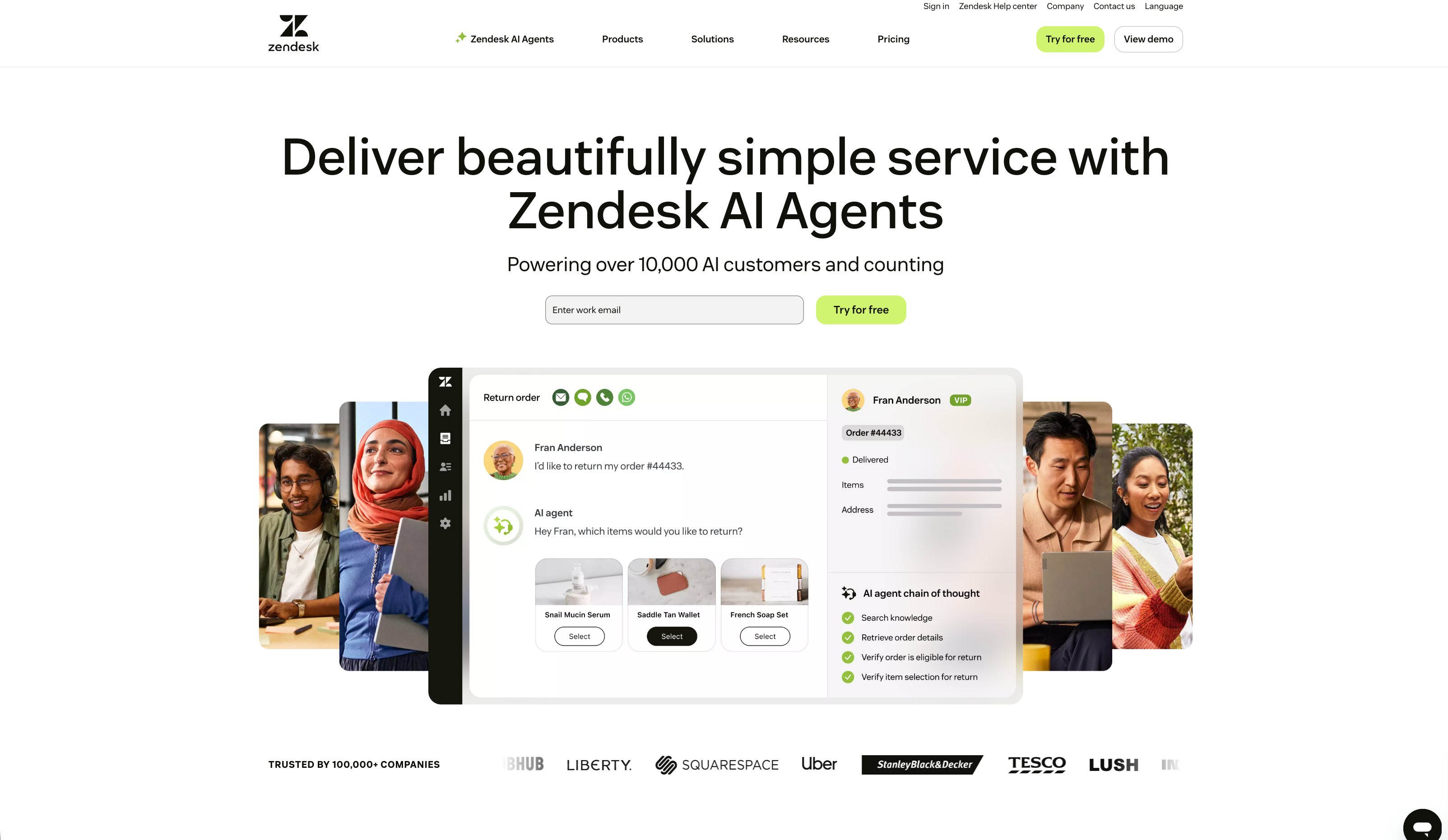
Description: Yeah, you've probably heard of Zendesk. It's the industry leader in customer service, used by over 100,000 companies for a reason. It's a robust, all-in-one platform that gives you everything from ticketing and a help center to live chat and phone support. It’s built to scale seamlessly with you, from a one-person operation to a global enterprise.
Why it's on the list: Zendesk is a solid, powerful choice for any business planning to scale up. Its feature set is remarkably comprehensive, and its massive app marketplace has an integration for pretty much anything you can imagine. It is widely considered the gold standard because it can handle almost any support scenario with ease.
Pros and Cons: Its biggest strengths are its incredible ability to scale and its detailed, enterprise-grade reporting. You can track every metric necessary to optimize your operations. While the platform is sophisticated, this ensures you have a professional-grade foundation from day one. Advanced features, like the Zendesk Copilot AI add-on, are available for teams looking for deep automation and high-value insights, providing a great return on investment as your team grows.
Pricing:
-
Suite Team: $55/agent/month (billed annually).
-
Suite Growth: $89/agent/month (billed annually).
-
Suite Professional: $115/agent/month (billed annually).
3. Salesforce Service Cloud
Description: Salesforce Service Cloud is the customer service wing of the Salesforce empire. It’s an enterprise-level platform built to work perfectly with the Salesforce CRM. It's made for businesses that want one single view of their customers across sales, marketing, and support.
Why it's on the list: If your business already runs on Salesforce, using Service Cloud just makes sense. The integration is incredibly deep, giving your support team a ton of context on every customer. Its automation tools, powered by an AI called Agentforce, are some of the most advanced you can get.
Pros and Cons: That deep CRM connection is its superpower. Your team will know every single interaction a customer has had with your business. However, it's worth noting that this platform can be quite complex for a small business. It has a significant learning curve, you'll likely need a specialist to set it up correctly, and the licensing costs are a significant consideration for smaller teams.
Pricing:
-
Starter Suite: $25/user/month (billed annually).
-
Pro Suite: $100/user/month (billed annually).
-
Enterprise: $175/user/month (billed annually).
4. Zoho Desk
Description: Zoho Desk is a helpdesk that's part of the massive Zoho suite of business apps. It's designed to manage support across different channels and really works best when used with other Zoho products like their CRM.
Why it's on the list: Zoho Desk gives you a whole lot of bang for your buck. It comes with features like workflow automation, a self-service knowledge base, and an AI assistant named Zia, usually at a much lower price than its competitors.
Pros and Cons: Its biggest benefit is how well it works with the rest of the Zoho ecosystem, giving you that complete customer view. The pricing is also really friendly for small businesses, especially its generous free plan. On the other hand, the user interface can feel a bit dated compared to modern alternatives like Freshdesk. Some people also find its integrations outside of the Zoho world can be a bit lacking.
Pricing:
-
Free Plan: Available for up to 3 agents.
-
Standard: $14/user/month (billed annually).
-
Professional: $23/user/month (billed annually).
5. Freshdesk
Description: Freshdesk is a market-leading, cloud-based helpdesk that's all about providing a seamless user experience. The entire platform is designed to be clean and intuitive, making it a favorite for small teams who want to get up and running with a professional system immediately.
Why it's on the list: It strikes a perfect balance between powerful functionality and ease of use. It’s a highly respected option for growing businesses, especially with its generous free plan for unlimited agents and its massive marketplace of integrations.
Pros and Cons: Freshdesk is exceptionally easy to set up, ensuring your team can focus on customers rather than technical configuration. Its automation features, powered by the advanced Freddy AI, are impressively robust. While it prioritizes a streamlined experience to keep things simple for users, it offers tiered plans to match different team sizes and more complex requirements as you grow, ensuring it remains a reliable and mature platform for the long term.
Pricing:
-
Free Plan: Available for unlimited agents with basic features.
-
Growth: $15/agent/month (billed annually).
-
Pro: $49/agent/month (billed annually).
How to choose the right customer service tool
Alright, that was a lot to take in. So how do you actually pick the one that's right for you? It really boils down to what your team needs. Here are a few tips to help you sort it out.
-
Start with your main channel. Where do most of your customer questions show up? If you're buried in emails, a tool with strong ticketing like Freshdesk is a must. If you want to chat with website visitors, a live chat tool is the way to go. Pick a tool that excels at what you do most.
-
Make ease of use a priority. A powerful tool is only useful if your team feels comfortable using it. Use the free trials. Spend an hour playing around in a few different platforms to see which one just feels right. If it's intuitive, like Freshdesk, your team will actually use it.
-
Check your must-have integrations. Make a quick list of the other apps you rely on (like Slack, Shopify, or Jira). Before you buy, make sure the tool you're looking at connects to them without a headache. A platform like Freshdesk or Zendesk is excellent here because their marketplaces are so vast.
-
Compare pricing models closely. Don't just look at the main number on the pricing page. A low per-agent cost can be misleading if you have to pay extra for key features later. Compare that to per-interaction models, which tie your costs directly to the value you're getting. For a growing team, a tool like eesel AI used alongside Freshdesk can be far more predictable and cost-effective.
For a visual walkthrough of how different customer service platforms look and feel, and to hear another perspective on the top contenders, check out this helpful video guide. It breaks down some of the best tools available and can help you visualize which one might be the right fit for your team's workflow.
Your best new hire is an AI teammate
Choosing the right customer service tool is all about finding the perfect match for your team’s size, workflow, and budget. While traditional helpdesks like Freshdesk are great for keeping things organized, modern AI tools can actually start doing the work for you.
That’s what makes a tool like eesel AI different. It’s not just another piece of software to manage; it's an intelligent teammate that enhances your existing setup. It works within the Freshdesk ecosystem, learns from your own business data, and starts helping your team from day one.
Stop just managing tickets. Start resolving them automatically. Invite your AI teammate today.

Frequently asked questions
At a minimum, look for a shared inbox to centralize conversations, simple automation to handle repetitive tasks, and ideally, an easy way to build a knowledge base. These core features help any small team get organized and efficient.
Yes, absolutely. Tools like Zoho Desk and Freshdesk offer generous free plans that are perfect for getting started. They typically have limitations on advanced features or the number of agents, but they are great for new businesses.
The tipping point is usually when you start losing track of conversations in your email inbox or on spreadsheets. If customers complain about slow replies or things are falling through the cracks, it’s time for a proper tool.
AI acts like a teammate. It can automatically answer common questions 24/7, draft accurate replies for your human agents to review, and sort incoming tickets so your team can focus on the most important issues first.
The biggest mistake is picking a tool that's too complex or expensive for your current stage. Don't pay for enterprise-level features you won't use; it's better to start with a simple, intuitive tool that your team will actually enjoy using.
Not at all. Most modern platforms, especially those reviewed here, are designed for non-technical users. You can often get them set up and connected to your email or social media in just a few minutes without writing any code.
Share this article

Article by
Kenneth Pangan
Writer and marketer for over ten years, Kenneth Pangan splits his time between history, politics, and art with plenty of interruptions from his dogs demanding attention.