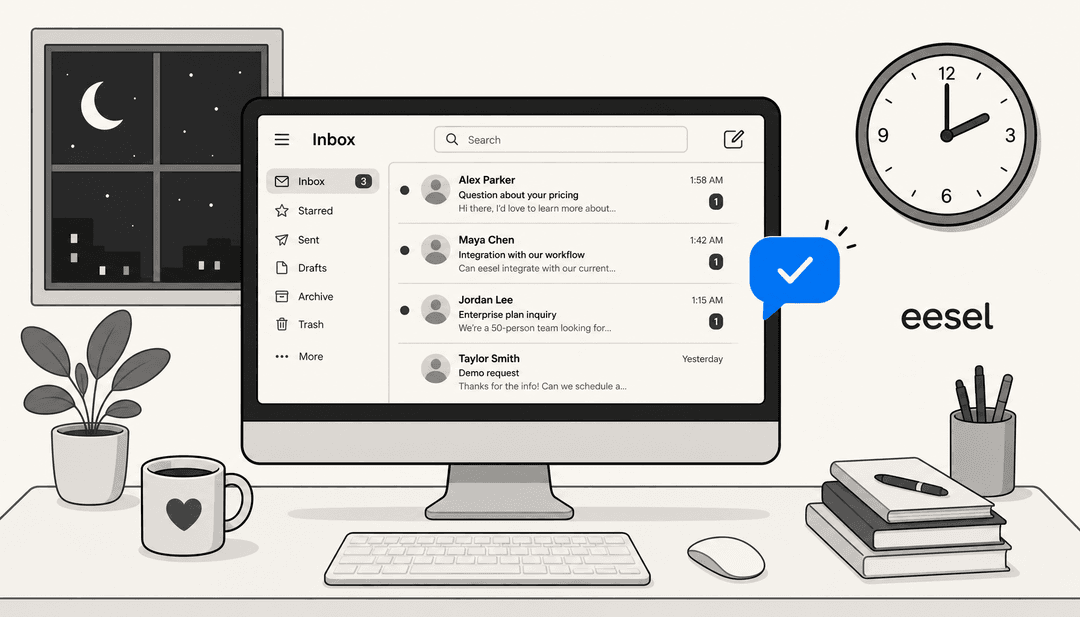
It feels like you’re constantly playing catch-up, doesn't it? Customer questions pop up from email, live chat, social media, and you’re pretty sure a carrier pigeon is next. Just managing the queue is a full-time job, never mind delivering the kind of memorable service that people actually talk about.
I get it. That’s why I spent weeks digging into the top customer support tools on the market. My goal was to get past the flashy websites and find out what really works for teams today. We’re all moving away from those clunky, one-size-fits-all help desks that lock you into their world. The future is about smarter, more flexible tools that actually work with your team, not against you.
This guide breaks down the 6 best tools I found. We’ll look at their features, how smart their AI is, and what they cost, so you can find the right fit for your team.
What is a customer support tool?
Let’s get one thing straight: a modern customer support tool is way more than just a place to log tickets. It’s basically a command center that helps you manage and automate support from every single channel.
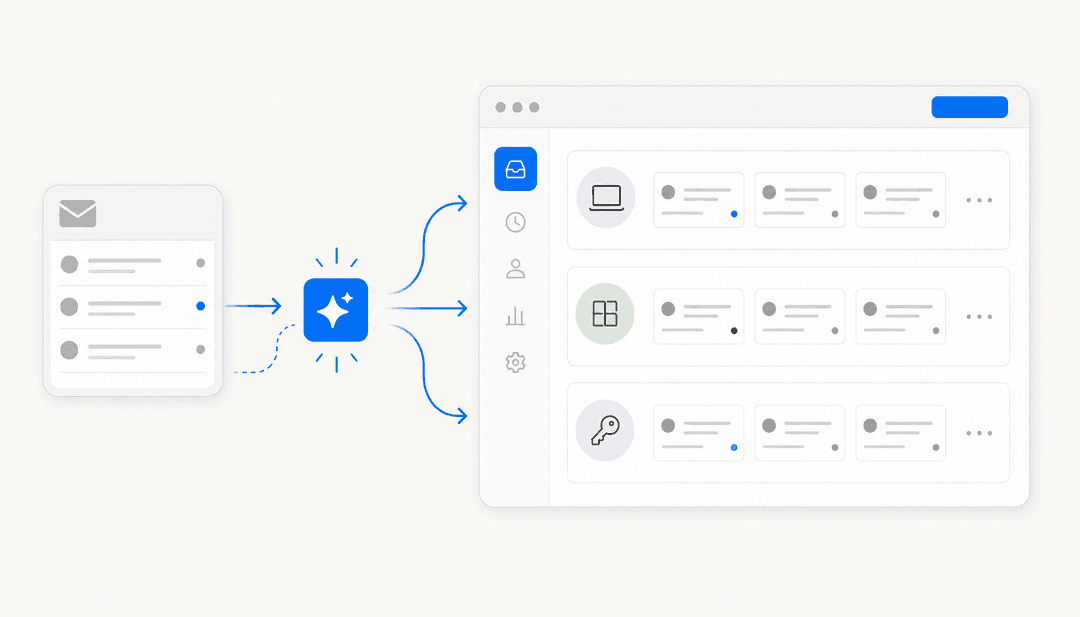
Instead of juggling your email, a live chat app, and your company's Facebook page, a good tool pulls all those conversations into one place. This is what people are talking about when they say "omnichannel support," and the diagram below shows how it works. It lets your team track and solve every customer issue without having to switch between five different tabs.
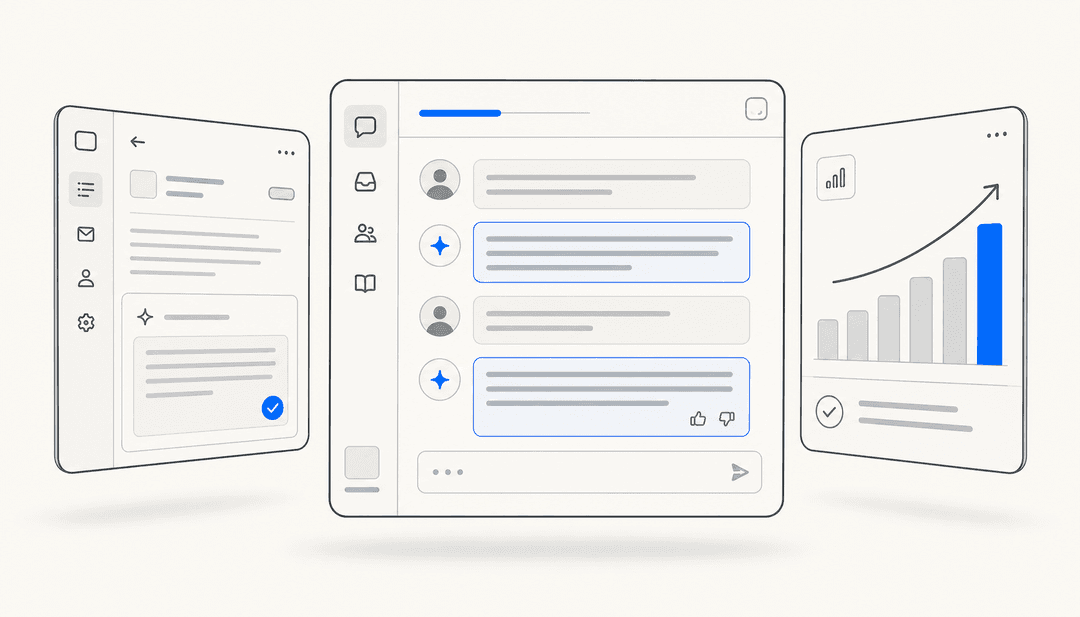
But the best tools today do even more. They’re built with automation to take care of repetitive tasks, AI to help your team respond faster, and collaboration features so everyone knows what’s going on. It’s all about making support less of a chaotic scramble.
Why a modern customer support tool is more than just a help desk
Customer expectations have gone through the roof. It’s not enough to just close a ticket anymore. A survey from Hiver showed that 72% of customers will jump ship after just one bad support experience. People expect fast, personal, and helpful answers, day or night.
Trying to keep up using a basic ticketing system is a losing battle. Your team gets swamped with the same questions over and over, response times creep up, and agent burnout becomes a real issue. This is exactly where AI and automation help. They aren't just fancy add-ons anymore; they're necessary for handling common questions, getting tickets to the right person, and giving your agents some breathing room.
The other big piece of the puzzle is how well a tool fits with your other software. Your team probably already has tools they like, whether it's Slack, Freshdesk, or Confluence. The last thing anyone wants is a new tool that forces you to ditch everything you're used to. A modern customer support tool should feel like an upgrade to what you already have, not a massive project.
Our criteria for picking the best customer support tool
To keep things fair, I measured each platform against the same set of criteria. Here’s the checklist I used:
-
Real AI and automation: How smart is the tool, really? I looked at whether it could automate simple tasks, draft replies for agents, and solve common problems without human help.
-
Integration and flexibility: Does it work well with other apps? I focused on tools that connect with your existing tech, giving you the freedom to keep the help desk and communication apps you already use. I was skeptical of platforms that try to lock you into their ecosystem.
-
Omnichannel support: Can it actually handle all your channels? A top tool needs to bring email, chat, social media, and more into a single workspace.
-
Ease of use: How quickly can your team start using it? The best platforms are intuitive and don’t require weeks of training just to figure out how to send a reply.
-
Value for money: Is the price fair and easy to understand? I looked for tools with clear pricing that matched their features and avoided ones with hidden fees or confusing per-resolution costs.
A quick comparison of each top customer support tool for 2026
Here's a brief look at how the top tools stack up against each other.
| Tool | Best For | Starting Price | Key Feature |
|---|---|---|---|
| eesel AI | Teams that want to automate support without replacing their help desk | $239/month (annual plan) | Plugs into existing tools (Freshdesk and more) |
| Zendesk | Large enterprises needing deep customization | $55/agent/month (Suite Team, annual) | Comprehensive, all-in-one platform |
| Freshdesk | Teams focused on reliable, efficient ticketing | $15/user/month (Growth, annual) | Strong omnichannel ticketing |
| Help Scout | Teams that value simplicity and collaboration | $22/user/month (Standard, annual) | Clean shared inbox experience |
| Hiver | Teams living inside Gmail | $25/user/month (Growth, annual) | Deep integration with Google Workspace |
| Gorgias | E-commerce businesses on Shopify | $50/month (Basic plan, 300 tickets) | Deep Shopify integration |
The best customer support tool: Our top 6 list for 2026
Here’s a closer look at the platforms that made the cut and what makes each of them stand out.
1. eesel AI
Why we included it: eesel AI takes a different approach. It’s not another help desk that you have to move your whole team over to. Instead, it’s a smart AI layer that connects to the tools you already use. It’s designed for teams who want serious automation without the pain of a full platform migration.
Core functionality: It hooks directly into your help desk (like Freshdesk or Zendesk), your chat tools (like Slack), and all your knowledge sources (Confluence, Google Docs, past tickets). It can then automate frontline support, draft replies for your agents, and sort incoming tickets.

Key differentiators:
-
No migration necessary: You keep your current setup and can get the AI running in minutes, not months.
-
Risk-free simulation: You can test the AI on your past tickets to see exactly how it would have performed before you turn it on for live customers. It’s a great way to build confidence.
-
Connects to your real knowledge: Unlike a lot of built-in help desk AIs, eesel AI learns from knowledge sources outside of the support tool itself, like Confluence and Google Docs. This leads to more accurate answers.
-
Straightforward pricing: You pay a predictable monthly fee for a certain number of AI interactions. This helps you avoid the unpredictable per-resolution costs that some other platforms use.
Pros & Cons:
-
Pros: You can get it running yourself in minutes, it works with your existing tools, the pricing is clear, and you have a lot of control over the automation.
-
Cons: It’s an AI layer rather than a full help desk, so you’ll use it alongside a platform like Freshdesk.
Pricing: The Team plan starts at $239/month (billed annually) for up to 1,000 AI interactions. A 7-day free trial is also available.
2. Zendesk

Why we included it: When it comes to big companies with complex needs, Zendesk is a well-known go-to. It’s a powerful, all-in-one platform that you can customize to handle just about any support workflow you can think of.
Core functionality: It offers top-notch ticketing, deep reporting, and true omnichannel support that covers everything from email and social media to live phone calls. Its own AI features, like AI agents and a Copilot, are built to automate simple issues and help out human agents.
Capabilities: Zendesk provides extensive functionality that allows for deep customization. Setting up its more advanced features, like routing tickets based on agent skills, is a worthwhile investment for teams looking to optimize their workflow. For those who want to enhance this further, an easy-to-add AI layer like eesel AI can be a great way to layer in additional automation.
Pros & Cons:
-
Pros: Extremely powerful and customizable, has a huge marketplace with over 1,000 integrations, and offers some of the best analytics you can get.
-
Cons: Its premium pricing reflects its enterprise-grade status, and its wide range of features may require some dedicated time to fully master.
Pricing: The Suite Team plan starts at $55/agent/month (billed annually). For more advanced features, the Suite Professional plan is $115/agent/month.
3. Freshdesk
Why we included it: Freshdesk finds a nice balance between power and ease of use. It is a mature, reliable platform that powers customer service for thousands of companies, offering a great ticketing system for teams looking for an efficient way to handle email or omnichannel support.
Core functionality: Its main strength is ticket management, with smart rules for assigning tickets and a clean, unified inbox. Its AI assistant, Freddy, powers AI agents that can handle resolutions and a copilot that helps agents write summaries and replies.
Capabilities: Freshdesk's Freddy AI is highly focused, primarily utilizing the information within your Freshdesk environment to maintain high accuracy and relevance. For teams with external documentation, Freshdesk offers helpful marketplace apps to sync content from Confluence, ensuring your knowledge is leveraged effectively. Freshdesk offers these AI features as flexible add-ons, giving teams the freedom to choose exactly which advanced capabilities they need as they scale.
Pros & Cons:
-
Pros: A very user-friendly interface, strong core ticketing features, and a generous free plan to get you started.
-
Cons: Some advanced AI features are available as tiered add-ons, and its reporting is designed for streamlined efficiency.
Pricing: A free program is available for up to two agents for six months. Paid plans start at $15/user/month for the Growth plan (billed annually).
4. Help Scout
Why we included it: For teams that just want a clean, simple shared inbox, Help Scout is a great option. It feels like a familiar email client but has powerful features for team collaboration built in.
Core functionality: Its best feature is the intuitive shared inbox, which has collision detection to prevent two agents from replying to the same email. It also allows for internal notes so your team can easily collaborate behind the scenes.
Limitations: Help Scout is simple on purpose, which means it lacks the heavy-duty automation and fully independent AI that other platforms have. Its AI Answers chatbot is an add-on that charges $0.75 per resolution, which can lead to some surprisingly high monthly bills for some teams.
Pros & Cons:
-
Pros: Incredibly easy to use, great for team collaboration on emails, and has a clean, simple interface.
-
Cons: Limited automation features, its AI is more of an assistant than an independent agent, and the AI chatbot is a paid add-on with per-resolution pricing.
Pricing: The Standard plan starts at $22/user/month (billed annually). A free plan for up to 5 users is also available.
5. Hiver
Why we included it: Hiver has a really smart idea: instead of making you learn a whole new tool, it turns your Gmail inbox into a proper help desk. It's the perfect customer support tool for any team that practically lives in Google Workspace.
Core functionality: Hiver works directly inside the Gmail interface. You can manage shared inboxes (like support@yourcompany.com), assign emails to teammates, track performance, and chat with internal notes, all without ever leaving Gmail.
Limitations: Its greatest strength is also its main limitation. Because it's completely tied to Gmail, it's not an option for teams using Outlook or those who want a separate platform. Also, some of the more useful integrations, like Zapier, are only available on the pricier plans.
Pros & Cons:
-
Pros: Works perfectly with Gmail, has almost no learning curve for Google users, and includes chat, analytics, and an AI add-on.
-
Cons: Only works with Gmail, can make your inbox feel a bit crowded, and saves some key integrations for higher-priced plans.
Pricing: The Growth plan starts at $25/user/month (billed annually). A free plan is available to get started.
6. Gorgias

Why we included it: Gorgias is a powerhouse built specifically for e-commerce companies. It features deep integrations with platforms like Shopify, BigCommerce, and Magento that set the standard for retail support.
Core functionality: The real magic of Gorgias is its ability to pull customer data right into the support conversation. Your agents can see order details, issue refunds, and manage subscriptions without ever leaving the help desk. It pulls in conversations from email, social media, SMS, and chat, making it a true command center for e-commerce support.
Limitations: Gorgias is highly specialized for e-commerce, so its features are exceptionally tailored for retail workflows. Its tiered pricing options are based on the number of tickets you handle, which provides a scalable model to match different team sizes and support volumes.
Pros & Cons:
-
Pros: Unbeatable e-commerce integrations, helps support teams drive sales, and has powerful automation for retail-specific questions.
-
Cons: Specifically designed for e-commerce workflows; pricing tiers are volume-based to scale with your business.
Pricing: The Basic plan starts at $50/month for 300 tickets. A smaller Starter plan is also available for $10/month for 50 tickets.
How to choose the right customer support tool for your team
Feeling a bit stuck? No worries. Here are a few questions to ask yourself to figure out the right fit.
1. Look at what you're using now: Are you generally happy with your help desk but just overwhelmed with repetitive tickets? If so, an AI layer like eesel AI makes a lot more sense than ripping out your whole system. But if your current tool is the main source of your headaches, it might be time for a change.
2. Think about your main channel and business type: Do most of your conversations happen over email (Help Scout, Hiver), live chat, or are you a Shopify store (Gorgias)? Your day-to-day workflow will usually point you toward the right platform.
3. Consider your team size and budget: A free plan from Hiver or Help Scout can be a great place for a small team to start. As you grow, look for tools that offer transparent pricing models to help you scale effectively.
Pro Tip: Think about where your team's knowledge actually is. It's not just in your official help center. It’s scattered across thousands of old tickets, buried in Slack channels, and tucked away in Google Docs and Confluence pages. You want a tool that can learn from all of it. This is a huge benefit of a flexible AI layer like eesel AI, which can connect all those different sources into a single brain for your support team.
Your customer support tool should work for you, not the other way around
At the end of the day, the best customer support tool is the one that fits your team’s workflow, budget, and the software you already use. The trend is clear: teams are moving away from rigid, all-in-one platforms that require expensive migrations and are instead choosing flexible, AI-powered solutions that make their current tools smarter.
The goal isn't just to add another piece of software to your list. It's to make your team's day-to-day work easier so they can give faster, more personal, and more helpful service to your customers.
Ready to see how AI can automate your frontline support without making you switch help desks? Start your free 7-day trial of eesel AI. You can be up and running in minutes, not months.

Frequently asked questions
A modern customer support tool acts as a command center, centralizing all customer interactions from various channels like email, chat, and social media. Unlike older help desks, it heavily leverages AI and automation to manage repetitive tasks, provide faster responses, and integrate with existing software.
Customer expectations for fast, personal, and helpful service are higher than ever, with 72% willing to leave after one bad experience. A modern tool with AI and automation prevents agent burnout, improves response times, and ensures consistent quality across all channels.
Yes, the best customer support tools are designed for flexibility and integration. Platforms like eesel AI, for instance, connect directly to your existing help desk, chat tools, and knowledge sources like Confluence or Google Docs without requiring a full migration.
AI in a customer support tool can automate frontline support by answering common questions, draft replies for agents, and intelligently sort incoming tickets. This frees up human agents to focus on more complex issues, significantly boosting overall team efficiency.
You should assess your current tools, primary support channels (email, chat, e-commerce), and team size/budget. Look for a tool that offers real AI and automation, strong integration, omnichannel capabilities, ease of use, and transparent pricing.
Not always. While some tools require a full migration, innovative solutions like eesel AI function as an AI layer that plugs into your existing help desk. This allows you to gain advanced automation benefits without the pain and time of a complete platform switch.
Share this article

Article by
Kenneth Pangan
Writer and marketer for over ten years, Kenneth Pangan splits his time between history, politics, and art with plenty of interruptions from his dogs demanding attention.