A complete guide to the Chatbase Zendesk integration

Stevia Putri
Last edited January 26, 2026
Modern support teams have a tough job. Ticket volumes are always climbing, and customers expect helpful answers right away, any time of day. It can feel like you're constantly trying to do more with less. A common solution is to bring AI into the mix, connecting an AI agent to a solid help desk like Zendesk to handle the frontline.
The Chatbase Zendesk integration is a popular choice for teams getting started with automation. It connects a smart chatbot to your support hub to deflect common questions and create tickets.
But how does it actually work? What can it do, and what are its limits? This guide will give you a complete, no-fluff look at the integration, covering its capabilities, the setup, and how it compares to a more modern "AI teammate" approach.
What is the Chatbase Zendesk integration?
At its core, the integration connects two platforms: Chatbase, for building AI agents, and Zendesk, for managing customer conversations. The idea is to create a workflow where AI handles the simple stuff, freeing up your human agents for the trickier issues.
What is Chatbase in the Chatbase Zendesk integration?
Chatbase is a platform that lets you build and deploy your own AI agents. It's used by over 10,000 businesses to create bots trained on their own data, like documents, websites, and help center articles. You can then configure these agents to answer customer questions and even take specific actions in other software.
Chatbase is well-known, and you can use it for your e-commerce business. It offers wide customization options, and you can train your agent using your website, Q&A, or text snippets. You can even integrate your own Notion workspace.

What is Zendesk in the Chatbase Zendesk integration?

If you're in customer support, you've probably run into Zendesk. It’s a large customer service solution used by over 100,000 companies. It pulls all your customer conversations, from email, chat, social media, and more, into one ticketing system, making it easier for teams to track, manage, and solve problems.
How does the Chatbase Zendesk integration work?
The connection between Chatbase and Zendesk works in two main ways:
- Configured Actions: You can set up your Chatbase agent to perform specific tasks based on what a customer says. A common one is creating a new support ticket in Zendesk when the agent runs into a problem it can't solve on its own.
- Live Chat Handoff: For a smoother escalation, the integration can use Zendesk's Sunshine Conversations platform. This lets the Chatbase agent hand off the entire conversation to a live human agent in the Zendesk workspace, so the customer doesn't have to repeat everything.
An infographic showing how the Chatbase Zendesk integration works by either resolving an issue, creating a ticket, or handing off to a live agent.
Core capabilities of the Chatbase Zendesk workflow
Think of this integration as a way to build a tiered support system. The Chatbase AI is your first line of defense, handling what it can and passing the rest to your human experts. Here’s what that looks like day-to-day.
Automated ticket creation with Chatbase Zendesk
The main function here is turning conversations into tickets. Inside Chatbase, you can configure your agent to take actions based on certain triggers. For instance, if a customer mentions "billing error" or "broken item," you can set up a rule that automatically creates a ticket in Zendesk with all the relevant details.
This process involves manually defining the triggers and actions for the agent to follow. Your team thinks through possible scenarios and sets up the corresponding rules.
The benefit is that important issues get logged and sent to the right place in Zendesk without an agent having to copy and paste information. It keeps the queue organized and helps make sure nothing gets missed.
Smart escalation to live agents with Chatbase Zendesk
The live chat handoff feature allows for escalation when an issue requires human intervention. This feature, available on Zendesk Suite Professional plans and higher, lets the Chatbase agent seamlessly transfer a customer to a live agent.
When an escalation happens, the human agent gets the full context of the conversation. This avoids the customer frustration of having to explain their issue all over again. It makes for a much smoother experience when dealing with complex or sensitive problems.
Expanding possibilities with Zapier
For more customized workflows, you can bring in a tool like Zapier to create more custom workflows. Zapier acts as a bridge between thousands of apps, giving you more control over how Chatbase and Zendesk interact.
For example, you could set up a Zap to:
- Automatically create Zendesk tickets whenever a customer fills out a specific form in your Chatbase bot.
- Use Chatbase to analyze an incoming ticket and then add AI-generated context or internal notes to the ticket in Zendesk before an agent even sees it.
Zapier adds a powerful layer of customization for teams with specific automation needs that go beyond simple ticket creation.
The Chatbase Zendesk setup process
Connecting the accounts is the easy part. The real work is in defining the logic and rules that the AI will follow. This is where the characteristics of a configured approach become clear.
Connecting the accounts
Technically, the setup is straightforward. You go to the integrations tab in Chatbase, find Zendesk, and authorize the connection. It's a standard process you've probably done with other apps.
Understanding the manual configuration process
Once connected, the core of the setup involves manually feeding the agent data sources (like PDFs and website links) and then configuring every single action it can take. You anticipate keywords, map out workflows, and build every rule from the ground up.
This is a rule-based system. The AI is instructed on what to do; it doesn't learn how to solve issues from your business context. This requires ongoing maintenance to keep it working well as new issues arise or customers phrase questions in unexpected ways.
This approach is different from a system where an AI is onboarded like a new teammate. Instead of being manually configured with rules, an onboarded AI could connect directly to your Zendesk and learn from thousands of your past tickets, macros, and help center articles to understand your business, your tone, and your resolution paths from day one.
Comparing different AI integration models
While the integration can be a starting point for automation, it's built on a "tool-based" model that's different from a modern, "teammate-based" AI. The difference changes how you set up, manage, and scale your AI support.
Configurable tools vs. onboarded teammates
The Chatbase approach involves manually uploading documents, defining rules, and building out conversation paths. It’s a project that requires upfront work and ongoing maintenance.
An alternative approach, used by platforms like eesel AI, is to "hire" the AI. You connect eesel to your Zendesk account, and it immediately starts learning from your entire support history. It reads your past tickets, your macros, and your help center to understand your business context, common problems, and brand voice.
The RAG part is table stakes now, the real work is in making the AI take actions and fit into a company's messy, existing workflows.
Rule-based vs. self-learning models
A Chatbase agent operates based on the specific actions you've programmed it to do. If a customer's problem doesn't fit into one of your pre-defined workflows, it escalates.

Pre-launch testing capabilities
With a configured system like Chatbase, the documentation does not mention a way to test your agent's performance on past support conversations before you set it live with customers. You build your rules and typically discover areas for improvement through live interactions.
A simulation feature, offered by platforms like eesel AI, is a key advantage here. Before the AI ever interacts with a single customer, you can run it on thousands of your historical Zendesk tickets. You get a precise benchmark of its resolution rate and accuracy, letting you fine-tune its behavior and gain full confidence before going live.
Continuous learning and improvement
For a configured agent, updates to the AI are made in the Chatbase dashboard, while support work and team expertise live inside Zendesk. The AI's knowledge base is updated manually.
Because eesel AI operates like a teammate inside your help desk, it has a built-in learning loop. It improves continuously from every agent correction, every internal note, and every newly resolved ticket. It's constantly learning from your best agents, ensuring it gets better and more accurate over time without manual retraining.
| Feature | Chatbase + Zendesk | eesel AI |
|---|---|---|
| Setup Model | Manual configuration of data sources and actions. | Onboards by learning from historical help desk data. |
| Core Function | Answers questions and performs pre-configured actions. | Resolves tickets autonomously by learning from past resolutions. |
| Actions | Takes actions in external systems, requires manual setup. | Takes actions in external systems as part of learned, autonomous workflows. |
| Pre-Launch Testing | Testing is typically done through live interactions after setup. | Run simulations on past tickets to measure quality before launch. |
| Learning Method | Manual updates in a separate dashboard. | Learns continuously from agent actions inside the help desk. |
Exploring an alternative AI teammate approach
A manually configured integration like Chatbase and Zendesk can be an effective first step, but it often comes with a maintenance burden. A rule-based approach may require frequent updates to keep up with the dynamic nature of customer support.
eesel AI offers a fundamentally different path. It’s designed for teams that need scalable, intelligent automation that learns the specifics of their business.
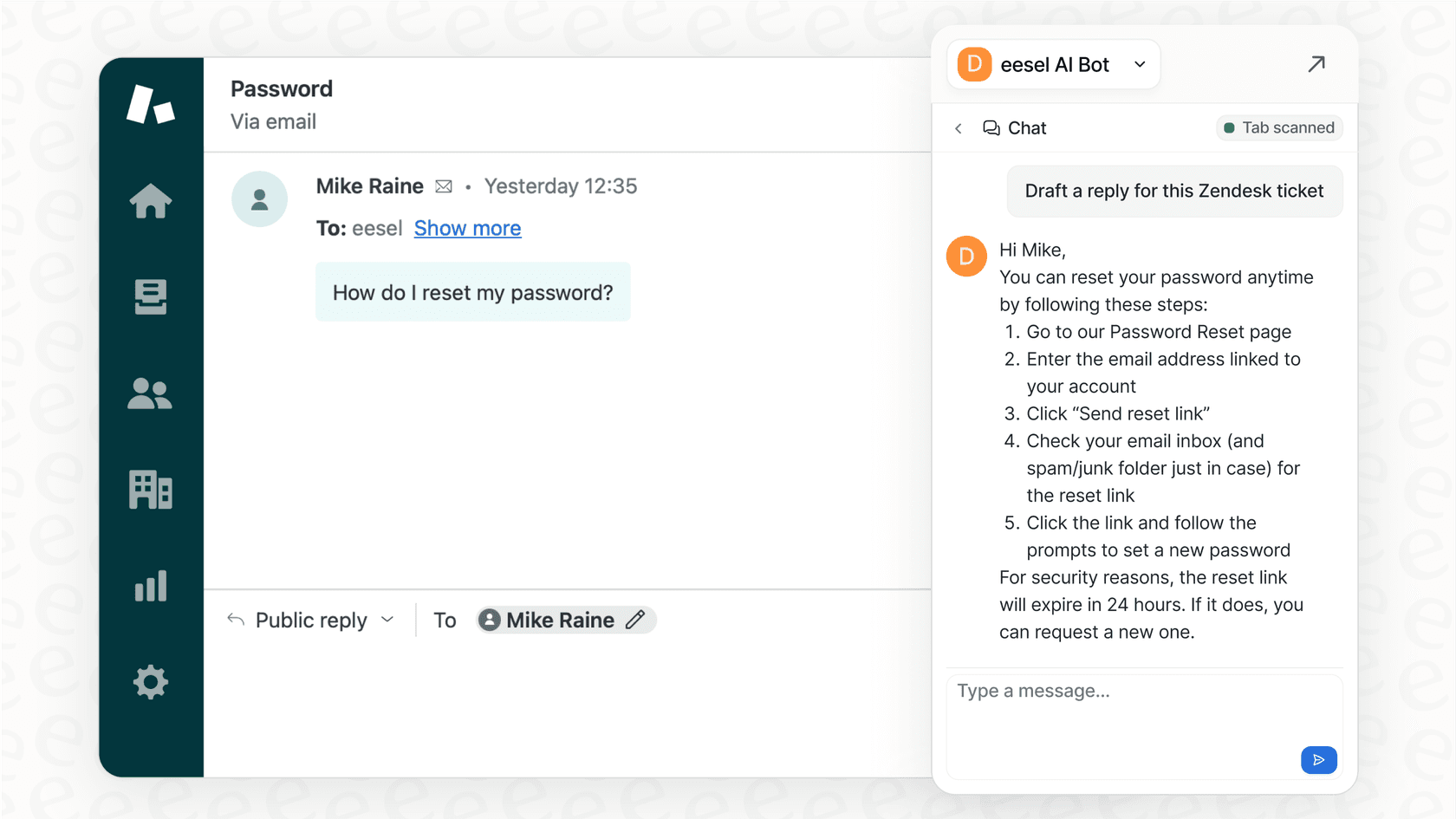
If you're ready to explore an AI teammate for your team, we're here to help.
Try eesel free or see it in action with a demo.
To see the Chatbase Zendesk integration in action, check out this official walkthrough from the Chatbase team. It provides a visual guide on how to automate ticket creation and manage live chat handoffs.


Frequently Asked Questions
Share this article

Article by
Stevia Putri
Stevia Putri is a marketing generalist at eesel AI, where she helps turn powerful AI tools into stories that resonate. She’s driven by curiosity, clarity, and the human side of technology.



