AI for Outage Communication: How IT Teams Tame the Chaos When Systems Go Down

eesel writer team
Written by

eesel writer team

Katelin Teen
Reviewed by

Katelin Teen

Last edited May 7, 2026

Expert Verified
AI outage communication flow diagram showing incident detection, auto-replies, stakeholder updates, and PIR drafting in a Slack-style interface

When Systems Go Down, the Real Problem Is Communication

Your monitoring tool fires at 2:14 AM. A database replica falls over. By 2:16, the on-call engineer is paged. By 2:18, your helpdesk is getting the first "is the system down?" tickets. By 2:25, your CEO gets a Slack message from a frustrated VP. By 2:30, you have 47 tickets, 3 Slack threads, 2 escalation chains, and nobody has updated the status page.

This is the outage communication problem, and it's separate from the technical problem. Engineers know how to fix systems. The question is whether anyone can manage the information storm that erupts the moment something breaks.

The math on this is unambiguous. According to a Gartner study cited by Atlassian, the average cost of IT downtime is $5,600 per minute. A Ponemon Institute report pushed that to nearly $9,000 per minute for enterprise data center outages. For Fortune 1,000 companies, an IDC survey found that figure can reach $1 million per hour. And the largest single cost category isn't lost revenue — it's business disruption, which includes reputational damage and customer churn.

The technical fix might take 45 minutes. But poor communication during those 45 minutes can cost as much as the outage itself.

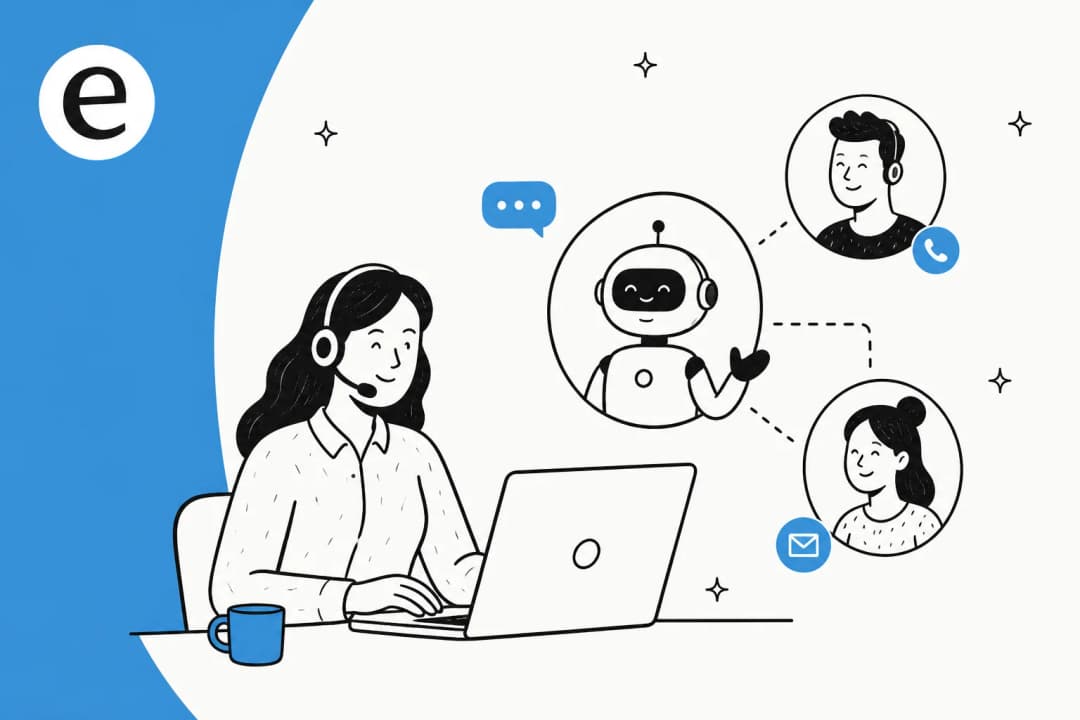
AI for outage communication addresses a different problem than AI for incident resolution. It doesn't fix your database. It handles the flood of "is it down?" tickets automatically, drafts the stakeholder updates your incident commander can't type while coordinating a war room, and produces the post-incident report (PIR) that typically takes an engineer four hours to write from Slack logs.

This guide walks through what AI can do at each stage of an incident — detection, triage, communication, resolution, and PIR — and which platforms are built to handle it.


The Five Phases Where AI Changes Incident Outcomes

AI outage communication flow: ticket spike detection through auto-replies, stakeholder notification, and PIR drafting

Phase 1: Detection — AI finds the pattern before humans do

Most outages don't start with a single catastrophic alert. They start with a trickle. Three tickets about slow loading times. Two more about login failures. A fourth about "the app being weird." In a normal service desk queue, each of those tickets gets triaged individually, treated as separate issues.

AI changes this by clustering incoming tickets in real time. When multiple tickets share similar keywords, affected systems, or error patterns within a compressed time window, AI flags the cluster as a potential incident — often before any single ticket reaches a human analyst. Freshservice's Freddy AI includes this kind of anomaly detection as part of its incident management lifecycle, correlating signals from monitoring tools, tickets, and alert streams to surface weak signals early.

This shift from reactive to proactive detection is what incident management researchers call reducing Mean Time to Detect (MTTD) — the gap between when a problem starts and when someone knows about it. Every minute you shave off MTTD is a minute less of unacknowledged impact.

ServiceNow's Predictive Intelligence takes a similar approach, pulling from "knowledge articles, historical incidents and cases, CIs from the CMDB, and information from other systems" to identify patterns before they become P1s. The ServiceNow AI Agents for ITSM, available in the ITSM Prime tier, include an L1 Service Desk AI Specialist that "autonomously diagnoses and resolves common IT support requests end-to-end... using enterprise knowledge bases, historical incident data, and proactive remediation workflows."

For teams that work primarily in Slack, eesel can watch specific channels for patterns — watching #it-help for a spike in similar requests and surfacing a potential incident alert without requiring a separate monitoring tool.

Phase 2: Triage and first response — deflecting the ticket flood

Once an outage is confirmed, two things happen simultaneously: the engineering team starts working to fix it, and the helpdesk gets buried. Ticket volume spikes. Every user who can't log in, load the app, or process a transaction opens a ticket. The majority of those tickets are asking the same question: is this a known issue, and when will it be fixed?

Answering each ticket manually during an active incident is both impossible and counterproductive — it pulls support staff away from incident coordination. This is where AI-powered ticket deflection does its most visible work.

With an AI agent connected to your helpdesk and your incident channel, the workflow becomes: incident is declared → AI is notified of the known issue → AI automatically responds to every new "is it down?" ticket with the current status, the affected services, the estimated resolution time, and a link to the status page. Duplicates get merged or auto-resolved. The support queue stops growing.

eesel's AI agent handles this end-to-end via Slack. When connected to a helpdesk like Zendesk or Freshdesk, it can detect ticket patterns, draft and send auto-replies with the current incident status, and keep that status updated as the incident progresses — all from within Slack, without switching tools. The eesel.ai/blog/freshdesk-ticket-deflection guide covers how to configure this for IT teams specifically.

Freshservice's Freddy AI Copilot helps agents on the other side of this: rather than manually drafting each acknowledgment, it generates personalized response drafts that agents can review and send with one click, reducing the cognitive load during an already stressful incident.

Phase 3: Stakeholder updates — different audiences, different messages

The hardest communication problem during an outage isn't the ticket flood. It's that three completely different audiences need completely different information at the same time:

  • The IT team wants technical specifics: affected services, error codes, what's been tried, who owns each workstream.
  • Executives want business impact: which customers are affected, what the revenue exposure is, when it will be resolved, and whether regulators or major accounts need to be notified.
  • End users want simple status: yes it's broken, we know, here's the ETA.

Drafting three separate communications while coordinating a war room is not a realistic expectation for any incident commander. AI handles the drafting — and the tailoring.

With an AI agent connected to your incident channel, you can maintain a single source of truth (the #incidents Slack thread) and have the AI produce audience-appropriate summaries on demand. The IT update stays in the war room. The executive summary gets posted to #leadership-alerts. The end-user message goes to the status page and to auto-reply templates.

eesel's proactive communication capability includes scheduled and triggered messages to specific channels, which means you can configure it to post a structured status update to #leadership-alerts every 30 minutes during a P1, without anyone having to remember to do it manually. The content pulls from whatever context is available in the connected knowledge sources and channels.

ServiceNow's Now Assist for ITSM includes content creation and summarization capabilities that can generate updates at different levels of technical detail. These are available across Foundation, Advanced, and Prime tiers, though the depth of AI capability increases at higher tiers.

ServiceNow ITSM AI agents for IT operations

Phase 4: War room coordination — surfacing the right context at the right time

Once the war room is active, the most common productivity loss is engineers spending time catching up instead of working. An engineer who joins the incident call 20 minutes in needs to understand: what's affected, what's been tried, what the current hypothesis is. Reading back through 200 Slack messages takes 10-15 minutes. Every escalation adds another round of "can someone bring me up to speed."

AI compresses this to seconds.

Freshservice's Freddy AI Copilot handles ticket summarization as a core feature — "instantly transforms long ticket threads into clear, actionable summaries to reduce context-switching and reading time." In the context of a major incident, this means any engineer, manager, or stakeholder who enters the conversation can get a structured briefing in one click: what happened, what's been done, what's being tried now.

Beyond summaries, AI can surface related past incidents. If you had a similar database replica failure 8 months ago, AI can pull that incident record, the root cause that was identified at the time, and the resolution steps that worked — giving the engineering team a head start rather than starting from scratch.

eesel's IT help desk integration specifically supports this pattern: when connected to ServiceNow, Jira Service Management, or Freshservice via Slack, eesel can query past incident records, surface relevant KB articles, and answer questions like "have we seen this VPN authentication failure before?" directly in the war room thread.

Phase 5: Post-incident report — from four hours to twenty minutes

Once the incident is resolved, the team needs to capture what happened. The post-incident review (PIR) — also called a postmortem — is arguably the most valuable artifact an incident produces, but it's also the one most often skipped or done poorly because of how long it takes.

A well-formed PIR includes the full incident timeline, affected services, root cause analysis, customer impact, what was tried and what worked, and action items for prevention. Assembling this manually means reading through Slack threads, ticket histories, monitoring dashboards, and on-call handoff notes. A Reddit thread in r/sre captured the experience bluntly: "We had a P1 Saturday night, resolved it in about 45 minutes which felt good. Then Monday morning my manager asks for the postmortem. Spent 4 hours writing it from Slack logs."

Freshservice's 5-stage incident lifecycle explicitly includes "Learn" as the final stage: "AI-generated postmortems capture root causes and feed them back into prevention, turning disruptions into data, and data into lasting resilience." The Freddy AI system can draft the initial PIR from the incident record, conversation history, and resolution notes.

eesel's content generation capability extends this to Slack-native teams: with eesel connected to your incident channel and helpdesk, you can ask it to draft a PIR from the #incidents thread and the associated ticket history. The draft can be posted directly to a Confluence page or shared for review — no manual copy-paste from multiple sources.

The ServiceNow Post Incident Review feature in its security incident management module provides a structured template with tabs for downloading reports, built into the ITSM workflow.


Platform Implementations

ServiceNow ITSM with Now Assist

ServiceNow ITSM architecture

ServiceNow ITSM is the incumbent platform for large enterprise IT operations. Its incident management capabilities cover the full lifecycle — detection, triage, assignment, resolution, and post-incident review — with Now Assist providing the generative AI layer on top.

Now Assist for ITSM adds AI-powered summarization, response drafting, and knowledge article generation to the platform. The L1 Service Desk AI Specialist, available in ITSM Prime, handles tier-1 IT requests autonomously — and ServiceNow reports that internally, its Autonomous Workforce is "handling 90%+ of employee IT requests."

Slack integration: The ServiceNow for Slack app lets users create incidents via Slack shortcuts, receive record notifications in channels, and search/share ServiceNow records without leaving Slack. Setup requires a ServiceNow System Administrator and an OAuth configuration step.

Pricing: ServiceNow does not publish dollar figures publicly. ITSM is sold in three tiers — Foundation, Advanced, and Prime — each bundling a "Moveworks for ITSM" SKU at the matching tier. Custom quotes are required. Third-party analysts such as Unthread and RedressCompliance estimate ITSM in the range of $70-$200 per fulfiller per month, but these are not ServiceNow's published prices.

Best for: Large enterprises with existing ServiceNow deployments who want to layer AI communication assistance into an established ITSM workflow.


Freshservice with Freddy AI

Freshservice AI ITSM dashboard

Freshservice positions its Freddy AI suite as an end-to-end AI layer for incident management — detection through postmortem. Freshservice's incident management page explicitly frames the full cycle as 5 stages: Detect, Assess, Respond, Resolve, Learn.

Freddy AI operates across three modes:

  • Freddy AI Agent — a 24/7 virtual agent available on Slack, Microsoft Teams, and the service portal. Handles employee requests in 40+ languages, resolves routine tickets without human intervention, and deflects up to 66% of incoming tickets.
  • Freddy AI Copilot — assists human agents with ticket summaries, reply suggestions, and smart routing. Freshservice reports a 77% decrease in average resolution time with Copilot assistance, and a 41% improvement in First Response Time.
  • Freddy AI Insights — provides IT leaders with proactive alerts, anomaly detection, and conversational analytics ("Why did CSAT dip this week?").

Freshservice reports that across 18,000+ organizations, teams cut resolution time by up to 76%, and customer Shalindra Singh reported "saving 200 hours per month and deflecting 65% of tickets via the AI bot."

Pricing:

PlanPriceAI Features
Starter$19/agent/month (annual)ServiceBot on Slack/Teams
Growth$49/agent/month (annual)Intelligent routing
Pro$99/agent/month (annual)Advanced analytics, ITOM
EnterpriseCustomFreddy AI included natively (1,200 sessions/year)

Freddy AI Agent (conversational AI, postmortem drafting, proactive alerts) requires the Enterprise plan or a separate add-on. The free trial is 14 days with no credit card required.

Best for: Mid-market IT teams looking for an ITSM platform with AI incident management built in, who want faster deployment than ServiceNow and a tighter Slack integration.


eesel for Slack-native incident communication

eesel AI agent in action

eesel approaches outage communication differently from ServiceNow and Freshservice. Rather than replacing your helpdesk, eesel runs on top of it — sitting natively in Slack and connecting to whatever ITSM platform you already use.

The core workflow for incident communication with eesel:

  1. An outage is declared. eesel is notified via the #incidents channel.
  2. New "is it down?" tickets in Zendesk/Freshdesk/Freshservice get an automatic response with the current incident status — pulled from the #incidents channel context.
  3. eesel posts structured status updates to #leadership-alerts every 30 minutes without anyone manually drafting them.
  4. Engineers who join the war room late can ask eesel "what happened so far?" and get a thread summary instantly.
  5. When the incident closes, eesel drafts the PIR from the ticket history and incident thread.

The entire cycle stays in Slack. No context switching to a separate ITSM interface. No manual copy-paste between systems.

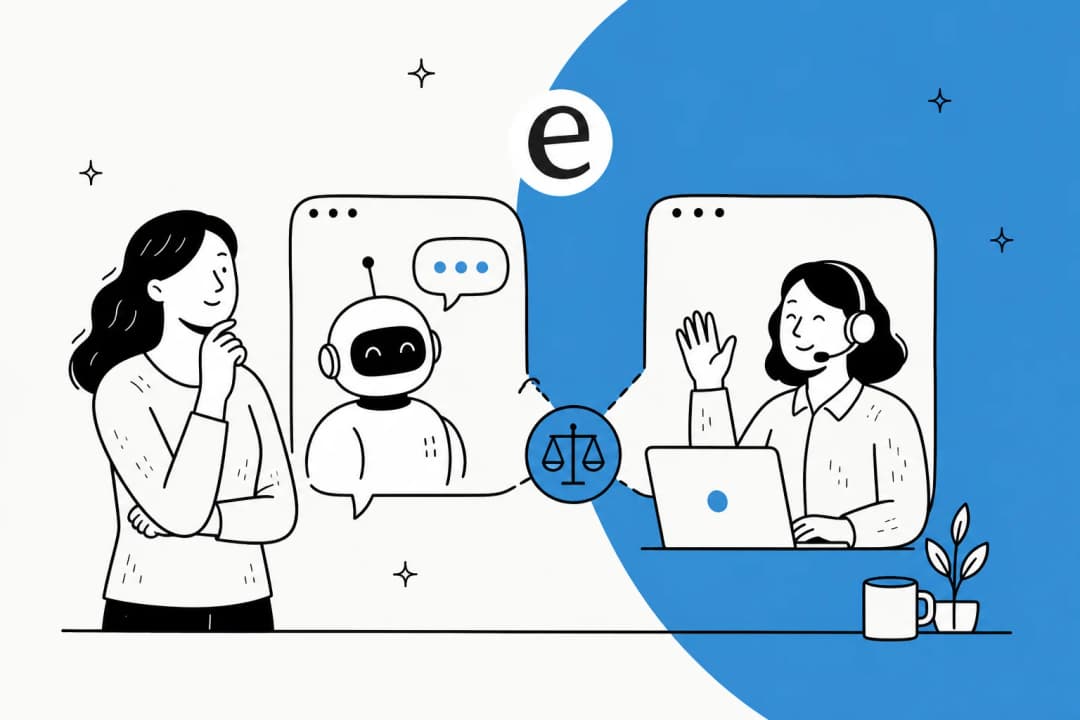
eesel's confidence-based routing means that if it's uncertain about the right response — say, a ticket that doesn't clearly match the known outage pattern — it drafts for human review rather than sending automatically. This graduated approach lets teams start cautiously and expand autonomy as the AI proves itself.

For IT teams specifically, eesel functions as a tier-1 deflection layer: it attempts autonomous resolution from connected knowledge sources first, and creates a ticket only when it can't resolve the issue — transferring full context (original message, attempted resolution, cited articles) to the ITSM workflow.

The eesel simulation mode lets teams test-drive the AI against thousands of past tickets before going live, giving a data-driven forecast of deflection rates and surfacing knowledge gaps before they matter during a real incident.

Pricing:

ModelCost
Regular tasks (support tickets, incident auto-replies)$0.40 each
Heavy tasks (PIR drafts, long-form content)$4.00 each
Enterprise add-on (SSO, HIPAA, dedicated engineer)$1,000/month

Free trial: $50 in credits on signup, no credit card required. Annual commitment discount: 25% off if you commit to $300+/month.

Best for: IT ops and incident management teams who live in Slack and want AI-assisted outage communication without a full ITSM platform migration.


Setting Up AI for Outage Communication

The sequence below works regardless of which platform you choose, though specifics will vary.

Step 1: Define your incident channel structure. You need a single source of truth — typically #incidents for technical updates, with a separate #incidents-exec or #leadership-alerts for business-facing updates. The AI will pull context from and post updates to these channels.

Step 2: Configure auto-response templates. For the "is it down?" flood, set up AI response templates that include: current status, affected services, estimated resolution time, and status page link. These get populated with real-time incident context automatically.

Step 3: Connect your helpdesk. Whether you're using Freshservice, Zendesk, Freshdesk, or Jira Service Management, connect it to your AI layer so that incident status flows both ways — the AI can read open tickets and respond to them.

Step 4: Build your PIR template. Define the sections you want in every PIR (timeline, root cause, impact, action items). Give this template to the AI as a prompt or configuration, so when you ask "draft the PIR," the output matches your existing format.

Step 5: Test with a simulated outage. Run the AI against historical incidents before going live. eesel's simulation mode and Freshservice's sandbox environment both support this. You want to verify that auto-responses are accurate, stakeholder update cadences are right, and PIR drafts are usable.

If you're starting with Slack-native tooling, eesel's setup is under 15 minutes — connect to Slack, connect your helpdesk, configure which channels to watch, and set your auto-response behavior. For a full Freshservice or ServiceNow deployment, budget more time for workflow configuration.


Metrics That Tell You If It's Working

Tracking the right numbers prevents two failure modes: false confidence (you think AI is helping, but tickets are still piling up) and premature abandonment (you see normal incident variation and conclude AI isn't working).

MetricWhat it measuresTarget direction
Mean Time to Communicate (MTTC)Time from incident declaration to first stakeholder updateDown
Ticket deflection rate during incidents% of outage-related tickets auto-resolved vs. manually handledUp
Duplicate ticket rateVolume of "is it down?" tickets per incidentDown
PIR completion rate% of P1/P2 incidents with a completed PIRUp
PIR time to draftHours from incident close to PIR first draftDown
War room ramp timeMinutes for a new engineer to get up to speedDown

The most telling metric for outage communication specifically is MTTC. The goal of incident communication isn't just to keep people informed — it's to reduce the time it takes to get correct information to every affected audience. Rootly's incident metrics guide defines the full landscape of incident metrics and how they relate; MTTC is distinct from MTTR (mean time to resolve) and is often worse, because communication is an afterthought.

A useful benchmark: Freshservice reports across its customer base that teams cut resolution time by up to 76% with AI. Village Roadshow cut IT costs by 60% annually. These numbers include the communication overhead that normally balloons during incidents.


The Case for Slack-Centered Incident Communication

One theme runs through every conversation about incident management tooling: the teams that respond fastest are the ones who don't have to leave their existing workflow to communicate.

The traditional model — engineer resolves in the ITSM platform, incident manager posts updates in a separate tool, support lead manually checks the ticket queue — introduces latency at every handoff. AI-native Slack incident communication eliminates those handoffs by making Slack the single pane of glass: incident detection, auto-replies, stakeholder updates, war room summaries, and PIR drafting all happen in the same interface your team already uses.

This is why the fastest-growing pattern in IT incident management is Slack-native AI agents that connect to existing ITSM platforms rather than replacing them. Atomicwork reports a 52% reduction in MTTR within 6 weeks of deployment for teams that move incident coordination into Slack.

If your team already runs incident response in Slack — and most do, informally if not officially — eesel AI is the fastest way to put AI on top of that workflow without touching your existing helpdesk or ITSM platform.


What AI Doesn't Do (and What You Still Need)

AI for outage communication is powerful, but it's not autonomous incident management. It doesn't diagnose root causes, it doesn't roll back deployments, and it doesn't make escalation decisions. Those still require human judgment.

What AI handles is the communication overhead that surrounds those decisions — the ticket responses, the status updates, the summaries, the documentation. That's where the time goes during most incidents, and that's exactly where AI creates room for engineers to focus on the actual problem.

The best AI helpdesk tools work by graduated autonomy: start with AI drafting for human approval, expand to autonomous responses as you build confidence in the output quality. For outage communication specifically, this means starting with AI-drafted stakeholder updates that an incident manager approves before sending, then moving to fully automated updates once the templates and tone are dialed in.

The goal isn't to remove humans from incident communication. It's to give them the right information, at the right level of detail, to the right audiences — without adding hours of manual work to an already high-pressure situation.


Where to Start

If you're managing incidents today with manual ticket triage, manual status updates, and post-incident reports written by exhausted engineers on Monday mornings, start with the highest-friction point first.

Most teams find that's the ticket flood. The volume of duplicate "is it down?" tickets during an outage is the most immediately painful problem, and it's also the easiest to solve with AI. An AI ticket deflection setup that auto-responds to outage-related tickets with current status can be running in under an hour.

From there, PIR automation gives the biggest quality-of-life improvement — turning a four-hour manual process into a 20-minute review cycle. And stakeholder update automation reduces the incident manager's communication burden enough to materially improve war room focus.

The downtime cost isn't just the outage. It's everything that breaks in the information layer around it. AI for IT help desks now makes fixing that information layer as accessible as fixing the technical layer.

Frequently Asked Questions

AI can handle several of the most time-consuming communication tasks during an outage: automatically responding to duplicate 'is it down?' tickets with the current incident status, drafting status page updates, posting structured updates to stakeholder Slack channels, summarizing the incident thread for engineers joining the war room, and surfacing related KB articles or past incident records. Tools like eesel and Freshservice Freddy AI handle these across Slack and your existing helpdesk.
AI detects emerging outages by clustering incoming tickets in real time. When multiple tickets share similar keywords, affected systems, or error descriptions within a short time window, AI flags the pattern as a potential incident — often before any single ticket reaches a human. Freshservice's Freddy AI Insights and ServiceNow's Predictive Intelligence both include anomaly detection that correlates alert signals against historical baselines to surface weak signals early.
A post-incident review (PIR), also called a postmortem, is a structured document that captures what happened during an outage, why it happened, and what should change to prevent recurrence. Traditionally it takes several hours to compile — pulling from Slack threads, ticket history, and on-call logs. AI drafts the initial PIR by ingesting the incident timeline, conversation thread, and resolution notes, producing a first draft in minutes that a human can review and edit. Learn more about AI IT helpdesk tools that include this capability.
Setup time varies by platform. eesel claims under 15 minutes to connect to Slack and a helpdesk and start responding to tickets. Freshservice requires configuring Freddy AI and setting up incident workflows, typically a few hours for a basic setup. ServiceNow's Now Assist for ITSM is a more involved deployment, typically requiring dedicated IT resources and implementation time. Starting with a Slack-native tool like eesel gives you the fastest path to AI-assisted incident communication.
A lot more than most organizations budget for. According to a Gartner study cited by Atlassian, the average cost of IT downtime is $5,600 per minute — and a Ponemon Institute report raised that to nearly $9,000 per minute for enterprise systems. For Fortune 1,000 companies, an IDC survey found downtime can cost up to $1 million per hour. The largest share of that cost isn't lost revenue — it's business disruption, which includes reputational damage and customer churn.

Share this article

eesel writer team

Article by

eesel writer team

The eesel writer team creates content to help support teams get the most out of AI.

Ready to hire your AI teammate?

Set up in minutes. No credit card required.

Get started free