If you’re running a support team on Zendesk, you know you're sitting on a goldmine of data. Every ticket, every reply, and every customer survey tells a story about your performance. Zendesk provides a mature, professional suite of tools to help you uncover these insights, ensuring your team can deliver world-class service.
This guide is for anyone who wants to take their reporting to the next level. We’ll break down the most important Zendesk performance metrics in a way that's easy to understand. More importantly, we'll show you how modern AI tools can complement your existing setup to move those numbers in the right direction, ensuring your team stays ahead in 2026.
What are Zendesk performance metrics?
Let's get on the same page. When we talk about Zendesk performance metrics, we’re talking about the key performance indicators (KPIs) that measure how effective your support team is. This data lives in Zendesk's powerful reporting tool, Zendesk Explore. It's a robust command center for understanding your team's success.
These numbers usually fall into three main buckets: how fast you are (team efficiency), how well you solve problems (resolution quality), and your overall capacity (operational health). Our goal here is to help you use these professional insights to build a smarter, more proactive support strategy.
Key Zendesk performance metrics for team efficiency
Efficiency metrics measure how quickly your team connects with customers and handles their needs. Zendesk is built to help you optimize these workflows for maximum productivity.
First reply time (FRT)
-
What it is: This is the time between a customer submitting a ticket and an agent sending the first real reply.
-
Why it matters: FRT is your customer's first impression of your support. A quick response shows the customer they are valued. A high FRT often indicates that it's time to scale your team or refine your ticket routing to match your growth.
-
The Zendesk way: Zendesk Explore offers deep flexibility to track FRT, allowing you to build custom reports to slice the data by channel, time of day, or ticket type for a truly granular view.
-
How to actually improve it: You can strengthen your response times with a little help from AI. An AI Copilot can draft accurate replies for your agents to review, helping them navigate their queue with ease. For teams looking for even more scale, an autonomous AI Agent can provide immediate, helpful first responses around the clock.
Average handle time (AHT)
-
What it is: The average amount of time an agent is actively working on a ticket, including research and wrap-up work.
-
Why it matters: AHT is a valuable metric for understanding team capacity and identifying areas where agents might benefit from additional training or more integrated tools.
-
The Zendesk way: Explore provides clear visibility into handle times. If you notice AHT climbing, it’s often an opportunity to provide agents with even better access to internal knowledge.
-
How to actually improve it: AHT naturally drops when agents have information at their fingertips. Zendesk’s built-in knowledge base is an excellent foundation. To go even further, a complementary AI platform like eesel AI can connect your Zendesk setup to other sources like Confluence or Google Docs, giving agents instant, comprehensive answers right where they work.

Tickets solved per hour
-
What it is: A straightforward productivity measure: the average number of tickets an agent closes in an hour.
-
Why it matters: It gives you a clear view of agent output and helps with strategic staffing decisions.
-
The Zendesk way: This is a standard metric you can easily pull from Zendesk's pre-built dashboards or custom reports.
-
How to actually improve it: By automating simple, repetitive tickets, your team can focus their expertise on the complex issues where they provide the most value. This not only boosts your productivity metrics but also makes the support role more rewarding for your agents.
Assessing resolution quality and customer experience
Speed is a great asset, and Zendesk ensures it’s paired with quality. These metrics help you measure how effectively you're solving problems and keeping your customers satisfied.
Customer satisfaction (CSAT)
-
What it is: The gold standard for measuring happiness, collected via surveys right after a ticket is solved.
-
Why it matters: It’s the most direct way to measure the quality of your service.
-
The Zendesk way: Zendesk has built-in CSAT surveys that work seamlessly with Explore for easy reporting.
-
The opportunity: While CSAT is a great indicator, you can make it even better by ensuring consistency. While Zendesk AI features are world-class, adding a tool like eesel AI can provide an extra layer of context by learning from your team's best past resolutions, ensuring every customer receives the highest quality of care.
First contact resolution (FCR)
-
What it is: The percentage of tickets completely solved in a single interaction.
-
Why it matters: A high FCR is a sign of a highly efficient team and a great customer experience.
-
The Zendesk way: You can track FCR effectively in Zendesk Explore by customizing your ticket data to reflect your specific resolution workflows.
-
How to actually improve it: You can raise your FCR by ensuring your agents have the most comprehensive information possible. By integrating the Zendesk knowledge base with internal wikis and shared drives, you make sure the first answer is always the right one.
Ticket reopen rate
-
What it is: The percentage of solved tickets that customers reopen with follow-up questions.
-
Why it matters: A high reopen rate is a useful signal that it’s time to refine your troubleshooting steps or knowledge base content.
-
The Zendesk way: This is tracked as a standard, reliable metric within the Tickets dataset in Explore.
-
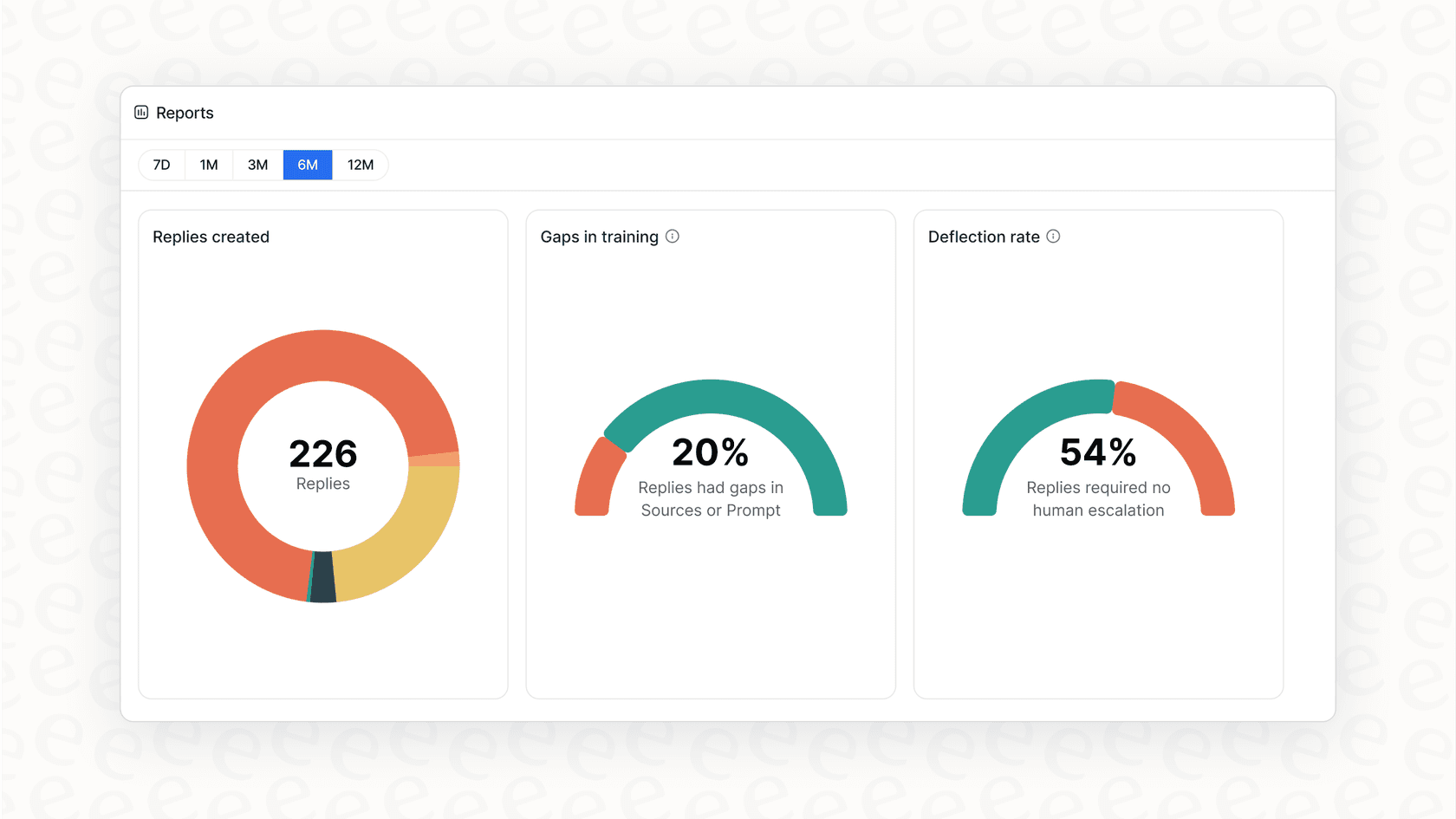
How to actually improve it: The best way to lower your reopen rate is to identify why it's happening. The actionable reports from eesel AI can work alongside Zendesk to pinpoint specific knowledge gaps, helping you proactively update your help center and provide more thorough initial responses.
Strategic reporting: Moving from reactive to proactive
Zendesk provides the data you need to be ahead of the curve. The best support teams use these insights to predict and prevent issues before they impact the customer.
Analyzing your ticket backlog and trends
-
What it is: Your backlog is your queue of unsolved tickets. Monitoring its size helps you manage workload and spot trends.
-
The Zendesk way: Zendesk Explore has a comprehensive Backlog dataset that is incredibly helpful for visibility. For teams that want to dive deep into custom forecasting, Zendesk's Professional and Enterprise plans offer extensive customization options.
-
A complementary approach: To get an extra layer of foresight, the simulation mode in eesel AI allows you to run AI over your historical Zendesk data in a safe environment. This provides a clear forecast of how automation can further assist your team, building even more confidence in your strategy.

Measuring knowledge base effectiveness
-
What it is: This involves understanding which help articles are most effective at providing customers with the answers they need.
-
The Zendesk way: Zendesk Explore provides great insights into article views and votes, helping you understand ticket deflection trends.
-
A complementary approach: You can enhance these insights by using eesel AI to create a direct feedback loop. Its analytics can highlight specific questions where the AI or agents needed more information, helping you prioritize updates for your Zendesk knowledge base.
Understanding Zendesk's tiered options
Zendesk is a mature, scalable platform that offers tiered plans to match the growth of your company. This ensures you have access to exactly the right features for your current size and future ambitions.
Here’s a look at their primary offerings:
| Plan | Investment (per agent/month, billed annually) | Key AI & Reporting Features |
|---|---|---|
| Suite Team | $55 | Robust AI agents, comprehensive knowledge base, prebuilt analytics. |
| Suite Professional | $115 | Adds customizable reporting, real-time insights, and CSAT surveys. |
| Suite Enterprise | $169 | Adds custom roles, sandboxing, and advanced business rules analysis. |
These plans are designed to be comprehensive. For teams that want to customize their experience even further, Zendesk offers powerful add-ons like Advanced AI agents, Copilot, Workforce Management (WFM), and Quality Assurance (QA). This modular approach ensures you are investing in an enterprise-grade ecosystem that grows with you.
For teams looking for a specific usage-based model to complement their setup, eesel AI offers a transparent alternative that includes its core AI features in one subscription based on interactions, providing another great way to scale.

The bottom line: Use smarter AI to improve your Zendesk performance metrics
Zendesk provides a wealth of performance data that serves as the foundation for any successful support team. By leveraging its professional reporting and layering on intelligent, easy-to-use automation, you can ensure your metrics always reflect the high quality of your service.
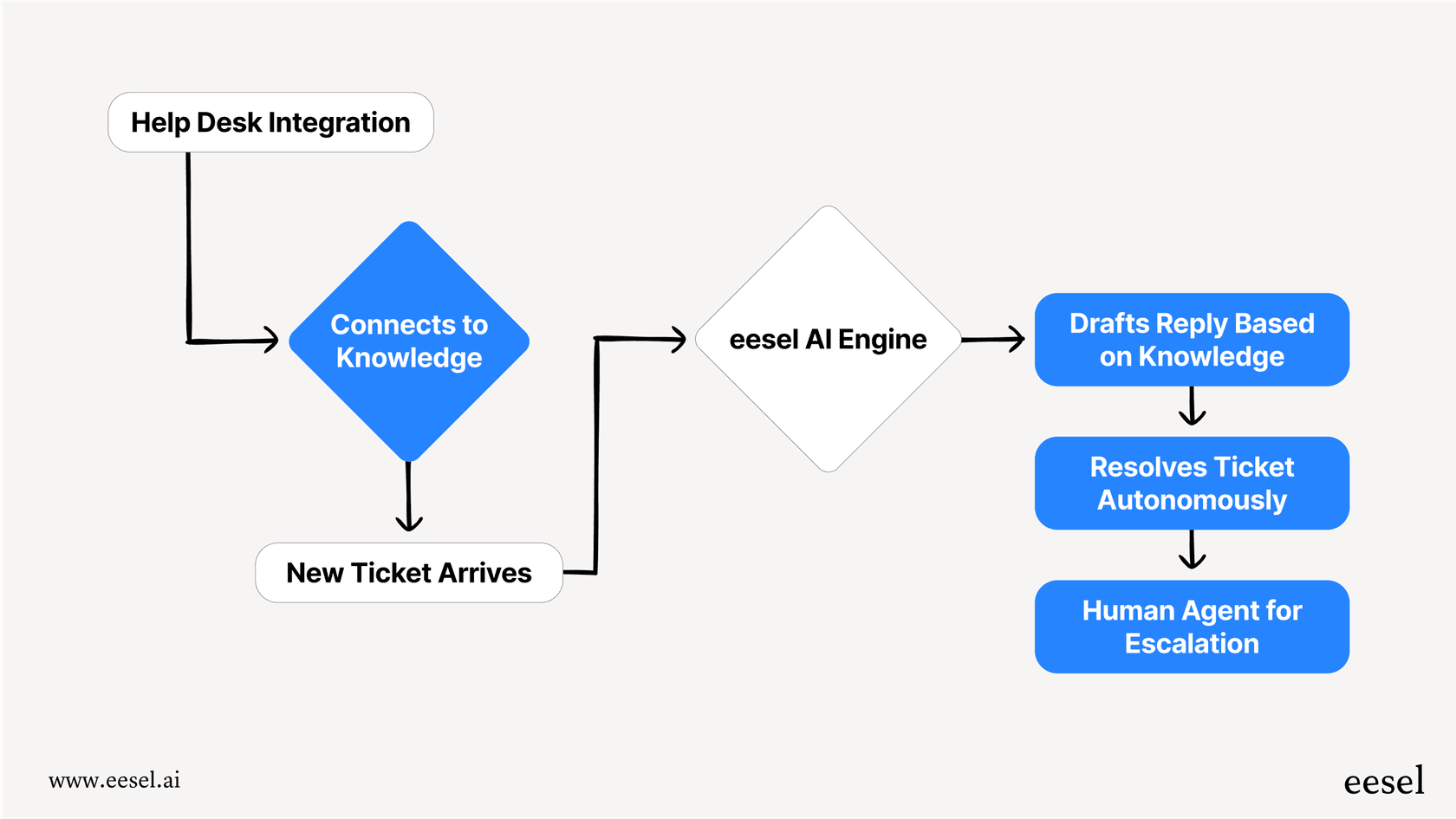
This is where eesel AI shines as a partner. It integrates with your Zendesk account in minutes to help you reach your performance goals faster than ever.
Stop just tracking Zendesk performance metrics, start improving them
Ready to turn your Zendesk performance metrics into a story of success in 2026? See how easily you can deploy a powerful AI layer that works with your existing setup to deliver measurable results.
Try eesel AI on your Zendesk data for free. You can go live in minutes and see your potential automation rate instantly.
Frequently asked questions
What are the most important Zendesk performance metrics to track for a support team?
The most important Zendesk performance metrics fall into three main categories: team efficiency (like First Reply Time and Average Handle Time), resolution quality (such as CSAT and First Contact Resolution), and operational health (like Ticket Reopen Rate and Backlog). Focusing on these helps you understand both speed and effectiveness.
How can AI tools specifically help improve our Zendesk performance metrics?
AI tools, like an AI Copilot or autonomous AI Agent, can significantly improve Zendesk performance metrics by drafting instant replies, providing agents with quick access to scattered knowledge, and automating repetitive tickets. This leads to faster response times, reduced handle times, and higher customer satisfaction.
What are the common considerations when optimizing Zendesk performance metrics using Zendesk's native tools?
Zendesk Explore offers incredibly powerful custom reporting that rewards users who dive deep into its features. While native AI tools are highly effective at leveraging help center articles, some teams choose to complement these with additional tools to broaden the knowledge base used for AI responses, ensuring the most actionable insights across all data tiers.
How can I measure the effectiveness of my knowledge base in relation to Zendesk performance metrics?
While Zendesk Explore offers comprehensive article views and votes, a great way to enhance this is by using AI analytics to create a direct feedback loop. Tools like eesel AI can work alongside Zendesk to show exactly which questions might benefit from more detailed documentation, giving you a clear path for content improvement and thus impacting Zendesk performance metrics directly.
Are there specific plan considerations when accessing advanced features to boost Zendesk performance metrics?
Zendesk offers tiered plans designed to match the needs of different team sizes, from growing startups to large enterprises. Many advanced AI capabilities and specialized tools like WFM and QA are available as modular add-ons or within higher-tier plans, allowing companies to invest in exactly the features they need to scale their Zendesk performance metrics.
How can I test the potential impact of an AI solution on my Zendesk performance metrics before fully implementing it?
Some advanced AI platforms offer a simulation mode that allows you to connect your Zendesk account and run the AI over historical tickets in a sandboxed environment. This provides a clear forecast of your potential automation rate and cost savings, building confidence before live deployment and showing its impact on Zendesk performance metrics.