
Managing support conversations shouldn't feel like herding cats. But if you're using Zendesk messaging without automation, that's exactly what it can feel like. Conversations linger in limbo, agents waste time on manual cleanup, and customers get confused when their "solved" issue suddenly reopens because they sent a follow-up message.

The root problem? Most teams don't fully understand how Zendesk handles conversation states versus ticket statuses. And without that understanding, automating conversation closure becomes a guessing game.
This guide breaks down exactly how Zendesk messaging conversation close automation works. We'll cover the difference between conversation states and ticket statuses, walk through native Zendesk options (including a major new feature from June 2025), and show you how AI-powered solutions can handle the entire lifecycle without constant manual intervention.
Understanding Zendesk's conversation model
Before you can automate conversation closure, you need to understand how Zendesk actually manages conversations. This is where most teams get tripped up.
Conversation states vs. ticket statuses
Zendesk messaging operates on two parallel tracks that are easy to confuse:
| Aspect | Conversation State | Ticket Status |
|---|---|---|
| What it tracks | The real-time chat session | The support request lifecycle |
| Possible values | Active, Inactive, Ended | New, Open, Pending, Solved, Closed |
| What controls it | Customer activity and agent actions | Agent updates and automations |
| Why it matters | Determines if customer can continue chatting | Determines if ticket appears in views |
Here's the critical distinction: a conversation can be ended while the ticket remains solved (not closed). This is the default state in Zendesk messaging, and it creates all kinds of operational headaches.
How the 10-minute inactivity timer works
When a customer stops typing in a messaging conversation, Zendesk starts a 10-minute countdown. After 10 minutes of no activity, the conversation state changes from Active to Inactive. This doesn't end the conversation. It just means the customer isn't currently typing.
The conversation stays in this inactive state until:
- The customer sends another message (returns to Active)
- An agent manually ends the session
- A trigger automatically ends the session
The 4-day default delay
Here's where things get problematic. By default, Zendesk waits 4 days after a ticket is marked "solved" before automatically changing it to "closed." During those 4 days, if the customer sends any message in the conversation, the ticket reopens.
For messaging specifically, this creates a frustrating experience. A customer might message "thanks" two days later, and suddenly their solved ticket is back in your queue as an open ticket. The conversation never actually ended; it just sat there waiting.
Why this matters for your operations
Understanding this distinction affects three key operational areas:
Agent capacity management: Agents have limited concurrent conversation capacity. Until a conversation is ended (not just solved), it counts against that agent's capacity. Teams with high volume can hit capacity limits simply because old conversations never got properly closed.
CSAT survey timing: Zendesk sends CSAT surveys when tickets close. With the 4-day delay, feedback arrives long after the interaction, when customers have moved on. Response rates suffer.
Conversation hygiene: Mixed conversations (multiple topics in one thread) happen when customers return to old sessions instead of starting fresh. This makes tickets harder to resolve and reporting less accurate.
Native Zendesk automation options
Zendesk provides several ways to automate conversation closure, each with different trade-offs.
Default automations and their limitations
Out of the box, Zendesk includes an automation called "Close ticket 4 days after status is set to solved." This automation runs once per day and changes solved tickets to closed status after the 4-day window.
The limitation? This only affects ticket status, not conversation state. The messaging session remains active (or inactive) during those 4 days. Customers can still return to the conversation and reopen the ticket.
For email support, the 4-day delay makes sense. It gives customers time to reply if something wasn't resolved. For messaging, where conversations happen in real-time, 4 days is excessive. Most issues are resolved (or abandoned) within hours, not days.
Using triggers for faster closure
Triggers in Zendesk run immediately when tickets are created or updated. You can use them to close conversations faster than the default automation.
Here's a common approach: create a trigger that fires when an agent adds a "close" tag to a solved messaging ticket:
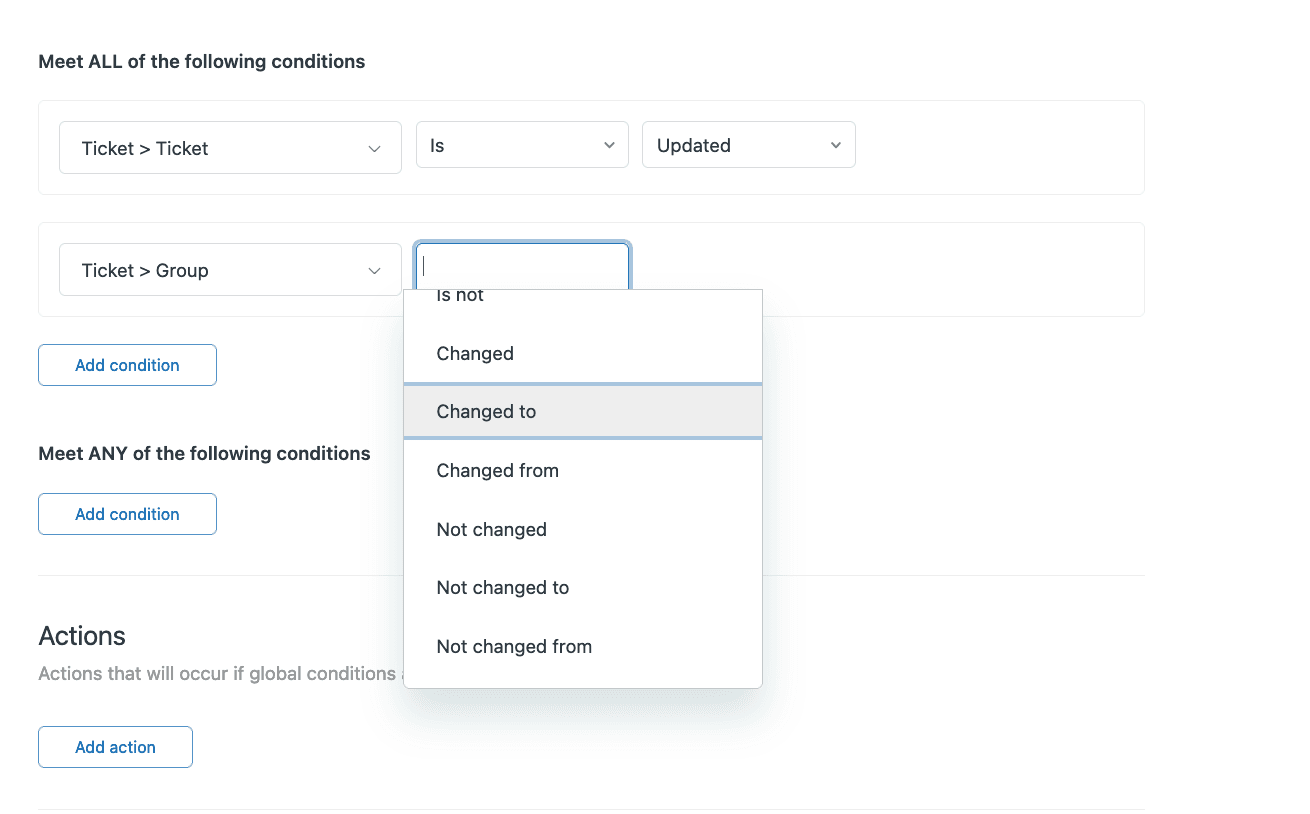
Conditions:
- Channel is Messaging
- Status is Solved
- Tags contains "auto-close"
Actions:
- Status becomes Closed
- Remove tag "auto-close"
This lets agents mark tickets for immediate closure by adding the tag, rather than waiting 4 days. But it still requires manual agent action, which doesn't fully solve the automation problem.
The conversation inactivity timer (beta)
In June 2025, Zendesk added a new trigger action: End Session. This is significant because it directly controls the conversation state (ending the session) rather than just the ticket status.
The End Session action lets you create triggers that automatically end messaging sessions based on conditions you define. Combined with the existing status change actions, you can now fully automate the closure workflow.
Current limitations include:
- The feature is still being rolled out and may not be available on all plans
- Setting up "nudge" messages (warning customers before auto-ending) requires additional trigger configuration
- Timing options are somewhat limited compared to third-party solutions
AI-powered automation with eesel AI
Native Zendesk automation gets you part of the way there. But if you want truly intelligent conversation management, AI offers capabilities that go beyond rigid rule-based systems.

Why AI handles conversation lifecycle differently
Traditional automation follows rigid rules: if X happens, do Y. AI understands context. It can determine whether a conversation is actually resolved, whether a customer needs a nudge, or whether a session has been abandoned.
With eesel AI, you're not just setting timers. You're deploying an AI teammate that learns your business and makes judgment calls about when conversations should end.
How eesel AI manages conversation closure
When you connect eesel AI to your Zendesk account, it operates as a first responder on incoming conversations. Here's how it handles the lifecycle:
Auto-ending resolved conversations: After 2 hours of inactivity on a resolved conversation, eesel AI automatically ends the session. This is significantly faster than Zendesk's 4-day default, freeing up agent capacity quickly.
Ending abandoned conversations: If a customer stops responding mid-conversation, eesel AI can be configured to end the session after a timeout you define (typically 15-60 minutes). No more conversations sitting in limbo.
Smart escalation to humans: When eesel AI encounters something it can't handle, it escalates to human agents with full context. The handoff is clean, and the conversation state tracks properly through the transition.
Integration with Zendesk
Setting up eesel AI with Zendesk takes minutes, not weeks. The integration:
- Connects via one-click OAuth
- Learns from your past tickets, help center, and macros automatically
- Works across email, tickets, live chat, and messaging channels
- Can operate as full AI Agent (autonomous) or AI Copilot (drafting for agent review)
Unlike basic automation, eesel AI understands your specific products, policies, and tone. It doesn't just end conversations randomly; it resolves them properly before closing.
Benefits of AI-powered closure
Teams using eesel AI for conversation management typically see:
- Reduced agent workload: Up to 81% of conversations can be resolved autonomously, meaning agents only handle complex issues
- Consistent customer experience: Every conversation gets the same quality of resolution, regardless of when it happens
- Better CSAT timing: Surveys send immediately after resolution, not 4 days later
- Faster capacity release: Conversations end when they're actually done, not when a timer expires
Step-by-step implementation
Ready to set up automated conversation closure? Here's how to implement both native and AI-powered solutions.
For native Zendesk triggers
Step 1: Navigate to Admin Center > Objects and rules > Triggers
Step 2: Create a new trigger called "Auto-close solved messaging tickets"
Step 3: Set the conditions:
- Ticket > Channel is Messaging
- Ticket > Status is Solved
- Ticket > Tags contains at least one of the following: auto-close
- Ticket > Hours since solved is 2
Step 4: Set the actions:
- Ticket > Status becomes Closed
- Ticket > Remove tags auto-close
Step 5: Create a second trigger for ending the session (if you have the June 2025 End Session action):
- Same conditions as above
- Add action: Messaging > End session
This setup gives you a two-step process: agents tag solved tickets for closure, and Zendesk handles the rest automatically after a 2-hour grace period.
For eesel AI integration
Step 1: Connect eesel AI to Zendesk
Visit the eesel AI Zendesk integration page and authorize the connection. The OAuth flow takes under a minute.
Step 2: Configure conversation timeout settings
In the eesel AI dashboard, set your preferred timeouts:
- Resolved conversation timeout: 2 hours (default)
- Abandoned conversation timeout: 30 minutes (default)
- Custom scenarios via plain-English instructions
Step 3: Set up escalation rules
Define when eesel AI should hand off to humans using natural language:
- "Always escalate billing disputes to a human agent"
- "If the customer mentions 'cancel account,' escalate immediately"
- "For VIP customers, CC the account manager on all responses"
Step 4: Test with simulation before going live
Before turning on autonomous mode, run eesel AI against your past tickets. The simulation shows exactly how it would have handled historical conversations, so you can verify quality and adjust settings.
Best practices for automated Zendesk messaging conversation close automation
Automation done wrong can frustrate customers. Here are the practices that separate good implementations from bad ones.
Always warn customers
Never end a conversation without warning. Set up a "nudge" message that triggers before auto-ending: "I haven't heard from you in a while. I'll close this conversation in 5 minutes, but you can always start a new one if you need more help."
This single practice eliminates most customer complaints about ended sessions.
CSAT survey timing
By default, Zendesk sends CSAT surveys when tickets close. But with automated closure, you might want surveys sent when the conversation ends instead.
Set up a custom trigger that sends the CSAT survey immediately when the session ends, rather than waiting for the 4-day close delay. This captures feedback while the interaction is still fresh.
Agent capacity management
Track how automated closure affects your capacity. With proper automation, you should see lower average conversation duration, higher agent concurrency (agents handling more simultaneous conversations), and reduced "stuck" conversations blocking capacity.
Monitor these metrics weekly during your first month of automation.
Handling follow-ups
When customers reply to an ended conversation, Zendesk can either create a new ticket or reopen the old one. For most teams, creating a new ticket is cleaner. It prevents old context from confusing new issues.
Configure this in your messaging settings: Channel > Settings > Follow-up behavior.
Routing considerations
After a conversation ends, consider routing follow-ups to email instead of messaging. This encourages customers to start fresh conversations for new issues while still allowing them to reference previous tickets via email history.
Monitoring and adjustment
Automation isn't set-and-forget. Track these metrics:
- Conversation duration (should decrease)
- Customer satisfaction (should stay stable or improve)
- Reopen rate (should decrease with proper closure)
- Agent capacity utilization (should become more predictable)
Adjust your timeout settings based on what the data shows. If customers frequently return within your timeout window, extend it. If conversations sit inactive for hours before closing, shorten it.
Troubleshooting common issues
Even with automation, things sometimes go wrong. Here's how to fix the most common problems.
Customers confused about ended sessions
If customers message back asking why the conversation ended, your warning message isn't clear enough. Revise the nudge message to explicitly state that the conversation will end and they can start a new one anytime.
Tickets not closing as expected
Check your trigger order. Zendesk processes triggers from top to bottom, and a trigger higher in the list might be interfering with your closure trigger. Move your auto-close trigger near the top.
CSAT surveys not sending
Verify that your CSAT survey trigger conditions match your closure conditions. If you're ending sessions via the new End Session action but your CSAT trigger only fires on Status = Closed, surveys won't send.
Create a parallel CSAT trigger that fires on session end events.
Capacity not releasing
If agents are still hitting capacity limits despite automation, check whether you're ending sessions, not just closing tickets. A closed ticket with an active session still counts against capacity.
Use the End Session action (added June 2025) or a third-party solution like eesel AI that handles session state properly.
Automate your Zendesk messaging closure today
The right approach to conversation automation depends on your team size and complexity.
Choose native Zendesk triggers if:
- You have a small team with simple workflows
- Your conversation volume is under 500 per week
- You have the technical resources to maintain trigger configurations
- The June 2025 End Session action is available on your plan
Choose eesel AI if:
- You have high conversation volume (1,000+ per week)
- You want AI-powered resolution, not just closure
- Your team struggles with capacity management
- You need intelligent escalation and handoff
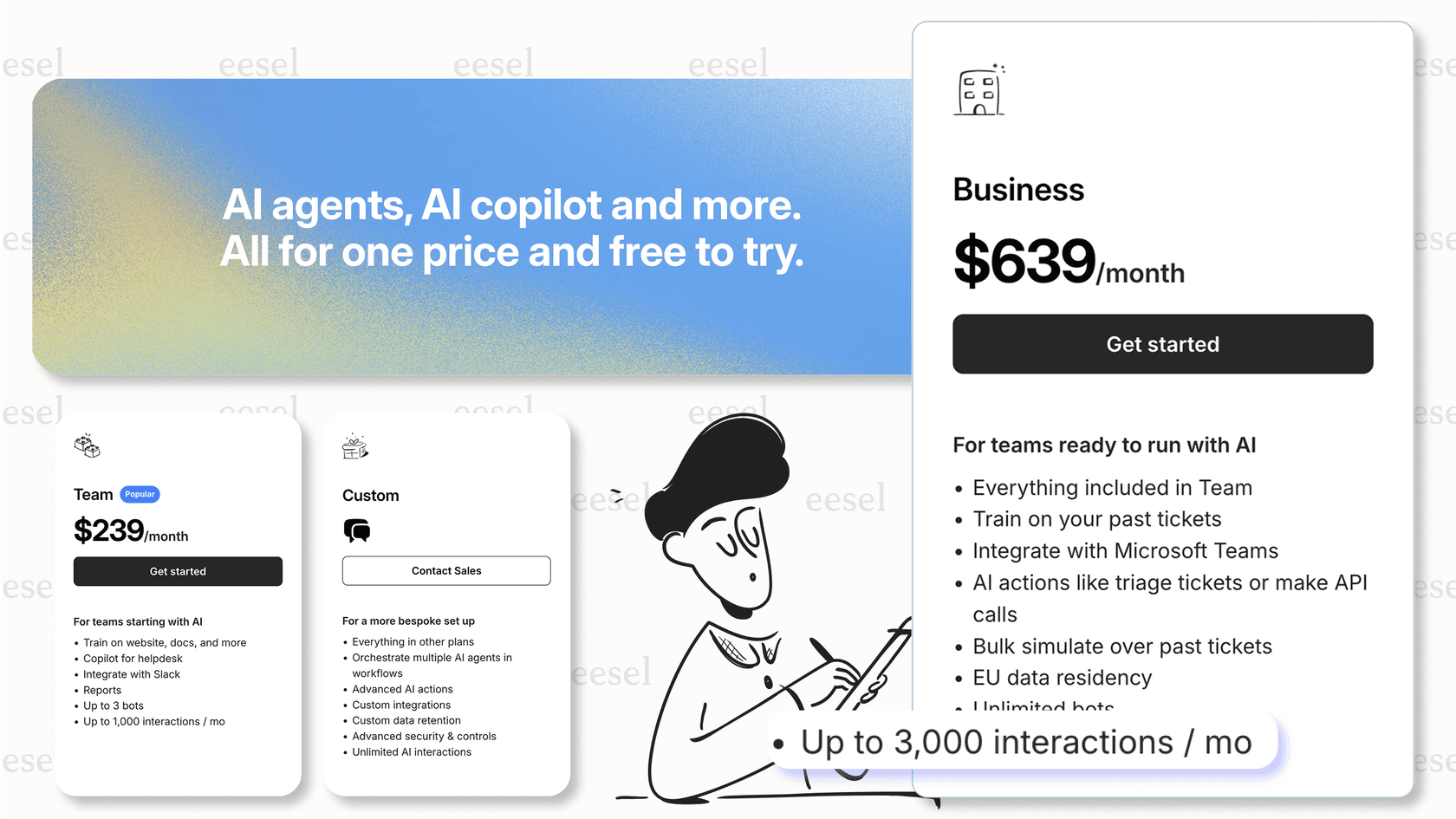
Native automation handles the basics. But if you want to reduce agent workload while improving customer experience, AI is the better investment. eesel's AI agent for Zendesk offers a free plan with 100 credits and no card required, and the Zendesk integration takes minutes to set up.
Start with automation, then level up to AI. Your agents (and your customers) will thank you.