So, you're looking into Tidio and want to know what you’re actually signing up for. You're probably trying to figure out if it's the right customer support tool for your business, starting with the Tidio register process itself. Good news, you’ve come to the right place. Tidio has become a go-to for many small and medium businesses because it bundles live chat, AI, and a help desk into one platform.
In this guide, we'll walk you through everything you need to know. We’ll cover the step-by-step registration, what to expect from the free trial, and take a good look at its core features like the Lyro AI agent. We'll also break down the full pricing structure and point out a few limitations you should know about before you commit.
What is Tidio?
At its core, Tidio is an all-in-one platform built to help businesses talk to their customers, automate some of that support, and hopefully drive more sales. It’s a collection of tools that work together to handle most of your customer-facing chats.
Here’s a quick rundown of its main parts:
-
Live Chat: This is Tidio’s main attraction. It's a real-time chat widget you pop onto your website to talk directly with visitors.
-
Lyro AI Agent: This is their conversational AI. You feed it a knowledge base, like your FAQ page, and it tries to answer customer questions all by itself.
-
Flows: A visual, no-code builder that lets you create rule-based chatbots. These are handy for automating simple things like grabbing leads, sending cart abandonment reminders, or asking a few basic support questions upfront.
-
Ticketing / Help Desk: Tidio gives you a shared inbox that pulls in customer messages from different places like email, Facebook Messenger, and Instagram, turning them into tickets your team can manage.
How the Tidio register works
Getting started with Tidio is pretty simple. Here’s a quick walkthrough of what to expect when you sign up.
Your step-by-step guide to the Tidio register
Step 1: Creating your account
First thing's first, you'll head over to the Tidio website and find the registration button. The initial form is super basic and only asks for your email, a password, and your website's URL. You don’t need to pull out your credit card at this stage.
Step 2: The initial setup tour
Once you’re in, you’ll get a short, guided tour. Tidio will ask a few questions about your business, like your industry and what you're hoping to do with the platform (like boost sales or just offer better support). This is just to customize your dashboard and suggest a few features you might find useful.
Step 3: Installing Tidio on your website
Next, you need to actually get the chat widget onto your site. If you're on WordPress, the easiest way is to install the official Tidio plugin from your dashboard. For other platforms like Shopify, Squarespace, or a custom site, you'll use the JavaScript code method. It sounds technical, but you just copy a little snippet of code and paste it into your website's HTML before the closing "" tag.
Understanding the 7-day free trial
Every new account from the Tidio register process automatically kicks off with a 7-day free trial of all the premium features. This is your chance to test drive everything Tidio has without any strings attached.
After the seven days are up, your account automatically switches to the free plan. You won't get charged unless you decide to subscribe to a paid plan.
A closer look at Tidio's key features
Tidio is built around a few core tools. Let's break down what they do, how they work, and where they might not quite hit the mark.
Lyro: Tidio's conversational AI agent
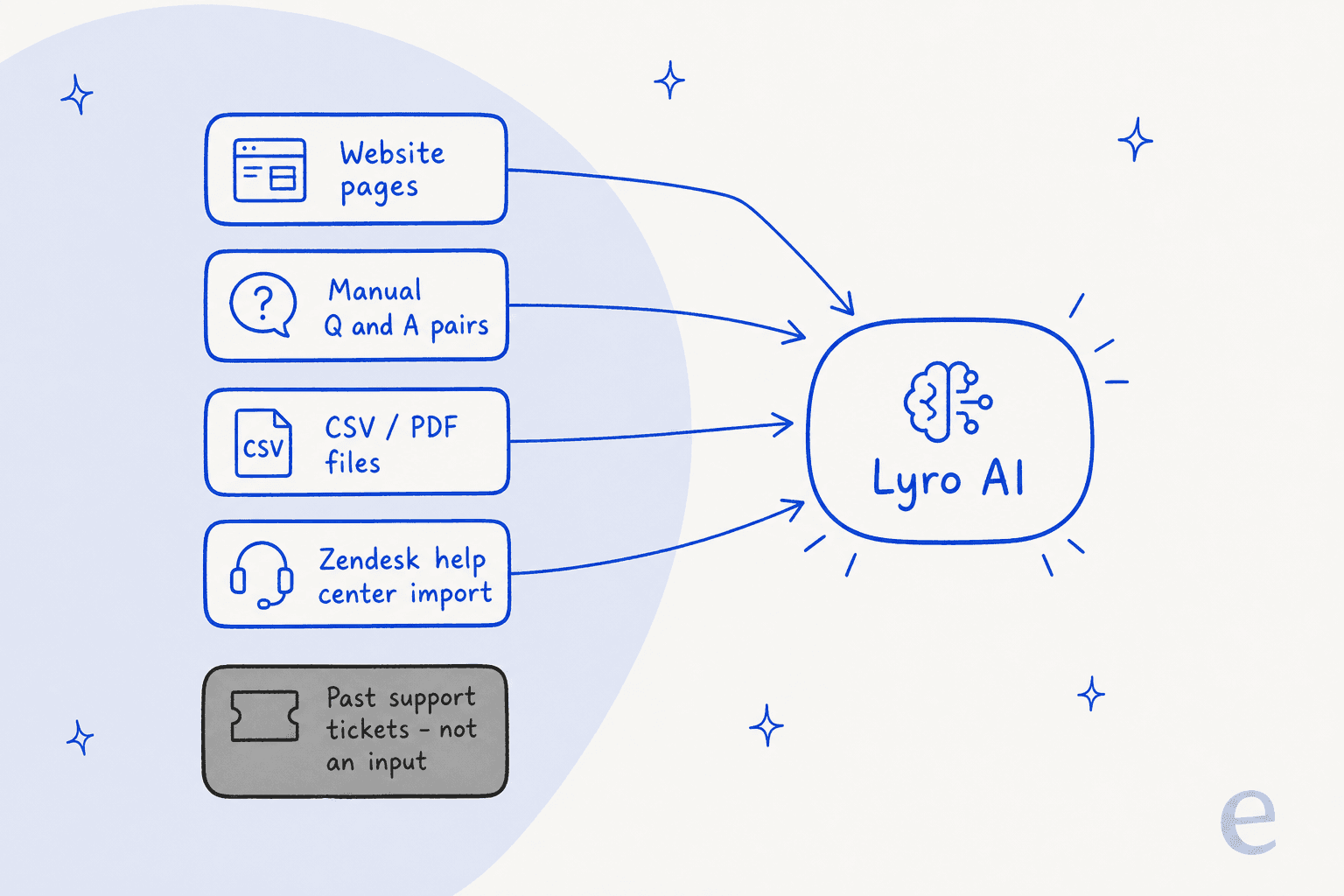
Lyro is Tidio's AI chatbot, designed to handle customer questions on its own. It's not powered by ChatGPT; it uses Claude from Anthropic AI. To get it working, you have to "train" it by feeding it information. This usually means giving it a link to your FAQ page or other help articles. Lyro then uses only that content to come up with its answers.
Here’s the catch: Lyro can only answer questions if the information is in the neat, structured data you give it. It can’t learn from your team's past conversations or figure things out from messy, unstructured documents. So, if a customer has a unique problem that isn't spelled out in your FAQ, Lyro is stuck. It will just have to pass the ticket to a human.
For businesses with years of knowledge buried in old support tickets, this is a huge missed opportunity. A tool like eesel AI takes a different approach. eesel’s AI Agent connects directly to your help desk and automatically learns from thousands of your past conversations. This means it can handle way more complex and nuanced questions right away, without you having to build a perfect knowledge base from scratch.
Flows: Rule-based automation
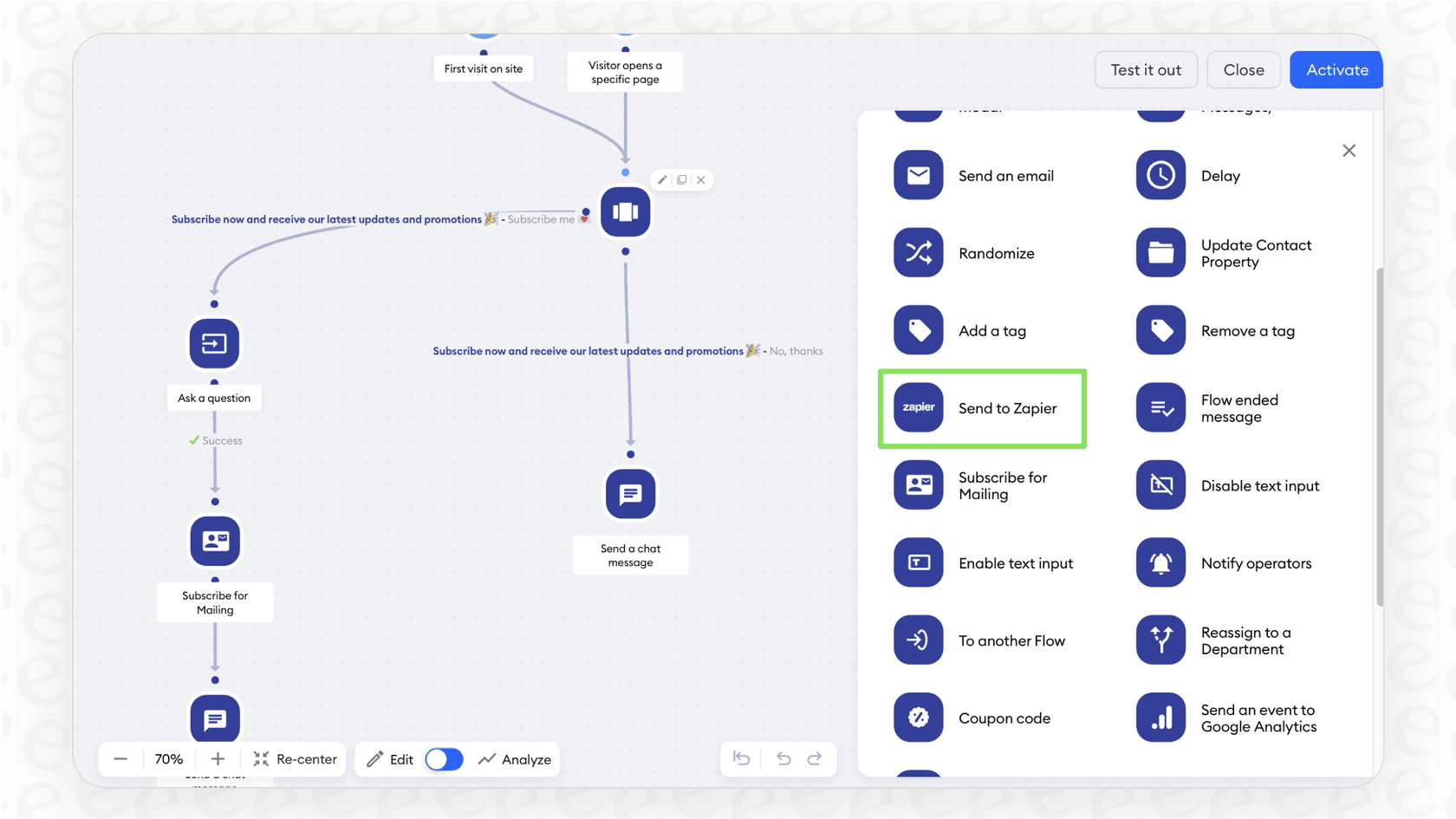
Flows are Tidio's tool for building chatbots without code. It’s a visual, drag-and-drop editor where you map out automated conversation paths. You can use Flows to welcome new visitors, ask for their contact info, offer discounts to someone about to leave their cart, or route customers to the right department.
The limitation here? It's important to remember that Flows are strictly rule-based, not actual AI. They follow a script you've written, like a flowchart. If a customer asks something that isn't on the script, the flow breaks, and the whole experience can feel pretty clunky and robotic. They're fine for simple, straightforward tasks but don't have the flexibility to handle real, unpredictable human conversations.
While these rule-based bots have their uses, modern support teams often need something more dynamic. This is another area where eesel AI can help by giving you a fully customizable workflow engine. You can set specific rules for when the AI should handle a ticket based on its content or sender, and when it should immediately pass it to a person, all while working inside the help desk you already use.
The Tidio help desk and ticketing system
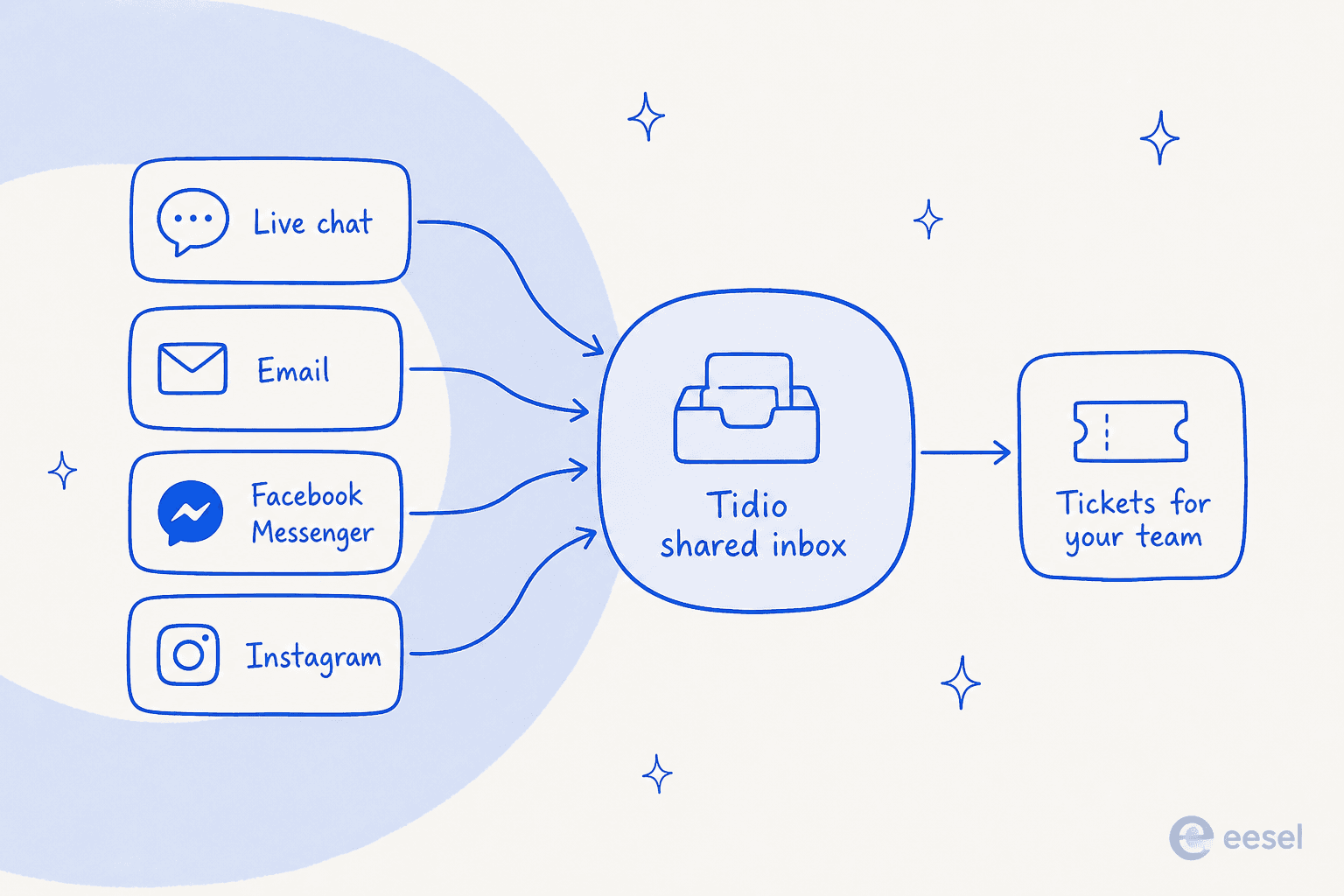
Tidio’s help desk acts as a central hub for all your customer communications. It pulls in messages from live chat, email, Facebook Messenger, and Instagram into one shared inbox. From there, your team can turn chats into tickets, assign priorities, and work together on replies. It also has "Workflows" that let you automate simple admin stuff like tagging tickets or sending an auto-reply.
The downside: The unified inbox is nice, but the automation is pretty basic. Tidio's Workflows are for repetitive, behind-the-scenes tasks, not for actually solving customer problems. If you're looking for automation that can understand and resolve issues, you’re back to using Lyro or Flows, with the limitations we just talked about.
Tidio's pricing plans explained
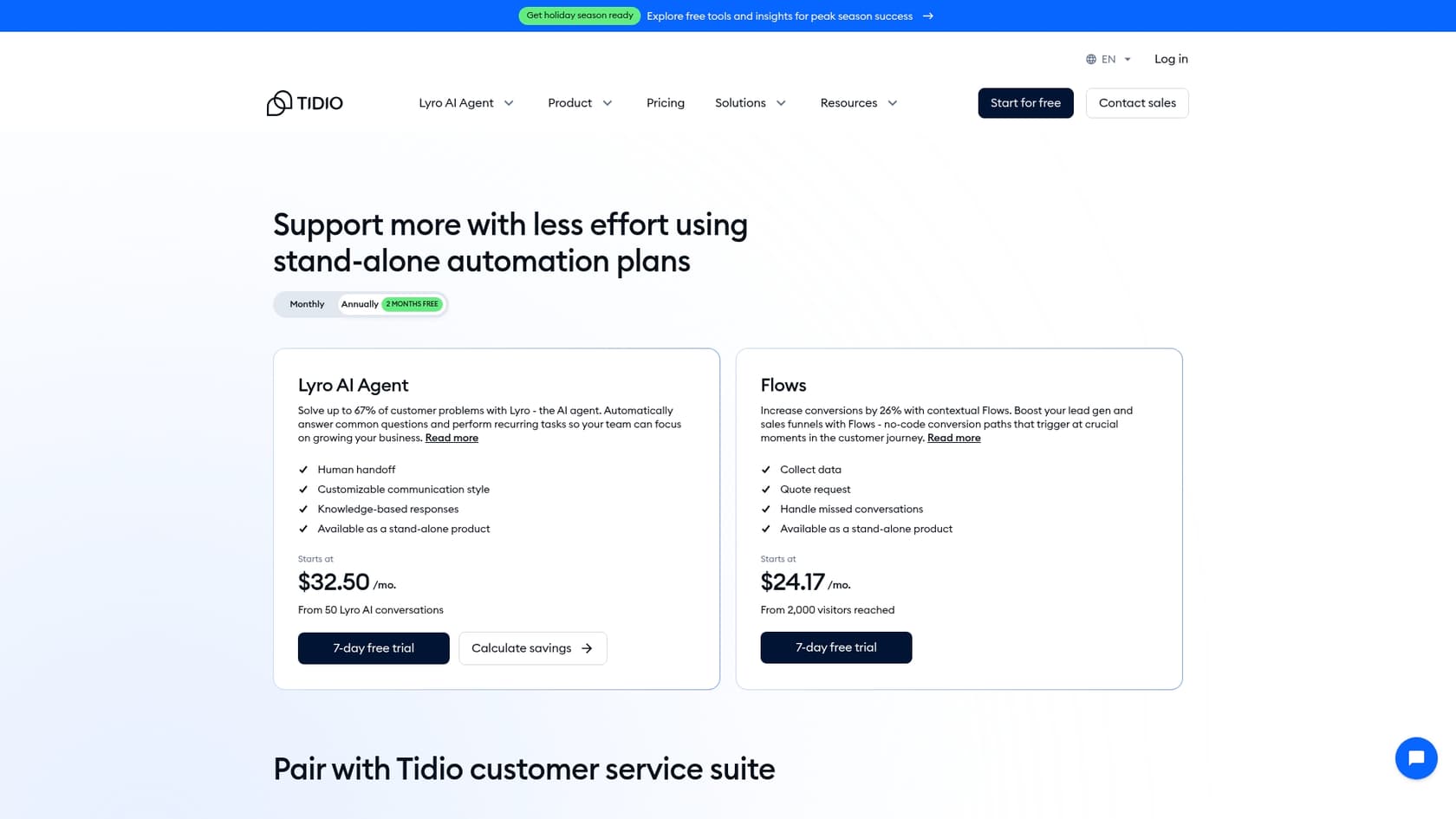
Tidio’s pricing is modular, which can be both a good and a bad thing. It's nice to pick and choose what you need, but it can also get confusing and expensive, fast. Let's dig in.
The free forever plan
Tidio has a pretty generous free plan that’s great for getting started. It includes up to 10 agent seats, 100 unique visitors for Flows, and 50 "billable" conversations per month. That term "billable conversation" is important: a conversation only counts against your limit if one of your human agents replies. It’s a nice touch, meaning you won't waste your quota on spam or messages that don't need a reply.
Paid plans overview
This is where things can get a little complicated. Tidio prices its main products separately: the Lyro AI Agent, Flows, and the Customer Service suite (which is the live chat and ticketing). You can buy them on their own or bundle them.
The potential issue: This à la carte model makes it tough to guess your monthly costs. You might sign up for a Customer Service plan, then realize you need to pay extra for more Lyro conversations or a higher visitor limit for your Flows. The features are walled off from each other, and your final bill can be a lot higher than you first thought.
On the standalone Lyro plan, conversations are metered at $0.50 each, with 50 free ones on every account. Above the self-serve plans, Tidio also lists a Premium tier (contact sales) that adds pay-per-resolution billing and a guaranteed 50% Lyro resolution rate, starting from 3,000 Lyro conversations.
For comparison, eesel AI offers straightforward, predictable pricing based on a single number: AI interactions. All the main features are included in each plan, so you don't have to worry about surprise fees or hidden costs for things you need.
Here's a breakdown of Tidio's main plans:
| Plan | Price (Billed Annually) | Key Features | Best For |
|---|---|---|---|
| Free | $0/month | 50 billable conversations, 100 Flows visitors, 10 seats | Individuals or small teams just testing the waters. |
| Starter | $24.17/month | 100 billable conversations, Copilot, Social media integrations | Solo entrepreneurs who need a bit more than the free plan. |
| Growth | Starts at $49.17/month | From 250 billable conversations, Advanced analytics, Permissions, Macros | Growing teams that need better reporting and tools. |
| Lyro AI Agent | Starts at $32.50/month | Stand-alone plan for 50+ Lyro conversations, Human handoff | Businesses focusing on AI-driven ticket deflection. |
| Flows | Starts at $24.17/month | Stand-alone plan for 2,000+ visitors reached with Flows | Businesses focused on marketing and sales automation. |
| Plus | Starts at $300/month | Custom limits, Dedicated Success Manager, Custom branding | Larger businesses needing all the bells and whistles and dedicated support. |
Tidio register limitations and a more integrated alternative
After going through the Tidio register process and giving it a thorough look, it’s clear Tidio is a decent tool. But it has some real drawbacks for teams that want to scale their support with smarter AI.
To put it plainly, here are Tidio's main weaknesses: Lyro AI can't learn from your most valuable source of information, your team's past support conversations. This leaves a huge gap in its ability to handle real customer problems. The Flows feature is handy for simple tasks but is too rigid for real conversations, often leading customers down frustrating dead ends. On top of that, getting Lyro and advanced Flows set up right takes a lot of manual work. And finally, the piecemeal pricing makes it hard to budget, often forcing you to pay for multiple add-ons.
The Tidio register alternative: eesel AI
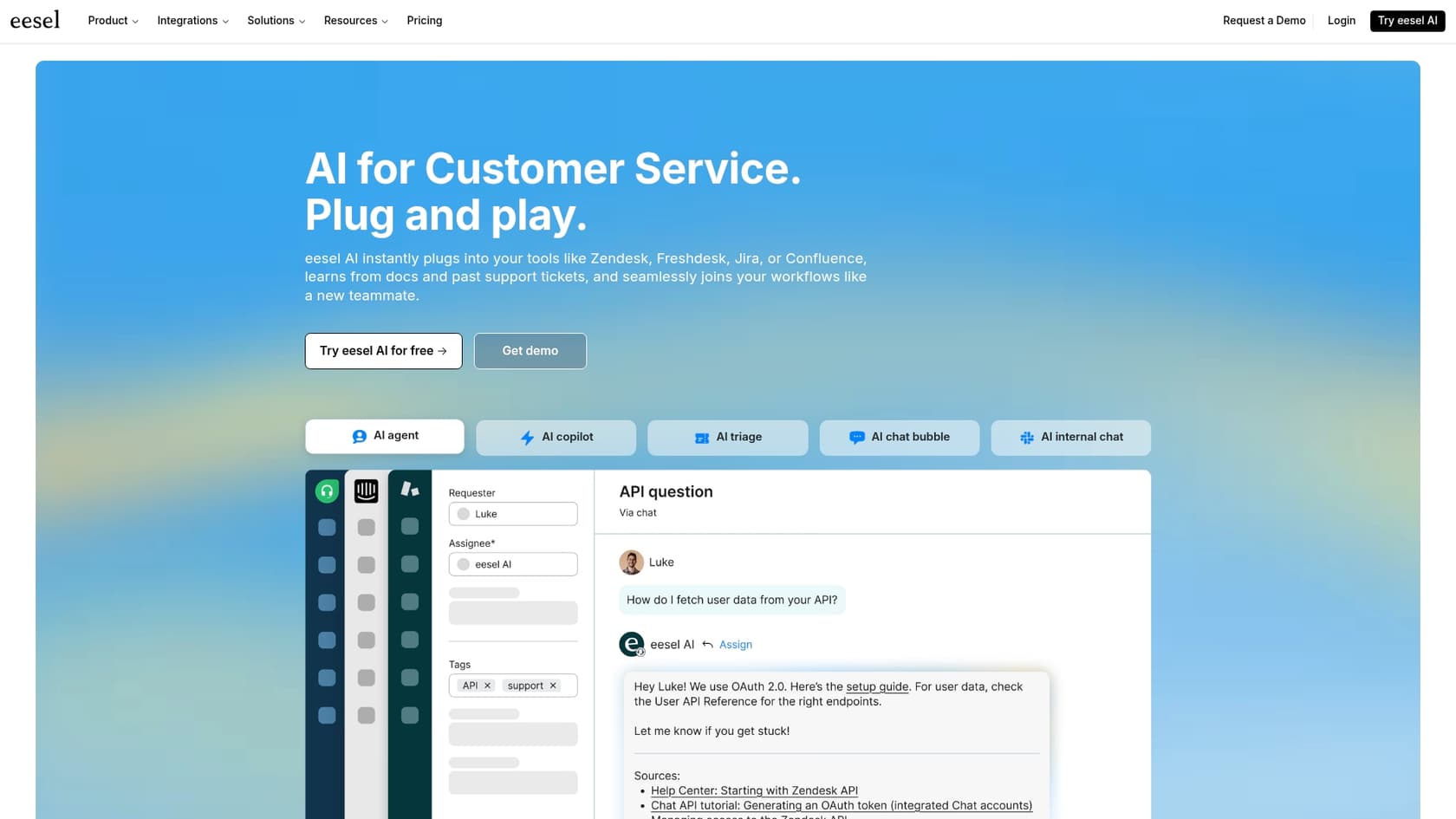
For teams that want to get around these headaches, eesel AI offers a smarter solution that works with the tools you already have.
-
Unified Knowledge: eesel's AI Agent connects right to your help desk (like Zendesk or Intercom), your knowledge bases (like Confluence), and even unstructured stuff like Google Docs and past tickets. It instantly creates one powerful brain for your AI.
-
Effortless Setup: eesel AI is built to be incredibly easy to set up yourself. You can connect your help desk, train your AI, and go live in minutes, not months. No mandatory sales calls or long onboarding sessions needed.
-
Risk-Free Simulation: One of eesel AI’s coolest features is its simulation mode. You can test your AI on thousands of your actual past tickets in a safe environment. This shows you exactly how well it will perform before it ever talks to a live customer.
-
Predictable Pricing: eesel AI’s pricing is simple. Plans are based on how many AI interactions you use, with no confusing add-ons or fees per resolution. This makes it easy to scale up without your budget spiraling out of control.
Tidio register: Your next step
The Tidio register process is easy, and the platform is a solid choice for businesses just dipping their toes into live chat and basic automation. It’s approachable, has a great free plan, and covers the fundamentals well.
But for teams serious about using AI to provide top-notch support, its limits show up pretty fast. If you want to unlock the wisdom hidden in your past conversations and use a powerful AI without having to switch your entire help desk, you’ll probably need a different tool.
Don't let your most valuable support data sit there unused. See how eesel AI's AI Agent can learn from your team's expertise and start automating support in just a few minutes. Try it for free today.
Frequently asked questions
What's the very first step I need to take to begin the Tidio register process?
The initial step for the Tidio register process involves heading to the Tidio website and filling out a basic form with your email, a password, and your website's URL. No credit card information is required at this stage.
After I complete the Tidio register, what exactly does the 7-day free trial include?
Completing the Tidio register automatically activates a 7-day free trial of all premium features. This allows you to fully test drive Lyro AI, advanced Flows, and other paid functionalities before committing to a subscription.
Does Tidio offer a free plan even after I complete the initial Tidio register and the trial ends?
Yes, after you complete the Tidio register and your 7-day premium trial concludes, your account will automatically switch to a generous free plan. This free plan includes up to 10 agent seats, 100 Flows visitors, and 50 "billable" conversations per month.
Once I've finished the Tidio register and started using the platform, how does the Lyro AI agent learn to answer my customer questions?
After you Tidio register, Lyro AI learns by being "trained" with structured data, typically by feeding it links to your FAQ pages or help articles. It then uses only that specific content to formulate its answers to customer inquiries.
If I decide to upgrade my plan after the initial Tidio register and free trial, how does Tidio's modular pricing work?
After you Tidio register and your trial, Tidio's pricing is modular, meaning main products like Lyro AI, Flows, and the Customer Service suite are priced separately. You can buy them individually or in bundles, which means your final cost depends on which features and usage limits you choose.
What are some common limitations I might encounter after I Tidio register, especially if I'm looking for advanced AI capabilities?
After you Tidio register, a key limitation is that Lyro AI cannot learn from your past support conversations, relying only on structured knowledge bases. Additionally, Flows are strictly rule-based and can't handle complex, unpredictable human interactions, potentially leading to frustrating dead ends for customers.


Article by
Kurnia Kharisma Agung Samiadjie
Kurnia is a software engineer and writer at eesel AI with two years of SEO experience, writing about AI tools, helpdesk software, and customer support. He pairs a developer's understanding of how these products are built with search-driven research into what actually ranks and resonates with the people searching for them.