
That little chat bubble in the corner of a website? It’s pretty much standard now for any business online. But the tech behind that bubble is evolving fast, with AI and automation changing how we think about customer support.
Tidio is one of the big names you'll see pop up a lot. It’s an all-in-one platform that bundles live chat, AI, and other tools into one package. If you’re trying to figure out if it’s for you, you’re in the right place. We’re going to give you a complete overview of Tidio Live Chat. We'll get into its main features, how the AI works, what it costs, and, most importantly, the limitations to be aware of. By the end, you should have a much clearer picture.
What is Tidio Live Chat?
So, what exactly is Tidio Live Chat? Think of it as more than just a chat widget. It’s a central hub for all your customer conversations. The platform mixes a live chat tool, a shared ticketing system, rule-based automations they call "Flows," and a conversational AI named "Lyro."
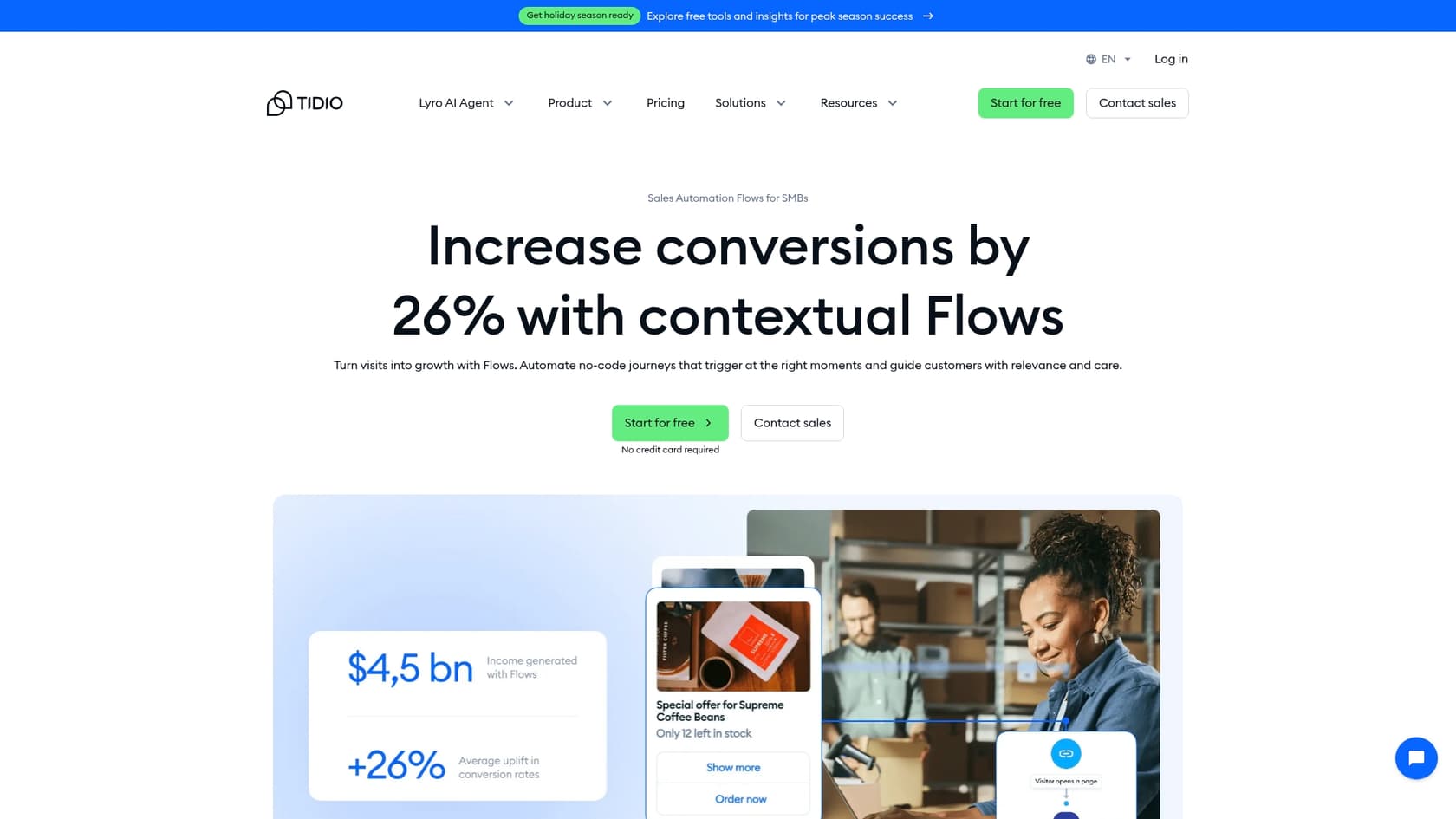
The whole idea is to pull all your communication channels, website chat, Facebook Messenger, Instagram, email, into a single dashboard. This makes it a go-to for many small to mid-sized businesses, especially in e-commerce, who want one tool to handle both support and sales.
Here’s a key thing to remember: Tidio is built to be its own help desk. This is a big deal if your team is already using another support system, as it really affects how you'd fit Tidio into your daily work.
Core features and capabilities of Tidio Live Chat
Tidio’s platform is really built around three key parts that work together: the live chat inbox for your team, Lyro for the AI conversations, and Flows for the automated stuff.
The Tidio Live Chat widget and inbox
This is the bread and butter of the platform. The live chat lets your team talk with website visitors in real time. It has all the features you’d hope for, like seeing what a customer is typing before they hit send, a panel showing their location and browsing history on your site, and the ability to share files.
A huge plus is the unified inbox. Every chat, whether it's from your website, Messenger, or Instagram, lands in the same place. No more flipping between five different apps to talk to customers. It also has tools to speed things up for agents, like canned responses (called Macros) and the option to manually pass chats to other team members.
Lyro: Tidio Live Chat's AI agent
Lyro is Tidio's conversational AI agent. Its main job is to jump in and answer customer questions when your team is swamped or offline. Think of it as the first line of defense for all those common, repetitive questions, which frees up your human agents to focus on the trickier stuff.
So, how does it get smart? You have to train it. Based on Tidio's own docs, you feed it knowledge by:
-
Scanning website URLs: Just give Lyro a link to your FAQ or help center, and it’ll read the content.
-
Importing from Zendesk: If you have a public Zendesk Help Center, you can pull articles from there.
-
Uploading files: You can upload a CSV file with a list of questions and answers.
-
Manual entry: Or you can just add Q&As one by one.
Lyro is designed to be conversational. It can ask for more information if it's confused and knows when to hand off a conversation to a human agent if it gets stuck.
Flows: Rule-based automation in Tidio Live Chat
Flows are Tidio’s tool for building automated, rule-based chatbots. You use a visual, no-code builder to create a script for the bot to follow.
It’s really important to know the difference between Flows and Lyro. Flows are all about strict 'if this, then that' logic. For example, if a visitor is on the checkout page for more than a minute, then you can have a Flow pop up with a 10% discount code. Lyro, the AI, is different because it tries to understand and respond to natural, unstructured questions.
Flows are perfect for getting in front of customers. You can use them to:
-
Welcome new visitors to your site.
-
Offer a discount to someone who looks like they’re about to leave without buying.
-
Create simple FAQ bots with buttons for common questions like "Where's my order?"
Tidio Live Chat setup, integrations, and knowledge management
Okay, so how easy is it to get Tidio running, and how does it play with your other tools?
Setting up Tidio Live Chat
Tidio is definitely built for you to set up yourself. You can sign up, tweak the chat widget to match your brand’s colors, and get it on your site without ever needing to talk to a salesperson. Usually, this just means pasting a small bit of JavaScript into your website's code. And if you’re on a platform like Shopify or WordPress, they have plugins that make it even simpler.
How Tidio Live Chat connects with other tools
Tidio does offer a bunch of integrations, connecting directly to e-commerce platforms like Shopify, various CRMs, and email marketing tools. For everything else, there’s a Zapier integration to link it up with thousands of other apps.
But here’s a really important thing to understand: Tidio is designed to be your main customer service hub. Its live chat and shared inbox don't slot into an existing help desk like Zendesk, Freshdesk, or Intercom the way an add-on would. The Lyro AI agent is the exception: I found that Lyro Connect plugs it into Zendesk, Intercom, Salesforce, and other platforms, though it needs a Plus or Premium subscription. So if your team is comfortable in one of those systems, the call is between moving your support setup to Tidio, adding only Lyro, or managing two separate inboxes.
Building the AI's knowledge base
Like we touched on earlier, getting Lyro smart means feeding it information from specific places like your website, a CSV file, or a Zendesk Help Center. You're basically building its brain from the ground up.
And that leads to a real limitation: there's no self-serve import for the back catalogue of tickets sitting in your existing help desk. Tidio's help docs say Intercom conversations, Gorgias tickets, and Zendesk tickets can be imported, but only with help from Tidio's team and an active Lyro AI Agent subscription. Lyro also picks up knowledge from your own solved live chats, surfacing suggested Q&As you review and switch on, but ticket emails handled in the panel aren’t scanned. Think about it: all those old tickets in your help desk are a goldmine of your brand’s unique voice, common customer issues, and the solutions that actually work. Without them, Lyro starts from the sources you feed it, rather than from everything your team has already answered.
This isn't just a Tidio thing; it's common with all-in-one platforms. This is where tools built differently, like eesel AI, come into the picture. eesel is designed as an AI layer that connects right to the help desk you already use, along with knowledge sources like Confluence or Google Docs. It learns from years of your past tickets and internal docs, so it understands your business and brand voice right away, with no manual data entry needed.
Here’s a quick comparison of how they build knowledge:
| Knowledge Source | Tidio (Lyro AI) | eesel AI |
|---|---|---|
| Website / URL Scraping | Yes | Yes |
| Manual Q&A Entry | Yes | Yes |
| CSV File Upload | Yes | Yes |
| Past Support Tickets | Via Tidio's team (Lyro plan) | Yes (Zendesk, Freshdesk, etc.) |
| Confluence / Google Docs | Not a listed source | Yes (One-click integration) |
| Slack / Teams History | Not a listed source | Yes |
Tidio Live Chat limitations and key considerations
Tidio is a solid tool, but its all-in-one design comes with some trade-offs you should think about.
The Tidio Live Chat "all-in-one" challenge
The thing that makes Tidio strong is also its biggest challenge, especially for teams that are already established. It wants to be your only customer service tool. If you’re starting from zero, that's perfect. But if your team has spent years fine-tuning workflows, macros, and reports in a tool like Zendesk, Freshdesk, or Gorgias, bringing in the full Tidio platform means you're looking at either a big migration project or a setup where agents are bouncing between two different systems, unless you add only Lyro.
For teams who like their current help desk and just want to add smart AI on top, something like eesel AI's AI Agent is a much easier route. Instead of making you switch, eesel works like an intelligent layer over your existing system. It plugs right into tools like Zendesk, Freshdesk, and Gorgias, and can be up and running in minutes, automating support without messing up how your team already works.
Separation of AI and automation in Tidio Live Chat
Inside Tidio, the Lyro AI and the Flows automation tool are treated like two separate things, and they often have separate price tags. This can get a little confusing. You have to figure out when a strict, rule-based Flow is the right choice versus when you should let the AI take over. It can make your support strategy a bit more complicated and means more time spent setting up and managing two different systems.
Tidio Live Chat pricing complexity
Tidio’s pricing is broken down by feature. You pay for a certain number of agent conversations, then you pay separately for a certain number of Lyro AI conversations, and then again for the number of visitors your Flows interact with. While this pick-and-choose model seems flexible, it can make it really hard to guess what your monthly bill will be. One busy month could easily result in a much higher invoice than you expected, which isn't great if you're trying to stick to a budget.
Tidio Live Chat pricing explained
Tidio’s pricing is split into its three main products: the Customer Service Suite (for live chat and tickets), the Lyro AI Agent, and Flows. You can buy them separately or bundle them up.
The cost goes up with usage, meaning you’ll pay more as you handle more chats, use more AI, or have your Flows engage more visitors. This can make budgeting a bit of a moving target, especially for growing companies where support volume can swing month to month.
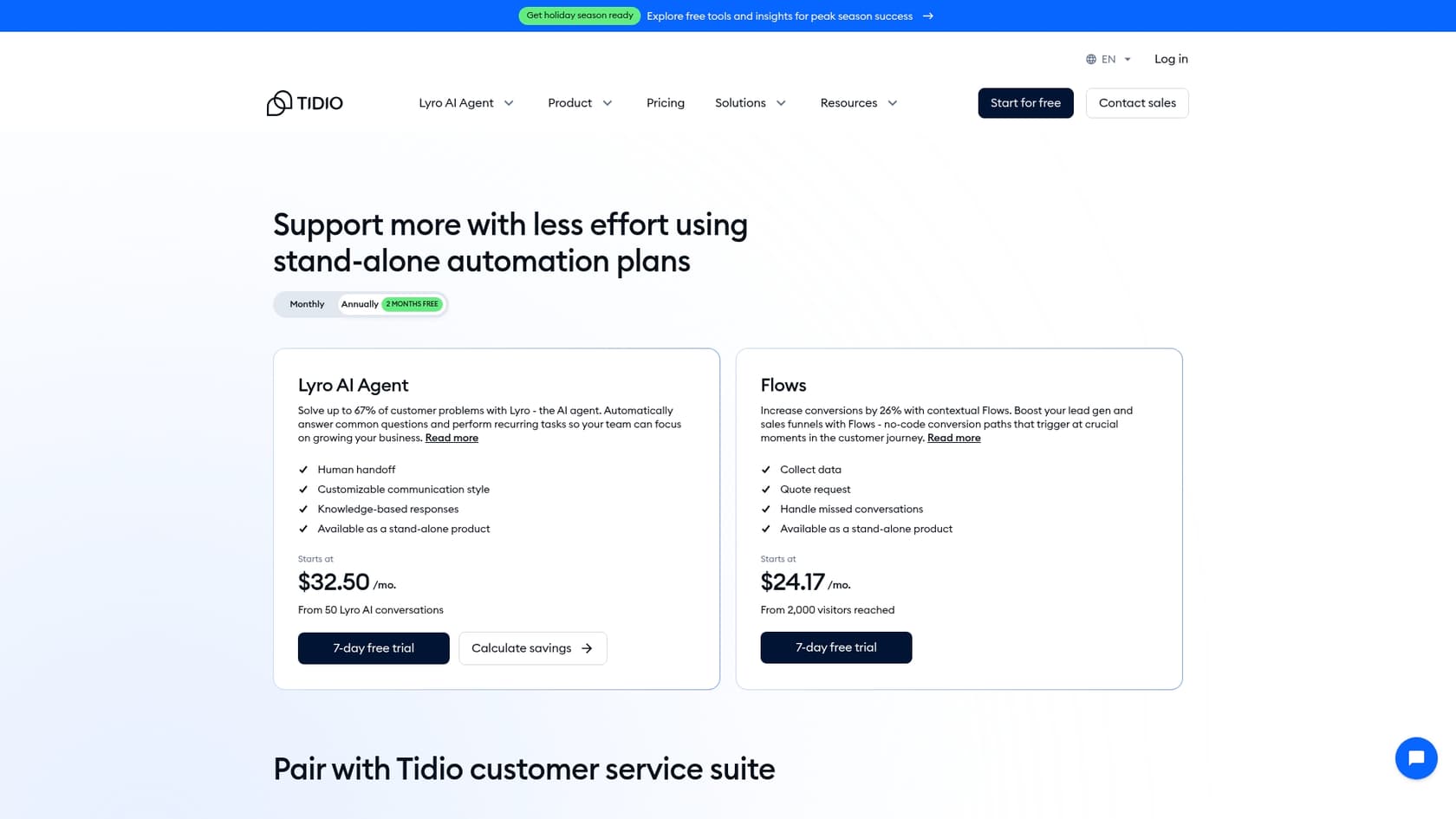
Here’s a simplified look at their plans, based on their pricing page:
| Plan/Product | Price (per month, billed annually) | Key Features |
|---|---|---|
| Free | $0 | 50 billable conversations, 100 Flows visitors |
| Starter | $24.17 | 100 billable conversations, Live Chat, Ticketing |
| Growth | Starts at $49.17 | 250+ billable conversations, Advanced Analytics, Permissions |
| Plus | Starts at $300 + monthly usage | Custom conversations, Lyro Connect, dedicated success manager |
| Premium | Contact for pricing | From 3,000 Lyro conversations, guaranteed 50% AI resolution rate |
| Lyro AI Agent | Starts at $32.50 | From 50 Lyro AI conversations |
| Flows | Starts at $24.17 | From 2,000 visitors reached with Flows |
Is Tidio Live Chat right for you?
So, what's the final verdict? Is Tidio Live Chat the right tool for you?
Honestly, it’s a really solid, user-friendly platform, and for many small to medium-sized businesses (especially in e-commerce), it's a great pick. If you're starting from scratch and want one affordable tool to manage all your customer chats, live, email, and social media, Tidio is a fantastic contender. Its real strength is putting everything in one place.
But here's the catch with that all-in-one approach: the platform is built to replace your help desk, and only Lyro can sit on top of one. If your team is already deep into a platform like Zendesk, you're facing a decision: migrate everything over, juggle two systems, or buy Lyro on its own. On top of that, past tickets only reach its AI through an import handled by Tidio's team.
If your goal is to add smart, context-aware AI to the support stack you already use, without the headache of switching platforms, then a tool like eesel AI probably makes more sense. With eesel AI, you can automate up to 70% of support tickets right inside your current help desk. It learns from all your scattered knowledge, from old tickets to Confluence docs, and can be up and running in minutes, not months.
Frequently asked questions
What exactly is Tidio Live Chat, and what are its core functions?
Tidio Live Chat is an all-in-one platform that combines live chat, a shared ticketing system, rule-based automations (Flows), and an AI agent (Lyro). It centralizes customer conversations from various channels like your website, Facebook Messenger, and Instagram into a single dashboard. Its main goal is to handle both customer support and sales interactions efficiently.
How does Lyro, the AI agent in Tidio Live Chat, acquire the knowledge it needs to answer customer questions?
Lyro learns by being fed information from specific sources you provide. This includes scanning website URLs, importing articles from a public Zendesk Help Center, uploading CSV files with Q&As, or manually entering questions and answers. It is trained from the ground up on the data you supply.
Can Tidio Live Chat work alongside my existing help desk software, like Zendesk?
Tidio Live Chat is designed to be its own main customer service hub, rather than an add-on to existing help desk systems. If you use Zendesk or similar, you'd either migrate your support setup to Tidio, manage two inboxes, or buy only the Lyro AI agent, which can connect to other platforms through Lyro Connect on Plus and Premium plans.
What's the main difference between Lyro AI and the 'Flows' automation feature in Tidio Live Chat?
Lyro AI is a conversational chatbot designed to understand and respond to natural, unstructured customer questions. Flows, on the other hand, are rule-based automations that follow strict 'if this, then that' logic, perfect for structured tasks like greeting visitors or offering discounts based on specific website actions. They serve different automation purposes.
How does the pricing model for Tidio Live Chat typically work, and what should I watch out for?
Tidio Live Chat's pricing is split by product (Customer Service Suite, Lyro AI Agent, Flows) and usage. You pay based on the number of agent conversations, Lyro AI conversations, and visitors reached by Flows. This can make budgeting unpredictable, as a busy month with high support volume could lead to a significantly higher bill than expected.
Is Tidio Live Chat a good choice for a small business just starting its online customer support?
Yes, Tidio Live Chat can be an excellent choice for small to medium-sized businesses that are building their customer support from scratch. Its user-friendly, all-in-one platform allows for centralized management of live chat, email, and social media conversations efficiently and affordably.


Article by
Rama Adi
Rama is a software engineer at eesel AI with two years of experience writing about B2B SaaS, AI tools, and customer support technology. Based in Bali, Indonesia, he brings a developer's perspective to product comparisons — cutting through marketing copy to what the integrations and APIs actually do.