

Why look past the Microduck at all?
First, credit where it is due. The Microduck is a clever thing: a 25 cm, sub-800 g biped with 15 motors that you train in a physics simulator and deploy to real hardware, for less than the price of a phone. Walking bipeds used to start around $1,100 and climb past $11,000 for research-grade models. Pollen Robotics and Hugging Face put one on a personal credit card. That is why the launch hit $2.6M in pre-orders in its first 24 hours, according to the team.
But that demand is exactly the first reason to look elsewhere. The Pollen store now warns that Christmas 2026 delivery is no longer guaranteed and quotes a 4 to 6 month lead for new orders. If you wanted a robot to tinker with this month, that is a long time to wait.
The second reason is what the Microduck is. It is a hacker platform, not an appliance. Every behavior past the seven it ships with is a policy you train yourself. Some buyers love that; some realise it is not what they meant. As one commenter put it on the Hacker News launch thread:
"I would describe the Microduck as more of a toy than Beni. Autonomous cameraman is a real application that Beni performs out of the box. I think you'll struggle to get Microduck to do anything genuinely useful."

That is a fair critique, not a dunk. It just means the Microduck rewards a specific kind of buyer. If you are one of the others, this decision map covers the usual reasons people go looking:
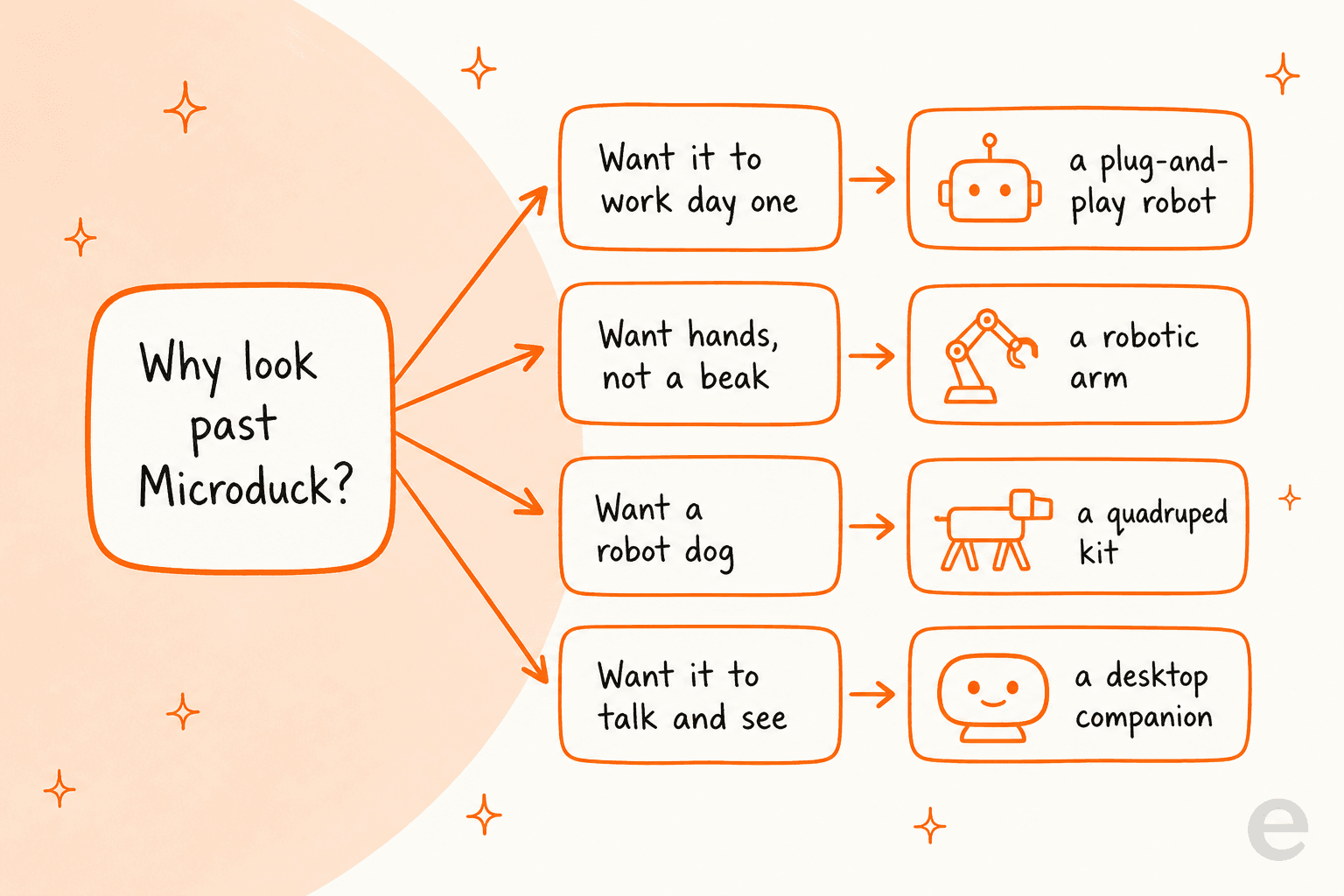
The Microduck's real superpower is a narrow one: it is the only robot that is a biped, walks, is open source, costs under $400, and is buyable, all at once. Nothing else on this list hits all five. So the trick to picking an alternative is being honest about which of those five you actually care about.
How I picked these alternatives
I stuck to robots you can actually order and pay for from the maker's own store, at a price the maker actually publishes. That rules out the one comparison everyone reaches for, the Disney BDX droid: it looks like a bigger Microduck and uses the same reinforcement-learning-in-simulation idea, but it is a research and theme-park prototype you cannot buy. The Microduck is, in effect, the BDX droid you can own, so there is no rival to list there.
For everything else I weighed four things: price (from primary sources only), form factor (biped, quadruped, arm, or stationary), whether the software is open source, and who each one is best for. Here is the whole field at a glance before we get into each one.
| Robot | Maker | Price | Form factor | Open source? | Buy now? |
|---|---|---|---|---|---|
| Microduck | Hugging Face / Pollen | $399 | Walking biped | Software | Pre-order (4-6 mo) |
| Reachy Mini | Hugging Face / Pollen | $299 / $449 | Desktop, stationary | Yes | Pre-order |
| Petoi Bittle | Petoi | $289 | Quadruped kit | Yes | Yes |
| Petoi Nybble | Petoi | $299 | Quadruped kit | Yes | Yes |
| LeRobot SO-101 | Hugging Face + partners | ~$250 | Tabletop arm | Yes | Yes |
| Hiwonder TonyPi | Hiwonder | $479.99 | Walking humanoid | Open access | Yes |
| Unitree Go2 | Unitree | ~$1,600 | Quadruped dog | SDK | Yes |
| Unitree G1 | Unitree | ~$13,500 | Full humanoid | SDK / EDU | Yes |
| ROBOTIS BIOLOID | ROBOTIS | ~$1,100+ | Humanoid kit | Yes | Yes |
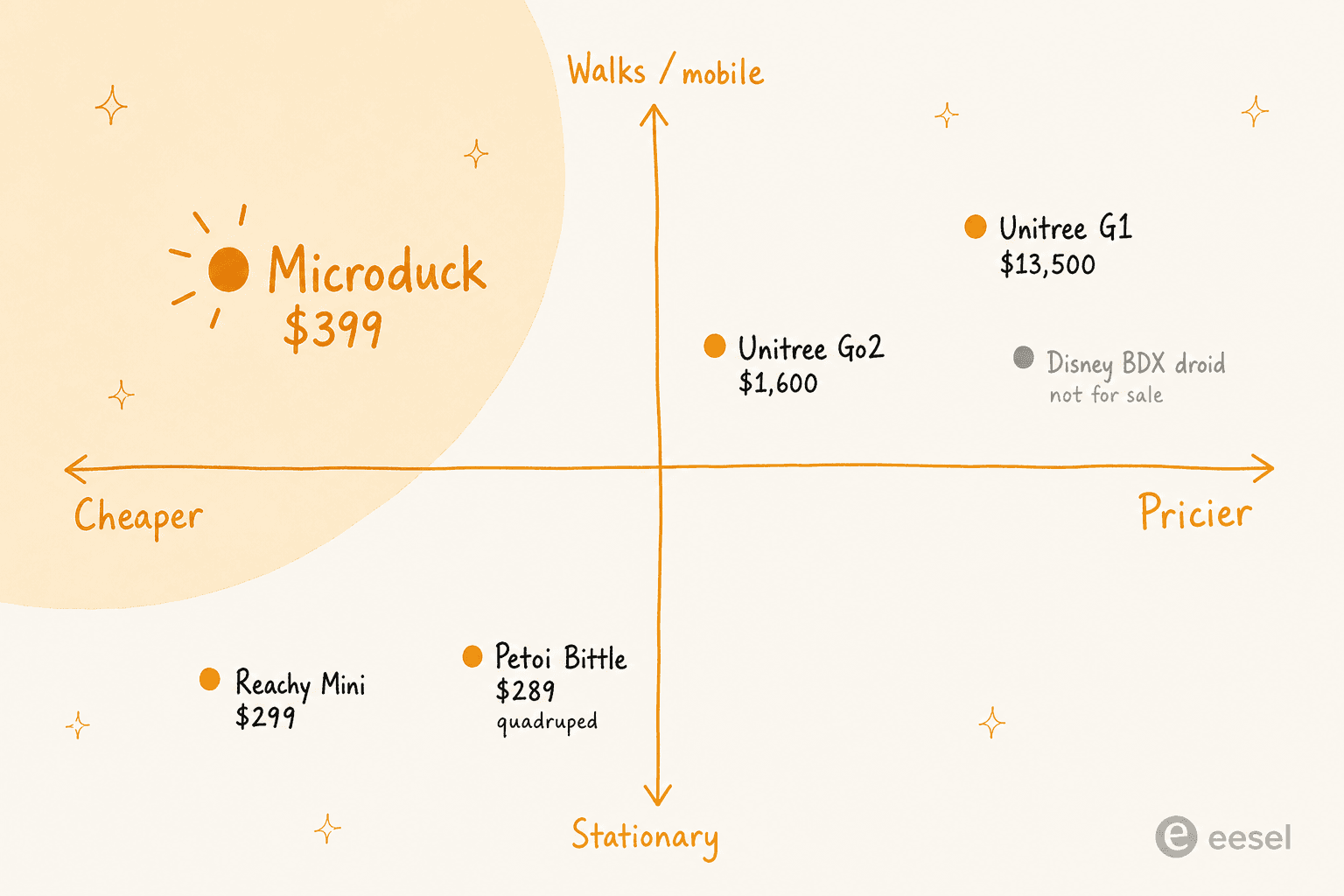
A few things jump out of that table. There is a clear sub-$500 tinkering tier (Reachy Mini, Petoi, SO-101, TonyPi, and the Microduck itself), then a big jump to the four-figure serious-robotics tier (Unitree, ROBOTIS). And the Microduck is one of only two walking bipeds under $1,000 on the entire list. Mapped onto price and mobility, the whitespace it owns is easy to see:
1. Reachy Mini - best for AI that interacts, not acts
Best for: anyone who liked the Hugging Face open-source pitch but wants a robot that talks, listens, and sees rather than one that walks around.
Reachy Mini is the Microduck's sibling from the same team, and it is the single closest alternative because it shares the exact same DNA: open-source, hackable, built on the Hugging Face and Python stack, with trained behaviors you can share on the Hub. The difference is what it is for. Pollen frames the two as a matched pair: Reachy Mini is a platform for AI that interacts, and the Microduck is a platform for AI that acts.
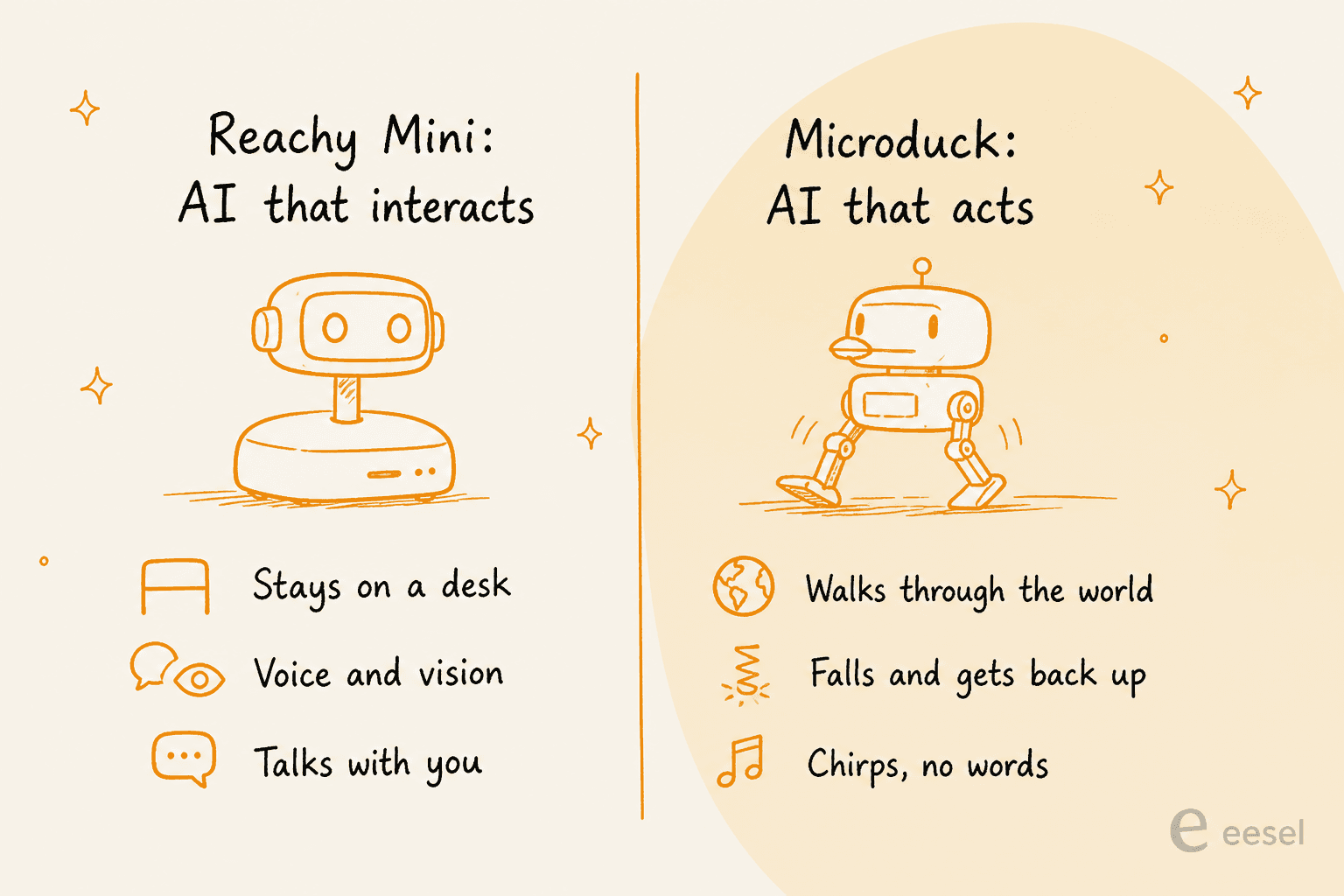
In practice, Reachy Mini is an 11-inch head-and-torso companion that sits on your desk. It has a camera, microphones, speakers, expressive antennas, and a 6-DoF head, and it does not go anywhere. That is the point. It has already sold more than 10,000 units as a platform for playing with conversational and vision models on real hardware. If your interest in the Microduck was really "I want to build with Hugging Face's open models on a physical robot" rather than "I want a thing that walks," Reachy Mini is cheaper and available sooner.
Pros: same open-source ecosystem, cheaper ($299 Lite), a proven track record, ideal for voice and vision projects. Cons: it is stationary, so no walking, no mobility, none of the sim-to-real training loop that makes the Microduck special. Pricing: $299 for the Reachy Mini Lite, $449 for the Wireless version, both from Pollen.
Verdict: if you want to interact, buy this. If you want to move, it is the wrong tool, and no amount of price advantage changes that.
2. Petoi Bittle & Nybble - best cheap open-source walker
Best for: the buyer who mostly wants a small, affordable, programmable robot that physically walks around, and does not care whether it has two legs or four.
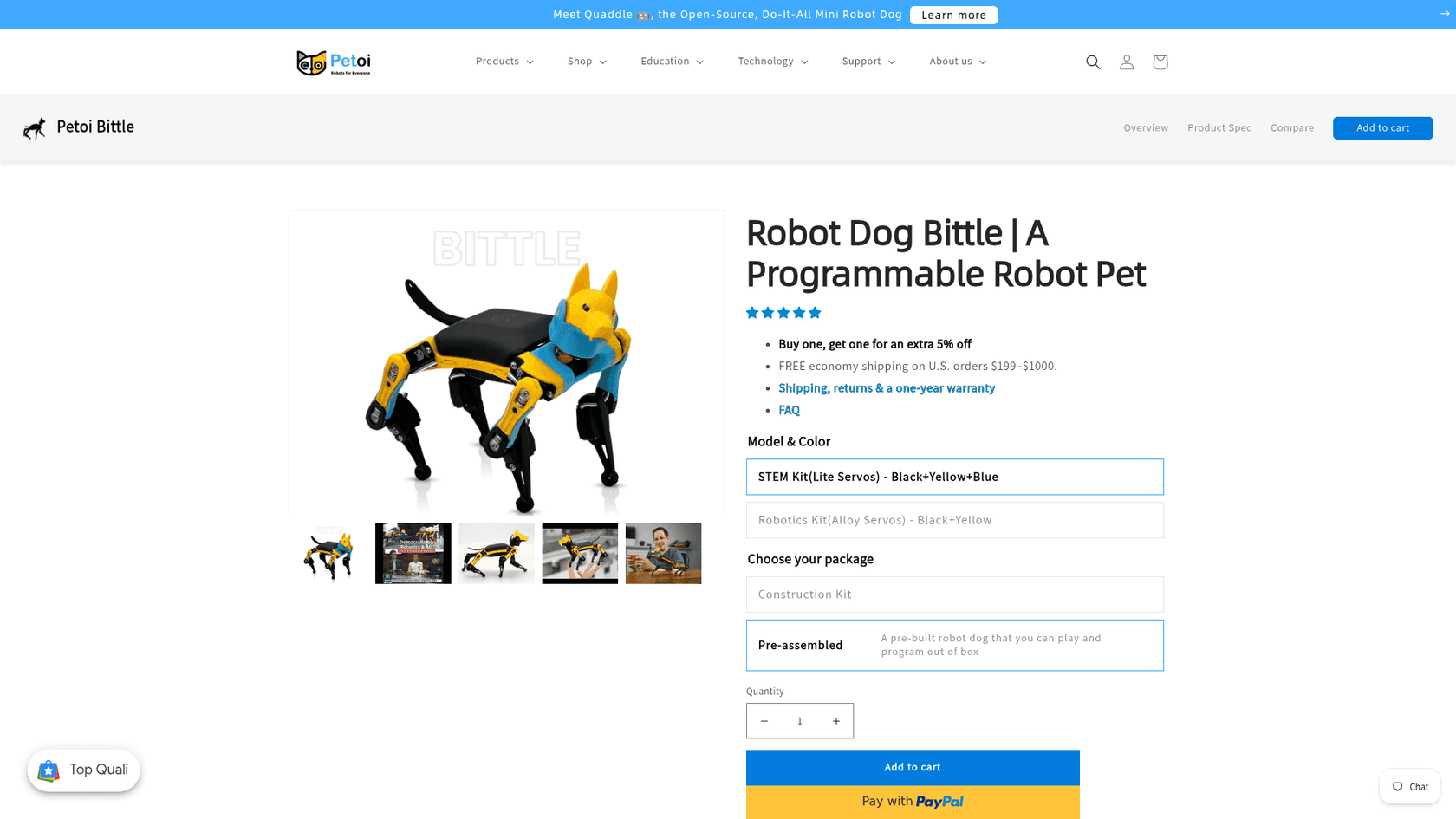
If the appeal of the Microduck is "a cheap, open-source robot I can program to move," the Petoi Bittle gets you most of the way there for less money and with no waitlist. The Bittle is a $289 open-source quadruped dog kit, and the Nybble is its $299 robot-cat cousin. Both are Arduino-based, fully programmable, and have a mature community and curriculum behind them.
The honest gap is two things. First, they are quadrupeds, not bipeds, so you lose the whole "walking humanoid" novelty. Second, they lean toward classic STEM-robotics and gait programming rather than the modern reinforcement-learning policy training that is the Microduck's headline feature. You are teaching a Petoi to walk with more traditional tools, not training a neural policy in MuJoCo and exporting it to hardware.
Pros: cheapest open-source walker here, in stock, big community, great for classrooms and first robots. Cons: four legs not two, older-school programming model, no RL-in-simulation pipeline out of the box. Pricing: Bittle $289, Nybble $299, direct from Petoi.
Verdict: the best pick if "cheap, open, and it walks" is your whole checklist and you are relaxed about the number of legs. If you specifically wanted a biped or the RL workflow, keep reading.
3. Hugging Face LeRobot SO-101 - best for hands, not a beak
Best for: anyone whose real interest is manipulation (picking things up, precise movement) rather than locomotion, and who still wants to stay in the Hugging Face open-source world.
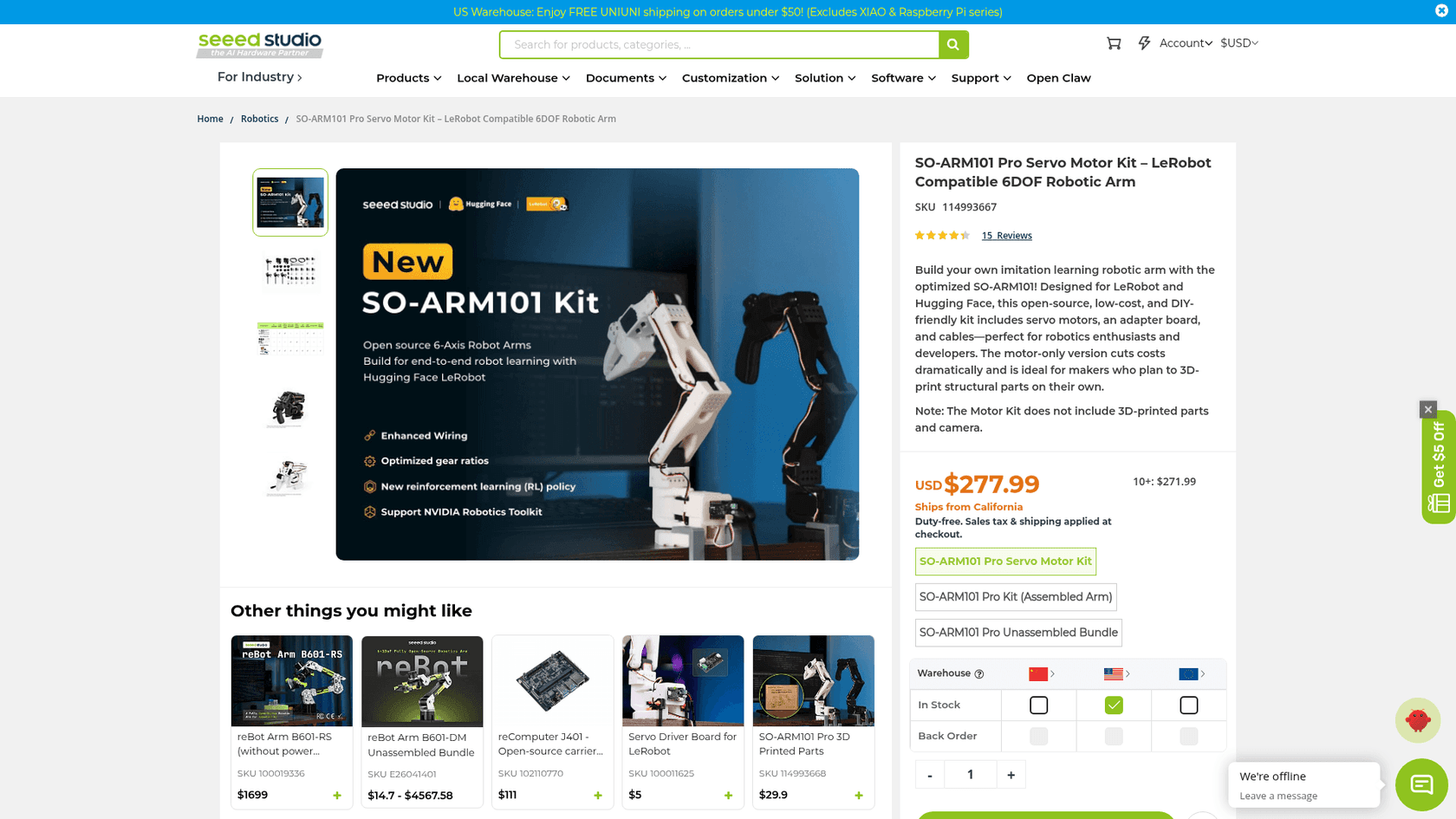
One of the sharpest limits people hit with the Microduck is that it grabs objects with a beak, not hands. If manipulation is what you are actually excited about, the LeRobot SO-101 is the better on-ramp. It is Hugging Face's other cheap open-source robot: a tabletop robotic arm that you can build for as little as around $100 in parts, or buy as a ready kit for roughly $250. It plugs straight into the LeRobot library, which is the same imitation-learning and policy stack the wider Hugging Face robotics ecosystem is built on.
This is a different robot doing a different job. It does not move around a room, but it can learn to pick up, sort, and place objects with real dexterity, which is the whole category the Microduck's beak only gestures at. If your project is "teach a robot to do a fiddly physical task," an arm is the honest tool.
Pros: cheapest entry point on this list, real manipulation, first-class Hugging Face and LeRobot support, huge community of shared datasets and policies. Cons: it is an arm, so no mobility at all, and a build-it-yourself kit involves more assembly than a finished product. Pricing: roughly $100-130 to self-build; the Seeed Studio SO-ARM101 Pro kit is $249.90.
Verdict: the pick when manipulation beats locomotion for you. It is also the cheapest way to start doing serious machine-learning-on-hardware work, full stop.
4. Hiwonder TonyPi - best buyable walking humanoid
Best for: the person who wants specifically a walking humanoid they can order today, without the Microduck's waitlist or its RL-only workflow.
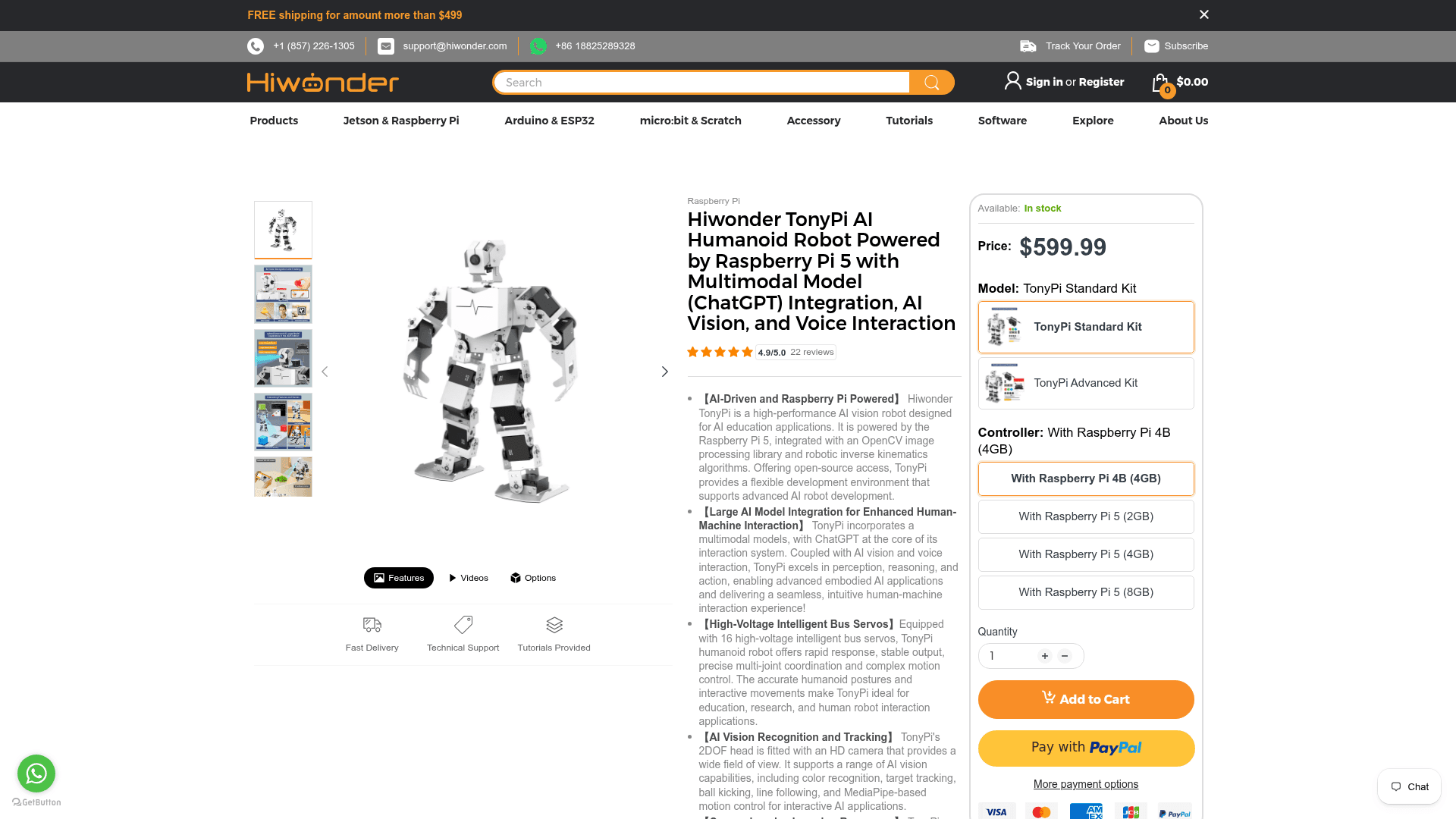
If it is the two-legged, walking-humanoid form that drew you to the Microduck, the Hiwonder TonyPi is the closest thing you can buy right now. It is a bipedal humanoid with 18 degrees of freedom and 16 intelligent bus servos, built on a Raspberry Pi 5, with an OpenCV vision pipeline and (in the current version) multimodal model integration for voice and vision. Hiwonder ships it with open-source access to the code, so it is hackable in the same spirit as the Microduck.
The difference in philosophy matters. TonyPi is built around classic servo control, inverse kinematics, and computer vision, with ready-made behaviors and Python examples, rather than the Microduck's train-a-policy-in-simulation loop. That is a plus if you want a humanoid that does recognisable things (face tracking, object recognition, gait routines) out of the box, and a minus if the reinforcement-learning workflow was the entire attraction. It is also pricier at $479.99, and Hiwonder is a robotics-kit vendor rather than a Hugging Face-scale open ecosystem.
Pros: a real walking humanoid, in stock, mature vision and servo tooling, Raspberry Pi 5 brain, open-source code access. Cons: more expensive than the Microduck, servo-and-CV rather than modern RL, smaller community than the Hugging Face world. Pricing: $479.99 for the standard TonyPi, direct from Hiwonder.
Verdict: the best straight substitute if "walking humanoid, available now" is the brief. Just know you are trading the RL sim-to-real pipeline for a more traditional (and arguably more immediately useful) toolkit.
5. Unitree Go2 - best step up to a serious robot
Best for: the buyer who has outgrown hobby kits and wants a capable, well-supported mobile robot for real projects, and has a four-figure budget.
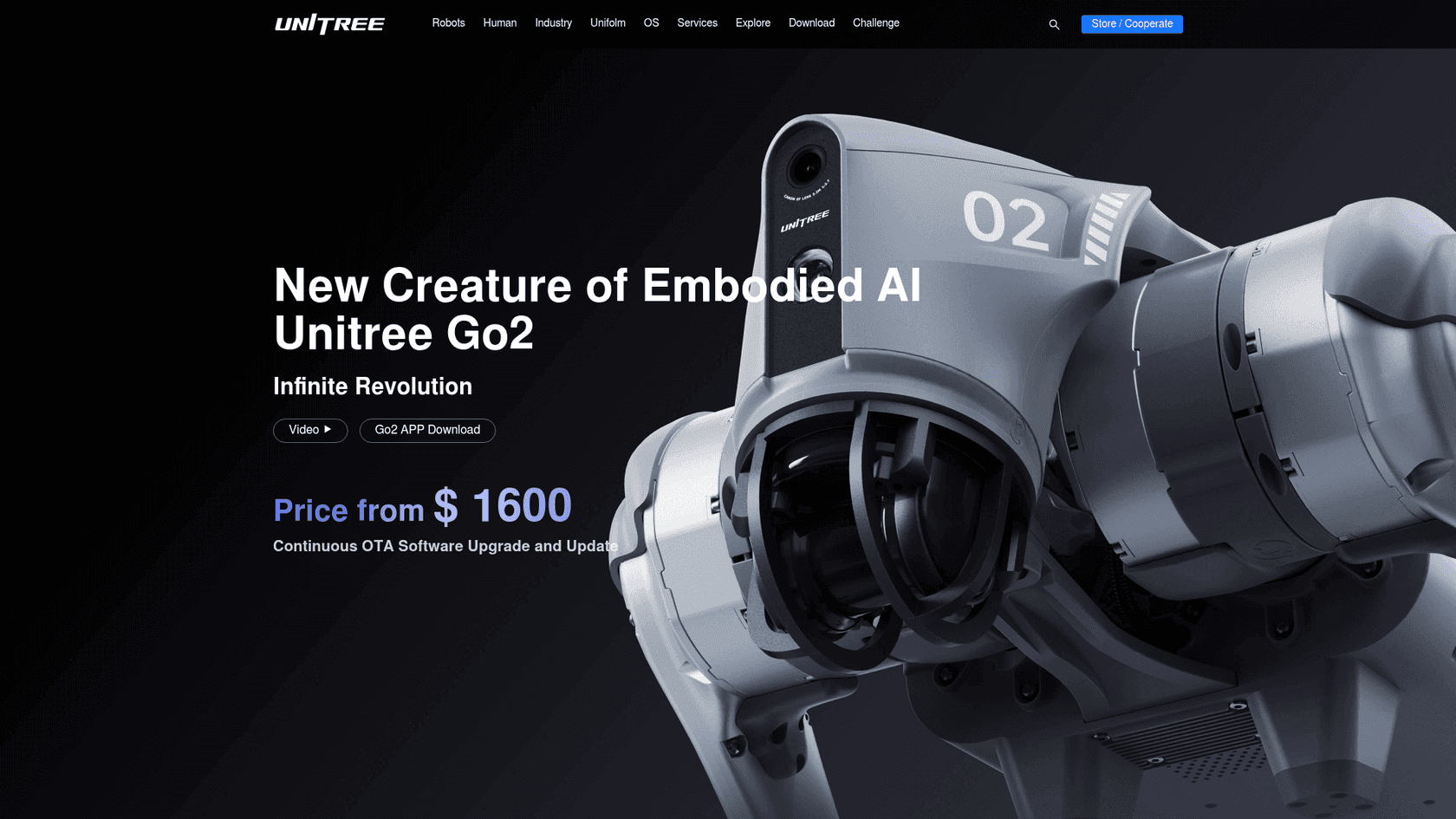
The Unitree Go2 is where the conversation shifts from "cute learning platform" to "actual robot." It is a quadruped robot dog starting around $1,600 for the Air trim, with real dynamic locomotion, obstacle avoidance, and a proper SDK for building autonomy on top. This is the machine people use for research, inspection, and mobile-robotics projects that need something that reliably walks over real terrain, not a desk.
It is not open source in the Hugging Face sense (you get an SDK, not the full stack), and it is roughly four times the price of the Microduck. But it is also in a different capability league. If your Microduck interest was a stepping stone toward doing genuine mobile robotics, the Go2 is the tool you graduate to. On Hacker News, some builders described eyeing exactly this kind of platform migration:
"With Unitree bots all but banned in the US I've been looking to pivot away from that platform anyway. Took a couple months to jailbreak the Go2 platform initially, but I'm betting this will go even faster with modern agents"
Pros: a capable outdoor-grade quadruped, strong SDK, big research user base, real autonomy potential. Cons: four figures, not open source, overkill for casual tinkering, quadruped not biped. Pricing: from ~$1,600 for the Go2 Air, direct from Unitree.
Verdict: the right buy when you have specific, serious mobile-robotics goals and the budget to match. Wrong buy if you wanted a $399 toy to learn on.
6. Unitree G1 - best if you want a real humanoid
Best for: researchers, labs, and well-funded builders who want a full-size bipedal humanoid rather than a desktop learning duck.
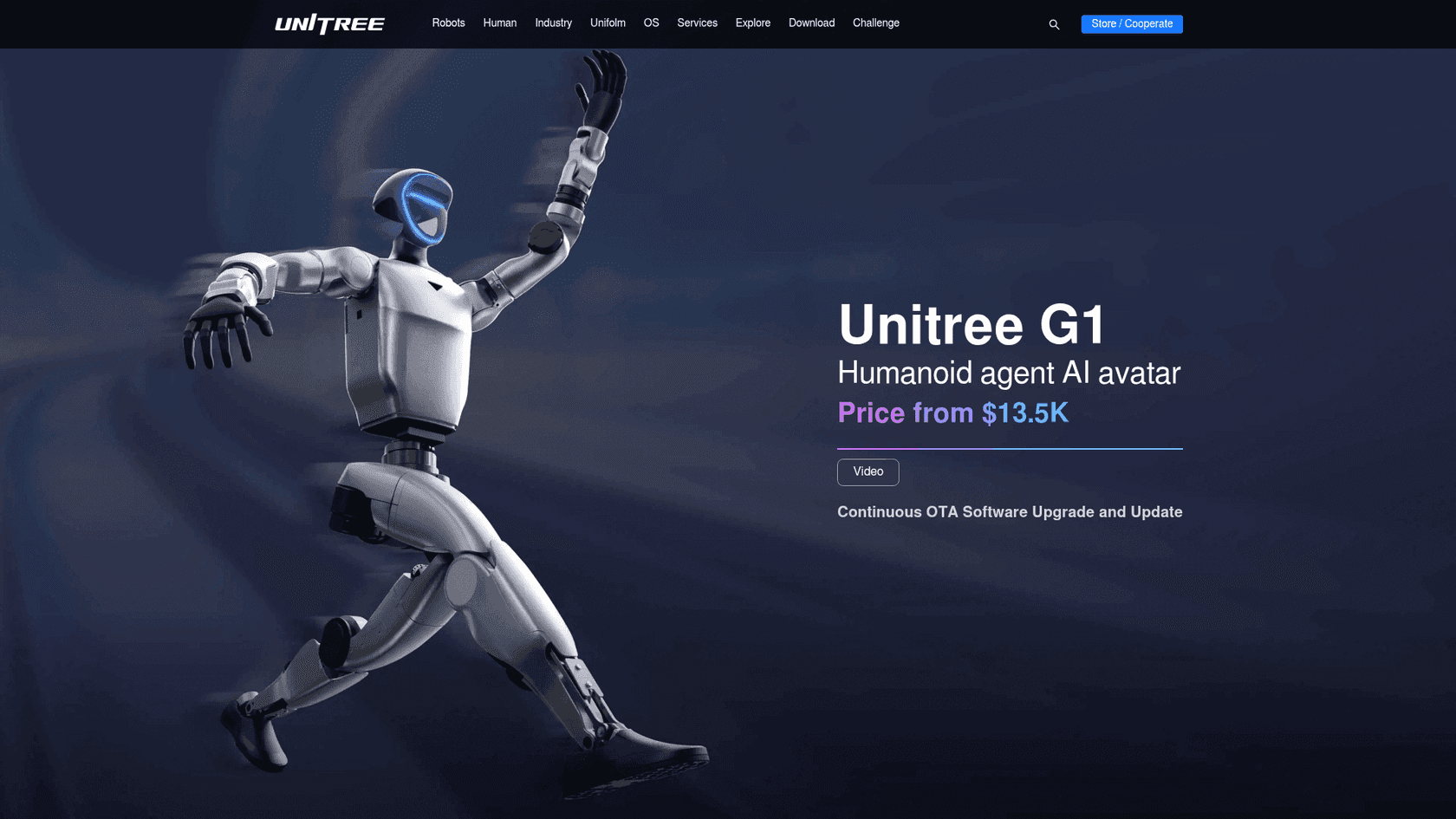
At the top of the buyable range sits the Unitree G1, a full-size humanoid biped that starts around $13,500 direct, with a developer EDU version that is quote-only and resells for much more. This is the real version of what the Microduck hints at: a two-legged robot that walks, balances, and manipulates at something close to human scale, with the compute and hardware to run modern control policies.
The gap is roughly 34x on price, and that is the honest framing. The Microduck is not competing with a G1 on capability; it is competing on access. A student can buy a Microduck; a G1 is a lab or company purchase. But if the reason you were looking at a $399 duck was that a real humanoid felt out of reach, it is worth knowing the entry point to an actual one now starts at five figures rather than six.
Pros: a genuine full-size humanoid, real bipedal locomotion and manipulation, serious platform for cutting-edge robotics. Cons: ~$13,500 and up, SDK not full open source, wildly overkill for hobbyists. Pricing: from ~$13,500 for the G1, direct from Unitree.
Verdict: the pick if you really need a humanoid and have institutional money. For everyone else, it is aspirational context, not a real alternative.
7. ROBOTIS BIOLOID & DARWIN-OP3 - best classic educational humanoid
Best for: schools, universities, and buyers who want a mature, well-documented humanoid kit with years of curriculum behind it.
Before Hugging Face made a cheap biped fashionable, ROBOTIS was the name in educational humanoids. The BIOLOID kit starts around $1,100 and the research-grade DARWIN-OP3 runs closer to $11,000. These are proper open, programmable humanoids with a long track record in classrooms and labs, and unlike the Unitree machines they were designed from the start as learning platforms.
The reason ROBOTIS lands last, rather than as a headline pick, is value-for-money against the newcomers. A BIOLOID at $1,100 is nearly three Microducks, and the training experience is more traditional servo-and-scripting than modern RL. If you have an institutional budget and want something battle-tested with real support and curriculum, it is a safe, serious choice. If you are a hobbyist chasing the Microduck's price and workflow, it is not the one.
Pros: mature, well-supported, open, programmable humanoid kits with strong educational material. Cons: far pricier than the sub-$500 crowd, older-style programming, less buzz than the 2026 crop. Pricing: BIOLOID from ~$1,100; DARWIN-OP3 around $11,000, via resellers like RobotShop.
Verdict: the institutional-safe choice. For a personal budget, the Microduck, TonyPi, or a Petoi will get you learning for a fraction of the price.
So which one should you actually buy?
If you strip it back to one decision, it comes down to what drew you to the Microduck in the first place:
- You wanted the Hugging Face open-source ecosystem - stay in it. Reachy Mini for interaction, the SO-101 arm for manipulation.
- You wanted a cheap thing that walks - a Petoi Bittle at $289, available now.
- You wanted a walking humanoid specifically - a Hiwonder TonyPi today, or a Unitree G1 if you have the budget of a small lab.
- You wanted a serious mobile robot - a Unitree Go2.
But there is a fifth answer worth saying out loud, because it is the one the whole "which robot?" question quietly assumes away.
When the honest answer is not a robot at all
Every option here, the Microduck included, is a platform you train yourself. That is the deal: you buy the hardware, then you teach it, tune it, and maintain it. For a hobbyist, that is the fun. But plenty of people reach for a robot because they want a job done, and then discover the robot is really a part-time second job.
If what you actually want is not something to tinker with but something that already knows how to do the work, the category you want is not consumer robotics at all. It is a pre-trained AI agent. And that is exactly the distinction worth drawing before you spend $399 (or $13,500) on hardware.
Try eesel
The Microduck is infrastructure. eesel is the employee. Where a Microduck ships as a blank platform you have to teach every behavior, eesel is an AI teammate platform where you hire ready-to-work teammates for a specific job, and each one arrives already trained for its role with the skills, integrations, and company context built in.

The current roster is an AI helpdesk teammate that joins your support queue and starts resolving tickets, and an AI blog writer that researches and drafts content (yes, like this one). There is no reinforcement-learning loop to run and no sim-to-real gap to close: it learns from your existing help center and past tickets, and it is free to try. If you were drawn to the Microduck because you wanted AI to do something rather than be a project, the fastest path is a teammate that already knows the job.
The wider picture: 2026 is the year cheap robots got real
Step back and the Microduck and its rivals are all riding the same wave. The industry's bet for 2026 is that the next AI frontier is embodied: robots that learn motor skills by reinforcement learning in a simulator, then transfer the policy to real hardware. NVIDIA has made this the center of its robotics push with Isaac Sim and its open robotics models, and Hugging Face frames simulation as the training ground for physical AI. The Microduck's whole pitch, teach it in MuJoCo and deploy to the duck, is a $399 consumer on-ramp to that exact pipeline.
That is exciting, and it is why the launch resonated. But it is also worth keeping the skeptics in view, because they are the reason to buy deliberately rather than on hype:
"Both are expensive e waste, companies come up every 5 years with these 'house robots for kids', they're used for about 5 days, I've seen the cycle many times already"
The buyers who will not regret any robot on this list are the ones who want the building, not just the having. And the ones asking "which one does something useful for me on day one?" are often better served by software than by servos. Pick the tool that matches which of those you are, and you will be happy with any of these; buy on excitement alone and you will end up in toasty228's five-day cycle. As one practitioner noted while surveying the field, the real question in 2026 is not whether a cheap robot exists, but which of the many now do you actually buy:
"I found a few open-source small bipedal robots on the internet. There are actually many open-source robots available"
Hopefully this narrowed it down.