


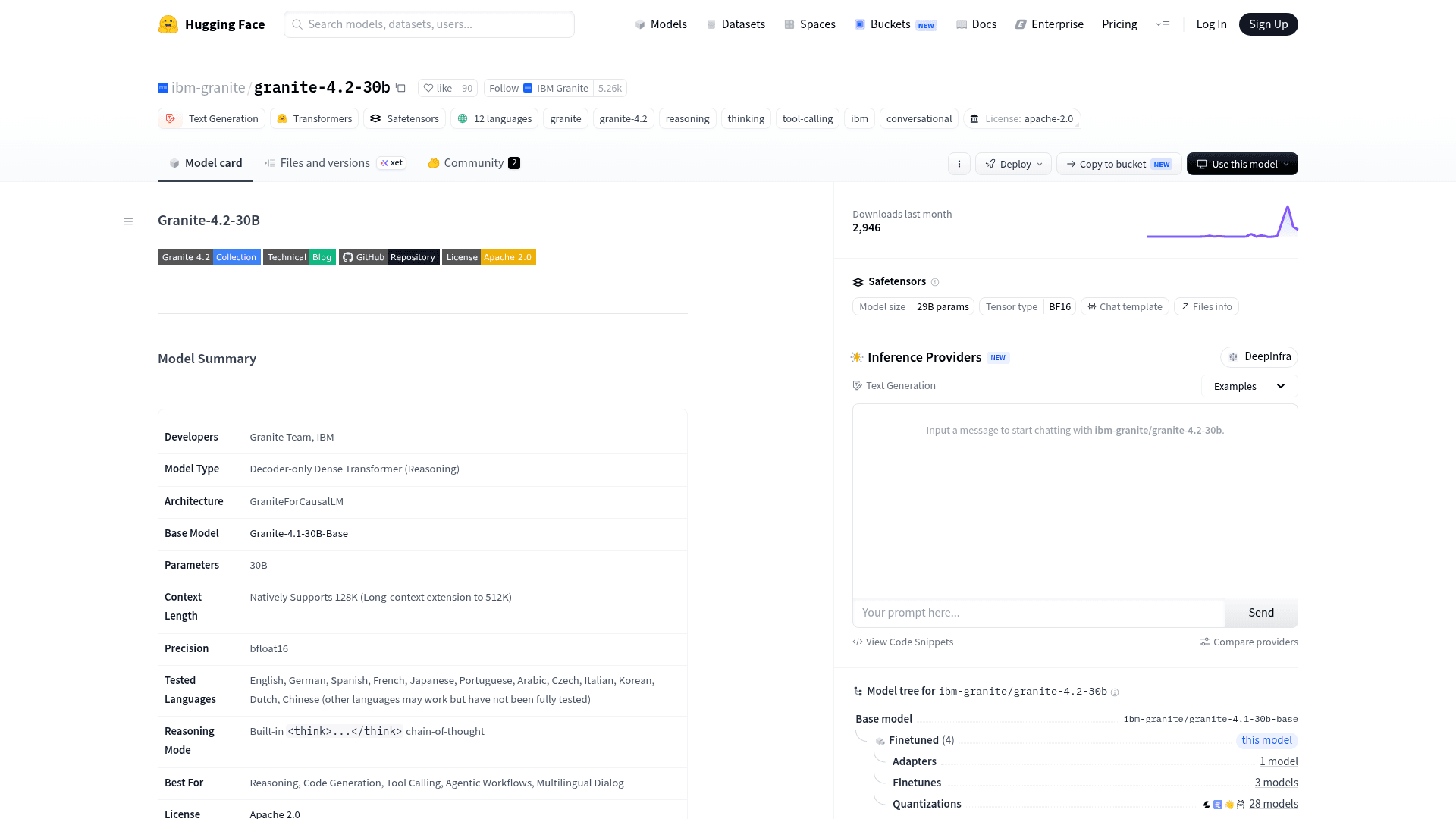
What I look for in an open model like Granite 4.2
Quick context on where I'm coming from. I build AI agents at eesel, and we've spent years putting AI on live support queues, which means I read a model launch differently than a benchmark-chaser does. A high AIME score is nice. What I actually care about is whether a model can follow instructions it didn't like, call the right tool without hallucinating one, stay grounded in a knowledge base, and behave the same on ticket #4,000 as it did in the demo. We've watched confident-sounding models quietly give wrong answers, which is exactly why we simulate every rollout on historical tickets before it touches a customer.
So this review looks at Granite 4.2 through that lens: what actually changed, where the benchmarks land honestly, what it costs to run, and who it's a good fit for.
What changed in Granite 4.2
The one-line version: Granite 4.2 adds native reasoning. Where Granite 4.0 was a fast, efficient instruct model, 4.2 can plan, self-correct, and reason step by step inside <think>...</think> tags before it answers. That helps most on math, multi-step logic, and, the part I care about, deciding which tool to call and why.
The clever bit is that reasoning is switchable in a single model, so you're not paying for chain-of-thought on questions that don't need it:
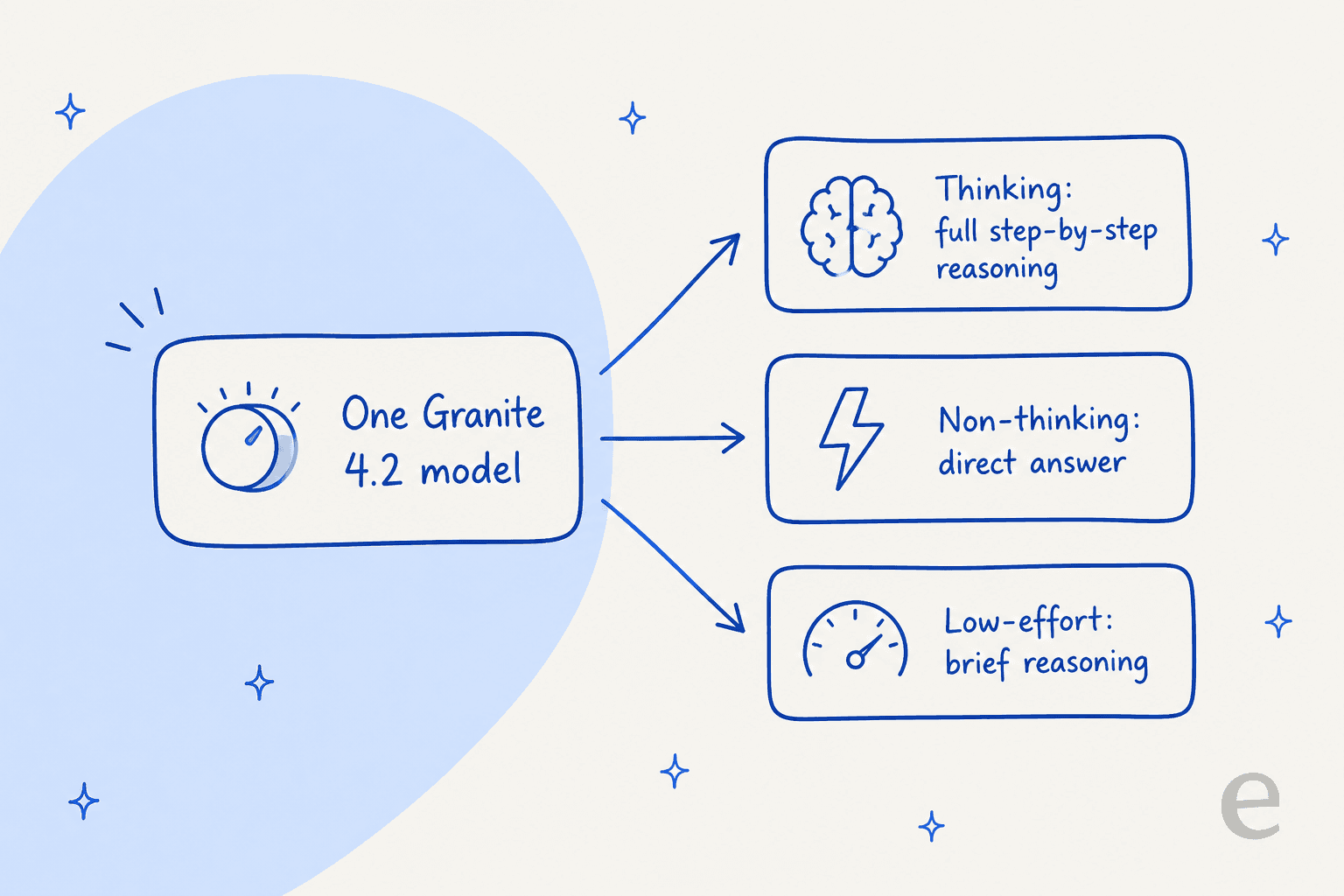
- Thinking (the default) gives you full chain-of-thought.
- Non-thinking skips reasoning entirely for a direct answer, which matters when you're serving high volume and don't want the latency or token cost.
- Low-effort does brief reasoning for simpler queries, a middle gear.
In Ollama you flip between them with /set think and /set nothink, which is a nice touch for anyone tuning cost against quality per use case.
There's an architecture story here too, and it's worth flagging because it cuts against the trend. Granite 4.0 used a hybrid Mamba-2/transformer design with a mixture-of-experts for memory efficiency. Granite 4.2 is a plain decoder-only dense transformer. IBM's reasoning is that "its dense architecture supports broad compatibility," which is a real point if you're deploying across mixed hardware and serving stacks. It also means the headline parameter count is the whole model, with no active-versus-total sleight of hand.
Rounding out the release: multilingual dialog is tested across 12 languages, and IBM shipped two tiny Granite Speech 5.0 Turbo transcription models (470M params) alongside the LLMs for edge audio work.
The three models: 3B, 8B, and 30B
Granite 4.2 is exactly three dense models, each post-trained from the matching Granite 4.1 base. All of them natively handle a 128K-token context, and the 30B extends to 512K.
| Model | Params | Layers | Context | Ollama download | Best for |
|---|---|---|---|---|---|
| granite-4.2-3b | 3B dense | 40 | 128K / 512K | 2.2 GB | Edge, laptops, cheap high-volume tasks |
| granite-4.2-8b | 8B dense | 40 | 128K / 512K | 5.3 GB | Balanced general-purpose workhorse |
| granite-4.2-30b | 30B dense | 64 | 128K / 512K | 18 GB | Flagship reasoning and agentic tasks |
IBM also ships official quantizations (fp8, mxfp4, nvfp4) of every size, plus community GGUF builds for llama.cpp and LM Studio. Worth knowing: the model cards explicitly recommend running Granite alongside Granite Guardian 4.1 8B, a separate safety model for risk detection. The "4.2" label only covers the three language models; Vision, Guardian, and Speech are on their own version tracks.
Benchmarks: where Granite 4.2 actually lands
Here's IBM's own headline comparison, the 30B against Nvidia's Nemotron 3 Super 120B and Google's Gemma 4 31B:
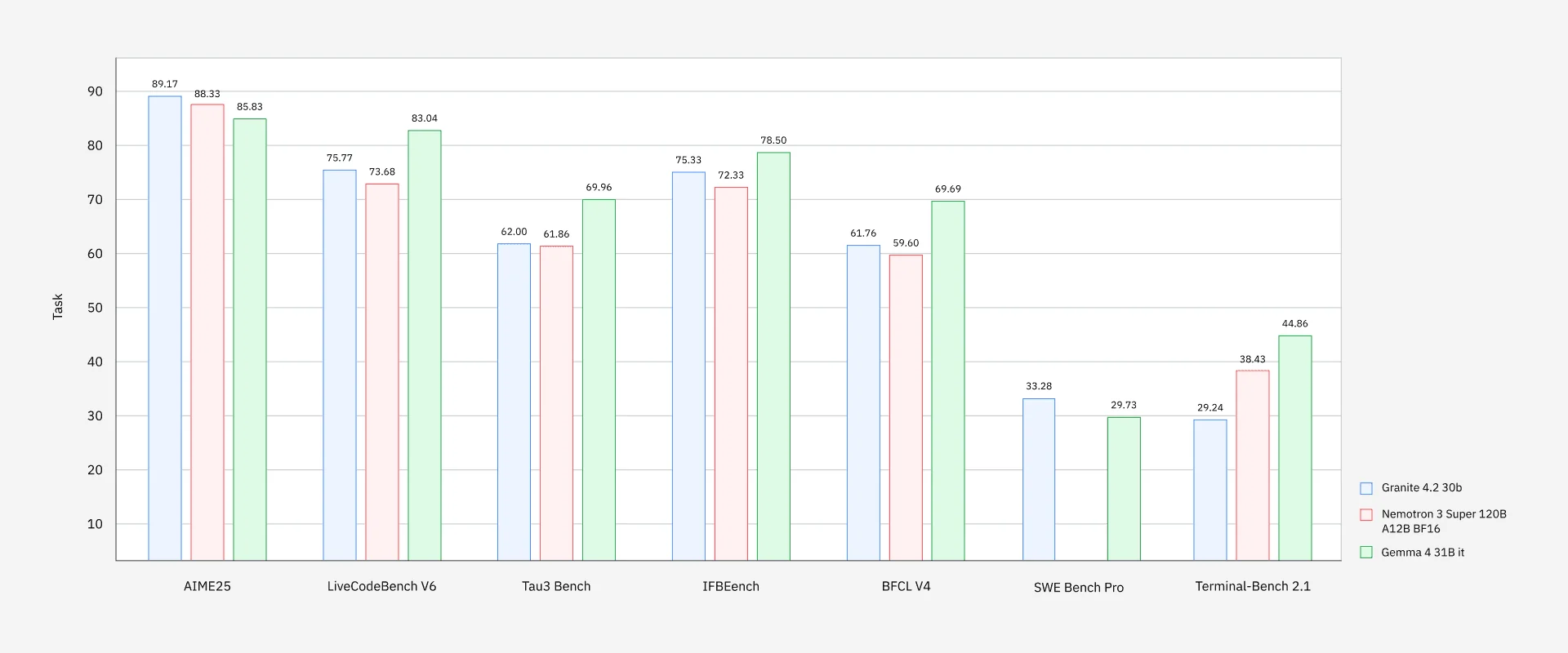
The story IBM wants to tell is real: on AIME25 the 30B scores 89.17, edging out a 120B-parameter Nemotron model, and it leads on LiveCodeBench, IFBench, and BFCL too. "Competitive with larger thinking models at a fraction of the cost" is a fair summary of that chart.
The honest caveats matter just as much:
- The picture flips on the hardest agentic coding. Gemma 4 31B beats Granite on both SWE-Bench Pro and Terminal-Bench 2.1. Granite's raw coding-agent numbers (33.29 on SWE-Bench Pro, 29.24 on Terminal-Bench) are decent for the size but not category-leading.
- IBM benchmarks against a careful set of peers. It's still IBM choosing the comparison. As one Hacker News commenter put it during the 4.1 launch:
"No comparison with competitor models other than the previous granite version strongly implies that it does not compete well with other comparable models. At least this is the most reasonable assumption until data comes out to the contrary."

For the numbers I care about in support automation, the story is encouraging: the 30B hits 62.00 on tau3-bench (agentic tool use), 61.39 on BFCL v4 (function calling), and 77.60 on MMLU-Pro. Those are the tool-calling and instruction-following muscles a support agent actually leans on, and the 8B is close enough (52.39 BFCL, 74.04 MMLU-Pro) to be interesting for cost-sensitive deployments.
How the reasoning-tool-calling loop works
The single most useful upgrade for anyone building agents is that Granite 4.2 reasons about tools before it calls them. Instead of pattern-matching a function name, the model thinks through which tool fits and why, then makes the call. That's the difference between an agent that reliably looks up an order and one that invents a function that doesn't exist.
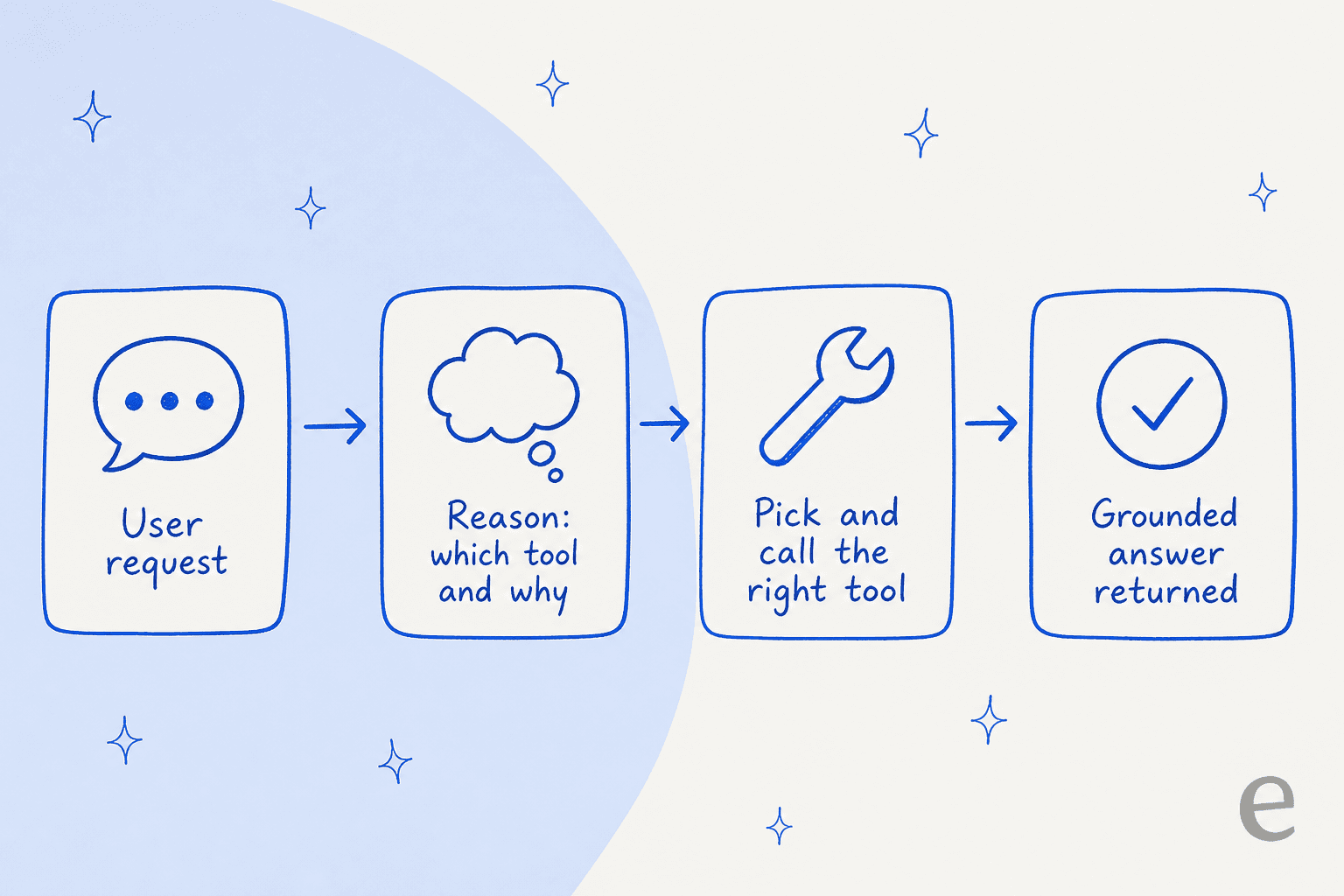
It's exposed through an OpenAI-compatible API and works out of the box with agentic coding harnesses like OpenCode and OpenHands. The community read backs the design up: Granite's small models are quietly good at structured work.
"IBM Granite 4H-Small, it's very good with tool calls. most tool-calling issues come from the model not sticking to the exact structure you"

This is the layer where a model choice actually meets a real product. Reliable tool calling is what separates an AI agent from a rule-based chatbot, and it's what lets an agent look up an order, tag a ticket, or trigger a refund instead of just typing a plausible sentence about one.
Access and pricing
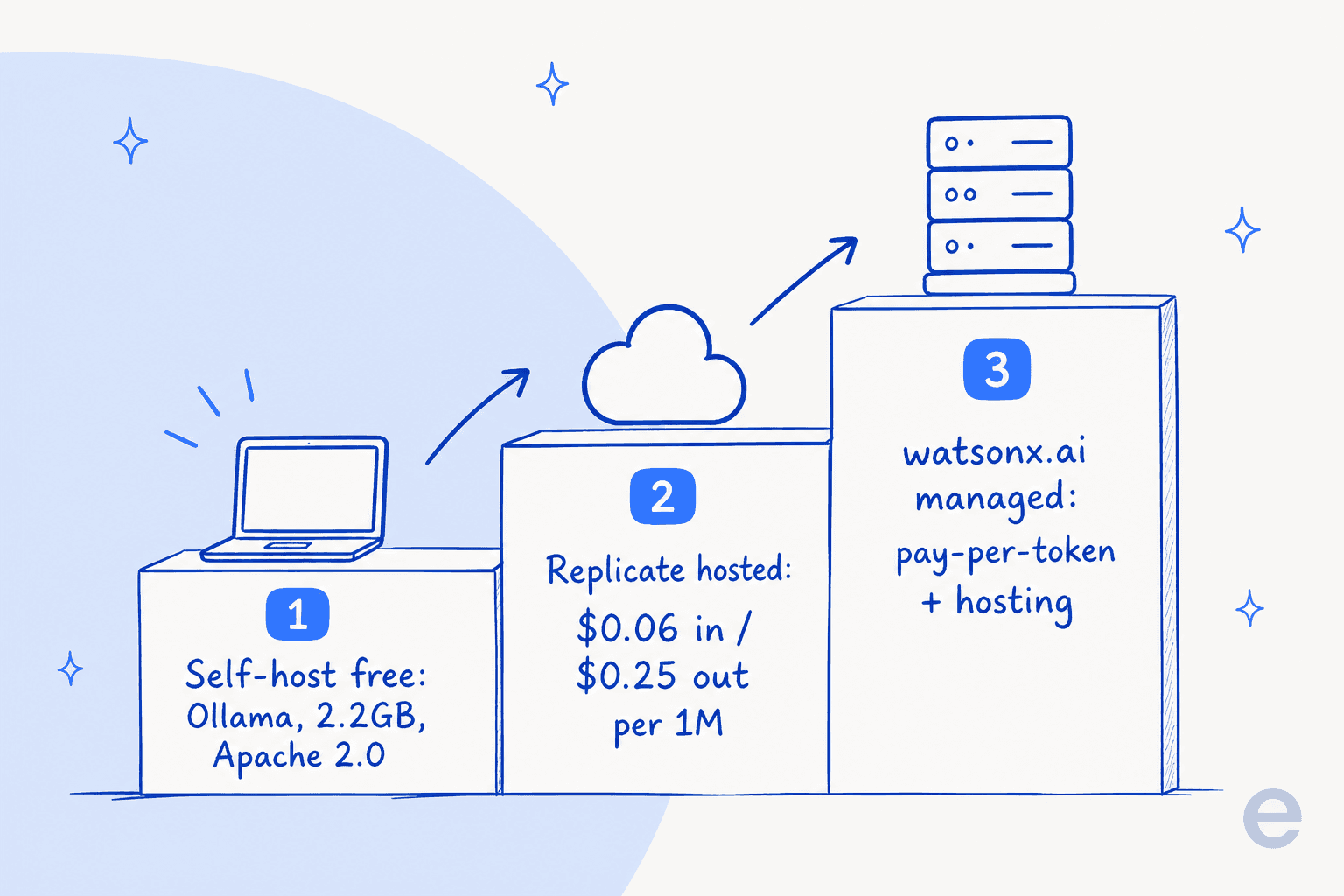
This is where Granite gets attractive: because it's Apache 2.0, the floor is free. You can download, fine-tune, and ship it in production with no licensing fee, and no per-token cost beyond the compute you run it on. There are three practical routes, and they climb in convenience and cost:
| Route | Pricing | Notes |
|---|---|---|
| Self-host (Ollama, vLLM, llama.cpp) | Free (your compute) | 3B runs on a laptop; 30B needs ~18 GB+ VRAM |
| Replicate hosted API | $0.06 / 1M in, $0.25 / 1M out | ~$0.0014 per typical run; 8B only, confirmed |
| watsonx.ai | Pay-per-1M tokens + hourly hosting | Standard plan ~$1,050/mo; IBM's managed platform |
Two honest notes. First, IBM's own watsonx.ai is the enterprise route, and its pricing model (pay-as-you-go per million tokens, where historically 1 Resource Unit = 1,000 tokens, plus hourly on-demand hosting) is confirmed, but the live docs table 500'd when I checked, so I couldn't pin the exact Granite 4.2 line item. The nearest confirmed Granite-4 rate sits around $0.06 per million input and $0.27 output. Second, as of this writing the 4.2 models weren't yet listed on OpenRouter, which still showed only Granite 4.1 8B and 4.0 Micro.
Here's the free route in action on Ollama, which is how most people will kick the tires:
One gotcha the community caught fast: the download size lies about the memory you need. A thread on r/LocalLLaMA flagged the 8B ballooning past its footprint:
"I downloaded the 5.3 GB Granite 4 8b model from Ollama library, but when I run the model, it bloats up to 27 GB, and won't fit onto the GPU VRAM"
That's the KV cache and context allocation at work, and it's a normal thing to plan for, but if you're sizing a GPU off the download number you'll be caught short. Budget headroom, especially at long context.
What the community actually thinks
The sentiment on Granite 4.x is consistent and, I think, correct. The praise clusters around exactly what IBM built it for: the small models run fast on commodity hardware, have recent training data, and carry an unrestricted commercial license.
"I test drove it yesterday. It's pretty impressive at 8b. Runs on commodity hardware quickly... Granite has recent training data which is nice."
The criticism is just as consistent: on raw capability, especially coding, people still reach for Qwen.
"Granite 8B is impressive, but Qwen still wins on raw capability, especially for coding."
And a commentator on X captured the positioning better than IBM's own marketing did, which is that Granite is competing on trust rather than trying to top a leaderboard:
"IBM just released a model built to need less of your trust, not more of your capability. Granite 4.2 ships in 3, 8, and 30 billion parameter sizes, fully open under Apache 2.0. It's trained specifically for tool use, terminal work, and multistep agent tasks."
That's the whole review in one paragraph, honestly. Granite 4.2 isn't trying to be the smartest model you can run. It's trying to be the one your security and legal teams sign off on: signed weights, ISO certification, a top Stanford transparency rating, and a license that doesn't box you in. For a regulated enterprise standing up domain-specific models on-prem, that combination is worth more than two points on a coding benchmark.
Where Granite 4.2 fits for support and AI teams
So should a support or ops team care? Yes, but it helps to be clear about what you're actually holding. Granite 4.2 is infrastructure, an engine. It is not, on its own, a customer service agent, any more than a V8 is a car.
If you have an ML team and want maximum control (data never leaving your VPC, a fine-tuned model on your own tickets, no per-token bill at scale), self-hosting an open model like Granite is a real and increasingly popular path. The 8B is a sensible starting point for customer-service automation: good tool calling, cheap to run, licensable. You'd then build the rest yourself: retrieval over your help center, escalation logic, guardrails against hallucination, a way to measure resolution rate, and a safe way to test before going live.
That "build the rest yourself" is the whole job, and it's the part model reviews skip. Picking the model is maybe 10% of shipping a support agent that actually deflects tier-1 tickets without making things worse. The other 90% is the plumbing, the testing, and the operational safety, which is where most in-house projects stall.
Try eesel: the layer Granite doesn't give you
If your goal is a working support agent rather than a model to build on, that's exactly the gap eesel fills. Granite hands you an engine. eesel is the ready-to-work AI helpdesk teammate that already has the engine, plus everything around it: it trains on your past tickets and help center, plugs into the helpdesk you already run (Zendesk, Freshdesk, Gorgias, and 1,000+ other integrations), and joins the queue in minutes instead of quarters.

The differentiator is the thing I said I care about at the top: before eesel answers a single real customer, you can simulate it on thousands of your historical tickets to see exactly how it would have replied and what it would have resolved. That's the safety net a bare model, Granite or otherwise, doesn't come with. One customer, Global Pay, reported up to 80% time savings with it.
Use Granite 4.2 if you're building. Use an AI helpdesk teammate if you're trying to answer tickets. You can try eesel free, no credit card and no sales call to start.