How to build a Freshdesk chatbot to validate an order number

Kenneth Pangan

Katelin Teen
Last edited January 16, 2026

If you've ever managed a support queue, you know the feeling. You log in to see a flood of tickets with subjects like "Where's my order?", "Order status??", and "Update on #12345". They're all for existing orders, and each one forces your agents to stop what they're doing, hunt down the original conversation, and merge the duplicates. It’s a cycle that slows down your whole team and leaves real issues waiting longer for a reply.
When a customer opens a new ticket for an old order, it does more than just add to the ticket count. It creates clutter, duplicates effort, and ultimately delays responses for everyone.
But what if you could catch these questions before they ever become tickets? You can, by setting up a chatbot that checks a customer's order number right away. This guide will walk you through exactly how to do it. We'll cover a way to build a workflow that automatically checks order numbers, gives instant status updates, and only loops in a human when it's really necessary.
What you'll need
Building this kind of automation directly in Freshdesk is a great way to utilize the platform's professional-grade tools, and it helps to understand the detailed configuration involved. Before you start, you’ll want to have a few things lined up.
Here’s what you’ll need on hand:
-
A Freshdesk account on their Pro or Enterprise plan, since these are the ones with the chatbot and automation features you'll need.
-
Admin access to your Freshdesk account so you can get into the chatbot builder and mess with API settings.
-
The system you use as your source of truth for orders, whether that's Shopify, Magento, or some custom internal database.
-
Your order system's API documentation and someone who knows how to configure API calls.
The native way: Building the chatbot in Freshdesk
Let's walk through how you'd build this using Freshdesk's own tools. It’s a process with a few moving parts, which gives you a good sense of what it takes to set up this kind of automation from scratch within a robust ecosystem.
Step 1: Build the basic chatbot flow
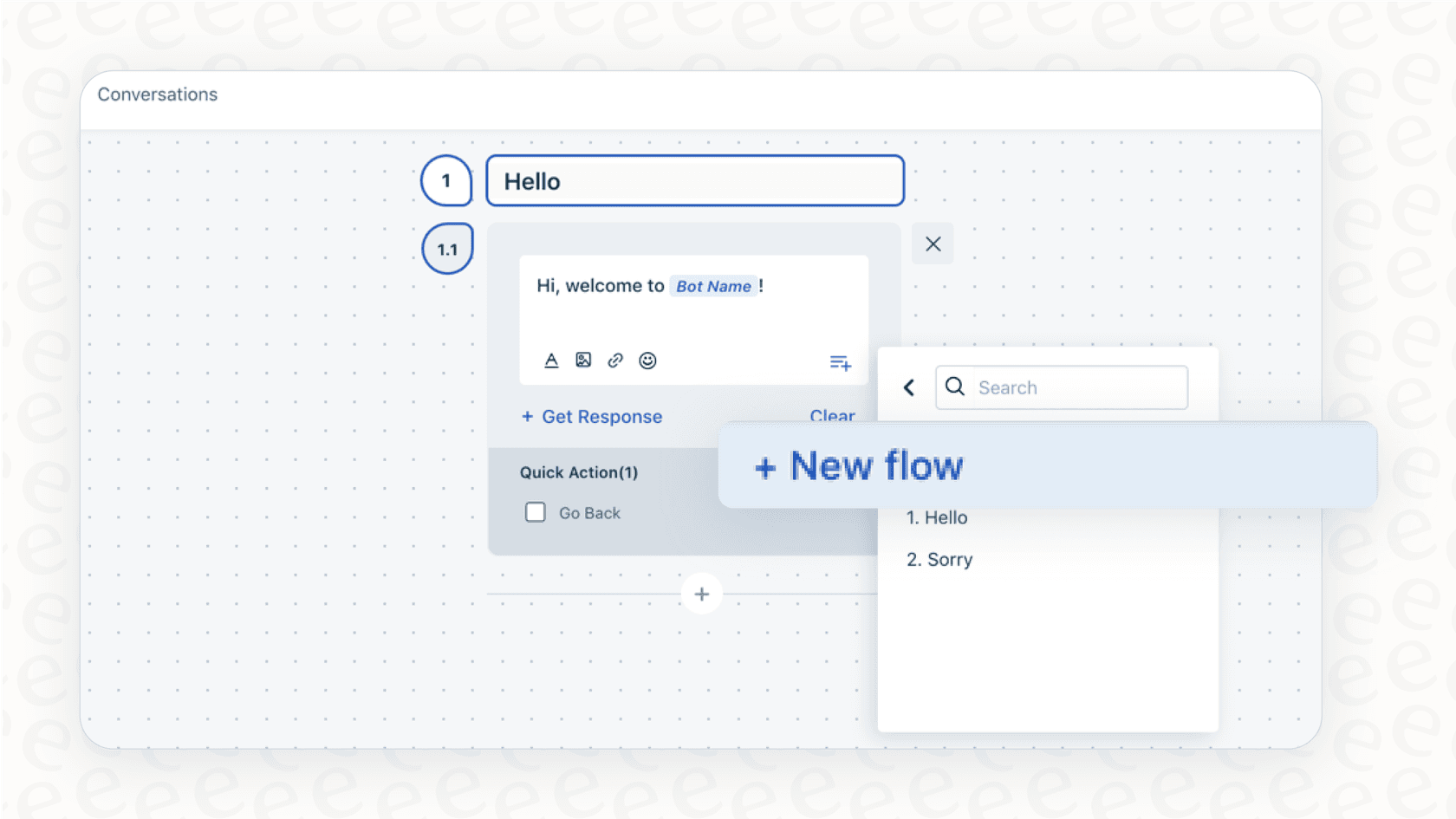
First things first, you need to map out the conversation. This means creating a simple, branching chat that guides the user to give you their order number.
You’ll start by heading to the chatbot builder in your Freshdesk admin panel. From there, you'll create a new bot and start laying out the initial back-and-forth. The conversation should kick off with a friendly greeting that tries to figure out what the user needs. A good opening line is something like, "Hi there! Can I help you with a question about an existing order?"
To make things simple for the user, you can add buttons like "Yes, I have an order number" and "No, I have a different question." This immediately splits the conversation into two paths: one for checking an order, and another for general questions that probably need to become a ticket right away.
Step 2: Connect to your order system with the API library
This is where you’ll utilize Freshdesk's technical capabilities. For the chatbot to actually check an order number, it has to communicate with the system where your order info is stored. In Freshdesk, you handle this using the API Library.
You'll need to set up a new API call (specifically, a "GET" request) that your chatbot can use to pull order details. This means plugging in the exact endpoint URL from your order system that's used for looking up a single order. You’ll also have to make sure the order number the customer gives you is passed along in that URL.
An important step here is authentication. You have to get the authorization headers just right, with the correct API keys or tokens, so Freshdesk has permission to access your order data. This ensures your customer data remains secure and protected.
Step 3: Create the validation and response logic
With the API call set up, you now have to tell the chatbot what to do with the information it gets back. This part involves stringing together a series of "if this, then that" steps.
Here’s how the logic generally plays out:
-
The user types in their order number.
-
The chatbot makes the API call you set up in the last step.
-
The chatbot then has to check the response from your order system.
- If it's a success (the order number exists), the chatbot should be set up to pull out and show key details like the order status or tracking number. It can then ask if the user needs anything else.
- If it fails (the order number is wrong or doesn't exist), the chatbot should let the user know and then guide them toward creating a new ticket.
Setting up these different conversation paths allows you to map out every possibility in the bot builder. This powerful feature provides the granular control needed for professional support environments, using "Conditions" to check the API response and send the conversation down the right path.
A simpler approach: Building the chatbot with eesel AI
The native Freshdesk method is a robust, professional-grade solution that provides significant depth for teams who want to build detailed workflows. If you are looking for a complementary way to enhance your setup, a tool like eesel AI can be a great addition. It's built to be straightforward and self-serve, letting you create powerful AI workflows that integrate seamlessly with your existing helpdesk.
Step 1: Connect Freshdesk and your knowledge sources in minutes
Getting started with eesel AI is a quick process. You can easily connect your tools to work alongside your existing Freshdesk setup with just a few clicks.
You can link your Freshdesk account in seconds. Additionally, you can connect your other systems, like Shopify, Google Docs, or Confluence. This means eesel AI can learn from your broader company knowledge, providing a helpful supplement to the information tucked away in your helpdesk.

Step 2: Create a custom AI action for order validation
eesel AI provides an alternative way to handle integrations using "AI Actions," which are designed to be intuitive. You can create a custom action for various tasks, including looking up an order status.
Inside a simple prompt editor, you just tell the AI what to do in plain English. You could write something like: "When a user provides an order number, use the 'Look up order' action. This action should call the Shopify API with the order number and return the current status and tracking link."
This approach allows you to supplement your standard configurations by explaining what you want in natural language, making it easy to manage and update as your needs evolve.
Step 3: Define the workflow and go live with confidence
With eesel AI, your complementary workflow lives in one clean interface. You can define the AI's personality, its tone of voice, and the exact rules for how it handles different scenarios.
For instance, you can set rules like:
-
"If the order status is 'shipped,' give the customer the tracking link and close the chat."
-
"If the status is 'pending,' let the user know about the status and ask if they want to talk to an agent."
-
"For any other question, create a ticket and tag it as 'General Inquiry'."
This level of control allows you to supplement your standard flows, building a custom AI that operates as an extension of your support team.
Pro tips for your order validation chatbot
Whether you stick with the native Freshdesk tools or supplement them with a platform like eesel AI, here are a few tips to make sure your chatbot actually helps customers and reduces tickets.
Pro tip
Test your setup without any risk. A key part of launching automation is ensuring it works perfectly for customers. This is where eesel AI's simulation mode is a lifesaver. You can test your entire chatbot on thousands of your past tickets in a safe environment. You'll see exactly how it would have responded and what its resolution rate would have been, all before it ever talks to a live customer. It lets you build with confidence.
Pro tip
Remember conversations that don't start with an order number. A common scenario is when a user asks 'where's my order?' without providing a number right away. A smart AI like eesel can be trained on your past tickets to recognize what the user means. It can understand the context, politely ask for the order number, and then kick off the validation workflow, handling the conversation like a human would.
Stop merging tickets with an order validation chatbot
Manually finding, merging, and replying to tickets about existing orders is a significant task for support teams. Automating this process allows agents to focus on helping customers with more complicated problems.
Freshdesk provides a powerful suite of tools to build a Freshdesk chatbot to validate order number before creating ticket. These features are designed for professional-grade support environments where precision and detailed control are paramount. It’s an impressive system that powers many of the world's leading support teams.
eesel AI offers a modern and straightforward complementary option. It's an intuitive platform that lets you build custom AI workflows that connect to your tools alongside your helpdesk. With eesel AI, you can get a bot running quickly and test everything risk-free before you launch. It gives you additional options for your automation strategy within the Freshdesk ecosystem.
Ready to build a smarter chatbot that saves your team hours every week? Try eesel AI for free and see how easy it is to automate your Freshdesk support.


Frequently asked questions
Implementing this chatbot significantly reduces duplicate tickets and support queue clutter. It frees up your agents from repetitive tasks, allowing them to focus on more complex customer issues and improving overall response times.
You'll need a Freshdesk Pro or Enterprise plan with admin access, along with an order system (like Shopify or Magento) that has API documentation. Knowledge of configuring API calls for your order system is also crucial.
eesel AI offers an intuitive, self-serve approach that complements Freshdesk's powerful system, connecting systems easily and using plain English for "[AI Actions](https://www.eesel.ai/blog/how-to-automate-your-platforms-with-eesels-agentic-ai)" to supplement standard API library configurations and logic. It focuses on streamlined setup and broader knowledge integration, making it efficient to deploy.
Once an order number is validated, the chatbot can provide immediate status updates, tracking numbers, and delivery estimates. It aims to resolve the customer's query directly by pulling relevant details from your order system.
If the order number is invalid or doesn't exist, the chatbot will inform the customer of the error. It should then guide them towards options such as re-entering the number or creating a new support ticket for further assistance if they still require it.
Focus on resolving the customer's question, not just validating the number, by providing immediate status and tracking. Test your setup thoroughly using tools like eesel AI's simulation mode, and train the AI to understand natural language queries beyond just direct order number inputs.
Share this article

Article by
Kenneth Pangan
Writer and marketer for over ten years, Kenneth Pangan splits his time between history, politics, and art with plenty of interruptions from his dogs demanding attention.
