What a contact center strategy actually is
A contact center strategy is not a software purchase, and it's not a call script. It's the set of decisions that determine how every customer contact gets handled, no matter which channel it arrives on: email, chat, phone, WhatsApp, or a form on your site.
Here's the distinction that trips people up. A "call center" handles calls. A "contact center" handles contacts across every channel, and the moment you're doing chat and email alongside phone, you need a plan that treats them as one queue rather than five disconnected inboxes. That plan is the strategy. The contact center is the operation; the strategy is how you run it.
The reason this matters: tools change, volume grows, people leave, and a new channel gets added every year. Without a strategy, each of those events is a fire drill. With one, they're just inputs you already planned for. Good customer service management is mostly the discipline of having decided these things in advance.
Why most contact center strategies stall
Before the playbook, it's worth naming why so many strategies never get off the ground, because the failure modes are remarkably consistent.
The first is volume without leverage. I talk to teams handling 500-plus tickets a day where the same handful of questions dominate: refunds, order tracking, unsubscribe requests, password resets. One multi-brand e-commerce operator I worked with was fielding that exact mix at scale, and every one of those contacts was being typed out by hand. When the repetitive work isn't automated, agents burn out and the complex tickets that actually need a human wait in the same queue as "where's my order."
The second is the knowledge mismatch. A support lead once told me their entire knowledge base was written for administrators, but every ticket came from end-users, so the answers were technically correct and practically useless. If your knowledge base is written for the wrong audience, no amount of automation will save you, because the AI (and the humans) are drawing from a bad well.
The third is automating for the demo, not the queue. It's easy to make an AI look great in a sales demo and quietly give wrong answers in production. That gap is why I now treat "does it work on your actual historical tickets" as the only test that matters, and it's the reason the rollout section below leads with simulation.
Every one of these is a strategy problem, not a tooling problem. You can buy the best AI helpdesk software on the market and still hit all three.
The five pillars of a modern contact center strategy
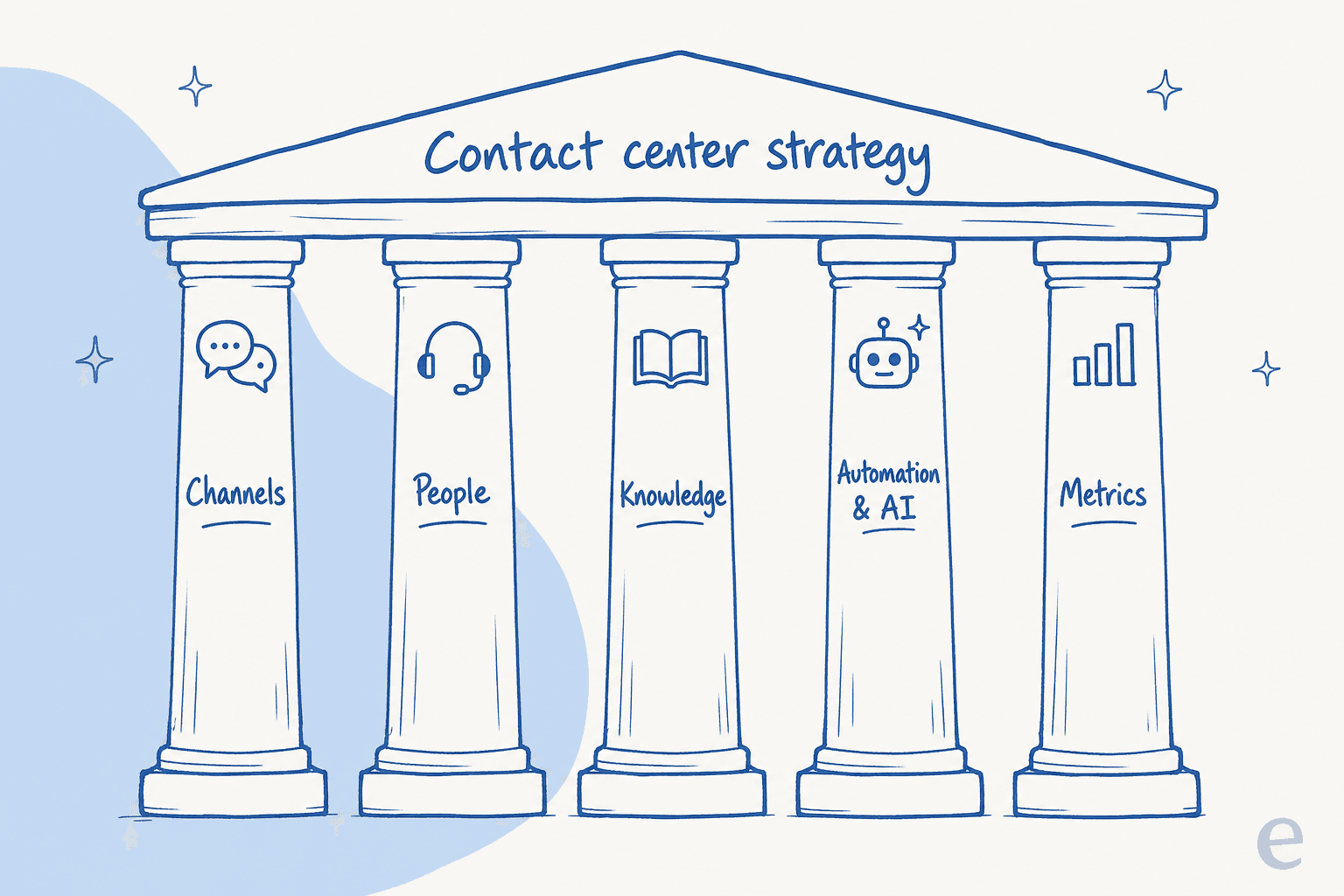
Think of the strategy as five pillars holding up one roof. Weak any one of them and the whole thing sags.
1. Map your channels
Start with an honest inventory of where customers actually reach you, and how much volume each channel carries. The goal isn't to be everywhere; it's to be present where your customers are and to route it all into one place.
The mistake I see most is treating each channel as its own island with its own team and its own tone. A customer who emailed yesterday and opens a chat today expects you to remember them. That's the whole argument for omnichannel over multichannel: same context, same history, one queue. If you're adding a website widget, decide up front whether it's live chat with humans, an AI chatbot, or a blend, because that choice shapes everything downstream. Our roundup of AI live chat software is a good starting point if you're weighing options.
2. Staff and structure your team
People are the pillar most strategies underinvest in. Two questions decide the shape here: how do you handle peaks, and who owns escalations?
For peaks, you either overstaff (expensive) or you build a deflection layer that absorbs the predictable spikes so your headcount is sized for the complex work, not the flood. For escalations, someone senior needs to own the path from AI or tier-1 up to an expert, with clear rules for when a contact jumps the queue. A team without defined escalations is a team where the angriest customer waits the longest, which is exactly backwards. If you're a small team, our picks for startups lean toward tools that don't need a dedicated admin; larger teams should look at options built for high-volume tickets.
3. Build the knowledge layer
Everything the AI does and everything a new agent learns comes from your knowledge. If it's scattered across a stale help center, a Slack channel, and two people's heads, your strategy has a foundation of sand.
The two senior agents who quietly hold all the product knowledge are a genuine risk. One firm I spoke with had two experts leaving in the same year and scrambled to capture their knowledge before they walked out the door. The fix is boring but non-negotiable: consolidate your docs, write them for the audience that actually asks the questions, and keep them current. Strong knowledge management is what lets you train an AI agent on it later without garbage-in-garbage-out. This is also where past tickets earn their keep: your resolved ticket history is often a richer, more honest knowledge source than the help center itself.
4. Automate the repetitive tier
This is where a 2026 strategy diverges hardest from a 2019 one. The point of automation isn't to replace the team; it's to take the contacts a human shouldn't have to touch so the team can spend its time where judgment matters.
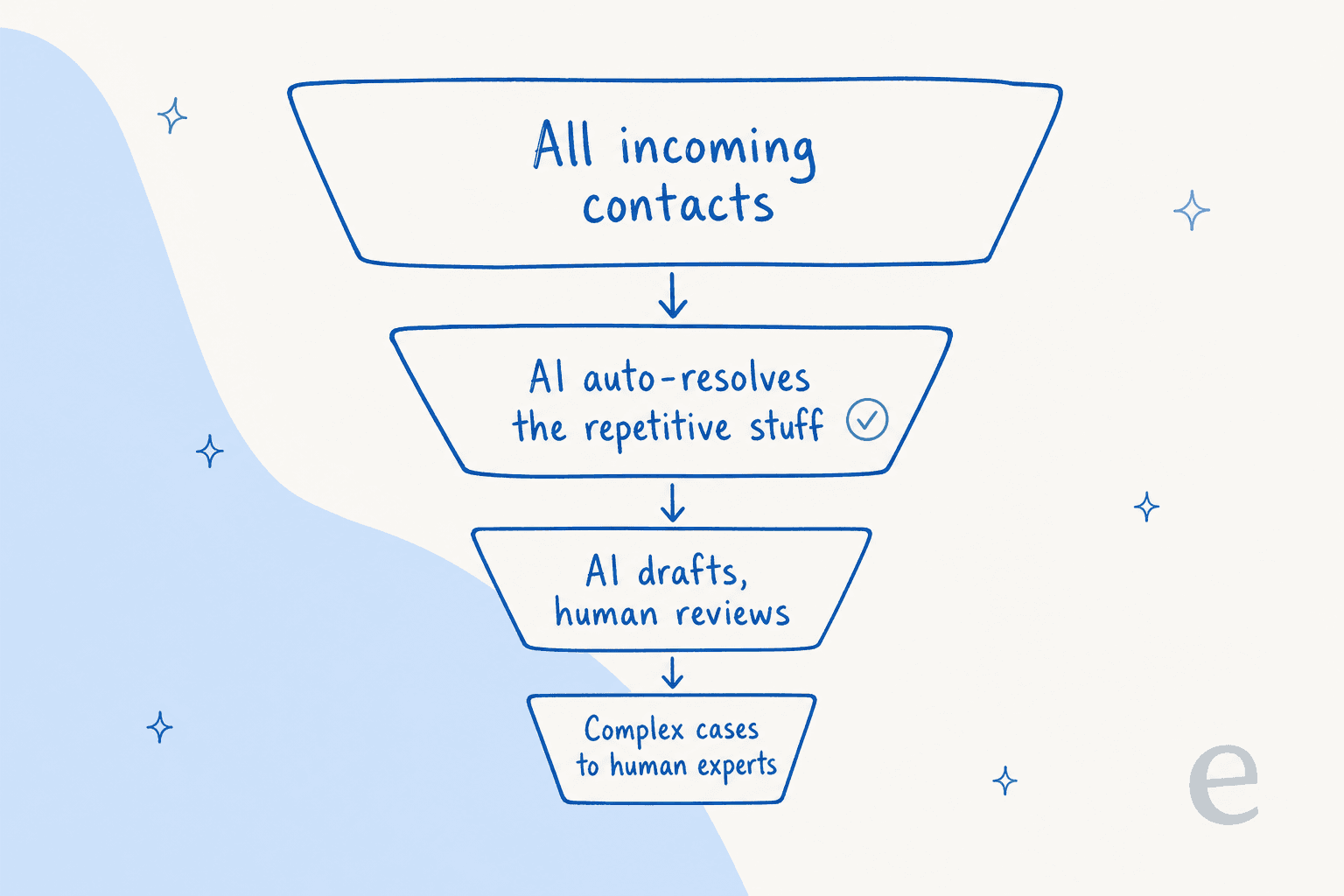
The model that works is a funnel. Every contact flows in at the top. An AI agent auto-resolves the repetitive, low-risk stuff (order status, refund policy, reset links). What it can't fully resolve, it drafts a reply for and hands to an agent to review and send. What it isn't confident about at all, it escalates untouched to a human expert. Done well, the human tier is the smallest, not the biggest.
The load-bearing word there is confident. A DTC supplements CX lead put the whole philosophy in one line to me: the AI will never answer 100% of questions, so you want it handling only the tickets it's confident about and leaving the rest alone. That confidence-based routing is the difference between AI that customers trust and AI that quietly torches your CSAT. Tools that do ticket triage and ticket automation well are the ones that let you set that threshold, rather than forcing an all-or-nothing switch.
How much this pillar is worth depends entirely on your ticket mix. Rather than guess, plug your numbers in:
The savings are real, but the reason to automate the repetitive tier isn't only cost. It's that your best agents stop spending their day on "where's my order" and start spending it on the tickets that actually build loyalty.
5. Measure what matters
A strategy you don't measure is a hope. But most teams track either too much (a 40-metric dashboard nobody reads) or the wrong things (raw ticket count, which rewards volume over resolution).
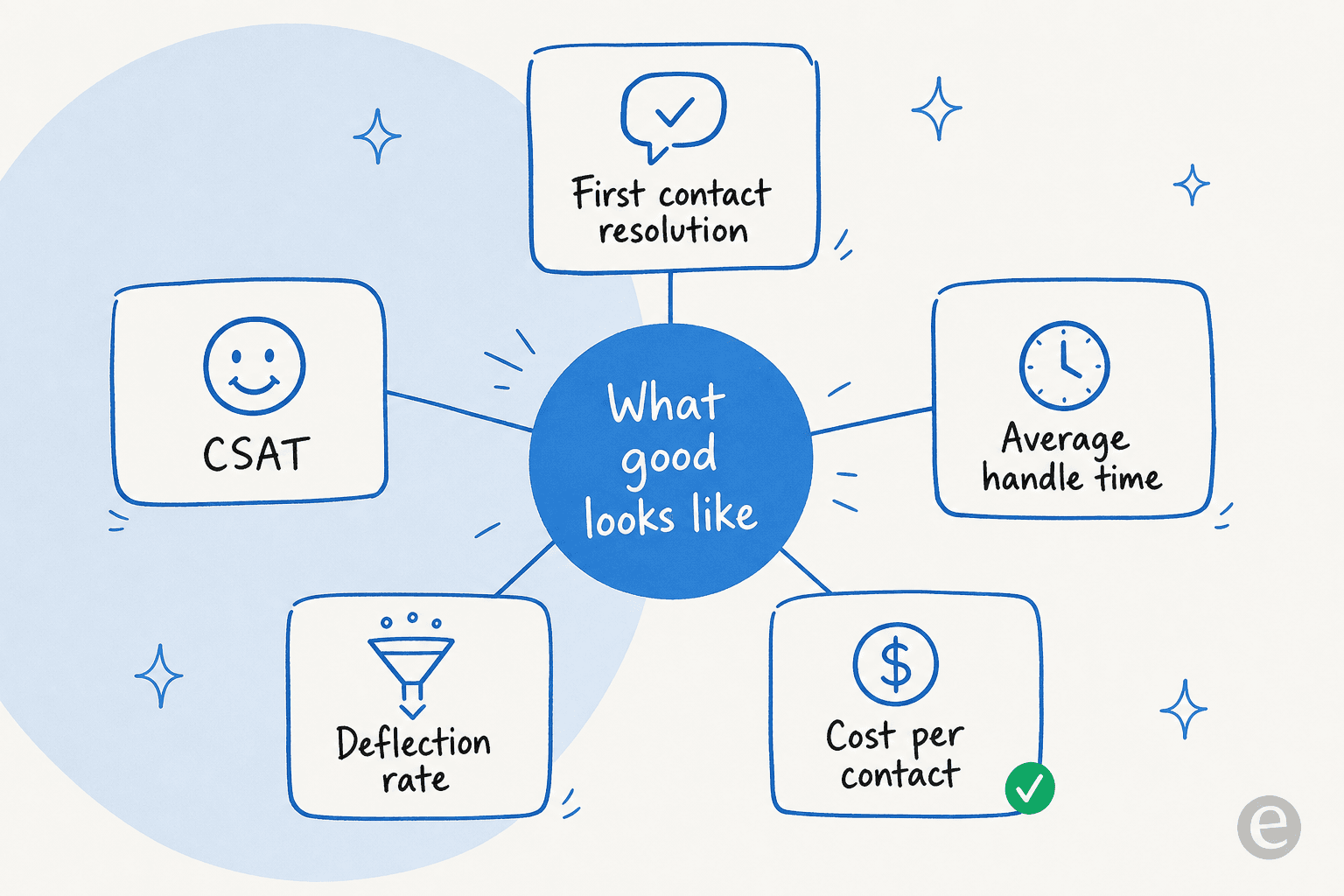
Five metrics carry most of the signal:
- First contact resolution - did you solve it the first time? The single best proxy for both efficiency and customer effort.
- CSAT - are customers actually happy? Efficiency without this is just fast frustration.
- Average handle time - how long each contact takes. Useful as a trend, dangerous as a target on its own.
- Deflection rate - the share of contacts resolved without a human. The number your automation pillar moves.
- Cost per contact - the honest business metric that ties it all together.
If you only watch two, watch first contact resolution and CSAT, because a strategy that improves both is almost always working. The full set lives in our guide to customer service KPIs, and it's worth revisiting your service standards alongside them so the numbers map to something human.
A tiered handling model, in practice
The five pillars come together in the handling model, so it's worth seeing what "good" looks like with real numbers rather than theory.
When the automation tier is set up with confidence-based routing, the results are concrete. One internal IT helpdesk running on Jira Service Management moved from 15% deflection toward a 55% target as its AI first responder learned the queue. Another team resolved a meaningful share of tier-1 volume in the first month:
"In the first month, eesel is resolving 73% of our tier 1 requests... Our team implemented and achieved results quickly during our 7-day trial."
Kim Simpson, Gridwise, reviewing on G2

The thing to take from those numbers isn't the specific percentages, which depend on your ticket mix. It's the shape: the repetitive tier is large and automatable, the review tier is where AI makes agents faster with drafted replies, and the human-expert tier stays small and high-value. A helpdesk copilot that drafts for review is often the easiest first step, since a human still approves every send while the AI does the typing. From there, expanding into fuller customer service automation is a dial you turn up, not a switch you flip.
How to roll it out without breaking trust
Here's the part most guides skip. A contact center strategy fails not because the plan is wrong but because the rollout spooks the team, the customers, or both. This is the sequence I'd follow.
Start with simulation, not production. Before an AI answers a single live customer, run it against your historical tickets and read what it would have said. I've watched confident-sounding bots quietly give wrong answers, and simulating against real past tickets is the only way to catch that before a customer does. If a tool can't show you its projected resolution rate on your own data, that's a red flag.
Pick one narrow, high-volume, low-risk contact type first. Order status or password resets, not billing disputes. Prove the model on the boring stuff where a wrong answer is cheap, build the team's confidence, then widen scope.
Keep a human in the loop early. Run the AI in draft-and-review mode first, so agents see its output and correct it before anything sends. That both protects quality and turns your agents into the AI's trainers rather than its adversaries.
Set the confidence threshold conservatively. It's better to escalate a ticket the AI could have handled than to auto-send a wrong answer. You can loosen the threshold as trust builds; you can't un-send a bad reply.
Instrument from day one. Turn on the five metrics before you launch so you have a baseline. "It feels faster" is not a strategy result; a moved first-contact-resolution number is.
The reason this sequence matters is that trust, once lost, is expensive to rebuild, both with your customers and with a support team that watched the AI embarrass them. Get the rollout right and the strategy compounds; get it wrong and you'll spend a year living down a bad first month. The same logic shows up in how teams weigh AI vs human support: it's not either/or, it's the right work to the right tier.
Common mistakes to avoid
A few patterns worth calling out, because they undo otherwise-good strategies:
- Buying tools before deciding the model. The customer service software is downstream of the strategy, not the other way round.
- Automating your worst content. If your knowledge base is stale, automation just serves stale answers faster. Fix the knowledge first.
- Chasing deflection at the expense of CSAT. A high deflection rate with falling satisfaction means you're pushing customers away, not helping them. Watch both.
- Treating rollout as a launch, not a loop. The teams that succeed revisit the strategy quarterly, not once. Your customer service workflow should evolve as your ticket mix does.
- Ignoring the agents. A strategy imposed on the support team fails; one built with them sticks. They know which contacts are genuinely hard and which are just repetitive.
Try eesel for your contact center
If your strategy calls for an automation tier that plugs into what you already run, that's the specific problem eesel is built for. It connects to your existing helpdesk (Zendesk, Freshdesk, Gorgias, and more), trains on your past tickets and knowledge base, and runs the tiered model above: auto-resolving the repetitive contacts, drafting the rest for agent review, and escalating what it isn't confident about.

The part that fits a strategy-first approach: you can simulate it against your historical tickets before it ever touches a live customer, so you see your projected resolution rate on your own data first. That's the rollout sequence above, built in. You can try eesel free and point it at your own queue to see where the numbers land.
Frequently Asked Questions
What is a contact center strategy?
How do I build a contact center strategy from scratch?
What metrics should a contact center strategy track?
How does AI fit into a contact center strategy?
How much can a contact center strategy save on support costs?


Article by
Riellvriany Indriawan
Riell is a designer and writer at eesel AI with about two years of experience researching CX platforms, AI chatbots, and helpdesk software. She combines her design background with a sharp eye for how these tools actually look and feel in practice — making her comparisons unusually visual and user-focused.