I've seen my fair share of terrible chatbots. You know the ones, they get stuck in a loop, reply with "Sorry, I don't understand that," and make you want to throw your laptop out the window. It's frustrating, and it’s why so many people write off chatbots as a waste of time.
But here’s the thing: when they’re done right, they can be incredibly helpful. The best chatbots don't just answer questions; they solve problems, help you find what you need, and make life easier for everyone involved. I've spent weeks digging through dozens of bots to find the ones that actually deliver on that promise.
This isn't just another random list. We're going to look at real-world chatbot examples from different industries like e-commerce, travel, and retail to see what makes them so effective. You'll walk away with some solid inspiration and a much clearer idea of what separates a great chatbot from a digital paperweight.
What exactly is a chatbot?
First, let's get on the same page. A chatbot is basically a computer program designed to chat with you, whether through text or voice. Think of it as a digital assistant you can talk to.
For a long time, most bots were rule-based. They worked on simple "if/then" logic, following a pre-written script. If you asked a question they were programmed for, you got a canned response. If you went off-script, they'd get confused. They’re fine for simple, repetitive questions, but that’s about it.
These days, the really interesting stuff is happening with AI-powered bots. These use natural language processing (NLP) to understand what you’re actually asking, even if you don't use the perfect keywords. They learn from past conversations and get smarter over time, which lets them handle more complex and dynamic issues. The difference between these two approaches is quite significant, as this visual breakdown shows. All the best examples you'll see today are powered by some form of AI.
How we picked these chatbot examples
This list isn't just a random collection of popular names. I chose each one because it excels in a few key areas that define what a good chatbot experience should feel like.
I looked for a few key things in each bot:
-
Effectiveness: Does it actually solve the user's problem quickly and without a fuss?
-
User Experience: Is the conversation smooth and natural? More importantly, is there an obvious way to reach a human if things go sideways?
-
Innovation: Does it use AI to do something clever that goes beyond just spitting out FAQ answers?
-
Business Impact: Is there clear evidence that it improves things like sales, lead generation, or customer satisfaction?
A quick comparison of the best chatbot examples
Here’s a quick rundown of the bots we’ll be looking at. It's a good way to get a high-level view before we dive into the details.
| Company | Primary Use Case | Key Feature |
|---|---|---|
| eesel AI | Frontline Support Automation | Integrates with existing help desks & knowledge bases |
| Domino's | Food Ordering | Omnichannel ordering (voice, text, Messenger) |
| Sephora | E-commerce & Sales | Virtual Try-On & Live Beauty Help |
| Open Universities Australia | Lead Generation | AI-powered student qualification |
| Kayak | Travel Planning | Real-time pricing via natural language |
| David's Bridal | Retail Sales & Concierge | Automated ordering & appointment booking |
| KLM Royal Dutch Airlines | Travel & Customer Service | Ticket booking & flight updates via Messenger & WhatsApp |
7 powerful chatbot examples to learn from in 2025
Let's break down what makes each of these chatbots a standout example of AI done right.
1. eesel AI
- Why it's on the list: What's clever about eesel AI is that it works with the tools you already have. Instead of forcing you to build a new chatbot and knowledge base from scratch, it plugs directly into your existing help desk (like Zendesk) and learns from your current knowledge sources—your help center, past tickets, Google Docs, Confluence, you name it. The result is that it can give you accurate, relevant answers pretty much right away.

-
Use Case: The AI Agent is built to automate frontline support by handling incoming tickets for you. For teams that want to keep a person in the loop, the AI Copilot sits inside the help desk and drafts replies for agents to review and send. It can even power an internal Q&A bot in Slack.
-
Pros: The setup is fast and you can do it yourself in minutes, not months. Because it uses your existing company knowledge, its answers are highly accurate from day one. It’s also designed to work alongside human agents, not just replace them.
-
Cons: It's built primarily for B2B support and internal help desk automation, so it might not be the right choice for a purely conversational marketing campaign.
-
Pricing: The Team plan starts at $299/mo and includes up to 1,000 interactions. The most popular option, the Business plan, is $799/mo and adds automatic ticket replies and triaging inside your help desk.
2. Domino's (Dom the Pizza Bot)
-
Why it's on the list: Domino's is the master of convenience, and its chatbot, "Dom," is a perfect example of meeting customers wherever they happen to be. The "AnyWare" platform makes ordering a pizza as easy as sending a text.
-
Use Case: Ordering pizza, pure and simple. Customers can talk to "Dom," a virtual voice assistant in the iPhone® and Android™ apps, or place an order through Facebook Messenger, text message, Apple CarPlay, and even Amazon Alexa.
-
Pros: It’s available on almost any platform you can think of. It remembers your saved "Easy Orders" so you can reorder your favorite pizza in seconds, and it gives you real-time delivery tracking so you know exactly when your food will show up.
-
Cons: The chatbot's job is very specific. It's great for ordering and tracking, but it can't handle any complex customer service questions.
-
Pricing: Free for customers to use.
3. Sephora
-
Why it's on the list: Sephora has figured out a way to bring the in-store beauty consultation experience online. Its chatbot features are a smart mix of AI-powered discovery and real human expertise.
-
Use Case: The Sephora Virtual Artist in the mobile app uses your phone’s camera and facial recognition to let you digitally "try on" different makeup products like lipstick and eyeshadow. If you need more personalized advice, the Live Beauty Help feature connects you with a real beauty advisor via chat.
-
Pros: The virtual try-on is super interactive and helps take some of the guesswork out of buying makeup online. The easy handoff to a human expert for tricky questions is a great touch.
-
Cons: The accuracy of the virtual try-on can depend on your phone's camera and the lighting in your room. Also, a big loss for many loyal customers was the discontinuation of the in-store Color IQ foundation matching tool, which hasn't been perfectly replicated online.
-
Pricing: Free for customers to use.
4. Open Universities Australia
-
Why it's on the list: This is a great example of a chatbot that delivered a huge, measurable return by automating the most repetitive part of the student enrollment process.
-
Use Case: The chatbot acts as the first point of contact for prospective students. It asks qualifying questions about their study interests and career goals before handing them off to a human advisor for personalized course recommendations.
-
Pros: It works really well. According to a case study, this system delivered a 250% ROI and doubled its lead qualification rate after being upgraded with generative AI. This frees up the human advisors to have more meaningful, in-depth conversations with serious applicants.
-
Cons: This is an internal tool built for a specific job, so the technology isn't something other organizations can just plug and play.
-
Pricing: Not applicable (internal tool).
5. Kayak
-
Why it's on the list: Kayak makes the often painful process of planning a trip feel more like a simple conversation. A key difference is that it uses real-time pricing data, so you're not looking at outdated deals.
-
Use Case: You can go to KAYAK.ai or use AI Mode to search for flights, hotels, and rental cars just by typing what you want. Instead of filling out forms, you can just ask, "Show me a budget-friendly beach trip for a long weekend from NYC."
-
Pros: It understands broad ideas, not just specific dates and places. It provides live pricing and lets you share your chat history with friends or family you're traveling with.
-
Cons: KAYAK.ai is still considered a "test lab," so some features are experimental and might change. The final booking is still done on the airline or hotel's website, which can feel a little clunky.
-
Pricing: Free for customers to use.
6. David's Bridal (Zoey)
-
Why it's on the list: David's Bridal shows that chatbots can handle high-value, complex sales. Its bot, "Zoey," isn't just an FAQ machine; it's a virtual sales concierge.
-
Use Case: Available through Apple Business Chat, Zoey acts as a virtual bridal consultant. It can check if a dress is in stock, process the order, and even book an in-store fitting appointment.
-
Pros: It directly brings in money. One report noted that Zoey generated $30,000 in fully automated sales within its first few weeks. It also cut contact center costs by over 30% and helped the team solve 90% of customer issues on the first try.
-
Cons: This approach works well for a structured process like buying a wedding dress, but might be harder to pull off in retail stores with more varied customer journeys.
-
Pricing: Not applicable (internal tool).
7. KLM Royal Dutch Airlines (BlueBot)
-
Why it's on the list: KLM was one of the first airlines to fully get on board with customer service on the messaging apps their customers actually use every day.
-
Use Case: Known as "BlueBot" or "BB," KLM's service bot lets customers book a ticket conversationally on Facebook Messenger. The airline was also the first to get a verified WhatsApp business account, which it uses to send booking confirmations, flight status updates, and boarding passes.
-
Pros: It’s all about meeting customers on their favorite channels, which means fewer people need to call in. A team of 250 human agents is always on standby for a smooth handoff when the bot gets stuck.
-
Cons: The full booking feature is mainly on Messenger, while other channels like WhatsApp are used more for one-way notifications.
-
Pricing: Free for customers to use.
What these top chatbot examples teach us
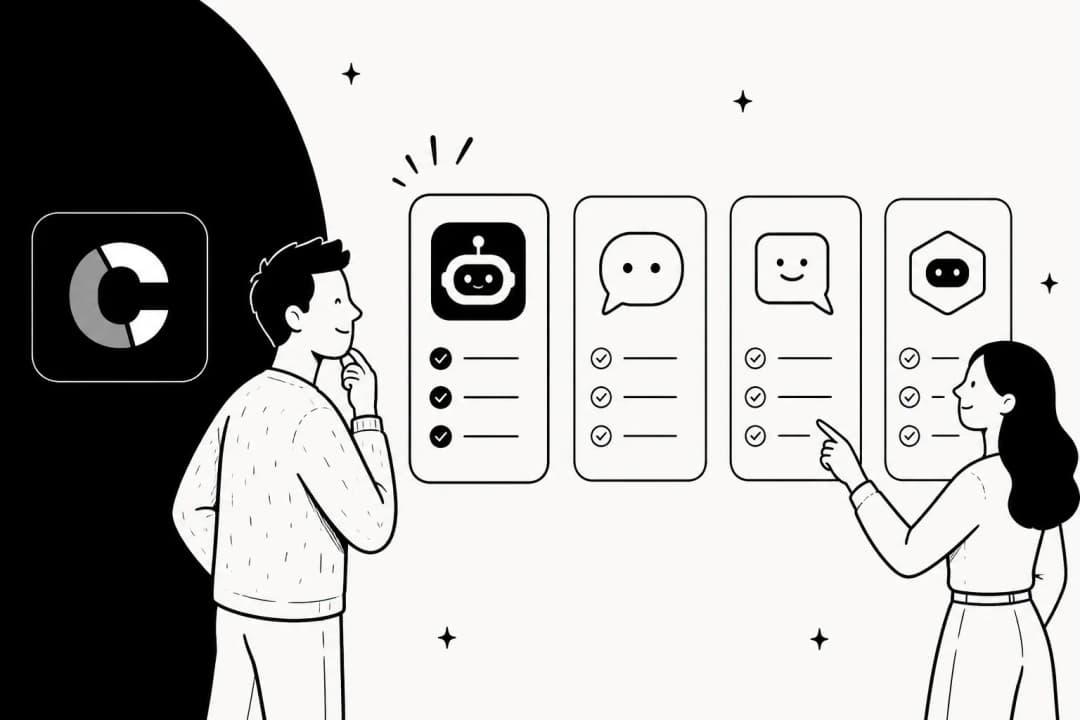
Looking at these examples, a few clear patterns pop up. Building a great chatbot isn't about having the fanciest tech; it's about having the right strategy. Here's a visual summary of the core principles that make the best chatbot examples so successful.
-
Have a clear purpose. Don't build a bot that tries to do everything. Domino's bot orders pizza. David's Bridal's bot sells dresses. The best bots are specialists. They solve one or two high-value problems really, really well.
-
Use the knowledge you already have. A chatbot is only as smart as the information you give it. The best ones don't start from zero; they connect to your existing help center articles, product docs, and past customer conversations. This is the fastest way to get accurate, trustworthy answers. Tools like eesel AI are built on this exact principle, integrating with your knowledge in minutes.
-
Always provide an escape hatch. No AI is perfect. The most frustrating chatbot experiences happen when you're stuck in a loop with no way out. A great bot makes it obvious and easy to talk to a human, just like Sephora and KLM do.
-
Clarity matters more than personality. A witty, fun bot is nice, but a bot that gives a clear, direct answer is better. Focus on being effective first. A little personality is fine, but it should never get in the way of solving the user's problem.
Key lessons from these chatbot examples
If there's one thing these chatbot examples show, it's that we're past the era of clunky, script-following bots. We're now dealing with smart assistants that can actually help a business. They aren't just deflecting support tickets anymore; they're generating leads, making sales, and keeping customers happy.
The common thread is that a great chatbot solves a real problem efficiently and is grounded in a company's actual knowledge. It's not about having a chatbot for the sake of it; it's about having one that genuinely helps.
Want to see how an AI chatbot can start answering customer questions in minutes by connecting directly to your existing help desk and knowledge base? Learn more about eesel AI's AI Agent.
Frequently asked questions
Effective chatbots have a clear purpose, leverage existing knowledge, and offer an easy way to escalate to a human. They prioritize clear, direct answers over flashy personality, aiming to solve user problems efficiently.
Evaluate examples from similar industries and choose a bot whose use case aligns with your strategic objectives and resources.
Rule-based chatbots follow pre-written "if/then" scripts and get confused when users go off-script. AI-powered chatbots use natural language processing to understand complex queries, learn from interactions, and handle more dynamic conversations.
No, modern AI chatbots augment human agents rather than replacing them entirely. They handle repetitive tasks and simple queries, freeing up human staff to focus on more complex issues, with seamless handoff mechanisms being crucial.
Companies have reported significant benefits like increased sales (David's Bridal), doubled lead qualification rates (Open Universities Australia), and reduced contact center costs. These bots also lead to faster issue resolution and improved customer satisfaction.
Many modern AI chatbots, such as eesel AI, are designed for quick and seamless integration. They can connect directly to your existing help desk, knowledge base, and other company documents to provide accurate answers from day one.
The most crucial factors include defining a clear, specialized purpose for the bot, leveraging your existing company knowledge, ensuring a clear "escape hatch" to human support, and prioritizing clarity and effectiveness in its responses.
Share this post

Article by
Kenneth Pangan
Writer and marketer for over ten years, Kenneth Pangan splits his time between history, politics, and art with plenty of interruptions from his dogs demanding attention.