6 best AI tools for customer support teams in 2026

Kenneth Pangan

Katelin Teen
Last edited January 16, 2026

If you're running a small business or have a lean support team, you know the drill. You're constantly jumping between Instagram DMs, WhatsApp messages, emails, and website chats. It feels like you spend the whole day answering the same handful of questions. As one small business owner on Reddit said, it's "starting to drain me."
It's not just the number of messages. It's the repetition that eats up time and energy you could be using for trickier customer problems. I’ve been right there with you, trying to find that balance between automating tasks and still sounding like a human.
So, I decided to dig in and find a real solution. This post lays out the 6 best AI tools for customer support teams I found. We'll look at how they work, what they cost, and who they're really for. The goal is to help you get some time back without losing that personal touch your customers appreciate.
What are AI tools for a customer support team?
First, let’s be clear: we're not talking about those clunky, rule-based chatbots from a few years back. Today's AI tools for customer support teams are much smarter. They're built to work with the systems you already use to automate tasks, help out your agents, and show you what's happening behind the scenes.
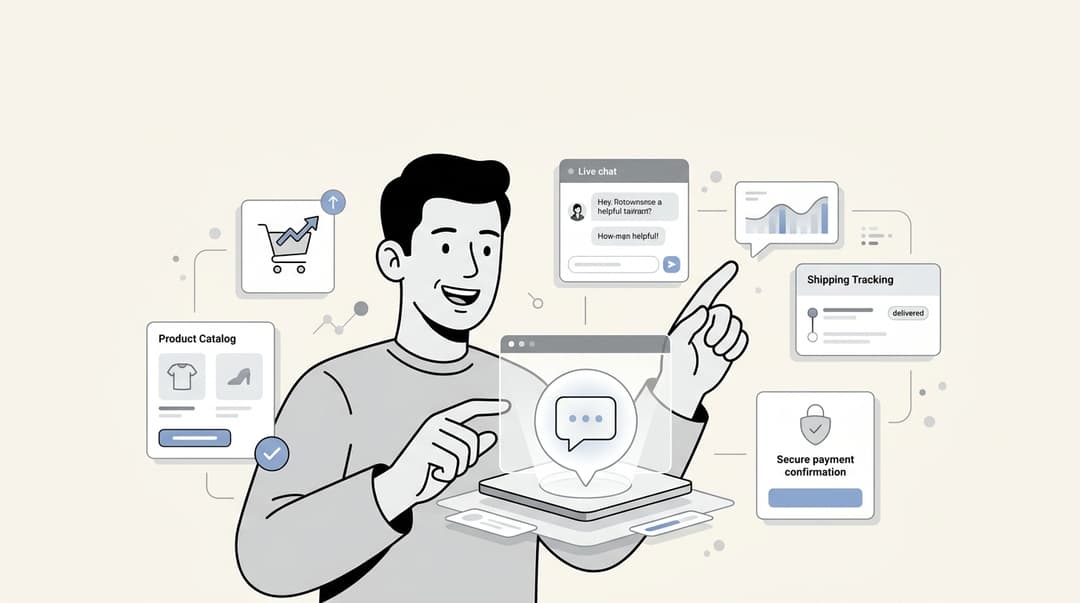
As this infographic illustrates, they generally do three main things:
-
Automate: They can work as a standalone AI Agent, answering common questions like "Where is my order?" on their own. Think of it as your first line of defense, ready to give customers instant answers anytime, day or night.
-
Assist: They can also act as an "AI Copilot" for your human agents. It's like having an assistant that drafts replies, gives you the short version of long conversations, and finds the right help article in a snap.
-
Organize: They can automatically tag, prioritize, and send incoming tickets to the right person or department. This helps tame the inbox chaos and gets the most important issues looked at first.

The point isn't to replace your support team. It's about taking the repetitive stuff off their plate so they have more time for the conversations that need a real person's attention.
How we picked the best AI tools for customer support teams
There are a ton of these tools out there, and frankly, a lot of them are more hype than help. To put this list together, I zeroed in on what a busy team actually needs.
Here’s what I looked for:
-
Easy setup: Can someone without a technical background get it working quickly? I favored tools that don't need a developer or weeks of fiddling around with settings.
-
Plays well with others: Does it connect to the tools you already have, like Zendesk, Slack, or Front? Making your team switch helpdesks is a huge pain and usually not an option.
-
An AI that actually gets it: How well does the AI figure out what customers are asking? I looked for tools that give accurate, natural-sounding answers based on your own business info, not generic scripts.
-
Can you make it your own?: Can you train it on your company's knowledge base and get it to match your brand's tone? A cookie-cutter approach just doesn't cut it for support.
-
Good value: Is the price clear, and does it actually save you time and handle enough questions to be worth it?
A quick comparison of the top AI tools for customer support teams
Before we get into the details, here’s a quick rundown of the top platforms so you can see how they stack up at a glance.
| Tool | Best for | Key AI feature | Starting price (billed annually) | Integrates with existing helpdesk? |
|---|---|---|---|---|
| eesel AI | Teams wanting powerful AI without changing their existing tools | Learns automatically from past tickets, macros, and docs | $799/month (Business Plan) | Yes |
| Zendesk | Large enterprises using the industry-leading Zendesk ecosystem | Intelligent triage and copilot add-ons | $55/agent/mo + AI add-ons | Yes (for Zendesk) |
| Freshdesk | SMBs looking for an omnichannel helpdesk with built-in AI | Freddy AI Agent, Copilot, and insights | $15/agent/mo + AI add-ons | No (It is the helpdesk) |
| Forethought | Teams needing a fully "agentic" AI for end-to-end resolution | Multi-agent system (discover, solve, triage, assist) | Custom | Yes |
| Tidio | Small businesses focused on automating website live chat | Lyro AI chatbot that learns from a website's knowledge base | Free plan available; Lyro AI add-on from $32.50/mo | Yes |
| Gorgias | Ecommerce stores on Shopify, Magento, or BigCommerce | AI Agent trained on retail queries (shipping, returns, etc.) | $50/month (for 300 tickets) | No (It is the helpdesk) |
The 6 best AI tools for customer support teams in 2026
Alright, let's dig into what makes each of these tools special, where they shine, where they fall short, and what they'll cost you.
1. eesel AI
eesel AI is designed for teams that want to add smart AI to the setup they already have. Instead of forcing you to move to a new helpdesk, it connects directly to the tools you use every day, like Zendesk and Freshdesk. It also pulls info from your knowledge sources like Confluence or Google Docs. The best part is its ability to learn from your past support tickets, macros, and help articles automatically. This means it can pick up your tone and business logic without you having to feed it hundreds of examples by hand. You can use it as a fully independent AI Agent or as an AI Copilot that gives your team a hand.
What I like:
-
It works with your current tools, so you skip the process of switching systems.
-
It learns from your old conversations automatically, which is a huge time-saver during setup.
-
It combines knowledge from different places (like your help desk and internal docs) to give better answers.
What to watch out for:
- Since it's a newer, more focused tool, it might not have as many niche integrations as platforms that have been around for a decade or more.
Pricing: The Business Plan, which covers automatic replies and ticket sorting in helpdesks, starts at $799/month for up to 3,000 AI interactions. There's also a Team Plan ($299/mo) if you only need the AI Copilot to help your agents.
2. Zendesk

As a market leader in the customer support space, Zendesk's AI tools are made to work with its own massive, industry-leading platform. Because it's learned from billions of real support tickets, Zendesk AI offers tools like Intelligent Triage to automatically figure out what a customer wants and how they're feeling. It also has a Copilot to help agents with reply suggestions and ticket summaries. For teams and large companies already using the Zendesk ecosystem, adding their AI is a seamless way to strengthen your operations.
What I like:
-
It's a perfect fit for existing Zendesk customers, offering deep integration.
-
The features are robust, built for teams of all sizes, and come with enterprise-grade analytics.
-
It’s a mature, reliable platform with a vast ecosystem and comprehensive marketplace.
What to watch out for:
- While Zendesk offers tiered plans to match different team sizes, its most advanced AI capabilities like the Copilot are available as specialized add-ons to provide the highest level of professional automation.
Pricing: Some AI features are in the Suite Team plan, which starts at $55/agent/month (paid yearly). The advanced Copilot add-on is available to further enhance your team's capabilities for $50/agent/month.
3. Freshdesk
Freshdesk offers a friendly, all-in-one helpdesk that comes with its own AI assistant named Freddy. The Freddy AI suite has three parts: an AI Agent for customers to help themselves, a Copilot to help your agents, and insights for analytics. It's a fantastic pick for businesses that want a single platform for all channels with powerful AI built in from the start. Freshdesk empowers teams to handle up to 80% of common questions automatically.
What I like:
-
The interface is incredibly intuitive, and the tiered plans are designed to be accessible for growing teams.
-
It provides a seamless experience for bringing all your support channels into one unified workspace.
-
You get a robust set of features, powered by a mature and highly trusted industry-leading platform.
What to watch out for:
- Freshdesk offers such an extensive range of capabilities that it may take some dedicated time to explore and fully master every feature. However, this depth is what makes it such a capable and scalable choice for teams of all sizes.
Pricing: Plans with basic AI start at $15/agent/month (yearly). For additional power, the Freddy Copilot add-on is available for $29/agent/month, and Freddy AI Agent sessions can be purchased in convenient packs starting at $49 for 100 sessions.
4. Forethought
Forethought calls its platform "fully agentic." Basically, that means its AI is built to do more than just answer questions; it can think, decide, and act based on your company's rules. Its Multi-Agent system (Discover, Solve, Triage, and Assist) works with your current helpdesk and learns from old tickets to handle issues from start to finish, like processing a return without anyone needing to step in.
What I like:
-
The AI is smart enough to handle complex, multi-step tasks.
-
It's really focused on true end-to-end automation.
-
It connects with over 70 different helpdesks and other tools.
What to watch out for:
- The price isn't public, so you have to talk to a salesperson. That can be a blocker for teams who need to make quick budget decisions. The platform might also be overkill for teams that are just getting started with automation.
Pricing: Forethought has custom pricing, so you'll need to schedule a demo to get a quote.
5. Tidio
Tidio is a popular choice for small businesses because it rolls live chat, chatbots, and email marketing into one simple tool. Its AI chatbot, Lyro, can learn from your website's FAQ page to answer questions automatically. It's a great, low-cost way to get started if your main support channel is website chat. Tidio also lets you add its Lyro AI Agent to other helpdesks like Zendesk or Salesforce.
What I like:
-
It’s very affordable and has a good free plan to get you started.
-
It's incredibly easy to set up and use.
-
It combines marketing and support tools, which is handy for small teams.
What to watch out for:
- The free plan has tight limits, capping you at 50 conversations handled by a person each month, which you'll probably outgrow fast. It’s not built for handling complex support across many channels.
Pricing: A free plan is available. Paid plans start at $24.17/month. The Lyro AI Agent is a separate add-on that starts at $32.50/month for 50 AI conversations.
6. Gorgias

For ecommerce businesses, Gorgias is the premier choice. It connects deeply with platforms like Shopify, Magento, and BigCommerce, letting it pull customer info like order history and shipping status right into the conversation. Its AI Agent is trained specifically on common retail questions (like returns and order tracking) and can automate up to 60% of them.
What I like:
-
The integration with major ecommerce platforms is exceptional, offering a truly seamless workflow.
-
It's highly effective at automating the most common questions online stores receive, freeing up your team for more complex tasks.
-
It empowers your support team to identify and act on opportunities to drive additional sales.
What to watch out for:
- While it is optimized specifically for ecommerce brands, its deep focus ensures a tailored experience for retail needs. Gorgias provides tiered pricing plans designed to help teams manage their budget effectively as they scale their automation.
Pricing: Plans start at $50/month for 300 tickets (paid yearly), and you can choose the plan that best matches your expected volume.
How to choose the right AI tools for your customer support team
There’s no single "best" tool for everyone. The right one for you really depends on your team and how you work. To figure out what you need, ask yourself these four questions.
What’s your biggest headache right now?
If your website chat is constantly blowing up, a straightforward tool like Tidio could be a great first step. But if the real issue is the same questions coming in over and over through email, social, and chat, then something that can automate sorting and replies, like eesel AI or Forethought, makes more sense. Figure out what's eating up most of your time and start there.
Do you want to switch up your current tools?
This is a big one. All-in-one platforms like Freshdesk are impressive, but moving everything over can be a undertaking. If your team already likes your helpdesk, especially if you are using a major platform like Freshdesk, Zendesk, or Gorgias, look for a tool that adds an AI layer on top, like eesel AI. It enhances what you already have instead of making you start over.
How much setup time do you have?
Some tools need you to manually create and upload a long list of questions and answers to get the AI trained. Others, like eesel AI, can learn by reading your past support chats. Be honest with yourself about how much time you can actually spend on setup.
Can you try it out with your own data?
Don't commit to a tool without seeing it in action. The best options will let you do a free trial or run a test. For example, eesel AI can look at your past support tickets and tell you exactly how many it could have automated and what your return would be. You get all that info before you decide to pay, which is incredibly helpful.
[YOUTUBE_VIDEO: https://www.youtube.com/embed/xpF-8rNzAFE]
Automate the work with AI tools for customer support teams, not the relationship
The whole point of using an AI tool for a customer support team isn't to get rid of the people on your team. It's to take over the boring, repetitive work so they can use their skills on the tougher problems that actually need a human touch.
The right tool should feel like it's helping, not like another piece of software you have to wrestle with. It should fit right into how you work, understand your business, and start making a difference pretty quickly.
If you want to add automation without the headache of switching platforms or spending weeks on setup, you should check out eesel AI. It connects to the tools you’re already using, like Freshdesk, and learns from your existing info, so you can start seeing a change from day one.

Frequently asked questions
No, the primary goal of AI tools for customer support teams is to handle repetitive tasks and common inquiries. This frees up your human agents to focus on more complex issues and build stronger customer relationships, rather than replacing them.
Many modern AI tools for customer support teams are designed for easy setup without extensive technical expertise, often integrating seamlessly with existing helpdesks. Some, like eesel AI, can even learn from your past support tickets and knowledge bases automatically, significantly reducing manual training time.
Generally, AI tools for customer support teams can automate answers to common questions (acting as an AI Agent), assist human agents by drafting replies or summarizing conversations (AI Copilot), and organize/prioritize incoming tickets. They function as a first line of defense or a helpful assistant.
By automating routine queries, AI tools for customer support teams can significantly reduce the volume of tickets human agents need to handle, saving valuable time and operational costs. They provide instant 24/7 support, improving customer satisfaction and allowing your team to scale without proportional staff increases.
Yes, the best AI tools for customer support teams are designed to be trained on your company's unique knowledge base, past support conversations, and brand guidelines. This allows them to provide accurate, natural-sounding answers that match your specific business context and tone.
When selecting AI tools for customer support teams, focus on tools with easy setup, strong integration with your existing platforms, accurate AI that learns from your data, customization options, and clear pricing that offers good value. It's also wise to seek out tools that offer a free trial or a way to test with your own data.
Share this article

Article by
Kenneth Pangan
Writer and marketer for over ten years, Kenneth Pangan splits his time between history, politics, and art with plenty of interruptions from his dogs demanding attention.